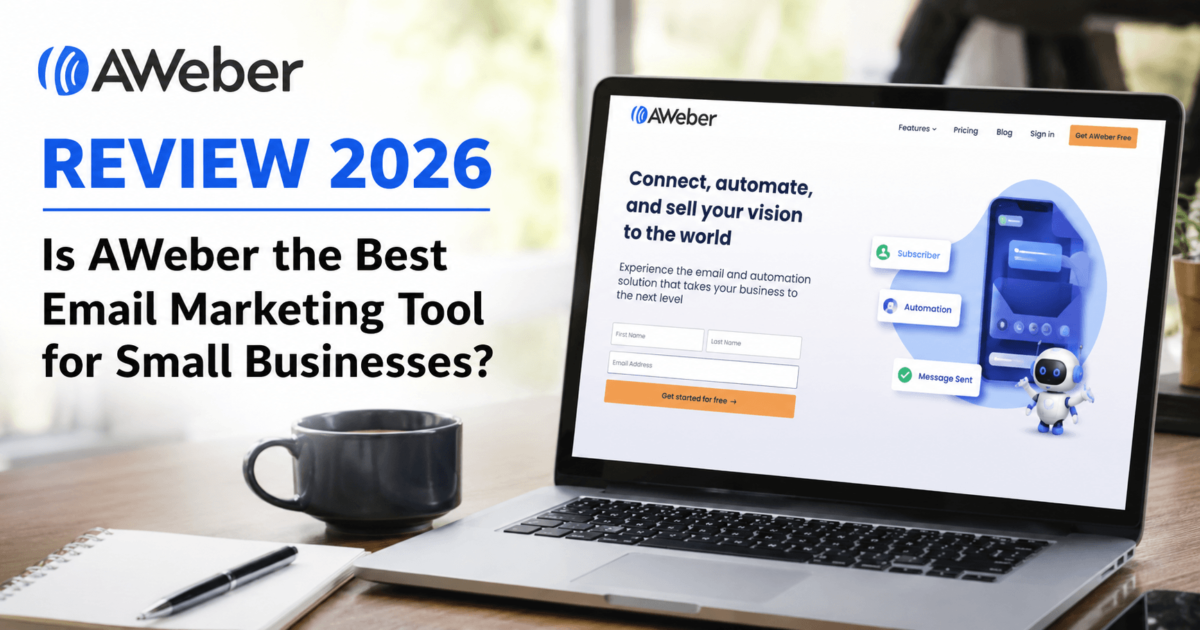
Is AWeber the Best Email Marketing Tool for Small Businesses?
Still Struggling to Build a Real Email List in 2026?
Let me guess. You’ve heard “the money is in the list” about a thousand times. You’ve tried a few tools, maybe spent hours fiddling with settings, and still feel like you’re not sure which email marketing platform is actually worth your time and money.
I’ve been there. So when I sat down to spend three months testing AWeber — one of the oldest and most recognized names in email marketing — I went in with one simple question: is AWeber actually worth it in 2026?
This isn’t a quick overview scraped from a spec sheet. I actually used the platform: set up campaigns, built automations, tested the landing page builder, checked deliverability, and poked around every corner. What you’re about to read is the full, honest, unfiltered result of that experience.
Whether you’re completely new to email marketing, switching from Mailchimp, or just trying to decide between tools, this AWeber review 2026 will give you everything you need to make a smart call — without wasting another afternoon in a free trial you don’t understand.
AWeber in 2026 at a Glance
| Overall Rating | ★★★★☆ 4.3 / 5 |
| Best For | Beginners, bloggers, solopreneurs, small businesses |
| Not Ideal For | Advanced marketers needing complex multi-step automation |
| Free Plan | Yes — up to 500 subscribers & 3,000 emails/month |
| Starting Price | $15/month (Lite, billed annually) |
| Ease of Use | ★★★★★ 5 / 5 |
| Deliverability | ★★★★ 4 / 5 (91/100 score) |
| Automation | ★★★ 3 / 5 |
| Customer Support | ★★★★★ 5 / 5 (24/7 phone, chat, email) |
| Value for Money | ★★★☆ 3.5 / 5 |
| Integrations | 750+ apps via Zapier + native integrations |
| Founded | 1998 — 25+ years in email marketing |
What is AWeber? A Brief Overview
AWeber is one of the oldest email marketing platforms in the world, founded back in 1998 — before most of today’s competing tools even existed. Headquartered in Chalfont, Pennsylvania, AWeber has served over 1 million businesses across its 25+ year history.
The platform started as a simple autoresponder service, and over the decades it’s grown into a full-featured email marketing suite. Today, AWeber offers everything from a drag-and-drop email builder and landing pages to automation workflows, ecommerce tools, and an AI writing assistant.
What makes AWeber stand out isn’t its flashy advanced features — it’s the combination of reliability, ease of use, and industry-leading customer support. For someone launching their first email list, it’s one of the least overwhelming options on the market.
Who is AWeber For?
AWeber is purpose-built for:
AWeber Features: A Deep-Dive (2026 Edition)
Let’s get into the meat of this review. I spent weeks clicking through every feature AWeber offers. Here’s what I found — the good, the average, and the needs-improvement.
1. Email Campaign Builder
AWeber’s email campaign builder is where you’ll spend most of your time, and it’s genuinely easy to use. The drag-and-drop editor loads fast, responds smoothly, and gives you a clean canvas to work with.
You can choose from over 700 email templates covering everything from newsletters and promotions to event announcements and product launches. The templates are HTML-enabled, mobile-responsive, and look polished — not like something from 2010.
One feature I genuinely loved: the Smart Designer. You drop in your website URL and AWeber’s AI automatically pulls your brand colors, logo, and fonts to create a personalized, ready-to-use email template. That alone saves a designer an hour of setup work.
2. AI Writing Assistant
This is one of the standout features AWeber has added in recent years. The built-in AI email writer can generate complete emails, subject lines, email summaries, and even tone adjustments — all without you leaving the editor.
According to AWeber, users can write emails up to 75% faster with AI-powered suggestions. In testing, I found this reasonably accurate — drafting a promotional email that would normally take 30 minutes took about 10 minutes with AI assistance.
The AI is trained to match your brand voice once you give it some context. You can prompt it to write in a friendly tone, a professional tone, or an urgent/promotional style. It’s not perfect every time — you’ll want to edit the outputs — but it’s genuinely useful as a first draft starting point.
3. Automation & Email Sequences
AWeber’s automation is built around what they call “Campaigns” — visual workflow builders where you sequence emails triggered by subscriber actions. The campaign builder uses a visual flowchart that’s easy to read and understand at a glance. You can set up:
4. Landing Page Builder
AWeber includes a full drag-and-drop landing page builder — no separate tool needed. You get a solid library of landing page templates designed for:
The landing page templates are genuinely conversion-focused with clear CTAs and minimal distractions. You can publish pages on a free AWeber subdomain or connect your own custom domain. Important note: The Lite plan caps you at 3 landing pages. The Plus plan gives you unlimited pages — a major reason why Plus is often the smarter choice.
5. Signup Forms & List Building
AWeber offers several ways to capture subscribers:
6. Subscriber Management & Tagging
The Lite plan limits you to 1 segment; Plus gives you unlimited segments, which is where the real power of AWeber’s subscriber management lies.
7. A/B Split Testing
AWeber’s A/B testing lets you test different subject lines and email content against each other. This feature is only available on the Plus plan. You can split your list, send variant A to one half and variant B to the other, then let AWeber pick the winner automatically based on open rates or click rates. It’s clean and simple, though more advanced testers may wish for multivariate testing options (not available here).
8. Analytics & Reporting
AWeber’s reporting dashboard gives you the core metrics you need:
9. Integrations
| Category | Tools Supported |
|---|---|
| Website / CMS | WordPress, Wix, Squarespace, Shopify, WooCommerce |
| Payments | PayPal, Stripe, Etsy |
| Lead Generation | LeadPages, ClickFunnels, Thrive Leads |
| Video Platforms | YouTube, Vimeo |
| Social Media | Facebook, Instagram |
| CRM Tools | Salesforce, HubSpot (via Zapier) |
| Webinar Tools | GoToWebinar, Zoom (via Zapier) |
| Automation | Zapier (750+ additional integrations) |
10. Ecommerce Features
Selling directly through email is something AWeber actually does well for basic use cases. Through PayPal integration, you can sell products, services, and subscriptions directly from your emails and landing pages. You can track sales attributed to specific email campaigns — genuinely useful for measuring ROI. Note: Both Lite and Plus plans charge ecommerce transaction fees (1% on Lite, 0.6% on Plus), which can add up for high-volume sellers.
11. Web Push Notifications
This is a feature most AWeber competitors don’t offer. Web push notifications let you reach subscribers directly in their browser — even when they’re not on your website. It’s a nice extra channel that can complement your email campaigns without needing a separate tool.
12. Customer Support
This is where AWeber genuinely excels above most competitors. You get 24/7 live chat, email, and phone support on all plans — including the free plan. Most platforms restrict phone support to expensive plans or remove it entirely.
In my testing, the response times were fast and the support reps were knowledgeable. Multiple independent reviews echo this — AWeber’s support consistently ranks as one of its strongest features. When something breaks at 11pm before a big campaign launch, having phone support available is not a small thing.
Getting Started with AWeber
How to Create Your First Email Campaign
How to Build an Automation Sequence
How to Create a Landing Page
AWeber Pricing 2026: Updated Plans & What You Get
| Feature | Free | Lite | Plus | Unlimited |
|---|---|---|---|---|
| Monthly Price (500 subs) | $0 | $15/mo* | $20/mo* | Custom |
| Subscribers | Up to 500 | 500+ | 500+ | Unlimited |
| Emails per Month | 3,000 | 10x subscribers | 12x subscribers | 15x subscribers |
| Email Lists | 1 | 1 | Unlimited | Unlimited |
| Landing Pages | Limited | 3 max | Unlimited | Unlimited |
| Automations | Limited | 3 max | Unlimited | Unlimited |
| Subscriber Segments | 1 | 1 | Unlimited | Unlimited |
| A/B Testing | No | No | Yes | Yes |
| Remove AWeber Branding | No | No | Yes | Yes |
| Advanced Analytics | No | No | Yes | Yes |
| Ecommerce Transaction Fee | N/A | 1% | 0.6% | Custom |
| 24/7 Support | Yes | Yes | Yes | Yes |
| Phone Support | Yes | Yes | Yes | Yes |
*Annual billing prices. Monthly billing starts at $19.99/mo for Lite and $29.99/mo for Plus at the 500-subscriber tier. Annual plans save approximately 16–25% versus monthly billing.
AWeber Pricing by Subscriber Count (Plus Plan — Annual)
| Subscriber Count | Monthly Cost (Annual) | Monthly Cost (Monthly) |
|---|---|---|
| Up to 500 | $20/mo | $29.99/mo |
| 501 – 2,500 | $30/mo | $49.99/mo |
| 2,501 – 5,000 | $50/mo | $69.99/mo |
| 5,001 – 10,000 | $83.33/mo | $119.99/mo |
| 10,001 – 25,000 | $112.50/mo | $159.99/mo |
| 25,001 – 50,000 | Contact AWeber | |
| 50,001 – 100,000 | Contact AWeber | |
AWeber Pros & Cons: The Honest Truth
AWeber vs. Competitors: How Does It Stack Up?
AWeber vs. Mailchimp
| Feature | AWeber | Mailchimp |
|---|---|---|
| Free Plan Subscribers | 500 | 500 |
| Free Plan Email Sends | 3,000/month | 1,000/month |
| Starting Paid Price | $15/mo | $13/mo |
| Phone Support | Yes (all plans) | No (paid plans only) |
| Advanced Automation | Limited | Better |
| Landing Pages | Yes | Yes |
| AI Writing Tools | Yes | Yes |
| Web Push Notifications | Yes | No |
| AMP for Email | Yes | No |
| Template Library | 700+ | 100+ |
AWeber vs. ConvertKit (now Kit)
| Feature | AWeber | ConvertKit / Kit |
|---|---|---|
| Free Plan | 500 subs + 3K emails/month | 10,000 subs (limited) |
| Starting Price | $15/mo | $25/mo |
| Automation | Basic-Moderate | Advanced visual automations |
| Content Creator Focus | Moderate | Very Strong |
| Commerce / Selling | Basic | Strong (digital products) |
| Email Deliverability | Strong (91/100) | Very Strong |
AWeber vs. GetResponse
| Feature | AWeber | GetResponse |
|---|---|---|
| Free Plan | Yes (500 subs) | Yes (500 subs) |
| Starting Price | $15/mo | $15/mo |
| Automation | Basic | Advanced |
| Sales Funnels | No | Yes |
| Webinar Hosting | No | Yes (paid plans) |
| Landing Pages | Yes | Yes |
| Ease of Use | Excellent | Good |
AWeber in the Real World: Use Cases That Work
Sarah runs a personal finance blog. She’d been putting off building an email list for two years because she found tools like ActiveCampaign overwhelming. She signed up for AWeber’s free plan, embedded a signup form in her top 5 blog posts, and set up a simple 5-email welcome sequence in one afternoon.
Within 60 days she had 400 subscribers. She started sending a weekly newsletter and saw her blog traffic increase by 23% as email readers kept returning. AWeber’s simplicity removed every barrier that had stopped her from starting.
Marcus promotes software products as an affiliate. He uses AWeber’s tagging system to segment his list by interest: SEO tools, email marketing, web hosting. When he sends promotional emails, he targets only the relevant segment — resulting in 40% higher click rates than blasting his entire list.
He runs his entire affiliate email business on the Plus plan and uses the sales tracking to measure which campaigns actually drive commissions. The automation handles follow-ups automatically so he doesn’t manually send reminders.
A local photography studio uses AWeber to stay in touch with past clients. They set up an automation that sends a follow-up email 11 months after each client session, reminding them that annual family portraits are a wonderful tradition.
The result: a 35% re-booking rate from email alone. This kind of simple, relationship-driven automation is exactly what AWeber excels at — no complex tech stack required.
Is AWeber Worth It in 2026? My Final Take
AWeber earns its reputation as a beginner’s best friend. It does the fundamentals very well — deliverability, ease of use, support, and templates. The December 2024 price increases were painful and drew criticism, but even at current prices, the Plus plan at $20/month for up to 500 subscribers is genuinely competitive for what you get.
If you’re just starting out and want something that works reliably without a tutorial video for every button you click, AWeber is a smart choice. Just make sure you upgrade to Plus rather than staying on Lite — the automation and landing page caps on Lite will frustrate you quickly.
Frequently Asked Questions About AWeber
Is AWeber free?
Is AWeber good for beginners?
Can I switch to AWeber from Mailchimp?
Does AWeber support email automation?
What is AWeber’s email deliverability rate?
Does AWeber offer a refund?
How does AWeber handle unsubscribers?
Is there a discount for nonprofits or students?
📚 Continue Reading — Related Guides