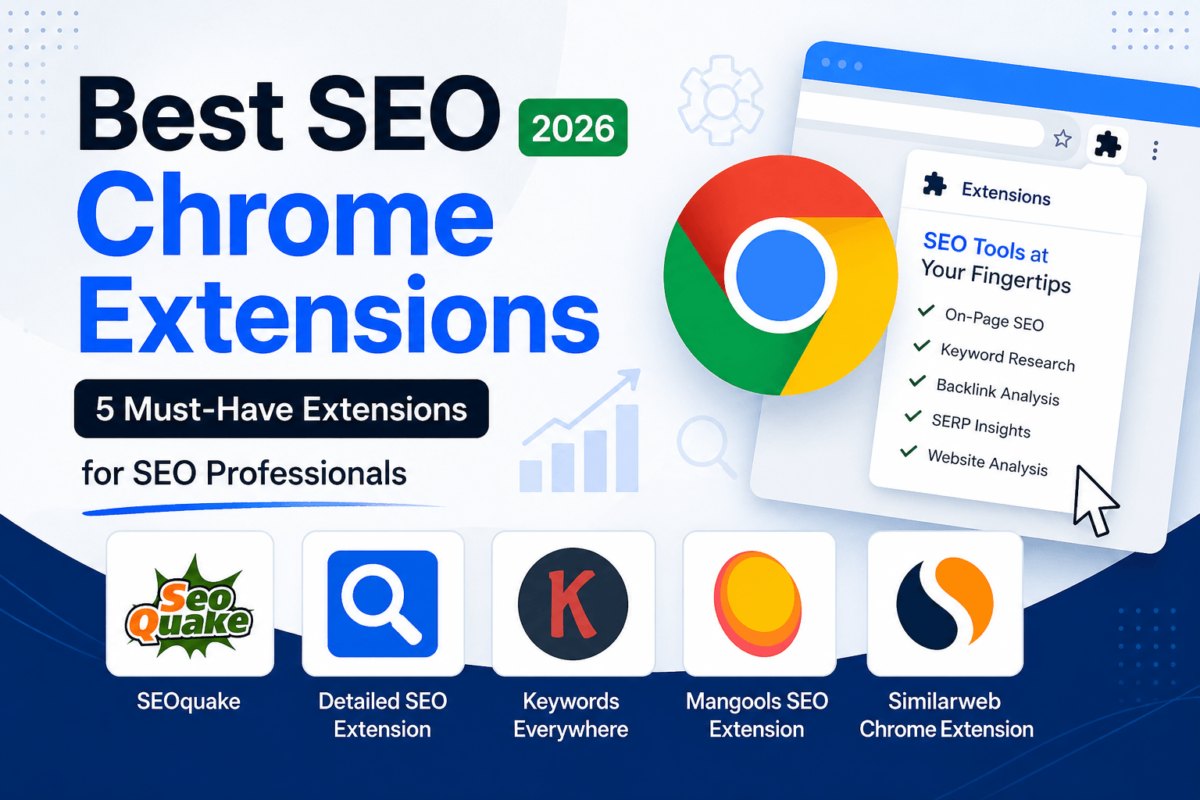
Best SEO Chrome Extensions (2026): 5 Must-Have Extensions for SEO Professionals
Quick answer: The best overall SEO Chrome extension for 2026 is SEOquake — it’s free, built by Semrush, and covers SERP analysis, on-page audits, and backlink data in one toolbar. Want just on-page tag checks? Detailed SEO Extension is the fastest free option. For in-SERP keyword research, Keywords Everywhere is the category standard. Beginners tend to like Mangools SEO Extension, and agencies doing competitor and AI-traffic research lean on Similarweb. All five are free to install, and we break down exactly who each one fits below.
SEO Chrome extensions save time by putting SEO data right on the page you’re already looking at. Instead of logging into five dashboards to check a title tag, a backlink count, or a competitor’s traffic estimate, you click one icon and the numbers show up in your browser toolbar.
Who actually needs these? Pretty much anyone who touches SEO on a regular basis. Bloggers checking their own on-page setup. Affiliate marketers scoping out competing content. Digital agencies running quick audits before a client pitch. Freelancers who don’t have budget for five separate SEO platforms. And in-house marketing teams who just want a faster way to sanity-check a page.
Here’s how they improve your workflow in practice: you’re reading a competitor’s blog post and want to know how much traffic it gets — a Chrome extension shows you in one click instead of opening a new tab and typing a domain into a separate tool. You’re publishing a new post and want to double-check your meta description length before it goes live — same thing. Small, constant time savings that add up across a full workday.
In this guide, you’ll get a side-by-side comparison table, a detailed review of each of the five extensions worth installing in 2026, a breakdown of how to pick the right one for your workflow, answers to the most common questions people ask about SEO browser extensions, and a final verdict broken down by the type of SEO work you do.
Best SEO Chrome Extensions at a Glance
Before the deep dives, here’s how all five extensions stack up on the things that actually matter — cost, core features, and who each one is built for.
| Extension | Best For | Free Version | Key Features | Overall Rating |
|---|---|---|---|---|
| SEOquake | Quick SERP & on-page audits | Yes — fully free | SERP overlay, on-page audit, keyword density, backlink stats | 4.6 / 5 |
| Detailed SEO Extension | Fast on-page tag checks | Yes — 100% free | Title/meta/canonical checker, heading hierarchy, schema, robots directives | 4.9 / 5 |
| Keywords Everywhere | In-SERP keyword research | Free install, paid credits | Search volume, CPC, competition on Google, YouTube, Amazon | 4.4 / 5 |
| Mangools SEO Extension | Beginners wanting DA/PA + backlinks | Yes — free tier | Moz DA/PA, Majestic Trust Flow, SERP positions, broken link checker | 4.3 / 5 |
| Similarweb Extension | Competitor traffic & AI-search visibility | Yes — free with upsell | Traffic estimates, global/country rank, AI chatbot traffic | 4.2 / 5 |
How We Chose These SEO Chrome Extensions
We didn’t just pull the top five results from the Chrome Web Store. Every extension on this list was tested in a real SEO workflow — auditing our own posts on TechCognate, checking competitor pages, and running keyword lookups — against these criteria:
- Ease of use — can you get useful data within a few seconds of clicking the icon, with no manual required?
- SEO feature depth — does it cover meaningful ground (on-page, technical, keyword, or competitive data), not just one shallow metric?
- Accuracy — does the data line up with what you’d see in a proper SEO audit or Google Search Console?
- Performance — does it slow down page loads or bog down Chrome when active?
- Pricing transparency — is it clear what’s free versus what requires a paid account, with no bait-and-switch?
- Support and updates — is the extension still actively maintained, with recent changelog activity?
- Browser compatibility — does it run cleanly on Chrome (and ideally Firefox/Edge too) without permission red flags?
- Affiliate availability — we only feature tools with an active, verifiable affiliate program, which is how this page earns a commission if you buy through our links. Full disclosure is at the bottom of this post.
1. SEOquake
SEOquake is a free browser extension, built by Semrush, that overlays SEO metrics directly on Google search results and any page you visit. It’s been around since 2006 (originally as a Firefox add-on), and it’s still one of the most downloaded SEO extensions on the Chrome Web Store, with more than three million users.

SEOquake’s metrics bar overlaid on a Google search results page.
Best for: SEO professionals who want a quick SERP and on-page audit without opening a separate platform — especially if you already use Semrush.
|
Pros
|
Cons
|
Key features:
- Metrics bar overlaid directly on Google, Bing, and other search results
- On-page SEO audit, including mobile compatibility checks
- Keyword density and internal/external link reporting
- Social share stats and exportable SERP reports
Pricing: Free to install and use for all core features. Connecting a Semrush account unlocks extra historical and traffic data, but that layer requires a paid Semrush subscription — the extension itself never asks you to pay.
Affiliate program: Yes — Semrush Affiliate Program.
Real-world use case: You’re researching a keyword for a new post. Instead of opening Semrush separately, you search Google, and SEOquake shows you keyword difficulty, domain metrics for every ranking page, and a quick read on how competitive the SERP actually is — all before you’ve clicked a single result.
Who should buy it: Anyone doing regular SERP research, from solo bloggers to agency teams already inside the Semrush ecosystem.
Why we recommend it: It’s the rare extension that’s genuinely free with no catch, covers both SERP-level and on-page data, and comes from a company with a fifteen-plus-year track record in SEO tooling.
Add SEOquake to Chrome — Free2. Detailed SEO Extension
Detailed SEO Extension is a 100% free Chrome extension that shows you a page’s title tag, meta description, canonical URL, robots directives, heading structure, and schema markup in one click — no account required. It’s built by Glen Allsopp of Detailed.com and has become the go-to first install for a fast on-page check.

Detailed SEO Extension’s on-page panel showing tags, headings, and schema at a glance.
Best for: Fast, no-login on-page SEO checks — confirming tags and heading structure are correct before you hit publish.
|
Pros
|
Cons
|
Key features:
- Instant view of title tag, meta description, and canonical URL
- Heading hierarchy checker (H1 through H6, with click-to-scroll)
- Robots directives and X-Robots HTTP header detection
- Schema markup and image alt-text status
Pricing: Free — there’s no paid plan or upsell anywhere in the extension.
Affiliate program: Yes — Detailed Affiliate Program.
Real-world use case: Right before you publish a new post, you run Detailed SEO Extension to confirm your meta tags are set correctly, your H1 matches your target keyword, and you haven’t accidentally left a canonical tag pointing to the wrong URL.
Who should buy it: Bloggers, content teams, and technical SEOs who want a zero-friction on-page check on every page they touch.
Why we recommend it: It’s fast, it’s free with no strings attached, and it answers the on-page questions you ask most often — title, meta, canonical, headings, schema — without a single click through a settings menu.
Download Detailed SEO Extension3. Keywords Everywhere
Keywords Everywhere is a browser extension that overlays monthly search volume, CPC, and competition data directly on Google, YouTube, Amazon, and other sites you already search on. It runs on a pay-as-you-go credit system rather than a flat subscription, which is unusual for a keyword tool.

Keywords Everywhere overlaying search volume and CPC data directly on Google results.
Best for: Anyone who does keyword research constantly and wants volume and CPC data without leaving the search results page.
|
Pros
|
Cons
|
Key features:
- Monthly, weekly, daily, and hourly search volume trends
- CPC and competition data alongside every keyword
- Long-tail keyword suggestions and related terms
- Bulk keyword lookups and CSV export
Pricing: The extension itself is free to install and sign up for. Actual keyword data runs on a credit-based model, with entry-level packs generally landing in the $10–$15 range and larger annual bundles for heavier use. Pricing on credit tools shifts fairly often, so check our free keyword research tools guide if you want a no-cost alternative to start with.
Affiliate program: Yes — Keywords Everywhere Affiliate Program.
Real-world use case: You’re brainstorming blog topics and typing rough ideas into Google. Keywords Everywhere shows you search volume next to every “people also search for” suggestion, so you can spot the long-tail variation that’s actually worth targeting instead of guessing.
Who should buy it: Content marketers and bloggers who do keyword research often enough that the credit cost is worth it, and who want that data without switching tabs.
Why we recommend it: No other extension on this list puts real search volume and CPC data directly into your everyday Google searches this cleanly, and the pay-as-you-go pricing means light users aren’t stuck paying for a full subscription.
Start Using Keywords Everywhere4. Mangools SEO Extension
Mangools SEO Extension is a free browser add-on that overlays Domain Authority and Page Authority (from Moz), Citation and Trust Flow (from Majestic), and SERP position data on any page you visit. It’s built by the team behind KWFinder and SERPChecker, and it’s consistently pointed to as one of the friendlier options for people newer to SEO.

Mangools SEO Extension’s metrics panel showing DA, PA, and backlink data.
Best for: SEO beginners who want authority and backlink metrics presented simply, without a steep learning curve.
|
Pros
|
Cons
|
Key features:
- Domain Authority and Page Authority scores from Moz
- Citation Flow and Trust Flow from Majestic
- SERP position tracking and Google index status checker
- Broken link finder with anchor text and dofollow/nofollow status
Pricing: Free to install, with a permanent free account tier. Full keyword-level data, deeper backlink lists, and on-page audits require a paid Mangools subscription.
Affiliate program: Yes — Mangools Affiliate Program.
Real-world use case: You land on a competitor’s blog post from a Google search and want a quick read on how strong that domain is before you decide whether it’s worth trying to outrank. Mangools SEO Extension shows DA, PA, and top backlinks in seconds, right in the sidebar.
Who should buy it: New SEOs, freelancers, and small business owners who want authority and backlink context without learning a complicated dashboard first.
Why we recommend it: It’s the most approachable extension on this list for someone who’s still learning what DA, PA, and Trust Flow actually mean — the data is presented clearly instead of buried in menus.
Get Mangools SEO Extension5. Similarweb Chrome Extension
Similarweb Chrome Extension shows traffic estimates, global and country rank, traffic sources, and — as of 2026 — AI chatbot traffic for any website, all free and in one click. It’s the one extension on this list built specifically around competitive intelligence rather than on-page SEO.

Similarweb’s extension panel showing traffic estimates, global rank, and AI referral traffic.
Best for: Competitor and market research — understanding how much traffic a site gets, where it comes from, and how AI search engines are sending it visitors.
|
Pros
|
Cons
|
Key features:
- Global, country, and category traffic rank for any domain
- Traffic source breakdown — direct, organic, paid, social, referral
- AI chatbot traffic distribution and top prompts sending visitors
- Top organic keywords with estimated click volume and CPC
Pricing: Free to install and use for core traffic and ranking data. A paid Similarweb account unlocks longer date ranges and deeper metrics.
Affiliate program: Yes — Similarweb Affiliate Program.
Real-world use case: You’re pitching a client on a content strategy and want to show them how a top competitor’s traffic breaks down by channel — and now, how much of it is coming from ChatGPT and Gemini instead of Google. Similarweb pulls that up in seconds without a login.
Who should buy it: Agencies, affiliate marketers, and anyone doing competitor or market research who needs traffic context fast.
Why we recommend it: It’s the only extension here tracking AI chatbot referral traffic, which matters more every quarter as more searches move off traditional Google results.
Install Similarweb ExtensionHow to Choose the Right SEO Chrome Extension
With five solid options, the “best” one really depends on what you’re actually trying to solve. Here’s how to think about it:
- Budget: If you need $0 in ongoing cost, stick with SEOquake, Detailed SEO Extension, or the free tiers of Mangools and Similarweb. Keywords Everywhere is the only one with a real recurring cost once you use it regularly.
- SEO experience level: Newer to SEO? Start with Mangools SEO Extension — it explains metrics in plain terms instead of assuming you already know what Trust Flow means.
- Keyword research: If most of your time goes into keyword research, Keywords Everywhere is worth the credit cost.
- Technical SEO: For catching tag, canonical, and schema issues fast, run through a technical SEO checklist with Detailed SEO Extension open.
- On-page SEO: Detailed SEO Extension and SEOquake both cover this well; use whichever gives you the audit depth you need in a given moment.
- Competitor analysis: Similarweb and Mangools both help here — Similarweb for traffic and channel mix, Mangools for authority and backlinks. See our full guide to SEO competitor analysis for the full process.
- Agency workflows: Agencies tend to run a small stack — SEOquake plus Similarweb plus Detailed SEO Extension covers audits, prospecting, and competitive research without overloading Chrome.
- Content creation: Writers benefit most from Keywords Everywhere for topic research paired with Detailed SEO Extension for a final on-page check before publishing.
Best SEO Chrome Extension by Use Case
Best for Beginners: Mangools SEO Extension
The interface presents authority and backlink data in a way that doesn’t require you to already know what the metrics mean.
Best Free Extension: Detailed SEO Extension
No account, no premium tier, no upsells — just a fast on-page audit every time you click it.
Best for Agencies: Similarweb Chrome Extension
Traffic, channel mix, and AI referral data make it easy to build a client-ready competitive snapshot in minutes.
Best for Keyword Research: Keywords Everywhere
Real search volume and CPC data layered directly onto the searches you’re already running.
Best Technical SEO Extension: Detailed SEO Extension
Schema, robots directives, and heading structure checks that would otherwise mean digging through page source.
Best Overall: SEOquake
The broadest mix of SERP, on-page, and backlink data for zero cost, with the largest install base on this list.
Best Value: Keywords Everywhere
Credits that roll over and a pay-only-for-what-you-use model beat a flat subscription if your keyword research volume varies month to month.
SEO Chrome Extensions: Pros vs Cons at a Glance
| Extension | Biggest Pro | Biggest Con |
|---|---|---|
| SEOquake | Free with real audit depth | Advanced data locked behind Semrush |
| Detailed SEO Extension | 100% free, no account needed | No keyword or backlink data |
| Keywords Everywhere | Pay only for what you use | No free tier for real data |
| Mangools SEO Extension | Easiest for beginners to understand | Free tier limited to domain-level data |
| Similarweb Extension | Tracks AI chatbot referral traffic | Estimates only, not exact numbers |
Frequently Asked Questions
What is the best SEO Chrome extension?
SEOquake is the best all-around SEO Chrome extension for most people in 2026. It’s free, covers SERP analysis and on-page audits, and comes from Semrush, one of the longest-running names in SEO software.
Are SEO Chrome extensions free?
All five extensions in this guide are free to install. SEOquake and Detailed SEO Extension are free with no paid tier. Mangools and Similarweb have free tiers with paid upgrades for deeper data. Keywords Everywhere is free to install but runs on paid credits for actual search data.
Can Chrome extensions improve rankings?
No, not directly. SEO Chrome extensions don’t touch your website’s code or send signals to Google — they surface data faster so you can make better decisions and fix issues sooner. The ranking improvement comes from what you do with that data.
Which extension is best for keyword research?
Keywords Everywhere is the strongest pick for in-SERP keyword research, overlaying search volume, CPC, and competition data directly on Google, YouTube, and Amazon.
Which extension is best for checking backlinks or competitor traffic?
Similarweb is the best choice for traffic and channel data, while Mangools SEO Extension is the better option if you specifically want backlink and Domain Authority context.
Do SEO Chrome extensions slow down Chrome?
A single extension has minimal impact. Running more than five or six SERP-overlay extensions at once is what actually slows things down. Keep your active stack to three or four extensions you actually use.
Can beginners use SEO Chrome extensions?
Yes. Mangools SEO Extension in particular was built with newer users in mind, presenting metrics plainly instead of assuming prior SEO knowledge.
Does any of these extensions connect directly to Google Search Console?
No, none of the five extensions covered here pulls data directly from Google Search Console. If that’s specifically what you need, look for a dedicated Search Console extension rather than one of these five.
Are Chrome SEO extensions safe to install?
The five extensions covered here are from established, verifiable companies and are widely used with millions of combined installs. As with any extension, review the permissions it requests during installation and only grant access you’re comfortable with.
Can I use multiple SEO extensions at the same time?
Yes. Many SEO professionals run two or three together — for example, SEOquake for SERP data plus Detailed SEO Extension for on-page checks. Just avoid stacking too many always-on overlay extensions at once.
Do I need to create an account to use these extensions?
Detailed SEO Extension needs no account at all. SEOquake works without one, though connecting a Semrush account unlocks more data. Keywords Everywhere, Mangools, and Similarweb each ask for a free account to access their full free-tier features.
Is SEOquake actually made by Semrush?
Yes. SEOquake is developed and maintained by Semrush, though it functions as a standalone free extension that doesn’t require a Semrush subscription for its core features.
How much does Keywords Everywhere cost?
Keywords Everywhere runs on a credit-based model rather than a flat monthly fee. Entry-level credit packs typically start around $10–$15, and credits roll over instead of expiring. Check their pricing page directly for current numbers, since credit pricing changes periodically.
Does the Similarweb extension show AI chatbot traffic?
Yes. Similarweb’s extension tracks referral traffic from ChatGPT, Gemini, Claude, and Perplexity, showing how much of a site’s traffic is coming from AI search tools rather than traditional Google results.
What’s the difference between SEOquake and Detailed SEO Extension?
SEOquake covers SERP-level data (rankings, domain metrics, keyword density) plus a basic on-page audit. Detailed SEO Extension is narrower but deeper on the on-page side — tags, headings, schema, and robots directives with more precision.
Which extension is best for on-page SEO audits?
Detailed SEO Extension is the strongest pick for fast, no-login on-page audits. SEOquake is a solid second option if you also want SERP context in the same tool.
Do these extensions work in Firefox too?
SEOquake, Detailed SEO Extension, Keywords Everywhere, and Mangools SEO Extension all have Firefox versions. Similarweb’s extension is currently Chrome-only, with versions also available for Edge and Opera.
How do I keep SEO extensions from slowing down my browser?
Stick to three to five active extensions, disable the ones you’re not actively using instead of leaving every icon lit up, and turn off always-on SERP overlays for extensions you only need occasionally.
Final Verdict: Which SEO Chrome Extension Should You Install?
If you only install one, make it SEOquake. It’s free, it’s backed by Semrush, and it covers the widest range of everyday SEO questions without asking you to pay for anything.
If you’re brand new to SEO, start with Mangools SEO Extension instead — the learning curve is gentler, and the metrics are explained in a way that doesn’t assume years of experience.
Bloggers and content marketers get the most value pairing Keywords Everywhere for topic and keyword research with Detailed SEO Extension for a final on-page check before hitting publish.
Agencies and anyone doing frequent competitor research should build a small stack of SEOquake, Similarweb, and Detailed SEO Extension — together they cover SERP data, traffic intelligence, and on-page audits without overloading Chrome.
Whatever you pick, remember these are shortcuts, not replacements for actually understanding SEO fundamentals. Use them to work faster, not to skip learning why a page ranks in the first place. For a deeper dive into any of the platforms behind these extensions, see our full reviews of Semrush and Mangools, or browse our full list of the best SEO tools for 2026.
Building a Lightweight SEO Extension Stack
A common mistake is installing every extension on this list, pinning all five to the toolbar, and wondering why every Google search takes an extra second to load. A better approach is to think of these as a toolkit, not a uniform — you reach for the right one for the task in front of you, not all of them at once.
A few practical habits that keep things fast:
- Pin only the two or three extensions you use daily; leave the rest installed but unpinned so they’re a click away without cluttering your toolbar.
- Turn off always-on SERP overlays (like SEOquake’s toolbar) on days when you’re doing heads-down writing rather than research — you can toggle it back on in seconds.
- Use a dedicated Chrome profile for SEO work if you run six or more extensions total across different tasks, so your personal browsing stays fast and separate.
- Review your installed extensions every few months — SEO tools update features often, and one you dismissed a year ago may now cover a gap in your current stack.
Pair that stack with the fundamentals covered in our technical SEO checklist and latest SEO statistics, and you’ll spend less time switching tabs and more time actually improving rankings.
Disclosure: TechCognate is reader-supported. Some links in this post are affiliate links, including links to SEOquake, Detailed SEO Extension, Keywords Everywhere, Mangools, and Similarweb. If you click through and make a purchase, we may earn a commission at no extra cost to you. We only recommend tools we’ve genuinely tested and would use ourselves.