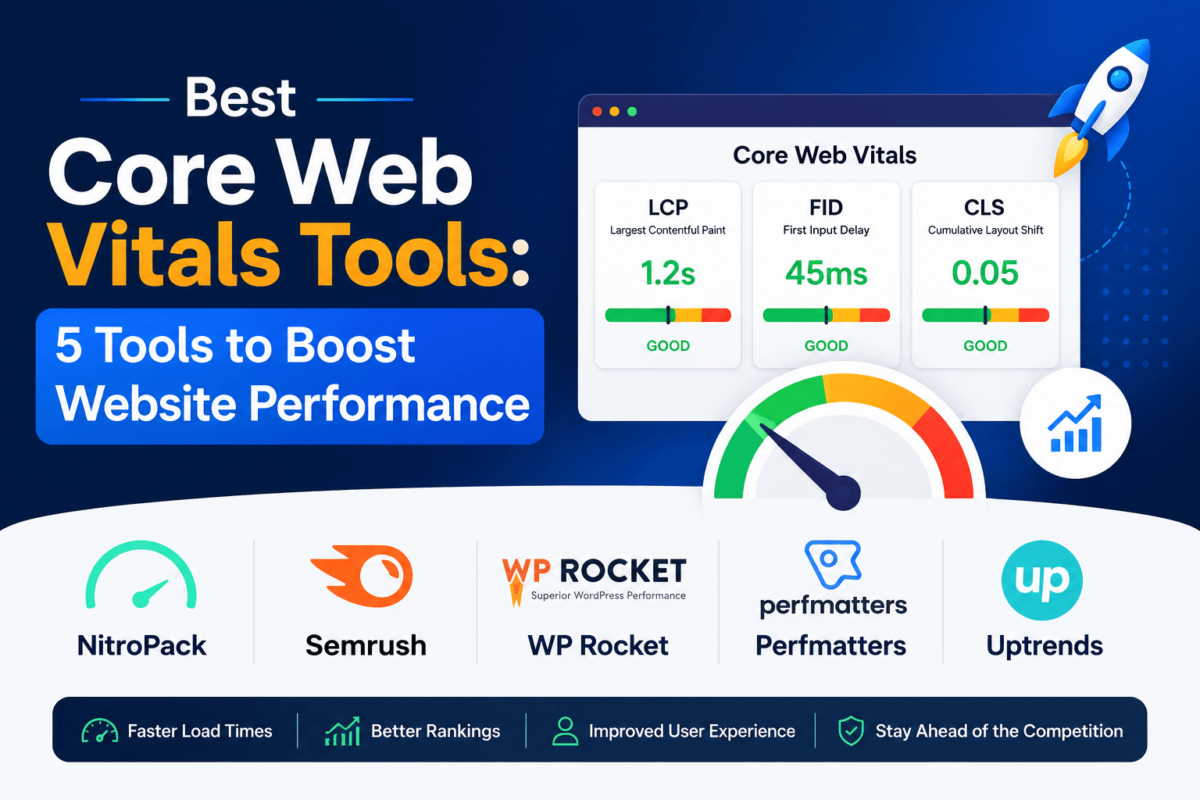
5 Best Core Web Vitals Tools in 2026 (Tested & Compared)
The best Core Web Vitals tools in 2026 are NitroPack, Semrush, WP Rocket, Perfmatters, and Uptrends. NitroPack is the strongest all-around pick because it tests, caches, and auto-optimizes LCP, INP, and CLS from one dashboard. Semrush is best if you’re already tracking Core Web Vitals as part of a broader SEO workflow. WP Rocket and Perfmatters are the two go-to WordPress performance plugins for fixing the root causes behind slow scores, and Uptrends is built for teams that want ongoing, alert-based monitoring rather than a one-time fix.
We picked these five by testing what each tool actually does with LCP, INP, and CLS — not just whether “Core Web Vitals” appears on the pricing page — and cross-checked every affiliate program directly against the vendor’s current affiliate terms before including it. Free tools like Google PageSpeed Insights and Search Console are covered separately below, since they’re worth using no matter which paid tool you choose.
Best Core Web Vitals Tools at a Glance
| Tool | Best For | LCP | INP | CLS | Field Data | Lab Data | Monitoring | Free Trial/Plan | Starting Price |
|---|---|---|---|---|---|---|---|---|---|
| NitroPack | Overall / auto-optimization | Yes | Yes | Yes | Yes (CrUX) | Yes | Yes | Free plan (1,000 pageviews/mo) | $8/mo |
| Semrush | SEO teams & agencies | Yes | Yes | Yes | Yes (CrUX) | Yes | Scheduled audits | 7-day free trial | $139.95/mo |
| WP Rocket | WordPress caching | Yes | Partial | Yes | No | No | No | 14-day money-back | $59/yr |
| Perfmatters | Developers / lightweight tuning | Yes | Yes | Yes | No | No | No | 30-day money-back | $24.95/yr |
| Uptrends | Continuous monitoring | Yes | Yes | Yes | Yes (RUM) | Yes (synthetic) | Yes, with alerts | 30-day free trial | ~$100/mo |
Quick Picks
- 🏆 Best Overall: NitroPack — tests and fixes Core Web Vitals from one place
- 🔧 Best for WordPress: WP Rocket — the most reliable caching plugin for LCP and CLS
- 📊 Best for SEO Teams: Semrush — Core Web Vitals data alongside the rest of your SEO stack
- 🖥️ Best for Developers: Perfmatters — granular, code-level control without the bloat
- 📡 Best for Continuous Monitoring: Uptrends — global synthetic checks plus real user data and alerts
What Are Core Web Vitals, Quickly?
Core Web Vitals are the three metrics Google uses to judge how a page feels to use, not just how fast it loads on paper. If you want the full breakdown with thresholds and fixes for every metric, our Core Web Vitals guide goes deeper than we have room for here. For this post, here’s what you need to know to use any of the five tools below.
Largest Contentful Paint (LCP)
LCP measures how long it takes for the largest visible element on the screen — usually a hero image, a headline, or a banner — to fully render. A slow LCP means visitors stare at a blank or half-loaded page, and that delay is one of the strongest predictors of whether someone bounces before your content even shows up.
Interaction to Next Paint (INP)
INP replaced First Input Delay as an official Core Web Vital in 2024, and it measures responsiveness: how long the browser takes to visibly respond after someone clicks, taps, or types. A page can look fast and still fail INP if heavy JavaScript is tying up the main thread every time a visitor tries to interact with it.
Cumulative Layout Shift (CLS)
CLS measures visual stability — how much content jumps around while a page loads. Images without reserved dimensions, ads that inject late, and web fonts that swap in are the usual culprits behind a high CLS score and the classic “I clicked the wrong button because the page moved” experience.
What is a good Core Web Vitals score? Google rates a page as “Good” when it meets all three thresholds at the 75th percentile of real visits: LCP under 2.5 seconds, INP under 200 milliseconds, and CLS under 0.1. The 75th percentile matters because it reflects a consistent experience for most of your traffic, not just your best-case load on a fast connection.
Every tool on this list touches one of two data types, and understanding the difference will save you from buying the wrong one.
Lab data comes from a controlled test — a fixed device, connection speed, and location — run on demand, similar to what you get from Lighthouse. Field data is what your actual visitors experienced, pulled from Google’s Chrome UX Report (CrUX) or a real user monitoring (RUM) script running on your site. Lab data is great for debugging a specific page before and after a change; field data is what Google actually uses for Core Web Vitals assessments and ranking signals. Serious optimization work needs both — lab data to diagnose, field data to confirm the fix actually helped real visitors.
1. NitroPack — Best Overall
Editor’s PickWhat NitroPack Does
NitroPack sits between your visitors and your server as a cloud-based optimization layer. Instead of asking you to manually configure caching rules, minify files, or resize every image, it runs those optimizations automatically once you connect your site, then serves the optimized version through a Cloudflare-powered CDN. It works across WordPress, Shopify, Magento, and most other platforms, which sets it apart from the plugin-only tools further down this list.
Core Web Vitals Features
NitroPack’s dashboard reports LCP, INP, and CLS using Google’s CrUX field data, so you’re seeing the same numbers Google uses for its assessment — not just a lab score. On the optimization side, it handles adaptive image sizing and lazy loading for LCP, defers and delays non-critical JavaScript for INP, and reserves space for images and embeds to prevent CLS. It also runs its own on-demand speed tests for lab-level debugging when you need to isolate a single page.
What I Like
The biggest advantage is that NitroPack doesn’t stop at telling you what’s wrong — it applies most of the fix itself the moment you turn a feature on. For non-developers managing their own site, that’s the difference between reading a diagnosis and actually seeing the LCP number drop. Because it works at the CDN layer rather than purely inside WordPress, it also tends to hold up better on platforms like Shopify where you can’t install a caching plugin at all.
Where It Could Be Better
Pricing is based on monthly pageviews rather than site count, so a single traffic spike can push you into a higher tier without warning. Routing your site through NitroPack’s CDN also adds an external dependency some developers are uncomfortable with, and very JavaScript-heavy sites (think complex web apps) sometimes need manual exclusions before automated optimization behaves correctly.
Who Should Use NitroPack?
Site owners who want Core Web Vitals improvements without touching code, agencies managing several client sites on different platforms, and anyone whose host doesn’t support server-level caching plugins.
NitroPack Pricing
Pricing checked: July 2026. Starter runs $8/month (billed annually) for smaller sites, Plus is $22/month, and Pro is $99.99/month for higher-traffic sites, all with a limited free plan available and a 14-day money-back guarantee on paid tiers.
Pros
- Automates most Core Web Vitals fixes instead of just reporting them
- Works on non-WordPress platforms like Shopify and Magento
- Free plan available to test real results before paying
Cons
- Pageview-based pricing can jump with traffic spikes
- Adds an external CDN dependency
- Complex JS apps sometimes need manual configuration
Bottom Line
NitroPack earns the overall pick because it closes the loop between measuring Core Web Vitals and actually fixing them, which most tools on this list don’t attempt. If you want the closest thing to a set-and-forget Core Web Vitals fix, start with the free plan and watch your CrUX scores over a few weeks.
Try NitroPack Free →No credit card required for the free plan.
2. Semrush — Best for SEO Teams
Best for AgenciesWhat Semrush Does
Semrush is a full SEO platform — keyword research, rank tracking, backlink analysis, and content tools — and its Site Audit module includes a dedicated Core Web Vitals report. It’s not a specialist performance tool the way the other four entries are, but if your team is already living inside Semrush for SEO work, running Core Web Vitals checks from the same dashboard avoids juggling a separate login.
Core Web Vitals Features
The Site Audit tool crawls your site on a schedule and surfaces LCP, INP, and CLS issues page by page, flagging the specific elements causing failures. Because it’s tied into the same crawl that powers your broader technical SEO audit, you can see Core Web Vitals problems next to crawl errors, broken links, and indexability issues in one report rather than switching tools.
What I Like
The context is what makes this useful: seeing a CLS failure next to the exact template it’s happening on, alongside your crawl budget and internal linking data, makes it easier to prioritize fixes against everything else on your technical SEO checklist. It’s also genuinely useful for reporting to clients who want one dashboard, not five.
Where It Could Be Better
Semrush is not built primarily for performance work, so it lacks the deep waterfall diagnostics or automated fixes that dedicated tools like NitroPack or Uptrends provide. At $139.95/month for the Pro plan, it’s also a steep buy if Core Web Vitals monitoring is the only reason you’re signing up — this only makes sense if you’re using the rest of the platform too.
Who Should Use Semrush?
Agencies and in-house SEO teams that already need keyword research, backlink tracking, and site audits, and want Core Web Vitals folded into that existing workflow instead of run separately.
Semrush Pricing
Pricing checked: July 2026. Pro is $139.95/month, Guru is $249.95/month, and Business is $499.95/month, all with a 7-day free trial and roughly 17% savings on annual billing.
Pros
- Core Web Vitals data sits next to your full technical SEO audit
- Scheduled crawls track CWV trends over time automatically
- One platform covers SEO, content, and performance reporting
Cons
- Expensive if performance monitoring is your only need
- No automated Core Web Vitals fixes, only diagnosis
- Less granular than dedicated performance monitoring tools
Bottom Line
Semrush makes sense as a Core Web Vitals tool only in the context of the rest of its SEO suite. If your team already pays for it, use the Site Audit report as your first stop; if performance is your only concern, one of the other four tools here will get you further per dollar.
Start Your Semrush Free Trial →Free trial available on Pro and Guru plans.
3. WP Rocket — Best for WordPress
Best for WordPressWhat WP Rocket Does
WP Rocket is a WordPress caching plugin that turns on several performance best practices — page caching, browser caching, and basic file optimization — the moment you activate it, with no manual configuration required. It’s consistently one of the most recommended caching plugins in the WordPress ecosystem, and for good reason: most of the “why is my site slow” advice you’ll find online boils down to features WP Rocket handles by default.
Core Web Vitals Features
For LCP, WP Rocket offers preloading and image lazy loading that excludes above-the-fold images so they don’t get delayed. For CLS, it helps by keeping cached pages consistent so layout doesn’t shift between cached and uncached loads. For INP, it can delay non-critical JavaScript execution until a visitor interacts with the page, reducing main-thread blocking during initial load. It doesn’t include its own Core Web Vitals dashboard, so you’ll pair it with PageSpeed Insights or one of the monitoring tools above to confirm results.
What I Like
The defaults genuinely work without configuration, which matters for site owners who don’t want to learn caching theory just to speed up a blog. Every plan — Single, Plus, or Multi — includes the full feature set; the only difference between tiers is how many sites you can activate it on, so you’re never missing a feature because you bought the cheaper license.
Where It Could Be Better
WP Rocket only optimizes WordPress delivery — it doesn’t measure Core Web Vitals itself, so you need a separate tool to confirm your scores actually improved. It also has no free version or trial, and combining it with other caching or optimization plugins can occasionally cause conflicts that take some trial and error to resolve.
Who Should Use WP Rocket?
WordPress bloggers, small business owners, and agencies managing client sites who want dependable caching without a learning curve, especially when paired with a lightweight tuning plugin like Perfmatters for anything caching alone can’t fix.
WP Rocket Pricing
Pricing checked: August 2026. Single is $59/year for one site, Plus is $119/year for three sites, and Multi is $299/year for fifty sites, backed by a 14-day money-back guarantee. All tiers renew at the same price you originally paid.
Pros
- Works well with sensible defaults, no configuration required
- Every plan includes the full feature set
- Well-documented and widely compatible with WordPress themes/plugins
Cons
- No built-in Core Web Vitals measurement or dashboard
- No free trial, only a money-back guarantee
- WordPress-only; won’t help on Shopify or other platforms
Bottom Line
WP Rocket is the safest first purchase for a WordPress site that’s failing LCP or CLS due to unoptimized caching and asset delivery. Pair it with PageSpeed Insights to confirm the gains, since WP Rocket itself won’t show you a Core Web Vitals score.
Check WP Rocket Pricing →14-day money-back guarantee on all plans.
4. Perfmatters — Best for Developers
Lightweight PickWhat Perfmatters Does
Perfmatters is a WordPress performance plugin built around one idea: give developers direct control over what loads on which page, instead of bundling everything into an automated black box. Its Script Manager lets you disable specific plugins’ CSS and JavaScript on pages where they aren’t needed — a common but manual fix for INP problems caused by unnecessary scripts running on every page load.
Core Web Vitals Features
For INP, the Script Manager is the standout feature: you can see exactly which scripts are loading on a given page and turn off the ones that aren’t doing anything there, directly reducing main-thread work. For LCP, it includes lazy loading with exclusions for above-the-fold images and delayed loading for elements like embeds and comments. For CLS, it helps by giving you control over font-display behavior and image dimension handling. Like WP Rocket, it doesn’t include its own Core Web Vitals scoring — it’s a toolkit, not a dashboard.
What I Like
The transparency is the selling point: instead of guessing what an automated optimizer changed, you can see and adjust every setting individually, which matters when you’re debugging why a specific page is still failing INP after other fixes. It’s also genuinely lightweight, adding minimal overhead of its own, and it’s explicitly designed to run alongside a caching plugin like WP Rocket rather than compete with it.
Where It Could Be Better
That same granular control means a real learning curve for anyone unfamiliar with what each script actually does — disabling the wrong file can break a page’s functionality, not just its speed. It’s also not a standalone fix; you’ll still need a separate caching plugin and a Core Web Vitals measurement tool to get the full picture.
Who Should Use Perfmatters?
Developers and technically comfortable site owners who want precise control over INP-related script bloat, and agencies that need to fine-tune performance on client sites beyond what a caching plugin’s defaults can reach.
Perfmatters Pricing
Pricing checked: June 2026. Personal is $24.95/year for one site, Business is $54.95/year for three sites, and Unlimited Sites is $124.95/year, each backed by a 30-day money-back guarantee.
Pros
- Script Manager gives precise, page-by-page control over INP-heavy scripts
- Very lightweight, low overhead of its own
- Designed to complement a caching plugin, not replace it
Cons
- Requires understanding what each script does before disabling it
- No built-in Core Web Vitals dashboard
- Not a full solution on its own — needs a caching plugin alongside it
Bottom Line
Perfmatters is the right tool once basic caching stops moving the needle and you need to hunt down exactly which scripts are hurting INP. It’s a scalpel, not a one-click fix — best suited to developers who want that level of control.
Try Perfmatters for Your Website →30-day money-back guarantee, no minimums.
5. Uptrends — Best for Continuous Monitoring
Best for MonitoringWhat Uptrends Does
Uptrends is a website, API, and server monitoring platform built for uptime and performance tracking rather than SEO. Its relevance here comes from combining synthetic monitoring — scheduled tests run from real global locations — with real user monitoring, giving you both the lab and field perspective on Core Web Vitals in one continuously running system instead of a tool you have to remember to open.
Core Web Vitals Features
Uptrends runs proactive performance tests from over 184 checkpoints worldwide, tracking load times and flagging regressions with screenshot evidence when something breaks. Its transaction recorder can monitor multi-step user journeys, not just a single page load, which matters for catching INP problems on interactive flows like checkout or sign-up. Because it blends synthetic checks with real user data, you get both a controlled baseline and confirmation of what visitors actually experienced.
What I Like
The alerting is what separates this from a manual “check it every so often” tool: you find out about a Core Web Vitals regression through email or a Slack/PagerDuty integration within minutes of it happening, often before it shows up in your CrUX data weeks later. For teams shipping frequent code changes, that early warning is worth more than a prettier dashboard.
Where It Could Be Better
Uptrends is priced and built for infrastructure teams, not bloggers — the interface leans utilitarian, and credit-based pricing means costs scale with how many monitors and how frequently you check them, which can get expensive for a single small site. It’s also overkill if you just need a periodic performance check rather than real-time alerting.
Who Should Use Uptrends?
Development and DevOps teams, SaaS companies, and e-commerce sites where a Core Web Vitals regression needs to be caught in minutes rather than discovered a month later in Search Console.
Uptrends Pricing
Pricing checked: August 2026. Uptrends uses credit-based, plan-tiered pricing rather than a flat per-site fee; Business-tier plans commonly start near $100/month before adding monitors, with a 30-day free trial that includes full Enterprise access.
Pros
- Combines synthetic and real user monitoring in one platform
- Real-time alerts catch regressions within minutes
- 184+ global checkpoints for location-specific testing
Cons
- Credit-based pricing can be costly for a single small site
- Interface is built for monitoring teams, not casual users
- Overkill if you only need occasional Core Web Vitals checks
Bottom Line
Uptrends earns its spot as the monitoring specialist on this list: it won’t fix Core Web Vitals for you, but nothing here catches a regression faster. It’s the right buy once your site is fast and you need to keep it that way.
See How Uptrends Handles Your Core Web Vitals →30-day free trial with full Enterprise access.
Core Web Vitals Tools Compared
| Criteria | NitroPack | Semrush | WP Rocket | Perfmatters | Uptrends |
|---|---|---|---|---|---|
| RUM | Via CrUX | Via CrUX | No | No | Yes, native |
| Synthetic testing | Yes | Via Site Audit | No | No | Yes, 184+ locations |
| Auto-fixes CWV | Yes | No | Partial | Partial | No |
| WordPress-specific | Compatible | Platform-agnostic | Yes | Yes | Platform-agnostic |
| SEO integrations | Limited | Full suite | None | None | None |
| Ease of use | High | Moderate | High | Moderate | Moderate |
| Alerts | No | Report-based | No | No | Yes, real-time |
The tradeoffs come down to what “using a Core Web Vitals tool” means to you. NitroPack and Uptrends are the two that treat Core Web Vitals as their core job — one by fixing it automatically, the other by watching it continuously. WP Rocket and Perfmatters are complementary WordPress plugins that address the root causes (unoptimized caching, unnecessary scripts) but leave measurement to something else. Semrush sits apart entirely: it’s worth using for Core Web Vitals only because you’re already using it for everything else.
Core Web Vitals Testing Tools vs. Optimization Tools
It’s easy to buy the wrong category of tool here, so it’s worth being explicit about the split.
Testing and monitoring tools — Semrush’s Site Audit, Uptrends, and free options like PageSpeed Insights — measure, diagnose, and monitor. They tell you what’s wrong, where, and whether it’s getting better or worse over time, but they don’t touch your code or server.
Optimization tools — NitroPack, WP Rocket, and Perfmatters — optimize, improve, and in NitroPack’s case, automate the fix. They change how your site delivers assets, but on their own (with the exception of NitroPack’s CrUX reporting) they don’t tell you whether Core Web Vitals actually improved afterward.
Don’t buy a monitoring platform expecting it to repair your site, and don’t assume an optimization plugin replaces the need to check your results independently. The two work best together: optimize with WP Rocket or Perfmatters, then confirm the fix with PageSpeed Insights, Semrush’s Site Audit, or Uptrends, depending on how often you need to check.
Free Core Web Vitals Tools You Should Use Too
No matter which paid tool you choose, these free tools from Google are worth keeping in your workflow — they’re the source of truth Google itself uses.
Google PageSpeed Insights
PageSpeed Insights is the most important free tool on this list because it shows Google’s own perspective on page experience: both a lab-based Lighthouse score and, where enough traffic exists, real CrUX field data for the exact URL you test. It’s the fastest way to sanity-check any fix from the tools above.
Google Search Console
Search Console’s Core Web Vitals report groups your entire site’s pages by URL pattern and shows how many are “Good,” “Needs Improvement,” or “Poor” based on real CrUX data, updated over rolling 28-day windows. It’s the best place to see Core Web Vitals at the site level rather than page by page.
Chrome DevTools
Built into Chrome, DevTools’ Performance panel lets you record a page load and see exactly what’s blocking the main thread, which script is delaying INP, or which element is causing a layout shift — the deepest level of diagnosis available for free.
Lighthouse
Lighthouse is the auditing engine behind PageSpeed Insights, and you can also run it directly from DevTools or the command line for repeatable, scriptable lab tests during development, before code ever reaches production.
Chrome UX Report (CrUX)
CrUX is the underlying dataset of real-world Chrome user experiences that Google uses to assess Core Web Vitals for ranking purposes. Most of the field data reported by NitroPack, Semrush, and PageSpeed Insights ultimately traces back to this same source.
WebPageTest
WebPageTest offers more customizable, developer-oriented diagnostics than PageSpeed Insights — multiple test locations, connection throttling profiles, and detailed filmstrip views — making it a strong companion for debugging tricky LCP or CLS issues that a quick PageSpeed check doesn’t fully explain.
None of the five paid tools above should replace these free options; they’re a starting point for verifying anything you implement, and a useful gut-check when a paid dashboard shows something PageSpeed Insights doesn’t.
Which Core Web Vitals Tool Should You Choose?
If you’re a blogger: Start with WP Rocket for reliable caching defaults, then check your scores with the free PageSpeed Insights tool rather than paying for a dedicated monitoring platform.
If you run WordPress: Pair WP Rocket for caching with Perfmatters for script-level control — together they cover the most common causes of failing LCP, INP, and CLS on WordPress.
If you’re an SEO professional: Use Semrush if you’re already paying for it for keyword and backlink work; the Core Web Vitals data folds into your existing technical SEO checklist without another login.
If you’re a developer: Perfmatters’ Script Manager plus Chrome DevTools gives you the most precise, code-level view of what’s actually slowing a page down.
If you manage client websites: NitroPack’s platform-agnostic setup makes it easier to standardize on one tool across WordPress, Shopify, and other client platforms instead of learning a different stack per client.
If you run an e-commerce site: Combine NitroPack for automated optimization with Uptrends for alert-based monitoring, since a Core Web Vitals regression on a checkout flow can cost real revenue before it ever shows up in Search Console.
If you want automated optimization: NitroPack is the clearest choice — it’s the only tool here that changes your site’s delivery and reports Core Web Vitals results from the same dashboard.
If you mainly need monitoring: Uptrends is built for exactly that, with alerts that catch a regression within minutes rather than weeks later in a CrUX report.
Frequently Asked Questions About Core Web Vitals Tools
What are the best Core Web Vitals tools?
The best Core Web Vitals tools in 2026 are NitroPack, Semrush, WP Rocket, Perfmatters, and Uptrends. NitroPack is the strongest all-around option because it measures and automatically optimizes LCP, INP, and CLS from one dashboard, while the others specialize in either WordPress optimization, SEO-integrated reporting, or continuous monitoring.
What is the best free Core Web Vitals tool?
Google PageSpeed Insights is the best free option because it combines a lab-based Lighthouse score with real CrUX field data for the exact page you test, giving you the same perspective Google uses for its own Core Web Vitals assessment.
What tool does Google provide for Core Web Vitals?
Google provides several free tools: PageSpeed Insights and Lighthouse for lab and field testing, Search Console’s Core Web Vitals report for site-wide field data, Chrome DevTools for in-browser diagnostics, and the Chrome UX Report (CrUX) as the underlying real-user dataset behind all of them.
How do I test Core Web Vitals?
Enter a URL into Google PageSpeed Insights to get an instant lab score plus real-user field data where available. For ongoing tracking, check Search Console’s Core Web Vitals report or use a dedicated monitoring tool like Semrush’s Site Audit or Uptrends.
How do I monitor Core Web Vitals over time?
Search Console shows rolling 28-day trends for free, but for real-time alerts on regressions, a dedicated monitoring platform like Uptrends or scheduled audits in Semrush will catch problems faster than waiting for CrUX data to update.
Which tool is best for LCP?
NitroPack is the strongest pick for fixing LCP specifically, since it automates image optimization, preloading, and lazy loading that directly targets the largest visible element on a page, then confirms the improvement using real CrUX data.
Which tool can diagnose INP problems?
Perfmatters’ Script Manager is the most precise tool here for diagnosing INP, since it shows exactly which scripts are running on a given page and lets you disable the ones causing main-thread delays. Chrome DevTools’ Performance panel offers similarly deep, free diagnostics.
Can a plugin fix Core Web Vitals?
A plugin like WP Rocket or Perfmatters can fix many of the underlying causes — unoptimized caching, render-blocking scripts, unreserved image dimensions — but neither guarantees a passing score on its own, since Core Web Vitals also depend on hosting, theme code, and third-party scripts outside the plugin’s control.
Is Google PageSpeed Insights accurate?
Yes, for the metrics it reports: its lab score reflects a real Lighthouse test, and its field data (when available) comes directly from Google’s CrUX dataset, the same real-user data Google uses for Core Web Vitals assessments. The lab and field scores can differ because they measure different things — a controlled test versus real visitor conditions.
What’s the difference between field data and lab data?
Field data reflects what real visitors experienced on their own devices and connections, sourced from CrUX or a RUM script. Lab data comes from a controlled, repeatable test run on a fixed device and connection. Field data is what Google uses for ranking-related Core Web Vitals assessments; lab data is better for debugging a specific change before it reaches real users.
Are Core Web Vitals a Google ranking factor?
Yes, Core Web Vitals are part of Google’s page experience signals, though they’re one of many ranking factors and generally act more as a tiebreaker among pages with otherwise similar content quality rather than a dominant standalone factor.
How often should I check Core Web Vitals?
Check immediately after any significant code, theme, or plugin change using PageSpeed Insights, and review site-wide trends in Search Console at least monthly. Sites that deploy frequently or run e-commerce checkouts benefit from continuous, alert-based monitoring through a tool like Uptrends instead of periodic manual checks.
Best Core Web Vitals Tools: Final Verdict
Best overall: NitroPack
Best for WordPress caching: WP Rocket
Best for ongoing monitoring: Uptrends
NitroPack takes the overall recommendation because it’s the only tool on this list that closes the full loop — testing Core Web Vitals against real CrUX field data, then automatically applying the fixes for LCP, INP, and CLS without requiring you to become a performance engineer first. If you manage WordPress specifically, start with WP Rocket instead; if your priority is catching regressions the moment they happen, Uptrends is built for exactly that job. Whichever you pick, keep Google PageSpeed Insights bookmarked to verify the results independently.
Try NitroPack Free →Further Reading
- For the full breakdown of every metric and threshold, see our complete Core Web Vitals guide.
- Pair any fix here with our technical SEO checklist to catch issues Core Web Vitals tools don’t cover.
- If hosting is part of your problem, compare options in our best managed WordPress hosting guide.
- Looking beyond performance, our best SEO tools roundup covers the rest of the stack.
- New to WordPress plugins in general? Start with the best WordPress plugins for a broader toolkit.
This post contains affiliate links. If you buy through one of them, we may earn a commission at no extra cost to you. We only recommend tools we’ve researched directly against Google’s Core Web Vitals criteria — not based on payout size.