Local SEO Software
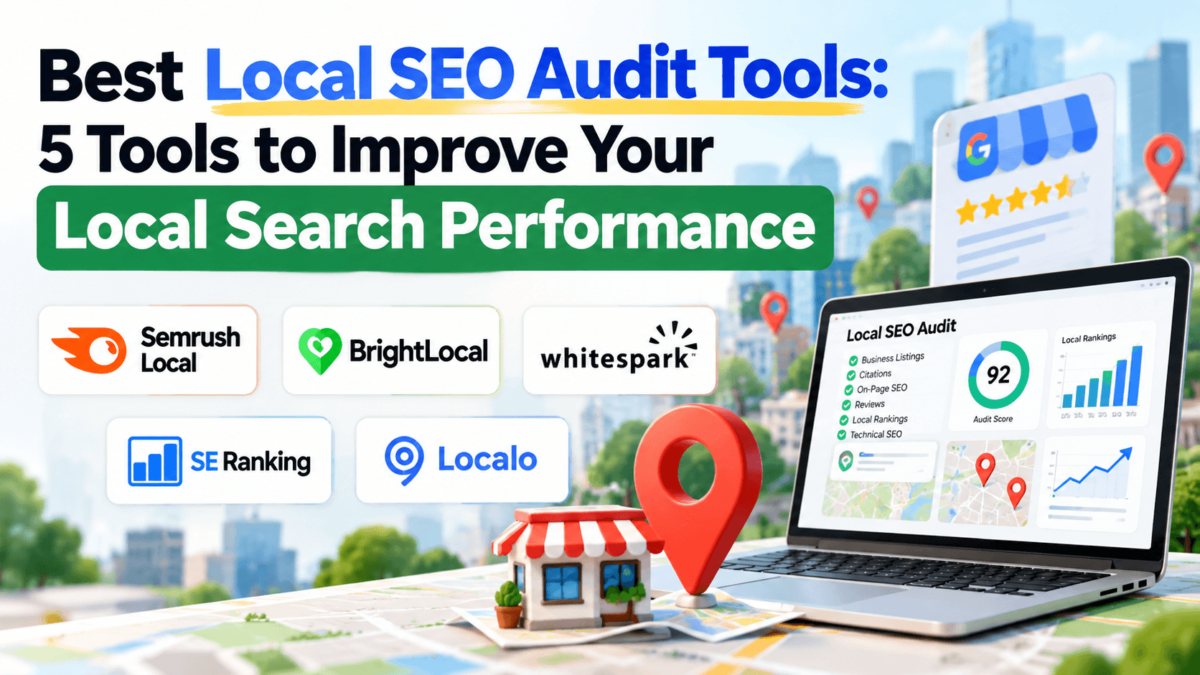
Best Local SEO Audit Tools: 5 Tools to Improve Your Local Search Performance
A practical comparison of Semrush Local, BrightLocal, Whitespark, SE Ranking, and Localo: what each one audits, who it fits, and what it costs.
Features and pricing were checked against official vendor pricing pages and documentation in October 2026. Prices change often, so confirm on each vendor’s site before you buy.
Affiliate disclosure: Some links in this article are affiliate links. If you buy through one of them, we may earn a commission at no additional cost to you. It doesn’t change which tools we cover or how we describe them.
Quick Answer
A local SEO audit tool checks the things that decide whether a business shows up in Google’s Local Pack and Google Maps: its Google Business Profile, citation and NAP consistency, local rankings by location, reviews, and the health of its website.
There’s no single best option. Semrush Local suits Semrush users who want GBP automation, BrightLocal is an all-round local platform popular with agencies, Whitespark is a specialist for citations and rank tracking, SE Ranking pairs local tools with a full SEO suite, and Localo is the simplest guided option for business owners.
A local business can have a great-looking website and still lose customers to the shop down the street. The usual culprits aren’t obvious: an old phone number on Yelp, a duplicate Google listing nobody remembers creating, a primary category that’s slightly off, or a location page Google can’t crawl.
That’s what a local SEO audit is for. It shows you what’s actually hurting your local search visibility, so you can fix the problems that matter instead of guessing.
You can do a lot of it by hand, but local SEO audit tools make the work faster and repeatable, especially when you’re tracking rankings across a city or managing more than one location. Below, we compare five of them, explain what a good audit covers, and give you a checklist you can use with or without paid software.
Quick Picks
Each tool takes a different approach to local SEO. Here’s where each one fits best.
Semrush Local
Best for: Businesses and teams already using Semrush, or anyone who wants Google Business Profile work automated
Key strength: AI-assisted GBP management, review replies, and map-based rank tracking, priced per location
BrightLocal
Best for: Agencies, consultants, and small businesses that want rankings, citations, and reviews in one place
Key strength: A broad, local-only toolkit with GBP audits, citation tracking, a geo-grid, and client-ready reports
Whitespark
Best for: Local SEO specialists who want in-depth citation research and rank tracking
Key strength: Sold à la carte, so you pay only for the tools (or done-for-you services) you need
SE Ranking
Best for: Freelancers and agencies that need technical SEO and local SEO under one subscription
Key strength: A full SEO suite (site audit, keywords, backlinks) with a local marketing module on top
Localo
Best for: Small business owners who want simple, step-by-step guidance
Key strength: Weekly to-do tasks, a GBP audit, and an AI assistant built for non-specialists
The Five Tools at a Glance
| Tool | Local SEO focus | Agency fit | Multi-location fit | Starting price |
|---|---|---|---|---|
| Semrush Local | GBP management, listings, reviews, map ranks | Good, especially for Semrush users | Priced per location; custom for 20+ | $30/mo per location (annual) |
| BrightLocal | Local-only: rankings, citations, GBP, reviews | Strong, with white-label reports | Priced per location | About $31–$41/mo per location |
| Whitespark | Citations, rank tracking, GBP, reviews | Strong for specialists | Per-location GBP tool plus custom pricing | From $1/mo per location (GBP tool) |
| SE Ranking | Full SEO suite plus local module | Strong, white-label via add-on | Extra locations as an add-on | From $129/mo |
| Localo | Guided GBP optimization | Pro plan for agencies | Pro plan covers up to 60 profiles | From $39/mo (annual) |
What Is a Local SEO Audit Tool?
A local SEO audit tool is software that checks the signals affecting how a business appears in local search results, including Google Business Profile, citations, local rankings, reviews, and website health, and flags what needs fixing.
Most tools cover some of the following, but not all of them, and depth varies a lot between platforms:
- Google Business Profile completeness and optimization
- NAP (name, address, phone) consistency across directories
- Local citations, including missing and duplicate listings
- Local rankings across different points in a city
- Review volume, ratings, and response activity
- Local keywords and competitor visibility
- On-page and technical SEO for location pages
- Backlinks and overall website issues
For example, Whitespark is strongest on citations and rank tracking but doesn’t crawl your website, while SE Ranking includes a full technical site audit. Knowing which gaps matter to you is half the decision.
What Does a Local SEO Audit Check?
Google says local results are based mainly on three things: relevance, distance, and prominence (see Google’s own guidance on local ranking). A solid audit looks at every area that feeds those signals.
Google Business Profile
Your Google Business Profile is usually the first thing a local searcher sees. Check that it’s claimed and verified, that the primary category matches your core service, that secondary categories are relevant, and that hours, holiday hours, services, photos, and the business description are complete and current. Also watch for edits suggested by the public, which can quietly change your details.
NAP and Citation Consistency
NAP stands for name, address, and phone number. When these details differ across Google, Apple Maps, Bing, Yelp, Facebook, and industry directories, it creates confusion for both customers and search engines. A citation audit finds inconsistent, missing, and duplicate listings so you can clean them up. If citations are your main gap, our roundup of the best local citation tools goes deeper.
Local Rankings
Local rankings change block by block. You might rank first for “plumber near me” at your office and seventh two miles away. That’s why many tools now use grid tracking, which checks your position at many points across a map instead of one location.
Website and On-Page SEO
Review title tags and meta descriptions for local relevance, make sure each location page has unique, useful content, and confirm your important pages are linked internally. Add LocalBusiness structured data where appropriate, and test mobile usability, since most local searches happen on phones. For schema help, see our guide to the best schema markup generators.
Reviews and Reputation
Review count, average rating, recency, and how you respond all shape whether people choose you. An audit should compare your review profile with the businesses ranking above you. If reviews are your weak spot, look at our list of customer review collection software.
Local Competitors
Look at who holds the Local Pack spots for your main keywords. Compare their categories, review counts, citations, and location pages with yours. The gaps usually point straight to your next fixes.
Technical SEO
Crawlability, indexing, page speed, redirects, broken links, and structured data errors can all hold back location pages. Local-only tools often skip this, so you may need a crawler alongside them. Our comparison of website crawling software covers the main options.
Local SEO tip
An audit isn’t finished when you have a list of problems. The useful part is deciding which issues are most likely to affect visibility and fixing them in a sensible order, usually starting with your Google Business Profile and core citations.
How We Evaluated the Tools
This comparison is based on each vendor’s official pricing pages, help documentation, and published feature lists, checked in October 2026. We didn’t run controlled ranking tests, and we haven’t assigned scores. Instead, we compared documented functionality across these areas:
- Local SEO audit and Google Business Profile features
- Citation tracking, building, and cleanup
- Local rank tracking and grid tracking
- Review monitoring and competitor analysis
- Technical SEO coverage
- Reporting, white-label options, and agency features
- Multi-location support and per-location pricing
- Ease of use and overall workflow
Where a feature wasn’t clearly documented, we say so rather than assume it exists.
Tool 1 of 5
1. Semrush Local
Best for: Semrush users and businesses that want GBP work automated
What Semrush Local Does
Semrush Local is the local SEO toolkit inside the Semrush ecosystem. It focuses on Google Business Profile management, review handling, listing distribution, and map-based rank tracking, and it can be added to an existing Semrush subscription or bought on its own.
Its newest pitch is automation: an AI agent helps manage your GBP, generate and publish posts, post photos, and reply to reviews automatically.
Key Features
- Automated Google Business Profile management with an AI agent
- AI-generated GBP posts, scheduling, and automated photo posting
- Review auto-replies (Base) and review management and generation (Pro)
- Listing Management to distribute business info to directories (Pro; coverage varies by country)
- Map Rank Tracker for grid-based local rankings (375 credits on Base, 1,225 on Pro)
- Access to Semrush’s wider SEO toolkit, including Site Audit, with a separate subscription
Pros
- Strong GBP automation for owners who don’t have time to post and reply manually
- Simple, published per-location pricing
- Fits naturally if you already use Semrush for keywords, audits, or reporting
Cons
- Listing management is only on the Pro plan
- Costs add up quickly across many locations, since every location is billed separately
- Technical SEO auditing requires Semrush’s main SEO toolkit, which is a separate cost
Best For
Single-location and growing businesses that want their Google Business Profile looked after with minimal effort, plus marketers and agencies already working inside Semrush.
Pricing
- Base: $30/month per location, billed annually
- Pro: $60/month per location, billed annually
- Business: custom pricing for larger location counts
- Add-on: additional users from $20/month
Per-location prices shown are for annual billing on Semrush’s official Local pricing page. Monthly billing may cost more.
Tool 2 of 5
2. BrightLocal
Best for: Agencies, consultants, and hands-on small businesses
What BrightLocal Does
BrightLocal is a dedicated local SEO platform. Instead of being an add-on to a broader SEO suite, everything it does is aimed at local search: rank tracking, a geo-grid, Google Business Profile audits and insights, citation tracking and building, listings management, and review management.
It’s sold in three plans (Track, Manage, and Grow), and each step up adds tools that help you fix problems, not just find them.
Key Features
- Local rank tracking and Local Search Grid for geo-grid visibility
- Google Business Profile audit and advanced GBP insights with 18 months of history
- Citation tracking, plus a pay-as-you-go Citation Builder
- Listings management and GBP post scheduling (Manage and Grow)
- Review monitoring across multiple sites (Grow)
- Google Analytics integration and white-label reporting for agencies
Pros
- Covers nearly every local SEO audit area in one place
- Popular with agencies thanks to client-ready reporting
- 14-day free trial with no credit card required
Cons
- Review management sits on the top Grow plan, and listings management starts at Manage
- Prices rose in July 2026 (5% on Track, 10% on Manage and Grow)
- No full technical website crawl, so you may need a separate crawler
Best For
Agencies and consultants running local campaigns for clients, and small businesses that want an all-in-one local SEO platform rather than a broad SEO suite.
If you mainly need reporting for clients, compare it with our list of the best SEO reporting tools.
Pricing
- Track: about $41/month per location (around $31 billed annually)
- Manage: about $54/month per location (around $40 billed annually)
- Grow: about $65/month per location (around $49 billed annually)
- Citation Builder: pay-as-you-go
Figures reflect BrightLocal’s post-July 2026 pricing as captured from its official pricing page. Check the live page for exact current rates.
Tool 3 of 5
3. Whitespark
Best for: Local SEO specialists who want deep citation and ranking data
What Whitespark Does
Whitespark is a Canadian company that has focused on local search since 2005, and it publishes the widely referenced Local Search Ranking Factors survey. It doesn’t sell one bundled platform. Instead, you buy individual tools and services and combine them as needed.
That makes it less of a one-click audit and more of a specialist toolkit, especially for citations and rank tracking.
Key Features
- Local Citation Finder for finding citation opportunities and monitoring existing listings
- Local Rank Tracker for local and organic rankings
- Local Ranking Grids that check rankings across up to 225 map points
- Local Platform for GBP management, including bulk edits and blocking unwanted updates
- Reputation Builder for automated review requests
- Done-for-you citation building, listing cleanup, and local SEO services
Pros
- Citation research is its core specialty, not a side feature
- Modular pricing, so you don’t pay for features you won’t use
- Very low-cost GBP management tool at $1 per location
Cons
- No technical website audit
- Using several tools means several subscriptions to manage
- Less hand-holding than all-in-one platforms aimed at beginners
Best For
SEO professionals and agencies that already know what they want to audit and want specialist tools for citations, rankings, and GBP control, rather than a single dashboard.
Pricing
- Local Platform (GBP management): $1/month per location
- Local Ranking Grids: from $10/month
- Local Rank Tracker: $14 to $200/month
- Local Citation Finder: $33 to $149/month
- Reputation Builder: per-location pricing; custom for multi-location
- Local SEO services: $499 to $1,999/month
All prices in USD from Whitespark’s official pricing page.
Tool 4 of 5
4. SE Ranking
Best for: Agencies and freelancers that need technical and local SEO together
What SE Ranking Does
SE Ranking is an all-in-one SEO platform with keyword research, rank tracking, backlink analysis, and a technical Website Audit. Its local marketing module adds Google Business Profile management, local and map-based rank tracking, listing management, and review management.
That combination matters for audits: you can check a location page’s technical health and its local visibility in the same tool.
Key Features
- Technical Website Audit for crawlability, indexing, speed, and on-page issues
- Local rank tracking, including map-based tracking
- Google Business Profile and review management
- Listing management (availability depends on country)
- Keyword research, competitor research, and backlink tools
- White-label reporting through the Agency Pack add-on
Pros
- Covers both technical SEO and local SEO in one subscription
- Good fit for agencies that report on full SEO performance, not just local
- Extra locations can be added as needed
Cons
- Local features are one module of a large suite, so setup takes more learning
- Only a limited number of locations are included before add-ons
- Plans were renamed in 2026, so older reviews may quote outdated pricing
Best For
Freelancers, in-house teams, and agencies that want local audits and broader technical SEO in one place without paying for two separate platforms.
For other suites that combine local and technical SEO, see our picks for the best SEO tools.
Pricing
- Core: from $129/month
- Growth: from $279/month
- Enterprise: custom pricing
- Add-ons: extra locations, Agency Pack (white-label), and others
SE Ranking’s pricing and plan names changed in 2026, and independent sources disagree on some add-on prices. Confirm current figures on its official pricing page.
Tool 5 of 5
5. Localo
Best for: Small business owners without SEO experience
What Localo Does
Localo is a Google Business Profile-centered local SEO platform built for people who don’t want to learn SEO. It audits your profile, tracks your local rankings, and turns the results into simple tasks you can work through each week.
An AI agent can generate optimization plans, audit summaries, and keyword ideas, and you can schedule posts, photos, offers, and review replies to Google from inside the tool.
Key Features
- GBP Audit that refreshes every seven days or when tracked keywords change
- Weekly optimization tasks with plain-language instructions
- AI agent for audit reports, plans, and keyword ideas
- Local rank tracking
- AI-assisted Google posts, photos, offers, and review replies
- Agency plan for managing many business profiles
Pros
- Very approachable for non-specialists
- Turns audit findings into specific next steps
- 14-day free trial with no credit card required
Cons
- Narrower focus: no citation building or technical site audit documented
- White-label reporting is basic compared with agency-focused tools
- Pro pricing was restructured in early 2026, so older listings may be outdated
Best For
Owners of a single local business who want to improve their Google Business Profile themselves, step by step, without paying for a full SEO platform.
Pricing
- Single Business: from $39/month, billed annually
- Pro (agencies): one plan covering up to 60 business profiles; see the pricing page for the current rate
- Enterprise: custom pricing
Localo consolidated its tiered Pro plans into a single Pro plan in early 2026. Check the official pricing page for current Pro rates.
Feature Comparison Table
“Yes” means the feature is documented by the vendor. “Not documented” means we couldn’t confirm it, not that it definitely doesn’t exist.
| Feature | Semrush Local | BrightLocal | Whitespark | SE Ranking | Localo |
|---|---|---|---|---|---|
| GBP audit / optimization | ✓ Yes | ✓ Yes (GBP audit) | Limited (GBP management) | ✓ Yes | ✓ Yes (GBP Audit) |
| GBP posting / management | ✓ Yes | Manage & Grow plans | ✓ Yes (Local Platform) | ✓ Yes | ✓ Yes |
| Citation tracking / audit | Listing Management (Pro) | ✓ Yes | ✓ Yes (Citation Finder) | Listing management (by country) | Not documented |
| Citation building / cleanup | Listing distribution (Pro) | Pay-as-you-go builder | Done-for-you service | Limited | Not documented |
| Local rank tracking | ✓ Yes | ✓ Yes | ✓ Yes | ✓ Yes | ✓ Yes |
| Grid / map rank tracking | ✓ Yes (Map Rank Tracker) | ✓ Yes (Local Search Grid) | ✓ Yes (Ranking Grids) | ✓ Yes | Not documented |
| Review management | ✓ Yes | Grow plan | ✓ Yes (Reputation Builder) | ✓ Yes | ✓ Yes (AI replies) |
| Technical site audit | Separate Semrush toolkit | — | — | ✓ Yes | — |
| White-label reporting | Report add-on | ✓ Yes | Not documented | Agency Pack add-on | Basic |
| Multi-location pricing | Per location; custom 20+ | Per location | Per location + custom | Location add-ons | Pro: up to 60 profiles |
| Ease of use for beginners | Moderate | Moderate | Specialist | Steeper | Easiest |
Swipe sideways to see all columns on mobile.
Which Local SEO Audit Tool Is Right for You?
The right choice depends on your size, your skills, and the rest of your software stack. Here’s how the five tools line up for common situations.
Best for Small Local Businesses
Consider: Localo or Semrush Local
Localo walks you through fixes week by week, which helps if you’ve never done SEO. Semrush Local’s Base plan is a good fit if you’d rather automate GBP posts and review replies.
Best for SEO Agencies
Consider: BrightLocal or SE Ranking
BrightLocal covers local audits end to end and produces client-friendly reports. SE Ranking makes sense when clients also need technical SEO and broader reporting.
Best for Citation Management
Consider: Whitespark or BrightLocal
Whitespark’s Local Citation Finder and cleanup services are built for citation work. BrightLocal combines citation tracking with a pay-as-you-go builder.
Best for Local Rank Tracking
Consider: Whitespark, BrightLocal, or Semrush Local
All three offer grid-based tracking that shows how rankings shift across a city. Whitespark sells rank tracking on its own if that’s all you need.
Best for Multi-Location Businesses
Consider: Semrush Local, BrightLocal, or Whitespark
All three price per location, which keeps costs predictable. Semrush offers custom pricing for larger footprints, and Whitespark’s $1 GBP tool helps with bulk profile edits.
Best for Businesses That Want Simplicity
Consider: Localo
Its task-based approach removes most of the guesswork. You don’t need to interpret reports to know what to do next.
Best for Broader SEO + Local SEO
Consider: SE Ranking or Semrush
SE Ranking bundles a technical site audit with its local tools. Semrush Local pairs well with Semrush’s SEO toolkit if you already pay for it. For more options, see our SEO analytics tools guide.
Local SEO Audit Checklist
Use this checklist for your own audit. You can work through it manually or use a tool to speed up the parts that need data.
Google Business Profile
- ☐ Claim and verify your Google Business Profile
- ☐ Verify the primary category
- ☐ Review secondary categories
- ☐ Check the business description
- ☐ Review services and products
- ☐ Check business hours and holiday hours
- ☐ Review photos for quality and recency
NAP and Citations
- ☐ Check business name consistency
- ☐ Check address consistency
- ☐ Check phone number consistency
- ☐ Check citation accuracy on key directories
- ☐ Identify and remove duplicate listings
Rankings and Reviews
- ☐ Check local rankings from the right locations
- ☐ Monitor new reviews and response rate
- ☐ Compare local competitors’ visibility and reviews
Website and Technical SEO
- ☐ Audit location pages for unique content
- ☐ Review title tags and meta descriptions
- ☐ Check internal linking to location pages
- ☐ Check local schema markup
- ☐ Check mobile usability and page speed
- ☐ Check indexation
- ☐ Check backlinks
Internal links are easy to overlook on location pages. If you run WordPress, our roundup of internal linking plugins can help you fix them faster.
Common Local SEO Audit Mistakes
Mistake 1: Only auditing the website
Your site is one part of local SEO. Your Google Business Profile, citations, and reviews often matter just as much for the Local Pack.
Mistake 2: Ignoring Google Business Profile
A wrong category or missing hours can cost visibility no matter how good your site is.
Mistake 3: Focusing exclusively on NAP
Consistent NAP is the baseline, not the whole job. Relevance, reviews, and content still need attention.
Mistake 4: Ignoring reviews
Review volume, recency, and replies influence both rankings and whether people click.
Mistake 5: Not checking rankings from the correct location
Searching from your office shows one point on the map. Grid tracking shows the real picture across your service area.
Mistake 6: Ignoring competitor analysis
You don’t need to be perfect, just better than the businesses above you. Their profiles show you what to beat.
Mistake 7: Treating every citation as equally valuable
Major platforms and relevant industry directories matter far more than hundreds of low-quality listings.
Mistake 8: Creating thin location pages
Pages that swap only the city name rarely help. Add real local details, services, and proof.
Mistake 9: Ignoring technical SEO
If Google can’t crawl or index a location page, nothing else on it matters.
Mistake 10: Making changes without measuring results
Record your baseline rankings and traffic first so you can tell which fixes actually worked.
How Often Should You Perform a Local SEO Audit?
Most businesses benefit from one thorough initial audit, light monthly monitoring, and a deeper review every quarter, plus an extra audit whenever something important changes. That’s a sensible starting point, not a fixed rule. A busy multi-location brand will need closer monitoring than a single-location shop in a quiet market.
- Initial audit: a full baseline across GBP, citations, rankings, reviews, and your website
- Monthly: check rankings, new reviews, and GBP edits
- Quarterly: a deeper look at citations, competitors, and location pages
- After major website changes, such as a redesign or migration
- After moving locations or changing business information
- When rankings or traffic drop without an obvious reason
Local SEO Audit Tools vs. Manual Audits
Tools are best at collecting and monitoring data at scale, while manual review is best at judging quality and context. The strongest workflow combines both.
| Tools are useful for | Manual analysis is useful for |
|---|---|
| Speed | Understanding search intent |
| Scale across many listings | Reviewing competitors in depth |
| Ongoing monitoring | Assessing content quality |
| Reporting | Evaluating customer experience |
| Finding patterns in data | Understanding business-specific issues |
| Managing multiple locations | Prioritizing what to fix first |
A tool can tell you that your phone number is wrong on 12 directories. It can’t tell you that your location page reads like it was written for a different city. You need both views.
Frequently Asked Questions
What is a local SEO audit?
A local SEO audit is a systematic review of the factors that affect how a business appears in local search results, including its Google Business Profile, citations, website, reviews, rankings, and local relevance. The goal is to find the issues limiting visibility and decide which to fix first.
What does a local SEO audit tool check?
A local SEO audit tool typically checks Google Business Profile completeness, NAP consistency, citations, local rankings, and reviews. Some tools also audit technical SEO, backlinks, and competitors, but coverage varies by platform.
How often should I audit my local SEO?
Most businesses should do one full audit, monitor monthly, and run a deeper audit quarterly. Audit again after a website redesign, a move, a change in business details, or an unexplained drop in rankings.
What is the best tool for local SEO audits?
There’s no single best tool for everyone. The right choice depends on your business size, number of locations, workflow, the features you need, and budget. Agencies often lean toward BrightLocal or SE Ranking, specialists toward Whitespark, Semrush users toward Semrush Local, and beginners toward Localo.
Can I perform a local SEO audit for free?
Yes, you can do a basic local SEO audit for free by reviewing your Google Business Profile, searching for your business on major directories, checking rankings manually, and using free tools such as Google Search Console. Paid tools mainly save time and add data like grid rankings and citation scans.
Is Google Business Profile included in a local SEO audit?
Yes. Google Business Profile is one of the most important parts of a local SEO audit because it drives visibility in the Local Pack and Google Maps.
Are local SEO audit tools worth paying for?
They’re usually worth it if you manage several locations, serve clients, or need ongoing monitoring. A single-location business with time to spare can often handle the basics manually first.
Can local SEO tools manage multiple locations?
Yes. Semrush Local, BrightLocal, and Whitespark price per location, SE Ranking sells extra locations as an add-on, and Localo’s Pro plan covers up to 60 business profiles.
Reviews are a big part of most audits. If you want to go further, our guide to online reputation management software and our roundup of reputation monitoring software cover tools built for that job.
Final Thoughts
Each of these tools approaches local SEO differently. Semrush Local leans on GBP automation inside a larger ecosystem. BrightLocal covers almost every local audit area in one platform. Whitespark gives specialists modular tools for citations and rank tracking. SE Ranking adds technical SEO to the mix, and Localo keeps things simple for business owners.
To narrow it down, think about your business size, number of locations, SEO experience, whether you’re an agency or in-house, how much citation work you need, your rank tracking and reporting requirements, your budget, and the SEO software you already pay for. Then start with a trial and run the checklist above on one location before you commit.
Ready to Audit Your Local SEO?
Choose the platform that matches your business size, locations, workflow, and reporting needs.