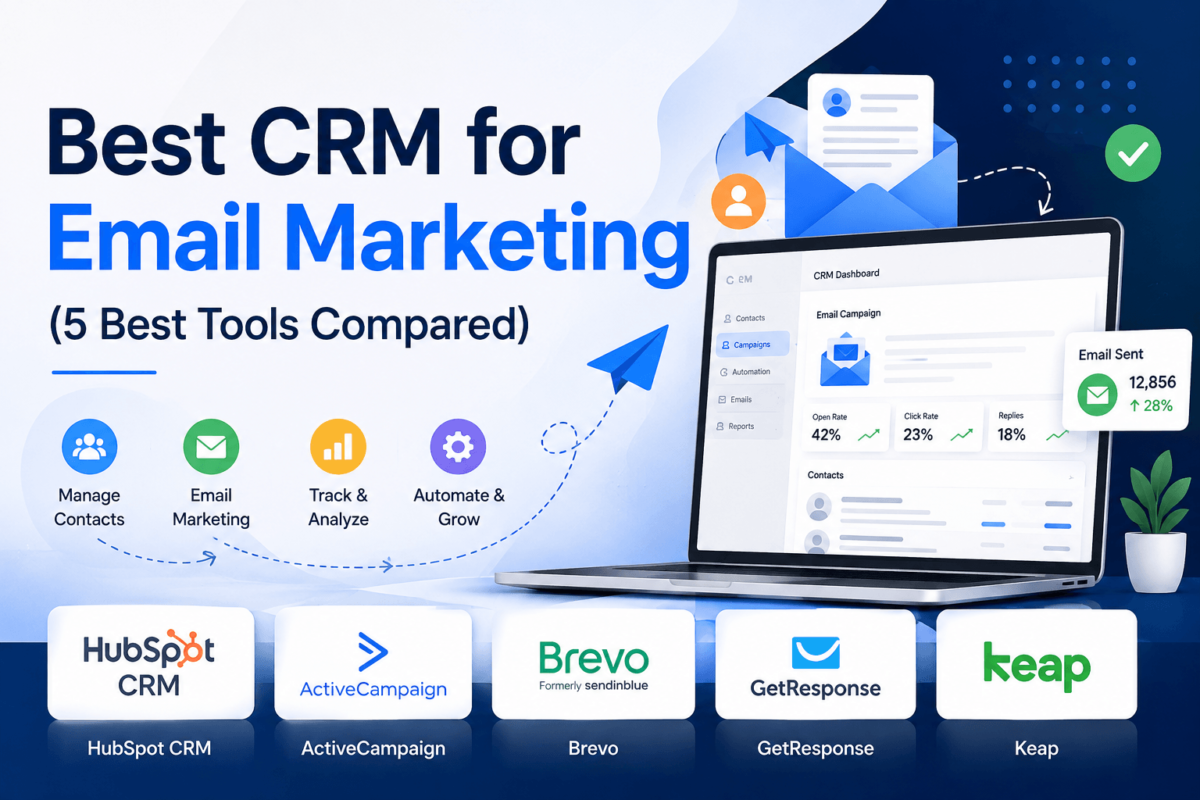
Best CRM for Email Marketing (2026): 5 Best Tools Compared
By Jaykishan Panchal · Founder, TechCognate · Updated 2026 · 19 min read
Quick Answer HubSpot CRM is the best all-around CRM for email marketing because it pairs a free, unlimited-user CRM with genuinely capable email automation, landing pages, and reporting in one place. ActiveCampaign wins on automation depth, Brevo wins on price, GetResponse wins for creators and course sellers, and Keap wins for service businesses that need built-in invoicing and payments alongside their CRM. |
Here’s a scenario you’ve probably lived through: a lead fills out your contact form, gets a polite “thanks, we’ll be in touch” email, and then… nothing. No follow-up. No nurture sequence. No record of what they were even interested in. Three weeks later, someone on your team finally remembers to reach out — and by then, the lead has already bought from a competitor.
That’s not a tooling problem you fix with willpower. It’s a systems problem, and it’s exactly what happens when your contact database and your email marketing live in two different apps that don’t talk to each other. A CRM with built-in email marketing closes that gap. Every open, click, form fill, and deal stage feeds the same record, so your follow-up is automatic instead of hopeful.
The financial case is just as strong as the operational one. Email marketing alone returns roughly $36–$42 for every dollar spent, making it the highest-ROI channel in digital marketing (more on that in our statistics section below). Bolt a CRM onto that same email engine, and you’re not just sending campaigns — you’re triggering the right message the moment a lead shows buying intent, which is where the real revenue shows up.
This guide is for small business owners, startups, sales teams, marketing agencies, SaaS companies, ecommerce brands, and solopreneurs who are done juggling a separate email tool and a separate CRM (or juggling neither, and feeling the pain of it). We tested and compared five platforms that combine CRM and email marketing in one subscription: HubSpot CRM, ActiveCampaign, Brevo, GetResponse, and Keap. Every tool on this list has an active affiliate program, in the interest of full transparency — you’ll find our disclosure at the bottom of this guide.
Best CRM for Email Marketing: Quick Comparison
If you only have two minutes, this table gives you the shape of the decision. We’ll go deeper on each tool right after.
| Tool | Best For | Free Plan | Email Automation | CRM Features | Starting Price | Affiliate Program | Rating |
|---|---|---|---|---|---|---|---|
| HubSpot CRM | All-around use, free CRM forever | Yes — unlimited users | Good, improves by tier | Full CRM, free forever | Free / from $9–20 per seat | Yes — 30% recurring | 4.7/5 |
| ActiveCampaign | Deep automation, B2B pipelines | No — 14-day trial | Best-in-class | Built-in from Plus plan | From $15/mo (1,000 contacts) | Yes — 20–30% recurring | 4.6/5 |
| Brevo | Budget-conscious teams, unlimited contacts | Yes — 300 emails/day | Solid, volume-based pricing | Free basic CRM included | Free / from $9/mo | Yes — per-signup bounty | 4.5/5 |
| GetResponse | Creators, course sellers, webinars | Yes — 500 contacts | Good, ecommerce-friendly | Basic contact scoring/tags | Free / from $19/mo | Yes — 40%+ recurring | 4.4/5 |
| Keap | Service businesses, invoicing + CRM | No — 14-day trial | Strong, sales-focused | Full CRM, all-in-one | From $249–299/mo | Yes — 20% recurring | 4.2/5 |
Want the wider category first? Our roundup of the best email marketing software covers tools that focus on sending, without the CRM layer.
The 5 Best CRMs for Email Marketing, Reviewed
We looked at each platform through the same lens: how good is the CRM, how good is the email automation, and how well do the two actually work together (instead of feeling bolted on).
1. HubSpot CRM — Best Overall CRM for Email Marketing
HubSpot built its reputation on a genuinely free CRM, and it’s still the most generous free tier on this list — unlimited users, contact and deal tracking, email tracking, and basic email marketing (with HubSpot branding) at $0. What makes HubSpot different from a plain free CRM is that the marketing side, sales side, and service side all read from the same contact record, so a marketing email and a sales follow-up call show up on the same timeline.
Best For
Small businesses and growing teams that want one platform to eventually cover marketing, sales, and support — without starting over when they outgrow a simple email tool.
Key Features
- Free CRM with unlimited users and up to a million contacts
- Drag-and-drop email builder with A/B testing on paid tiers
- Workflow automation (behavior-based, once you’re on Starter or above)
- Landing pages, forms, and live chat included
- Deal pipelines, meeting scheduler, and predictive lead scoring on Sales Hub
- AI email-writing and content assistance across the Hubs
Pricing
The Free plan covers basic CRM, email marketing with HubSpot branding, forms, and live chat. Starter removes the branding and unlocks basic automation from roughly $9–$20 per seat, per month. Professional plans (where the real marketing automation and reporting live) start around $800+/month for Marketing Hub, and Enterprise tiers run into the thousands with a one-time onboarding fee. The free plan is the headline, but budget for Professional if you need real behavior-based automation.
Affiliate Availability
HubSpot runs an active affiliate program through Impact, paying 30% recurring commission for up to 12 months with a 180-day cookie window.
Pros
| Cons
|
Integrations, Ease of Use & Reporting
HubSpot’s App Marketplace covers everything from Gmail and Outlook to Salesforce, Shopify, and Zapier, so it rarely feels like the bottleneck in your stack. The interface itself is clean enough for a solo founder to self-onboard, though the sheer number of settings across Hubs takes a few sessions to get comfortable with. Reporting is where HubSpot pulls ahead of everyone else on this list: custom dashboards, revenue attribution, and campaign-level ROI tracking are available starting on Professional.
Deliverability, Support & Mobile App
Deliverability is solid for a shared-sending platform, and HubSpot gives you domain authentication tools to protect it. Support ranges from community forums on Free to live chat and phone on paid tiers. The mobile app (iOS and Android) covers contact lookup, deal updates, and email tracking on the go, which matters if your sales team is rarely at a desk.
Who Should Buy It (and Who Shouldn’t)
Buy it if: you want one platform to grow into as your team adds sales and support functions, and you’re comfortable budgeting for Professional once you need real automation. Skip it if: you only need email marketing and don’t want to pay CRM-platform prices for automation that a simpler ESP could handle for a fraction of the cost.
Final Verdict
HubSpot earns the overall top spot because no other tool on this list gives you a genuinely free, full-featured CRM that scales into serious marketing automation without switching platforms. The price jump to Professional is real, but so is the runway you get before you hit it.
Start with HubSpot’s free CRM and upgrade only when you actually need automation. Try HubSpot CRM Free → |
2. ActiveCampaign — Best for Advanced Email Automation
If HubSpot is the generalist, ActiveCampaign is the automation specialist. Its visual workflow builder lets you branch sequences on almost any behavior — a link click, a deal stage change, a page visit, a purchase — and it was doing this well before “customer journey” became a buzzword. The CRM itself started as an add-on and still feels like one on the entry tiers, but from Plus and up it’s a legitimate sales pipeline tool, not just a contact list.
Best For
Marketing teams and B2B sales teams who live and breathe automation logic and want the CRM to plug directly into it, rather than sit beside it.
Key Features
- Visual automation builder with conditional branching and split testing
- Predictive sending, which times emails to each subscriber’s typical open window
- Built-in CRM with deal pipelines (Plus tier and up)
- Site and event tracking that feeds automation triggers
- SMS, Facebook Custom Audiences, and 950+ native integrations
- AI-generated content and subject line suggestions
Pricing
There’s no free plan, just a 14-day trial. Starter begins at $15/month (1,000 contacts, annual billing) and covers email plus basic automation with no CRM. Plus, at $49/month, is really where this tool starts — it unlocks the built-in CRM, lead scoring, and SMS. Professional runs $79/month and adds predictive sending and deeper reporting. Enterprise starts at $145/month. Watch for add-on pricing: the fuller sales-pipeline CRM (“Sales Engagement”) is a separate paid add-on on top of your plan.
Affiliate Availability
ActiveCampaign’s affiliate program is active and tiered: 20% recurring commission at the Silver level, climbing to 30% at Platinum, with a 90-day cookie window.
Pros
| Cons
|
Integrations, Ease of Use & Reporting
ActiveCampaign connects natively to Shopify, WooCommerce, Salesforce, Microsoft Dynamics, and hundreds more, plus Zapier for everything else. The automation builder is powerful but not beginner-simple — expect a real onboarding curve if your team has never built conditional logic before. Reporting covers campaign performance, automation-level attribution, and (on Professional+) deal forecasting.
Deliverability, Support & Mobile App
ActiveCampaign has one of the stronger deliverability reputations among mid-market ESPs, helped by dedicated IP options on higher tiers. Support includes live chat and email on all paid plans, with phone support and one-on-one onboarding calls on Plus and above. The mobile app covers contact management, deal updates, and conversations, though the automation builder itself is desktop-only.
Who Should Buy It (and Who Shouldn’t)
Buy it if: your marketing and sales process depends on multi-step, behavior-triggered sequences and you’re willing to invest time in building them properly. Skip it if: you want a simple, no-frills CRM and don’t need advanced automation logic — you’ll be paying for power you won’t use.
Final Verdict
ActiveCampaign is the platform to pick when automation sophistication matters more than simplicity. It rewards teams willing to build real workflows and punishes teams looking for something they can ignore after setup.
Test-drive ActiveCampaign’s automation builder free for 14 days. Try ActiveCampaign Free → |
3. Brevo — Best Budget CRM with Email Marketing
Brevo (formerly Sendinblue) takes a different approach to pricing than almost everyone else on this list: instead of charging by contact count, it charges by how many emails you actually send each month. That means you can store an unlimited contact list, including old or inactive subscribers, without your bill creeping up — a real advantage if you have a large but infrequently emailed database. A basic CRM with deal pipelines ships free with every plan.
Best For
Budget-conscious small businesses and ecommerce sellers with large contact lists who don’t want to pay more just because their list is big.
Key Features
- Free CRM with deal pipelines and task management on every plan, including Free
- Email, SMS, WhatsApp, and live chat in one platform
- Marketing automation workflows (from the Business/Standard tier up)
- Transactional email API alongside marketing email
- Sales-focused add-ons (Sales Essentials, Sales Advanced) for teams that need more pipeline depth
- Built-in Aura AI assistant on all plans for subject lines and content
Pricing
Brevo’s Free plan allows 300 emails per day with unlimited contacts and includes the basic CRM. Starter runs from about $9/month depending on volume, and Business (the tier most growing teams land on) starts around $18/month, adding automation, A/B testing, and logo removal. Professional jumps sharply to roughly $449–$499/month for multi-user, sub-account management. The dedicated sales CRM add-ons (Sales Essentials, Sales Advanced) are priced separately if you need more than the included basic pipeline.
Affiliate Availability
Brevo’s affiliate program pays a fixed bounty structure — roughly $5 per free signup and $100 per paid conversion — through PartnerStack, with a 90-day cookie.
Pros
| Cons
|
Integrations, Ease of Use & Reporting
Brevo integrates with Shopify, WooCommerce, WordPress, Zapier, and most major ecommerce and CMS platforms. The interface leans simple and approachable, which is part of why it’s a popular choice for non-technical founders. Reporting covers open/click performance, automation-level stats, and revenue attribution for connected ecommerce stores, though it’s less granular than HubSpot’s or ActiveCampaign’s dashboards.
Deliverability, Support & Mobile App
Brevo’s deliverability is solidly average for the category, with dedicated IP options available on higher tiers for senders who need more control. Support includes email on Free, with phone support unlocked on Business and above. The mobile app covers core campaign and contact management, sufficient for checking performance on the go rather than building campaigns from a phone.
Who Should Buy It (and Who Shouldn’t)
Buy it if: you have a large contact list, a tight budget, and want CRM, email, and SMS without stacking three subscriptions. Skip it if: you need enterprise-grade sales automation — the price gap to Professional will likely push you toward ActiveCampaign or HubSpot instead.
Final Verdict
Brevo is the pragmatic choice for teams that want real CRM and multichannel marketing without committing to a per-contact pricing model that punishes list growth.
Send up to 300 emails a day free, with Brevo’s CRM included at no cost. Try Brevo Free → |
4. GetResponse — Best for Creators and Course Sellers
GetResponse started as a straightforward email marketing tool and has steadily added CRM-adjacent features — contact scoring, tagging, and basic pipeline views — without turning into a full sales CRM like HubSpot or ActiveCampaign. That positioning makes it a strong fit for creators, coaches, and course sellers who need light contact organization alongside genuinely good email marketing, webinars, and a built-in course/website builder.
Best For
Solopreneurs, coaches, and course creators who want email marketing, webinars, and basic contact management in one affordable plan — without paying for a heavyweight CRM they won’t use.
Key Features
- Marketing automation workflows with contact scoring and tagging
- Built-in webinar hosting (Creator tier and up)
- Ecommerce tools: abandoned cart recovery, product recommendations
- Landing pages and a basic website/funnel builder
- Autoresponders and unlimited monthly email sends on every paid plan
- AI email generator and subject-line assistant
Pricing
The Free plan covers 500 contacts with core email tools. Starter runs $19/month for 1,000 contacts with unlimited sends but only one automation workflow. Marketer, at $59/month, is where automation, contact scoring, and cart-abandonment tools unlock. Creator, at $69/month, adds webinars and deeper ecommerce features. Annual billing saves roughly 18% across every tier.
Affiliate Availability
GetResponse runs an active affiliate program through PartnerStack, starting affiliates at 40% recurring commission for 12 months, with top-tier partners earning 50–60%, and a 90-day cookie window.
Pros
| Cons
|
Integrations, Ease of Use & Reporting
GetResponse connects with Shopify, WooCommerce, WordPress, Stripe, and Zapier, covering most creator and small-ecommerce stacks without friction. The interface is approachable enough for a solo user to build a funnel end-to-end in an afternoon. Reporting includes open/click benchmarks, automation performance, and ecommerce revenue tracking on Creator and above.
Deliverability, Support & Mobile App
GetResponse’s deliverability has tested favorably in third-party benchmarks, aided by built-in list-hygiene tools. Support includes 24/7 live chat on every paid plan, which is more generous than most competitors offer at this price point. The mobile app handles campaign monitoring and contact management, though workflow and funnel building are desktop tasks.
Who Should Buy It (and Who Shouldn’t)
Buy it if: you’re a creator or small business that needs email, webinars, and light contact organization in one affordable subscription. Skip it if: your sales process depends on a real deal pipeline — GetResponse’s CRM layer won’t get you there.
Final Verdict
GetResponse earns its spot as the best fit for creators and course sellers specifically, not as a CRM-first pick. If contact tagging and scoring are enough CRM for your business, it’s excellent value.
Try GetResponse free with 500 contacts, no credit card required. Try GetResponse Free → |
5. Keap — Best for Service Businesses Needing CRM + Invoicing
Keap (formerly Infusionsoft) takes the opposite approach from GetResponse: it’s CRM-first, automation-second, with sales, invoicing, and payment collection built directly into the same platform. Acquired by Thryv in 2024, Keap remains squarely aimed at service businesses — consultants, coaches, agencies, home-service providers — that need to track a lead from first contact through invoice and payment without switching tools.
Best For
Service-based small businesses (consultants, coaches, agencies, contractors) who want CRM, email automation, quotes, invoicing, and payments in a single subscription.
Key Features
- Full CRM with custom fields, tagging, and segmentation
- Visual automation builder for email and task sequences
- Native invoicing, quotes, and Keap Pay payment collection
- Appointment scheduling and a dedicated business phone line/SMS
- Lead capture forms and landing pages
- Pipeline management and sales reporting (Max tier and above)
Pricing
Keap has simplified to a single all-inclusive plan: $249/month billed annually, or $299/month billed monthly, covering 2 users and 1,500 contacts. Additional users run about $35/month each, and going over the contact limit means moving to the custom-quoted Max tier. There’s no permanent free plan, just a 14-day trial, and mandatory onboarding fees ($500–$2,999 depending on complexity) apply to most new accounts.
Affiliate Availability
Keap’s affiliate program runs through PartnerStack, paying 20% recurring commission for up to 12 months on referred subscriptions, with a 90-day cookie window.
Pros
| Cons
|
Integrations, Ease of Use & Reporting
Keap integrates with Zapier, Gmail, Outlook, and a smaller native app library than HubSpot or ActiveCampaign, so more complex stacks may lean on Zapier more heavily. The interface carries some of its Infusionsoft-era complexity, and most new accounts go through paid onboarding rather than self-serve setup. Reporting covers pipeline value, campaign performance, and invoicing/payment history in one dashboard.
Deliverability, Support & Mobile App
Deliverability is competitive for the category, and Keap’s core CRM and automation work globally, though text marketing and the dedicated business phone line are limited to the U.S. and Canada. Support includes phone, chat, and the required onboarding walkthrough. The mobile app (U.S., UK, Australia, Canada, New Zealand) covers contact access, invoicing, and messaging from the field.
Who Should Buy It (and Who Shouldn’t)
Buy it if: you run a service business and want CRM, follow-up automation, and invoicing/payments in a single tool worth the premium. Skip it if: you’re price-sensitive, have a contact list well over 1,500, or don’t need built-in invoicing — you’ll get more for less elsewhere.
Final Verdict
Keap is the specialist pick for service businesses that want to stop stitching together a CRM, an email tool, and invoicing software. The price reflects that convenience, and it’s worth it if you’ll actually use the invoicing and payments side.
See Keap’s all-in-one CRM, automation, and invoicing with a 14-day free trial. Try Keap Free → |
Key CRM and Email Marketing Features, Explained
Vendor pricing pages love to list feature names without explaining what they actually do. Here’s what the terms you’ll see across every CRM’s pricing page actually mean in practice.
Contact and Pipeline Management
- Contact management — a single record per person that stores every email, form fill, and interaction, instead of scattered spreadsheets.
- Deal pipelines — a visual stage-by-stage view (e.g. New → Contacted → Proposal → Won) that shows exactly where every prospect sits.
- Segmentation — grouping contacts by behavior, tag, or attribute so you send relevant emails instead of one blast to everyone.
- Lead scoring — assigning points to actions (opening emails, visiting a pricing page) so sales knows who to call first.
Automation and Sales Workflows
- Behavior-based automation — sequences triggered by what a contact does (clicks a link, abandons a cart), not just a fixed schedule.
- Workflows — the visual, if/then logic builder underneath most automation (“if opened, wait 2 days, then send B”).
- Sales automation — auto-assigning leads, creating follow-up tasks, and moving deals between stages without manual clicks.
- Customer journeys — the full mapped path from first touch to customer, spanning multiple channels and automations.
Content, Testing, and Conversion Tools
- Email templates — pre-built, editable layouts so you’re not designing from a blank canvas every send.
- Landing pages and forms — standalone pages and embeddable forms that capture leads directly into your CRM.
- A/B testing — sending two subject lines or layouts to a sample audience and automatically favoring the winner.
Once contacts start converting, tracking that lift correctly matters — see our guide to conversion rate optimization if you want to go deeper on measuring it properly.
Analytics, Reporting, and AI
- Campaign tracking — opens, clicks, and conversions attributed back to the specific email or automation that drove them.
- CRM integrations — native or Zapier-based connections to your website, ecommerce store, and other software.
- Predictive sending — AI that times each individual send to when that specific subscriber is statistically most likely to open.
- Sales forecasting — projecting expected revenue based on pipeline value and historical close rates.
AI is showing up across every tier of this category now — if you want the wider view of where that’s headed, our breakdown of the best AI marketing tools covers tools beyond CRM specifically.
How to Choose a CRM for Email Marketing
The “best” CRM depends entirely on your business, not a universal ranking. Work through these questions before you commit to a plan.
Ask Yourself These Questions First
- How many contacts do I have today, and how fast is that list actually growing?
- Do I need a real sales pipeline, or just organized, segmented email marketing?
- How many people on my team need CRM access, and what does per-seat pricing do to my total cost?
- What’s my monthly budget, including likely add-ons — not just the advertised starting price?
- What am I migrating from, and how painful will moving my existing contacts and history be?
Budget: What You’ll Actually Pay
Sticker prices are almost always the floor, not the ceiling. Extra contacts, extra users, SMS add-ons, dedicated IPs, and onboarding fees can meaningfully raise your real monthly cost. Model your budget at the plan tier you’ll likely need in 12 months, not the cheapest plan today — switching CRMs later is far more disruptive than paying slightly more upfront.
Scalability and Team Size
A solo founder and a 10-person sales team have different math. Per-seat pricing (HubSpot, ActiveCampaign, Keap) scales with headcount; volume-based pricing (Brevo) scales with your sending activity instead. Match the pricing model to how your business actually grows.
Automation Needs and Industry Fit
If your sales cycle involves multiple touchpoints, conditional logic, and behavior triggers, pay for a platform built around that (ActiveCampaign, HubSpot). If your “automation” is really just a welcome sequence and a monthly newsletter, you’re overpaying for that sophistication elsewhere — Brevo or GetResponse will cover it for less.
Deliverability, Support, Security, and Hidden Costs
- Deliverability — ask what authentication (SPF/DKIM/DMARC) support and sender-reputation tools are included, since inbox placement varies meaningfully by platform.
- Customer support — confirm what tier unlocks live chat or phone support; free and entry plans often mean self-serve only.
- Security and compliance — check for GDPR tooling, SOC 2 status, and role-based permissions if you handle sensitive customer data.
- Hidden costs — onboarding fees, per-user add-ons, SMS credits, and dedicated IPs rarely appear on the homepage pricing table.
- Learning curve — a powerful automation builder is only valuable if someone on your team will actually build with it.
- Ease of migration — ask vendors directly what they’ll import (contacts, tags, automation history) and what you’ll have to rebuild manually.
Best CRM for Email Marketing by Use Case
If you already know what kind of business you’re running, this table shortcuts the decision.
| Business Type | Best Pick | Why |
|---|---|---|
| Small business | HubSpot CRM | Free CRM plus room to grow into paid marketing automation |
| Large business / enterprise | HubSpot CRM or ActiveCampaign | Advanced reporting, permissions, and integration depth |
| Startups | Brevo | Low starting cost with a CRM included, no per-contact penalty |
| Marketing agencies | ActiveCampaign | Client-specific automations and detailed campaign attribution |
| Ecommerce | Brevo or GetResponse | Cart recovery, product recommendations, multichannel messaging |
| Real estate | Keap | Pipeline tracking plus invoicing for closing-related fees |
| Consultants | Keap | CRM, proposals, and invoicing under one login |
| Coaches | GetResponse | Webinars, courses, and email in a single affordable plan |
| Healthcare (admin/marketing use) | HubSpot CRM | Strong permissions and reporting; verify compliance needs directly with the vendor |
| Financial advisors | ActiveCampaign | Compliance-friendly automation with detailed activity logs |
| B2B sales teams | ActiveCampaign or HubSpot | Deal pipelines built for multi-stakeholder sales cycles |
| SaaS companies | HubSpot CRM | Lifecycle stages that map cleanly to trial → paid conversion |
| Nonprofits | Brevo | Nonprofit discounts and budget-friendly multichannel outreach |
| Freelancers | GetResponse | Lightweight contact tools without paying for a full sales CRM |
Running lead generation alongside your CRM? Our guide to the best lead generation software pairs well with any of the five tools above.
Head-to-Head Comparisons
HubSpot vs ActiveCampaign
HubSpot wins on breadth and price-to-entry (a genuinely free CRM); ActiveCampaign wins on automation depth and predictive sending. Choose HubSpot if you want one platform that can eventually cover marketing, sales, and service. Choose ActiveCampaign if your team already thinks in workflows and wants the most powerful automation builder available. We go much deeper on this exact matchup in our ActiveCampaign vs HubSpot comparison.
Brevo vs GetResponse
Both are budget-friendly and both include basic CRM features, but they solve different problems. Brevo’s email-volume pricing rewards large, infrequently-emailed lists and adds SMS/WhatsApp. GetResponse leans into creators with built-in webinars and course tools. If multichannel messaging and unlimited contacts matter most, pick Brevo. If webinars and content-driven funnels matter more, pick GetResponse.
Keap vs HubSpot
Keap bundles CRM, automation, and invoicing/payments into one premium-priced plan built for service businesses. HubSpot spreads similar functionality across free-to-paid tiers with a much lower entry point but less built-in billing functionality. If you invoice clients directly and want that in the same tool as your CRM, Keap justifies its price. If you want to start free and scale gradually, HubSpot is the safer starting point.
Best Free CRM
HubSpot CRM, without much competition — unlimited users, real contact and deal tracking, and basic email marketing at no cost. Brevo’s free tier is the runner-up, useful mainly if you also want SMS and a larger free sending allowance relative to contacts stored.
Best Budget CRM
Brevo, thanks to its email-volume pricing model that doesn’t punish a large contact list, plus a genuinely useful free CRM included at every tier.
Best Premium CRM
Keap, if you value built-in invoicing and payments enough to justify the price. For premium marketing automation without the invoicing layer, ActiveCampaign’s Professional and Enterprise tiers are the alternative.
Best All-in-One Platform
HubSpot CRM — marketing, sales, service, and CRM genuinely share one database, which is rare even among tools that claim to be “all-in-one.”
Best Automation Platform
ActiveCampaign — the visual workflow builder, predictive sending, and behavior-based triggers are the most advanced in this comparison.
CRM and Email Marketing Statistics (2025–2026)
Here’s the current data behind why CRM and email marketing keep getting bundled together — and why it’s worth the switch if you’re still running them separately. For the full dataset on email specifically, see our dedicated email marketing statistics page.
CRM Adoption
- 73% of businesses now use CRM software, and adoption climbs to 91% among companies with 10 or more employees, according to Freshworks’ 2024 survey of U.S. business owners.
- 71% of small businesses have adopted a CRM system, with 65% implementing one within their first five years in business, per SellersCommerce (2025).
- Businesses using CRM software are 86% more likely to exceed their sales goals than those without one, per Freshworks (2024).
- 65% of businesses have adopted CRM systems with generative AI built in, and those businesses are 83% more likely to exceed sales goals, per CRM.org (2026).
Email Marketing ROI
- Email marketing delivers an average return of $36–$42 for every $1 spent — the highest ROI of any digital marketing channel, ahead of paid search ($2) and social advertising ($2.80), per multiple 2026 industry benchmarks (Litmus, DMA, Omnisend).
- Retail, ecommerce, and consumer goods businesses see the highest email ROI of any sector, at roughly 45:1, per Marketful (2026).
- 18% of companies report an email marketing ROI above 7,000% — $70 or more for every $1 spent, per Marketful (2026).
Automation and Personalization Effectiveness
- Automated email flows generate up to 30x more revenue per recipient than one-off campaign sends, despite making up only about 2% of total email volume, per Klaviyo benchmark data cited across multiple 2026 sources.
- Automated emails generate roughly 320% more revenue than non-automated emails, per Cazoomi/Klaviyo data (2024–2026).
- Segmented email campaigns generate up to 760% more revenue than non-segmented broadcast sends, per Marketo benchmark data cited in 2026 industry reports.
- Personalized, automated emails achieve up to 6x higher transaction rates than generic sends, per Revenue Memo (2026).
Lead Nurturing and Sales Productivity
- Nurtured leads make purchases roughly 47% larger than leads that go straight to sales without nurturing, per AffTank (2026).
- Companies that nurture leads generate about 50% more sales-ready leads at 33% lower cost per lead, per AffTank (2026).
- Companies using AI-powered lead nurturing report substantially higher sales-qualified lead volume compared to manual nurturing, per a 2026 Demand Gen Report study of 900 B2B organizations.
Engagement Benchmarks and Deliverability
- A good email open rate in 2025–2026 sits above 30%, with 45–50% considered strong, per Designmodo (2026).
- Average click-through rate across all campaigns sits around 2%, ranging from 0.77% to 4.36% depending on industry, per Designmodo (2026).
- Average global inbox placement (deliverability) sits around 83%, meaning roughly 1 in 6 marketing emails never reaches the inbox at all, per EmailToolTester/Validity benchmark data (2026).
- Mobile devices account for roughly 41–43% of all email opens, per Litmus email client market share data (2025).
AI in CRM and Email
- 83% of companies report using AI features within their CRM for automation and personalized customer interactions, per DemandSage (2026).
- AI-generated subject lines outperform manually written ones by roughly 26% in open rate, per Digital Applied (2026).
- Predictive AI lead-scoring models can identify customers likely to churn with up to 90% accuracy, per Email Vendor Selection (2026).
The pattern across nearly every stat above is the same: automation and personalization compound the ROI that email marketing already delivers on its own. That’s the entire argument for a CRM with email marketing built in — the CRM is what makes real personalization and behavior-based automation possible in the first place. |
Expert Tips, Common Mistakes, and Checklists
20 Expert Tips for CRM + Email Marketing
- Start segmenting before you start automating — automation built on a flat, unsegmented list just sends the wrong message faster.
- Set up SPF, DKIM, and DMARC on day one, not after your first deliverability problem.
- Use double opt-in for new signups; it costs you some volume but protects your sender reputation long-term.
- Tag contacts by source (ad, referral, organic) so your reporting can actually tell you what’s working.
- Build one solid welcome sequence before you build ten campaign emails — it’s the highest-leverage automation you’ll ever write.
- Score leads on intent signals (pricing page visits, demo requests), not just email opens.
- Review and prune inactive contacts every quarter; a bloated list hurts deliverability more than it helps reach.
- Match your CRM’s pipeline stages to your actual sales process, not the vendor’s default template.
- Test send times per segment instead of assuming your whole list opens email at the same hour.
- Write subject lines for the preview text too — most inboxes show both together.
- Use behavior-based triggers (cart abandonment, page visits) before investing in time-based drip sequences alone.
- Connect your CRM to your calendar and support tools so context doesn’t live in three separate apps.
- A/B test one variable at a time; testing subject line and send time together tells you nothing useful.
- Set a re-engagement automation for contacts who haven’t opened in 90 days before you delete them.
- Keep your first automation simple — three or four steps you can actually maintain beat a twenty-step workflow nobody understands six months later.
- Document your automations somewhere outside the tool itself; institutional knowledge walks out the door with staff turnover.
- Use UTM parameters on every campaign link so your CRM and your analytics tool agree on what drove a conversion.
- Set internal notification rules for high-intent actions so sales follows up in minutes, not days.
- Review your CRM’s permission settings before onboarding new team members — not after a mistake.
- Revisit your CRM choice annually against your actual usage, not your usage from the year you signed up.
15 Common CRM + Email Marketing Mistakes
- Buying a CRM before mapping your actual sales process, then forcing the process to fit the tool
- Importing your entire old contact list without cleaning bounces and unengaged addresses first
- Treating automation as “set and forget” instead of reviewing performance monthly
- Sending every email to your entire list instead of segmenting by behavior or interest
- Ignoring deliverability until open rates crash, instead of monitoring it proactively
- Letting sales and marketing use different tags or fields for the same information
- Overcomplicating the first automation instead of shipping something simple and improving it
- Choosing a CRM based on price alone, without checking if it fits your team size in 12 months
- Skipping A/B testing entirely and guessing at what subject lines or send times work
- Failing to remove hard bounces and spam-trap-flagged addresses, which quietly tanks sender reputation
- Not training the whole team on the CRM, so adoption stalls after the person who set it up leaves
- Using one generic welcome email instead of a short onboarding sequence
- Never auditing old automations, so contacts get stuck in outdated or broken workflows
- Underestimating migration time and rushing a switch mid-campaign season
- Ignoring mobile rendering, when 40%+ of opens now happen on a phone
10 Best Practices
- Keep one source of truth: contact data should live in the CRM, not duplicated across spreadsheets.
- Segment before you automate, and automate before you scale campaign volume.
- Authenticate your sending domain and monitor deliverability monthly, not just after problems appear.
- Set a consistent tagging and naming convention across marketing and sales from day one.
- Build a short list of “must-have” automations first (welcome, abandoned cart, re-engagement) before anything more advanced.
- Review reporting on a fixed cadence — weekly for campaigns, monthly for automation performance.
- Give sales visibility into marketing engagement data, and vice versa, inside the same CRM record.
- Clean your list on a schedule, not only when deliverability visibly suffers.
- Document workflows so the system survives staff changes.
- Reassess your plan tier against actual usage at renewal time, not just at signup.
Checklists
Optimization Checklist
- Domain authentication (SPF/DKIM/DMARC) configured and verified
- Contact list segmented by at least source and engagement level
- Welcome sequence live and tested end-to-end
- Lead scoring rules match your actual sales priorities
- Mobile rendering checked on your most-used templates
Implementation Checklist
- Sales process mapped to CRM pipeline stages before setup begins
- Team roles and permissions defined before onboarding
- Integrations (website forms, ecommerce, calendar) connected and tested
- Reporting dashboards built for the metrics your team actually reviews
- Training session scheduled for every team member who’ll touch the CRM
Migration Checklist
- Export and clean your existing contact list (remove bounces, duplicates, unengaged addresses)
- Map custom fields and tags from your old tool to the new platform before importing
- Rebuild your top 3–5 automations before decommissioning the old tool
- Run both systems in parallel briefly to confirm data and automations match
- Set a hard cutover date so your team isn’t checking two tools indefinitely
Frequently Asked Questions
What is a CRM?
A CRM (customer relationship management) system is software that stores every contact, deal, and interaction your business has with a lead or customer in one organized record, instead of scattered across spreadsheets, inboxes, and sticky notes.
Do I need email marketing in my CRM?
Not always, but it removes a real gap: without it, your CRM knows who your contacts are and your email tool knows what they’ve opened, and neither system sees the full picture. Combining them lets you trigger emails based on CRM data (deal stage, tags) and update CRM records based on email behavior.
Can a CRM replace Mailchimp?
Yes, for most small businesses. HubSpot, ActiveCampaign, Brevo, and GetResponse all include email marketing capable of replacing Mailchimp, with the added benefit of a connected CRM. If you’re specifically comparing the two, see our Constant Contact vs Mailchimp comparison for how a dedicated ESP stacks up.
Which CRM has the best automation?
ActiveCampaign, by a clear margin. Its visual workflow builder supports conditional branching, predictive sending, and behavior-based triggers that go beyond what HubSpot, Brevo, GetResponse, or Keap offer at comparable price points.
Which CRM is easiest to use?
Brevo and GetResponse both have gentler learning curves than ActiveCampaign or Keap. HubSpot’s free CRM is also approachable, though the platform gets more complex as you add Hubs and features.
Which CRM is cheapest?
Brevo and HubSpot both offer usable free plans. For paid plans specifically, Brevo’s Business tier (around $18/month) and ActiveCampaign’s Starter tier ($15/month) are the lowest entry points, though Starter doesn’t include CRM functionality.
Is HubSpot worth it?
For most small businesses, yes — the free CRM alone justifies trying it, and the paid tiers scale into serious marketing automation without switching platforms. It’s less worth it if you only need simple email marketing and don’t want CRM-platform pricing once you hit Professional.
Which CRM is best for small businesses?
HubSpot CRM, because of its free tier and low-cost entry into paid automation. Brevo is the strongest runner-up for budget-conscious small businesses with larger contact lists.
What CRM do most marketers use?
HubSpot and ActiveCampaign are among the most widely used CRMs with built-in email marketing, particularly among small-to-midsize marketing teams and agencies.
Can I send newsletters from a CRM?
Yes. All five platforms in this guide (HubSpot, ActiveCampaign, Brevo, GetResponse, Keap) include newsletter sending alongside their CRM and automation tools.
How much does a CRM with email marketing cost?
Anywhere from $0 (HubSpot or Brevo free plans) to $150–$300+/month for premium tiers (ActiveCampaign Enterprise, Keap). Most small businesses land between $19 and $99/month once they need real automation.
What’s the difference between a CRM and an email marketing platform?
A pure email marketing platform focuses on sending campaigns to a list. A CRM focuses on tracking individual contact and deal history. Tools like the five in this guide combine both, so email behavior updates the CRM record and CRM data (like deal stage) can trigger emails.
Which CRM is best for a small business on a tight budget?
Brevo, because its free plan includes a working CRM and its paid tiers stay affordable even as your contact list grows, since pricing is based on email volume rather than contact count.
Do I need a CRM if I’m just starting out?
If you have fewer than a few dozen contacts, a spreadsheet might still work. Once you’re following up with leads regularly, a free CRM (HubSpot or Brevo) pays for itself in time saved and leads not forgotten.
Can I migrate my existing email list into a new CRM?
Yes, all five platforms support CSV import, though you should clean your list first (remove bounces and duplicates) and confirm your existing contacts have opted in, to protect your sender reputation on the new platform.
What is marketing automation, exactly?
Marketing automation is pre-built logic that sends emails, updates records, or assigns tasks automatically based on triggers — a form fill, a tag, a date, or a behavior — instead of a person doing it manually every time.
Which CRM integrates best with WordPress?
All five tools offer WordPress plugins or Zapier connections. HubSpot and Brevo both have particularly mature WordPress integrations for form capture and tracking.
Does GetResponse have a real CRM?
It has contact tagging, scoring, and a basic pipeline view, but not a full sales CRM like HubSpot’s or ActiveCampaign’s. It’s better understood as an email marketing platform with light CRM features layered on.
Is ActiveCampaign a CRM or an email tool?
Both, depending on plan. On Starter, it’s essentially email marketing with automation. From Plus and up, the built-in CRM (deal pipelines, contact records) becomes a genuine sales tool, not just an add-on. See our full ActiveCampaign review for a deeper breakdown.
What’s the best CRM for ecommerce?
Brevo or GetResponse, both of which include abandoned cart recovery, product recommendations, and native ecommerce integrations at accessible price points.
How long does it take to set up a CRM with email marketing?
A basic setup (importing contacts, building one welcome automation, connecting your website) typically takes a few hours to a few days. A full migration with custom pipelines and multiple automations can take one to four weeks depending on complexity.
What is lead scoring and do I need it?
Lead scoring assigns points to contact actions (email opens, page visits, form fills) so sales can prioritize the hottest leads first. It’s most valuable once you have enough volume that manually reviewing every lead isn’t realistic.
Can I use a CRM without any technical skills?
Yes. HubSpot, Brevo, and GetResponse are all designed for non-technical users to self-onboard. ActiveCampaign and Keap have steeper learning curves, particularly around building multi-step automations.
Do these CRMs work for B2B companies specifically?
Yes — ActiveCampaign and HubSpot in particular are built with B2B sales cycles in mind, including multi-stakeholder deal tracking and longer nurture sequences. For a broader look at B2B-specific tactics, our AI writing tools roundup covers content creation that pairs well with longer B2B nurture sequences.
Final Verdict: Which CRM Should You Choose?
All five of these tools solve the same core problem — disconnected contacts and disconnected email — but they solve it differently enough that the right pick really does depend on your business. Here’s the shortlist by category:
| Category | Winner |
|---|---|
| Best Overall | HubSpot CRM — free CRM with real room to grow into automation |
| Best Value | Brevo — CRM included free, priced by email volume not contact count |
| Best for Small Business | HubSpot CRM — lowest-risk starting point |
| Best for Agencies | ActiveCampaign — client-level automation and reporting depth |
| Best Automation | ActiveCampaign — the most advanced workflow builder on this list |
| Best Budget Pick | Brevo — the strongest free-to-paid value ratio |
| Best Enterprise Choice | HubSpot CRM — deepest reporting, permissions, and integrations at scale |
If you’re still unsure, start with the free plan of whichever tool matches your category above — HubSpot or Brevo, both let you build a real automation and see actual results before you spend a dollar. From there, compare pricing at the tier you’ll actually need in six months, not the cheapest tier available today. Test the automation builder yourself; watching a demo video and actually building a three-step workflow feel very different. And don’t be afraid to start a free trial on two tools at once — a week of side-by-side testing beats weeks of research.
Whichever platform you land on, the goal is the same: stop letting leads fall through the cracks between your inbox and your contact list. Pick one, connect it to your website today, and build your first automation this week.
Affiliate Disclosure: TechCognate may earn a commission if you sign up for a tool through the links on this page, at no additional cost to you. We only recommend platforms we’ve researched and tested against real criteria, and our recommendations reflect our honest assessment of each tool’s fit for the use cases described above.