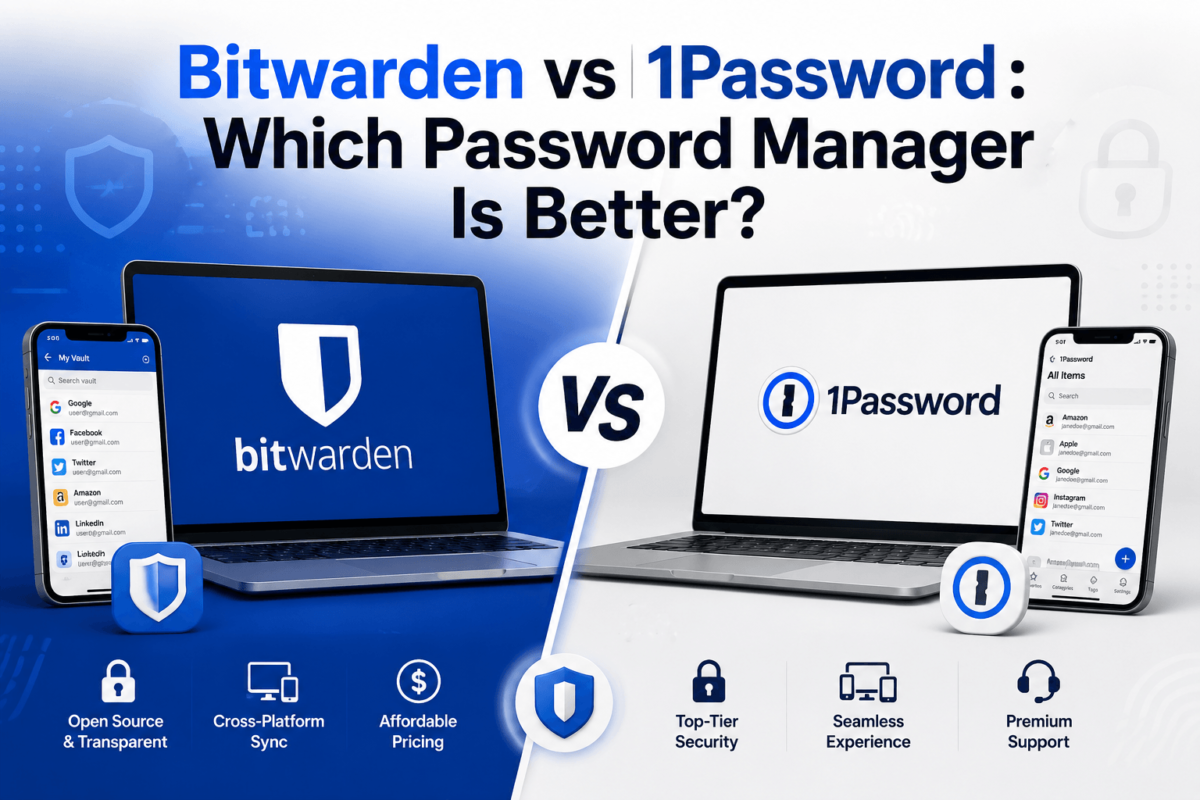
Bitwarden vs 1Password (2026): Which Password Manager Is Better?
Affiliate disclosure: TechCognate may earn a commission if you purchase through some of the links on this page, at no extra cost to you. This never influences which product we recommend — our comparisons are based on publicly available pricing, documentation, and security disclosures.
If you’ve landed here, you’ve probably already decided you need a password manager — the question is just which one. Bitwarden and 1Password are the two names that come up again and again, and for good reason: both are well-audited, both support passkeys, and both will genuinely improve your security the day you install them. The real differences show up in price, polish, and who each one is actually built for.
Short answer: Bitwarden is the better choice if you want a fully-featured free plan, open-source transparency, and the lowest price for premium features. 1Password is the better choice if you want the most polished day-to-day experience, stronger built-in family tools, and don’t mind paying more for it. Neither is “insecure” — both use end-to-end encryption and undergo regular independent audits.
Best overall: Bitwarden, for the best balance of price, security, and features.
Best free option: Bitwarden — its free plan has no device limit and unlimited password storage.
Best for polish and UX: 1Password, with its Watchtower dashboard and Travel Mode.
Best for families: 1Password, if budget isn’t a concern; Bitwarden, if it is.
Best for businesses: Bitwarden on price, 1Password on interface — both offer SSO, SCIM, and admin controls at the top tier.
Bitwarden vs 1Password: Quick Comparison
| Feature | Bitwarden | 1Password |
|---|---|---|
| Free plan | ✓ Unlimited passwords & devices | — (14-day trial only) |
| Cheapest paid plan | $1.65/mo (Premium) | $2.99–3.99/mo (Individual) |
| Family plan | $3.99/mo, 6 users | $5.99–7.99/mo, 5 users |
| Password & item storage | Unlimited | Unlimited |
| Passkeys | ✓ | ✓ |
| Autofill | ✓ | ✓ (more granular per-field) |
| Password generator | ✓ | ✓ (incl. memorable passphrases) |
| Secure notes | ✓ | ✓ |
| Credit card & identity storage | ✓ (Premium+) | ✓ (all paid tiers) |
| Document/file storage | 1 GB (Premium) | 1 GB (Individual/Families) |
| Family/shared sharing | ✓ | ✓ |
| Emergency access | ✓ (Premium+) | Account recovery via Families admin |
| Built-in security alerts | Vault Health Reports (Premium+) | Watchtower (all plans) |
| Breach/dark web monitoring | ✓ (Premium+, via HIBP) | ✓ (Watchtower, via HIBP) |
| Built-in 2FA authenticator | ✓ (Premium+) | ✓ |
| Biometric unlock | ✓ | ✓ |
| Travel Mode | — | ✓ |
| Browser extensions | All major browsers | All major browsers |
| Mobile & desktop apps | iOS, Android, Win, macOS, Linux | iOS, Android, Win, macOS, Linux |
| Open source | ✓ Fully | — (proprietary) |
| Self-hosting | ✓ (Enterprise, or free via Vaultwarden) | — |
| Security architecture | Zero-knowledge, AES-256, E2E encryption | Zero-knowledge, AES-256, Secret Key model |
| Business plans | Teams $4/user, Enterprise $6/user | Teams Starter $19.95 flat, Business $7.99/user |
| Best for | Budget, open-source advocates, technical users | Beginners, families, polished UX |
Prices shown are per-month rates billed annually, current as of August 2026. Both companies have raised prices in 2026 — always confirm the live rate on the official pricing page before purchasing.
Bitwarden vs 1Password: At a Glance
- Best overall: Bitwarden — it covers what most people actually need at a fraction of the cost, without meaningfully compromising on security.
- Best free option: Bitwarden’s free tier is unusually generous for the category — unlimited passwords across unlimited devices, no catch.
- Best value: Bitwarden Premium at under $2/month adds 2FA, file storage, and vault health checks for less than a coffee.
- Best for families: 1Password’s shared-vault experience and admin recovery tools are more polished, though Bitwarden Families is cheaper and covers more people.
- Best for beginners: 1Password’s guided setup and Watchtower dashboard make it easier to trust on day one.
- Best for advanced users: Bitwarden, thanks to self-hosting, open-source auditability, and CLI/vault tooling.
- Best for businesses: Depends on budget — Bitwarden wins on per-seat cost, 1Password wins on interface and onboarding speed.
- Best for open-source advocates: Bitwarden, unambiguously — its entire codebase is public.
- Best for user experience: 1Password, particularly on Apple platforms.
- Best for security-conscious users: Effectively tied — both use zero-knowledge encryption and publish independent audits.
Here’s where things get interesting: a password manager only protects the credentials you actively store in it. It doesn’t tell you if your email or SSN has already surfaced in a breach you don’t know about yet. If you’re locking down your passwords, it’s worth also checking whether your identity and credit are being monitored.
What Is Bitwarden?
Bitwarden is an open-source password manager built by Bitwarden Inc. that stores logins, passkeys, secure notes, cards, and identities in an encrypted vault that syncs across every device you own. Its defining trait is transparency: the entire client and server codebase is public on GitHub, which means anyone — not just Bitwarden’s own engineers — can inspect how the encryption actually works.
The core product line covers the essentials: a browser extension for autofill, native apps for Windows, macOS, and Linux, and mobile apps for iOS and Android. Premium subscribers get a built-in TOTP authenticator (so you don’t need a separate 2FA app), encrypted file attachments, emergency access contacts, and vault health reports that flag weak, reused, or exposed passwords. Families plans extend that to up to six people with shared and private vaults, and business tiers add SSO, SCIM provisioning, and audit logging. For technical teams, Bitwarden also offers self-hosting — either the official server or the popular community-run Vaultwarden fork — for organizations that want full control over where vault data lives.
What Is 1Password?
1Password is a proprietary password manager built by AgileBits (operating as 1Password) that has been in the category since 2006, long before “password manager” was a mainstream category of software. It offers the same core functionality — encrypted vaults, autofill, passkey support, secure document storage — but wraps it in a noticeably more polished interface, especially on Apple devices where the company got its start.
Its standout features include Watchtower, a built-in dashboard that continuously checks your saved items against known breaches and flags weak or reused passwords, and Travel Mode, which lets you temporarily remove sensitive vaults from your devices before crossing a border, then restore them afterward. 1Password has no permanent free plan, only a 14-day trial, but every paid tier includes unlimited items, unlimited devices, and the same encryption backbone. Family plans support shared and private vaults for up to five people, and business tiers scale up to SSO/SCIM integration with identity providers like Okta and Azure AD.
Bitwarden vs 1Password: Which Is More Secure?
Short answer: both are secure enough to trust with your entire digital life. Neither company has suffered a vault-data breach, and both rely on the same fundamental architecture — end-to-end encryption with a zero-knowledge model, meaning even the provider can’t read your stored passwords.
Encryption
Both products encrypt your vault on your device before it ever reaches their servers, using AES-256 encryption. In practice, this means that if either company’s servers were compromised, an attacker would get a pile of encrypted data they cannot read without your master password — the key never leaves your device in usable form. This is what “zero-knowledge architecture” means in practical terms: the provider genuinely cannot see your passwords, even if legally compelled to hand over server data. A password manager encrypts what’s stored in your vault, but it doesn’t encrypt your general internet traffic — if you’re also trying to lock down that layer, our guide to the best VPN services covers the tools that handle that separately.
Master Password Security
Your master password is the single point of failure for both services — lose it, and there’s no “forgot password” reset for your vault, by design. Bitwarden uses PBKDF2 or Argon2 as its key derivation function to slow down brute-force attempts against a stolen vault. 1Password adds an extra layer with its Secret Key: a 128-bit key generated on your device and combined with your master password to derive your encryption key. The practical effect is that even a weak master password is harder to brute-force, because an attacker would also need your Secret Key, which never touches 1Password’s servers. The tradeoff is recovery — if you lose both your master password and your Emergency Kit (which stores the Secret Key), your 1Password vault cannot be recovered by anyone, including 1Password itself.
Two-Factor Authentication
Both support standard 2FA methods — authenticator apps, hardware security keys like YubiKey, and (on paid tiers) a built-in TOTP generator. Turning on 2FA for your vault itself is one of the highest-leverage security steps you can take with either product, since it means a leaked master password alone isn’t enough to get in.
Passkeys
Passkeys are a newer authentication standard (built on the WebAuthn/FIDO2 protocol) that replace passwords entirely for supporting sites — you approve a login with your device’s biometrics instead of typing anything. Both Bitwarden and 1Password can generate, store, and autofill passkeys, and both sync them across your devices the same way they sync passwords. Bitwarden has reported a sharp rise in passkey creation activity over the past year as more sites adopt the standard, and 1Password is working on FIDO Alliance credential-exchange support so passkeys can eventually move between managers without starting over. Passkeys don’t eliminate the need for a password manager — you still need somewhere to store and sync them — but they do reduce how often you’re relying on a typed password at all.
Security Audits
Both companies commission regular independent audits, which is the single most meaningful signal you can look for in this category.
- Bitwarden: completes annual third-party audits and penetration tests — historically with the firm Cure53 — covering its core application, browser extension, desktop app, and cryptographic libraries. In early 2026, researchers at ETH Zurich published a dedicated cryptography audit that stress-tested Bitwarden’s zero-knowledge architecture against a “fully malicious server” threat model; the issues identified were rated medium or low severity and required an attacker who already controlled Bitwarden’s own infrastructure. Bitwarden addressed the findings and has never experienced an actual data breach.
- 1Password: also runs annual penetration tests through independent auditors, now centralized and published through its Trust Center. The company holds SOC 2 Type 2 certification along with ISO 27001, 27017, 27018, and 27701 certifications, and it operates a HackerOne bug bounty program with rewards reportedly up to $1 million for critical findings.
Neither audit history should be read as a guarantee of perfect security — audits verify what was tested at a point in time, not that no vulnerability will ever be found. What matters is that both companies test regularly, publish findings, and fix what’s discovered.
Open Source
Bitwarden’s biggest structural advantage is that its full codebase — clients and server — is publicly available on GitHub. This doesn’t automatically make it more secure than a closed-source competitor, but it does mean independent researchers, not just the company’s own engineers, can inspect exactly how encryption is implemented. For privacy-conscious and technical users, that verifiability carries real weight. 1Password’s code is closed, so you’re trusting the company’s audit disclosures rather than being able to check the implementation yourself.
Breach History
Neither Bitwarden nor 1Password has reported a breach of its core vault infrastructure. Bitwarden did face scrutiny in 2023 over an autofill behavior in which its browser extension could fill credentials into embedded iframes on a page — a design concern rather than a breach, and one the company addressed by changing default autofill behavior. This is a useful reminder to distinguish between a provider’s own systems being compromised (which hasn’t happened to either company) and individual credentials being exposed because they were reused on a third-party site that was breached — a much more common and much more preventable problem, which is exactly what a password manager exists to solve.
Bitwarden vs 1Password Pricing
Both companies raised prices in 2026, and the gap between them is now more pronounced than it used to be.
| Plan | Bitwarden | 1Password |
|---|---|---|
| Free | Yes — unlimited passwords & devices | No (14-day free trial) |
| Individual/Premium | $1.65/mo ($19.80/yr) | $3.99/mo ($47.88/yr) |
| Family (annual) | $3.99/mo total, up to 6 users ($47.88/yr) | $5.99/mo total, up to 5 users ($71.88/yr) |
| Small team plan | Teams: $4/user/mo | Teams Starter: $19.95/mo flat, up to 10 users |
| Business/Enterprise | Enterprise: $6/user/mo | Business: $7.99/user/mo |
A quick note on the math: Bitwarden’s Premium plan increased from $9.99/year to $19.80/year in January 2026 — its first price change in a decade, and still roughly 98% cheaper per year than 1Password’s Individual plan. 1Password raised its Individual and Families pricing by up to 33% in March 2026. Both companies bill their cheapest per-user rate annually; paying monthly costs more on both platforms. Prices exclude tax in most regions and are subject to change — always verify the current rate on the official pricing page before subscribing.
Which Is Cheaper: Bitwarden or 1Password?
Sticker price only tells part of the story, so here’s what each option actually costs in practice:
- Solo user who just wants a vault: Bitwarden’s free plan costs $0 and has no meaningful limitations for basic use. 1Password has no equivalent — you’re paying from day one after the trial ends.
- Solo user who wants 2FA, file storage, and breach alerts: Bitwarden Premium is $19.80/year. 1Password Individual is $47.88/year — about 2.4x more for a broadly similar feature set, with a more polished interface as the main differentiator.
- Family of four or five: Bitwarden Families is $47.88/year for up to six people (roughly $8/person/year). 1Password Families is $71.88/year for up to five people (roughly $14–18/person/year). Bitwarden is meaningfully cheaper per household member.
- Small team (5–10 people): Bitwarden Teams runs $4/user/month ($240/year for 5 users). 1Password’s Teams Starter Pack is a flat $19.95/month for up to 10 users, which can actually beat Bitwarden per-seat once you’re above roughly 5 users on that specific tier.
- Larger business (20+ seats): Bitwarden Enterprise at $6/user/month remains cheaper than 1Password Business at $7.99/user/month, though 1Password’s Business plan includes a free Families account for every employee, which offsets some of the gap for companies that value that perk.
The practical takeaway: if cost is the deciding factor, Bitwarden wins at every plan tier except the narrow 1Password Teams Starter sweet spot for small teams of 6–10 people.
Bitwarden vs 1Password Features
The core feature sets overlap heavily — password generation, autofill, secure notes, card and identity storage, password sharing, and passkey support are present in both. The differences show up at the edges:
- Security monitoring: 1Password’s Watchtower is included on every paid plan and presents breach/weak-password alerts in one continuous dashboard. Bitwarden’s equivalent, Vault Health Reports, is a Premium-tier feature and is slightly less prominent in the interface.
- Travel Mode: unique to 1Password — useful specifically for people who cross international borders and want to temporarily hide sensitive vaults from device searches.
- Emergency access: Bitwarden lets Premium users designate a trusted contact who can request vault access after a waiting period you control. 1Password handles account recovery primarily through the Families/Business admin structure rather than a peer-to-peer emergency contact model.
- Self-hosting: exclusive to Bitwarden. Organizations with strict data-residency requirements, or individuals who simply don’t want any third party holding even encrypted data, can run their own server.
- Business administration: both offer SSO and SCIM provisioning at their top tiers, group-based permissions, and centralized reporting — 1Password’s admin console is generally regarded as more approachable for non-technical IT admins, while Bitwarden’s is more configurable for teams that want granular control.
Which Is Easier to Use?
For most people, 1Password is the easier product to pick up on day one. Its setup flow, browser extension, and Watchtower dashboard are consistently described as more intuitive, particularly if you’re on an Apple device. Bitwarden’s interface has improved significantly in recent redesigns, but it still asks a little more of new users — the vault organization, folder structure, and settings menus are more utilitarian than guided.
Where Bitwarden pulls ahead is for technically comfortable users: importing from other password managers, using the CLI, or self-hosting are all straightforward if you’re used to that kind of tooling, and the free plan means you can fully test the workflow before ever paying anything.
Bitwarden vs 1Password: Supported Devices
Both products cover the same ground: native apps for Windows, macOS, and Linux, mobile apps for iOS and Android, and browser extensions for Chrome, Firefox, Safari, Edge, and most Chromium-based browsers. Your vault syncs automatically across every signed-in device on both platforms, so you’re not locked into a single operating system or browser with either choice.
Bitwarden vs 1Password for Families
Bitwarden Families covers up to six people for $47.88/year with shared and private vaults, item sharing via “collections,” and Premium features extended to every member. 1Password Families covers up to five people for $71.88/year, with a similar shared/private vault split, plus simpler built-in account recovery managed by the family organizer and Watchtower alerts visible for the whole household.
Winner for families: it depends on priorities. If cost-per-person and covering more family members matters most, Bitwarden wins clearly. If you want the smoothest setup experience for less tech-savvy family members and don’t mind paying more, 1Password is the stronger pick.
Bitwarden vs 1Password for Business
Both companies offer tiered business plans with group-based access controls, shared vaults for teams, and admin reporting. At the entry level, Bitwarden Teams ($4/user/month) undercuts 1Password’s per-user Business rate, while 1Password’s flat-rate Teams Starter Pack can be the better deal for small teams that fit under its 10-user cap. At the enterprise level, both support SSO and SCIM provisioning for automated user lifecycle management — Bitwarden Enterprise adds self-hosting as an option, which some regulated industries specifically require, while 1Password Business includes a complimentary Families plan for every employee.
Which business should choose which: cost-sensitive startups and technical teams that value self-hosting tend to land on Bitwarden. Companies that prioritize a fast, low-friction rollout across a non-technical workforce often find 1Password’s onboarding smoother.
Password Manager & Cybersecurity Statistics You Should Know
These numbers explain why the underlying category — not just the specific product you pick — matters so much.
Compromised credentials are one of the most common threads running through the identity-theft numbers above. If a company you use gets breached, monitoring that catches it early — before an attacker opens new accounts in your name — is worth having alongside a password manager, not instead of one.
Which Password Manager Should You Choose?
Choose Bitwarden If You Are…
- Budget-conscious and want the most functional free password manager available
- Technically comfortable and want the option to self-host
- An open-source advocate who wants to verify how your encryption actually works
- Managing a large family or household and want to cover more than five people affordably
- A startup or small business trying to keep per-seat software costs down — including WordPress site owners who want unique, generated passwords for every admin login (pairing well with the tools in our best WordPress plugins roundup)
- Someone who wants strong value without paying for interface polish you won’t notice day to day
Choose 1Password If You Are…
- New to password managers and want the most guided, beginner-friendly setup
- Deep in the Apple ecosystem, where 1Password’s integration is especially smooth
- Managing a family that includes less tech-savvy members who need simple recovery options
- A frequent international traveler who wants Travel Mode
- Willing to pay more for a consistently polished, low-friction experience across every device
- Running a business that wants the fastest possible non-technical team onboarding
Head-to-Head Verdicts
- Security: Tie — both use zero-knowledge encryption and undergo regular independent audits.
- Privacy: Bitwarden, for its open-source codebase and self-hosting option.
- Price: Bitwarden, decisively, at every plan tier except small-team Teams Starter.
- Families: Depends on budget vs. polish — see the family section above.
- Businesses: Bitwarden on cost, 1Password on ease of admin onboarding.
- Beginners: 1Password, for its more guided interface.
- Advanced users: Bitwarden, for self-hosting, CLI tools, and open-source auditability.
- Features: Roughly tied — 1Password has Travel Mode and Watchtower on every tier; Bitwarden has emergency access and self-hosting.
- User experience: 1Password, particularly on Apple devices.
Bitwarden Pros and Cons
Pros
- Genuinely usable free plan with no device limit
- Fully open-source and independently auditable
- Cheapest premium and family plans in the category
- Self-hosting option for full data control
Cons
- Interface is less polished than 1Password’s
- Some features (2FA authenticator, file storage) are Premium-only
- No built-in Travel Mode
- January 2026 price hike, while still cheap, doubled the Premium rate
1Password Pros and Cons
Pros
- Best-in-class interface, especially on Apple devices
- Watchtower security dashboard included on every paid plan
- Travel Mode for border crossings
- Extensive audit history and certification list (SOC 2, ISO 27001 and related)
Cons
- No permanent free plan — only a 14-day trial
- Meaningfully more expensive than Bitwarden at every tier
- Closed source — you can’t independently verify the implementation
- Families plan caps out at five people versus Bitwarden’s six
Still Undecided? Use This Decision Tree
Choose Bitwarden if:
→ You prioritize price and want a free plan that doesn’t feel limited
→ You want open-source software you (or a researcher) can actually inspect
→ You want the strongest value across individual, family, and business tiers
Choose 1Password if:
→ You prioritize a polished, guided experience over saving money
→ You want family-oriented features and simple built-in recovery
→ You travel internationally and want Travel Mode specifically
Simplest recommendation for the average reader: start with Bitwarden’s free plan. If, after a few weeks, you find yourself wanting a more guided interface or Travel Mode, 1Password’s 14-day trial is a low-risk way to compare the two directly with your own passwords.
A Password Manager Isn’t the Whole Security Picture
Do you really need every advanced feature either of these products offers? Probably not. You need one you’ll actually use consistently — and once you do, it’s worth remembering that a password manager only protects what you actively put in it. It won’t tell you if your Social Security number surfaced in a data broker’s leaked database, or if someone opened a credit line in your name using information that was never stored in your vault at all.
That’s where a second layer comes in. Depending on your situation, it can be worth looking at:
- Credit monitoring — alerts you when new accounts, inquiries, or major changes appear on your credit report
- Dark web monitoring — scans for your email, SSN, or account details appearing in known breach dumps
- Fraud and account alerts — real-time notifications tied to your bank or card accounts
- Identity restoration services — guided help if your identity is actually stolen, which can otherwise take dozens of hours to resolve on your own
Not everyone needs a paid, all-in-one identity protection subscription — if you already check your credit report periodically and have fraud alerts set up through your bank, you may be adequately covered. But if you’ve never checked whether your information has appeared in a breach, or you handle sensitive data professionally, a monitoring service is a reasonable next step after your password manager is in place. If you’re building out a fuller privacy stack, it’s worth reading how the leading VPNs compare too — our Proton VPN vs NordVPN breakdown is a good next stop.
You’ve done the hard part by comparing password managers seriously. The last step is confirming nothing from a past breach is still sitting exposed.
Frequently Asked Questions
Is Bitwarden better than 1Password?
Bitwarden is better for price, open-source transparency, and free-tier functionality. 1Password is better for interface polish and built-in features like Travel Mode. Both use comparable encryption and undergo regular independent security audits, so “better” mostly comes down to budget and how much you value a guided user experience.
Is Bitwarden really free?
Yes. Bitwarden’s free plan includes unlimited password storage and unlimited device syncing with no time limit. It lacks a few Premium extras — built-in 2FA authenticator, file attachments, and emergency access — but covers core password management fully at no cost.
Is 1Password worth paying for?
For most people, yes, if you value a polished interface and features like Watchtower and Travel Mode. There’s no free tier, so you’re comparing its cost against Bitwarden’s free or low-cost plans rather than against “free” itself — whether that premium is worth it depends on how much you’ll use the extras.
Which is more secure, Bitwarden or 1Password?
Both use zero-knowledge, end-to-end AES-256 encryption and commission regular independent security audits. Neither has suffered a vault-data breach. Bitwarden’s advantage is that its code is open source and independently verifiable; 1Password’s advantage is its Secret Key model, which adds a device-bound key on top of your master password.
Is Bitwarden safe?
Yes. Bitwarden uses industry-standard AES-256 encryption, a zero-knowledge architecture, and undergoes annual third-party audits, including a dedicated 2026 cryptography audit by researchers at ETH Zurich. It has never reported a breach of its vault infrastructure.
Is 1Password safe?
Yes. 1Password uses zero-knowledge AES-256 encryption with an additional Secret Key layer, and holds SOC 2 Type 2 and multiple ISO certifications alongside regular independent penetration testing. It has never reported a breach of its vault infrastructure.
Which password manager is better for families?
It depends on your priorities. Bitwarden Families is cheaper and covers up to six people; 1Password Families covers up to five people but offers a more guided setup and recovery experience, which matters more for less tech-savvy family members.
Which password manager is better for businesses?
Bitwarden is generally cheaper per seat at every business tier except 1Password’s flat-rate Teams Starter Pack for small teams. 1Password’s admin console is often considered easier to roll out for non-technical staff, while Bitwarden offers self-hosting for organizations with strict data-residency needs.
Does Bitwarden have a free plan?
Yes, and it’s one of the more generous free plans in the category — unlimited passwords across unlimited devices with no expiration.
Does 1Password have a free plan?
No. 1Password offers only a 14-day free trial; after that, you must subscribe to continue using it.
Does Bitwarden support passkeys?
Yes. Bitwarden can generate, store, and autofill passkeys on supporting websites, and syncs them across your devices the same way it syncs passwords.
Does 1Password support passkeys?
Yes. 1Password supports passkey creation, storage, and autofill, and is working on cross-provider passkey portability through the FIDO Alliance’s credential exchange standard.
Can I switch from 1Password to Bitwarden, or the other way around?
Yes, both products support importing vault data from most major password managers, including each other, through a CSV or JSON export/import process. Back up your export file securely and delete it once the import is confirmed, since it’s stored unencrypted during the transfer.
Bitwarden vs 1Password: Final Verdict
There’s no universal winner here — there’s a better fit depending on what you actually value. If you want the most functional free password manager on the market, open-source transparency you can verify yourself, and the lowest price at every plan tier, Bitwarden is the stronger overall pick, and it’s the one we’d recommend to most people starting from scratch.
If you’re willing to pay more for a noticeably smoother day-to-day experience — particularly if you’re deep in the Apple ecosystem, managing a family that needs simple recovery options, or want Travel Mode specifically — 1Password earns its premium price. Its Watchtower dashboard and guided onboarding genuinely reduce friction for people who find security tools intimidating.
For businesses, the calculus is similar: Bitwarden wins on raw cost at nearly every seat count, while 1Password can win on onboarding speed for larger, less technical teams. Both companies passed the test that matters most — regular independent security audits, a zero-knowledge architecture, and no history of a vault-data breach. From here, the decision comes down to budget and how much you value polish over price.
Whichever you pick, the real win is simply using a password manager consistently instead of reusing passwords across accounts — that single habit change closes off one of the most common paths to account takeover and identity theft.
Sources & References
- Bitwarden — Official Pricing & Compliance Documentation (bitwarden.com/pricing, bitwarden.com/compliance)
- 1Password — Official Pricing & Security Documentation (1password.com/pricing, 1password.com/security)
- Bitwarden — “Security Through Transparency: ETH Zurich Audits Bitwarden Cryptography” (2026)
- 1Password Support — “Security Audits of 1Password” / 1Password Trust Center
- Verizon 2026 Data Breach Investigations Report
- IBM Cost of a Data Breach Report, 2025
- Federal Trade Commission — Consumer Sentinel Network Data Book, 2024
- Identity Theft Resource Center — 2025 Annual Data Breach Report
- SpyCloud — Identity Exposure Report
Pricing, feature sets, and certifications change over time. Always confirm current details on each provider’s official website before subscribing.