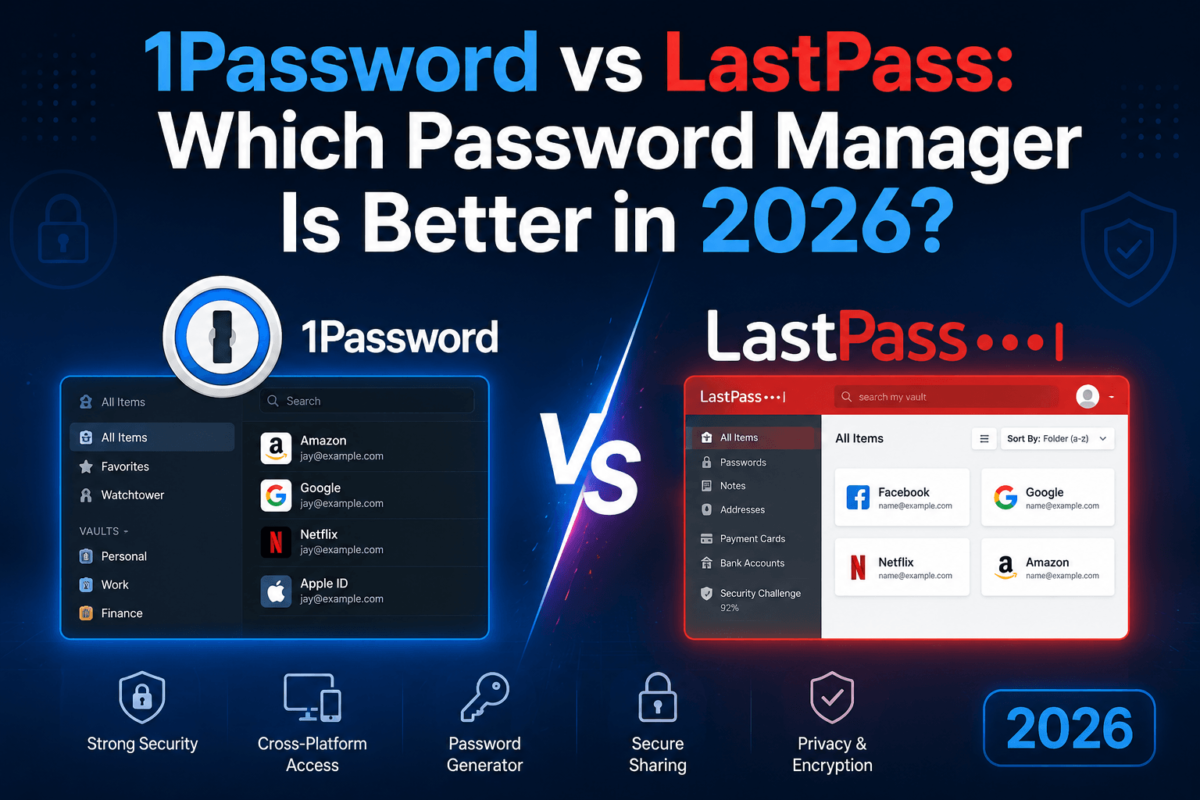
1Password vs LastPass: Which Password Manager Is Better in 2026?
Updated August 2026 · Pricing and features verified directly against official 1Password and LastPass pricing pages
If you’ve searched “1Password vs LastPass,” you’re probably choosing between the two most recognizable names in password management — and weighing a genuinely awkward question: is LastPass’s 2022 breach still relevant in 2026, or has the company moved past it? We dug into official pricing pages, security documentation, and independent breach reporting to answer that honestly, without pretending either product is flawless.
1Password vs LastPass: Quick Verdict
Short answer: 1Password is the better choice for most people in 2026, mainly because of its stronger security architecture (the Secret Key model) and a clean track record with no confirmed vault breaches. LastPass is still functional and cheaper, and its free plan is a real advantage for single-device users, but its 2022 breach and subsequent billing complaints leave a trust gap that 1Password doesn’t carry.
Best overall: 1Password — stronger security architecture, more polished passkey support, no breach history.
Best for budget-conscious individuals: LastPass — its free plan and $3/month Premium tier undercut 1Password’s entry price.
Best for security-conscious users: 1Password — the Secret Key adds a second, device-bound layer beyond the master password.
Best for families: LastPass Families technically covers one more member (6 vs. 5), but 1Password Families’ architecture and support experience are generally rated higher.
1Password vs LastPass: At a Glance
| Category | 1Password | LastPass | Winner |
|---|---|---|---|
| Starting price | $3.99/mo Individual ($48/yr) | $3/mo Premium (~$36/yr) | LastPass |
| Free plan | None (14-day trial only) | Yes, limited to one device type | LastPass |
| Encryption | AES-256, Secret Key + password | AES-256, master password only | 1Password |
| Passkeys | Full support, all platforms | Supported, newer implementation | 1Password |
| Breach history | No confirmed vault breach | 2022 breach exposed encrypted vault backups | 1Password |
| Family plan | Up to 5 members, from $5.99/mo | Up to 6 members, from $4/mo | LastPass |
| Business entry plan | Teams Starter, $24.95/mo flat (10 users) | Teams, ~$4.25/user/mo | Depends on team size |
| Security audits | SOC 2 Type II, third-party audits, public bug bounty | SOC 2 compliance program, third-party pen testing | Roughly tied |
| Platform support | macOS, Windows, Linux, iOS, Android, all major browsers | macOS, Windows, iOS, Android, all major browsers | Tied |
Pricing changes frequently. Verify current numbers on the official 1Password pricing page and LastPass pricing page before subscribing.
1Password vs LastPass: Pricing
1Password Pricing
1Password has no permanent free plan — only a 14-day free trial — but its paid tiers are straightforward. Individual runs $3.99/month ($48/year) when billed annually, and Families covers up to 5 members from $5.99/month ($72/year). For teams, the Teams Starter Pack is a flat $24.95/month for up to 10 members, and Business is $8.99 per user per month, billed annually. 1Password raised Individual and Families pricing in March 2026 by roughly 20–33%, its first major price change in years, which the company attributed to continued investment in security and new features like phishing protection and faster device setup.
LastPass Pricing
LastPass keeps a genuinely free plan — unlimited password storage, autofill, and dark web monitoring — but with one real limitation: it only works on one device type (computers or mobile, not both). Premium runs about $3/month, and Families covers up to 6 members for around $4/month, both billed annually. For business, Teams runs roughly $4.25/user/month, Business is about $7/user/month, and Business Max (with SaaS monitoring and unlimited SSO) tops out near $9/user/month.
Which Is Cheaper?
On sticker price, LastPass wins — its Premium and Families tiers undercut 1Password’s Individual and Families plans, and its free plan has no direct 1Password equivalent. But “cheaper” isn’t the same as “better value.” LastPass’s free plan single-device restriction pushes many users toward Premium anyway, and LastPass has a documented pattern of renewal-price increases that first-year promotional pricing doesn’t reflect. 1Password costs more up front but has held a more consistent pricing structure and doesn’t gate core sync functionality behind a paywall the way LastPass Free does.
For a 5–6 person household, LastPass Families is the cheaper option even accounting for the extra member slot. For a small business under 10 people, 1Password’s flat-rate Teams Starter Pack is usually the better deal, since LastPass charges per seat from the first user.
1Password vs LastPass: Security
Encryption
Both companies encrypt vault data with AES-256, the same standard used by banks and governments. In plain English: even if someone stole the encrypted files directly off the server, they’d be looking at scrambled data that’s computationally infeasible to reverse without the correct key.
Zero-Knowledge Architecture
Both products use a zero-knowledge model, meaning the company itself never sees your unencrypted vault or your master password. Encryption and decryption happen locally on your device before anything syncs to the cloud. The practical implication: neither company could hand over your readable passwords even if compelled to, because they don’t have them.
Master Password / Account Credentials
This is where the two products genuinely diverge. LastPass relies on your master password alone (strengthened with PBKDF2 key derivation) to protect your vault. 1Password adds a second factor called the Secret Key — a 34-character string generated on your device and never sent to 1Password’s servers — which is combined with your master password to derive your encryption key. In practice, this means an attacker who somehow obtained 1Password’s encrypted data would still need a device-specific secret that never touches the company’s servers, not just a password to guess offline.
Two-Factor Authentication and Passkeys
Both support standard 2FA methods (authenticator apps, hardware keys like YubiKey, and biometrics), and both now let you store and use passkeys directly in your vault. 1Password’s passkey implementation has been available longer and is generally considered more polished across desktop, browser, and mobile; LastPass added passkey storage and passwordless vault login more recently, and independent testers have rated its implementation as more limited in scope than 1Password’s.
Security Audits
1Password publishes SOC 2 Type II certification, commissions independent third-party security audits, and runs a public bug bounty program through HackerOne. LastPass maintains its own compliance program (documented at its Compliance Center) and has engaged third-party penetration testers, particularly after 2022. Both are independently audited; 1Password’s audit and disclosure history is more visible and consistently publicized.
LastPass Security Breach: What Actually Happened?
This is the section most people searching “1Password vs LastPass” actually want answered, so here’s the factual timeline.
In August 2022, an attacker compromised a LastPass software engineer’s corporate laptop and used that access to steal portions of source code and technical documentation from the company’s development environment. LastPass initially stated there was no evidence customer data or encrypted vaults were accessed in this first incident.
That assessment changed. Using information obtained in the August incident, the same attacker later targeted a senior DevOps engineer, compromising a personal device through a vulnerability in third-party software and capturing the engineer’s master password via keylogging after he authenticated with MFA. This gave the attacker access to cloud storage credentials and, in a second phase disclosed in December 2022, a copy of encrypted customer vault backups.
What was taken: encrypted password vaults (protected by each user’s individual master password), plus a significant amount of unencrypted metadata — website URLs, company names, billing addresses, email addresses, phone numbers, and IP addresses.
What was not compromised, based on LastPass’s own account and independent reporting: users’ master passwords themselves were not stored by LastPass and were not part of the stolen data, and the vault contents remained encrypted rather than being exposed in plaintext.
What independent researchers reported: security researchers have since noted that older LastPass accounts, particularly those created before 2018 with weaker default password-hashing iteration counts, were more vulnerable to offline brute-force attempts against the stolen encrypted vaults than accounts using stronger, more recent settings.
Does the LastPass breach mean my passwords are unsafe?
Not automatically, and it depends heavily on how strong and unique your master password was at the time. A long, random master password on an account using modern iteration counts is extremely difficult to crack offline, even from stolen encrypted data. Accounts with short, reused, or dictionary-based master passwords faced meaningfully higher risk. If you were a LastPass user during 2022 and haven’t rotated your master password since, that’s the single most useful step you can take now — not because your account is definitely compromised, but because it closes the specific gap this incident opened. Enabling MFA, using unique passwords for every site rather than relying on the vault as your only defense layer, and monitoring for suspicious login activity are also reasonable precautions regardless of which manager you use.
Winner: Security
1Password, on the strength of its Secret Key architecture and clean breach record. LastPass’s zero-knowledge encryption held up reasonably well under real-world attack in 2022, but the incident and its handling remain a legitimate factor for security-conscious buyers.
1Password vs LastPass: Privacy
Both companies say they don’t sell your data and can’t read your vault contents due to zero-knowledge encryption. Neither is “completely private” in an absolute sense — both collect account-level metadata (email address, billing information, device and usage data) necessary to run the service, and both are subject to law enforcement requests for whatever non-encrypted account data they do hold. The meaningful privacy difference in 2026 isn’t the privacy policy language, which is similar; it’s the metadata exposure from LastPass’s 2022 breach, which showed that even zero-knowledge vault encryption doesn’t protect surrounding account metadata like billing addresses and IP logs from being stolen if internal systems are compromised. For business users, 1Password’s SSO and directory integrations (Okta, Entra ID, Google Workspace) mean less standing password data sitting in the vault itself, which some security teams treat as a privacy advantage in its own right.
1Password vs LastPass: Features
| Feature | 1Password | LastPass | Better |
|---|---|---|---|
| Password/item storage | Unlimited on all paid plans | Unlimited, including free plan | Tied |
| Secure document storage | Yes, generous limits by plan | Secure notes with 1GB file storage | 1Password |
| Breach/dark web monitoring | Watchtower | Dark web monitoring + Security Dashboard | Tied |
| Travel Mode | Yes, hides selected vaults | Yes, trusted-country based | Tied |
| Emergency access | Account recovery via organization admin | One-time emergency contact access (Premium/Families) | LastPass |
| Developer tools | SSH key/Git commit signing, CLI, SDKs | Not a focus area | 1Password |
| Free plan available | No | Yes (single device type) | LastPass |
1Password vs LastPass: Ease of Use
For an ordinary American consumer setting this up for the first time, both apps get the basics right: install the browser extension, import from your browser’s built-in password manager or a CSV, and let autofill do the rest. Where they diverge is in the details. 1Password’s Watchtower gives you one clear dashboard for weak, reused, and compromised passwords, and its import tools handle migration from most competitors — including LastPass itself — cleanly. LastPass’s interface has more legacy UI elements left over from years of incremental updates, and some users report friction switching between its “computer” and “mobile” device modes on the free plan. If you just want a password manager that quietly does its job in the background, either one works. If you’re managing a shared vault across a family or handing access to a growing team, 1Password’s organization tools tend to feel more consistent.
1Password vs LastPass for Families
LastPass Families technically covers one more person (6 vs. 5) at a lower monthly price, which makes it the better fit purely on a per-seat cost basis for larger households. 1Password Families adds a sixth seat for an extra $1/month if you need it, so the real-world price gap narrows for a 6-person household. Both give every family member their own encrypted vault (invisible even to the family admin) alongside shared folders for household logins like streaming services and Wi-Fi passwords. 1Password generally gets better marks for onboarding relatives who aren’t technical, mainly because Watchtower makes it obvious which family member has a weak or reused password without anyone having to dig for it.
Winner for families: LastPass on price for larger households; 1Password on onboarding experience and security posture.
1Password vs LastPass for Business
1Password’s business lineup is more clearly tiered: the Teams Starter Pack is a flat $24.95/month for up to 10 seats (ideal for small teams that don’t want per-seat billing), and Business at $8.99/user/month adds SSO integrations with Okta, Entra ID, OneLogin, and Duo, role-based vault permissions, and SOC 2 Type II-backed reporting. LastPass splits business into Teams (~$4.25/user/month, up to 50 users, admin console, shared folders), Business (~$7/user/month, adds 100+ security policies and free Families accounts for employees), and Business Max (~$9/user/month, adds SaaS monitoring, unlimited SSO apps, and advanced contextual MFA). For pure per-seat cost, LastPass is cheaper at every business tier. For small teams that want SSO without jumping to the most expensive plan, 1Password Business includes it standard; LastPass caps SSO at 3 apps on Business and only removes that cap on Business Max.
1Password vs LastPass for Beginners
Someone who has never used a password manager before will have an easier first week with 1Password, mainly because Watchtower proactively tells you what to fix instead of requiring you to go looking for problems. LastPass’s free plan is a genuinely useful, no-cost way to try the category, but the one-device-type restriction confuses first-time users who don’t realize their phone and laptop won’t sync until they upgrade. If cost is the main barrier to trying a password manager at all, start with LastPass Free. If you want fewer surprises, 1Password’s 14-day trial gives full access to every feature before you pay anything.
1Password vs LastPass for Security-Conscious Users
For readers who specifically prioritize encryption architecture, audit history, and threat model over price, the decision leans clearly toward 1Password. The Secret Key adds a defense layer LastPass simply doesn’t have: even a perfect offline copy of 1Password’s encrypted data is useless without a 34-character value that never leaves your devices. Combined with a clean breach record and a public bug bounty program, 1Password is the more defensible choice for anyone managing credentials for sensitive accounts — financial services, healthcare, legal, or executive-level access. That said, LastPass’s core encryption held up against real attackers in 2022; the lesson from that incident is more about defense-in-depth (strong unique master passwords, MFA everywhere) than about zero-knowledge encryption failing outright.
1Password vs LastPass: Pros and Cons
1Password Pros
1Password Cons
LastPass Pros
LastPass Cons
Best 1Password and LastPass Alternatives
If neither fits, a few competitors are worth a look. Bitwarden is the strongest budget and open-source option, with a capable free tier and low-cost premium plan. Dashlane pairs password management with a built-in VPN on its higher tiers. Proton Pass comes from the Proton privacy ecosystem and appeals to users already using Proton Mail or Proton VPN. Keeper leans toward enterprise compliance features, and NordPass benefits from Nord Security’s broader security-suite integrations. For a deeper look at how Bitwarden stacks up against 1Password specifically, see our Bitwarden vs 1Password comparison.
Password Managers Are Only One Layer of Identity Protection
A password manager protects your login credentials. It doesn’t monitor whether your Social Security number, bank account details, or other personal information is circulating on the dark web, and it doesn’t watch your credit file for new accounts opened in your name. Those are different services: dark web monitoring scans breach dumps and criminal marketplaces for your specific data, credit monitoring watches your credit reports for new inquiries or accounts, and identity theft protection typically bundles both with restoration support if something does go wrong. None of these guarantee you won’t be targeted, and no single tool prevents identity theft outright. If you’re already tightening up password hygiene after reading this comparison, it’s a reasonable moment to also check whether your broader digital footprint — beyond just passwords — is being monitored. If you’re also evaluating your broader online privacy setup, our NordVPN vs ExpressVPN comparison and best VPN services guide cover the other half of that picture.
Decision Matrix
| If you care most about… | Choose | Why |
|---|---|---|
| Overall experience | 1Password | Cleaner Watchtower dashboard, more consistent cross-device experience |
| Security architecture | 1Password | Secret Key + no confirmed vault breach |
| Absolute lowest cost | LastPass | Free plan and cheaper Premium/Families pricing |
| Larger families (6 people) | LastPass | Base Families plan covers 6 vs. 5 |
| Small business (under 10 people) | 1Password | Flat-rate Teams Starter Pack undercuts per-seat pricing |
| Beginners | 1Password | Watchtower proactively flags problems instead of requiring self-audits |
| Passkeys | 1Password | Longer-standing, more complete implementation |
| Trying before you commit financially | LastPass | Permanent free plan vs. a 14-day trial |
Scorecard
Scores are qualitative editorial ratings out of 10, based on the research in this article — official pricing and feature pages, security documentation, and independent breach reporting — not a lab-tested benchmark.
| Category | 1Password | LastPass |
|---|---|---|
| Security | 9/10 | 6.5/10 |
| Privacy | 8.5/10 | 7/10 |
| Features | 8.5/10 | 8/10 |
| Ease of use | 8.5/10 | 7.5/10 |
| Pricing/value | 7/10 | 8.5/10 |
| Families | 8/10 | 8/10 |
| Business | 8.5/10 | 7.5/10 |
| Passkeys | 9/10 | 7/10 |
| Overall | 8.4/10 | 7.5/10 |
Who Should Choose What?
Choose 1Password If…
Choose LastPass If…
Don’t Choose Either If…
You want a fully open-source, auditable codebase — Bitwarden is the better fit. You’re deep into the Proton privacy ecosystem already — Proton Pass integrates more naturally. You need heavy compliance and enterprise governance features beyond what either offers — Keeper is worth evaluating.
Frequently Asked Questions
Is 1Password better than LastPass?
For most users, yes. 1Password’s Secret Key architecture and clean breach record give it an edge in security, and its passkey support is more mature. LastPass remains competitive on price and offers a genuinely free tier that 1Password doesn’t match.
Is LastPass still safe to use?
Yes, with caveats. LastPass’s zero-knowledge encryption meant attackers in the 2022 breach got encrypted vaults, not readable passwords, provided your master password was strong. If you were a LastPass user in 2022 and haven’t changed your master password since, doing so now closes the main remaining risk.
Which is more secure, 1Password or LastPass?
1Password, primarily because of its Secret Key, a device-bound value combined with your master password that LastPass’s architecture doesn’t include, plus its clean record with no confirmed vault breach.
Is 1Password worth paying for?
For anyone managing more than a handful of accounts, yes. At roughly $4/month for Individual, it’s a small cost relative to the risk reduction from strong, unique passwords across every account you use.
Is LastPass free?
Yes, LastPass offers a permanent free plan with unlimited password storage, autofill, and dark web monitoring. The catch is that it only syncs on one device type — computers or mobile, not both — until you upgrade.
Does 1Password have a free plan?
No. 1Password offers a 14-day free trial with full feature access but no ongoing free tier. After the trial, you need a paid subscription to keep using it.
Which password manager is better for families?
LastPass Families is cheaper and covers one more member (6 vs. 5) at its base price. 1Password Families is generally easier to onboard non-technical relatives into, thanks to Watchtower’s proactive alerts.
Which password manager is better for business?
It depends on team size. Under 10 people, 1Password’s flat-rate Teams Starter Pack is usually cheaper and includes more built-in features. Larger teams may find LastPass’s per-seat business tiers more cost-effective, though SSO is capped at 3 apps until the top LastPass tier.
Does 1Password support passkeys?
Yes. You can create, save, manage, and sign in with passkeys across 1Password’s apps, browser extensions, and mobile platforms.
Does LastPass support passkeys?
Yes, LastPass added passkey storage and passwordless vault sign-in, though independent testing generally rates its implementation as less complete than 1Password’s more established support.
Can I move my passwords from LastPass to 1Password?
Yes. 1Password supports importing from LastPass via a CSV export, and 1Password publishes a dedicated migration guide walking through the process step by step.
Is 1Password easy to use?
Yes. Setup, browser autofill, and mobile autofill are all straightforward, and Watchtower gives beginners a single place to see what needs fixing without having to know what to look for.
What happened to LastPass?
In August 2022, an attacker compromised a LastPass engineer’s laptop and stole source code. That access was later used to compromise a DevOps engineer’s home computer, ultimately exposing encrypted customer vault backups and unencrypted account metadata, disclosed in stages through December 2022.
Should I switch from LastPass to 1Password?
If the 2022 breach genuinely affects your trust in LastPass, or you’re managing high-value accounts, switching is a reasonable call. If cost is your main constraint and you’ve already rotated your master password, staying with LastPass isn’t unreasonable either.
What is the best password manager in 2026?
Among mainstream options, 1Password is the strongest overall pick for security-conscious users, LastPass remains a reasonable budget choice, and Bitwarden is worth considering if you want a free, open-source alternative.
Sources & Methodology
This comparison was researched and last verified in August 2026. Pricing and plan details were checked directly against the official 1Password pricing pages and LastPass pricing page. Security architecture claims were verified against each company’s published security documentation. Breach details were cross-referenced against contemporaneous reporting from Cybersecurity Dive and the Wikipedia-documented incident timeline, alongside LastPass’s own public incident disclosures. Scorecard ratings are qualitative editorial judgments based on this research, not a standardized lab benchmark. Pricing and features change frequently — verify current numbers directly with each provider before purchasing.