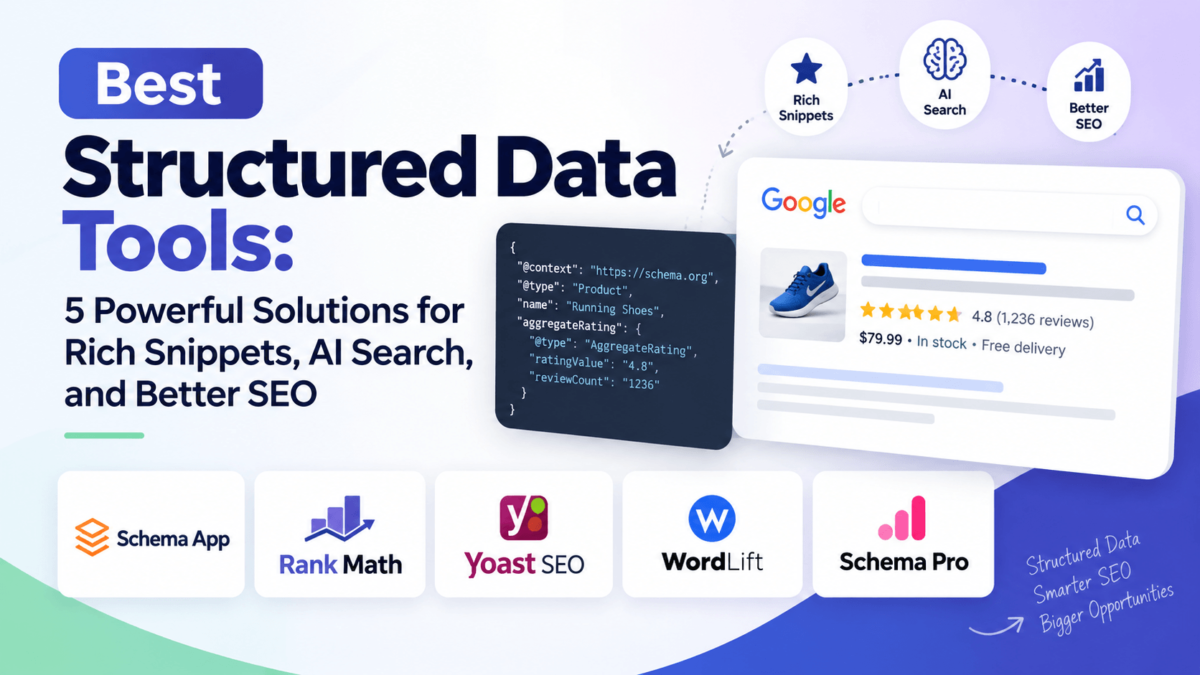
Best Structured Data Tools: 5 Powerful Solutions for Rich Snippets, AI Search, and Better SEO
Ever publish a page you were genuinely proud of, only to watch it show up in Google looking like every other blue link on the page? No star ratings. No FAQ dropdown. No price. Just text. That’s usually not a content problem — it’s a structured data problem.
Structured data is the behind-the-scenes code that tells search engines (and now AI models) exactly what your page is about. Without it, Google is guessing. With it, Google — and ChatGPT, Perplexity, and Gemini — can read your content the way a database reads a spreadsheet: cleanly, confidently, and without ambiguity.
That distinction matters more in 2026 than it ever has. AI search engines don’t crawl pages the way Google did in 2015. They pull entities, facts, and relationships out of your markup and reuse them directly in an answer. If your site’s structured data is thin, inconsistent, or missing entirely, you’re not just losing rich snippets — you’re losing your shot at being cited by AI Overviews, ChatGPT, and Perplexity altogether.
The good news? You don’t have to hand-code JSON-LD. A handful of tools now do this for you — some as WordPress plugins, some as full enterprise platforms. We tested and researched five of the best structured data tools on the market to help you figure out which one actually fits your site. If you want the bigger picture first, our guide to schema markup for AI search is a good companion read before you dive in.
Quick Comparison: Best Structured Data Tools at a Glance
Short on time? Here’s the breakdown before we go deep on each tool.
| Tool | Best For | Free Version | AI SEO | Knowledge Graph | Starting Price |
|---|---|---|---|---|---|
| Schema App | Enterprise schema governance | No | Yes | Yes | Custom quote |
| Rank Math | All-in-one WordPress SEO + schema | Yes, generous | Partial | No | Free / $7.99/mo Pro |
| Yoast SEO | Automated site-wide schema graph | Yes | Yes | Yes | Free / ~$9.90/mo Premium |
| WordLift | AI entity extraction & Wikidata linking | 14-day trial only | Yes | Yes | From ~$49/mo |
| Schema Pro | Simple standalone WordPress schema plugin | No | No | No | From $79/yr |
What Is Structured Data, Really?
Structured data is code — usually written in a format called JSON-LD — that sits quietly in your page’s HTML and describes your content in a language machines understand. Think of it as a label on a can of soup. The can might look great, but the label is what tells the store’s inventory system exactly what’s inside, how much it weighs, and where it belongs on the shelf.
Schema.org is the shared vocabulary behind almost all structured data. It defines standard “types” — Article, Product, FAQPage, Review, LocalBusiness, Organization — so that Google, Bing, ChatGPT, and every other system reading your site can interpret your content the same way. When your markup is accurate, your page becomes eligible for rich results: star ratings, FAQ accordions, breadcrumbs, product pricing, and more.
Here’s the part most guides skip: structured data isn’t just a checklist item anymore. It’s the foundation for entity SEO, which is how search engines connect a piece of content to a real-world “thing” — a brand, a person, a product — rather than just a string of keywords.
Does structured data improve rankings?
Not directly. Google has said schema markup isn’t a direct ranking factor. What it does is make your page eligible for rich results, which tend to earn a noticeably higher click-through rate — and that traffic boost can indirectly support rankings over time.
Does structured data help AI search engines understand content?
Yes. AI Overviews, ChatGPT, and Perplexity all favor content that’s unambiguous and machine-readable. Clean schema markup gives these systems a shortcut — they don’t have to guess at facts your page already states clearly.
Why Structured Data Matters for AI SEO in 2026
A few years ago, structured data was mostly about winning a star rating in the search results. That’s still true, but it’s now the smaller half of the story. Here’s what’s changed.
It improves how AI understands your content
Large language models don’t “read” a page the way a human does. They lean heavily on explicit signals — headings, schema types, and clearly labeled facts — to extract meaning quickly. A product page with proper Product and Offer schema gives an AI system the price, availability, and rating in one clean block, instead of forcing it to infer those details from paragraph text.
It strengthens entity relationships
Modern structured data frameworks don’t treat each page as an island. They connect your Organization schema to your Author schema, your Author to your Articles, your Articles to your Products — building what’s often called a connected schema graph. This graph is what lets an AI model understand that the “Jane Doe” who wrote three reviews is the same “Jane Doe” listed as your Head of Content, rather than three unrelated mentions.
It increases your eligibility for rich results
FAQPage, HowTo, Review, and Product schema are still the fastest way to stand out visually in the SERP. A five-star rating next to your listing draws the eye before anyone reads a single word of your title tag.
It supports AI Overviews and answer engines
Google’s AI Overviews pull from sources that answer a question clearly and back it up with structured facts. If you’re chasing AEO, pair your schema work with the fundamentals in our answer engine optimization (AEO) guide, since the two disciplines overlap more than most people expect.
It helps knowledge graphs connect entities
Google’s Knowledge Graph and similar systems used by AI platforms map relationships between real-world entities. Structured data is how you feed your brand, your products, and your people into that map instead of staying invisible to it.
It improves discoverability in AI search
Articles, Products, FAQs, Reviews, LocalBusiness listings, and Organization data all work together. A local bakery with LocalBusiness schema, Review schema, and FAQ schema gives AI systems everything they need to recommend it by name — hours, location, specialties, and reputation, all in one structured package.
This is exactly why “connected schema graphs” have become the buzzword of 2026. Structured data used to mean dropping isolated JSON-LD snippets onto individual pages. Now, the best tools build interconnected graphs where every entity — your organization, your authors, your products, your FAQs — links back to a single, consistent source of truth.
1. Schema App — Best for Enterprise Structured Data
Schema App is the tool agencies reach for when a client site has thousands of pages, multiple content types, and a technical SEO team that actually wants hands-on control over every property in the markup. It’s not a plugin you install and forget — it’s a managed platform built around two tools: the Schema App Editor, for marking up unique, one-off pages by hand, and the Schema App Highlighter, for deploying templated markup across thousands of similar pages at once (think product listings or location pages).
What sets it apart is depth. Where most plugins generate isolated JSON-LD blocks per page, Schema App is built to construct a genuine content knowledge graph — connecting entities across your entire domain so search engines and AI systems see one coherent picture of your brand, not a pile of disconnected tags.
Key Features
Pros
✓Handles complex, large-scale markup that plugins simply can’t
✓Fully managed service takes the technical burden off your internal team
✓Strong, detailed reporting on structured data performance
✓Works with any CMS, not just WordPress
Cons
✕Custom pricing with no published tiers — you’ll need to talk to sales
✕Steep learning curve for teams new to structured data concepts
✕Overkill (and overpriced) for small blogs or single-product sites
Best For
Enterprise sites, large catalogs, publishers, agencies
Pricing
Custom quote — from ~$100 per 100K requests/mo, plus setup fee
AI SEO Capabilities
Strong — graph built to feed AI crawlers consistent entity data
Schema Types Supported
Full Schema.org vocabulary, plus custom entity types
★ Our Verdict
If your site is genuinely enterprise-scale — thousands of URLs, multiple content teams, a real need for schema governance — Schema App does something no plugin does: it treats structured data as an ongoing strategic asset, not a one-time setup task. For a smaller site, though, this is a lot of platform (and budget) for what you actually need.
Ready to scale schema across your whole site?
Custom pricing based on your site’s size and complexity
Schedule a Schema App Demo →2. Rank Math — Best Free Schema Tool for WordPress
Rank Math has spent the last few years quietly out-featuring plugins that charge for the same things it gives away. If you’re running a WordPress site and want automated schema markup without spending a dollar, this is the plugin that made structured data genuinely accessible to solo bloggers and small business owners.
The free version alone ships with roughly 18 schema types — Review, FAQ, HowTo, Local Business, Product, and more — through a visual schema builder that doesn’t require touching a line of code. You pick a type, map your fields, and Rank Math handles the JSON-LD output. If you already run another SEO plugin, our roundup of the best SEO plugins for WordPress shows exactly how Rank Math stacks up against the rest of the field.
Key Features
Pros
✓Most generous free schema feature set of any WordPress plugin
✓Pro plan covers unlimited personal websites for one flat price
✓Lightweight codebase that doesn’t drag down Core Web Vitals
✓One plugin replaces schema, sitemaps, redirects, and rank tracking
Cons
✕No native knowledge graph or cross-entity linking
✕Pro license for client sites needs the pricier Business/Agency tier
✕WordPress-only — no option for Shopify, Webflow, or custom CMS
Best For
Bloggers, affiliate sites, small business & WooCommerce stores
Pricing
Free forever / Pro ~$7.99/mo for unlimited personal sites
AI SEO Capabilities
Moderate — clean JSON-LD, no unified cross-site entity graph
Schema Types Supported
18+ free, dozens more via Pro templates
★ Our Verdict
For most WordPress site owners, Rank Math is simply the best value in this list. You get more schema types for free than most competitors charge for, and the upgrade path to Pro is affordable even for a solo operator. If your entire structured data need lives inside WordPress, start here.
Get 18+ schema types without spending a dollar
Free forever · Pro starts at $7.99/mo
Try Rank Math Free →3. Yoast SEO — Best for Automated Site-Wide Schema Graphs
Yoast has taken a genuinely different approach to structured data than most WordPress plugins. Instead of generating isolated JSON-LD blocks per page, Yoast automatically builds a connected entity architecture — linking pages, organizations, websites, authors, articles, products, and FAQs into a single schema graph instead of scattered markup.
The standout feature here is Schema Aggregation, which consolidates your entire site’s structured data into one deduplicated schema map, accessible through an API. In plain terms: instead of an AI agent crawling ten pages to piece together who your “Jane Doe” author is, it gets the complete, connected answer in a single request. Yoast pairs this with a Bot Blocker that lets you choose which AI crawlers — GPTBot, CCBot, Google-Extended — can use your content at all.
Key Features
Pros
✓Genuinely automated site-wide entity graph, not just per-page markup
✓Schema Aggregation is a real differentiator for AI visibility
✓Massive install base means extensive documentation and support
✓Free version still outputs solid foundational schema
Cons
✕Per-site licensing gets expensive fast across several websites
✕Heavier plugin footprint than Rank Math in independent tests
✕Deepest AI features sit behind the Premium or AI+ tier
Best For
Content-heavy sites & publishers wanting automated schema
Pricing
Free / Premium ~$9.90/mo (~$118.80/yr) per site
AI SEO Capabilities
Strong — Schema Aggregation + AI crawler controls
Schema Types Supported
50+ types across Article, Product, FAQPage, Event, and more
★ Our Verdict
If “set it and forget it” automated schema, tied together into one coherent entity graph, is what you’re after, Yoast currently does this better than any other WordPress plugin. It’s not the cheapest option per site, but for a single content-focused domain, the Schema Aggregation feature alone justifies a look. For a side-by-side breakdown against its biggest rival, our Rank Math vs. Yoast SEO comparison goes deeper.
Let your whole site’s schema connect itself
Free plugin available · Premium from $9.90/mo
Upgrade to Yoast SEO Premium →4. WordLift — Best AI-Powered Entity Optimization Tool
WordLift takes a genuinely different route to structured data than plugin-style tools. Instead of asking you to select a schema type and fill in fields, it uses natural language processing to read your content, identify the real-world entities inside it — people, places, products, concepts — and link them to external knowledge bases like Wikidata and DBpedia.
The result is a custom knowledge graph built specifically around your brand’s “vocabulary.” That graph doesn’t just power schema markup; it also drives internal linking suggestions and content recommendations based on how entities relate to each other across your site. For sites investing seriously in entity SEO, this is one of the few tools purpose-built for it — a topic we cover in more depth in our generative engine optimization (GEO) explainer.
Key Features
Pros
✓The most direct, dedicated entity SEO tool on this list
✓Connects content to authoritative external data sources automatically
✓You own and can export your knowledge graph as linked data
✓Works across multiple platforms, not just WordPress
Cons
✕No permanent free tier — only a limited trial period
✕Pricing can climb into four figures monthly at the enterprise tier
✕Requires more setup investment than a plug-and-play plugin
Best For
Publishers & e-commerce brands wanting real entity optimization
Pricing
From ~$49/mo · 14-day free trial available
AI SEO Capabilities
Excellent — built specifically for entity-based AI visibility
Schema Types Supported
Broad entity coverage, plus custom industry-specific types
★ Our Verdict
WordLift is the right call when your goal isn’t just “get a rich snippet” but “become a recognized entity that AI platforms trust enough to cite.” That’s a more ambitious (and pricier) goal than most schema plugins solve for, which is exactly why WordLift exists.
Turn your content into an AI-recognized knowledge graph
14-day free trial · Plans from $49/mo
Explore WordLift →5. Schema Pro — Best Simple, Standalone Schema Plugin
Schema Pro, built by Brainstorm Force (the team behind the Astra theme), takes the opposite approach from WordLift: no AI, no knowledge graph, just a clean, dedicated tool for mapping schema fields to your content and shipping valid JSON-LD, fast.
Where it earns its keep is field mapping. Instead of manually filling in every schema property per post, you set up a template once — say, mapping “Product” schema to your WooCommerce fields — and Schema Pro applies it automatically across every matching page. It’s designed to run alongside your existing SEO plugin rather than replace it, which makes it a solid add-on if you’re already committed to Yoast or Rank Math but want more granular schema control.
Key Features
Pros
✓Genuinely simple setup, even for non-technical users
✓Global field mapping saves real time on large, repeating content types
✓Plays nicely alongside Yoast, Rank Math, and other SEO plugins
✓Backed by an established WordPress development team
Cons
✕No free version — it’s premium from day one
✕No AI features and no knowledge graph capability
✕Overlaps heavily with schema features already in Yoast and Rank Math
Best For
WordPress users wanting standalone schema control
Pricing
From $79/yr per site · lifetime license available
AI SEO Capabilities
Limited — valid schema, but no entity graph on its own
Schema Types Supported
20+ types, including Product, Review, Event, and Recipe
★ Our Verdict
If your current SEO plugin’s schema options feel too rigid and you don’t want to migrate your whole SEO setup just to fix it, Schema Pro is a focused, no-nonsense add-on. It’s not flashy, but the field-mapping workflow genuinely saves time on repetitive content types.
Map your schema fields once. Deploy it everywhere.
From $79/yr · Lifetime license available
Start Generating Rich Snippets →Which Structured Data Tool Is Right for You?
Every site’s situation is different, so here’s a quick decision matrix to shortcut the research.
| If You Need | Recommended Tool |
|---|---|
| Enterprise-scale schema governance | Schema App |
| Free, feature-rich WordPress SEO | Rank Math |
| Automated, site-wide schema graph | Yoast SEO |
| AI-powered entity optimization | WordLift |
| Simple rich snippets, no plugin switch | Schema Pro |
Still torn between two? Start with whichever your budget supports without a second thought — Rank Math or Yoast if you’re WordPress-only and cost-sensitive, Schema App or WordLift if you’re managing a larger, revenue-driving domain. You can always layer Schema Pro on top of either free plugin later if you need finer control. For a broader view of the tools shaping this space, our best SEO tools roundup covers the categories that pair well with structured data work, like rank tracking and content optimization.
Structured Data and Entity SEO
Entity SEO and structured data are close cousins, but they’re not identical. Structured data is the code. Entity SEO is the strategy of making sure that code — and your content in general — clearly identifies who and what you are, so search engines can connect you to a single, unambiguous entity rather than guessing from scattered mentions.
What is entity SEO?
Entity SEO is the practice of optimizing content so search engines and AI systems recognize your brand, authors, and products as distinct, verifiable entities — not just repeated keywords.
How do schema graphs work?
A schema graph links related pieces of markup together — your Organization schema references your Author schema, which references the Articles that author wrote — so machines can traverse the relationships instead of reading each page in isolation.
How do AI models identify entities?
AI models cross-reference structured data on your site with external sources like Wikidata, Wikipedia, and their own training data to confirm an entity is real, consistent, and trustworthy before citing it.
Why are connected entities important?
Disconnected entities create ambiguity. Connected entities create confidence — and confidence is what gets you cited instead of skipped.
In practice, this means your Organization schema should point to your Author schema, which should connect to the Articles and Products they’re associated with, which should link to any Reviews or FAQs relevant to those products. Miss one connection, and you leave a gap an AI system has to fill in with a guess — or skip your source altogether. Our local business schema markup guide walks through exactly how this plays out for LocalBusiness entities specifically.
Frequently Asked Questions
What is the best structured data tool?
It depends on your site size. Rank Math is the best free option for most WordPress sites, Yoast SEO is the strongest pick for automated site-wide schema graphs, and Schema App is the top choice for enterprise-scale deployments.
What is the difference between schema markup and structured data?
Structured data is the general category — organized, machine-readable information. Schema markup specifically refers to code written using the Schema.org vocabulary, which is the most widely adopted structured data standard for the web.
Does schema markup improve SEO?
It’s not a direct ranking factor, but it improves your eligibility for rich results, which typically boosts click-through rate. It also helps AI search engines interpret and cite your content more accurately.
Which structured data tool is best for WordPress?
Rank Math and Yoast SEO are the two strongest all-in-one options. If you want a dedicated, standalone schema plugin instead, Schema Pro is a solid pick.
Which tool is best for eCommerce?
Rank Math and Schema Pro both handle WooCommerce Product schema well out of the box. For larger catalogs on other platforms, Schema App’s templated deployment scales more efficiently.
Can schema help AI search?
Yes. Clean, connected schema gives AI Overviews, ChatGPT, Perplexity, and Gemini a structured shortcut to your facts, which increases the odds your content gets cited or referenced directly.
Is JSON-LD better than Microdata?
Generally, yes. Google explicitly recommends JSON-LD because it lives in a single script block rather than being woven through your visible HTML, which makes it far easier to implement and maintain without breaking your page’s design.
Which schema types should I prioritize?
Start with Organization and Article (or Product) schema as your foundation, then layer in FAQPage, Review, and BreadcrumbList schema, since those tend to unlock the most visible rich results.
How many schema types should a page have?
There’s no fixed number — the right answer is “as many as accurately describe the page,” typically two to four types working together, like Article plus FAQPage plus BreadcrumbList.
Can structured data increase CTR?
Yes. Rich results like star ratings, FAQ dropdowns, and pricing information make your listing visually stand out, which consistently correlates with a higher click-through rate compared to a plain blue link.
Does ChatGPT use structured data?
ChatGPT and similar AI systems favor content that’s unambiguous and well-structured when browsing or citing sources, and clean schema markup is one of the clearest signals a page can offer.
What is the easiest schema plugin?
Rank Math’s visual schema builder and Schema Pro’s guided setup wizard are both designed specifically for non-technical users, with no coding required for either.
Our Top Picks
- Best Overall: Rank Math — the strongest balance of free features, ease of use, and schema depth for most WordPress sites.
- Best Enterprise Solution: Schema App — built for large-scale, multi-team structured data governance.
- Best WordPress Plugin: Yoast SEO — for its automated, connected schema graph and Schema Aggregation feature.
- Best AI SEO Tool: WordLift — purpose-built for entity extraction and knowledge graph creation.
- Best Budget-Friendly Tool: Rank Math’s free plan, or Schema Pro if you need a lightweight standalone add-on.
There’s no single “right” structured data tool — only the right tool for where your site is today. A new blog doesn’t need Schema App’s enterprise governance, and a thousand-page e-commerce catalog will outgrow a basic plugin fast. Match the tool to your scale, get your Organization and Article schema in place first, then build outward from there.
If you’re still mapping out your broader AI search strategy, our AI SEO checklist and SEO vs. GEO vs. AEO vs. LLMO breakdown are the natural next reads to see exactly where structured data fits into the bigger picture.