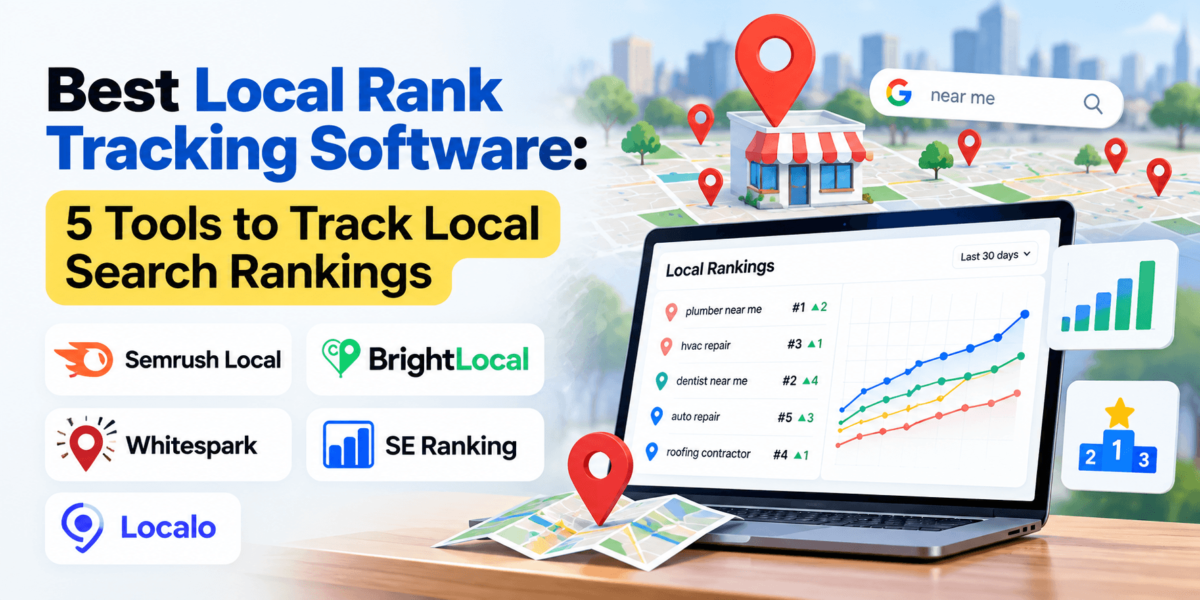
Best Local Rank Tracking Software: 5 Tools to Track Local Search Rankings
Say you run a dental office in Austin. You search “dentist near me” from your front desk and see your practice in the top three. A patient searching from a neighborhood ten miles away sees a different map, a different order, and maybe no sign of you at all.
That gap is why local rank tracking software exists. Google tailors local results to the searcher’s location, so one manual check tells you very little. This guide compares five tools that track Google Maps and local search rankings across locations, keywords, and competitors: Semrush Local, BrightLocal, Whitespark, SE Ranking, and Localo.
What is the best local rank tracking software?
The best local rank tracking software depends on your needs. Semrush Local suits teams already using Semrush, BrightLocal suits agencies and multi-location brands, Whitespark suits standalone rank tracking and citations, SE Ranking suits all-in-one SEO workflows, and Localo suits small businesses managing a Google Business Profile.
The 5 Best Local Rank Tracking Software
| Software | Best For | Local Rank Tracking | Google Maps | Geo-Grid | Starting Price* |
|---|---|---|---|---|---|
| Semrush Local | Broader SEO plus Google Business Profile management | Yes (Map Rank Tracker) | Yes | Yes | From $30/mo per location, billed annually |
| BrightLocal | Agencies and multi-location brands | Yes | Yes | Yes (Local Search Grid) | From $31/mo per location, billed annually ($41 monthly) |
| Whitespark | Standalone rank tracking and citations | Yes | Yes (via Local Ranking Grids) | Yes | Rank Tracker from $14/mo; Ranking Grids from $10/mo |
| SE Ranking | All-in-one SEO with local add-on | Yes | Yes | Yes | Core plan from $129/mo ($103.20/mo billed annually) |
| Localo | Small businesses and Google Business Profile optimization | Yes | Yes | Yes (Position Map) | From $39/mo billed annually (plus VAT) |
*Pricing and features can change, so verify current pricing on the provider’s website. Figures here come from each provider’s published pricing pages as of October 2026.
Want a quick look before you commit to anything? Run one of your own keywords through BrightLocal’s free Local Search Results Checker and compare it with what you see from your own office.
What Is Local Rank Tracking Software?
Local rank tracking software monitors where a business appears in Google’s local results, including the Local Pack and Google Maps, for specific keywords, locations, and competitors, and records how those positions change over time.
Traditional rank trackers check a keyword from one search location and report one position. Local trackers check from many points. That matters because Google weighs relevance, distance, and prominence when it decides which businesses to show, and distance depends on where the searcher is standing. A plumber in Denver can rank first near their shop and tenth two miles away.
The Local Pack is the map with three business listings that appears for searches like “plumber near me.” Those listings come from Google Business Profile, which is why strong local tracking focuses on Maps visibility as much as on classic blue links. For the broader strategy behind it, see our local SEO services overview.
Why Local Rank Tracking Matters
1. See Where You Actually Rank
Rankings shift by neighborhood. A restaurant might own the map downtown and disappear in the suburbs. Location-based rank tracking shows that pattern instead of hiding it behind one average.
2. Track Google Maps Visibility
Many local searches end in a Maps tap, a call, or a direction request, never a website visit. Google Maps rank tracking measures the surface where those actions start.
3. Measure SEO Progress
Local SEO work, such as profile updates, citation cleanup, and review campaigns, takes weeks to show up. Comparing rankings over time tells you whether the work is paying off.
4. Identify Local SEO Problems
A sudden drop in one area can point to a competitor’s new listing, a profile edit, or a citation issue. Ranking data tells you where to look first, and a full SEO audit helps with the rest.
5. Monitor Competitors
Seeing which competitors hold the top spots in each area gives your own numbers context. If every business in a neighborhood is weak, a small gain can move you up fast.
How We Evaluated These Tools
We compared each tool using its own published pricing and feature pages, plus its help documentation where available. We did not assign scores. Scores imply a precision that comparisons like this do not have, so we focus on real differences instead. Here is what we looked at:
- Local keyword tracking and keyword limits
- Google Maps tracking and geo-grid capabilities
- Location-level tracking and update frequency
- Competitor tracking and historical ranking data
- Reporting, multi-location support, and agency features
- Ease of use, pricing and value, and extra local SEO features such as citations and Google Business Profile tools
Features and pricing change often, especially in 2026. Treat the numbers below as a snapshot and confirm them on each provider’s site.
01Semrush Local
Key Local Rank Tracking Features
- Map Rank Tracker: monitors Google Maps rankings from a grid of points around a location for the keywords you choose.
- Credit-based scans: one map pin costs one credit, so a 5×5 grid (25 pins) uses 25 credits per keyword.
- Competitor tracking: you can track your business or a competitor, and schedule reports at an interval you pick.
- Google Business Profile tools: the Base plan includes AI-assisted profile management, post generation, and review auto-replies.
- Listing management: the Pro plan adds listing distribution, review management and generation, and more advanced profile management.
What We Like
- Map tracking, profile management, and reviews live in one platform.
- You control grid size, so a small neighborhood scan costs fewer credits.
- Fits naturally if you already work in Semrush’s SEO tools.
- Competitor tracking is built into the Map Rank Tracker.
Potential Drawbacks
- Pricing is per location, which adds up for multi-location businesses.
- Credits run out quickly: 375 credits cover about 15 scans of a 5×5 grid.
- Semrush Local centers on Google Maps and your profile; organic tracking sits in Semrush’s separate SEO toolkit.
- Plan names have changed over time, so older reviews may list different tiers.
Pricing
Semrush’s Local pricing page lists Base at $30 per month per location (billed annually, 375 Map Rank Tracker credits) and Pro at $60 per month per location (billed annually, 1,225 credits). Business is custom-priced through sales. Add-ons such as the $20/month Pro Report include white-labeling. Semrush also advertises a seven-day free trial.
Use case: broader SEO plus local SEO. If you want the wider platform first, read our Semrush review.
Want to see how Semrush Local fits your local SEO workflow? Check the current plans and features.
Check Semrush Local02BrightLocal
Key Local Rank Tracking Features
- Local Rank Tracker: monitors up to 100 keywords and four competitors per location.
- Local Search Grid: visualizes Google local rankings on a geo-grid map. The Track plan covers up to five keywords.
- Citation Tracker and audits: checks citation accuracy, runs a Local Search Audit, and audits and benchmarks your Google Business Profile.
- Local AI Visibility Tracker: shows how a business appears in ChatGPT and Google’s AI results.
- Higher tiers: Manage adds listing sync and Google Business Profile post scheduling; Grow adds review monitoring and review generation.
What We Like
- Rankings, citations, and audits share one login, which suits agency workflows.
- Plans are built around locations, from one to 250 on the published pricing table.
- 14-day free trial with no credit card required.
- Free tools, including a local results checker, let you test before signing up.
Potential Drawbacks
- Per-location pricing climbs quickly across many locations.
- Citation Builder is pay-as-you-go, so building citations costs extra.
- Reviews, listing sync, and post scheduling require higher plans.
- The platform works in the USA, UK, Canada, and Australia only.
Pricing
For one location, BrightLocal’s pricing page lists Track at $41 per month ($31 per month billed annually), Manage at $54 ($40 annually), and Grow at $65 ($49 annually). Prices rise with the number of locations. Citation Builder starts at $2 per citation.
Use case: agencies and multi-location businesses. If citations are a priority, pair this with our guide to the best local citation tools.
Curious how BrightLocal’s plans scale across locations? Check the pricing table and start the free trial if it fits.
See BrightLocal’s Plans03Whitespark
Key Local Rank Tracking Features
- Local Rank Tracker: tracks keyword positions by city, ZIP or postal code, or exact coordinates, and separates Local Pack results from organic results.
- Local Ranking Grids: Google Maps grid reports covering up to 225 geographic points, with side-by-side grid comparison.
- Competitor views: the grid tool lets you look at competitors’ grids, not only your own.
- Related tools: Local Citation Finder, Local Platform for Google Business Profile management, and Reputation Builder, each sold separately.
What We Like
- You pay only for the products you need.
- Separating Local Pack and organic results makes true organic progress easier to read.
- Grids start with 200 trial credits so you can test before upgrading.
- Rank Tracker plans include unlimited domains and locations.
Potential Drawbacks
- Rank tracking and grids are separate products with separate pricing and logins.
- Review management and profile tools are additional purchases.
- Grid scan costs grow with grid size and keyword count.
Pricing
Whitespark’s pricing page lists the Local Rank Tracker at $14 to $200 per month and Local Ranking Grids from $10 per month. Local Citation Finder runs $33 to $149 per month, Local Platform is $1 per month per location, and Reputation Builder is $79 per month per location. Rank Tracker pricing depends on keywords tracked and check frequency.
Use case: citation-focused local SEO and straightforward rank tracking. Our local citation tools roundup covers where Whitespark fits.
Want to test Whitespark’s grids on your own keywords? Try the tool and see what the first scan shows.
Try Whitespark04SE Ranking
Key Local Rank Tracking Features
- Local and Map Rank Tracker: tracks Google Maps positions across a custom grid. You can change grid size, point spacing, and switch off irrelevant points such as water.
- Local Marketing add-on: Google Business Profile integration, listings monitoring across 30+ directories, and review management. Plus adds 100+ directory listings management and post scheduling.
- Keyword limits: 250 keywords per location on Lite and 500 on Plus.
- Broader platform: keyword research, site audits, backlink checks, and reporting in the same account.
What We Like
- Local tools sit beside general SEO tools, so one subscription covers both.
- Core, Growth, and Enterprise plans each include three Plus Local Marketing locations.
- Configurable grids give you control over coverage.
- 14-day free trial with no credit card required.
Potential Drawbacks
- Local features are an add-on to a broader plan, so you pay for the platform even if you only want maps.
- Extra locations cost more once you exceed the included three.
- White-label reporting uses the separate Agency Pack add-on.
- Plans were restructured in 2026, so older reviews may quote outdated prices.
Pricing
Published plans put Core at $129 per month ($103.20 per month billed annually) and Growth at $279 per month ($223.20 annually), with custom Enterprise pricing. SE Ranking prices by region and has changed its plans recently, so confirm what you would pay on its subscription page.
Use case: all-in-one SEO workflows. See how it compares in our SEO management software guide.
Looking for local tracking inside a full SEO platform? Explore SE Ranking’s plans and trial.
Explore SE Ranking05Localo
Key Local Rank Tracking Features
- Position Map: tracks local rankings from 25+ spots across a city, with advanced mode covering 1 km to 50 km and grids of 9 to 49 control points.
- Keyword tracking: up to 10 keywords per profile, with weekly updates and full ranking history.
- Competitor view: see competitors’ positions on the map and open their profiles directly.
- Profile tools: weekly Smart Tasks, audits, post scheduling, review management, and a citations manager.
- Agency features: the Pro plan adds white-label reports and client access.
What We Like
- Tracking and optimization tasks share one dashboard.
- Pricing is simple for a single business.
- 14-day free trial with no card, plus a 30-day money-back guarantee.
- Strong fit for owners who do their own local SEO.
Potential Drawbacks
- Ten tracked keywords per profile is limiting for larger keyword sets.
- Weekly updates, not daily.
- Grids top out at 49 points.
- Focused on Google Business Profile work rather than broader SEO. Prices exclude VAT.
Pricing
Localo’s pricing page lists Single Business at $39 per month billed annually ($49 monthly) and Pro at $149 per month billed annually ($169 monthly) for agencies and freelancers managing 2 to 120 profiles. Enterprise is custom. Prices exclude VAT.
Use case: small local businesses that want rank tracking and clear weekly tasks without learning a big SEO suite.
Running your own Google Business Profile? Check Localo’s plans and try the 14-day trial.
Check LocaloLocal Rank Tracking Software Comparison Table
Here is how the five platforms compare on the features that matter most for local rank tracking software. “Higher plans” means the feature depends on your tier.
| Feature | Semrush Local | BrightLocal | Whitespark | SE Ranking | Localo |
|---|---|---|---|---|---|
| Local rank tracking | Yes | Yes | Yes | Yes | Yes |
| Google Maps tracking | Yes (Map Rank Tracker) | Yes | Yes (Local Ranking Grids) | Yes | Yes |
| Geo-grid tracking | Yes, credit-based | Yes, 5 keywords on Track | Yes, up to 225 points | Yes, configurable | Yes, 9 to 49 points |
| Competitor tracking | Yes | Up to 4 per location | Yes (grids) | Yes | Yes |
| Keyword tracking | Per scan credits | Up to 100 per location | Plan-based | 250 or 500 per location | Up to 10 per profile |
| Historical data | Yes | Yes | Yes | Yes | Yes |
| Reporting | Scheduled reports | Shareable reports, dashboards | Shareable reports | Reports; white-label add-on | Auto-generated reports |
| Multi-location support | Yes, per location | Yes, up to 250 listed | Yes | Yes, 3 included | Up to 120 profiles on Pro |
| Agency features | Pro Report add-on, white-label | White-labelling | Agency-oriented plans | Agency Pack add-on | White-label reports (Pro) |
| Citation tools | Higher plans | Citation Tracker; Builder is paid | Citation Finder | Listings monitoring; Plus manages | Citations manager |
| Google Business Profile features | Yes | Audit; higher plans add posting | Local Platform (separate) | Integration; Plus adds posts | Yes |
| Ease of use | Moderate | Moderate | Easy | Moderate | Easy |
| Pricing model | Per location | Per location tiers | Per product | Platform plan plus add-on | Per profile plan |
“Ease of use” reflects the scope of each product, not a test score: all-in-one platforms take longer to learn than focused tools.
Which Local Rank Tracking Software Should You Choose?
If You Already Use a Broader SEO Platform
Start with what you have. Semrush users can add Semrush Local, and SE Ranking users can add its Local Marketing tool. Moz Pro users can see how it handles local tracking in our Moz Pro review. Staying in one platform keeps reporting simple.
If You’re an SEO Agency
Look at BrightLocal, Localo Pro, or SE Ranking with the Agency Pack. BrightLocal is built around client locations, citations, and white-label reporting. Our SEO workflow software guide covers the wider stack.
If You’re a Small Local Business
Localo and Whitespark’s Local Rank Tracker are the lower-priced entry points. Localo adds weekly tasks, which helps if you handle SEO yourself. Whitespark is a good fit if you only need tracking.
If You Manage Multiple Locations
BrightLocal publishes location-based pricing up to 250 locations, and Whitespark’s rank tracker includes unlimited locations. Semrush Local and SE Ranking also support multiple locations, but check per-location costs first.
If Google Maps Rankings Are Your Main Priority
Prioritize geo-grid tools. Whitespark’s Local Ranking Grids, BrightLocal’s Local Search Grid, Semrush’s Map Rank Tracker, and Localo’s Position Map are all built for it. Compare grid size, keyword limits, and scan costs.
Features to Look For in Local Rank Tracking Software
Use this checklist when comparing local SEO software. Each item changes how useful your data will be.
Location-Level Tracking
Track by city, ZIP code, or coordinates. Rankings change block by block, so city-level data can hide real gaps.
Google Maps Tracking
Maps results drive calls and direction requests. Make sure the tool reports map positions, not only organic results.
Geo-Grid / Map Grid Tracking
A grid shows rankings from many points at once. Check grid size, point limits, and what each scan costs.
Local Pack Monitoring
Local Pack positions are the top three map listings. Some tools separate them from organic positions, which makes progress easier to read.
Competitor Tracking
Competitor data shows who holds visibility in each area and how many rivals you can follow per location.
Historical Data
Trends matter more than single checks. Look for ranking history across weeks and months.
Keyword Flexibility
Check keyword limits per location and how easily you can add, swap, or group keywords.
Reporting
Shareable, scheduled reports save time. Agencies should check for white-label options.
Multi-Location Support
Per-location pricing and bulk management decide how well a tool scales.
Mobile vs. Desktop Tracking
Local searches often happen on phones. Device settings can change results, so know what each tool uses.
Search Engine / SERP Data
Confirm which engines and result types are covered, such as Google Maps, local organic, or Bing.
Integration Options
Look for Google Business Profile connections, Looker Studio, or API access if you build your own reports.
Data Refresh Frequency
Daily, weekly, or on-demand updates affect how fast you spot drops. Match the schedule to your market.
Local Rank Tracking vs. Traditional Rank Tracking
| Traditional Rank Tracking | Local Rank Tracking |
|---|---|
| Focuses on organic rankings | Focuses on location-specific rankings |
| Often tracks one search location | Can track multiple locations |
| Less emphasis on Maps | Includes Google Maps and local results |
| Useful for broader SEO | Useful for local SEO |
In plain terms: traditional tracking answers “where does my page rank?” Local tracking answers “where does my business show up for people near each of my service areas?”
How Accurate Is Local Rank Tracking?
Local rank tracking is accurate enough to show trends, but it is a measurement tool, not a copy of what every customer sees. Several factors cause small differences:
- Search location: a point two blocks away can return a different order.
- Device: mobile and desktop results can differ.
- Personalization: search history and settings change what real users see.
- Google algorithm changes: updates can shift local results overnight.
- Keyword variations: “plumber” and “emergency plumber” can return different maps.
- Tracking frequency: daily and weekly checks capture different snapshots.
- Maps vs. organic: the two result types follow different patterns.
Use the data to watch direction and compare areas, then confirm important changes with a manual spot check.
How to Track Local Rankings Correctly
Identify important local keywords
Choose terms customers use, such as “emergency HVAC repair Phoenix.” A short list of 10 to 20 beats hundreds of near-duplicates.
Define the target location
Set the service area, not just your address. A law firm may serve three suburbs, so track all three.
Add competitors
Add the two to four businesses that actually show up beside you on the map.
Track Google Maps and local results
Pick a tool that reports Maps positions and, ideally, a geo-grid.
Establish a baseline
Run the first scan before changing anything, so you can measure the effect of your work.
Monitor changes over time
Review weekly or monthly trends rather than daily swings.
Investigate significant ranking changes
If rankings drop in one area, check profile edits, reviews, and citations. Verify your local business schema markup too.
Connect rankings with business outcomes
Compare ranking gains with calls, direction requests, and booked jobs. Rankings only matter if leads follow.
Common Local Rank Tracking Mistakes
- Checking rankings manually from one location. You see your own bubble, not your market.
- Tracking too many irrelevant keywords. Noise hides the terms that bring customers.
- Ignoring Google Maps. Organic positions alone miss the Local Pack.
- Focusing only on position #1. Top-three map positions matter most, but trends matter more.
- Ignoring competitors. Rankings only make sense relative to the businesses around you.
- Not tracking over time. One snapshot cannot show progress.
- Confusing ranking improvements with more leads. Check calls and bookings as well.
- Ignoring location-specific differences. A strong downtown rank can hide weak suburbs.
Local Rank Tracking FAQs
Final Thoughts
The right local rank tracking software comes down to how you work. If you want broader SEO plus local tracking, Semrush Local or SE Ranking keep everything in one account. If you run local SEO for clients, BrightLocal’s location-based plans and reporting are built for that. If citations and precise standalone tracking matter most, Whitespark lets you buy only what you need. If you are a small business owner handling your own profile, Localo pairs tracking with weekly tasks.
Whichever you pick, start with a short keyword list, track the Google Maps results that match your service area, and judge the tool on whether it helps you act. Most of these platforms offer a free trial, so test your real keywords first. For next steps, our local citation tools guide and SEO management software comparison are good places to continue.
Ready to check the tool that fits your situation?