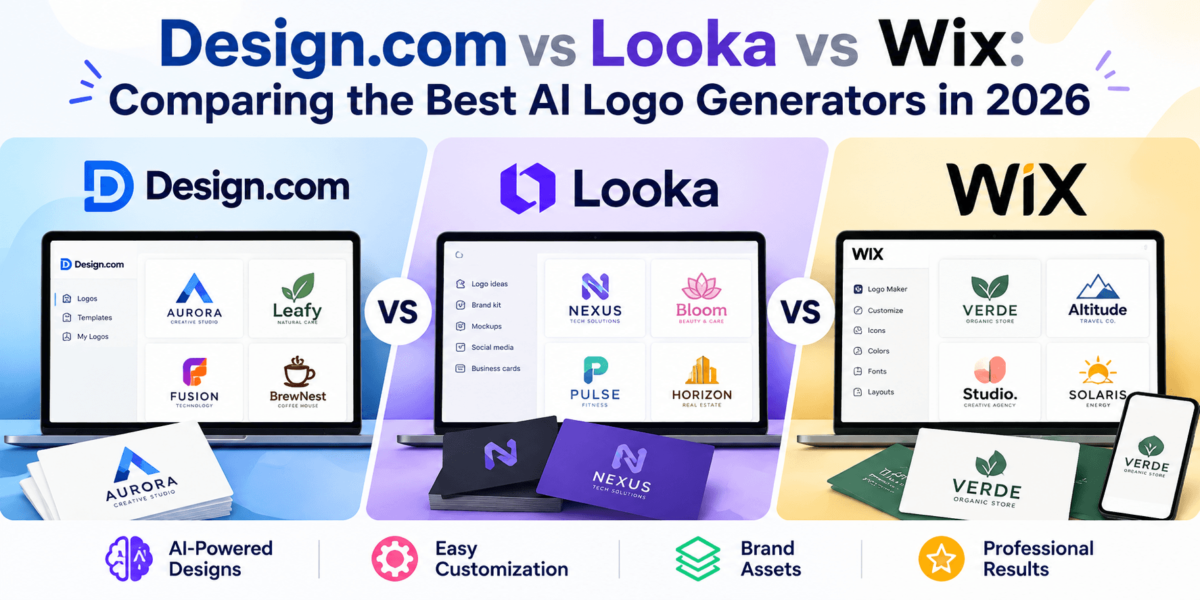
Design.com vs Looka vs Wix: Comparing the Best AI Logo Generators in 2026
You’ve picked a business name, maybe grabbed a domain, and now you need a logo. A professional designer can cost hundreds or thousands of dollars and several weeks of back-and-forth. That’s a big ask before you’ve made your first sale.
AI logo generators close that gap. You type in your business name and a few details, and the tool produces a stack of logo ideas you can edit right in your browser. No design software, no design degree, and in most cases nothing to pay until you download.
In this comparison, we look at three popular options: Design.com, Looka, and Wix. You’ll see how each tool works, what you actually get for your money, which file formats and licenses are included, and which one fits your situation. All product details come from each company’s official pages and help documentation, checked in October 2026.
Design.com vs Looka vs Wix: Quick Comparison
Here’s how the three AI logo makers stack up on the factors that matter most when you’re choosing. Prices reflect what was publicly listed or reported at the time of writing and can change.
| Feature | Design.com | Looka | Wix |
|---|---|---|---|
| Best suited for | Founders who want lots of logo options plus matching business designs | Buyers who want clear one-time pricing and a ready-made brand kit | Businesses building (or running) their website on Wix |
| Logo creation workflow | Enter your business name and a short prompt; AI returns thousands of options | Enter name and industry, pick styles, colors, and symbols; AI generates options | AI chat brief (now led by Wixel’s AI agent, Aria) or a guided questionnaire |
| Customization | Fonts, colors, layouts, shapes, curved text, gradients, AI chat edits | Colors, fonts, symbols, layout; unlimited post-purchase edits on Premium and up | Drag-and-drop editor for fonts, colors, icons, and layout |
| Branding assets and tools | 50+ design tools, including a website builder, business cards, social posts, flyers, and 1M+ templates | Brand Kit subscription with 300+ branded templates; Brand Kit Web adds a website | Social files, business cards, merch, Wixel design themes, and direct Wix website integration |
| Pricing model | Free to create; selected free logos downloadable; paid pack price shown at checkout (no public price list found) | Basic $20 and Premium $65 one-time; Brand Kit $96/yr; Brand Kit Web $129/yr | Free to design; recent reviews list Basic at about $49 and Advanced at about $99 one-time, plus logo + website bundles |
| Downloads and usage rights | PNG, JPG, SVG, EPS, PDF; worldwide commercial license; optional exclusive or buyout licenses | Basic: one PNG. Premium and subscriptions: PNG, SVG, EPS, PDF; commercial use after purchase | Basic: high-res PNG. Advanced: adds SVG vector files; commercial rights on paid plans |
| Ease of use | Very beginner-friendly | Very beginner-friendly | Very beginner-friendly, especially for existing Wix users |
| Main advantage | Huge logo library and free vector downloads on free templates | Transparent, fixed pricing | Logo, website, and business tools under one account |
| Main limitation | Standard license is non-exclusive; pricing not published up front | No free download; Basic package is PNG-only | Vector files cost the most of the three; logo tools are mid-transition to Wixel |
Which one should you pick? If you want to explore the most designs and possibly walk away with a free logo, start with Design.com. If you want to know your exact cost before you begin and like the idea of a brand kit, Looka is a clean choice. If your website lives on Wix, the Wix logo maker keeps everything in one dashboard.
1. Design.com Review: Features, Pros, and Cons
Overview and Ideal User
Design.com is an AI design and branding platform built around a logo maker. The company says its logo library includes more than 458,000 logos, and its generator can return thousands of variations from a single prompt. Around that core sit 50+ design tools for websites, business cards, social media, flyers, presentations, email signatures, QR codes, and more.
It’s a good fit for solo founders, side hustlers, local service businesses, and creators who want to see a lot of options quickly and then reuse their logo across everyday marketing materials.
Main Features
The heart of the platform is Design.com’s AI Logo Generator. You enter your business name and a short description, and the AI pulls logo ideas tailored to your prompt. If the results miss the mark, you tweak your keywords and run it again.
- Shortlisting: Tap the heart icon to save favorites while you browse.
- Mockup previews: See your logo on apparel, signage, and other real-world items before you commit.
- AI chat editing: Describe the change you want in plain language instead of hunting through menus.
- Exclusive fonts: Design.com says it offers 500+ fonts available only on its platform.
- Brand-matched templates: Your logo, colors, and fonts can be applied automatically across business cards, websites, and social graphics.
- Printing and merch: Order printed business cards, apparel, and other products with your logo.
Ease of Use and Customization
The workflow is three steps: generate, edit, download. Most people can get from a business name to a finished logo in a single sitting.
The editor lets you change fonts, colors, layouts, and icons, add shapes and curved text, and apply gradient colors. Design.com describes edits as unlimited, so you can come back and adjust your logo later.
Pricing
Creating and editing logos on Design.com is free. The company also offers a collection of free logo templates you can download with high-resolution and vector files included.
For other logos, you buy a logo pack. Design.com doesn’t publish a standard pricing page that we could verify, so the price appears at checkout and can vary by license type and any add-ons you choose. Check the final total before you pay.
File Formats and Licensing
Downloads include high-resolution PNG and JPG files plus vector SVG, EPS, and PDF files, with transparent-background versions and multiple logo variations. That covers both web use and professional printing.
Every logo comes with a license for worldwide commercial use. Design.com also sells optional exclusive and buyout licenses that remove the logo icon from its library, and it says every logo goes through a manual IP review. If you plan to register a trademark, note that the standard license is non-exclusive, so consider an exclusive license and run your own trademark search first.
Pros and Cons
Pros
- Very large logo library and thousands of AI-generated options per search
- Free logo templates you can download with vector files included
- Full file set (PNG, JPG, SVG, EPS, PDF) for web and print
- 50+ connected design tools, including a website builder and business card maker
- 24/7 human support via live chat and email, according to Design.com
Cons
- No published price list; paid pack costs appear at checkout
- Standard license is non-exclusive, so similar icons may appear elsewhere
- Library-based designs are less bespoke than custom designer work
- The sheer volume of options can feel overwhelming at first
Bottom Line
Design.com is a strong choice if you value range and want your logo to flow straight into business cards, social posts, and a website. It’s less ideal if you need fully custom artwork or want exclusivity without paying for an upgraded license.
Ready to create a logo for your business? Explore Design.com’s AI Logo Generator and see what you can create. Enter your business name, browse thousands of ideas, and preview your favorites before you spend a dime.
2. Looka Review: Features, Pros, and Cons
Overview and Ideal User
Looka is an AI logo and brand identity platform that launched as Logojoy in 2016 and rebranded as Looka in 2019. You enter your company name and industry, pick logo styles you like, choose colors and symbols, and Looka’s AI generates logo options based on those choices.
Looka works well for entrepreneurs who want predictable pricing and a coordinated set of brand materials without managing lots of separate tools.
Main Features
- Preference-driven AI: Your style, color, and symbol picks shape the logos you see.
- Logo mockups: Preview your design on business cards, signage, and more.
- Brand Kit: A subscription that turns your logo, colors, and fonts into 300+ branded templates for business cards, social media, email signatures, letterheads, and invoices.
- Website option: The Brand Kit Web subscription adds a basic branded website.
Ease of Use and Customization
Looka is simple to use. The guided questions do much of the work, and the editor lets you adjust colors, fonts, symbols, and layout. The Premium package and both subscriptions include unlimited post-purchase changes, while the Basic package is more limited.
Pricing
Looka publishes four main options. Designing and previewing is free, but you need to buy a package to download your logo.
| Package | Price | What’s included |
|---|---|---|
| Basic Logo Package | $20 one-time | A single PNG logo file |
| Premium Logo Package | $65 one-time | Multiple high-res file types, including vectors, color variations, and unlimited changes |
| Brand Kit Subscription | $96 per year | Everything in Premium plus 300+ branded templates |
| Brand Kit Web Subscription | $129 per year | Everything in Brand Kit plus a branded website |
File Formats and Licensing
The Basic package includes only one PNG file, which is fine for a website header but limiting for print. Premium and the subscriptions include PNG, SVG, EPS, and PDF files with transparent backgrounds. You can use your Looka logo commercially once purchased, and Premium is described as including full ownership. Review Looka’s current terms before buying if ownership details matter to you.
Pros and Cons
Pros
- Clear, published one-time pricing
- Polished brand kit with 300+ matching templates
- Unlimited edits after purchase on Premium and subscriptions
- Guided process that’s easy for first-timers
Cons
- No free download option
- The $20 Basic package is PNG-only and not ideal for print
- Brand kit features require an annual subscription
- Smaller template ecosystem than Design.com’s 1M+ templates
Bottom Line
Looka is a smart pick if you like knowing the price up front and want a tidy brand kit. For most real businesses, the $65 Premium package is the practical minimum because it includes vector files.
Want to see how Looka handles your brand? Visit Looka to generate logo ideas from your business name and preview them before choosing a package.
3. Wix Logo Maker Review: Features, Pros, and Cons
Overview and Ideal User
Wix is best known as a website builder, and its logo tools are designed to plug straight into that ecosystem. One important update: according to Wix’s Help Center, Wixel is now the main place to create new logos with Wix. The classic Wix Logo Maker is still available, but Wix says it has limited AI support and fewer asset options than Wixel.
In Wixel, you work with Aria, Wixel’s AI design agent, or start from a ready-made logo template. Logos you created earlier in the classic Wix Logo Maker have not moved to Wixel. This setup suits business owners who already use Wix or plan to build their site there.
Main Features
- AI chat brief: Answer questions about your business, and the AI suggests logo concepts and can help with a tagline.
- Visual editor: Customize fonts, colors, icons, and layouts.
- Branded extras: Social media logo files, business cards, and printed merchandise.
- Website connection: Turn your logo into a matching Wix website, including through logo + website bundles.
- Mobile access: Create a logo in the Wix app.
Ease of Use and Customization
The chat-style setup feels natural, and the editor is easy to learn. If you already have a Wix site, the biggest benefit is that your logo, website, and marketing assets live under one account.
Pricing
You can design a logo for free. Recent reviews from TechRadar and Website Builder Expert list two one-time “Just Logo” plans: Basic at about $49 with high-resolution PNG files, and Advanced at about $99, which adds scalable SVG files, 40+ social media formats, a brand guide, and a favicon. Wix also sells logo + website bundles tied to its premium site plans, which Website Builder Expert lists at $17 to $159 per month billed annually.
Pricing can differ between the classic Logo Maker and Wixel flows, and by region, so confirm the current plan details at checkout.
File Formats and Licensing
Paid plans include commercial usage rights. Vector SVG files require the higher-tier plan, which matters if you need files for signage, embroidery, or large-format printing.
Pros and Cons
Pros
- Tight integration with Wix websites and business tools
- Chat-based AI makes the brief easy
- Social media formats and brand guide on the Advanced plan
- Logo + website bundles for people starting from scratch
Cons
- Highest reported one-time cost for vector files among these three
- No free download of usable high-resolution files
- The move from Logo Maker to Wixel can be confusing for returning users
- Best value depends on using Wix for your website too
Bottom Line
Wix is the most convenient pick when your website already runs on Wix. If you don’t use Wix, you’ll likely get more for your money from Design.com or Looka.
Building your site on Wix? Explore the Wix AI logo maker to create a logo that matches your website from day one.
Design.com vs Looka vs Wix: Key Differences
Ease of Use
All three are beginner-friendly, so ease of use won’t make or break your choice. Design.com is fastest from name to options, Looka asks more style questions up front, and Wix feels most natural if you already know its dashboard.
Logo Design and Customization
Design.com offers the deepest editing toolkit of the three, including curved text, gradients, and AI chat edits. Looka keeps customization focused and straightforward. Wix sits in between, with a flexible drag-and-drop editor and AI support that’s strongest in Wixel.
Templates and Design Variety
Design.com leads on sheer volume, with a library it says exceeds 458,000 logos. Looka generates fresh variations based on your preferences, while Wix combines AI concepts with ready-made templates. If you like browsing many directions before settling, Design.com gives you the most to look at.
Brand Kits and Additional Assets
Looka’s Brand Kit is the most packaged option, with 300+ templates for an annual fee. Design.com spreads its branding across 50+ tools and 1M+ templates. Wix ties branding to its website platform, merch, and social files.
Pricing and Overall Value
Looka has the clearest pricing. Design.com is the only one of the three that lets you download some logos for free, including vector files, though its paid pricing appears only at checkout. Wix is the priciest route to vector files based on recent reviews.
Download Formats and Logo Ownership
All three include commercial use on paid downloads. Design.com includes vector files on its free templates and offers paid exclusive licenses. Looka requires the $65 Premium package for vectors, and Wix requires its Advanced plan.
Best Choice for Small Businesses
A local bakery or plumbing company that needs a logo plus business cards and social graphics will get a lot from Design.com’s connected tools. If that same business already has a Wix site, Wix keeps things simpler.
Best Choice for Startups and Entrepreneurs
Startups that want a cohesive brand identity across pitch materials and social media may prefer Looka’s Brand Kit. Founders testing an idea on a tight budget should start with Design.com’s free options before spending anything.
Which AI Logo Generator Offers the Best Value?
Value depends on what you need, not just the sticker price. A $20 PNG that you can’t print on a banner isn’t a bargain. Factor in vector files, licensing, edits, and whether you need a full brand kit or just a logo.
| Value factor | Design.com | Looka | Wix |
|---|---|---|---|
| Free preview | Yes | Yes | Yes |
| Free usable download | Yes, on selected free logo templates | No | No |
| Cheapest paid download | Shown at checkout | $20 (one PNG) | About $49 (PNG files) |
| Vector files (SVG/EPS) | Included with downloads, even free templates | From $65 (Premium) | About $99 (Advanced, SVG) |
| Brand kit or assets | 50+ tools and 1M+ templates | $96/yr Brand Kit | Social files and brand guide on Advanced; site bundles extra |
| Exclusivity options | Optional exclusive and buyout licenses | Check current terms | Check current terms |
If you only need a logo: Design.com’s free templates or Looka’s Premium package offer the best value. If you need a broader branding toolkit: compare Design.com’s connected tools with Looka’s Brand Kit. If you need a website too: Wix’s bundles may come out ahead if you were going to pay for a Wix plan anyway.
Pros and Cons at a Glance
| Tool | Biggest pros | Biggest cons |
|---|---|---|
| Design.com | Huge library; free templates with vector files; full format set; 50+ connected tools | No public price list; standard license is non-exclusive |
| Looka | Transparent pricing; polished brand kit; unlimited edits on Premium and up | No free download; Basic is PNG-only; brand kit is a yearly fee |
| Wix | Website integration; chat-based AI; logo + site bundles | Priciest vectors; Wixel transition; best value only for Wix users |
How to Choose the Right AI Logo Generator
If You Are Starting a New Business
Start where you can explore freely. Design.com lets you browse thousands of options and download a free template if one fits, which is useful when you’re still shaping your brand.
If You Need More Than a Logo
Compare Design.com’s 50+ tools with Looka’s Brand Kit. Design.com covers a wider range of design types, while Looka bundles brand templates into one subscription.
If You Want to Build a Website Too
If you’re set on Wix, use its logo tools so your site and logo stay connected. Design.com and Looka (via Brand Kit Web) also offer website builders, so you’re not locked into Wix for a matching site.
If Your Budget Is Limited
Design.com’s free logo templates are the only no-cost route here to usable files. If you’d rather pay a small, known amount, Looka’s pricing is easy to plan around.
If You Need Files for Professional Printing
Make sure you get vector files (SVG, EPS, or PDF). Design.com includes them with downloads, Looka includes them from the $65 Premium package, and Wix includes SVG files on its Advanced plan.
Final Verdict: Design.com vs Looka vs Wix
There’s no single winner for everyone, but there is a clear fit for most situations.
- Choose Design.com if you want the most design variety, free downloadable templates with vector files, and an easy way to carry your logo into business cards, social posts, and a website.
- Choose Looka if you want fixed, published pricing and a coordinated brand kit, and you’re comfortable paying $65 or more for a print-ready logo.
- Choose Wix if your website already runs on Wix and you value having everything in one account.
For most first-time founders and small businesses, Design.com is a strong place to start because you can explore extensively and judge the results before spending anything.
Create a logo for your next big idea. Visit Design.com to explore your options, preview designs, and build matching brand materials from one place.
Frequently Asked Questions
What is the best AI logo generator in 2026?
Is Design.com better than Looka?
Is Design.com free to use?
How does Looka compare with Wix Logo Maker?
Can I create a professional business logo using AI?
Can I use AI-generated logos commercially?
Which AI logo generator is best for small businesses?
Can I download AI-generated logos in vector format?
Do AI logo generators provide full brand kits?
Should I use an AI logo generator or hire a professional designer?