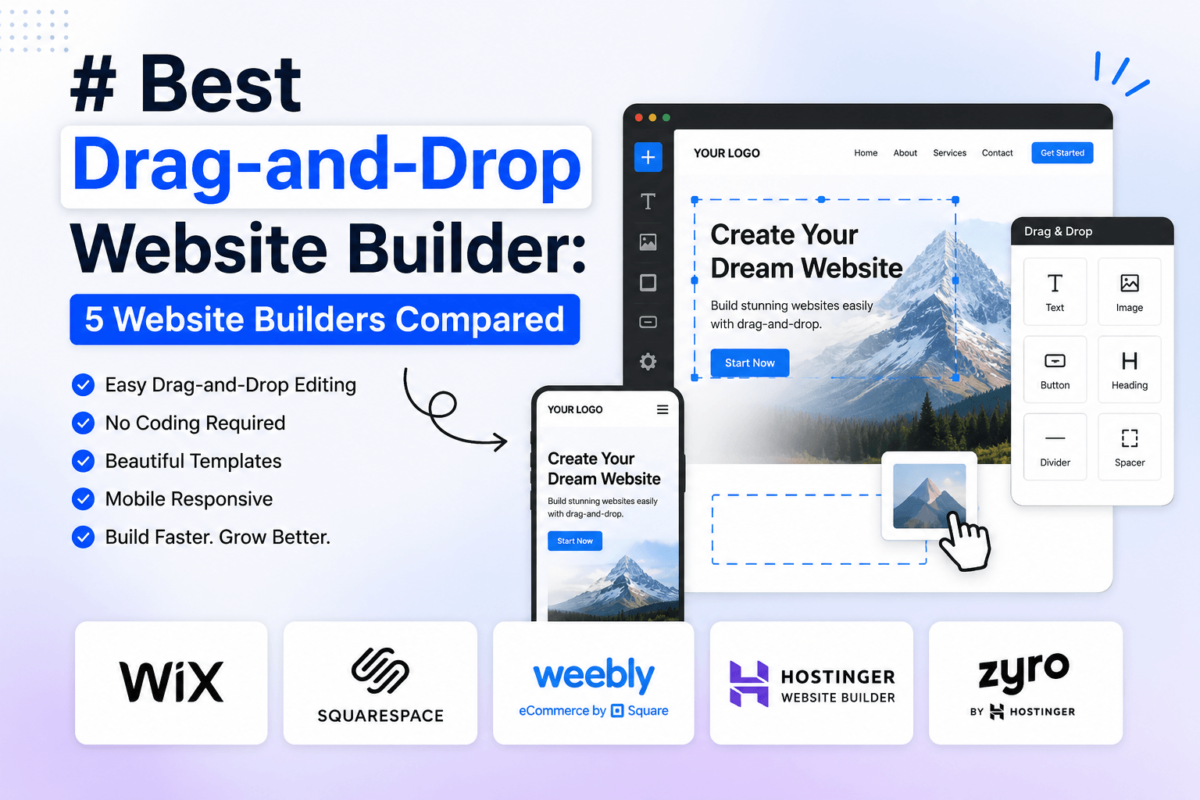
Best Drag-and-Drop Website Builder: 5 Website Builders Compared
Picking a website builder feels simple until you actually start comparing plans, templates, and pricing tiers side by side — and then it isn’t. Every platform claims to be “the easiest” or “the most powerful,” and most of the comparison articles online are recycled feature lists. This guide skips that. It’s a research-based, decision-first comparison of five drag-and-drop builders with an active, currently verified affiliate program, built around who should actually use each one — and who shouldn’t.
Quick answer: Wix is the best drag-and-drop website builder overall for most people because it balances an easy editor with real design freedom, a mature app ecosystem, and built-in ecommerce. Squarespace is the stronger pick if visual polish matters more than flexibility. Hostinger Website Builder wins on price for anyone on a tight budget. Webflow is the best choice for designers who want pixel-level, code-grade control without writing HTML/CSS by hand. Elementor is the right call if you’re building on WordPress and want to keep full ownership of your site and content.
Quick Comparison: Best Drag-and-Drop Website Builders
Here’s the short version. All prices below are the lowest tier billed annually; monthly billing runs higher on every platform. Full detail, plus what “starting price” actually gets you, is in each section below.
| Builder | Best For | Ease of Use | Design Flexibility | Ecommerce | AI Tools | Starting Price* | Affiliate Program |
|---|---|---|---|---|---|---|---|
| Wix | Best overall / beginners | Very easy | High | Yes (Core+) | Yes | Free / $17/mo | $100 flat, 30-day cookie |
| Squarespace | Designers & creatives | Easy | Medium-high | Yes (Core+) | Yes (Blueprint AI) | $16/mo (no free plan) | $100–$200 flat, 45-day cookie |
| Hostinger | Best value / budget | Very easy | Medium | Yes (Business) | Yes | ~$2.99/mo intro | 40–60% tiered, 30-day cookie |
| Webflow | Designers & professionals | Steeper curve | Very high | Yes (add-on tier) | Yes | Free / $15/mo | 50% rev-share, 90-day cookie |
| Elementor | WordPress users | Moderate | Very high | Yes (via WooCommerce) | Yes | $59/yr + hosting | Up to 50%, 45-day cookie |
*Prices shown are the lowest published tier, billed annually, as checked against each company’s official pricing page in August 2026. Monthly billing, regional pricing, and promotional discounts can change these figures — always verify current pricing before purchasing. Elementor is a WordPress plugin, not a hosted builder, so its “starting price” doesn’t include WordPress hosting unless you choose Elementor’s own hosting bundle.
1. Wix — Best Overall Drag-and-Drop Website Builder
Why We Recommend It
Wix is where most people land first because the editor genuinely doesn’t require a learning curve — you drag an element, it stays where you drop it, and there’s no grid system fighting you. What keeps it ahead of competitors like GoDaddy or Weebly is depth: once you outgrow the basics, Wix has an app market, a real ecommerce stack, and a separate Wix Studio interface for anyone who wants finer design control without switching platforms. If you’re comparing it directly against Squarespace, our Wix vs Squarespace breakdown goes deeper into the design and template differences.
Key Features
- True drag-and-drop editor with free-form element placement
- 800+ designer templates, plus Wix ADI/AI site generation
- Built-in ecommerce with inventory, abandoned-cart recovery, and up to 50,000 products on the Core plan
- 300+ third-party apps in the Wix App Market (booking, email, live chat, memberships)
- On-page SEO controls, including meta tags, structured data, and a dedicated SEO setup checklist
- Built-in hosting, free SSL, and a free-for-life plan with Wix branding
What We Like
- Fastest path from zero to a published site for a non-technical user
- Free plan lets you fully test the editor before paying anything
- Wix Studio gives agencies and freelancers a more professional-grade workspace on the same platform
- Strong app ecosystem covers most small-business needs without leaving Wix
What We Don’t Like
- You can’t switch templates once your site is live without rebuilding from scratch
- Ecommerce and real business tools don’t unlock until the $29/month Core plan
- Exporting your site or content to another platform isn’t really possible — you’re building inside a closed system
Best For
First-time website owners, local businesses, portfolios, and small online stores that want design freedom without touching code.
Not Ideal For
Developers who want full code access, or anyone who expects to migrate their site to another CMS later.
Pricing
Wix offers a permanent free plan (Wix subdomain, Wix branding). Paid plans, billed annually, start at Light ($17/month), Core ($29/month, unlocks ecommerce), Business ($39/month), and Business Elite ($159/month). Monthly billing runs about 30–40% higher. A first-year domain is included with annual premium plans.
2. Squarespace — Best for Designers and Creatives
Why We Recommend It
Squarespace templates look like they were designed by someone with an actual design background — because they were. The trade-off is that Squarespace’s editor is more opinionated than Wix’s: you’re working within a structured grid rather than dropping elements anywhere on the page. For most creative and service-based sites, that constraint is a feature, not a limitation — it’s much harder to accidentally build an ugly page. If you’re weighing self-hosted WordPress against a hosted option like this one, our Squarespace vs WordPress comparison covers the trade-offs in more depth.
Key Features
- Award-winning, design-first template library organized by industry
- Blueprint AI site builder that generates a full site from a short questionnaire
- Native ecommerce with inventory, subscriptions, and digital product sales on higher tiers
- Built-in email marketing and Squarespace Scheduling (formerly Acuity), sold as add-ons
- Solid built-in analytics dashboard without needing a separate tool
- Mobile-responsive by default — every template adapts automatically
What We Like
- Consistently polished output even from users with zero design experience
- Core plan and above remove transaction fees entirely on commerce sales
- Strong built-in blogging tools, better suited to content-heavy sites than Wix’s
- You can switch templates later without losing your content, unlike Wix
What We Don’t Like
- No permanent free plan — you’re committing to a paid plan (or a 14-day trial) from the start
- The entry-level Basic plan still charges a 2% transaction fee on commerce sales
- The app/extension ecosystem is much smaller than Wix’s, so niche functionality often isn’t available
Best For
Photographers, designers, restaurants, and personal brands where the site itself is a portfolio piece.
Not Ideal For
Anyone who wants a free plan to start with, or a large marketplace of third-party plugins.
Pricing
Billed annually: Basic ($16/month), Core ($23/month, removes transaction fees), Plus ($39/month), Advanced ($99/month). Monthly billing costs roughly 35–40% more across every tier. There’s no free-forever plan, but every plan starts with a 14-day trial that doesn’t require a credit card.
3. Hostinger Website Builder — Best Budget Option
Why We Recommend It
Hostinger built its reputation on cheap, reliable hosting, and its AI-assisted website builder rides on that same infrastructure — which is why it’s consistently one of the fastest-loading budget builders in independent speed tests. It won’t out-design Squarespace or out-flex Webflow, but for the price, the feature set (AI site generation, a real ecommerce tier, built-in email) is hard to match. If you’re also weighing it against dedicated hosting-only providers, see our Hostinger vs Namecheap comparison.
Key Features
- AI website builder that generates a full draft site from a text prompt
- Drag-and-drop editor with mobile-specific editing view
- Ecommerce tools (product catalog, PayPal/Stripe checkout) on the Business tier
- Free domain and SSL bundled with yearly plans
- Built-in AI tools for blog writing, image generation, and a heatmap-style visitor analytics view
- Fast, LiteSpeed-cached hosting infrastructure included in every plan
What We Like
- Lowest realistic entry price among hosted, all-in-one drag-and-drop builders
- Genuinely fast page-load times thanks to Hostinger’s underlying hosting stack
- 30-day money-back guarantee on every plan, so testing it is low-risk
What We Don’t Like
- The advertised low price only applies to a 48-month commitment paid upfront; renewal pricing jumps considerably (Premium renews around $10.99/month, Business around $16.99/month)
- Template selection and design flexibility trail well behind Wix and Squarespace
- The app/integration ecosystem is much thinner than competitors
Best For
Budget-conscious freelancers, students, and small local businesses that need a functional site fast without a large monthly bill.
Not Ideal For
Brands where visual design is the main differentiator, or anyone who dislikes long-term prepaid contracts.
Pricing
Hostinger’s Website Builder plans start around $2.99/month for Premium and $3.99/month for Business — but those rates require a 48-month prepaid term. Renewal pricing is significantly higher (roughly $10.99/month and $16.99/month respectively), so factor that into your real long-term cost rather than the headline promo price.
Try Hostinger Website Builder →
4. Webflow — Best for Design Flexibility and Professional Designers
Why We Recommend It
Webflow occupies a different category than Wix or Squarespace: it’s a visual editor that outputs clean, semantic code underneath, which means designers get near-total control over layout, animation, and responsive behavior without needing a developer for every change. That power comes with a real learning curve — Webflow expects you to understand concepts like flexbox and CSS classes, even if you’re never typing code directly. For a deeper look at how it stacks up against a self-hosted CMS, read our Webflow vs WordPress guide.
Key Features
- Visual canvas with direct control over CSS properties, no plugin required
- Native CMS for structured content (blogs, portfolios, directories) with up to 20,000 items on the Premium site plan
- Built-in interactions and animation engine without third-party scripts
- Webflow AI tools and MCP server access for AI-assisted workflows
- Ecommerce available as a dedicated plan tier (Standard, Plus, Advanced)
- Clean, exportable code — sites aren’t locked into a proprietary rendering engine the way Wix sites are
What We Like
- Unmatched design control among drag-and-drop tools — closer to hand-coding than to a template editor
- Genuinely capable CMS for content-heavy marketing sites
- 2026’s pricing simplification (merging the old CMS and Business plans into one Premium tier) made mid-tier pricing more predictable
What We Don’t Like
- Steepest learning curve of any builder in this comparison — expect a real time investment before you’re fast in the editor
- Collaboration and team features require separate paid Workspace seats on top of the Site plan
- Add-ons like Optimize (A/B testing) start at $299/month, which changes the total cost quickly for growth-stage teams
Best For
Designers, agencies, and marketing teams that need custom layouts and don’t want developer dependency for routine content updates.
Not Ideal For
Total beginners who just want to publish a simple site quickly without learning any design concepts.
Pricing
Webflow’s Site plans (annual billing): Starter is free, Basic is $15/month, and Premium is $25/month — Premium replaced the older separate CMS and Business plans in May 2026 and now includes 20,000 CMS items. Monthly billing runs higher across the board. On top of the Site plan, a Workspace plan and any additional editor seats are billed separately, so a real team setup typically runs well above the headline $15–$25 figure.
5. Elementor — Best for WordPress Users
Why We Recommend It
Elementor isn’t a standalone website builder — it’s a page-builder plugin that sits on top of WordPress, which is exactly why it belongs in this comparison. It gives you Wix-style drag-and-drop editing while keeping your site on the world’s most-used CMS, which means full data ownership, an enormous plugin ecosystem, and no vendor lock-in. If you’re deciding between Elementor and a competing WordPress page builder, our Elementor vs Divi comparison breaks down the differences.
Key Features
- Live drag-and-drop editor with 90+ widgets and 300+ pro templates
- Theme Builder for headers, footers, and archive/single templates without touching PHP
- Native WooCommerce builder for product pages, carts, and checkouts
- Popup builder and form builder included in Pro tiers
- Works with any SEO plugin (Yoast, Rank Math) since it’s built on WordPress
- Optional Elementor Hosting/Cloud bundle that pairs the plugin with managed WordPress hosting
What We Like
- Full data and code ownership — you can move hosts, export your database, or switch page builders without starting over
- Access to WordPress’s entire plugin ecosystem (69,000+ free plugins) for anything Elementor doesn’t natively cover
- One Essential license ($59/year) can be enough for a single well-built site indefinitely, unlike per-page or per-visit hosted pricing models
What We Don’t Like
- You still need to buy WordPress hosting separately unless you choose Elementor’s bundled hosting, which adds a second bill and a second vendor to manage
- Heavier pages can slow WordPress sites down if you don’t optimize images and limit add-on plugins
- The free version is genuinely limited — most of the useful widgets and the Theme Builder require the paid Pro tier
Best For
WordPress users, freelance web designers building client sites, and anyone who wants long-term ownership over hosted convenience.
Not Ideal For
Beginners who don’t want to think about hosting, backups, or plugin updates separately from the page builder itself.
Pricing
Elementor Pro is licensed per year, by site count: Essential ($59/year, 1 site), Advanced ($99/year, 3 sites), Expert ($199/year, 25 sites), and Agency ($399/year, up to 1,000 sites). This is on top of WordPress hosting, which you can buy separately or bundle through Elementor’s own hosting plans. See our best WordPress hosting picks if you’re pairing Elementor with a third-party host.
How We Evaluated These Builders
This is a research-based editorial comparison, not a lab benchmark — we did not run standardized load-time or uptime tests across all five platforms. Instead, each builder was scored across nine weighted categories, based on official documentation, verified pricing pages, and cross-referenced third-party reviews, with weighting built around what actually matters to a typical American small business, freelancer, or beginner:
- Ease of use — 20%
- Design flexibility — 15%
- Template quality — 10%
- Feature depth — 15%
- SEO capability — 10%
- Ecommerce — 10%
- AI capabilities — 5%
- Pricing / value — 10%
- Customer support — 5%
Scores below are editorial judgments on a 10-point scale, not laboratory measurements — treat the overall score as a relative ranking tool, not a precise index.
| Builder | Ease of Use | Design | SEO | Ecommerce | Value | Overall |
|---|---|---|---|---|---|---|
| Wix | 9.5/10 | 8.5/10 | 8.5/10 | 8.5/10 | 8/10 | 8.8/10 |
| Squarespace | 8.5/10 | 8.5/10 | 8/10 | 8/10 | 7/10 | 8.1/10 |
| Hostinger | 9/10 | 6.5/10 | 7/10 | 7/10 | 9.5/10 | 7.9/10 |
| Webflow | 6.5/10 | 9.5/10 | 8.5/10 | 7.5/10 | 7/10 | 7.8/10 |
| Elementor | 7.5/10 | 9/10 | 9/10 | 8/10 | 8.5/10 | 8.2/10 |
Which One Should You Choose?
| If You Want… | Choose… |
|---|---|
| Best overall balance of ease and power | Wix |
| Easiest experience for a total beginner | Wix or Hostinger |
| Best visual design polish | Squarespace |
| Best design control / custom layouts | Webflow |
| Best for WordPress users | Elementor |
| Best value / lowest cost | Hostinger |
| Best for ecommerce out of the box | Wix or Squarespace |
Website Builder Statistics You Should Know
A few numbers worth knowing before you commit to a platform — these shape decisions like whether ecommerce is worth paying for, how much mobile design matters, and why page speed isn’t just a technical detail.
| Statistic | Number | Year | Why It Matters |
|---|---|---|---|
| Small businesses that now have a website | 83% | 2026 | Up from 64% in 2018 — a website is now the default, not the exception, for small businesses (Network Solutions). |
| WordPress’s share of all websites | 41.2% | 2026 | 59.1% of the entire CMS market — the reason Elementor’s WordPress compatibility matters so much (W3Techs). |
| Global web traffic from mobile devices | 62–64% | 2026 | Any builder you choose needs to produce genuinely responsive templates, not just “mobile-friendly” ones (StatCounter-aggregated data). |
| Mobile users who abandon a page loading over 3 seconds | 53% | 2024–2026 | Builder-side hosting speed (like Hostinger’s infrastructure) directly affects conversion, not just SEO (Google/SOASTA). |
| Global average cart abandonment rate | 70.19% | 2025 | Ecommerce features like abandoned-cart recovery (built into Wix and Squarespace’s higher tiers) aren’t a nice-to-have (Statista). |
| Conversion lift from a 1-second mobile speed improvement | Up to 27% | 2024–2026 | Page speed is a revenue lever, not just a technical metric — worth weighing hosting quality into your builder choice (Cloudflare). |
| Global website builder software market size | $6.38B | 2026 | Growing at a 10.1% CAGR — competition among builders keeps driving new AI and template features (The Business Research Company). |
| Wix’s year-over-year growth in website market share | 32.6% | 2026 | Now powering 4.3% of all websites globally — the fastest-growing major hosted builder (W3Techs). |
For a deeper statistical breakdown beyond website builders specifically, see our full website statistics roundup and ecommerce statistics page.
Alternatives Worth Considering
A few other platforms came up during research but didn’t make the final five, usually because their affiliate programs weren’t independently verifiable as currently active, or because they serve a narrower use case than a general drag-and-drop comparison calls for.
- Shopify — excellent for dedicated ecommerce stores, but it’s a commerce platform first and a general-purpose website builder second. If you’re comparing dedicated store platforms, see Shopify vs WooCommerce or Shopify vs BigCommerce.
- GoDaddy Website Builder — very beginner-friendly and cheap, but its design flexibility and app ecosystem lag well behind Wix and Squarespace.
- Framer — a strong AI-first, designer-focused builder, but it’s newer to the affiliate space and its program terms were less consistently documented at the time of writing.
- If your priority is specifically AI-generated site creation rather than manual drag-and-drop editing, our best AI website builders guide covers that angle in more depth, and our broader best website builders roundup covers platforms outside the drag-and-drop category entirely.
Frequently Asked Questions
What is a drag-and-drop website builder?
A drag-and-drop website builder is a visual editing tool that lets you design a webpage by placing and arranging elements — text, images, buttons, forms — directly on the page, without writing HTML or CSS. Most also bundle hosting, templates, and basic ecommerce tools into the same platform.
What is the easiest drag-and-drop website builder?
Wix and Hostinger Website Builder are the easiest to pick up with zero prior experience — both offer free-form drag-and-drop placement and an AI-assisted setup flow that generates a starting layout for you.
What is the best drag-and-drop website builder for beginners?
Wix is the best starting point for most beginners because of its free plan, forgiving editor, and large app library that covers most small-business needs without extra setup.
Are drag-and-drop website builders good for SEO?
Yes, the major builders in this comparison all support core on-page SEO — custom meta titles and descriptions, alt text, clean URLs, and sitemap generation. Wix, Squarespace, and Elementor (via WordPress SEO plugins) are particularly strong here. Site speed and mobile responsiveness, both of which vary by platform and hosting quality, also factor into SEO performance.
Can I build a professional website without coding?
Yes. All five builders in this guide are designed specifically so you never need to write code. Webflow and Elementor give you more granular design control than Wix or Squarespace, but neither requires typing HTML or CSS by hand.
How much does a drag-and-drop website builder cost?
Realistic starting costs range from about $3/month (Hostinger’s introductory rate) to $40+/month for higher ecommerce tiers on Wix or Squarespace. Elementor adds a separate WordPress hosting cost on top of its $59/year plugin license. Always check whether a quoted price is an introductory rate or the ongoing renewal price.
Which website builder is best for small businesses?
Wix is the strongest general-purpose pick for small businesses because of its balance of ease, built-in marketing tools, and ecommerce support. Businesses on a tight budget should look at Hostinger; those that already run on WordPress should consider Elementor instead.
Which website builder is best for ecommerce?
Wix and Squarespace both offer capable native ecommerce once you’re on their mid-tier plans. If your store is the entire point of the site rather than one feature of it, a dedicated ecommerce platform like Shopify or WooCommerce is usually a better long-term fit than a general drag-and-drop builder.
Is Wix better than Squarespace?
Neither is objectively “better” — Wix offers more design freedom, a larger app ecosystem, and a free plan, while Squarespace produces more consistently polished results with less effort and includes zero transaction fees from its Core plan up. See our full Wix vs Squarespace comparison for a feature-by-feature breakdown.
Is Webflow difficult for beginners?
Yes, relative to Wix or Squarespace. Webflow expects familiarity with concepts like CSS box model and flexbox, even though you never write code directly. Most total beginners are better served starting with Wix or Hostinger and moving to Webflow later if they need more design control.
Is Elementor better than a traditional website builder?
It depends on your priorities. Elementor gives you more long-term ownership and flexibility than a hosted builder like Wix, since your site lives on WordPress rather than a closed platform — but it also requires managing hosting and plugin updates separately, which a hosted builder handles for you.
Can I move my website to another platform later?
This varies significantly. WordPress-based sites (Elementor) and Webflow sites are generally easier to export or migrate than Wix or Squarespace, which are closed, proprietary platforms with limited export options. If future portability matters to you, weigh that heavily before choosing.
Do website builders include hosting?
Wix, Squarespace, Hostinger, and Webflow all include hosting as part of the platform. Elementor is the exception — it’s a WordPress plugin, so you need separate WordPress hosting unless you choose Elementor’s own bundled hosting plan.
Do website builders include domains?
Most annual plans across Wix, Squarespace, Hostinger, and Webflow include a free custom domain for the first year, after which standard domain renewal rates apply (typically $12–$25/year depending on the extension).
Are free website builder plans worth using?
Free plans (Wix, Webflow’s Starter tier) are genuinely useful for testing an editor before committing, but they typically come with platform branding, a subdomain instead of a custom domain, and limited storage — fine for evaluation, not for a real launch.
Final Verdict: Which Drag-and-Drop Website Builder Is Best?
Wix is the best overall drag-and-drop website builder for most people in 2026 — it’s the rare platform that stays approachable for a first-time site owner while still scaling into real ecommerce and marketing functionality as a business grows. If design polish matters more than flexibility, Squarespace is the better alternative. If price is the deciding factor, Hostinger delivers a working site at the lowest realistic monthly cost. Designers and agencies that need pixel-level control should go with Webflow, and anyone already committed to WordPress — or who wants to keep full ownership of their site long-term — should build with Elementor instead.
There’s no single “best” platform independent of what you’re building. Match the builder to your actual priority — speed to launch, visual polish, budget, design control, or platform ownership — and any of these five will get you a professional site.
Sources
- Wix, Squarespace, Webflow, Elementor, and Hostinger official pricing and affiliate program pages (checked August 2026)
- Webflow Help Center — Affiliate Program Overview
- Elementor Affiliate Program Terms and Conditions (elementor.com)
- W3Techs — CMS and website builder market share data
- Network Solutions — Small Business Website Statistics 2026
- Statista — Global cart abandonment rate data
- The Business Research Company — Website Builder Software Market Report 2026