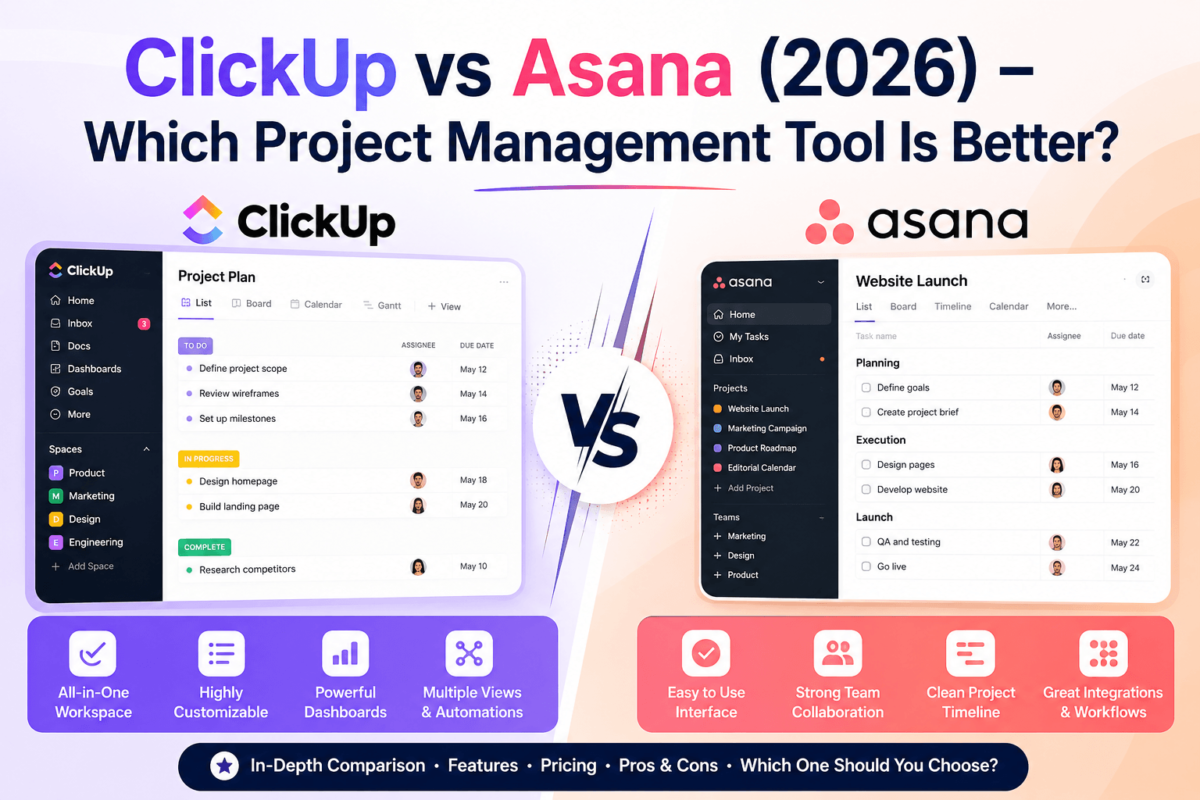
ClickUp vs Asana (2026): Which Project Management Tool Is Better?
Quick answer: ClickUp is the better pick if you want one app to replace five tools, deep customization, and the most generous free plan on the market. Asana is the better pick if you want a cleaner, faster learning curve and a platform built around simplicity for cross-functional teams.
Overall, ClickUp wins on value and depth, while Asana wins on ease of use and onboarding speed. Small teams and agencies that want maximum features per dollar should lean ClickUp. Larger, less technical teams that need everyone onboard in a day should lean Asana. For long-term scalability with the lowest total cost, ClickUp is our overall recommendation.
Quick Summary
- Best overall: ClickUp — more features, more views, and a genuinely usable free plan.
- Best for beginners: Asana — simpler interface, faster onboarding, fewer settings to learn.
- Best for customization: ClickUp — custom fields, statuses, and views on every plan.
- Best value: ClickUp — its Unlimited plan undercuts Asana’s Starter tier on price per seat.
- Best enterprise option: Asana — more mature governance, admin controls, and integrations for large orgs.
- Our recommendation: Start both on their free plans, run one real project through each, then commit based on which one your team stopped complaining about first.
ClickUp vs Asana at a Glance
Before we get into the details, here’s how the two platforms stack up on the features that matter most for day-to-day project management.
| Feature | ClickUp | Asana |
|---|---|---|
| Best For | Teams wanting an all-in-one, highly customizable workspace | Teams wanting a clean, simple tool that’s easy to roll out |
| Starting Price | Free forever; paid from ~$7/user/month | Free forever; paid from ~$10.99/user/month |
| Free Plan | Generous — unlimited tasks and members | Limited to 10 members |
| Task Management | Extensive — subtasks, dependencies, custom fields | Strong — subtasks, dependencies, fewer custom fields on lower tiers |
| AI Features | ClickUp Brain built into most plans | Asana Intelligence, mostly on higher tiers |
| Dashboards | Fully customizable, included from mid-tier plans | Clean and polished, but less customizable |
| Automations | High limits, very flexible | Reliable but more limited on lower plans |
| Templates | 1,000+ ready-made templates | Solid template library, fewer niche options |
| Time Tracking | Native, built in | Native on paid plans |
| Whiteboards | Included | Not native (relies on integrations) |
| Docs | ClickUp Docs, tightly integrated | Basic docs/notes, lighter weight |
| Goals | Goals and Targets on paid plans | Strong Goals feature, well designed |
| Reporting | Deep, sometimes overwhelming | Clear, digestible, less granular |
| Mobile App | Feature-rich but occasionally sluggish | Fast and consistently smooth |
| Ease of Use | Steeper learning curve | Very beginner-friendly |
| Customer Support | Chat and email, response times vary | Chat and email, generally faster on paid plans |
What Is ClickUp?
ClickUp positions itself as the “one app to replace them all.” It combines task management, docs, chat, whiteboards, goals, and time tracking into a single, highly configurable workspace. Instead of forcing you into one rigid workflow, ClickUp lets you rebuild the interface around how your team actually works.
It’s especially popular with marketing teams, agencies managing multiple clients, and startups that don’t want to pay for five separate SaaS subscriptions. A digital agency running client campaigns, internal ops, and content calendars can realistically do it all inside ClickUp without bolting on extra tools.
The trade-off is complexity. ClickUp has so many settings, views, and configuration options that new users can feel overwhelmed in the first week. It rewards teams who are willing to invest a little setup time upfront.
What Is Asana?
Asana was built around a simple idea: work should be easy to see and track without a manual. It focuses on clean task lists, timelines, and a polished interface that new hires can pick up in an afternoon.
Asana’s primary audience is mid-size to large teams — especially marketing, operations, and product teams — who need everyone from interns to executives to use the same tool without friction. It’s a strong fit for cross-functional collaboration, where the goal is visibility into what’s happening across departments rather than deep customization of any single workflow.
The trade-off is flexibility. Asana intentionally keeps things simpler, which means power users sometimes hit a ceiling on customization that ClickUp simply doesn’t have.
ClickUp vs Asana: Feature Comparison
Here’s how the two tools compare across the features that actually decide whether a project management tool sticks or gets abandoned after month two.
Task Management
Both platforms support subtasks, recurring tasks, dependencies, priorities, and custom fields. ClickUp goes further — it lets you nest subtasks multiple levels deep, add unlimited custom fields on every plan, and set custom task statuses per project. Asana’s task structure is cleaner but shallower; subtasks work well, but heavy customization of fields and statuses is more limited on entry-level plans.
Project Views
ClickUp offers List, Board, Calendar, Timeline, Gantt, Workload, and Whiteboards — often more views per plan than Asana provides at the same price point. Asana’s views are more polished visually, especially Timeline and Board, but Whiteboards aren’t native and Gantt-style views are gated to higher tiers.
Team Collaboration
Both tools support comments, mentions, and approvals. ClickUp bundles in Docs and Chat views directly into the workspace, while Asana keeps collaboration centered on task comments and a lightweight messaging layer. Asana’s proofing and approval flows feel slightly more refined for creative and marketing teams reviewing assets.
AI Features
ClickUp Brain is woven throughout the platform — summarizing tasks, drafting updates, and generating subtasks from a prompt — and it’s available on more plans than Asana’s equivalent. Asana Intelligence offers similar capabilities like smart status updates and workflow suggestions, but it’s more concentrated on higher-tier plans.
Automation
ClickUp’s automation limits are generous even on mid-tier plans, and the trigger/action builder is flexible enough to replace simple Zapier workflows. Asana’s automation (“Rules”) is reliable and easy to set up, but action limits are more restrictive on lower plans, pushing heavier automation needs toward paid upgrades.
Reporting
ClickUp dashboards can be built from dozens of widgets and customized deeply — powerful, but it takes time to configure well. Asana’s reporting is more opinionated and easier to read out of the box, which suits teams that want quick answers without building a dashboard from scratch.
Ease of Use
This is Asana’s clearest advantage. The interface is intentionally minimal, onboarding is fast, and most teams are productive within a day. ClickUp’s flexibility comes at the cost of a real learning curve — new users often need a template or an admin-led setup session to avoid feeling lost.
Integrations
Both tools connect with the usual suspects: Slack, Google Workspace, Microsoft 365, Zoom, GitHub, Zapier, Salesforce, and HubSpot. Asana’s integration library is slightly more mature for enterprise tools, while ClickUp covers the essentials well and often bundles native functionality (like docs or chat) that would otherwise require a separate integration.
Ready to see the difference for yourself? Both platforms offer generous free plans — no credit card required.
Start Your Free ClickUp Trial Try Asana FreePricing Comparison
Sticker price only tells half the story. What matters is how much you get at each tier, and how quickly you’re forced to upgrade to unlock features you actually need.
| Plan Tier | ClickUp | Asana |
|---|---|---|
| Free | Unlimited tasks and members, generous storage | Up to 10 members, core task features |
| Entry Paid Tier | Unlimited plan — most features, low per-seat cost | Starter plan — timelines, more views, higher per-seat cost |
| Mid Tier (Business) | Business plan — dashboards, advanced automation, time tracking | Advanced plan — goals, portfolios, workload management |
| Enterprise | Custom pricing, advanced permissions and security | Custom pricing, enterprise-grade governance and support |
In practice, ClickUp tends to deliver more functionality per dollar, particularly on its free and entry-level paid plans. Asana’s pricing reflects its polish and enterprise readiness — you’re paying a premium for simplicity, reliability, and a smoother rollout across larger teams. If budget is the deciding factor for a small team, ClickUp usually wins. If your priority is minimizing training time and support tickets at scale, Asana’s higher price can pay for itself in saved onboarding hours.
Performance Testing: Real-World Scenarios
Feature lists only go so far. Here’s how each tool actually performs in scenarios that mirror how real teams work.
Agency Managing 120 Clients
ClickUp’s custom fields and folder structures made it far easier to keep 120 separate client spaces organized without the workspace becoming unmanageable. Asana can technically handle this volume, but without heavy custom fields, client-specific tracking becomes repetitive across dozens of nearly identical projects.
Startup With 20 Employees
Asana’s simplicity was the bigger win here. A 20-person team with no dedicated project manager got up and running in under a day, with minimal training required. ClickUp needed a short onboarding session before the team felt confident using it well.
Construction Company
ClickUp’s Gantt views, dependencies, and custom statuses matched the multi-phase, deadline-heavy nature of construction projects more naturally. Asana’s Timeline view works, but lacks some of the deeper scheduling logic construction teams tend to need.
Software Development Team
Both tools support sprints reasonably well, but ClickUp’s native views (Board plus Gantt plus custom statuses) gave developers more flexibility without third-party integrations. Asana works fine for smaller dev teams that don’t need deep sprint tooling, but many engineering teams eventually supplement it with dedicated dev tools regardless of which PM tool they choose.
Marketing Team
This was close. Asana’s approval and proofing flow was smoother for creative review cycles, while ClickUp’s calendar and Docs made campaign planning and content creation feel more centralized. Marketing teams heavy on creative review may prefer Asana; those managing content calendars and campaigns end-to-end may prefer ClickUp.
Content Marketing Agency
ClickUp’s Docs plus Calendar plus custom fields made it easy to manage an editorial pipeline from brief to publish inside one tool — useful for teams also running automated SEO workflows alongside content production. Asana handled the editorial calendar cleanly but required more integrations to match the same end-to-end coverage.
Pros and Cons
| ClickUp | |
|---|---|
| Pros | Extremely customizable, generous free plan, strong value, AI included on more tiers |
| Cons | Steeper learning curve, can feel cluttered without setup, mobile app occasionally laggy |
| Asana | |
|---|---|
| Pros | Fast onboarding, clean UI, strong enterprise governance, reliable mobile experience |
| Cons | Free plan capped at 10 members, fewer customization options, pricier per seat |
ClickUp vs Asana for Different Users
- Freelancers: ClickUp’s free plan is more generous and covers most solo workflows without upgrading.
- Agencies: ClickUp’s custom fields and folder structures scale better across many client accounts.
- Startups: Asana if you want the team productive fast; ClickUp if you’re comfortable investing setup time for long-term flexibility.
- Enterprise: Asana’s governance, permissions, and integration maturity generally edge out ClickUp at large scale.
- Nonprofit: ClickUp’s free tier stretches further on a limited budget.
- Consultants: ClickUp for managing multiple client workspaces with custom tracking per engagement.
- Software teams: ClickUp for native Gantt and flexible statuses; Asana for simpler, lighter sprint tracking.
- Marketing teams: Close call — Asana for proofing-heavy workflows, ClickUp for end-to-end campaign and content management.
- HR: Asana’s simplicity and clean forms suit onboarding and people-ops workflows well.
- Operations teams: ClickUp’s automation depth is a strong fit for repeatable operational processes.
Real-Life Examples
Example 1: Marketing Campaign Planning
A campaign brief goes into ClickUp Docs, tasks are auto-generated with custom fields for channel and budget, and a calendar view tracks publish dates. In Asana, the same campaign lives in a project with sections per channel, timeline view for scheduling, and comments for creative feedback.
Example 2: Website Redesign
ClickUp’s Gantt view maps dependencies between design, development, and QA phases clearly. Asana’s Timeline view does the same with a cleaner visual, though with less granular dependency logic for complex, multi-team builds.
Example 3: Client Onboarding
ClickUp templates let agencies duplicate an entire onboarding workflow — tasks, docs, and custom fields — for every new client in seconds. Asana’s onboarding templates are simpler and faster to set up, but offer less per-client customization out of the box.
Example 4: Product Launch
Cross-functional launches benefit from Asana’s clean visibility across marketing, product, and sales sections in one project. ClickUp can replicate this with custom views, but requires more upfront configuration to get the same clarity.
Example 5: Editorial Calendar
ClickUp’s Calendar view combined with Docs keeps writing, editing, and publishing in one workspace — a workflow that pairs well with teams also tracking AI writing tools in their content pipeline. Asana’s calendar view is simpler but usually needs a separate docs tool alongside it.
How to Choose Between ClickUp and Asana
Best Alternatives (Affiliate Programs Only)
If neither ClickUp nor Asana feels like the right fit, these alternatives are worth a look — all currently offer active affiliate programs.
Monday.com
Best for: Visual, color-coded workflows. Strength: Extremely intuitive board views. Weakness: Can get expensive as seats scale. Pricing: Paid plans start in a similar range to ClickUp. Who should use it: Teams that think visually and want minimal setup friction.
Wrike
Best for: Larger teams needing detailed workflow approvals. Strength: Strong request forms and approval chains. Weakness: Interface feels denser than ClickUp or Asana. Pricing: Comparable to Asana’s mid-tier plans. Who should use it: Marketing and creative teams with formal approval processes.
Teamwork
Best for: Client-facing agencies. Strength: Built-in client billing and time tracking. Weakness: Fewer customization options than ClickUp. Pricing: Mid-range, agency-focused tiers. Who should use it: Agencies that bill clients directly through their PM tool.
Hive
Best for: Teams wanting flexible views without ClickUp’s complexity. Strength: Fast setup with solid automation. Weakness: Smaller integration library. Pricing: Competitive with Asana’s entry tiers. Who should use it: Mid-size teams wanting a middle ground between simplicity and customization.
nTask
Best for: Budget-conscious small teams. Strength: Low cost with core PM features covered. Weakness: Less polished UI than the bigger players. Pricing: Among the most affordable paid tiers on this list. Who should use it: Small teams that need the basics without a big monthly bill.
Who Should Buy ClickUp?
Choose ClickUp if you want one flexible platform to consolidate multiple tools, you’re managing several client accounts or complex workflows, and you’re comfortable spending a little time on setup in exchange for long-term customization and a genuinely useful free plan.
Who Should Buy Asana?
Choose Asana if you need a large or non-technical team productive fast, you value a clean interface over deep customization, and your organization prioritizes governance, permissions, and integration maturity as it scales.
Our Final Verdict
Both tools are excellent at what they set out to do — they just set out to do different things. ClickUp wants to replace your entire toolstack. Asana wants to be the one tool everyone actually uses without complaint. Neither approach is universally “better”; the right choice depends on how much complexity your team is willing to trade for flexibility.
Still deciding? Compare both tools risk-free using their free plans before you commit to a paid seat.
Get Started With ClickUp Get Started With AsanaFrequently Asked Questions
Is ClickUp better than Asana?
ClickUp is better for teams that want deep customization, more views, and stronger value on the free and entry-level plans. Asana is better for teams that prioritize simplicity and fast onboarding. Neither is universally superior — it depends on how much configuration your team wants to manage.
Which is easier to learn?
Asana has a noticeably shorter learning curve. Its interface is intentionally minimal, so most teams are productive within a day. ClickUp offers more power but typically requires a short onboarding session or template to avoid feeling overwhelming at first.
Which is better for small businesses?
ClickUp is usually the better fit for small businesses because its free plan supports unlimited members and tasks, and its entry-level paid tier costs less per seat than Asana’s equivalent. Small teams on tight budgets typically get more usable features from ClickUp.
Does ClickUp have better AI features?
ClickUp Brain is available across more pricing tiers than Asana Intelligence, giving smaller teams earlier access to AI-assisted task creation, summaries, and updates. Asana’s AI features are strong but more concentrated on its higher-priced plans.
Which platform is better for remote teams?
Asana tends to work better for fully remote, cross-functional teams because its simplicity reduces miscommunication and its mobile app is consistently fast. ClickUp can work equally well remotely but benefits from a documented workspace setup so distributed teams stay aligned.
Which software offers better reporting?
Asana’s reporting is easier to read immediately, with less setup required. ClickUp’s dashboards are more powerful and customizable but take more time to configure well. Teams that want quick answers lean Asana; teams that want deep analytics lean ClickUp.
Is the free plan enough?
ClickUp’s free plan is generous enough for many freelancers and small teams to operate indefinitely without upgrading. Asana’s free plan is more limited, capped at 10 members, which pushes growing teams toward a paid plan sooner.
Which tool scales better?
Asana generally scales more smoothly for large enterprises thanks to its governance, permissions, and integration maturity. ClickUp can scale too, but larger organizations may need more deliberate workspace architecture to avoid clutter as usage grows.
Can I migrate from Asana to ClickUp?
Yes. ClickUp offers a native Asana import tool that transfers projects, tasks, and basic structure automatically. Some custom field mapping and view rebuilding is usually still required after the import to match your original setup.
Which tool is worth paying for?
ClickUp’s paid plans tend to deliver more functionality per dollar, particularly for teams needing automation, custom fields, or multiple views. Asana’s paid plans are worth it if the priority is minimizing training time and support overhead across a larger, less technical team.