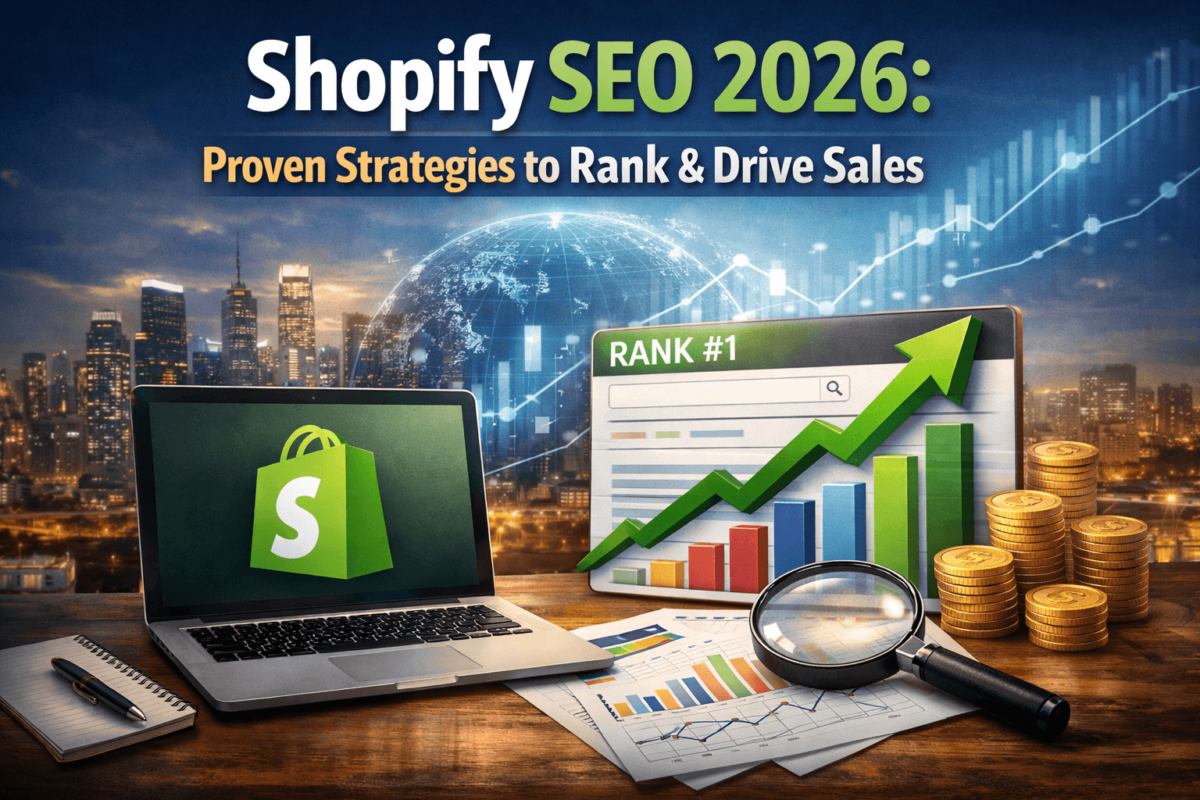
Shopify SEO in 2026 works — but only if you stop treating it like an afterthought. The stores that rank are the ones that nail their site structure, write real product content, build internal links, and play the long game with blog posts that actually answer buyer questions. You don’t need a massive budget or a fancy agency — you need a clear strategy, a little patience, and the willingness to do the work most store owners skip.
- Fix your site structure first. It’s the foundation everything else depends on.
- Keyword research isn’t optional. Target commercial + informational keywords.
- Collection pages are goldmines — most store owners completely ignore them.
- Page speed directly impacts rankings and conversions. Don’t sleep on it.
- Image optimization is free and fast. Alt text + compressed files = easy wins.
- Blog content builds topical authority and drives top-of-funnel traffic.
- A few quality backlinks beat hundreds of spammy ones every single time.
- Schema markup makes your listings stand out in search results.
- SEO apps can help, but they won’t save a store with bad fundamentals.
- Most Shopify SEO mistakes are fixable — duplicate pages, thin content, missing meta data.
What Makes Shopify SEO Different in 2026?
Here’s the thing — Shopify isn’t WordPress. It has its own quirks, its own limitations, and a few built-in advantages that people don’t talk about enough. If you’ve been applying generic SEO advice to your Shopify store and wondering why nothing’s moving, this is probably where things went sideways.
Platform Limitations You Need to Know About
Shopify has some structural issues that are just baked in. The biggest one? Duplicate content. By default, Shopify creates two URLs for every product — one under /products/ and one under /collections/product-name/. Google sees both, gets confused, and sometimes ranks the wrong one (or neither).
The fix is canonical tags, and Shopify handles most of this automatically now. But it’s worth double-checking, especially on older stores.
Another pain point is the URL structure. You can’t fully customize it — /collections/ and /products/ are locked in. That’s not a dealbreaker, but it means you need to be smarter about where you put your SEO energy.
Built-In SEO Strengths
On the flip side, Shopify does some things really well out of the box. It auto-generates sitemaps, handles basic redirects pretty cleanly, and its themes are generally mobile-responsive. You’re not starting from zero — you’re starting from a solid base.
Shopify also integrates well with Google Search Console and Google Analytics, which makes tracking your progress way easier than some other platforms.
Common Myths Worth Busting
❌ “Shopify is bad for SEO.” It’s not. It’s just different. Once you understand its structure, you can rank just fine.
❌ “You need expensive apps to rank.” Nope. The fundamentals — content, structure, speed — matter way more than any app.
❌ “SEO takes years to work on Shopify.” Not true. I’ve seen stores start seeing meaningful traffic in 60–90 days with the right moves.
Shopify SEO Fundamentals (Most People Skip This)
I’ve audited a lot of Shopify stores over the years. And almost every time, the traffic problems trace back to the same root cause: weak fundamentals. People jump straight to apps and backlinks without ever fixing the foundation. Don’t be that store.
Site Structure
Your store structure should be simple and logical: Homepage → Collection Pages → Product Pages. That’s it. The more clicks it takes to get from your homepage to a product, the harder it is for Google to crawl and rank those pages.
A flat structure — where most important pages are reachable in 3 clicks or fewer — is the goal. If you’ve got products buried 5 levels deep in subcategories, that’s a problem.
URL Logic
Keep your URLs clean and descriptive. /products/red-leather-wallet is infinitely better than /products/SKU-49281-RLW-v2. Use your main keyword in the URL — not your SKU, not a random product code.
Also, don’t change URLs unnecessarily once pages are indexed. Every URL change without a proper redirect is a potential ranking loss.
Internal Linking
This is one of the most underused SEO tactics in Shopify stores. Every product page, every collection, every blog post — they should all be linking to each other strategically.
Link from blog posts to relevant products. Link from products to related collections. Add “You might also like” sections that actually make sense contextually, not just algorithmically.
Crawlability
Google needs to be able to find and index your pages. Check your robots.txt file (usually at yourstore.com/robots.txt) and make sure you’re not accidentally blocking anything important. Submit your sitemap to Google Search Console if you haven’t already — it’s at yourstore.com/sitemap.xml.
Need to diagnose crawl issues? Our Crawl Budget Optimization guide covers this in depth.
Keyword Research for Shopify (With Real Examples)
Most people skip keyword research and wonder why their store gets no traffic. Others do keyword research but target the wrong kind of keywords. Here’s how to do it right for a Shopify store specifically.
Commercial vs. Informational Keywords
“how to clean leather wallet” — use these in your blog, not on product pages.
“buy leather wallet for men” — these go on product and collection pages.
Commercial keywords are what people search when they’re ready to buy: “buy leather wallet for men,” “best noise-canceling headphones under $100,” “organic dog food free shipping.” These go on your product and collection pages.
Informational keywords are what people search when they’re learning: “how to clean leather wallet,” “are noise-canceling headphones worth it,” “benefits of organic dog food.” These go in your blog.
Both matter. Informational content builds authority and captures traffic early in the buying journey. Commercial keywords close the deal.
Product Page Keywords
Each product page should target one primary keyword — usually the specific product name + a modifier. Think “[product] + [material/color/use case/brand]”:
- men’s slim leather bifold wallet
- wireless noise-canceling headphones for travel
- grain-free dry dog food for large breeds
Use tools like Google’s autocomplete, Amazon’s search bar, or a free tool like Ubersuggest to find what real buyers actually type.
Collection Page Targeting
Here’s where I see the biggest missed opportunity. Collection pages can rank for broad, high-volume keywords — “leather wallets,” “noise-canceling headphones,” “organic dog food” — but most store owners leave these pages with one sentence of description (or nothing at all).
Write 150–300 words of real, helpful content at the top of each collection page. Explain what makes your products unique, who they’re for, what materials you use. That’s it. That’s the move.
On-Page SEO for Shopify Products
Here’s where most Shopify store owners mess up — they upload a product, copy-paste the manufacturer description, and expect traffic. Spoiler: that’s not how it works.
Title Tags
Your product page title tag (not the product name — the SEO title) should include your target keyword and be under 60 characters. Put the keyword near the front.
Men’s Slim Leather Bifold Wallet | Brand Name
Brand Name – Product SKU 4829 – Brown – New 2026
In Shopify, edit this in the ‘Search engine listing preview’ section at the bottom of each product page.
Product Descriptions
Write original descriptions. I can’t stress this enough. Manufacturer descriptions are used by dozens or hundreds of other stores — Google sees it as duplicate content and ignores you.
Your description should answer: What is it? Who is it for? Why is it better than alternatives? What problem does it solve? Aim for 150–300 words minimum. Use your keyword naturally — once or twice is enough.
Image Optimization
Two things that most people forget:
- File names: Rename your images before uploading. “mens-slim-leather-wallet-brown.jpg” beats “IMG_4829.jpg” every time.
- Alt text: Every image should have a descriptive alt tag that includes your keyword where it fits naturally. This helps with image search and accessibility.
Also compress your images. Huge uncompressed files slow down your store and tank your Core Web Vitals. Use a tool like TinyPNG or Shopify’s built-in compression.
Schema Markup Basics
Schema markup is code that helps Google understand your page content. For Shopify products, the most important schema types are Product (with price and availability) and Review. Shopify themes often include basic product schema — check yours by searching your source code for “application/ld+json.”
If yours is missing it, apps like JSON-LD for SEO can add it quickly. Rich snippets (star ratings, price info in search results) can significantly improve your click-through rates.
See our full guide on Schema Markup for AI Search to go further with structured data.
Technical SEO for Shopify (Simplified)
Technical SEO sounds scary. It’s really not — at least not on Shopify. You’re not managing server configurations here. Most of it comes down to speed, mobile experience, and making sure Google can do its job.
Speed Optimization
Page speed is a direct Google ranking factor. And on Shopify, the biggest culprits are almost always:
- Too many apps: Every app you install adds JavaScript that loads on your storefront. Audit your apps quarterly and delete anything you’re not actively using.
- Uncompressed images: Already covered above — compress everything. A 4MB hero image is store-killing.
- Heavy themes: Some premium Shopify themes are bloated with features nobody uses. If your theme is slow, consider switching to something leaner like Dawn (Shopify’s free default theme).
Test your speed at PageSpeed Insights (free from Google). Aim for a score above 60 on mobile — 80+ is great.
Mobile UX
Over 70% of eCommerce traffic in 2026 comes from mobile. If your store is clunky on a phone, you’re losing both customers and rankings.
Check your store on your actual phone regularly. Can you read the text without zooming? Do buttons hit easily with a thumb? Does checkout work smoothly? If you’re grimacing at any of these — fix it.
Core Web Vitals (Explained Simply)
Core Web Vitals are Google’s way of measuring user experience. There are three metrics:
- LCP (Largest Contentful Paint): How fast your main content loads. Target: under 2.5 seconds.
- INP (Interaction to Next Paint): How quickly your page responds when someone clicks or taps. Target: under 200ms.
- CLS (Cumulative Layout Shift): How much your page layout jumps around while loading. Target: under 0.1.
You can check all three in Google Search Console under ‘Core Web Vitals’ or in PageSpeed Insights. Focus on LCP first — it has the biggest impact.
Read our complete Core Web Vitals Guide for actionable fixes for each metric.
Shopify Apps That Actually Help SEO
I’ll be upfront: most Shopify SEO apps are glorified checklists. They’re not going to rank your store. But a few are genuinely useful for specific tasks. Here’s my honest take from testing most of them.
SEO Tools
Good for bulk editing meta titles and descriptions across hundreds of products. If you’re managing a large catalog, the time savings alone justify the cost. The free version covers basic audits well enough for new stores.
More feature-rich than Plug In SEO. Good for stores where you need granular control over JSON-LD schema, 404 monitoring, and keyword tracking. Worth it for intermediate users.
Expensive upfront but a one-time fee. If rich snippets and schema are your priority, this is the most thorough option. The ROI from improved click-through rates tends to pay for itself quickly.
This isn’t even an app — it’s a must-have. Connect it immediately. It shows you exactly which queries drive impressions, which pages have crawl errors, and your Core Web Vitals status. There’s no substitute.
Analytics Tools
If your Google Analytics data looks unreliable (and for Shopify stores it often does), Littledata fixes the tracking. Accurate data means better decisions — worth it if you’re doing significant ad spend too.
Reviews aren’t just social proof — they add fresh, keyword-rich content to your product pages automatically. They also enable review schema, which can get you those star ratings in search results.
The honest downside of apps? They add page weight. Every app you install should earn its place. If it’s not actively helping, it’s actively hurting.
Link Building for Shopify Stores
Backlinks are still one of the strongest ranking signals in 2026. But the game has changed. A thousand spammy directory links will do more harm than good. Here’s what actually works for eCommerce stores.
Beginner-Friendly Tactics
- Supplier and manufacturer pages: If you sell branded products, check if the brand has a “where to buy” or “authorized retailer” page. Getting listed there is a free, highly relevant link.
- Resource pages and gift guides: Search for “[your niche] + gift guide” or “best [your product category] + resources.” Email the site owners. Be concise: explain who you are, what you sell, and why their readers would find it valuable. A 20% response rate is normal — keep going.
- Local press and community features: If you’re a U.S.-based store, local news sites and community blogs often write about local businesses. A local backlink from a .edu or local newspaper is surprisingly powerful.
- Product PR outreach: Send free samples to micro-influencers and niche bloggers in exchange for honest reviews and a link. This works especially well in categories like beauty, fitness, home goods, and pets.
- HARO (now Connectively): Respond to journalist queries in your niche. When your response gets used, you often get a link from a major publication. It takes time but the links are top-tier.
What to Avoid
Buying links from link farms or Fiverr SEO gigs · Mass directory submissions · Private blog networks (PBNs) · Irrelevant link exchanges. Google’s 2024–2026 updates have gotten extremely good at identifying and penalizing unnatural link patterns. The risk is not worth it.
Real-Life Shopify SEO Case Study
Let me walk you through a scenario I’ve seen play out multiple times — the kind of store that finally “clicks” once the fundamentals are in place.
Home Goods Niche — Handmade Ceramic Mugs
The Starting Point
A small home goods store selling handmade ceramic mugs. Revenue was entirely dependent on paid ads and Instagram. Organic search traffic? Less than 200 visitors per month. The owner had been running the store for two years.
The Audit Revealed
- Product pages with 2–3 sentence descriptions copied from the supplier
- Collection pages with zero text content
- No blog — at all
- Images uncompressed (some over 3MB each)
- Page speed score: 28/100 on mobile
- Zero internal links between products and collections
What We Fixed (Over 90 Days)
- Rewrote descriptions for the top 20 products with original, keyword-targeted content (150–250 words each)
- Added 100–200 word descriptions to all 8 collection pages
- Published 6 blog posts targeting informational keywords
- Compressed all product images — average page size dropped by 65%
- Added internal links from blog posts to relevant product and collection pages
- Submitted sitemap to Google Search Console and fixed 14 crawl errors
Results After 90 Days
No paid links. No expensive apps. Just solid, consistent fundamentals applied properly.
Common Shopify SEO Mistakes That Kill Rankings
I’ve seen these same mistakes over and over. If any of these sound familiar, fix them this week.
Thin Content
Product pages with one paragraph (or less) of description, collection pages with no text, and blog posts under 300 words — Google sees all of this as “thin content” and actively deprioritizes it. The fix: Add real, helpful content. It doesn’t have to be perfect. It just has to be genuinely useful to the person reading it.
Duplicate Pages from Shopify’s URL Structure
As mentioned earlier, Shopify creates two URLs for each product. Make sure your theme is using canonical tags correctly to tell Google which version to index. Most modern Shopify themes handle this, but it’s worth verifying in your page source.
Ignoring Collection Pages
This is the most common mistake I see. A collection page targeting “women’s running shoes” should rank easily if it has good content, good internal links, and real products. Instead, most store owners treat these pages as purely navigational and leave them bare.
Missing or Duplicate Meta Tags
Every page should have a unique meta title and meta description. Shopify will auto-generate them from your product titles if you don’t set them — but the auto-generated versions are often terrible. Take 10 minutes per page and write them yourself.
Not Using Blog Content
A Shopify store without a blog is leaving serious traffic on the table. Your blog isn’t just a place to share company news — it’s a tool for capturing top-of-funnel search traffic, building topical authority, and creating internal linking opportunities.
Slow Page Speed from App Overload
I’ve seen stores with 30+ apps installed. Every single one adds overhead. Audit your apps list, test your speed, and cut anything that’s not earning its place.
Read our SEO Audit Report guide to systematically find and fix these issues on your store.
Step-by-Step Shopify SEO Improvement Guide
Here’s exactly what to do, in order. Don’t skip ahead — each step builds on the last.
Step 1: Fix Your Site Structure (Week 1)
- Audit your navigation — all key collections should be reachable from the main menu
- Make sure every product belongs to at least one collection
- Submit your sitemap at
yourstore.com/sitemap.xmlto Google Search Console - Check robots.txt for anything accidentally blocked
Step 2: Do Keyword Research (Week 1–2)
- List your top 10 products and 5 most important collections
- Use Google Autocomplete, Amazon search, and Ubersuggest to find keyword variations
- Identify 1 primary keyword per product page, 1 per collection page
- Note 10–15 informational keywords for future blog posts
Step 3: Optimize Your Top 10 Products (Week 2–3)
- Write original product descriptions (150–300 words minimum)
- Set unique SEO titles (under 60 characters, keyword first)
- Write meta descriptions (under 155 characters, include keyword and a call to action)
- Rename image files and add alt text
- Compress all images
Step 4: Write Collection Page Content (Week 3–4)
- Add 150–300 words of original content to each main collection page
- Include target keyword naturally in the first paragraph
- Set unique meta titles and descriptions for every collection
Step 5: Add Internal Links (Week 4)
- Link from each product page to its parent collection
- Add “related products” or “you might also like” sections
- Link between related collections in your collection descriptions
Step 6: Improve Page Speed (Week 4–5)
- Run PageSpeed Insights on your homepage and top 3 product pages
- Compress any image above 200KB
- Audit installed apps — remove anything unused
- Consider switching to a faster theme if speed score is below 40
Step 7: Launch a Blog Content Strategy (Week 5–8)
- Write and publish 4 informational blog posts targeting buyer-adjacent keywords
- Each post should be 800–1,500 words
- Link from each blog post to at least 2 relevant products or collections
- Commit to publishing 1–2 posts per month going forward
Step 8: Start Building Links (Month 2–3)
- List your store on supplier/brand retailer pages
- Identify 5 niche gift guides or resource pages to pitch
- Reach out to 3–5 micro-influencers or niche bloggers for reviews
- Set up a Connectively (HARO) account and respond to relevant queries
Strategy Comparison: Effort vs. Impact
Not sure where to start? Use this table to prioritize:
| Strategy | Difficulty | Impact | Time to Results |
|---|---|---|---|
| Fix Site Structure | Easy | High | 1–2 weeks |
| Keyword Research | Easy | High | 2–4 weeks |
| On-Page Optimization | Easy | High | 2–6 weeks |
| Product Page Rewrites | Medium | High | 4–8 weeks |
| Image Alt Text & Speed | Easy | Medium | 1–3 weeks |
| Technical SEO Audit | Medium | High | 4–12 weeks |
| Collection Page SEO | Medium | Very High | 4–8 weeks |
| Blog Content Strategy | Medium | High | 8–16 weeks |
| Link Building | Hard | Very High | 3–6 months |
| Schema Markup | Medium | Medium | 2–4 weeks |
Frequently Asked Questions
Final Thoughts
Look — Shopify SEO in 2026 isn’t some mysterious black box. It’s work. Consistent, unglamorous, totally-worth-it work.
The stores that win aren’t necessarily the ones with the biggest budgets or the most sophisticated tech stacks. They’re the ones that committed to doing the basics right: real content on every page, a clean structure Google can crawl, images that don’t take 10 seconds to load, and a blog that actually helps their customers.
I’ve seen stores go from invisible to thousands of organic visitors per month by doing exactly what’s in this guide. No shortcuts, no magic apps, no paid links. Just solid fundamentals applied consistently over time.
Start with Step 1. Don’t overthink it. The best time to fix your Shopify SEO was two years ago — the second best time is this week.
If you found this guide helpful and you’re serious about scaling your store’s organic traffic, take a look at the tools mentioned above — particularly Google Search Console (free, non-negotiable) and a lightweight SEO app once you’re managing 50+ products. The right stack won’t do the work for you, but it’ll make sure you’re not working blind.
Ready to Grow Your Store’s Organic Traffic?
TechCognate helps eCommerce brands rank, drive traffic, and build long-term SEO foundations.
Get in Touch →