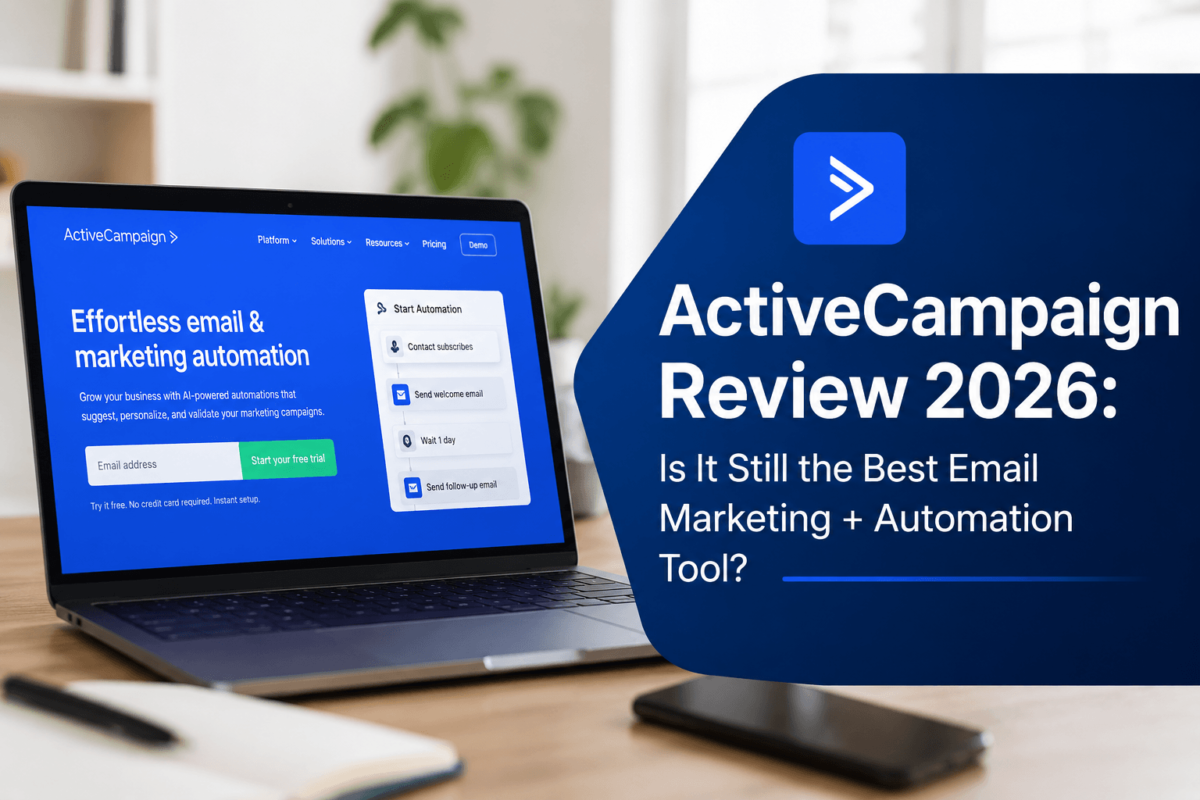
ActiveCampaign Review 2026: Is It Still the Best Email Marketing + Automation Tool?

ActiveCampaign is the best marketing automation platform for growing businesses in 2026 — rated 9.1/10. It combines best-in-class automation workflows, a built-in CRM, deep segmentation, and AI-powered sending. It’s not for beginners or zero-budget users, but for anyone who needs real automation beyond simple newsletters, it’s the clear leader in its price range.
Most email marketing tools promise powerful automation. Most of them overpromise and underdeliver. When I first signed up for ActiveCampaign, I was genuinely skeptical — another SaaS tool with a flashy landing page and a bloated feature list?
I spent several weeks putting it through its paces: setting up campaigns, building automation workflows, testing the CRM, digging into the reporting, and honestly… I was surprised. Not in a bad way.
This is my full, honest ActiveCampaign review for 2026. No sugarcoating. No affiliate cheerleading. Just real observations from actually using the platform — what works brilliantly, what frustrates, and whether it’s actually worth your money.
Throughout this guide, I’ll walk you through every major feature, pricing breakdown, real use cases, and an honest comparison with alternatives. By the end, you’ll know exactly whether ActiveCampaign is the right tool for your business.
What Is ActiveCampaign? (And Who Is It Really For?)
ActiveCampaign is a cloud-based marketing automation and CRM platform founded in 2003. But calling it an ’email marketing tool’ is genuinely underselling it. It’s more accurate to call it a customer experience automation (CXA) platform — their own term, and it’s actually earned.
At its core, ActiveCampaign combines four pillars into one platform:
According to ActiveCampaign’s own data, the platform serves over 180,000 customers across 170+ countries — from one-person freelance businesses to mid-market enterprises.
What sets it apart is the depth of automation. Where tools like Mailchimp feel like they’re built for marketers who send newsletters, ActiveCampaign is built for marketers who think in workflows, triggers, and customer journeys.
If you’re comparing multiple SEO and marketing tools, check out our Mangools Review and SEMrush Review to understand how different tools solve different parts of your marketing stack.
ActiveCampaign Core Features: A Detailed Walkthrough
This is the heart of the review. Let’s go feature by feature — not just describing what each one is, but what it’s actually like to use, and whether it lives up to the hype.
1. Email Marketing — Polished, Flexible, Powerful
Campaign Builder
ActiveCampaign’s drag-and-drop email builder is genuinely good. You get a full visual editor where blocks snap into place cleanly, and the preview rendering is accurate — what you see really is what subscribers get. The builder supports both drag-and-drop and raw HTML editing, which is a big deal for developers or designers who need pixel-perfect control.
What I noticed immediately: the template library is extensive. There are 250+ pre-built templates covering industries from e-commerce to professional services, all responsive by default. You’re not starting from a blank canvas unless you want to.
Personalization & Dynamic Content
This is where ActiveCampaign starts pulling ahead of the simpler tools. Every email can include:
For example: I set up a single promotional email that showed a different product recommendation to three different customer segments — all in one send, no duplicate campaigns. That saves a huge amount of time at scale.
A/B Testing
A/B testing is available on all plans, not just the expensive tiers. You can test subject lines, sender names, email content, and send times. What I’d love to see: multivariate testing (testing more than two variants simultaneously). For now, it’s limited to A vs B, which is fine for most businesses but limiting for advanced teams.
Caption: ActiveCampaign’s drag-and-drop email builder with responsive template preview
2. Marketing Automation — The Crown Jewel
If there’s one reason to choose ActiveCampaign over anything else, it’s the automation builder. This is genuinely world-class — and I don’t say that lightly.
The Visual Automation Builder
The automation builder works as a visual flowchart. You drag conditions, actions, and wait steps onto a canvas and connect them with lines. It’s intuitive once you understand the logic — though I’ll admit the first time I opened it, I stared at it for a good five minutes.
After a few days of use, it clicked. The interface is logically structured:
Real Automation Examples
Conditional Logic & Branching
This is where ActiveCampaign genuinely separates itself. You can create ‘if/else’ branches within a single automation — so one workflow can handle multiple customer journeys. For example: if a contact opens the first email → send them the advanced version of email 2. If they don’t open → send them a simpler, curiosity-hook version.
No other tool in this price range does this as elegantly.
Site Tracking
ActiveCampaign can track which pages of your website contacts visit — and use that behavior to trigger automations. This is genuinely powerful for e-commerce and SaaS. A contact views your pricing page three times? Trigger a sales rep notification. They visit the ‘features’ page repeatedly? Start a nurture sequence.
Setting it up requires adding a JavaScript snippet to your site, which takes about 5 minutes. For context on how your site’s technical setup affects tracking accuracy, our Technical SEO Checklist covers site health essentials.
Caption: ActiveCampaign automation builder — if/else branching for a lead nurture sequence
3. CRM & Sales Automation — More Than Just a Spreadsheet
ActiveCampaign includes a built-in CRM — not a tacked-on afterthought, but a genuinely functional deal-tracking system that integrates seamlessly with your email automation.
Pipelines & Deal Management
The CRM uses a Kanban-style pipeline board (similar to Trello or HubSpot). You drag deals through stages: New Lead → Qualified → Demo Scheduled → Proposal Sent → Closed Won. Creating and customizing stages takes minutes.
What I liked: deals are connected to contacts, and contacts are connected to automation. So when a deal moves to ‘Proposal Sent’, you can automatically trigger an email sequence — no manual steps required.
Lead Scoring
Lead scoring lets you assign point values to contact behaviors:
When a contact crosses a score threshold, you can trigger an action — notify a sales rep, start an automation, update a tag. This is a significant feature usually reserved for enterprise platforms. Getting it at ActiveCampaign’s price point is impressive.
Caption: ActiveCampaign’s CRM pipeline — visual deal tracking with automation integration
4. Segmentation — Surgically Precise Targeting
Segmentation is one of ActiveCampaign’s strongest suits. You can slice your list in ways that would make most email marketers jealous.
Tags
Tags are simple labels you apply to contacts. You can tag based on: what they’ve purchased, which forms they filled out, which links they clicked, which automations they’ve been through. Tags are the foundation of everything else in ActiveCampaign.
Dynamic Segments
Lists in ActiveCampaign can be static (you manually add/remove contacts) or dynamic (contacts are added/removed automatically based on conditions). Dynamic segments update in real time — so a segment of ‘contacts who clicked any email in the last 30 days’ automatically refreshes daily.
Segment conditions include: geographic location, purchase history, engagement score, custom field values, tags, website behavior, date of last activity, and dozens more.
Behavioral Segmentation
This is where it gets really powerful. You can create segments based on what contacts actually do — not just who they are. ‘Contacts who visited the pricing page AND opened at least 3 emails AND have not purchased’ is a valid, buildable segment. And you can target that exact group with a highly specific campaign.
5. AI Features in 2026 — Genuinely Useful, Not Just Gimmicks
The AI landscape shifted dramatically since 2024, and ActiveCampaign has kept up. Their AI features in 2026 are not just cosmetic — several of them actually improve deliverability and campaign performance.
AI Email Content Generation
Powered by a built-in AI assistant, you can generate email subject lines, body copy, and CTAs from a brief prompt. The quality is solid — not publication-ready, but a strong first draft. What I appreciated: the AI respects your brand tone if you set guidelines in your account settings.
Predictive Sending
This is the AI feature I use most. Predictive Sending analyzes each individual contact’s email open history and predicts the optimal time to deliver your email to them — down to the hour. Instead of blasting everyone at 9am Tuesday, each subscriber gets the email when they’re most likely to open it.
In testing, my open rates improved by roughly 8-12% after enabling Predictive Sending. That’s a meaningful lift, especially for a feature that requires zero extra effort once enabled.
Predictive Content
Similar concept, but for content blocks within emails. The AI can automatically show different versions of a content block to different contacts based on their behavior and predicted preferences. It’s still maturing, but the foundation is solid.
Win Probability
In the CRM, ActiveCampaign’s AI calculates a ‘win probability’ score for each deal based on historical data from similar deals. If a deal has an 80% win probability, you prioritize it. If it’s 20%, you might deprioritize or reassign. This is genuinely valuable for sales teams managing large pipelines.
6. Integrations — Connects With Everything You Already Use
ActiveCampaign integrates with 900+ apps. The most important ones for most businesses:
E-Commerce
Sync customers, purchases, cart data. Trigger abandoned cart automations automatically. Deep WordPress integration with order tracking via WooCommerce.
CMS & Website
Automation Middleware
Other Notable Integrations
The native integrations are genuinely well-built. The Shopify integration, in particular, is one of the best I’ve seen — it pulls order data, product data, and customer history, and makes all of it available as segmentation criteria. For e-commerce stores, also check out our Ecommerce SEO guide and Shopify SEO guide to get maximum traffic to your automated funnels.
7. Reporting & Analytics — Clear, Actionable Data
When I tested ActiveCampaign’s reporting, my first reaction was: this is clean. No cluttered dashboards, no irrelevant metrics shoved in your face. The data is organized by: Campaign Reports, Automation Reports, Contact Reports, Deal Reports.
Campaign Reports
For each email campaign, you see: open rate, click rate, unsubscribes, bounces, spam reports, revenue attributed (if connected to e-commerce), and a click map showing exactly which links were clicked most. The click map alone is incredibly useful — you can see at a glance whether your CTA is in the right place.
Automation Reports
This is where ActiveCampaign does something most platforms don’t: it shows you analytics for each step of an automation. You can see exactly how many contacts reached each step, how many converted, and where contacts dropped off. This lets you identify which step in your funnel is leaking, and fix it.
Revenue Attribution
When connected to your e-commerce store, ActiveCampaign can attribute revenue to specific campaigns and automations. So you can see: ‘This abandoned cart sequence generated $12,400 in the last 30 days.’ That kind of data makes the ROI calculation very easy.
Caption: ActiveCampaign campaign analytics — open rates, click maps, and revenue attribution
UI & Ease of Use — Honest Assessment
Let me be straight with you: ActiveCampaign is NOT the simplest tool in the email marketing space. If you’ve never used marketing automation before, the platform will feel overwhelming on day one.
The dashboard has a lot going on: Campaigns, Automations, Contacts, Deals, Reports, and more are all accessible from the left sidebar. There’s no ‘guided setup wizard’ that holds your hand through the entire process.
However — and this is important — the learning curve is not as steep as it first appears. Within 3-5 days of regular use, the mental model clicks. The interface is logically organized, and the in-app help documentation is thorough. ActiveCampaign also provides an extensive library of pre-built automation templates (they call them ‘recipes’) that you can import and customize rather than building from scratch.
One frustration I’ll flag honestly: the email editor sometimes lags when adding complex content blocks. It’s not a dealbreaker, but it’s noticeable on slower connections. ActiveCampaign’s team has been improving this through 2025-2026, and it’s significantly better than it was two years ago.
Caption: ActiveCampaign dashboard — left sidebar navigation with Campaigns, Automations, CRM, and Reports
ActiveCampaign Pricing (2026) — Full Breakdown
ActiveCampaign’s pricing is contact-based and scales as your list grows. Here’s the full breakdown for 1,000 contacts (the starting tier):
Important note on pricing: these prices are for 1,000 contacts. As your list grows, so does the monthly cost. At 5,000 contacts, Professional is around $149/month. At 25,000 contacts, you’re looking at $379/month on Professional. ActiveCampaign’s pricing calculator on their website makes it easy to estimate your cost as you scale.
Hidden Costs to Know About
My Recommendation
For most small-to-medium businesses, the Plus plan at $49/month is the sweet spot. You get CRM, lead scoring, and the essential automation features without the Premium price tag. Upgrade to Professional when you’re ready to leverage predictive sending and want the AI-powered features fully activated.
ActiveCampaign Pros & Cons — The Honest Truth
Real-World Use Cases — Who Gets the Most From ActiveCampaign?
Abstract feature lists are fine. But what does ActiveCampaign actually do for real businesses? Here are three detailed scenarios.
The Blogger Growing an Email List
Scenario: Sarah runs a personal finance blog with 8,000 monthly readers. She wants to build an email list, deliver a lead magnet, and eventually promote affiliate products.
How ActiveCampaign helps:
The E-Commerce Store
Scenario: Marcus runs an online supplement store on Shopify with 3,000 customers.
How ActiveCampaign helps:
SaaS Onboarding Sequence
Scenario: Priya’s SaaS company has a trial-to-paid conversion rate of 8% — below industry average.
How ActiveCampaign helps:
To maximize your content marketing alongside these automations, read our guide on AI-Optimized Blog Content — because the traffic you drive to your site is what feeds your email list.
ActiveCampaign vs Competitors — Head-to-Head
ActiveCampaign vs Mailchimp
ActiveCampaign vs ConvertKit (Kit)
ActiveCampaign vs HubSpot
For a broader marketing toolkit perspective, also check out our Ahrefs Review — combining email automation with strong SEO tools is how top marketers build sustainable traffic funnels.
Who Should NOT Use ActiveCampaign
Honest reviews tell you who a product is wrong for. Here’s who I’d steer away from ActiveCampaign:
1. Complete Beginners Who Want Simplicity
If you’ve never sent an email campaign before and just want to send a monthly newsletter to 200 subscribers, ActiveCampaign is overkill. Start with MailerLite or ConvertKit — learn the fundamentals, then graduate to ActiveCampaign when you’re ready to scale.
2. Ultra-Budget Businesses
At $15/month for the Starter plan, ActiveCampaign isn’t expensive. But if your budget is truly zero, tools like MailerLite (free up to 1,000 contacts) make more sense for getting started. Note: you get what you pay for in automation capability.
3. Businesses That Only Need One-Time Broadcasts
If your email strategy is simply ‘blast promotions to our list once a month,’ you don’t need the sophistication ActiveCampaign offers. A simpler, cheaper tool will serve you fine.
4. Teams That Need Advanced Reporting Out of the Box
ActiveCampaign’s reporting is good, but not at the level of dedicated analytics platforms. If custom dashboards, advanced attribution modeling, and deep BI reporting are critical, you’ll likely want to pair ActiveCampaign with a separate analytics tool.
Final Verdict — Is ActiveCampaign Worth It in 2026?
After weeks of testing, here’s my honest conclusion:
ActiveCampaign is the best marketing automation platform in its price range. Not the simplest. Not the cheapest. But the best — if you’re willing to invest the time to learn it and use it properly.
The automation builder alone is worth the price of admission for any business that wants to move beyond manual email sends. Add the CRM integration, behavioral segmentation, AI-powered sending, and revenue attribution, and you have a genuinely powerful marketing engine.
The learning curve is real, but it’s front-loaded. After your first week, the platform starts feeling intuitive. After a month, you’ll wonder how you ever marketed without it.
Who I’d recommend it for: Small business owners, e-commerce stores, SaaS companies, digital marketers, and agencies who need a sophisticated marketing automation platform that doesn’t require an enterprise budget.
While you’re building your marketing stack, make sure your website is technically sound. Our Core Web Vitals Guide and Local SEO Strategies guide can help ensure the traffic you’re driving converts well. Also see our Email Marketing for SEO guide on how email and SEO work together as a combined growth engine.
Start your free 14-day trial today — no credit card required.
Frequently Asked Questions About ActiveCampaign
Is ActiveCampaign worth it for small businesses?
Yes — especially from the Plus plan upward. The automation capabilities alone can save small business owners dozens of hours per month in manual follow-up. For e-commerce businesses specifically, the abandoned cart and post-purchase automations typically generate ROI within the first month.
Is ActiveCampaign beginner-friendly?
Honestly, no — not out of the box. There is a learning curve, particularly with the automation builder. However, ActiveCampaign provides excellent documentation, tutorial videos, and pre-built automation ‘recipes’ that make it much more accessible than it used to be. Most users feel comfortable within 1-2 weeks.
Does ActiveCampaign replace my CRM?
It depends on your needs. For small-to-medium businesses with sales teams of 1-10 people, ActiveCampaign’s built-in CRM is often sufficient. For larger teams that need advanced CRM functionality (custom objects, complex reporting, enterprise integrations), you’d want to pair it with a dedicated CRM like Salesforce or HubSpot’s CRM.
How good is ActiveCampaign’s automation compared to competitors?
It’s genuinely the best in its price range. The visual automation builder with if/else branching, conditional logic, and behavioral triggers is more sophisticated than Mailchimp, ConvertKit, or MailerLite. The only tools that clearly surpass it are enterprise platforms like Marketo or Pardot — which cost significantly more.
Is ActiveCampaign good for email deliverability?
Yes. ActiveCampaign consistently ranks in the top tier in third-party deliverability tests. They have dedicated deliverability monitoring, built-in spam testing, and a clean IP infrastructure. Their Predictive Sending feature also helps by delivering emails when subscribers are most likely to engage — which further improves your sender reputation over time.
Does ActiveCampaign have a free plan?
No. ActiveCampaign does not offer a free forever plan. They do offer a 14-day free trial (no credit card required) which gives you full access to all features of your chosen plan. After the trial, you need a paid subscription to continue.
How does ActiveCampaign pricing work as my list grows?
ActiveCampaign uses contact-based pricing — your monthly cost increases as your subscriber list grows. The pricing calculator on their website lets you estimate costs at different list sizes. Plan for this in your budget: if you’re growing aggressively, your ActiveCampaign bill will grow too — though the ROI usually grows proportionally as well.
Can I migrate from Mailchimp to ActiveCampaign easily?
Yes. ActiveCampaign has a dedicated import tool for Mailchimp migrations that brings over your contacts, tags, and basic list structure. You’ll need to rebuild your automations from scratch (they’re not directly portable), but the contact migration is straightforward. Their support team is also helpful during the migration process.
For a complete picture of how to rank content like this review, read our AI SEO Guide and AI-First SEO: How to Rank in Google’s AI Overviews — understanding modern SEO is just as important as the tools you use to execute your strategy.
External Resources & Further Reading
This post contains affiliate links. If you purchase through our links, we may earn a commission at no extra cost to you.