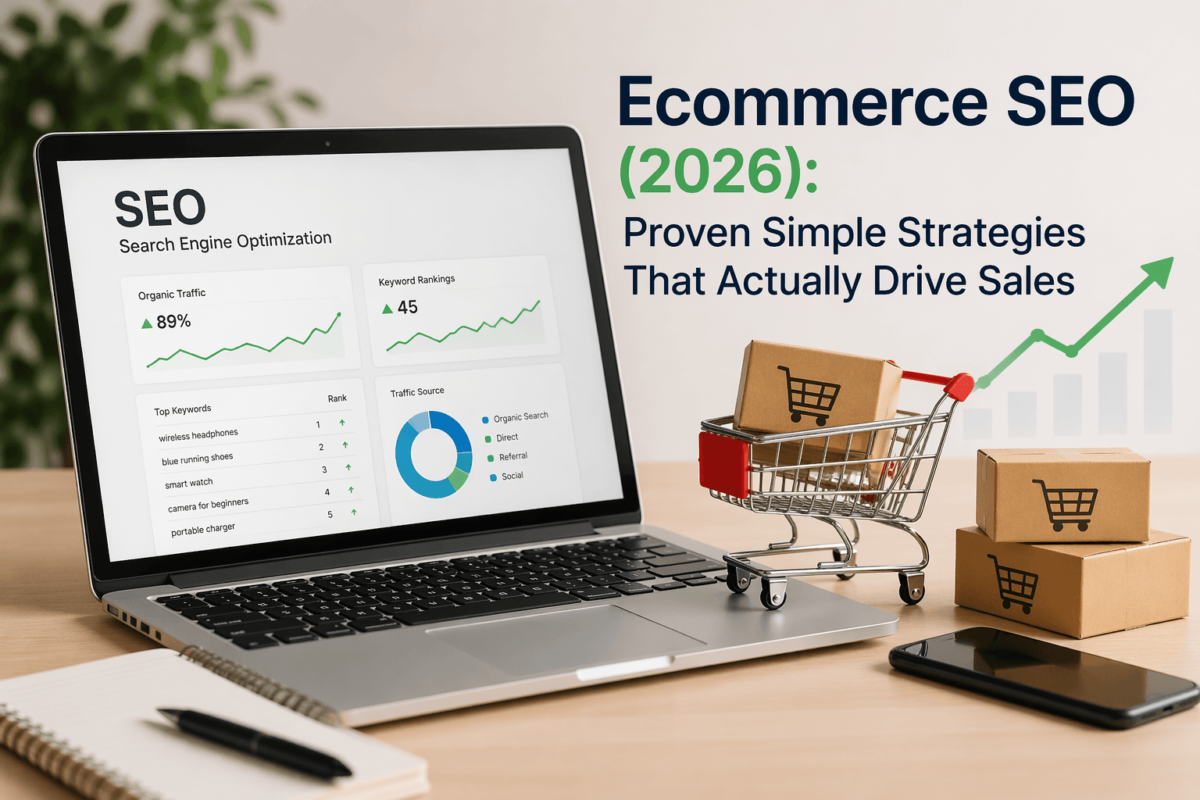
Ecommerce SEO is the process of optimizing your online store so your products and category pages show up when shoppers search on Google. Done right, it’s the most cost-effective traffic channel you’ll ever build — because the people landing on your pages are already looking to buy. The catch? Ecommerce SEO is more complex than regular blog SEO, and most stores are leaving serious money on the table by ignoring the basics.
📋 Quick Summary: What You’ll Learn
- What ecommerce SEO actually is — and why it’s different from regular SEO
- The 4 core pillars every store needs to get right
- How to run an ecommerce SEO audit without hiring an agency
- Step-by-step optimization tactics for product & category pages
- Real examples from actual stores that fixed common mistakes
- The best tools to use in 2026 (with affordable alternatives)
- A complete FAQ answering the questions store owners ask most
- Realistic timelines — how long SEO actually takes for ecommerce
01 What Is Ecommerce SEO (and Why Most Stores Get It Wrong)
Let’s start simple. Ecommerce SEO — sometimes written as e-commerce SEO or SEO for ecommerce — is the practice of optimizing an online store to rank higher in search engine results. The goal is to get your product pages, category pages, and supporting content in front of people who are actively searching for what you sell.
Simple concept. Messy execution.
The reason most stores get it wrong is that they treat SEO as an afterthought. They launch the store, run some Google Ads to get sales, and then think about SEO when the ad costs start eating into margin. By that point, they’re already 12 months behind a competitor who started optimizing on day one. I’ve seen this pattern more times than I can count.
There’s also a mindset problem. A lot of store owners think ecommerce SEO just means stuffing keywords into product titles. That’s maybe 5% of the work. The other 95% — technical structure, crawlability, site speed, internal linking, duplicate content, schema markup — gets ignored because nobody talks about it in plain English.
So that’s what this guide is for.
It’s not keyword stuffing. It’s not buying backlinks from sketchy sites. It’s not posting one thin blog post a month and hoping for the best. And it’s definitely not a one-time task.
Common Mistakes That Kill Ecommerce Rankings
Before we get into strategy, let’s call out the mistakes I see constantly:
- Using manufacturer descriptions — Every store selling the same product uses the same copy. Google sees duplicate content everywhere and ranks nobody.
- Ignoring category pages — Most stores optimize product pages and forget about category pages entirely. That’s backwards. Category pages often rank for higher-volume terms.
- Letting faceted navigation run wild — Filters like
?color=red&size=Mcreate thousands of duplicate URLs. Without handling this properly, you’re wasting crawl budget and confusing Google. - No internal linking strategy — Products exist as isolated islands with no link equity flowing between them.
- Slow load times — Ecommerce sites are often bloated with apps, heavy images, and tracking scripts. Every second of delay costs conversions and rankings.
- Missing or broken structured data — Not using product schema means missing out on rich snippets (star ratings, price, availability) in search results.
02 How Ecommerce SEO Is Different from Regular SEO
If you’ve ever read a generic SEO guide and tried applying it to your store, you probably hit a wall. That’s because most SEO content is written for content sites and blogs — not for stores with thousands of product pages, variant URLs, and shopping-intent keywords.
Here’s a quick breakdown of the key differences:
| Feature | Ecommerce SEO | Regular SEO |
|---|---|---|
| Focus | Product & category pages, faceted nav | Blog content, service pages |
| Complexity | High — large-scale, crawl issues, duplication | Medium |
| Conversion intent | Very high — shoppers are ready to buy | Medium — research phase |
| Keyword types | Transactional (buy, best, cheap, shop) | Informational (how, what, why) |
| Technical issues | Faceted navigation, duplicate content, crawl budget | Thin content, slow pages |
| Content volume | Thousands of product pages | Dozens to hundreds of articles |
| Link building | Harder — product pages earn fewer links | Easier via content marketing |
| Local SEO factor | Important for local ecommerce / click & collect | Varies widely |
| Tools needed | Crawl audit tools, GSC, GMC, schema validators | Standard keyword & link tools |
The biggest practical difference? Scale. A typical blog might have 50 to 200 pages. A medium-sized ecommerce store might have 5,000 to 50,000 pages — and every single one needs to be crawlable, indexable, and worth ranking.
That’s why technical SEO matters so much more for ecommerce. You can write the best product description in the world, but if Google can’t crawl your pages properly, it doesn’t matter.
Run Screaming Frog on your store right now. Set it crawling and see how many pages it finds vs. how many you think you have. Most store owners are shocked.
03 The 4 Core Pillars of Ecommerce SEO
You can think of SEO for ecommerce as a four-legged table. Remove any one leg and the whole thing becomes unstable. The four pillars are: Technical SEO, On-Page SEO, Content SEO, and Link Building. Let’s break each one down.
🔧 Technical SEO
Crawlability, site speed, Core Web Vitals, duplicate content, URL structure, HTTPS & crawl budget.
📄 On-Page SEO
Product titles, meta descriptions, H1 tags, unique descriptions, image alt text & product schema.
✍️ Content SEO
Buyer guides, product comparisons, FAQ content & topic clusters that attract informational traffic.
🔗 Link Building
Digital PR, supplier links, unlinked mentions, resource page outreach & competitor backlink analysis.
Pillar 1: Technical SEO for Ecommerce
Technical SEO is the foundation. If this isn’t right, nothing else you do will work as well as it should. For ecommerce stores, technical SEO covers a lot of ground.
Crawlability and Indexation — Google needs to be able to find, crawl, and index your pages. Common issues include blocking important pages via robots.txt, using noindex tags incorrectly, or having your sitemap out of date.
Site Speed and Core Web Vitals — Google officially uses Core Web Vitals as a ranking signal. Largest Contentful Paint (LCP), Interaction to Next Paint (INP), and Cumulative Layout Shift (CLS) all matter. For ecommerce stores, images are usually the biggest culprit. Make sure you’re using next-gen formats like WebP, lazy loading images below the fold, and compressing everything before upload. See our full Core Web Vitals Guide for deeper detail.
Duplicate Content from Faceted Navigation — This is the big one. Filtering options like ?color=blue&size=medium create unique URLs that are often near-identical in content. The fix is to either use canonical tags pointing back to the main category URL, or configure your CMS to noindex filtered pages. Shopify handles some of this automatically — but not all of it.
URL Structure — Keep URLs clean and keyword-rich. Something like /diamond-engagement-rings/solitaire-ring/ is far better than /products/12345?variant=xyz. Clean URLs are easier for both users and search engines to understand.
HTTPS and Security — Non-negotiable in 2026. If you’re still on HTTP, you’re not just hurting SEO — you’re actively scaring off customers.
Crawl Budget — For large stores, Google allocates a finite amount of time to crawl your site. Waste it on low-value pages (thin filters, empty category pages, internal search results) and your important product pages don’t get crawled as frequently.
A mid-sized apparel Shopify store I reviewed had 14,000 indexable URLs from faceted navigation — and only 800 actual products. After implementing canonicals on filtered pages and submitting a clean sitemap, organic traffic to product pages increased significantly within three months.
Pillar 2: On-Page SEO for Product and Category Pages
On-page SEO is where most stores focus — but they’re usually doing it wrong. Let’s talk about what actually moves the needle.
Product Page SEO — Your product page is your money page. Every product should have:
- A unique, keyword-rich title tag — Not just the product name. Include relevant keywords naturally. ‘Round Cut Diamond Solitaire Engagement Ring – 18K White Gold’ beats ‘Ring – Style 42’ every time.
- A unique meta description — Don’t let your platform auto-generate these. Write them yourself with a clear value proposition and a soft call to action.
- An H1 that matches search intent — The H1 should include your primary keyword, but sound natural.
- Unique product descriptions — Copying manufacturer descriptions is the single fastest way to stop a product page from ranking. Write something unique, even if it’s short.
- Optimized image alt text — Every product image should have a descriptive alt tag.
- Product schema markup — Structured data helps Google display rich results: star ratings, price, availability. See our Schema Markup Guide.
- Internal links to related products and categories — Guide users (and link equity) to related items.
Category Page Optimization — Category pages are the unsung heroes of ecommerce SEO. They typically target broader, higher-volume keywords and pass link equity down to product pages.
Most stores have almost no content on their category pages. That’s a missed opportunity. Add a 100–200 word intro section at the top with relevant keywords woven in naturally. Include an FAQ at the bottom. Add structured data for breadcrumbs.
Think of your category pages as landing pages, not just index pages.
Pick your 5 most important category pages right now. Write a 150-word intro paragraph for each one that includes your target keyword at least 2–3 times naturally. This alone can move rankings in 4–8 weeks.
Pillar 3: Content SEO (Blogs and Buyer Guides)
Here’s where a lot of ecommerce store owners resist. ‘I run a store, not a blog.’ I get it. But content marketing is one of the highest-ROI SEO activities for ecommerce stores — especially in competitive niches.
The reason? Informational keywords drive huge traffic volumes. Someone searching ‘how to choose a diamond engagement ring’ isn’t ready to buy yet — but they’re in the research phase. If your store answers those questions, you build trust, you rank for those terms, and when they’re ready to buy, your brand is at the top of their mind.
What to write about: Focus on buyer intent content. This includes product comparisons, buying guides, and FAQ content. Avoid random blog topics that have nothing to do with your products.
Content strategy that works: Build content silos. Create one pillar page per major product category, then write supporting blog posts that link back to it.
Content length: Longer, more comprehensive content tends to outperform thin content in most ecommerce niches. A 1,500–2,000 word buyer guide will typically outrank a 300-word product description blog post.
A Shopify jewelry store published a 2,000-word guide on ‘How to Choose the Right Ring Size.’ That post now ranks on page one for multiple ‘ring size guide’ queries and sends qualified traffic to their ring pages every month — at zero ongoing cost.
Pillar 4: Link Building for Ecommerce
Backlinks remain one of Google’s top ranking factors, and they’re especially hard to earn for ecommerce stores. No one naturally links to a product page. But there are proven strategies that work.
- Digital PR — Create genuinely interesting data, studies, or infographics that journalists and bloggers want to reference.
- Supplier and Brand Links — If you’re an authorized retailer for specific brands, ask to be listed on their ‘Where to Buy’ page. These are usually high-authority, easy wins.
- Unlinked Brand Mentions — Use a tool like Ahrefs to find sites that mention your brand but don’t link to you. A simple outreach email has a surprisingly high success rate.
- Resource Page Link Building — Find resource pages in your niche and pitch your store or content for inclusion.
- Guest Posting — Writing articles for industry blogs is still effective if you do it in relevant, high-quality publications.
- Competitor Backlink Analysis — Use Ahrefs or a similar tool to see who links to your competitors but not you.
Never buy links from link farms or paid directories. Google’s spam policies have gotten sharper, and a manual penalty can tank your traffic overnight. Build links legitimately — it takes longer but the results are durable.
04 Ecommerce SEO Audit: What It Is and How to Run One
An ecommerce SEO audit is a systematic review of your store to identify everything that’s preventing you from ranking higher. Think of it as an annual health check for your organic traffic. See our detailed SEO Audit Report guide for a step-by-step walkthrough.
A proper audit covers five areas: technical health, on-page optimization, content quality, off-page signals (backlinks), and competitive positioning.
| Area | What to Check | Priority |
|---|---|---|
| Crawlability | robots.txt, XML sitemap, noindex tags, crawl errors in GSC | Critical |
| Site Speed | Core Web Vitals, image compression, unused JS, server response time | Critical |
| Duplicate Content | Faceted nav pages, pagination duplication, identical product variants | High |
| Product Page SEO | Unique titles, meta descriptions, schema, H1 tags, image alt text | High |
| Category Pages | Unique intro copy, keyword targeting, internal links to products | High |
| Mobile UX | Mobile-friendly test, tap targets, font sizes, checkout on mobile | High |
| Internal Linking | Breadcrumbs, related products, category to product links | Medium |
| Structured Data | Product schema, breadcrumb schema, review schema | Medium |
| URL Structure | Clean URLs (/category/product), no session IDs or tracking params | Medium |
| Backlink Profile | Total links, toxic links, anchor text distribution | Medium |
| Content Quality | Blog posts, buyer guides, unique product descriptions | Medium |
| Page Titles & Metas | Under 60 chars title, 155 chars meta, include keywords | High |
| 404 / Redirects | Broken links, proper 301 redirects for discontinued products | Medium |
| HTTPS | Full HTTPS, no mixed content warnings | Critical |
| GSC Setup | Verified, sitemaps submitted, no manual penalties | Critical |
The audit table above gives you a complete checklist. But let me give you the shortcut version: if you only have time to fix five things, fix them in this order:
- Fix all critical crawl and indexation issues first (broken robots.txt, sitemap errors, noindex on important pages)
- Get your Core Web Vitals into the green zone — especially on mobile
- Eliminate duplicate content from faceted navigation
- Write unique titles, H1s, and meta descriptions for your top 20 product and category pages
- Set up Google Search Console properly and submit your sitemap
Tools to Run Your Audit
You don’t need to spend hundreds of dollars to do a solid audit. Here are the tools I’d recommend, from free to paid:
- Google Search Console (free) — Check for crawl errors, manual penalties, Core Web Vitals issues, and search performance. This should be open in a tab constantly.
- PageSpeed Insights (free) — Run this on your homepage, a category page, and a product page. Fix what it flags.
- Screaming Frog (free up to 500 URLs) — The best technical crawl tool available. Finds broken links, duplicate content, missing tags, and more.
- Ahrefs or SEMrush — For keyword research, competitor analysis, and backlink auditing. Both are investment-level tools, but cheaper alternatives like Ubersuggest or Mangools exist. Read our Ahrefs Review and SEMrush Review.
- Schema Markup Validator (free) — Go to schema.org’s validator and test your product pages. Rich results start with valid schema.
05 Real-Life Examples: What Fixing Ecommerce SEO Actually Looks Like
Enough theory. Let’s look at what these fixes actually do in practice.
The Shopify Store That Fixed Product Titles and Doubled Organic Traffic
A small US-based Shopify store selling handmade leather goods was getting almost no organic traffic despite having 200+ products. Their product titles looked like this: ‘Wallet – Brown,’ ‘Belt – Black,’ ‘Bag – Medium.’
After running a simple keyword audit, we rewrote every product title to match actual search queries: ‘Handmade Brown Leather Bifold Wallet – Full Grain,’ ‘Full Grain Leather Belt – Men’s Black Dress Belt.’
Six weeks later, clicks from organic search had roughly doubled. The titles matched what people were actually searching for — and Google started ranking them accordingly. No new content. No link building. Just better titles.
The WooCommerce Store That Fixed Duplicate Content and Recovered Lost Rankings
A mid-sized clothing store on WooCommerce was seeing declining organic rankings despite publishing new content regularly. A technical audit revealed that their filter URLs (?size=large, ?color=blue, ?sort=price) were all indexed — creating thousands of near-duplicate pages.
The fix: adding canonical tags to all filtered URLs pointing back to the main category URL, and updating their robots.txt to disallow crawling of pagination parameters.
Over the following 12 weeks, Google re-indexed the site with a much cleaner structure. Crawl errors dropped by 80%, and category pages started recovering lost ranking positions.
The Category Page That Started Ranking After Adding 150 Words
A UK fine jewelry store had a category page for ‘Diamond Tennis Bracelets’ that ranked on page 3–4 for the target keyword. The page had no text — just a grid of products.
We added a 180-word intro paragraph at the top explaining what diamond tennis bracelets are, key buying considerations, and why their collection stood out. We also added an FAQ section at the bottom with 5 questions.
Within 8 weeks, the page moved to page 1 for its primary keyword and started ranking for 40+ related terms. The content gave Google something to understand and evaluate — and it gave shoppers useful context before they started browsing products.
The Store That Found 50K in Missed Revenue with a Simple Keyword Gap Analysis
Using a basic keyword gap analysis in SEMrush, we found that a competitor was ranking for over 300 keywords that our client’s store wasn’t targeting at all. Most were long-tail variations: ‘lab grown diamond earrings under $500,’ ‘conflict-free diamond studs,’ ‘oval lab created diamond earrings 1ct.’
By creating dedicated product pages and optimizing existing ones for these gap keywords over a 6-month period, organic revenue from those terms added up to tens of thousands of dollars — without a single dollar spent on ads.
Keyword gap analysis is one of the most underused ecommerce SEO tactics. If you’re not doing it at least quarterly against your top 3–5 competitors, you’re flying blind.
06 Step-by-Step: How to Improve Your Ecommerce SEO in 2026
Okay, let’s make this as practical as possible. Here’s the exact sequence I’d follow if I were starting from scratch with a new store — or trying to fix an underperforming one.
-
1
Fix Technical Issues First
Before you optimize a single word of copy, make sure Google can actually crawl your site properly. Set up Google Search Console, submit your XML sitemap, run Screaming Frog to fix broken links, check for noindex tags on important pages, run PageSpeed Insights (aim for 80+ on mobile), and check robots.txt to ensure you’re not accidentally blocking key pages. Prioritize mobile. As of 2026, Google uses mobile-first indexing for all sites. See the Technical SEO Checklist for a full reference.
-
2
Optimize Your Product Pages
Work through your top 20–30 revenue-generating products first. Rewrite the title tag to include the main keyword + key product attributes. Write a unique meta description with a value proposition and CTA. Add a unique product description (minimum 150 words). Optimize all image alt tags with descriptive, keyword-rich text. Add Product schema — include name, image, description, price, availability, and aggregateRating. Link to related products and the parent category.
-
3
Improve Your Category Pages
Add a 150–200 word intro paragraph at the top of each category page — include the primary keyword in the first 50 words. Add an FAQ section at the bottom of key category pages. Check that your H1 includes the primary keyword. Add breadcrumb navigation and implement BreadcrumbList schema. Include internal links from category pages to your most important product pages. Set unique, keyword-rich meta titles for every category — don’t let your platform auto-generate them.
-
4
Build a Smart Internal Linking Structure
Use breadcrumbs everywhere — Home > Category > Subcategory > Product. Link related products from each product page. Link from blog posts to relevant category and product pages. Build top-level navigation that gives your most important category pages a direct link from the homepage. Fix orphan pages — run a crawl and identify any products or category pages with zero internal links pointing to them. Use keyword-rich anchor text (‘shop our diamond tennis bracelet collection’) rather than generic text (‘click here’).
-
5
Build a Content Calendar Around Buyer Intent
Start with keyword research — use Google Autocomplete, Answer The Public, and Ahrefs/SEMrush to find questions your buyers are asking. Focus on buyer intent content — comparisons, buying guides, FAQ posts, ‘best of’ lists in your product category. Build topic clusters. Optimize old content — find existing posts that rank on page 2–3 and update them with fresh content, better keyword targeting, and internal links. One well-researched 1,500-word post per week beats five thin 300-word posts.
-
6
Build Backlinks the Right Way
Start with supplier and brand links — fastest and most legitimate. Create one genuinely useful piece of content per month designed to earn links (data, guides, tools, infographics). Monitor competitor backlinks with Ahrefs — reach out to any site linking to three or more competitors. Fix unlinked brand mentions — set up Google Alerts for your brand name and reach out to anyone mentioning you without a link. Submit to quality directories in your niche — not spam directories, but curated ‘best of’ lists and industry resource pages.
07 Best Ecommerce SEO Tools in 2026
You don’t need to spend thousands a month on tools. Here’s what I’d actually recommend depending on your budget and stage:
| Tool | What It Does | Best For | Cost |
|---|---|---|---|
| Ahrefs | Full SEO suite — keywords, backlinks, site audit | Best overall for ecommerce SEO research | $99+/mo |
| SEMrush | Competitor analysis, keyword gap, position tracking | Great for tracking vs. competitors | $129+/mo |
| Screaming Frog | Technical crawl — finds all on-page issues fast | Must-have for audits | Free / $259/yr |
| Google Search Console | Impressions, clicks, Core Web Vitals, index issues | Free — use it daily | Free |
| PageSpeed Insights | Speed and Core Web Vitals analysis | Good starting point before deeper dives | Free |
| Surfer SEO | Content optimization — tells you what to include on pages | Good for product/category copy | $89+/mo |
| Rank Math / Yoast | On-page SEO for WordPress stores (WooCommerce) | Easy schema + meta optimization | Free / Paid |
| Shopify SEO plugins | Smart SEO, SEO Manager for Shopify stores | Automates meta tags and alt text | $10–$30/mo |
For most small-to-medium Shopify stores, I’d suggest starting with: Google Search Console (free) + Screaming Frog free tier + one paid tool — either Ahrefs Starter or SEMrush Pro. That combination covers 90% of what you need.
SEMrush and Ahrefs both offer 7-day free trials. Run your full competitor analysis and keyword research during the trial, export everything, then decide if you need to keep the subscription.
08 Shopify SEO Specifically: What’s Different
A lot of readers running Shopify stores want platform-specific advice, so let’s address that directly.
Shopify’s SEO strengths: Auto-generated sitemaps, clean URL structure out of the box, HTTPS by default, good meta tag editing in the admin, and a wide range of SEO apps.
Shopify’s SEO weaknesses: The biggest one is URL structure. Shopify forces all products into /products/ and all collections into /collections/ — which means your URLs can’t perfectly match a custom hierarchy. This isn’t a dealbreaker, but it’s something to be aware of.
Canonical tags and faceted navigation: Shopify auto-canonicalises paginated collection pages and product variant pages to the main product/collection URL. This handles a lot of the duplicate content issue automatically — but not all of it. If you use collection filtering apps, check whether they’re creating indexable filtered URLs.
App bloat: Every Shopify app you install adds JavaScript to your storefront. Too many apps will slow your store significantly. Audit your apps and remove anything you don’t actively use. This alone often dramatically improves Core Web Vitals.
Recommended Shopify SEO setup: Smart SEO or SEO Manager app for bulk meta tag editing and schema generation. Tinypng or a CDN for image optimization. And Google Search Console connected from day one.
Use the ‘Edit website SEO’ section at the bottom of every product and collection page. Don’t leave these blank or accept Shopify’s auto-generated defaults. Every page that ranks starts with a manually written title and meta description.
09 How Long Does Ecommerce SEO Take? (Honest Timeline)
One of the most common questions store owners ask me: ‘When will I see results?’ The honest answer is: it depends — but here’s a realistic timeline.
wks
Foundation
Technical fixes, GSC setup, sitemap submission, fixing crawl errors. You won’t see ranking changes yet, but you’re removing blockers.
wks
Early Signals
If you’ve optimized product titles and meta descriptions, you may start seeing impressions increase in GSC. Some quick wins (fixing noindex, adding schema) can show up faster.
mo
Real Movement
Properly optimized product and category pages start moving in rankings for long-tail keywords. Expect page 2–3 for most terms. Page 1 for brand terms and very long-tail queries.
mo
Compounding
Blog content starts ranking. Category pages climb for competitive terms. Internal linking starts distributing authority effectively.
mo+
Competitive Positioning
With consistent effort on content and link building, you can realistically compete for mid-competition category-level terms.
Anyone promising page 1 results in 30 days is lying or selling snake oil. Good ecommerce SEO is a 6–12 month investment that builds a compounding asset — not a quick fix.
10 Frequently Asked Questions About Ecommerce SEO
✓ Final Thoughts: Start Small, Stay Consistent
Ecommerce SEO can feel overwhelming when you look at everything at once. Technical health, product page rewrites, category optimization, blog content, backlinks, schema, site speed — it’s a long list.
But here’s the thing: you don’t need to do all of it at once. And you definitely don’t need to hire an agency to get started.
Start with your product pages. That’s where the money is. Fix titles, write unique descriptions, add proper alt text, and implement schema. Do this for your top 20 products and you’ll see results within 6–8 weeks.
Then move to category pages. Add intro copy, target the right keywords, build breadcrumbs. Category pages are your high-leverage SEO asset — most stores underinvest here.
Then fix the technical stuff. Set up GSC, run a crawl, fix broken links, deal with duplicate URLs, improve site speed. This is your foundation — everything else performs better when it’s solid.
Then build content and links as your longer-term strategy. These take time but they compound. A good blog post from two years ago still sends traffic today.
One more thing: don’t let perfect be the enemy of done. A 200-word product description written today beats a perfectly optimized one you never finish. Ship something, measure it, improve it. That’s how SEO actually works in practice.
You’ve got this.
Open Google Search Console right now. If it’s not set up, set it up. If it is, check the Coverage report. Find the first three critical or error-level issues it flags and fix them this week. That’s your starting point.
📚 Related Guides on TechCognate
Need Expert Ecommerce SEO Help?
TechCognate helps store owners drive more organic traffic with proven SEO strategies — no fluff, no guesswork.
Get a Free SEO Consultation