Best Payment Gateways: 5 Best Tools Compared (2026)
By Jaykishan Panchal, Founder of TechCognate | Updated August 2026
Quick Answer
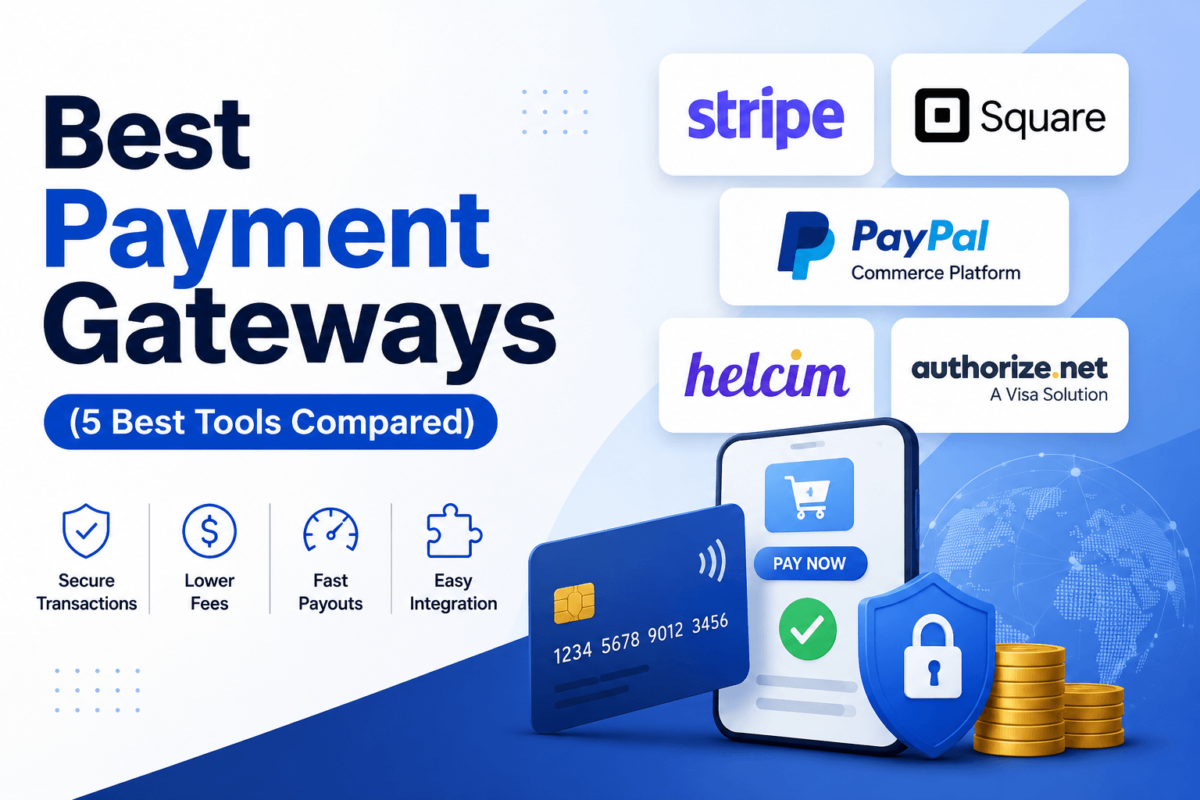
The short answer is: Stripe is the best overall payment gateway for most online businesses thanks to its developer-friendly API and broad ecosystem, Square wins for businesses that sell both in person and online, PayPal Commerce Platform is best when buyer trust and wallet recognition matter most, Helcim is the most transparent and affordable option at scale thanks to interchange-plus pricing, and Authorize.net is the safest bet for merchants who want to keep their own merchant account and gateway separate. There is no single “best” gateway for everyone — the right choice depends on your transaction volume, sales channels, and technical resources. Below, we break down pricing, features, and real trade-offs for all five.
If you have ever typed “which payment gateway is best” into Google at 11 p.m. while trying to launch your store, you already know the problem. Every provider claims to be the cheapest, the most secure, and the easiest to set up. Some of that is true. A lot of it is marketing.
Is Stripe really worth the 2.9% + 30¢ it charges on every sale? Is PayPal too expensive for a small business just getting started? Which gateway is actually the easiest to integrate into a Shopify or WooCommerce store without hiring a developer? These are the questions that matter, and they rarely have a one-size-fits-all answer.
This guide compares five payment gateways — Stripe, Square, PayPal Commerce Platform, Helcim, and Authorize.net — across the factors that actually affect your bottom line: pricing, ease of use, integrations, international support, security, recurring billing, ecommerce compatibility, customer support, and overall value. We are not going to tell you every gateway is “great for everyone.” We will tell you which one fits your specific situation, and why.
Quick Comparison Table
Here’s the short version. If you only have two minutes, this table gets you 80% of the way to a decision.
| Provider | Best For | Starting Fees | Monthly Fee | Int’l Payments | Recurring Billing | Rating |
|---|---|---|---|---|---|---|
| Stripe | Developers & SaaS | 2.9% + 30¢ | $0 | 135+ currencies | Yes (Billing) | 4.6/5 |
| Square | Online + in-person | 2.6% + 15¢ | $0–$149 | Limited (select countries) | Yes (Invoices) | 4.5/5 |
| PayPal Commerce | Buyer trust & conversion | 2.89% + 29¢–49¢ | $0 | 200+ markets | Yes | 4.3/5 |
| Helcim | Transparent, high volume | Interchange + 0.35%–0.5% | $0 | Canada & US only | Yes (+0.4%) | 4.6/5 |
| Authorize.net | Established merchants | 2.9% + 30¢ | $25 | Yes, via processor | Yes (ARB) | 4.2/5 |
Rates shown are standard US online card rates as published by each provider as of 2026 and can change — always confirm current pricing on the provider’s site before signing up.
1. Stripe — Best Overall Payment Gateway
Overview
Stripe is built for people who want their payment gateway to be programmable, not just clickable. If you have a developer on staff, or you’re a solo founder comfortable copying API keys into your codebase, Stripe gives you more control over the checkout experience than almost anyone else on this list. It also happens to power a huge share of the SaaS and subscription businesses you interact with every day, which says something about how well it holds up at scale.
Key Features
- Stripe Checkout & Elements — prebuilt, customizable UI components so you don’t have to design a payment form from scratch.
- Stripe Billing — subscription management with proration, trials, dunning, and usage-based pricing built in.
- Radar — machine-learning fraud detection included at no extra cost on the standard plan.
- 135+ currencies and 40+ payment methods, including Apple Pay, Google Pay, and regional wallets like iDEAL and Klarna.
- Extensive documentation and SDKs for virtually every major programming language.
- Connect for marketplaces that need to split payments between multiple sellers.
|
Pros
|
Cons
|
Pricing
Bottom line: Stripe charges 2.9% + 30¢ per successful online card transaction in the US, with no monthly, setup, or hidden fees on its standard pay-as-you-go plan.
- Online cards: 2.9% + 30¢ per transaction
- In-person (Terminal): 2.7% + 5¢ per transaction
- International cards: +1.5% on top of the base rate; currency conversion adds another 1%
- ACH direct debit: 0.8%, capped at $5 per transaction
- Chargebacks/disputes: $15 per dispute (refunded if you win)
- Stripe Billing (subscriptions): an additional 0.5%–0.7% of recurring volume
- Enterprise/custom pricing: available for businesses processing roughly $5M+ annually
Best For
SaaS companies, subscription businesses, developers who want full control over checkout, and any online business that expects to scale internationally without switching providers later.
Why We Recommend It
In most cases, Stripe is the safest default recommendation because it scales with you instead of forcing a migration later. A solo founder can be live in an afternoon with prebuilt Checkout; a 200-person engineering team can build a fully custom payment flow on the same underlying API. Few competitors offer that range without asking you to change platforms somewhere along the way.
Ready to start accepting payments with Stripe? Create a free Stripe account →
2. Square — Best for Online + In-Person Selling
Overview
Square started as a little white card reader that plugged into an iPhone, and it has grown into a full commerce operating system. If your business sells at a farmers market on Saturday and online the rest of the week, Square is one of the only gateways on this list that treats both channels as first-class citizens instead of an afterthought.
Key Features
- Unified POS and online store — inventory, orders, and reporting sync automatically across channels.
- Free online store builder (Square Online) with built-in payment processing.
- Hardware ecosystem — card readers, terminals, registers, and kiosks purchased directly from Square.
- Square Invoices with recurring billing for service-based businesses.
- Next-business-day deposits standard, with instant transfers available for a fee.
- No chargeback fee — a genuine differentiator versus most competitors on this list.
|
Pros
|
Cons
|
Pricing
Bottom line: Square’s Free plan has no monthly fee, but online rates increased to 3.3% + 30¢ in January 2026. Paid plans lower the percentage rate in exchange for a monthly subscription.
- Free plan ($0/mo): 2.6% + 15¢ in person, 3.3% + 30¢ online
- Plus ($49/mo): lower in-person rate, 2.9% + 30¢ online
- Premium ($149/mo): 2.4% + 15¢ in person, 2.9% + 30¢ online
- Manually keyed / card-on-file: 3.5% + 15¢
- Chargeback fees: none
- Custom pricing: available for businesses processing $250,000+ per year
Best For
Retail stores, restaurants, salons, and any hybrid business that needs one system to handle a countertop card reader and a website cart at the same time.
Why We Recommend It
Here’s the key difference between Square and everything else on this list: it was designed around a physical card reader first, and the online store was built to match it — not the other way around. If your revenue actually comes from a mix of counter sales and web orders, that unified inventory and reporting is worth more than shaving a fraction of a percent off your processing rate elsewhere.
Want to try Square risk-free? Get started with Square →
3. PayPal Commerce Platform — Best for Buyer Trust & Conversion
Overview
Is PayPal too expensive? Sometimes. Is it worth having as an option at checkout anyway? Usually, yes. PayPal Commerce Platform is the developer-facing version of the PayPal you already know as a consumer — it lets you embed PayPal, Venmo, Pay Later, and standard card processing into your own checkout via API, rather than just a “Pay with PayPal” button.
Key Features
- 200+ markets and 25+ currencies, with some of the deepest global brand recognition of any provider.
- Advanced/Expanded Checkout — API-level integration with lower rates than the standard PayPal button.
- Pay in 4 / Pay Later built-in buy-now-pay-later at checkout.
- Venmo acceptance for US merchants targeting a younger demographic.
- Seller and buyer protection programs that reduce perceived checkout risk.
- One-click recognition — many shoppers already have saved PayPal credentials, which can lift conversion.
|
Pros
|
Cons
|
Pricing
Bottom line: PayPal’s rate depends heavily on which checkout product you use — the API-based Advanced/Expanded Checkout is meaningfully cheaper than the plug-and-play PayPal button.
- Standard Checkout (PayPal/Venmo): 3.49% + 49¢
- Standard card payments via PayPal: 2.99% + 49¢
- Advanced/Expanded Checkout (API): from 2.89% + 29¢
- Micropayments (under ~$10): 5% + 5¢, better for low-ticket digital goods
- International transactions: add roughly 1.5% plus a currency conversion spread
- Chargeback fee: around $20 per dispute
Best For
Ecommerce stores selling to a broad consumer audience, marketplaces, and any business where checkout trust and conversion matter more than shaving a fraction off the processing rate.
Why We Recommend It
In most cases, we don’t recommend PayPal as a merchant’s only gateway — the fees are simply higher than the alternatives. But offering it alongside Stripe or Square is one of the easiest, lowest-effort ways to reduce cart abandonment, because a meaningful share of shoppers specifically look for the PayPal option before entering card details anywhere else.
Curious how PayPal Commerce Platform fits your checkout? Explore PayPal Commerce Platform →
4. Helcim — Best Value for Growing Businesses
Overview
Helcim is the gateway to look at once you’ve outgrown “simple flat rate” and started caring about what you’re actually paying. Instead of charging one blended percentage on every card, Helcim uses interchange-plus pricing — it passes through the wholesale interchange rate set by the card networks and adds a small, published markup on top. That transparency is rare in this industry.
Key Features
- Interchange-plus pricing with the exact markup published on Helcim’s site — no guessing.
- Automatic volume discounts that recalculate monthly based on your rolling 3-month average, no negotiation needed.
- Dedicated merchant accounts rather than a shared pool, which reduces the risk of sudden account freezes.
- All-in-one platform covering online payments, invoicing, and point-of-sale hardware.
- Automatic Level 2/3 data optimization that lowers rates on B2B and corporate card transactions.
- No monthly fees, no setup fees, no PCI compliance fees, and no cancellation fees.
|
Pros
|
Cons
|
Pricing
Bottom line: Helcim charges interchange-plus pricing with no monthly fees at all — the average effective rate runs lower than flat-rate competitors once volume increases.
- In-person: interchange + roughly 0.4% + 8¢ (average effective rate around 1.93% + 8¢)
- Online: interchange + roughly 0.5% + 25¢ (average effective rate around 2.49% + 25¢)
- Recurring billing surcharge: +0.4% on subscription/auto-charge transactions
- Volume discounts: applied automatically at higher monthly processing tiers
- Setup, monthly, PCI, and cancellation fees: $0
Best For
Established small and mid-sized businesses processing $10,000+ per month that want to stop overpaying on a flat-rate gateway, plus B2B sellers who benefit from automatic Level 2/3 rate optimization.
Why We Recommend It
Bottom line: if you’re comfortable with a variable rate instead of one flat number, Helcim usually wins on pure cost the moment your volume climbs past what a hobbyist store processes. It’s not the best fit for someone making five sales a week, but for a business with consistent, growing revenue, the transparency and automatic discounts add up fast.
Want to see your real, interchange-plus rate? Get started with Helcim →
5. Authorize.net — Best for Established Merchants
Overview
Authorize.net, now owned by Visa, has been processing payments since 1996 — longer than any other name on this list. It’s less flashy than Stripe and less consumer-facing than PayPal, but that’s kind of the point: it’s a pure payment gateway built to sit on top of whatever merchant account or processor you already trust, giving established businesses flexibility Stripe and Square don’t offer.
Key Features
- Gateway-only option — bring your own merchant account instead of being locked into one processor.
- Automated Recurring Billing (ARB) for subscriptions and installment plans.
- Advanced Fraud Detection Suite with configurable, rules-based filters.
- Customer Information Manager (CIM) for secure, tokenized card-on-file storage.
- Accepts credit cards, eChecks/ACH, Apple Pay, Google Pay, and PayPal through one integration.
- Virtual Terminal for phone and mail-order transactions.
|
Pros
|
Cons
|
Pricing
Bottom line: Authorize.net always carries a $25/month gateway fee, but that fee bundles fraud protection, recurring billing, and reporting that would cost extra elsewhere.
- All-in-One (merchant account + gateway): $25/mo + 2.9% + 30¢ per transaction
- Gateway Only (bring your own merchant account): $25/mo + 10¢ per transaction + 10¢ daily batch fee
- eCheck/ACH: 0.75% per transaction, no fixed fee
- Setup fees: none through the official sign-up page
- Custom enterprise pricing: available for high-volume merchants through a Visa/Authorize.net sales rep
Best For
Businesses that already have a merchant account relationship they want to keep, B2B companies with phone/mail-order sales, and any operation that wants a processor-agnostic gateway as insurance against being locked in.
Why We Recommend It
The short answer is: Authorize.net earns its place through flexibility, not price. Paying $25 a month makes little sense for a brand-new store with a handful of orders. But for a business processing meaningful volume that wants the option to negotiate merchant account rates independently — or switch processors without rebuilding recurring billing from scratch — that monthly fee buys real independence.
See if Authorize.net fits your business: Compare Authorize.net plans →
Head-to-Head Comparisons
Sometimes the fastest way to decide is a direct matchup. Here’s how the most common comparisons shake out.
Stripe vs Square
In most cases, this comes down to channel, not price. Stripe wins for API flexibility, subscription billing, and pure online sales — especially if you have a developer. Square wins the moment you also sell in person, since its POS hardware, inventory, and online store share one dashboard. Pricing is close (Stripe: 2.9% + 30¢ online; Square Free: 3.3% + 30¢ online, 2.6% + 15¢ in person), so the deciding factor is usually your sales channel mix rather than the rate itself.
Stripe vs PayPal
Stripe is the better technical foundation; PayPal is the better trust signal. Stripe’s API is more flexible for custom checkout flows and its base rate (2.9% + 30¢) undercuts PayPal’s standard rate (3.49% + 49¢). But PayPal’s brand recognition can lift conversion for consumer-facing stores, which is why many merchants run both side by side rather than choosing one.
Square vs Helcim
Square is simpler and easier for a first-time merchant to set up with zero payments knowledge; Helcim is cheaper once volume grows, thanks to interchange-plus pricing versus Square’s flat rate. A new retail shop processing a few thousand dollars a month will likely prefer Square’s simplicity. A business doing $20,000+ a month will often save meaningfully by switching to Helcim.
Stripe vs Authorize.net
Stripe bundles the merchant account and gateway into one modern API with no monthly fee. Authorize.net separates the gateway from the merchant account and charges $25/month regardless of volume, but that separation is exactly what appeals to merchants who want the freedom to shop around for merchant account pricing independently. Developers building something custom generally prefer Stripe’s documentation and tooling.
Helcim vs Square
Both offer POS hardware and online payments, but Helcim’s interchange-plus pricing usually beats Square’s flat rate for anything beyond low volume, and Helcim charges zero monthly fees at any tier. Square remains the faster path to launch for a brand-new business with no processing history yet.
Payment Gateway Buying Guide
What Is a Payment Gateway?
A payment gateway is the technology that securely captures and encrypts a customer’s card details at checkout, then passes that data to the payment processor and the customer’s bank for approval. Think of it as the digital equivalent of a card reader — it doesn’t move the money itself, it authorizes the transaction and hands it off.
Payment Gateway vs Payment Processor
Here’s the key difference: the gateway captures and encrypts the transaction data at checkout, while the processor is the company that actually moves funds between the customer’s bank and your merchant account. Stripe, Square, and Helcim bundle both roles into one product, which is why setup feels so simple. Authorize.net, in its Gateway Only plan, deliberately separates the two, which is why it requires a merchant account from a separate provider.
Hosted vs Integrated Payment Gateways
A hosted gateway (like PayPal’s Standard Checkout button) redirects the customer to the provider’s own payment page, then brings them back to your site. It’s the fastest to set up and shifts most PCI compliance burden to the provider, but it interrupts the checkout flow and can hurt conversion. An integrated gateway (like Stripe Elements or PayPal’s Advanced Checkout) keeps the customer on your site the entire time, which typically converts better but requires more development work and a higher level of PCI compliance on your end.
What to Look For in a Payment Gateway
- Total cost: the percentage rate, fixed per-transaction fee, and any monthly or setup costs combined
- Ease of setup: can you go live today, or does it require a developer
- Supported countries and currencies: especially if you plan to sell internationally
- Fraud protection and PCI compliance: what’s included versus what costs extra
- Recurring billing and subscriptions: if you sell anything on a recurring basis
- POS support: if you also sell in person
- Multi-currency settlement: whether you get paid in your home currency automatically
- Developer APIs and checkout customization: how much control you have over the buyer experience
- Settlement/payout speed: next-day, 2-day, or instant (usually for a fee)
- Customer support quality: live chat, phone, or ticket-only
- Reporting and scalability: whether the tool still fits once volume grows 10x
Security: What Actually Protects Your Business
In most cases, all five gateways on this list meet baseline industry security requirements — but “secure” isn’t a single checkbox, it’s a stack of overlapping protections. Here’s what each layer actually does.
- PCI DSS compliance — the Payment Card Industry Data Security Standard is the baseline every gateway on this list must meet to legally process cards. All five providers here are PCI DSS Level 1 compliant.
- Tokenization — replaces the actual card number with a random token, so even if your database is breached, no usable card data is exposed.
- Encryption — card data is encrypted in transit (TLS) and at rest, so it can’t be intercepted or read if accessed without authorization.
- 3D Secure — an extra authentication step (like a one-time code) for card-not-present transactions that shifts fraud liability away from the merchant.
- Fraud detection — machine-learning risk scoring (like Stripe Radar or Authorize.net’s Fraud Detection Suite) that flags suspicious transactions before they settle.
- Chargeback protection — tools and documentation support that help you dispute illegitimate chargebacks; note that Square uniquely charges no dedicated chargeback fee.
- Risk management & reserves — providers may hold a percentage of funds in reserve for high-risk categories; this is more common with PayPal and Square than with a dedicated-merchant-account provider like Helcim.
- Account security — two-factor authentication and role-based dashboard access, available on all five platforms, and worth enabling on day one.
Ecommerce Platform Compatibility
A gateway is only as useful as its integration with the platform you actually run. Here’s how each connects to the major builders, which matters most if you’re running a Shopify store or comparing website builders for a new build.
| Platform | Stripe | Square | PayPal | Helcim | Authorize.net |
|---|---|---|---|---|---|
| Shopify | Native | App | Native | App | App |
| WooCommerce | Plugin | Plugin | Plugin | Plugin | Plugin |
| BigCommerce | Native | App | Native | Limited | Native |
| Magento / Adobe Commerce | Extension | Extension | Native | Limited | Extension |
| Wix | Native | Limited | Native | No | No |
| Squarespace | Limited | No | Native | No | No |
| OpenCart / PrestaShop | Extension | Limited | Native | Limited | Extension |
| Custom / headless | Full API | Full API | Full API | Full API | Full API |
If your store already runs on WordPress, pairing any of these gateways with the right foundation matters just as much as the gateway itself — see our guides to the best WordPress plugins and best Shopify apps for the tools that pair well with checkout.
Which Gateway Fits Your Industry?
| Business Type | Recommended Gateway | Why |
|---|---|---|
| Small business (general) | Square | Free plan, no coding, in-person + online in one place |
| Large enterprise | Stripe or Authorize.net | Custom pricing, dedicated support, deep integration options |
| Startups | Stripe | No monthly fee, scales from MVP to Series B without switching |
| Creators & freelancers | PayPal or Stripe | Familiar to clients, fast one-off invoicing |
| Subscription businesses | Stripe | Purpose-built Billing product with trials, proration, dunning |
| SaaS | Stripe | Usage-based billing and metered pricing support |
| Nonprofits | PayPal | Recognized donate buttons and discounted nonprofit rates |
| Restaurants | Square | Purpose-built POS, tipping, and table management |
| Retail | Square or Helcim | POS hardware plus inventory sync; Helcim if volume is high |
| Healthcare | Authorize.net | Established compliance track record and virtual terminal for phone payments |
| Professional services | Square or Helcim | Invoicing tools built for service-based billing |
| Digital products | Stripe | Instant delivery flows and low-friction checkout |
| Online courses / membership sites | Stripe | Recurring billing plus strong LMS/membership plugin support |
| Marketplaces | Stripe (Connect) | Native split-payment infrastructure for multi-seller platforms |
Pricing Comparison at a Glance
| Fee Type | Stripe | Square | PayPal | Helcim | Authorize.net |
|---|---|---|---|---|---|
| Online transaction fee | 2.9%+30¢ | 3.3%+30¢ | 2.89%–3.49%+29¢-49¢ | Interchange+~0.5%+25¢ | 2.9%+30¢ |
| Monthly fee | $0 | $0–$149 | $0 | $0 | $25 |
| Chargeback fee | $15 | $0 | ~$20 | Varies | Varies by processor |
| International surcharge | +1.5% | Limited support | +1.5% | US/Canada only | Depends on processor |
| Currency support | 135+ | Select countries | 25+ | USD/CAD | Depends on processor |
| Payout speed | 2 business days | Next business day | Instant to 1 day | 1–2 business days | Depends on processor |
| Hardware cost (if applicable) | Reader from $59 | Reader from $59; kits up to $1,189 | Zettle reader available | Terminal options available | N/A (gateway only) |
Performance Comparison
| Factor | Stripe | Square | PayPal | Helcim | Authorize.net |
|---|---|---|---|---|---|
| Ease of setup | Moderate | Very easy | Very easy | Moderate | Moderate |
| API quality | Excellent | Good | Good | Good | Dated but functional |
| International reach | Excellent | Limited | Excellent | US/Canada only | Good (via processor) |
| Mobile payments | Good | Excellent | Good | Good | Fair |
| Customer support | Email/chat, tiered | Phone + chat | Phone + chat | Phone + chat, well-reviewed | Phone support |
| Overall value | High | High | Moderate | Very high at volume | Moderate |
Real-World Use Cases
- Launching a Shopify store: Stripe or Shopify Payments (built on Stripe) covers most needs out of the box; add PayPal as a secondary option to reduce abandonment.
- Selling digital products: Stripe’s instant checkout and low-friction API suit downloadable products and courses well; PayPal’s micropayment rate helps for items under $10.
- Running a subscription SaaS: Stripe Billing handles trials, upgrades, downgrades, and dunning without custom development.
- Accepting donations: PayPal’s recognized “Donate” button and nonprofit-specific rates make it the default for many nonprofits.
- Managing a restaurant POS: Square’s countertop hardware, tipping, and table management were built for this exact use case.
- Scaling an enterprise ecommerce store: Helcim’s interchange-plus pricing or a negotiated Stripe/Authorize.net enterprise rate typically beats flat-rate pricing at high volume.
Payment Statistics You Should Know
These figures inform every recommendation in this guide. Reviewing your broader ecommerce statistics alongside these payment-specific numbers can help you set realistic conversion and fraud-loss expectations.
- The average online shopping cart abandonment rate sits around 70%, with payment friction consistently cited as a top cause (Source: Baymard Institute / Statista, 2026).
- Roughly 18% of US online shoppers have abandoned a purchase specifically because checkout felt too complicated or slow (Source: Baymard Institute).
- Offering guest checkout instead of forcing account creation can cut abandonment by up to 35% (Source: Baymard Institute).
- Global ecommerce fraud losses reached an estimated $48 billion in a recent year, with merchants losing roughly 3%–3.2% of annual ecommerce revenue to fraud (Source: LexisNexis Risk Solutions / industry aggregates, 2026).
- Card-not-present transactions account for the large majority of ecommerce fraud losses, which is why 3D Secure and tokenization matter so much for online sellers (Source: industry fraud research, 2026).
- Failed payments — not fraud, just declines and retries — account for as much as 15% of lost ecommerce sales, which is why smart retry logic matters as much as fraud prevention (Source: Stripe Payments Research).
- Average chargeback rates for card-not-present ecommerce transactions run between 0.6% and 1% (Source: Chargebacks911).
- Buy now, pay later usage continues to climb at checkout, and merchants offering it commonly see a lift in average order value on higher-ticket items.
- Digital wallet usage (Apple Pay, Google Pay, PayPal) continues to gain share of ecommerce checkout volume globally, with some markets seeing wallet penetration exceed 40%.
- Payment success rate — not just fraud prevention — is now rated one of the most important KPIs by a majority of payment professionals surveyed in 2026, reflecting how much lost revenue comes from unnecessary declines rather than fraud alone (Source: Visa industry survey).
Expert Tips to Save Money and Reduce Risk
- Reducing payment fees: once you clear roughly $10K–$20K in monthly volume, request a rate review or compare an interchange-plus option like Helcim — flat rates are convenient but rarely stay the cheapest option forever.
- Improving checkout conversion: offer guest checkout, show accepted payment icons early, and keep the form to as few fields as possible — every extra field costs you sales.
- Preventing fraud: turn on address verification (AVS) and CVV checks by default, and don’t disable your gateway’s built-in fraud scoring just because it occasionally flags a legitimate order.
- Handling chargebacks: respond with compelling evidence (shipping confirmation, IP address, signed delivery) inside the provider’s dispute window — missing the deadline is an automatic loss regardless of the facts.
- Choosing the right gateway: map your actual sales channels first (online only, in-person only, or both) before comparing rates — the cheapest rate on paper is irrelevant if the gateway doesn’t support how you sell.
- Scaling globally: confirm currency settlement and local payment method support (iDEAL, SEPA, wallets) before expanding into a new region — forcing every buyer through a US-only checkout hurts conversion abroad.
- Optimizing recurring payments: enable automatic card updater/account updater features so expired cards don’t silently kill subscription revenue — involuntary churn from failed renewals is one of the most fixable revenue leaks in a subscription business.
Common Mistakes to Avoid
- Choosing solely on fees. The lowest headline rate can hide a monthly minimum, a reserve requirement, or weak support that costs more than the savings.
- Ignoring integration needs. A gateway that’s cheap but doesn’t natively support your ecommerce platform will cost you developer time you didn’t budget for.
- Not considering global payments early. Switching gateways after you’ve already built recurring billing and saved customer cards is far more painful than planning for international support up front.
- Skipping fraud protection to save a few dollars. A single successful fraud attack, plus the chargeback and dispute fee, usually costs more than a year of fraud-tool fees.
- Poor checkout UX. Redirecting customers off-site, forcing account creation, or hiding the total cost until the last step are proven ways to inflate your abandonment rate.
- Skipping testing. Always run test transactions, failed-payment scenarios, and refunds in sandbox mode before going live — a broken checkout on launch day is a preventable, costly mistake.
- Ignoring support quality. When a payout is frozen or a customer’s card is declined incorrectly, the speed and quality of support determines how much revenue and trust you actually lose.
Payment Gateways and Conversion Rate Optimization
Your payment gateway is part of your conversion funnel, not just a back-office decision. Every redirect, every extra form field, and every unfamiliar logo at checkout is a chance for a buyer to change their mind. If you’re already working on conversion rate optimization elsewhere on your site, treat checkout with the same discipline: test one-page versus multi-step checkout, keep the “place order” button visible without scrolling, and display your accepted payment logos above the fold to build trust before the buyer even reaches the card fields.
Frequently Asked Questions
What is the best payment gateway overall?
The short answer is: Stripe, for most online businesses, because it combines a competitive rate, no monthly fee, and the widest feature set for developers and subscription businesses. The right answer still depends on whether you sell in person (Square), prioritize brand trust (PayPal), or process high volume (Helcim).
Which payment gateway has the lowest fees?
In most cases, Helcim offers the lowest effective rate once your volume passes roughly $10,000/month, because interchange-plus pricing passes through the true wholesale card cost instead of a padded flat rate.
Is Stripe better than PayPal?
Stripe is generally better for developers, subscriptions, and lower base rates. PayPal is generally better for buyer trust and recognition at checkout. Many merchants use both rather than choosing one.
Can I accept international payments with these gateways?
Yes, with Stripe, PayPal, and Authorize.net (via processor). Square and Helcim currently have more limited international reach and are best suited to US and Canadian businesses.
Which gateway is best for Shopify?
Stripe (via Shopify Payments) and PayPal both integrate natively. If you also sell in person through a Shopify POS setup, Square is worth comparing directly against Shopify Payments.
Which gateway is best for WooCommerce?
All five gateways covered here have official WooCommerce plugins. Stripe and PayPal are the most widely used because their plugins are actively maintained and well documented.
Which gateway supports subscriptions and recurring billing?
All five support recurring billing in some form. Stripe Billing is the most fully featured for complex subscription logic (trials, proration, usage-based pricing). Authorize.net’s Automated Recurring Billing (ARB) is a solid, established alternative.
Which payment gateway is safest?
All five are PCI DSS Level 1 compliant and use tokenization and encryption as standard. Security differences between them come down to added features like fraud scoring and dispute support rather than baseline compliance.
Do payment gateways require PCI compliance?
Yes. Any business that touches card data must maintain PCI DSS compliance. Using a hosted or tokenized checkout (like Stripe Elements or PayPal Checkout) significantly reduces your own compliance burden because raw card data never touches your server.
Can I use multiple payment gateways at once?
Yes, and many merchants do — commonly Stripe or Square as the primary processor with PayPal offered as a secondary option to reduce cart abandonment.
Which gateway has the fastest payouts?
PayPal offers the fastest standard payout timing for many merchants, with instant-to-1-day availability. Square offers free next-business-day deposits by default; Stripe and Helcim typically settle in 1–2 business days.
What’s the difference between a payment gateway and a merchant account?
The gateway captures and encrypts the transaction; the merchant account is the actual bank account that holds and settles the funds before they reach your business bank account. Stripe, Square, and Helcim bundle both; Authorize.net’s Gateway Only plan requires you to bring a separate merchant account.
Do I need a business bank account to use these gateways?
Yes, all five require a business bank account to receive payouts, and most require some form of business verification (EIN or business registration) before you can process live transactions.
What happens if I get a chargeback?
The disputed amount is typically withdrawn from your account immediately, along with a dispute fee (except at Square, which charges no dedicated chargeback fee). You can submit evidence to fight the dispute within a set window; winning refunds the fee at most providers.
Are there setup fees for these payment gateways?
Stripe, Square, PayPal, and Helcim charge no setup fee on their standard plans. Authorize.net does not charge a setup fee through its official sign-up page, though some third-party resellers may.
Can a payment gateway freeze my funds?
Yes. Providers using shared merchant accounts (common with PayPal and Square) can place holds or reserves on unusual activity, high-ticket sales, or new accounts. Dedicated merchant account providers like Helcim reduce — but don’t eliminate — this risk.
Which gateway is best for a very small or new business?
Square and Stripe are both easy to set up with no monthly commitment, making them the most practical starting points for a brand-new business with unpredictable volume.
Which gateway is best for a developer building a custom checkout?
Stripe is the clear choice here, thanks to its documentation, SDKs, and flexible API surface, though PayPal’s Advanced/Expanded Checkout is a reasonable second option.
Do these gateways support Apple Pay and Google Pay?
Yes, Stripe, Square, PayPal, and Authorize.net all support Apple Pay and Google Pay. Helcim supports major digital wallets through its terminal hardware and online checkout as well.
Should I switch payment gateways if my rates went up?
It depends on switching cost versus savings. If you have significant recurring billing set up, weigh the migration effort against the savings first — Authorize.net’s gateway-agnostic model exists specifically to make future switches less disruptive.
Final Verdict: Which Payment Gateway Should You Choose?
There’s no universal winner here, and honestly, be skeptical of any guide that tells you there is. Each of these five gateways earned its spot on this list by being genuinely excellent at a specific job. Here’s the breakdown one more time, distilled:
- Best Overall: Stripe
- Best for Small Businesses: Square
- Best for Ecommerce: Stripe
- Best for International Sales: PayPal Commerce Platform
- Best for Developers: Stripe
- Best Value at Scale: Helcim
- Best for In-Person Payments: Square
If you’re still unsure, start with the gateway that matches how you actually sell today, not how you hope to sell in three years. You can always add a second gateway, negotiate a better rate, or migrate to interchange-plus pricing once your volume justifies it. What you shouldn’t do is delay launching because you’re still comparing fee schedules — every one of these five providers is a safe, well-established choice.
Ready to compare rates for your own business? Start with whichever gateway matches your sales channel, then revisit this comparison once your monthly volume grows.
Try Stripe | Try Square | Try PayPal Commerce | Try Helcim | Try Authorize.net
For more on building out the rest of your stack, see our guides to the best web hosting services, best email marketing software, and best inventory management software to pair with whichever gateway you choose.
Affiliate Disclosure: TechCognate may earn a commission if you sign up for a service through one of the links on this page, at no extra cost to you. This does not affect our independent, honest evaluation of each product — our recommendations reflect our own research and testing methodology, not who pays the highest commission. Pricing and features are accurate as of publication and are subject to change; always confirm current rates directly with the provider before signing up.