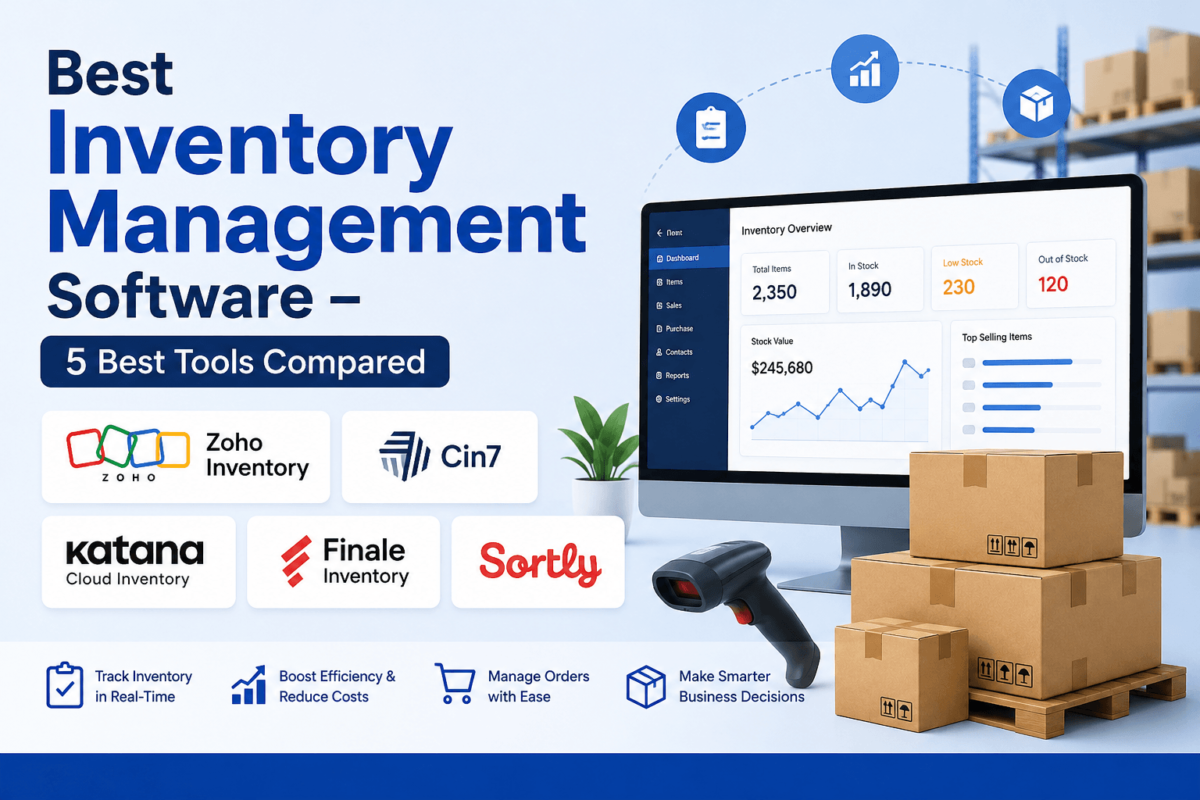
Best Inventory Management Software (2026): 5 Best Tools Compared
By Jaykishan Panchal, Founder of TechCognate | Updated 2026 | This post contains affiliate links. If you buy through them, we may earn a commission at no extra cost to you.
|
Quick Answer If you just want the short version: Zoho Inventory is the best overall pick for most small businesses because it’s affordable and plays nicely with the rest of the Zoho ecosystem. Cin7 is the strongest choice once you’re running a real omnichannel operation with wholesale and retail combined. Katana Cloud Inventory wins for manufacturers who need production planning, not just stock counts. Finale Inventory (now part of Descartes) is built for high-volume Amazon and Shopify sellers who’ve outgrown basic tools. And Sortly is the easiest, most visual option for teams tracking tools, assets, or materials rather than SKUs for resale. Keep reading and I’ll walk you through exactly why, including pricing, real trade-offs, and who should skip each one. |
Let’s be honest about something first: most businesses don’t lose money because they’re bad at selling. They lose money because they don’t actually know what’s in the back room.
I’ve watched this play out the same way dozens of times. A store owner promises a customer next-day delivery, only to find out the “12 units in stock” on the spreadsheet were actually sold last Tuesday and nobody updated the count. A wholesaler over-orders a slow mover because nobody flagged that sales had dropped off three months ago, and now $18,000 is sitting in a warehouse corner collecting dust. A growing Shopify brand oversells during a launch because Instagram, the website, and Amazon were never talking to each other. None of these are unusual stories — they’re the default outcome of running a business on spreadsheets and gut feeling.
And the numbers back this up. Recent industry research puts global retail inventory distortion — the combined cost of stockouts and overstock — above $1.7 trillion a year, and separate operator surveys find that the vast majority of businesses, regardless of size, are still running their stock counts primarily out of spreadsheets. Carrying costs alone typically eat 18-30% of the value of the inventory sitting on your shelves every single year, whether it sells or not. That’s before you count shrinkage, write-offs, or the sales you lose because a customer wanted something you didn’t actually have.
The good news is that fixing this doesn’t require an enterprise ERP system or a six-figure IT budget anymore. A genuinely good inventory management platform can be running in your business within a week, and it pays for itself the first time it stops you from either overselling a bestseller or overbuying a dud. I tested and researched the five tools below specifically for U.S. small businesses, ecommerce brands, retailers, wholesalers, and manufacturers — comparing real pricing, real feature depth, and who each one is actually built for, not just who has the flashiest homepage.
Quick Comparison Table
| Software | Best For | Starting Price | Free Trial | Rating |
|---|---|---|---|---|
| Zoho Inventory | Best overall / small business | Free plan; paid from ~$29/mo | Yes | 4.5/5 |
| Cin7 Core | Omnichannel wholesale + retail | From $349/mo | Yes | 4.3/5 |
| Katana Cloud Inventory | Manufacturers | Free plan; paid from $299/mo | Yes | 4.4/5 |
| Finale Inventory | High-volume Amazon/Shopify sellers | Custom quote (~$499/mo+) | Yes | 4.7/5 |
| Sortly | Simple asset/materials tracking | Free plan; paid from $49/mo | Yes | 4.5/5 |
Pricing reflects publicly listed starting rates at the time of writing and changes often — always confirm current pricing on each provider’s site before buying.
The 5 Best Inventory Management Software Tools in 2026
1. Zoho Inventory — Best Overall for Small Businesses
If you’re a small business owner trying to get off spreadsheets without signing up for a system that needs its own IT department, start here. Zoho Inventory is the tool I recommend most often to people who ask me “what should I actually use,” and it’s not close for most cases.
Zoho Inventory covers the fundamentals well: multi-channel selling, warehouse management across multiple locations, order management, and solid inventory control, all wrapped in an interface that doesn’t require a training manual. It’s part of the larger Zoho ecosystem, which matters more than people expect — if you’re already using Zoho Books for accounting or Zoho CRM for sales, Inventory slots in and shares data automatically instead of forcing you to build a Zapier workaround.
Key features:
- Multi-warehouse and multi-location stock tracking with real-time sync
- Native integrations with Shopify, Amazon, eBay, Etsy, and WooCommerce
- Barcode scanning and batch/serial number tracking on higher plans
- Built-in purchase orders, sales orders, and vendor management
- Zia AI assistant for demand forecasting and workflow automation
Pricing: Zoho Inventory has a genuinely usable free plan (up to 50 orders/month, 1 user, 2 warehouses), then scales through Standard, Professional, Premium, and Enterprise tiers, with paid plans generally starting around $29/month and rising based on order volume, users, and warehouse count. Annual billing typically knocks 20% off the price.
|
Pros Genuinely free tier, low learning curve, deep Zoho ecosystem integration, strong value for the price, solid multi-channel selling support. |
Cons Advanced reporting and serial/batch tracking are locked behind higher tiers; manufacturing support is basic compared to dedicated MRP tools. |
Who should buy it: Small businesses, ecommerce sellers on a budget, and anyone already using other Zoho apps. If you’re just getting off spreadsheets and want something you can set up yourself this weekend, this is it.
Who should skip it: Manufacturers needing serious bill-of-materials and production planning, or high-volume sellers who’ll blow past the order caps quickly — look at Katana or Cin7 instead.
2. Cin7 Core — Best for Omnichannel Wholesale & Retail
Cin7 Core (the platform formerly known as DEAR Systems) is what I point growing brands toward once they’ve outgrown the “simple” tier of inventory software. If you’re selling wholesale to retailers, direct-to-consumer online, and maybe through a physical storefront all at once, Cin7 is built specifically for that mess of complexity.
What sets Cin7 apart is depth: it handles light manufacturing and assembly, B2B and B2C order flows side by side, and connects to more than 30 integrations spanning accounting, ecommerce, shipping, and CRM platforms. Reviewers consistently point to Xero, Shopify, WooCommerce, and QuickBooks Online as the integrations that get the most daily use, which tells you this is a tool designed to sit at the center of your operation rather than off to the side.
Key features:
- Unlimited inventory locations on every plan, which is unusual in this category
- Light manufacturing tools: bills of materials, work orders, assemblies
- B2B customer portal for wholesale ordering
- Deep integrations across Amazon, Shopify, eBay, Walmart, and TikTok Shop
- Automation add-ons and a point-of-sale module for brick-and-mortar
Pricing: Cin7 Core runs three published tiers — Standard around $349/month (5 users, roughly 6,000 annual sale orders), Pro around $599/month, and Advanced around $999/month with warehouse management features included. There’s also Cin7 Omni, a custom-priced enterprise product for larger omnichannel operations. Worth flagging: plenty of user reviews mention pricing increases after signup and note it’s a premium-tier tool compared to the rest of this list.
|
Pros Handles true omnichannel B2B + B2C complexity, unlimited locations, strong integration library, includes light manufacturing. |
Cons Expensive entry point, steeper learning curve, some reviewers report post-signup price increases and add-on costs that aren’t obvious upfront. |
Who should buy it: Growing wholesalers, brands selling B2B and B2C simultaneously, and businesses doing light assembly or kitting who need more horsepower than a basic tool provides.
Who should skip it: A very small shop just starting out — the price and complexity aren’t justified until you actually have multi-channel volume to manage.
3. Katana Cloud Inventory — Best for Manufacturers
Here’s the distinction that trips people up: most “inventory software” tracks what you have. Katana tracks what you have and what you’re building. If your business turns raw materials into finished products — furniture, cosmetics, food, apparel, electronics assembly — that difference matters enormously, and it’s exactly the gap Katana was built to fill.
Katana is a cloud-based MRP (material requirements planning) platform at its core, which means it’s tracking your bill of materials, your production schedule, and your raw-material availability in real time, then automatically flagging when you’re about to run short of an ingredient or component before it stalls a production run. Reviewers consistently highlight it for exactly this: real-time visibility into on-hand, committed, and expected stock, tied directly to what’s on the production floor.
Key features:
- Bill of materials (BOM) and multi-level production planning
- Priority-based material requirements planning to prevent production stockouts
- Real-time inventory tracking across raw materials and finished goods
- Batch tracking, custom label printing, and shop floor operator views
- Native Shopify and QuickBooks integrations for finished-goods sales
Pricing: Katana offers a genuine free plan capped at 30 SKUs, which is enough to test-drive the workflow. Its paid Core plan starts around $299/month and removes the SKU cap entirely, adding unlimited users and integrations, multi-channel order management, and forecasting. It’s worth noting that some long-time users have flagged repeated price increases in reviews, so it’s smart to lock in terms clearly if you sign an annual contract.
|
Pros Purpose-built for manufacturing, real production-floor visibility, clean interface, unlimited users/SKUs/integrations on the paid plan. |
Cons Overkill for a pure resale business with no production step; some reviewers cite rising costs for smaller manufacturers with high order volume and modest item prices. |
Who should buy it: Small-to-mid manufacturers, makers, food and beverage producers, and any brand assembling finished products from components.
Who should skip it: Pure retailers or resellers who never manufacture anything — you’re paying for production-planning tools you’ll never touch. Zoho Inventory or Sortly will serve you better.
4. Finale Inventory — Best for High-Volume Amazon & Shopify Sellers
A quick but important update on this one: Finale Inventory was acquired by Descartes Systems Group in 2025 and now operates alongside Descartes Sellercloud as part of a broader ecommerce solutions suite. The product itself hasn’t lost what made it good — it’s still one of the most trusted names for high-volume multichannel sellers — but the ownership and go-to-market have changed, and it now sits at a higher price point with quote-based pricing rather than the old published tiers.
Finale earns its reputation with sellers doing serious volume across Amazon, Shopify, and other marketplaces simultaneously. It’s built to handle the operational reality of that world: dynamic reordering based on real sales velocity, barcode-driven warehouse workflows, and tight synchronization that keeps you from overselling a listing across five channels at once. Descartes has said the platform is aimed at ecommerce brands roughly in the $1M–$20M GMV range — businesses that have outgrown basic tools but aren’t ready for a full ERP system.
Key features:
- Multichannel stock sync across Amazon, Shopify, and other major marketplaces
- Dynamic reordering based on historical sales velocity and lead times
- Barcode-based warehouse management and pick/pack workflows
- Support for very large catalogs and order volumes
- Accounting automation and shipping integrations built for scale
Pricing: Finale has moved to a quote-only model since the Descartes acquisition, with published third-party estimates starting around $499/month depending on users, integrations, order volume, and add-ons. Older tiered pricing you may still see referenced online (starting near $99/month) reflects the pre-acquisition structure and is no longer accurate — get a current quote directly before budgeting.
|
Pros Excellent for high-volume multichannel sellers, strong reordering automation, backed by Descartes’ broader logistics infrastructure, consistently high user satisfaction scores. |
Cons No published self-serve pricing anymore; likely overkill and overpriced for a small or early-stage store. |
Who should buy it: Established ecommerce sellers doing significant volume across multiple marketplaces who need serious automation around reordering and fulfillment.
Who should skip it: Anyone under roughly $1M in annual sales — the cost and complexity aren’t worth it yet. Start with Zoho Inventory and graduate later.
Get a Finale Inventory Quote →
5. Sortly — Best for Simple Visual Inventory & Asset Tracking
Not everyone reading this is trying to run a multichannel ecommerce operation. Some of you are running a construction company tracking tools and equipment across job sites. Some of you manage a small warehouse of raw materials, or a design studio with a stockroom of physical samples. Sortly was built for exactly that kind of inventory — things you need to see, locate, and count, more than SKUs you need to sell across channels.
What makes Sortly different is how visual and simple it is. Every item can carry a photo, custom fields, tags, and a folder location, and the mobile app makes scanning and updating counts from a job site or warehouse floor genuinely painless. It’s the one tool on this list I’d hand to a non-technical team member with almost no training and expect them to be productive within the hour.
Key features:
- Photo-based item cards with custom folders, fields, and tags
- Mobile barcode and QR code scanning, including offline access
- Low-stock alerts and activity history reporting
- Purchase orders and QuickBooks Online integration on higher tiers
- Customizable user roles and permissions for team accountability
Pricing: Sortly offers a free plan for very light personal or small-team use (around 100 items, 1 user), then scales through Advanced (roughly $49/month), Ultra (roughly $149/month), and Premium (roughly $299/month) tiers, with a custom-priced Enterprise plan on top. Item and user limits rise with each tier. Some reviewers note recent price increases compared to Sortly’s legacy plans, so double-check current limits against your item count before committing.
|
Pros Extremely easy to learn, great mobile experience, ideal for physical asset and materials tracking, strong for teams without a dedicated ops person. |
Cons Not built for true multichannel ecommerce order management or manufacturing; item limits on lower tiers fill up fast for larger catalogs. |
Who should buy it: Construction, field services, design studios, small warehouses, and any team tracking tools, equipment, or materials rather than running high-volume online sales.
Who should skip it: Ecommerce sellers needing marketplace integrations and order routing — Sortly isn’t designed for that job.
Detailed Feature Comparison
| Feature | Zoho Inventory | Cin7 Core | Katana | Finale | Sortly |
|---|---|---|---|---|---|
| Barcode support | Yes | Yes | Yes | Yes | Yes |
| Multi-warehouse | Yes | Yes (unlimited) | Yes | Yes | Limited |
| Manufacturing / BOM | Basic | Yes | Yes (core focus) | No | No |
| Serial / batch tracking | Higher tiers | Yes | Batch tracking | Yes | No |
| Shopify integration | Yes | Yes | Yes | Yes | No |
| Amazon integration | Yes | Yes | Via add-ons | Yes (strong) | No |
| QuickBooks integration | Via Zoho Books | Yes | Yes | Yes | Yes |
| Mobile app | Yes | Yes | Yes | Yes | Yes (excellent) |
| Demand forecasting | Yes (Zia AI) | Yes | Yes | Yes (velocity-based) | No |
Best Inventory Software by Use Case
- Best overall: Zoho Inventory
- Best for small business budgets: Zoho Inventory (free plan)
- Best for ecommerce brands: Finale Inventory
- Best for manufacturing: Katana Cloud Inventory
- Best for wholesale + retail together: Cin7 Core
- Best for warehouse operations: Cin7 Core
- Best mobile inventory app: Sortly
- Best for asset and tool tracking: Sortly
- Best for multi-location retail: Cin7 Core
- Best beginner option: Zoho Inventory or Sortly
What Is Inventory Management Software, and Do You Actually Need It?
Inventory management software is simply a system that tracks what you have, where it is, and what’s happening to it — sales, purchases, transfers, and adjustments — in real time, instead of you finding out three weeks later during a manual count. Under the hood, it connects your sales channels, your warehouse locations, and your suppliers so that a sale on Shopify automatically decrements the same stock count that shows up on your Amazon listing and your in-store POS.
You need it the moment any of these become true: you sell through more than one channel, you can’t answer “how many do we actually have right now” without walking to the shelf, you’ve had a stockout or an oversell in the last quarter, or you’re spending real hours every week updating a spreadsheet that’s still somehow wrong. If any of that sounds familiar, the cost of the software is almost always smaller than the cost of not having it.
What good inventory software gets you:
- Real-time visibility into stock across every location and channel
- Fewer stockouts, because reorder points trigger before you hit zero
- Lower carrying costs, since you’re not sitting on dead stock you didn’t notice
- Better demand forecasting based on actual sales history, not guesswork
- Faster order fulfillment, since staff aren’t hunting for items or double-checking counts
- Cleaner purchasing decisions, tied to real supplier lead times and turnover data
Features to Look For
Not every business needs every feature on this list, but knowing what’s out there helps you avoid paying for a bare-bones tool that can’t grow with you — or overpaying for enterprise features you’ll never touch.
- Barcode and QR scanning: speeds up receiving, counting, and picking, and cuts down on manual entry errors.
- SKU and variant management: lets you track size, color, and other variants without creating chaos in your catalog.
- Serial and batch tracking: essential if you’re in regulated goods, electronics, or anything needing recall traceability.
- Purchase order automation: generates POs automatically when stock hits a reorder point.
- Multi-warehouse transfers: critical the moment you operate more than one location.
- Demand forecasting: uses sales history to recommend what and when to reorder.
- Marketplace and accounting integrations: Shopify, Amazon, QuickBooks, and Xero should sync without manual exports.
- Mobile access: lets floor staff update counts without walking back to a desktop.
- Open API: matters if you’ll eventually need a custom connection your provider doesn’t offer natively.
Inventory Management Statistics That Explain the Urgency
|
Common Inventory Management Mistakes (and How Software Fixes Them)
- Relying on spreadsheets: they don’t update in real time and break the moment two people edit them at once. Software syncs automatically across every channel.
- Ignoring reorder points: most owners reorder on gut feeling, which means either panic-buying or running dry. Software calculates reorder points from actual sales velocity.
- No barcode system: manual counting introduces errors at every step. Barcode scanning removes most of that human error.
- Poor warehouse organization: if staff can’t find an item fast, fulfillment slows down. Location tracking within the software fixes that instantly.
- Overbuying or underbuying: both come from the same root cause — no forecasting. Demand forecasting tools flag trends before they become expensive surprises.
- Never reviewing inventory reports: the data is useless if nobody looks at it. Good software surfaces the reports you actually need on a dashboard, not buried in an export.
Getting Started: A Simple Migration Checklist
Switching off spreadsheets feels bigger than it actually is. Here’s the order I’d follow:
- Pick the software that matches your business model (retail vs. manufacturing vs. asset tracking), not just the one with the best marketing.
- Do a physical inventory count before you import anything — don’t migrate bad data into a new system.
- Import your item list, then connect one sales channel at a time rather than all at once.
- Set up warehouse locations and reorder points before you go live.
- Add user accounts and permissions so staff only see what they need.
- Print and apply barcodes if you’re using scanning, ideally during a slow week.
- Train the team on the two or three workflows they’ll actually use daily — skip the full feature tour.
- Run the old system and the new system in parallel for one to two weeks before fully switching off spreadsheets.
Frequently Asked Questions
What is the best inventory management software overall? |
For most small businesses, Zoho Inventory offers the best combination of price, ease of use, and feature depth. Larger or more specialized operations may be better served by Cin7, Katana, or Finale depending on their model. |
Which inventory software is easiest to learn? |
Sortly and Zoho Inventory both have short learning curves. Sortly is especially intuitive for teams that aren’t technical. |
Can small businesses afford inventory management software? |
Yes. Zoho Inventory, Katana, and Sortly all offer genuinely usable free plans, and paid tiers for small teams typically start well under $100/month. |
How much does inventory software cost? |
Costs range from $0 (free tiers) to several hundred dollars a month for mid-market tools like Cin7, and into the low thousands annually for enterprise-grade platforms like Finale. Most small businesses land between $30-$300/month. |
Does inventory software work with Shopify? |
Zoho Inventory, Cin7, Katana, and Finale all offer native Shopify integrations. If you’re deep in the Shopify ecosystem, it’s also worth reviewing our guide to the best Shopify SEO apps to make sure your product pages are actually getting found once your stock data is accurate. |
Can inventory software manage multiple warehouses? |
Yes, all five tools on this list support multiple locations, though Cin7 stands out for offering unlimited locations on every plan. |
Does inventory software support barcode scanners? |
Yes. All five tools support barcode and/or QR code scanning, most through a mobile app rather than requiring dedicated hardware. |
Is cloud inventory software secure? |
Reputable providers encrypt data in transit and at rest, offer role-based permissions, keep audit logs, and run regular backups. Always check a vendor’s specific security and compliance documentation before entering sensitive financial or customer data. |
What software do manufacturers typically use? |
Manufacturers generally need bill-of-materials and production planning tools, which is why Katana Cloud Inventory or Cin7 Core (for light manufacturing) are the better fits over general-purpose inventory tools. |
Can inventory software forecast demand? |
Yes, most modern platforms including Zoho, Cin7, Katana, and Finale offer demand forecasting based on historical sales data and seasonality. |
Which inventory software integrates with QuickBooks? |
Cin7, Katana, Finale, and Sortly all integrate directly with QuickBooks Online. Zoho Inventory connects most naturally through Zoho Books, though QuickBooks integration is also available. |
What is the difference between inventory software and an ERP? |
Inventory software focuses specifically on stock, orders, and warehouse operations. An ERP is broader, tying inventory together with accounting, HR, CRM, and often manufacturing into one system. Most small and mid-size businesses only need dedicated inventory software until they reach real operational complexity. |
Is Zoho Inventory good for Amazon sellers? |
It’s solid for smaller Amazon sellers. Once order volume climbs significantly, Finale Inventory is generally the better fit for serious multichannel Amazon operations. |
What happened to Finale Inventory’s pricing? |
Following its 2025 acquisition by Descartes Systems Group, Finale moved from published tiered pricing to a custom quote model, with published estimates now starting around $499/month. |
Is Sortly good for ecommerce? |
Not really. Sortly excels at physical asset and materials tracking but lacks the marketplace order-routing features ecommerce sellers need. Use Zoho, Cin7, or Finale for online selling instead. |
Do I need barcode scanners to use this software? |
No. Every tool on this list can scan barcodes and QR codes using a smartphone camera through their mobile apps, though dedicated scanners can speed up high-volume warehouse work. |
Can I switch inventory software later without losing data? |
Generally yes. Most platforms allow CSV export of your item lists, order history, and stock levels, though the process is smoother with some providers than others — ask about export options before you commit. |
Final Verdict
If you only take one thing from this guide, take this: the “best” inventory software isn’t the one with the longest feature list, it’s the one that matches how your business actually operates.
- Just starting out or watching every dollar? Zoho Inventory is the smartest first move.
- Selling wholesale and retail together? Cin7 Core is built for that complexity.
- Actually making a physical product? Katana Cloud Inventory is worth every dollar.
- Running serious multichannel ecommerce volume? Finale Inventory is the mature, proven option.
- Tracking tools, materials, or physical assets rather than online SKUs? Sortly will feel the most natural.
Whichever one you pick, the real win isn’t the software itself — it’s the moment you stop guessing what’s on the shelf and start actually knowing. Pair it with a solid ecommerce SEO strategy and the right marketing tools, and accurate inventory becomes a growth advantage instead of a background chore. If you’re running your store on WordPress or WooCommerce, it’s also worth reviewing our picks for the best WordPress plugins and WooCommerce SEO to make sure the rest of your stack is pulling its weight too.
|
Affiliate Disclosure: TechCognate is reader-supported. Some of the links in this article are affiliate links, meaning we may earn a commission if you click through and make a purchase, at no additional cost to you. We only recommend tools we’ve researched and believe genuinely help small businesses manage inventory more effectively. |