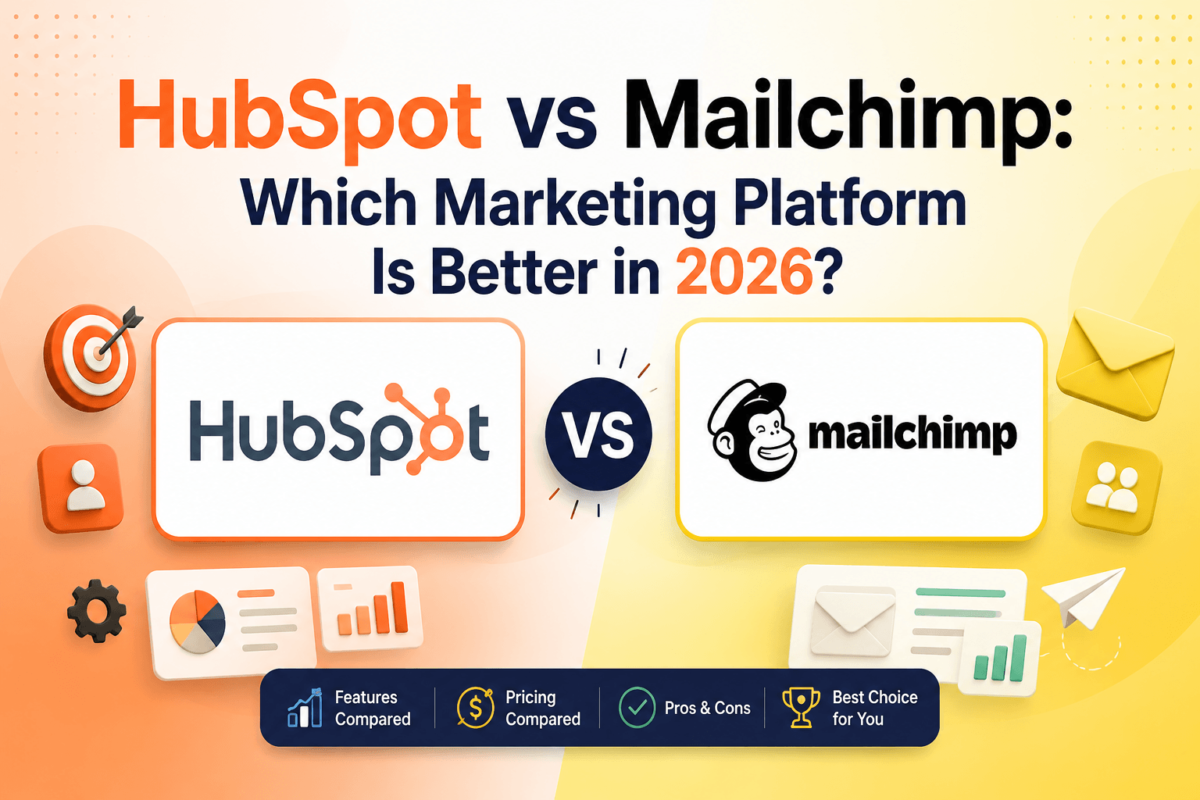
HubSpot vs Mailchimp: Which Marketing Platform Is Better in 2026?
Last updated August 2026 | Written by Jaykishan Panchal, Founder of TechCognate | 15+ years in SEO and marketing software
Quick Answer
If you need one platform to run marketing, sales, and customer service together — with a real CRM, deal pipelines, and enterprise-grade automation — HubSpot is the better choice, especially once your team grows past a handful of people. If you mainly need to send great-looking email campaigns and light automation without a steep learning curve or a big budget, Mailchimp is still the more practical pick, particularly for solo creators, small ecommerce shops, and anyone just getting started. HubSpot’s free CRM and Starter plan keep the entry cost low, but Professional pricing jumps to $890/month plus a mandatory $3,000 onboarding fee. Mailchimp stays cheaper at every tier (from $13/month), but multi-step automation, AI tools, and deeper personalization sit behind its Standard and Premium plans. Neither tool wins outright — the right pick depends on whether you need a full CRM or just a strong email marketing tool.
Quick Verdict
| Category | Winner |
|---|---|
| Overall Winner | HubSpot (for growing teams that need CRM + marketing together) |
| Best for Beginners | Mailchimp |
| Best CRM | HubSpot |
| Best Automation | HubSpot |
| Best Email Marketing | Mailchimp |
| Best Ecommerce | Mailchimp |
| Best Sales Teams | HubSpot |
| Best Agencies | HubSpot |
| Best Small Businesses | Mailchimp |
| Best Enterprises | HubSpot |
| Best Value | Mailchimp |
| Best Free Plan | HubSpot (free CRM, generous contact limits) |
| Editor’s Choice | HubSpot for most growing businesses; Mailchimp for email-only budgets |
HubSpot vs Mailchimp: Feature Comparison Table
Here’s how the two platforms stack up feature by feature. Scroll sideways on mobile to see the full table.
| Feature | HubSpot | Mailchimp |
|---|---|---|
| CRM | Full CRM with deal pipelines, tasks, tickets — free forever | Basic contact/audience profiles, no true sales pipeline |
| Email Builder | Drag-and-drop with AI content assistant | Drag-and-drop, larger template library |
| Automation | Visual builder, branching logic across all Hubs | Multi-step automation on Standard+; single-step on Essentials |
| Landing Pages | Unlimited from Starter, native A/B testing | Included, fewer design controls |
| Forms | Conditional logic, progressive profiling | Basic to mid-level forms and popups |
| Lead Scoring | Native, fully customizable | Basic scoring on Standard+ only |
| Sales Pipeline | Native deal stages, forecasting | Not available — audience segments only |
| AI Features | Breeze AI: content, prospecting, and data enrichment | AI content generator, predictive segmentation, send-time optimization |
| Templates | Hundreds, synced to CRM data | Hundreds, strong design library |
| Analytics | Revenue attribution, custom reports | Campaign and audience analytics |
| A/B Testing | Professional tier and above | Standard tier and above (limited variables) |
| Customer Journey Builder | Yes, cross-channel (email, SMS, tasks, ads) | Yes, primarily email-focused |
| SMS | Native add-on across Hubs | Separate paid add-on, limited countries |
| Social Media | Scheduling and publishing, Professional+ | Basic post scheduling |
| Ads | Native Google, Meta, and LinkedIn ad management | Basic Meta/Instagram ad integration |
| Reporting | Custom dashboards, revenue reporting | Standard reports; comparative reporting on Premium |
| Integrations | 1,500+ apps in the HubSpot Marketplace | 300+ integrations |
| API | Full REST API, webhooks | REST API, webhooks |
| Ease of Use | Moderate — more powerful, more to learn | Easier, especially for first-time users |
| Learning Curve | Steeper, especially on Enterprise | Gentle, minimal onboarding needed |
| Customer Support | Live chat, phone (paid tiers), HubSpot Academy | Email/chat; phone support on Premium only |
| Mobile App | iOS/Android, full CRM access | iOS/Android, campaign management |
| Security & Compliance | SSO, SOC 2, GDPR, HIPAA-ready on Enterprise | SSO, GDPR and CAN-SPAM tooling |
| Scalability | Scales cleanly to enterprise | Best suited to small-to-mid-size lists |
| Pricing | $0 – $3,600+/month | $0 – $350+/month |
| TechCognate Score | 4.6 / 5 | 4.2 / 5 |
What Is HubSpot?
HubSpot started in 2006 as an inbound marketing platform and has grown into a full customer platform built around a free CRM. Instead of one product, HubSpot sells connected “Hubs”: Marketing Hub for campaigns and automation, Sales Hub for pipelines and outreach, Service Hub for support tickets, Content Hub for the website and blog, and Operations Hub for data syncing. Every Hub reads and writes to the same underlying CRM record, which is HubSpot’s biggest structural advantage over Mailchimp.
HubSpot is built for businesses that want marketing, sales, and support working off one shared source of truth — not three disconnected tools stitched together with Zapier.
HubSpot Strengths
- Free CRM with no seat limit on the core record, generous contact storage, and deal pipelines built in.
- Marketing, sales, and service data live in one place, so lead handoffs don’t require a separate integration.
- Breeze AI adds content generation, prospecting, and data enrichment across the whole platform, not just email.
- Deep lead generation tooling: progressive-profiling forms, lead scoring, and revenue attribution reporting.
HubSpot Weaknesses
- Professional and Enterprise pricing jumps quickly, and onboarding fees ($3,000–$6,000+) are mandatory, not optional.
- Marketing contact overages add up fast once your list grows past the included tier.
- The sheer number of settings, objects, and permissions takes real time to learn well.
✅ Try HubSpot Free
Start using HubSpot’s CRM and marketing tools for free. Upgrade only when your business actually needs to.
Try HubSpot Free →What Is Mailchimp?
Mailchimp launched in 2001 as an email marketing tool and, after Intuit acquired it for $12 billion in 2021, it has expanded into a lighter marketing platform: email and SMS campaigns, automation journeys, landing pages, basic audience-level “CRM” features, and ecommerce integrations for stores on Shopify and WooCommerce.
Mailchimp’s core strength is still email. The editor is fast to learn, the template library is large, and most small teams can launch their first campaign the same day they sign up — something that takes noticeably longer to get right in HubSpot.
Mailchimp Strengths
- Fast to set up, with an intuitive editor that doesn’t require training or a HubSpot-style learning curve.
- Strong, well-tested Shopify and WooCommerce integrations for product recommendations and abandoned-cart flows.
- Paid plans start at $13/month — noticeably cheaper than HubSpot’s paid tiers at similar contact volumes.
- Large, well-designed template library that suits creators and small brands without a design team.
Mailchimp Weaknesses
- No real sales CRM — you get contact profiles and tags, not deal stages, pipelines, or task management.
- Multi-step automation is locked behind the Standard plan; Essentials only supports single-step sends.
- The free plan has shrunk repeatedly — down to 250 contacts and 500 sends per month as of 2026.
✅ Try Mailchimp
Launch professional email campaigns with Mailchimp’s intuitive email builder and automation tools.
Try Mailchimp Free →User Experience: Which Is Easier to Use?
Mailchimp wins on first impressions. The dashboard is simple, the email editor is drag-and-drop with minimal configuration, and most beginners can send their first campaign within an hour of signing up. Navigation is shallow — campaigns, audiences, and reports are one click away from the home screen.
HubSpot’s dashboard is more powerful but also more crowded. Because every Hub shares the same CRM object model, new users need to understand contacts, companies, deals, and properties before workflows start making sense. Setup takes longer, but the payoff is a system that scales without you switching tools later. Teams that invest a week in HubSpot’s onboarding (or its free HubSpot Academy courses) tend to find the learning curve worth it; teams that just want to send a newsletter today usually don’t.
Email Marketing Comparison
Both platforms cover the fundamentals — drag-and-drop editors, segmentation, and scheduling — but they optimize for different things. Mailchimp optimizes for the email itself: more templates, more design flexibility, and a slightly larger library of pre-built layouts. HubSpot optimizes for what happens around the email: personalization tokens pulled straight from CRM properties, smart content that changes based on lifecycle stage, and reporting that ties email performance back to closed revenue, not just opens and clicks.
| Capability | HubSpot | Mailchimp |
|---|---|---|
| Dynamic/Smart Content | CRM-driven personalization by lifecycle stage | Merge tags and segment-based content blocks |
| Segmentation | Property- and behavior-based lists | Tags, groups, and predictive segments |
| Deliverability | Strong, enterprise-grade sending infrastructure | Strong, long-standing sender reputation |
| RSS/Blog Campaigns | Native blog-to-email automation | Native RSS-to-email campaigns |
| Transactional Email | Via Operations Hub / API | Separate Mailchimp Transactional add-on |
CRM Comparison: HubSpot vs Mailchimp
This is the single biggest difference between the two platforms. HubSpot ships with a genuine CRM — deal pipelines, task queues, meeting scheduling, and a free ticketing system — available at no cost with no seat cap on the core record. Sales reps can move a contact from “lead” to “customer” without leaving the platform, and marketing automatically sees that change.
Mailchimp isn’t a sales CRM. What it calls “CRM” is really audience and contact management: profiles that show email engagement, purchase history (for connected stores), and basic tags. There’s no deal pipeline, no sales forecasting, and no native way to assign a lead to a rep and track it through a sales process. If your team needs to manage a real pipeline, Mailchimp will need to be paired with a separate CRM — which is exactly the workflow HubSpot eliminates. For a deeper look at contact-management options built specifically for this, see our best CRM software for email marketing guide.
Marketing Automation Compared
HubSpot’s workflow builder supports branching if/then logic across email, SMS, internal notifications, deal properties, and tasks — meaning a single workflow can nurture a lead by email and notify a sales rep once that lead hits a scoring threshold. Automation is available from the Starter tier, with the most advanced branching and reporting reserved for Professional and Enterprise.
Mailchimp’s automation (branded “Customer Journeys”) covers common use cases well — welcome series, abandoned cart, post-purchase follow-up — but multi-step, branching journeys require the Standard plan at minimum. On the Essentials plan, you’re limited to single-step automations, which is a common surprise for teams that assumed automation was included at every tier. If automation is your top priority regardless of platform, our best marketing automation software comparison breaks down five tools side by side, HubSpot included.
AI Features: HubSpot Breeze vs Mailchimp AI
HubSpot’s AI layer, Breeze, spans the whole platform: a content agent that drafts emails, landing pages, and blog posts; a prospecting agent that helps sales reps find and qualify leads; and Breeze Intelligence, which enriches CRM records with firmographic data automatically. AI depth scales with plan tier, and the most advanced agent features sit on Professional and Enterprise.
Mailchimp’s AI is narrower but genuinely useful for email-first teams: an AI content generator for subject lines and body copy, predictive segmentation that groups contacts by likely behavior, and send-time optimization that schedules each send for when an individual subscriber is most likely to open it. For a broader look at where each platform’s AI stacks up against dedicated AI marketing tools, see our best AI marketing tools roundup.
Landing Pages, Forms & Conversion Tools
HubSpot includes unlimited landing pages from the Starter tier up, with native A/B testing on Professional and forms that support conditional logic and progressive profiling (so returning visitors see shorter forms). Everything is CRM-connected by default, which makes it easy to trigger a workflow the moment a form is submitted.
Mailchimp’s landing pages and popup forms are solid but simpler — good-looking templates, audience-linked, but with fewer conditional-logic options and less granular A/B testing than HubSpot Professional. If landing pages specifically are your priority, our best landing page builders guide covers dedicated tools that go further than either platform.
Reporting & Analytics
HubSpot’s reporting is built to answer “how much revenue did this campaign actually generate,” not just “how many people opened it.” Custom report builders, cross-object dashboards, and multi-touch revenue attribution are available on Professional and above. Mailchimp’s reporting is campaign-centric: opens, clicks, revenue per campaign (for connected stores), and — on Premium — comparative reporting across multiple campaigns. It answers email-performance questions well but doesn’t connect to a sales pipeline the way HubSpot’s reporting does.
Integrations: WordPress, Shopify, Salesforce & More
HubSpot’s App Marketplace lists more than 1,500 integrations, including native connections to Salesforce, Shopify, WooCommerce, WordPress, Zapier, Slack, Stripe, Google Analytics, and both Meta and LinkedIn Ads. Mailchimp offers roughly 300 integrations, with particularly strong, long-established connections to Shopify, WooCommerce, WordPress, Zapier, Canva, and Meta/Instagram ads — plus a Salesforce connector for teams that already run their sales process there.
In practice, HubSpot’s advantage is breadth and native CRM sync; Mailchimp’s advantage is that its core ecommerce integrations (especially Shopify) are mature, well-documented, and don’t require a third-party connector to unlock product recommendations or abandoned-cart flows.
HubSpot Pricing (2026)
| Plan | Price | Included |
|---|---|---|
| Free | $0 | Free CRM, basic email (2,000 sends/mo, HubSpot branding), forms, live chat |
| Starter | From $15–$20/seat/mo | 1,000 marketing contacts, no branding, basic automation |
| Professional | $890/mo | 3 seats, 2,000 contacts, full automation, A/B testing — plus a mandatory $3,000 onboarding fee |
| Enterprise | $3,600/mo | 5 seats, 10,000 contacts, advanced reporting — plus a $6,000+ onboarding fee |
The published price is rarely the full story. Extra marketing contacts cost roughly $45–$50 per additional 1,000 per month on Professional, extra seats are billed individually, and onboarding fees on Professional and Enterprise are mandatory — not optional add-ons. Budget for the all-in first-year cost, not just the sticker price.
Mailchimp Pricing (2026)
| Plan | Price | Included |
|---|---|---|
| Free | $0 | 250 contacts, 500 sends/mo, 1 user, Mailchimp branding, 30 days of support |
| Essentials | From $13/mo | 500 contacts, 5,000 sends/mo, 3 users, single-step automation only |
| Standard | From $20/mo | 500 contacts, multi-step automation, AI content tools, send-time optimization, 5 users |
| Premium | From $350/mo | 10,000 contacts, unlimited users, advanced segmentation, phone support |
Mailchimp pricing scales with contact count, and it scales fast: Essentials jumps to roughly $75/month at 5,000 contacts, and Standard to about $100/month at the same list size. SMS is never included — it’s a separate credit-based purchase — and Mailchimp’s Transactional Email add-on for receipts and password resets starts at roughly $20/month on top of your plan.
Best For: Use Cases at a Glance
| Who You Are | Better Fit | Why |
|---|---|---|
| Bloggers & creators | Mailchimp | Fast setup, low cost, no CRM needed |
| Freelancers | Mailchimp | Affordable, minimal admin overhead |
| Small businesses | Mailchimp (or HubSpot Free) | Budget matters more than advanced CRM features early on |
| Startups (funded) | HubSpot | Sales pipeline and marketing need to be connected from day one |
| Agencies | HubSpot | Client CRM, reporting, and white-label options scale better |
| Sales teams | HubSpot | Native deal pipelines Mailchimp simply doesn’t have |
| B2B companies | HubSpot | Long sales cycles need CRM + lead scoring + attribution |
| B2C companies | Mailchimp | High-volume, campaign-driven sends fit Mailchimp’s model |
| SaaS companies | HubSpot | Lifecycle marketing tied to trial/subscription data |
| Ecommerce brands | Mailchimp | Mature Shopify/WooCommerce flows out of the box |
| Nonprofits | Mailchimp | Lower cost per contact, simple donor communications |
| Enterprises | HubSpot | Security, permissions, and scale Mailchimp isn’t built for |
Who Should Choose HubSpot?
Choose HubSpot if you’re past the “just send a newsletter” stage and need marketing and sales working from the same data. It’s the stronger pick for teams with a defined sales process, B2B companies with longer buying cycles, agencies managing multiple client accounts, and any business that expects to need conversion rate optimization tooling, lead scoring, and revenue attribution within the next year or two. The free CRM makes it easy to start small and grow into paid tiers as those needs show up.
Who Should Choose Mailchimp?
Choose Mailchimp if email is your primary channel and you don’t need a sales pipeline attached to it. It’s the better fit for solo creators, small ecommerce stores on Shopify or WooCommerce, nonprofits running donor newsletters, and any team that wants to be sending campaigns within the hour, not the week. If your list is under 5,000 contacts and your main goal is consistent, good-looking email, Mailchimp gets you there for less money and less setup time.
Alternatives to HubSpot and Mailchimp
Neither platform is the only option. Here’s how the most common alternatives compare on price and focus.
| Platform | Best For | Starting Price |
|---|---|---|
| ActiveCampaign | Automation-heavy small teams (see our ActiveCampaign review) | ~$15/mo |
| Kit (formerly ConvertKit) | Creators and newsletter writers (see our Kit review) | Free – $25/mo |
| Brevo | Budget-conscious teams needing SMS + email in one plan | Free – $9/mo |
| Klaviyo | Ecommerce brands wanting deeper Shopify data than Mailchimp | Free – $20/mo |
| GetResponse | Webinar-driven marketing (see our GetResponse review) | ~$19/mo |
| Omnisend | SMS + email combined for online stores | Free – $16/mo |
| Constant Contact | Simple newsletters (see our Constant Contact vs Mailchimp comparison) | ~$12/mo |
If HubSpot’s price is the sticking point rather than its feature set, our ActiveCampaign vs HubSpot comparison and our ActiveCampaign vs Mailchimp comparison both cover a middle-ground option worth checking before you commit.
FAQ: HubSpot vs Mailchimp
Is HubSpot better than Mailchimp?
HubSpot is better for businesses that need a CRM, sales pipeline, or multi-team platform. Mailchimp is better for teams that just need strong email marketing at a lower cost. “Better” depends entirely on whether you need the CRM layer.
Can Mailchimp replace HubSpot?
Only if you don’t need a sales CRM. Mailchimp can handle email marketing and light automation well, but it has no deal pipeline, task management, or ticketing system to replace HubSpot’s CRM and Sales Hub.
Does HubSpot have email marketing?
Yes. Marketing Hub includes a full email builder, automation, A/B testing, and CRM-based personalization, available from the free plan up through Enterprise.
Which platform is easier to use?
Mailchimp is easier for first-time users and simple campaigns. HubSpot has more depth but a steeper learning curve, especially once you’re using multiple Hubs together.
Which is cheaper, HubSpot or Mailchimp?
Mailchimp is cheaper at every comparable tier — paid plans start at $13/month versus HubSpot’s $15–$20/seat/month Starter plan, and HubSpot’s Professional tier ($890/month plus a $3,000 onboarding fee) costs far more than Mailchimp’s Premium plan ($350/month).
Can HubSpot replace Mailchimp?
Yes, and it typically adds capability rather than losing it — HubSpot covers everything Mailchimp does for email plus CRM, sales, and service tools Mailchimp doesn’t offer. The trade-off is cost and setup time.
Which is better for Shopify and ecommerce?
Mailchimp, for most small-to-mid ecommerce stores. Its Shopify and WooCommerce integrations are more established and easier to set up without a developer. HubSpot can do ecommerce marketing too, but it takes more configuration to get there.
Which platform has a better CRM?
HubSpot, by a wide margin. It has a purpose-built, free CRM with deal pipelines and task management. Mailchimp’s “CRM” is really contact and audience management, not a sales tool.
Is Mailchimp good for startups?
It’s a reasonable starting point for pre-revenue or early-stage startups focused on email and simple automation. Once a startup builds out a sales process, most eventually add or switch to a platform with a real CRM.
Can I migrate my contacts between HubSpot and Mailchimp?
Yes. Both platforms support CSV import/export, and native integrations (plus tools like Zapier) can sync contacts, tags, and basic activity data between the two if you’re running them in parallel during a transition.
Does HubSpot have a free plan?
Yes. HubSpot’s free CRM includes contact management, deal pipelines, forms, and limited email sends with HubSpot branding, and it doesn’t expire.
Does Mailchimp have a free plan?
Yes, but it’s limited: 250 contacts and 500 email sends per month as of 2026, with Mailchimp branding and only 30 days of email support included.
Which platform has better marketing automation?
HubSpot, for complex, cross-channel workflows involving sales handoffs and internal notifications. Mailchimp handles common email-based automations well but requires the Standard plan for multi-step journeys.
Which is better for small businesses?
Mailchimp, for most small businesses that primarily need email marketing. HubSpot’s free CRM is also worth considering if you expect to need sales tracking soon.
Which is better for agencies?
HubSpot. Its CRM, client reporting, and partner program are built with agencies managing multiple accounts in mind, in a way Mailchimp isn’t.
Does Mailchimp have a real CRM?
No. Mailchimp offers contact profiles, tags, and basic scoring, but it lacks deal stages, sales forecasting, and task management — the core components of a sales CRM.
What’s the real difference between HubSpot Starter and Professional?
Starter covers basic email, forms, and simple automation for $15–$20/seat/month. Professional ($890/month) unlocks full workflow automation, A/B testing, custom reporting, and more seats — but it also adds a mandatory $3,000 onboarding fee that Starter doesn’t require.
Is Mailchimp only for email marketing?
Mostly, yes. It has expanded into landing pages, basic CRM-style contact tools, and SMS as an add-on, but email remains its core product and strongest feature by a clear margin.
Which platform has better AI features?
HubSpot’s Breeze AI covers more ground — content, prospecting, and CRM data enrichment. Mailchimp’s AI is narrower but well-suited to email-specific tasks like subject-line generation and send-time optimization.
Final Verdict
There’s no single winner here — there’s a right answer for your situation. If you’re building a sales process, managing a growing team, or need marketing and sales data in one place, HubSpot’s free CRM and connected Hubs are worth the steeper learning curve. If you mainly need to send excellent email campaigns without a big budget or a long onboarding process, Mailchimp remains one of the most dependable ways to do exactly that.
Start with the platform that matches what you need today — both tools make it possible to add capability later without starting from scratch.
Pricing and features were verified against official HubSpot and Mailchimp pricing pages as of August 2026 and are subject to change — always confirm current pricing directly with each provider before purchasing. This post contains affiliate links. If you sign up through one of them, TechCognate may earn a commission at no extra cost to you. We only recommend tools we’ve researched and believe add real value, in line with our editorial standards.