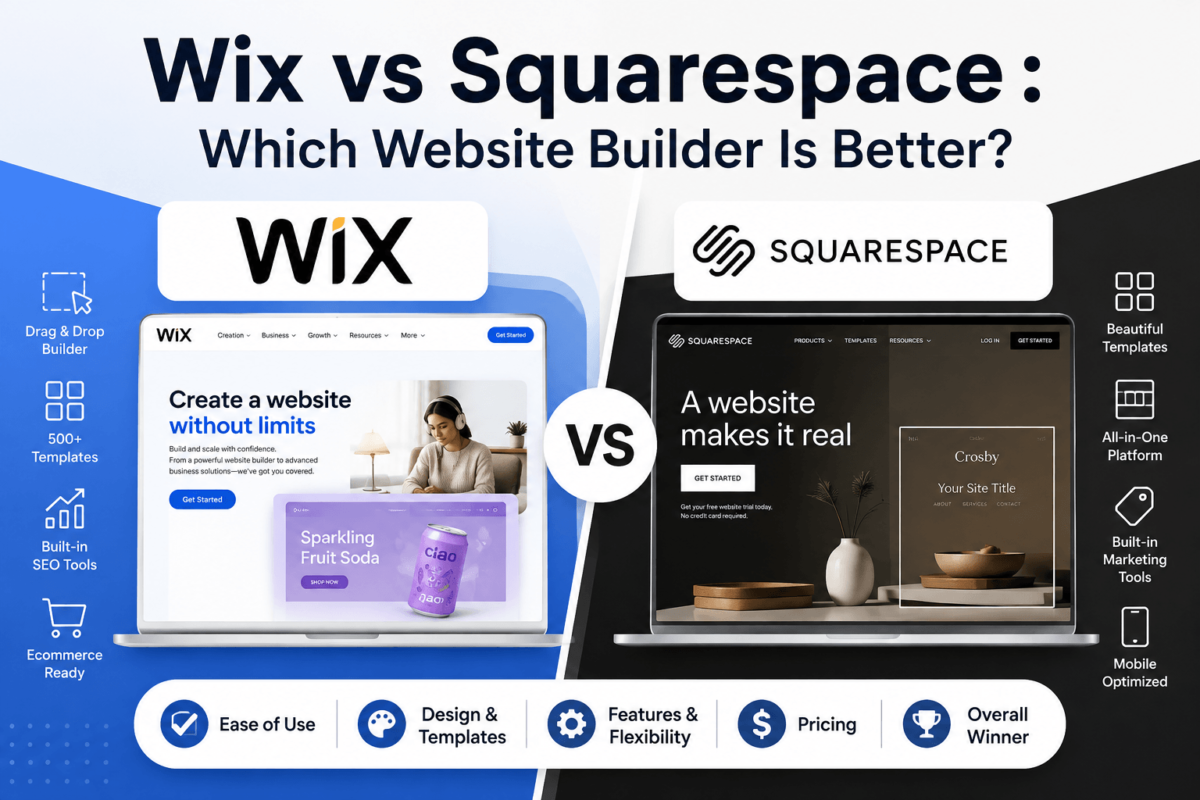
Wix vs Squarespace 2026: Which Website Builder Actually Wins?
If you’ve spent an evening bouncing between Wix and Squarespace tabs trying to figure out which one deserves your money, you’re not alone. Both are excellent. Neither is “bad.” And that’s exactly what makes this decision so annoying.
Here’s the short version: Wix wins on flexibility, AI tools, and app selection. Squarespace wins on design quality, simplicity, and a more polished out-of-the-box look. The right choice depends less on which platform is “better” and more on what kind of website you’re building and how much control you want over the process.
I’ve spent years building, migrating, and auditing websites across both platforms for clients in ecommerce, local services, and content publishing. In this guide, I’ll walk you through everything — pricing, templates, SEO, ecommerce, blogging, and real-world use cases — so you can make the call with confidence.
Quick Verdict: Wix vs Squarespace
If you want maximum design freedom, a bigger app marketplace, and AI tools that build a working site in minutes, choose Wix. If you want a smaller number of genuinely beautiful templates, a cleaner editing experience, and you don’t want to fuss with too many settings, choose Squarespace.
Choose Wix If
You want more customization control, a large app store, advanced booking/events tools, or you’re building a business site that needs lots of moving parts.
Choose Squarespace If
You’re a creative, photographer, coach, or small brand that wants a beautiful site fast without tweaking a hundred settings.
Avoid Wix If
You get overwhelmed by choices — Wix’s freedom can turn into decision fatigue for total beginners.
Avoid Squarespace If
You need deep customization, complex ecommerce catalogs, or a huge library of third-party integrations.
Wix vs Squarespace: Full Comparison Table
Before we go deep into each category, here’s the side-by-side snapshot most people are looking for.
| Category | Wix | Squarespace |
|---|---|---|
| Starting price (annual) | $17/mo (Light) | $16/mo (Basic) |
| Ecommerce starting price | $29/mo (Core) | $23/mo (Core) |
| Ease of use | Very flexible, steeper learning curve | Simpler, more guided |
| Templates | 900+ templates, huge variety | Fewer, but more polished |
| Design customization | Pixel-level freedom | Structured, brand-consistent |
| AI website builder | Wix AI Site Builder + AI chat, image, and text tools | Blueprint AI (guided setup) |
| Blogging tools | Solid, app-extendable | Cleaner writing and layout experience |
| Ecommerce depth | More product types, POS, dropshipping | Great for boutique/DTC stores |
| SEO tools | Wix SEO Setup Checklist, advanced controls | Solid built-in basics |
| Site speed | Improved significantly in recent years | Generally faster out of the box |
| App marketplace | 900+ apps | Smaller, curated extensions |
| Email marketing | Built-in Wix Email Marketing | Built-in Squarespace Email Campaigns |
| Customer support | 24/7 chat, callback, help center | Email + chat, no phone on lower plans |
| Best for beginners | Good, with AI builder help | Slightly easier for first-timers |
| Best for scaling | More headroom for complex sites | Best kept simple to medium |
What Is Wix?
Wix launched in 2006 and has grown into one of the largest website builders in the world, powering tens of millions of live sites. It’s known for its drag-and-drop editor (Wix Editor), a newer grid-based Wix Studio for agencies and freelancers, and an AI-powered site generator that can build a working website from a short questionnaire.
Wix’s biggest strength is flexibility. You can place any element almost anywhere on the page, which is great for designers but can be intimidating for someone who just wants a clean site without fiddling with pixels.
Wix Pros
- Enormous design freedom and element control
- Huge app marketplace (900+ integrations)
- Strong AI tools for building, writing, and images
- Great booking, events, and membership features
- Flexible ecommerce with POS and dropshipping support
Wix Cons
- Can feel overwhelming for total beginners
- Switching templates later is harder than on Squarespace
- Some advanced features live behind higher-tier plans
- Design freedom can lead to inconsistent, cluttered layouts if you’re not careful
Best for: small businesses, local businesses, agencies, and anyone who wants a highly customized site with room to add booking, events, or an online store later.
Try Wix Free → Build your site with Wix’s drag-and-drop editor or AI builderWhat Is Squarespace?
Squarespace launched in 2004 and built its reputation on design-forward templates that look like they came from a boutique design agency. It’s popular with photographers, creatives, coaches, restaurants, and service-based businesses that want something gorgeous without a steep learning curve.
Where Wix gives you total freedom, Squarespace gives you structure. Templates are built around design “rules” that keep your site looking cohesive, even if you never touch a single style setting.
Squarespace Pros
- Consistently beautiful, professional-looking templates
- Simpler, more intuitive editing experience
- Strong built-in blogging and content tools
- Clean, fast-loading sites by default
- Solid all-in-one scheduling and email marketing add-ons
Squarespace Cons
- Less design freedom than Wix
- Smaller app and integration ecosystem
- Ecommerce feels better suited to smaller catalogs
- Fewer advanced booking/membership options than Wix
Best for: creatives, photographers, coaches, restaurants, portfolios, and small brands that want a polished site fast.
Try Squarespace Free → Start a 14-day free trial and pick from award-winning templatesEase of Use: Editor Comparison
Squarespace is generally easier for absolute beginners. Its editor guides you toward good design decisions, and the “Fluid Engine” layout system lets you drag elements while staying within a grid that automatically looks tidy.
Wix’s editor gives you more freedom, which is a double-edged sword. You can literally drop any element anywhere on the canvas. That’s fantastic if you have some design sense, but it also means it’s easier to make something look cluttered if you’re not paying attention. Wix’s AI Site Builder helps offset this by generating a structured starting point based on your answers to a short quiz.
Neither platform requires coding. Both offer visual, real-time editors with mobile preview built in.
Templates and Design
Wix offers 900+ templates across nearly every industry imaginable — restaurants, real estate, portfolios, nonprofits, you name it. The catch: once you pick a Wix Editor template and start customizing, switching to a different template later usually means rebuilding your site from scratch (Wix Studio and the AI builder handle this a bit more gracefully).
Squarespace has far fewer templates, but they’re consistently well-designed, with strong typography and whitespace that make even simple content look premium. Squarespace templates are also easier to switch between later since your content is more decoupled from the design.
Before You Choose: Design Test
Browse both template libraries with your actual industry in mind — not generic demo content. If you find three or more Wix templates you’d be happy with, its flexibility is a win. If Squarespace’s smaller, curated selection already has “the one,” that’s a strong signal too.
Pricing: Wix vs Squarespace Breakdown
Pricing on both platforms is billed annually for the lowest advertised rate, and month-to-month billing costs noticeably more on both. Here’s what each plan actually gets you as of 2026.
Wix Pricing (Annual Billing)
- Light — $17/mo: Custom domain, no Wix ads, basic marketing tools. No online store.
- Core — $29/mo: Entry-level ecommerce, more storage, essential marketing and analytics.
- Business — $39/mo: Expanded storage, advanced ecommerce and marketing tools for growing stores.
- Business Elite — $159/mo: Highest limits, priority support, built for larger operations.
Squarespace Pricing (Annual Billing)
- Basic — $16/mo: Content-focused sites, portfolios, blogs. No product/service selling.
- Core — $23/mo: Unlocks ecommerce, waives some transaction fees, includes core sales tools.
- Plus — $39/mo: Abandoned cart recovery, subscription selling, lower processing rates.
- Advanced — $99/mo: Lowest processing rates, unlimited video storage, advanced reporting.
Hidden Costs to Watch On Both Platforms
- Domains: Usually free for year one, then renew around $10–$70/year depending on the extension.
- Transaction fees: Lower-tier ecommerce plans on both platforms may carry a small transaction fee on top of standard payment processing.
- Email marketing: Basic sending is often included, but larger contact lists usually require an upgrade.
- Premium apps and extensions: Advanced booking, memberships, or marketing apps can add monthly costs on either platform.
- Renewal pricing: Annual plans usually renew at the same discounted rate, but always confirm before your term ends — introductory promo pricing doesn’t always repeat.
Value verdict: Squarespace is slightly cheaper at the entry level and for ecommerce starter plans. Wix pulls ahead in value once you factor in its larger app marketplace and AI tools bundled into mid-tier plans. If budget is your main constraint, run the numbers for your specific must-have features rather than comparing sticker prices alone.
See Our Full Ranking of the Best Website Builders → Compare Wix, Squarespace, and more side by sideFeatures: AI Tools, Forms, Booking, and More
Both platforms have leaned hard into AI over the past two years, but they approach it differently.
Wix offers an AI Site Builder that generates a full working site from a short interview, plus AI text generation, AI image creation, an AI logo maker, and AI-assisted SEO suggestions. It also has mature tools for forms, appointment scheduling, memberships, event ticketing, and email marketing — all built natively rather than bolted on.
Squarespace offers Blueprint AI, a more guided setup wizard that walks you through design choices, plus AI writing assistance inside the content editor. Its native feature set covers forms, scheduling (via Squarespace Scheduling), memberships, video, and email campaigns, with a slightly more curated — but narrower — toolkit than Wix.
If you want to compare dedicated AI website builders beyond these two, our guide to the best AI website builders breaks down more options.
Ecommerce: Wix vs Squarespace for Online Stores
Both platforms can absolutely run a real online store, but they’re built for slightly different sellers.
Wix supports a wider range of product types — physical goods, digital downloads, dropshipping, print-on-demand, and subscriptions — plus a built-in point-of-sale (POS) system for businesses that also sell in person. Its app marketplace adds inventory syncing, advanced shipping rules, and tax automation options.
Squarespace shines for boutique and DTC (direct-to-consumer) brands that want a beautifully merchandised storefront. Its Plus and Advanced plans add abandoned cart recovery, subscription products, and lower payment processing rates — strong for stores focused on brand experience over catalog complexity.
| Feature | Wix | Squarespace |
|---|---|---|
| Product types supported | Physical, digital, subscriptions, dropshipping, print-on-demand | Physical, digital, subscriptions |
| Point of sale (POS) | Yes, native | Limited, via Squarespace POS app |
| Abandoned cart recovery | Available on select plans | Available on Plus and Advanced |
| Payment gateways | Wix Payments, PayPal, Stripe, and more | Squarespace Payments (Stripe-powered), PayPal |
| Best for | Larger or more complex catalogs | Curated, design-led boutique stores |
Need a dedicated payment setup guide? Check our roundup of the best payment gateways for online stores. If your store is going to scale significantly, it’s also worth reading how ecommerce trends are shifting — our latest ecommerce statistics report is a useful benchmark.
SEO: Which Platform Ranks Better?
Neither Wix nor Squarespace inherently outranks the other — real-world rankings depend far more on content quality, backlinks, and technical execution than on the builder itself. That said, there are real differences in the SEO controls each platform gives you.
Wix has significantly closed the gap with WordPress over the past several years. It now offers full control over meta titles and descriptions, canonical URLs, 301 redirects, structured data (schema markup), XML sitemaps, and robots.txt editing — all natively, without needing a developer.
Squarespace also covers the fundamentals well: clean URL structures, automatic sitemaps, basic schema support, and solid Core Web Vitals performance out of the box. It’s slightly less flexible for advanced technical SEO than Wix, but perfectly capable for most small business and content sites.
SEO Quick Answer
For most small businesses, both platforms are SEO-capable. Choose Wix if you want deeper technical control (custom schema, advanced redirects); choose Squarespace if you want strong SEO basics without touching many settings.
Whichever platform you pick, the fundamentals still matter most. Our technical SEO checklist and Core Web Vitals guide apply regardless of which builder you’re on. If you eventually want dedicated SEO software layered on top, see our best SEO tools comparison.
Blogging: Wix vs Squarespace for Content Sites
If blogging is a core part of your strategy, Squarespace generally offers the more polished writing and layout experience, with clean typography, easy category and tag management, and a distraction-free editor.
Wix is a close second, with solid category, tag, author, and RSS support, plus the ability to extend blogging functionality with apps for newsletters and comment moderation.
Both support scheduled publishing, multiple authors, and newsletter-style distribution — though if email is central to your content strategy, compare each platform’s native tools against a dedicated option in our best email marketing software guide.
Performance and Speed
Site speed affects both user experience and search rankings, so it’s worth taking seriously.
Squarespace tends to perform slightly better out of the box, with efficient image compression, built-in CDN delivery, and templates that are generally lighter by default.
Wix has invested heavily in performance over the past few years and has closed much of the historical gap, especially on newer Wix Studio sites. However, performance on Wix can vary more depending on how many apps and widgets you add.
On both platforms, the biggest speed killers are the same: oversized images, too many third-party embeds, and heavy animation. Run your finished site through Google PageSpeed Insights before launch, regardless of which builder you choose.
Security
Both platforms include free SSL certificates, automatic backups, and managed hosting — meaning you don’t need to worry about server-level security patching the way you would on a self-hosted WordPress site.
- SSL: Included automatically on all plans for both platforms.
- Backups: Wix and Squarespace both handle backend backups; Wix also allows manual site history restore points.
- Spam protection: Both include basic form and comment spam filtering.
- Compliance: Both offer cookie consent banners and basic privacy tooling to help with GDPR/CCPA requirements — though you’re still responsible for configuring them correctly for your business.
Marketing Tools
Wix and Squarespace both bundle marketing features directly into their platforms, which reduces the need for extra software.
- Email campaigns: Both offer native email marketing tools with templates and basic automation.
- Landing pages: Both support standalone landing pages within your site plan.
- Popups and lead capture: Wix offers more granular popup targeting; Squarespace keeps it simpler.
- Analytics: Both integrate with Google Analytics and offer their own built-in dashboards.
- Social integrations: Both connect with Instagram, Facebook, and Pinterest for shoppable posts.
If your landing page needs outgrow either platform’s native builder, our best landing page builders comparison is worth a look.
Customer Support
Wix offers 24/7 support through live chat and a callback system, plus an extensive help center and community forum.
Squarespace offers email and live chat support, with phone support reserved for higher-tier plans in some regions. Its help center and video tutorials are thorough and well-organized.
Neither platform offers the kind of always-on phone support you’d get from premium managed WordPress hosts — if that’s a dealbreaker, it’s worth comparing against options in our managed WordPress hosting guide.
Integrations and App Marketplace
Wix wins decisively here, with 900+ apps covering everything from advanced SEO tools to CRM syncing, print-on-demand, and marketing automation. It also connects with Zapier, Google tools, Meta, Stripe, and PayPal.
Squarespace’s extension library is smaller but curated for quality, covering the essentials most small businesses need — payments, shipping, marketing, and scheduling — without an overwhelming number of low-quality third-party apps to sort through.
Best Use Cases: Which Platform Fits Your Business?
| Use Case | Better Choice |
|---|---|
| Small business site | Wix — more room to grow features |
| Bloggers | Squarespace — cleaner writing experience |
| Freelancers | Squarespace — fast, polished portfolio |
| Photographers | Squarespace — best-in-class visual templates |
| Artists | Squarespace — gallery-style layouts |
| Restaurants | Wix — menus, reservations, ordering apps |
| Real estate | Wix — listing apps and lead capture tools |
| Agencies | Wix Studio — built for client handoff |
| Online stores | Wix — deeper ecommerce feature set |
| Fashion brands | Squarespace — design-forward storefronts |
| Local businesses | Wix — booking, POS, local SEO tools |
| Nonprofits | Squarespace — donation-friendly templates |
| Course creators | Wix — more robust course/membership apps |
| Membership websites | Wix — flexible membership + paywall tools |
| Portfolio websites | Squarespace — cleanest presentation |
| Consultants | Squarespace — simple, credible one-pagers |
| Coaches | Wix — built-in booking and payments |
| Authors | Squarespace — blog + book showcase layouts |
| Wedding businesses | Squarespace — visual storytelling templates |
| Health professionals | Wix — intake forms and appointment tools |
Real-World Scenarios
“I need a website this weekend.”
Both platforms can get you live fast, but Squarespace’s guided editor and Wix’s AI Site Builder are the two quickest paths. If you want zero decisions, try Wix’s AI builder. If you want a beautiful result with minimal tweaking, try a Squarespace template.
“I want to sell products.”
Go with Wix if you expect a larger catalog, need POS, or plan to dropship. Go with Squarespace if you’re running a smaller, design-led boutique store.
“I’m a photographer.”
Squarespace. Its templates are built around large, high-quality imagery and gallery layouts specifically.
“I’m a blogger.”
Squarespace for a cleaner writing and reading experience, though Wix is fully capable with the right apps added.
“I’m a local plumber.”
Wix. Booking tools, service area pages, and local SEO controls make it easier to capture and manage leads.
“I’m launching a coaching business.”
Wix, thanks to native booking, payments, and membership tools that work together out of the box.
“I need booking functionality.”
Wix’s native booking system is more robust than Squarespace’s out of the box, though Squarespace Scheduling can close the gap for an add-on cost.
“I’m creating a portfolio.”
Squarespace. It’s hard to beat for a fast, clean, professional-looking portfolio.
Migrating Between Wix, Squarespace, and WordPress
Migration between website builders is rarely a one-click process, since neither Wix nor Squarespace offers a native “import from competitor” tool. Here’s what to expect.
Wix to Squarespace (or vice versa)
You’ll typically need to manually rebuild pages and re-upload media, since neither platform lets you export a fully rebuildable site file to the other. Blog posts can sometimes be exported/imported via RSS or CSV, but design and layout will need to be recreated.
Migrating to WordPress
If you eventually outgrow either builder, migrating to self-hosted WordPress gives you full ownership of your code and hosting. This is a bigger technical project — you’ll want reliable hosting in place first. Compare options in our best WordPress hosting guide or, for higher-traffic sites, our best VPS hosting comparison.
Domain Transfers and SEO During Migration
- Keep your domain registrar the same where possible to avoid downtime — you can point DNS to a new host without transferring registrars immediately.
- Set up 301 redirects from old URLs to new ones to preserve search rankings.
- Resubmit your XML sitemap to Google Search Console after launch.
- Audit and rebuild metadata (titles, descriptions, schema) on the new platform — this rarely transfers automatically.
Common Migration Mistake
The single biggest ranking-killer during a platform migration is forgetting 301 redirects. If your URLs change and old links aren’t redirected, you’ll lose the SEO equity built up over months or years almost overnight.
Wix vs Squarespace vs WordPress vs Shopify
It’s worth zooming out for a second. Wix and Squarespace aren’t the only options, and depending on your goals, one of these alternatives might fit better:
- WordPress: More powerful and flexible long-term, but requires managing hosting, plugins, and updates yourself (or through a managed host). Best for content-heavy sites or businesses planning significant scale.
- Shopify: Purpose-built for ecommerce at scale, with deeper inventory, multi-channel selling, and app support than either Wix or Squarespace — at a higher price point.
If you’re weighing a self-hosted route, our best WordPress themes and best Shopify themes roundups are good next reads.
Frequently Asked Questions
Is Wix better than Squarespace?
Neither is universally “better.” Wix offers more design freedom, a larger app marketplace, and stronger AI tools. Squarespace offers a more guided editing experience and consistently polished templates. The right pick depends on whether you value flexibility (Wix) or simplicity and design consistency (Squarespace).
Which is cheaper, Wix or Squarespace?
Squarespace is slightly cheaper at the entry level, starting around $16/month versus Wix’s $17/month on annual billing. For ecommerce, Squarespace’s Core plan also starts a bit lower than Wix’s Core plan. The gap narrows once you factor in apps and add-ons on either platform.
Which is better for SEO, Wix or Squarespace?
Both handle core SEO well. Wix offers deeper technical controls like advanced schema and redirect management, while Squarespace covers the fundamentals cleanly with less setup. Real rankings depend more on content quality and backlinks than the platform itself.
Which is easier to use, Wix or Squarespace?
Squarespace is generally considered easier for total beginners because its editor guides you toward clean layouts automatically. Wix offers more freedom, which can be slightly more overwhelming at first, though its AI Site Builder helps simplify the starting process.
Which is better for ecommerce, Wix or Squarespace?
Wix supports a wider range of product types, native POS, and dropshipping, making it stronger for larger or more complex stores. Squarespace is excellent for smaller, design-focused boutique stores that prioritize visual presentation over catalog size.
Which is better for blogging, Wix or Squarespace?
Squarespace typically offers a cleaner, more distraction-free blogging and content layout experience. Wix is a close second and can match many features through its app marketplace, especially for newsletters and comment management.
Which platform is faster, Wix or Squarespace?
Squarespace tends to perform slightly better by default thanks to lighter templates and efficient built-in image compression. Wix has significantly improved performance in recent years, though speed can vary more depending on how many apps and widgets you add.
Which platform is best for beginners?
Squarespace is usually easier for first-time website builders because of its guided, structured editor. That said, Wix’s AI Site Builder has made getting started noticeably simpler for beginners who don’t want to design from scratch.
Can I switch templates later on Wix or Squarespace?
Squarespace makes switching templates easier since content is more separated from design. On Wix’s classic editor, switching templates often means rebuilding much of your site from scratch, though Wix Studio and the AI builder handle this more flexibly.
Does Wix or Squarespace charge transaction fees?
Both platforms may charge a small transaction fee on lower-tier ecommerce plans in addition to standard payment processing fees. These fees are typically waived or reduced on higher-tier plans on both platforms, so check the current plan details before choosing.
Is Wix good for small businesses?
Yes. Wix’s combination of booking tools, POS, marketing features, and a large app marketplace makes it a strong fit for small businesses that need more than just a brochure website.
Is Squarespace good for small businesses?
Yes, especially for service-based and creative small businesses that want a polished, professional site without managing a lot of technical settings.
Can I use my own domain with Wix or Squarespace?
Yes. Both platforms let you connect an existing domain or purchase a new one directly through their dashboard, with a free domain typically included for the first year on annual plans.
Does Wix or Squarespace offer a free plan?
Wix offers a free plan with Wix branding and a wixsite.com subdomain, though it doesn’t support ecommerce. Squarespace does not offer a permanent free plan but provides a free trial period before requiring a paid plan to publish.
Which is better for photographers, Wix or Squarespace?
Squarespace is generally the stronger choice for photographers thanks to templates built specifically around large, high-quality image galleries and minimal, elegant layouts.
Which is better for restaurants, Wix or Squarespace?
Wix tends to be better for restaurants because of its stronger native tools for online ordering, table reservations, and menu management, though Squarespace also offers restaurant-focused templates.
Does Wix or Squarespace have better customer support?
Wix offers 24/7 live chat and callback support across most plans. Squarespace offers email and chat support, with phone support more limited by plan and region. Both maintain thorough self-service help centers.
Can I sell digital products on Wix or Squarespace?
Yes, both platforms support digital product sales, including downloads, memberships, and in some cases online courses through native tools or app integrations.
Is Wix or Squarespace better for AI website building?
Wix’s AI Site Builder is generally considered more capable, generating a fuller working site from a short questionnaire. Squarespace’s Blueprint AI offers a more guided setup experience but with fewer autonomous generation options.
Which platform has more app integrations?
Wix has a significantly larger app marketplace with 900+ integrations, covering everything from marketing to inventory management. Squarespace’s extension library is smaller but curated for quality and ease of use.
Do Wix and Squarespace websites rank well on Google?
Yes, both platforms are fully capable of ranking well on Google when paired with solid content, proper metadata, and basic technical SEO practices. The builder itself is rarely the limiting factor for search performance.
Which is better for nonprofits, Wix or Squarespace?
Squarespace is often preferred by nonprofits for its clean, donation-friendly templates and simple content management, though Wix also offers dedicated nonprofit tools and donation integrations.
Can I migrate my Wix site to Squarespace, or vice versa?
There’s no direct one-click migration between the two. You’ll generally need to manually rebuild your pages and re-upload media, though blog content can sometimes be exported and imported via RSS or CSV.
Is Wix or Squarespace better for membership sites?
Wix generally offers more flexible native membership and paywall tools, making it a stronger fit for gated content, online communities, and course-style membership sites.
Which platform offers better value for money overall?
It depends on your priorities. Squarespace offers strong value for design-focused sites at a lower entry price. Wix offers stronger value once you factor in its larger app marketplace and more advanced native business tools bundled into mid-tier plans.
Final Verdict: Wix vs Squarespace 2026
There’s no universal winner here — and honestly, be skeptical of any guide that claims otherwise. What matters is matching the platform to your actual goals.
- Best overall for flexibility: Wix
- Best overall for design polish: Squarespace
- Best value for simple sites: Squarespace
- Best for beginners: Squarespace, with Wix’s AI builder as a close second
- Best for ecommerce: Wix
- Best for creatives and portfolios: Squarespace
- Best for bloggers: Squarespace
- Best for small businesses needing booking, POS, or memberships: Wix
- Best long-term investment for growing sites: Wix, thanks to its larger app ecosystem
If you’re still torn, start with whichever platform’s free trial or template library gets you more excited to actually build — momentum matters more than a marginal feature gap when you’re just getting started. And once your site is live, take a look at our broader best website builders comparison and best SEO tools guide to make sure it’s set up to actually get found.
Explore More AI Website Builder Options → Compare AI-powered builders beyond Wix and SquarespacePricing referenced in this guide reflects publicly listed 2026 annual-billing rates at the time of writing. Always confirm current pricing directly on the Wix and Squarespace pricing pages before purchasing, as plans and rates change periodically.