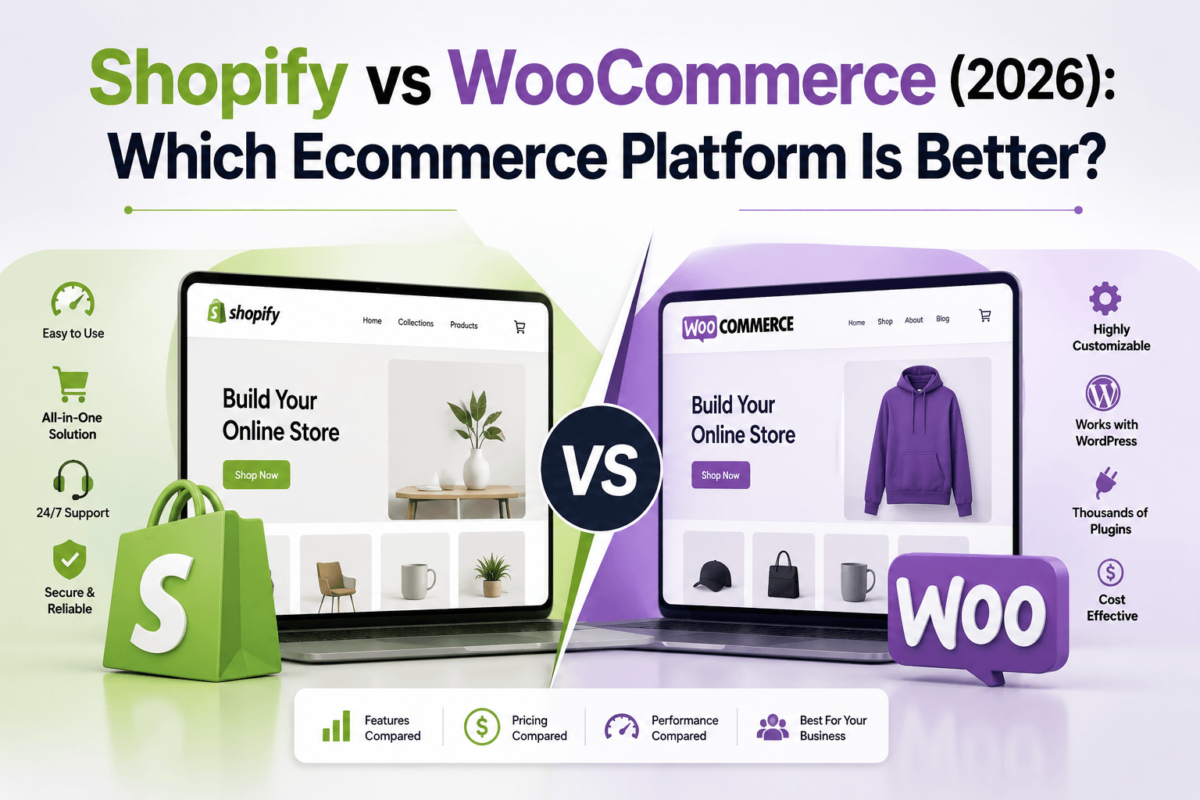
Shopify vs WooCommerce (2026): Which Ecommerce Platform Is Better?
Quick Answer
Shopify is better if you want a hosted, all-in-one platform that’s easy to set up, secure by default, and ready to sell within a weekend — you trade some flexibility for speed and reliability. WooCommerce is better if you already run WordPress, want full control over your store’s code and content, and don’t mind managing hosting, security, and updates yourself in exchange for lower long-term costs and unmatched customization. Neither is “better” in every category — the right pick depends on your technical comfort, budget, and how much you plan to grow.
Picking the wrong ecommerce platform doesn’t just cost you a subscription fee — it costs you months of rebuilding, lost SEO rankings during a messy migration, and the sales you didn’t make while you were stuck fighting your website instead of running your business. That’s the real price of getting this decision wrong, and it’s why Shopify vs WooCommerce is one of the most searched ecommerce questions every single year.
Both platforms dominate the market for good reason. Shopify now powers well over 4 million live stores worldwide because it removes almost every technical barrier between “I have a product” and “I have a store.” WooCommerce powers a comparable share of the web’s online stores because it’s free, open-source, and plugs directly into the world’s most popular website builder — WordPress. One is built for speed and simplicity. The other is built for control and customization. Most beginners assume they need to choose based on price alone, and that’s usually the first mistake.
The most common mistake beginners make isn’t picking Shopify when they should’ve picked WooCommerce, or vice versa — it’s not knowing what to compare in the first place. People compare the $39 sticker price of Shopify Basic to the “free” WooCommerce plugin and assume the decision is made, without accounting for apps, hosting, plugins, transaction fees, or the hours of setup time each option actually demands. A hosted ecommerce platform trades money for time; a self-hosted ecommerce platform trades time for money and control. Neither trade is wrong — it just needs to match how you actually work.
In this guide, you’ll get a category-by-category breakdown of pricing, SEO, design, features, security, scalability, and support — plus real ownership costs, migration advice, and recommendations for specific situations like dropshipping, print-on-demand, blogging, and enterprise selling. By the end, you’ll know exactly which platform fits your goals, not just which one has the flashier homepage.
Quick Verdict: Shopify vs WooCommerce at a Glance
If you only read one section, read this one. Here’s who wins each category, based on the detailed comparison below.
| Category | Winner |
| Best overall | Shopify |
| Best value long-term | WooCommerce |
| Best for beginners | Shopify |
| Best for SEO & content marketing | WooCommerce |
| Best for customization | WooCommerce |
| Best for developers | WooCommerce |
| Best for dropshipping | Shopify |
| Best for blogging | WooCommerce |
| Best for enterprise | Shopify (Plus) |
| Best long-term investment | WooCommerce |
These calls aren’t arbitrary — each one comes from weighing real cost data, platform-native features, and how each tool actually behaves once a store is live and growing, not just what’s promised on a pricing page. The sections below show the reasoning behind every verdict.
Ready to sell on Shopify?
Launch a full store, add products, and test checkout — free to try.
Start Free Shopify Trial →Ready to build on WooCommerce?
Get WordPress hosting built for WooCommerce and launch your store today.
Get WooCommerce Hosting →What Are Shopify and WooCommerce, Exactly?
Shopify: The Hosted, All-in-One Platform
Shopify is a fully hosted ecommerce platform — you sign up, pick a theme, add products, and you’re selling. Shopify handles the servers, security patches, backups, and uptime, so you never touch a hosting dashboard. That’s the entire appeal: it turns “building a website” into “filling out a form.”
Ideal for: first-time store owners, dropshippers, print-on-demand sellers, and anyone who wants a professional store live in a day without hiring a developer.
Strengths: fast setup, built-in security and PCI compliance, reliable uptime, polished Shopify themes, and a massive app ecosystem. Weaknesses: monthly fees plus app costs stack up quickly, and you’re limited by what Shopify’s platform allows — customization beyond the theme editor usually requires paying a developer.
WooCommerce: The Self-Hosted, Open-Source Plugin
WooCommerce isn’t a platform on its own — it’s a free plugin that turns a WordPress site into a full ecommerce store. Because it’s built on WordPress, you get the same content management flexibility that powers roughly 40% of the web, plus complete ownership of your code, data, and hosting environment.
Ideal for: bloggers who already run WordPress, businesses that want content marketing baked into the store, developers, and anyone who wants zero platform lock-in.
Strengths: total customization, no mandatory monthly platform fee, best-in-class blogging and SEO tools, and thousands of free and premium WordPress plugins. Weaknesses: you’re responsible for hosting, security, backups, and updates — or you pay someone else to be.
Want to see if Shopify fits your product before you commit?
Shopify’s free trial lets you build a full store, add products, and test the checkout flow risk-free.
Start Your Free Shopify Trial →Full Feature-by-Feature Comparison
Here’s where the real decision gets made. We’ll walk through every category that actually affects your day-to-day running the store — not just the marketing copy each platform puts on its homepage.
Shopify vs WordPress: A Quick Clarification
One question that trips people up before they even get to WooCommerce: is this a “Shopify vs WordPress” comparison? Not exactly. WordPress on its own is a content management system, not an ecommerce platform — it needs WooCommerce (or a similar plugin) added on top to sell anything. So the real comparison is Shopify (a complete hosted ecommerce solution) against WordPress plus WooCommerce (a content platform plus a free ecommerce layer). Framed that way, the trade-off gets clearer: Shopify sells you a finished product; WooCommerce sells you the parts and lets you assemble the store around content you may already own.
Ease of Use
Shopify’s setup wizard walks you from empty account to published store in under an hour, and the dashboard groups everything — orders, products, customers, analytics — in one clean sidebar. There’s no server to configure and nothing to break if you click the wrong thing.
WooCommerce’s setup wizard is genuinely good once WordPress and hosting are already in place, but that “once” is doing a lot of work. You (or your host) need to install WordPress, install WooCommerce, choose a theme, and configure a payment gateway before you’re anywhere near Shopify’s out-of-the-box experience. The learning curve is steeper, but it flattens fast if you’ve used WordPress before.
Day-to-day store management tells a similar story. Shopify’s admin keeps orders, inventory, and customer data in one predictable place with almost no configuration. WooCommerce’s admin lives inside the broader WordPress dashboard, so it can feel cluttered at first — but it also means your store, blog, and marketing pages are managed from a single login instead of juggling separate systems.
Winner: Shopify — fewer moving parts, faster time to first sale.
Pricing: Shopify Pricing vs WooCommerce Pricing
This is the category most people get wrong, because “free” and “cheap monthly plan” both hide real costs.
Shopify pricing runs on fixed monthly plans:
Annual billing knocks about 25% off any of these. On top of the plan fee, Shopify charges card-processing rates around 2.9% + 30¢ on Basic (falling slightly on higher plans), plus an extra surcharge if you skip Shopify Payments for a third-party gateway.
WooCommerce pricing starts at $0 for the plugin itself, but you’re assembling the rest yourself:
Here’s what that looks like as realistic yearly ownership cost:
| Store size | Shopify (yearly) | WooCommerce (yearly) |
| Starter store | ~$350–$470 (Basic, annual) | ~$150–$400 |
| Growing business | ~$950–$1,300 + apps | ~$600–$1,800 + plugins |
| Large store | $3,600+ (Advanced) or Plus pricing | $2,000–$8,000+ (managed hosting, devs, plugins) |
Winner: WooCommerce for lean budgets and long-term cost control; Shopify for predictable, all-inclusive pricing with no surprise dev bills.
Shopify POS vs WooCommerce POS
If you also sell in person, this category matters. Shopify POS is native and tightly integrated — inventory syncs automatically between your online store and physical register, and Shopify POS Lite is included free on every plan, with Shopify POS Pro available for around $89/month per location for retailers who need advanced staff and multi-location features.
WooCommerce POS isn’t built in — you’ll add a plugin such as WooCommerce POS or a third-party retail POS that syncs with WooCommerce’s inventory via API. It works well, but it’s another moving piece to configure and maintain rather than a flip-a-switch feature.
Winner: Shopify — native POS integration beats bolting one on.
Design & Themes
Shopify’s free and premium themes are consistently polished, mobile-responsive out of the box, and built around the drag-and-drop Shopify theme editor — no code required for most changes. Premium themes run a one-time $150–$400. Browse our roundup of the best Shopify themes for 2026 if you want specifics.
WooCommerce works with any WordPress theme — thousands of free options and premium marketplaces like ThemeForest — plus page builders like Elementor for true pixel-level control. The tradeoff is quality consistency: WooCommerce themes range from excellent to genuinely broken, so vetting matters more. See our list of the best WordPress themes to shortlist reliable options.
Mobile responsiveness is table stakes on both platforms today — nearly every current theme on either side renders cleanly on phones, since the majority of ecommerce browsing now happens on mobile. Where they diverge is editing flexibility: Shopify’s theme editor uses sections and blocks that non-technical users can rearrange safely, while WooCommerce page builders like Elementor let you build genuinely custom layouts, at the cost of a small performance overhead if you’re not careful about how many builder plugins you stack.
Winner: Tie — Shopify for consistency and ease, WooCommerce for depth of customization.
Ecommerce Features
Shopify ships with strong native features: inventory tracking, discount codes, gift cards, abandoned cart recovery (Grow plan and up), and solid shipping tools. Subscriptions, memberships, and advanced B2B/wholesale pricing typically require apps.
WooCommerce’s core plugin is leaner, but extensions cover essentially everything — digital downloads, subscriptions, memberships, wholesale pricing, and B2B catalogs — often with more granular control than Shopify’s app equivalents, at the cost of installing and configuring more pieces yourself.
On the details that trip up beginners — coupons, shipping, and taxes — both platforms are capable but handle them differently. Shopify calculates shipping rates and tax automatically based on your store location and destination, with carrier-calculated rates available on Grow and above. WooCommerce requires a bit more manual configuration for tax rules and shipping zones out of the box, but plugins like WooCommerce Tax and various shipping extensions close that gap quickly, and give you more control over edge cases like regional tax exemptions.
Gift cards ship natively on Shopify’s higher plans and via extension on WooCommerce. Wholesale and B2B pricing tiers are where WooCommerce pulls further ahead for niche catalogs — plugins can apply different price rules per customer group, per quantity break, or per approved wholesale account, a level of granularity that usually requires Shopify Plus to replicate natively.
Winner: WooCommerce for depth and flexibility; Shopify for features that work well immediately.
Payment Gateways
Shopify Payments (built on Stripe) is the default and avoids extra transaction surcharges. You can still connect PayPal, Amazon Pay, Apple Pay, and Google Pay, but any gateway other than Shopify Payments triggers an added fee of 0.2%–2% depending on your plan. Compare processors on our best payment gateways guide.
WooCommerce has no platform-level transaction fee at all — connect Stripe, PayPal, Square, or Authorize.net directly and you only pay that processor’s standard rate (typically 2.9% + 30¢). Over high volume, this adds up to real savings.
Winner: WooCommerce — no added platform transaction fee, regardless of gateway.
Apps vs Plugins
The Shopify App Store is curated and quality-controlled, which means fewer conflicts and generally better support — but most useful apps carry a recurring monthly fee, and a store with 15–20 apps can quietly double its Shopify bill. Our best Shopify apps guide highlights the ones actually worth paying for.
The WordPress plugin directory is enormous and mostly free, but quality varies wildly, and poorly coded plugins are the single biggest cause of WooCommerce site slowdowns and security issues. Stick to well-reviewed, actively maintained plugins from our best WordPress plugins list.
Winner: Shopify for quality control; WooCommerce for raw selection and cost.
SEO: Shopify SEO vs WooCommerce SEO
This is where the platforms diverge most sharply. WooCommerce, running on WordPress, gives you full control over URL structure, permalinks, canonical tags, and schema markup — and pairs with mature SEO plugins that Shopify simply can’t match natively. If you want to go deep, our ecommerce SEO and product page SEO guides cover the technical details.
Shopify SEO has improved significantly, but it still has structural limits: product URLs are locked into a /products/ subfolder you can’t fully remove, and some deep technical customization requires editing theme code (Liquid). Shopify’s own Shopify SEO workarounds close most of that gap. Both platforms handle Core Web Vitals reasonably well by default — see our Core Web Vitals guide if speed and SEO scoring is a priority.
Winner: WooCommerce — more technical control and better native content SEO, provided you set it up correctly.
Blogging & Content Marketing
Shopify’s blog tool is functional but basic — fine for occasional posts, limited for a serious content strategy. Content-driven brands often bolt on a separate content hub because Shopify’s editor and internal linking tools feel like an afterthought.
WooCommerce inherits WordPress’s editor, which is purpose-built for publishing — better categorization, native internal linking, and every content marketing plugin ever built for WordPress. If your growth strategy leans on SEO content (like the one you’re reading right now), this matters a lot.
Winner: WooCommerce — not close.
Speed & Performance
Shopify runs on its own global CDN and infrastructure that’s tuned for ecommerce traffic spikes — you get solid, consistent performance without touching a setting.
WooCommerce’s speed is entirely dependent on your hosting and how many plugins you’re running. On quality managed WordPress hosting with a caching layer and CDN, WooCommerce performs excellently. On cheap shared hosting with a bloated plugin stack, it can be genuinely slow.
The practical fix is straightforward: pair WooCommerce with a host that includes server-level caching and a built-in CDN, keep your plugin count lean, and audit page speed quarterly rather than after visitors start complaining. Compare general-purpose hosts on our best web hosting services guide if you want options beyond WordPress-specific hosts, and check the technical SEO checklist for the site-speed factors that affect rankings on either platform.
Winner: Shopify — for consistency and zero configuration required.
Security
Shopify handles PCI compliance, SSL, backups, and platform-level security patches automatically. You genuinely don’t have to think about it.
WooCommerce security is your responsibility — SSL, backups, malware scanning, and plugin updates all need active management, usually through your host or a security plugin. It’s manageable, but it’s a real ongoing task, not a one-time setup.
In practice, this means budgeting for a security plugin (Wordfence or Sucuri are common choices), automated off-site backups, and a routine of updating WordPress core, your theme, and every plugin promptly when patches ship. Most managed WordPress hosts bundle several of these protections in, which is why hosting choice matters as much for security as it does for speed.
Winner: Shopify — security is built in, not bolted on.
Customer Support
Shopify offers 24/7 live chat, email, and phone support directly from the company, backed by extensive documentation. WooCommerce has no official support line — you’re relying on your hosting provider, plugin developers, and the (very large and active) WordPress community forums. Agencies and developers rarely mind this; solo beginners often do.
In practice, WooCommerce support quality tracks your hosting provider closely — a quality managed host will troubleshoot performance and server issues directly, while plugin-specific problems go to that plugin’s own support channel. It’s more fragmented than Shopify’s single point of contact, but often just as responsive once you know where to ask.
Winner: Shopify — direct, official 24/7 support.
Scalability
Both platforms scale to enterprise level — Shopify Plus powers major global brands, and WooCommerce runs large stores through robust managed hosting and performance tuning. Shopify’s scaling path is simpler (upgrade a plan); WooCommerce’s is more hands-on (upgrade infrastructure and optimize code) but gives you more control over exactly how and where you scale.
International selling follows the same pattern. Shopify Markets handles multi-currency pricing, localized domains, and duty estimation natively on Grow and above. WooCommerce reaches the same outcome through plugins like WPML for multi-language content and various multi-currency extensions — more setup work, but no per-market fee stacked on top of a plan upgrade.
Winner: Tie — different paths to the same ceiling.
AI Features
Shopify has moved fastest here, with native AI store setup assistance, AI-generated product descriptions, image editing, and built-in analytics summaries baked into the admin. WooCommerce relies on third-party AI plugins for equivalent features — they work well, but they’re add-ons rather than native tools. For AI-assisted copywriting on either platform, see our best AI writing tools roundup.
Worth noting for anyone thinking about visibility beyond traditional search: how AI shopping assistants and answer engines cite your store is becoming its own optimization category. WooCommerce’s structured, crawlable WordPress content generally gives AI systems more to reference than a lean Shopify product page, which is one more reason content-heavy brands lean toward WooCommerce as this space matures.
Winner: Shopify — native AI tooling is more mature right now.
Integrations
Both platforms integrate cleanly with Google Analytics, GA4, Meta, TikTok, Pinterest, Amazon, eBay, Etsy, Klaviyo (see Klaviyo vs Omnisend if you’re choosing an email tool), Mailchimp, HubSpot, Zapier, QuickBooks, Xero, and Stripe. Shopify integrations are typically one-click apps; WooCommerce integrations are typically plugins that need a bit more configuration but often expose more settings once connected.
If you’re building out a broader marketing stack around either platform, our guides on CRM for email marketing and content marketing tools cover the pieces that sit alongside your storefront rather than inside it.
Winner: Tie — comparable coverage, different setup effort.
Building on WooCommerce? Start with the right hosting.
Most WooCommerce performance and security complaints trace back to cheap shared hosting. A WooCommerce-optimized host fixes both.
See Best Managed WordPress Hosting →Shopify vs WooCommerce: Complete Scorecard
| Category | Shopify | WooCommerce |
| Ease of use | Excellent | Moderate |
| Pricing predictability | High | Variable |
| Customization | Good | Excellent |
| SEO control | Good | Excellent |
| Blogging tools | Basic | Excellent |
| Out-of-the-box speed | Excellent | Depends on hosting |
| Security (built-in) | Excellent | Requires setup |
| Apps / plugins quality | Curated | Variable, huge selection |
| Theme quality | Consistent | Variable |
| Payment gateway fees | Extra fee off-platform | No platform fee |
| Support | 24/7 official | Community-based |
| Scalability | Excellent (Plus) | Excellent (with investment) |
| Marketing tools | Strong native | Strong via plugins |
| AI features | Mature, native | Plugin-dependent |
| Long-term value | Good | Excellent |
Total Cost of Ownership: The Real Long-Term Value Question
“Which is cheaper” and “which is better long-term value” are different questions, and conflating them is where most cost comparisons go wrong. Shopify’s cost scales in predictable, visible steps — you always know your baseline platform fee, even if apps push the real number higher. WooCommerce’s cost scales with complexity: a simple ten-product store stays genuinely cheap for years, while a store that keeps adding plugins, premium extensions, and eventually a developer retainer can quietly approach or exceed what Shopify would have charged for the same functionality.
The deciding factor is usually how much of the work you can (or want to) do yourself. A solo founder comfortable with WordPress can run WooCommerce for a few hundred dollars a year indefinitely. A founder who’d rather pay for convenience than spend a weekend configuring a caching plugin will spend that time savings on Shopify’s subscription instead — and for many businesses, that trade is worth it. Neither approach is more “correct”; they just allocate the same underlying cost (money vs. time vs. technical risk) differently.
One more factor rarely mentioned in pricing comparisons: exit cost. Leaving Shopify means rebuilding your theme and losing platform-specific app data. Leaving WooCommerce means you already own your content, database, and (usually) your hosting relationship — migrating away is disruptive but rarely as much of a rebuild. If long-term platform independence matters to your business, weight that into the “value” side of the ledger, not just the monthly bill.
Pros and Cons
Every comparison chart above collapses into two honest lists once you strip out the marketing angle. Read both before you decide — the “cons” column is usually where a platform quietly costs you the most time or money down the line, not the “pros” column.
Shopify Pros & Cons
Pros
Cons
WooCommerce Pros & Cons
Pros
Cons
Which Platform Is Best For You?
| User type | Recommended platform |
| Complete beginners, non-technical | Shopify |
| Small businesses on a tight budget | WooCommerce |
| Large businesses / enterprise | Shopify Plus |
| Agencies serving many clients | Either — depends on client needs |
| Freelancers / developers | WooCommerce |
| Bloggers adding a shop | WooCommerce |
| Digital products | Either — both handle downloads well |
| Handmade / physical goods | Shopify |
| Dropshipping | Shopify |
| Print-on-demand | Shopify |
| Subscription businesses | Either — check app/plugin cost first |
| Membership sites | WooCommerce |
| B2B / wholesale | WooCommerce (or Shopify Plus) |
Real-World Scenarios: What Should You Actually Choose?
“I want to launch my first online store.”
Go with Shopify. You’ll be selling faster and won’t need to learn hosting basics before you learn how to sell.
“I already use WordPress.”
Go with WooCommerce. You already have the hosting relationship and content — adding a store is a natural extension.
“I sell digital products.”
Both handle this well. Shopify if you want simplicity; WooCommerce with a downloads extension if you want more delivery control.
“I sell handmade goods.”
Shopify’s inventory and variant tools are slightly friendlier for small-batch physical products.
“I run a large catalog.”
Either scales, but WooCommerce on optimized hosting gives more control over how large catalogs are indexed and organized for SEO.
“I need advanced SEO.”
WooCommerce, without much debate — it’s built on the platform SEO plugins were designed for.
“I have no technical experience and no time to learn.”
Shopify. Every hour spent learning server management is an hour not spent selling.
“I want complete control over everything.”
WooCommerce. Nothing about Shopify’s hosted model gives you this level of access.
“I want the lowest possible monthly cost.”
WooCommerce on budget hosting can run under $15/month, well below Shopify’s cheapest full-store plan.
“I need the fastest possible setup.”
Shopify. There’s no faster path from zero to a live, secure storefront.
“I run an agency building stores for clients.”
Learn both. Non-technical clients with simple catalogs are usually happiest on Shopify; content-driven or highly custom clients are usually better served on WooCommerce.
“I’m a developer who wants to build something custom.”
WooCommerce. Shopify’s Liquid and API access is capable, but nothing beats direct access to the codebase, database, and server environment that WordPress gives you.
Shopify Migration & WooCommerce Migration: What to Know
Switching platforms later is entirely possible — plenty of stores migrate in both directions as their needs change. The key is protecting your SEO rankings during the move, since a careless migration is the single most common way stores lose months of organic traffic overnight. Plan the redirect map before you touch anything else, and treat the migration itself as a project with a checklist, not a weekend side task.
Migrating Shopify → WooCommerce
Migrating WooCommerce → Shopify
Timing matters as much as the technical steps. Migrate during a genuine low-traffic period for your business, never during a launch, sale, or peak season, and give yourself a buffer week to fix broken redirects or missing product data before promoting the new store publicly.
Common Mistakes When Choosing an Ecommerce Platform
Expert Buying Advice by Business Type
One more piece of advice that applies regardless of platform: don’t let the platform decision become the project. The businesses that struggle aren’t the ones on the “wrong” platform — they’re the ones that spent six months perfecting the setup instead of getting a working store in front of customers and iterating from real sales data. Pick the platform that removes the most friction for you specifically, launch, and adjust as you learn what your actual customers need.
Whichever platform you choose, the tools around it matter just as much.
Frequently Asked Questions
Is Shopify better than WooCommerce?
Neither is universally better. Shopify wins on ease of use, security, and support; WooCommerce wins on cost control, SEO flexibility, and customization. The right choice depends on your technical comfort and budget.
Which platform is cheaper, Shopify or WooCommerce?
WooCommerce is usually cheaper for small stores since the plugin is free and you only pay for hosting and the extras you actually need. Shopify’s fixed monthly plans become more competitive at scale, when they replace multiple separate services.
Which platform has better SEO, Shopify or WooCommerce?
WooCommerce generally offers better SEO control because it’s built on WordPress, giving you full access to URL structure, schema, and mature SEO plugins. Shopify SEO has closed much of the gap but still has some fixed structural limits.
Can WooCommerce handle large, high-traffic stores?
Yes, with the right managed hosting and performance optimization. WooCommerce’s High-Performance Order Storage and caching plugins let it scale well, though it requires more active management than Shopify’s hosted infrastructure.
Is Shopify worth the monthly fee?
For most beginners and non-technical sellers, yes — the fee covers hosting, security, uptime, and support that would otherwise cost time or money to manage separately on WooCommerce.
Which is easier for beginners, Shopify or WooCommerce?
Shopify is significantly easier for beginners. There’s no hosting to configure and the setup wizard covers everything a first-time store owner needs.
Can I migrate from one platform to the other later?
Yes, migration in either direction is common. It requires exporting your product and customer data, rebuilding your design, and setting up 301 redirects to protect your existing SEO rankings.
Which platform has lower transaction fees?
WooCommerce has no platform-level transaction fee regardless of payment gateway. Shopify only avoids extra fees if you use Shopify Payments; other gateways add a surcharge on top of standard processing rates.
Which platform is more secure?
Shopify is more secure by default since it handles PCI compliance, SSL, and patching automatically. WooCommerce can be just as secure, but security is your responsibility to configure and maintain.
Which platform is faster?
Shopify delivers more consistent speed out of the box thanks to its dedicated infrastructure. WooCommerce can match or exceed that speed on quality hosting, but performance varies more by setup.
Which platform is better for blogging and content marketing?
WooCommerce, by a wide margin. Its WordPress foundation is purpose-built for publishing, categorization, and internal linking, which Shopify’s more basic blog tool can’t match.
Which platform is best for dropshipping?
Shopify, thanks to its mature dropshipping app ecosystem, one-click supplier integrations, and straightforward order automation.
Which platform is best for selling digital products?
Both handle digital products well. WooCommerce gives more control over delivery and licensing through extensions, while Shopify offers simpler setup through dedicated digital download apps.
Does WooCommerce require coding knowledge?
No coding is required for a basic store, but comfort with WordPress and occasional plugin configuration helps. Deeper customization does typically require some code or a developer.
Can Shopify scale to enterprise level?
Yes. Shopify Plus is built specifically for high-volume enterprise brands, offering dedicated support, higher checkout capacity, and advanced customization through Shopify Functions.
Which platform is best for small businesses?
It depends on priorities: Shopify for time savings and simplicity, WooCommerce for lower ongoing costs and more control over marketing and content.
Which platform has better themes?
Shopify themes are more consistently polished and easier to customize without code. WooCommerce has a far larger selection, but quality varies, so careful vetting matters more.
Which platform has more integrations?
Both integrate with essentially every major marketing, analytics, and accounting tool. Shopify’s are typically simpler one-click app installs; WooCommerce’s plugin-based integrations often expose more configuration options.
Which platform is more customizable?
WooCommerce, because you have full access to the underlying code, database, and hosting environment. Shopify customization is powerful but bounded by what the platform’s theme system and APIs allow.
What’s the difference between Shopify and WordPress?
WordPress is a general content management system that becomes an ecommerce platform with the WooCommerce plugin. Shopify is a dedicated, hosted ecommerce platform with no separate content-management foundation required.
What are the best Shopify alternatives?
WooCommerce is the most popular alternative, followed by BigCommerce, Wix Ecommerce, and Squarespace Commerce, each trading off some combination of cost, flexibility, and ease of use.
What are the best WooCommerce alternatives?
Shopify is the leading alternative for those who want a hosted experience, alongside BigCommerce and Wix Ecommerce for users who want less setup than WooCommerce requires.
Does Shopify or WooCommerce have better POS options?
Shopify POS is native and syncs inventory automatically with your online store, which makes it the stronger option for anyone selling both online and in person. WooCommerce POS works well but requires a separate plugin to bridge online and offline sales.
How much does a WooCommerce store really cost per year?
A lean starter store typically runs $150–$400 a year including hosting, a domain, and a premium theme. Costs rise with premium plugins, managed hosting, or developer help as the store grows.
Is WooCommerce good for beginners with zero technical background?
It’s manageable but not effortless. Beginners can succeed with WooCommerce, especially using a managed WordPress host that handles server-level tasks, but expect a steeper first few weeks than Shopify.
Can I run a subscription business on Shopify or WooCommerce?
Yes on both. Shopify handles subscriptions through dedicated apps like Recharge or Bold Subscriptions, while WooCommerce uses the WooCommerce Subscriptions extension. Compare the ongoing app or plugin cost before committing, since subscription tools are rarely free on either platform.
Which platform is better for print-on-demand?
Shopify, primarily because print-on-demand suppliers like Printful and Printify integrate most seamlessly through Shopify’s app ecosystem, with automatic order routing and product syncing.
Will switching from WooCommerce to Shopify hurt my SEO rankings?
It can if done carelessly. Rankings usually hold steady when every old URL gets a proper 301 redirect to its new equivalent and the sitemap is resubmitted promptly — skipping either step is what causes ranking drops.
Which platform should I choose in 2026?
Choose Shopify if you want to launch quickly with minimal technical overhead. Choose WooCommerce if you already use WordPress, want maximum control, and are comfortable managing hosting and security yourself.
Final Verdict
There’s no universal winner in the Shopify vs WooCommerce debate, and any guide that tells you otherwise is oversimplifying. Choose Shopify if you want to be selling this week, you’d rather pay a predictable monthly fee than manage hosting and security yourself, and you’re running physical products, dropshipping, or print-on-demand. Choose WooCommerce if you already have a WordPress site, content marketing and SEO are core to your growth plan, or you want full ownership of your store’s code and long-term costs without a platform fee attached.
Think about where your business will realistically be in two or three years, not just where it is today. A dropshipper testing product-market fit doesn’t need WooCommerce’s content depth yet — Shopify gets them to their first hundred sales faster. A content-driven brand that’s already ranking blog posts and building an email list will feel WooCommerce’s SEO and publishing advantages compound month after month in a way Shopify’s platform simply isn’t built to match.
Both platforms can absolutely build a successful business — the real risk isn’t picking the “wrong” one, it’s picking based on price alone instead of matching the platform to your technical comfort, growth plans, and budget. Get that match right, and the platform becomes invisible; you’ll just be running your store.
Still unsure? Start with the single question that predicts the right answer more reliably than any feature checklist: do you want to spend your time building content and code, or spend it running the business while someone else handles the infrastructure? Answer that honestly, and Shopify vs WooCommerce stops being a hard decision.