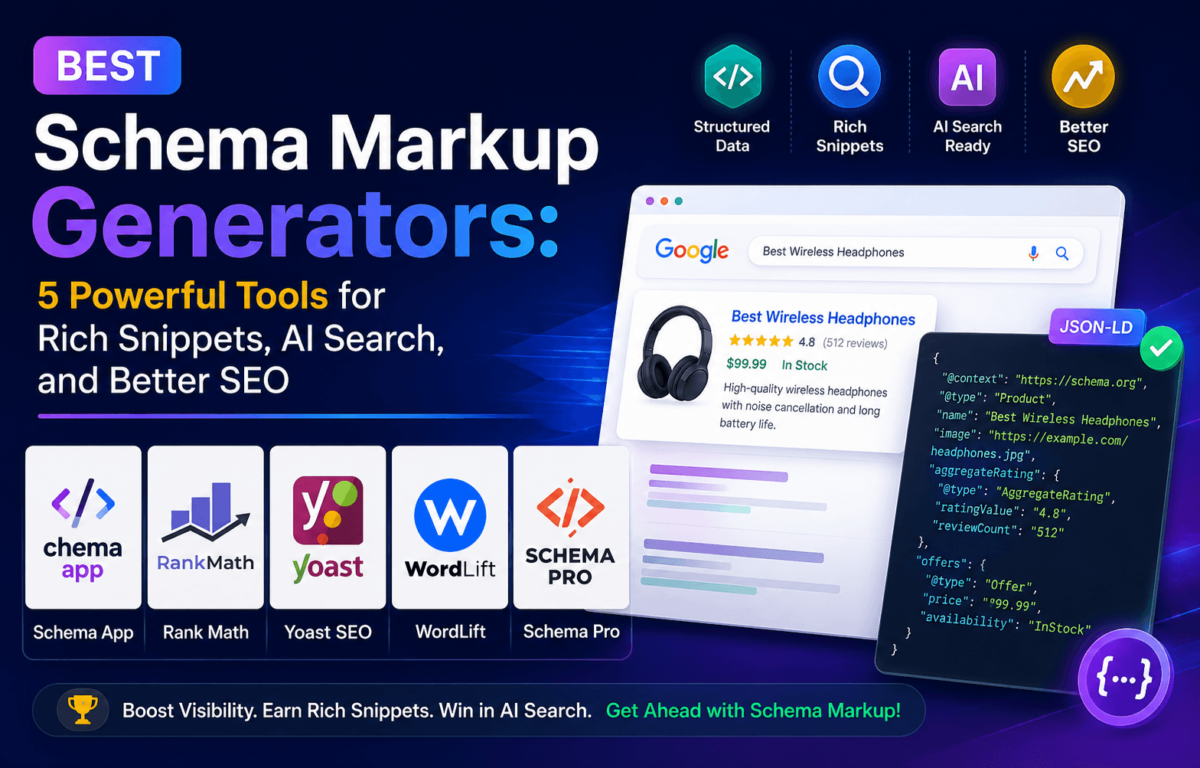
Best Schema Markup Generators: 5 Powerful Tools for Rich Snippets, AI Search, and Better SEO
Have you ever wondered why some Google results show star ratings, FAQs, prices, or breadcrumbs while yours just sit there as a plain blue link? Nine times out of ten, the answer is schema markup.
It’s the one piece of technical SEO that most site owners put off, because it sounds like something only a developer should touch. It isn’t. A good schema markup generator turns “write JSON-LD by hand” into “fill out a form and hit save,” and in 2026 that matters more than ever — because it’s not just Google reading that code anymore. ChatGPT, Gemini, and Google’s AI Overviews all lean on structured data to figure out what your page actually says before they decide whether to cite it.
We tested five schema markup generators built for exactly this moment — plugins that automate the JSON-LD, validate it, and keep it accurate as your site grows. Here’s what we found, who each one is actually built for, and how to pick the right one for your site.
Quick Answer: Best Schema Markup Generators (2026)
- Rank Math — best overall, best for WordPress beginners
- Schema Pro — best for high-volume publishers and WooCommerce stores
- SEOPress — best budget pick for agencies (unlimited sites, one license)
- InLinks — best for enterprise, entity SEO, and AI search visibility
- Schema (by SchemaPress) — best free / budget dedicated schema plugin
What Is Schema Markup?
Schema markup is a standardized code — usually written in JSON-LD — that you add to a webpage to describe its content in a language search engines and AI systems can parse directly. Instead of guessing what a page is about from the visible text, a crawler reads the schema and knows immediately: this is a product, it costs $49, it has a 4.7-star rating, and here’s the return policy.
Think of schema markup as a translator. It tells Google exactly what your content means instead of forcing search engines to guess. Without it, Google is stuck inferring context from headings and body text — a process that’s improved a lot over the years but still misses nuance. With it, you’re handing the answer over on a plate.
Structured data is what powers rich results: star ratings under a review, a recipe card with cook time, an FAQ dropdown right in the SERP, or a breadcrumb trail showing your site’s structure. Schema.org — the joint vocabulary maintained by Google, Microsoft, Yahoo, and Yandex — defines the exact properties each type needs, and a schema markup generator’s whole job is making sure you fill in those properties correctly without touching raw code.
Why Schema Markup Matters for SEO, AI Search, and Rich Snippets
A few years ago, schema markup was a “nice to have” — something you added after everything else was already dialed in. That’s no longer true. Here’s why it’s climbed to the top of most technical SEO checklists:
- Higher click-through rates. Star ratings, prices, and FAQ dropdowns take up more visual space in the SERP and pull the eye before a plain listing does.
- Better indexing. Clear structured data helps crawlers categorize your content faster and more accurately, which can shorten the gap between publishing and ranking.
- Enhanced SERP visibility. Rich results — recipe cards, review stars, event listings — simply take up more real estate than a standard blue link.
- AI discoverability. Generative engines pull structured facts more reliably than they parse prose, which matters directly for whether you get cited.
- Entity recognition. Schema ties your content to real-world entities — organizations, people, products — which feeds into how Google’s Knowledge Graph understands your brand.
- Better content categorization. Search engines sort your pages more precisely when the type of content is explicitly labeled instead of inferred.
None of this is a ranking hack. Schema markup doesn’t move you from position 8 to position 1 by itself. What it does is make you eligible for the visual features that pull clicks away from everyone still stuck with plain text — and increasingly, it’s your ticket into AI-generated answers at all. If you haven’t touched your site’s technical foundation recently, our technical SEO checklist is a good place to see where schema fits into the bigger picture.
Which Schema Types Matter Most in 2026?
Schema.org has hundreds of types defined, but you don’t need to touch most of them. For the vast majority of blogs, affiliate sites, and small business pages, five types cover 90% of what you actually need:
- Article schema — tells search engines this is a blog post or news piece, with an author, publish date, and headline. It’s the foundation for E-E-A-T signals and often the first thing a schema generator sets up for you.
- FAQ schema — marks up question-and-answer pairs so they can appear as expandable dropdowns in search, and it’s one of the clearest signals you can hand an AI model when it’s assembling a direct answer.
- Product schema — essential for e-commerce and affiliate content, covering price, availability, and reviews so your listing can show up with stars and pricing right in the SERP.
- Review schema — powers the star ratings under product and service listings, and Google is strict about requiring genuine, on-page reviews to back it up.
- LocalBusiness schema — critical if you have a physical location or service area, since it feeds hours, address, and contact details straight into local search and map packs.
If local search is a priority for your business, we’ve gone deep on how to structure this correctly in our guide to local business schema markup.
How Does Schema Markup Improve AI Visibility?
AI search engines like ChatGPT, Gemini, and Perplexity don’t “read” a page the way a human does — they extract entities, facts, and relationships from it. Schema markup hands them that structure directly instead of forcing the model to infer it from prose, which raises the odds your content gets pulled into a generated answer and cited by name.
Here’s the mechanism, broken into four pieces:
- Understanding entities. Schema explicitly names the “things” on your page — a person, a product, an organization — instead of leaving a language model to guess from context clues.
- Identifying relationships. Properties like
author,brand, andsameAsconnect your content to other known entities, which is exactly how AI systems build confidence in a source. - Generating citations. When a model can point to a clearly labeled fact instead of a vague paragraph, it’s far more likely to cite the source behind that fact.
- Creating summaries. FAQ and HowTo schema in particular give AI systems ready-made, structured answers that map almost directly onto how people phrase questions in a chat window.
We cover this in a lot more depth — including which fields actually move the needle — in our full guide to schema markup for AI search.
How Does Schema Help AI Overviews?
Google’s AI Overviews work a lot like a mini research assistant — they pull snippets from multiple sources, stitch them into a summary, and drop citation links underneath. Structured data improves your odds of being one of those citations in a few concrete ways:
- Context. Schema removes ambiguity about what a page is actually about, so Google doesn’t have to guess whether it’s reading a review, a how-to, or a product listing.
- Entity recognition. Clean markup ties your content to entities already established in Google’s Knowledge Graph, which builds trust faster than unstructured text alone.
- Content extraction. AI Overviews need to lift a clean fact or answer out of your page in milliseconds — structured data is built for exactly that kind of extraction.
- Citation probability. Pages with valid, comprehensive schema are consistently over-represented in AI Overview citations compared to pages with none.
For a broader look at where structured data fits alongside the rest of your generative-search strategy, check out our guides on Generative Engine Optimization (GEO) and Answer Engine Optimization (AEO) — and if you’re still sorting out how all these acronyms relate to each other, our breakdown of SEO vs. GEO vs. AEO vs. LLMO clears it up fast.
How We Chose the Best Schema Markup Generators
We started with a longer list of schema tools that regularly show up in SEO comparisons, then narrowed it down using these criteria:
- Ease of use — can a non-developer fill out a form and get valid JSON-LD without touching code?
- Supported schema types — how many of the schema.org types that actually matter for SEO are covered?
- AI search compatibility — does the output map cleanly to how AI Overviews and LLMs extract facts?
- Entity optimization — does the tool support entity-linking properties like
sameAsand knowledge-graph connections? - WordPress integration — since most of our readers run WordPress, native plugin support mattered a lot.
- Pricing — is there a genuinely usable free tier, and is the paid tier fair for what you get?
- Scalability — can it apply schema automatically across hundreds or thousands of pages, or is it strictly page-by-page?
- Validation support — does it catch broken or missing required properties before you publish?
- Affiliate program status — we checked every tool’s official affiliate or partner page directly before including it. Two tools we initially planned to feature — one because its listed program turned out to be an application-only partnership with no published commission rate, and another because its affiliate program isn’t active — were swapped out for alternatives that currently have real, verifiable, self-serve affiliate programs.
Quick Comparison Table
| Tool | Best For | Free Version | Schema Types | AI SEO Support | Starting Price |
|---|---|---|---|---|---|
| Rank Math | WordPress beginners | Yes | 20+ types | Entity settings, AI Overview-ready | Free; PRO from ~$59/yr |
| Schema Pro | High-volume publishers | No* | 25+ types | Clean JSON-LD, applies at scale | ~$67/yr (1 site) |
| SEOPress | Agencies on a budget | Yes | 15+ types | Lightweight, clean output | Free; PRO from $49/yr |
| InLinks | Enterprise & AI/entity SEO | Yes (limited) | Auto-generated + entity graph | Built around entity/KG modeling | Free; paid from ~$39/mo |
| Schema (SchemaPress) | Budget bloggers & small sites | Yes | 15+ types + extensions | Clean JSON-LD output | Free; Premium from $79.20/yr |
*Schema Pro itself has no free tier, but its maker, Brainstorm Force, offers a separate free plugin (“All in One Schema Rich Snippets”) with more basic functionality. Pricing shown is approximate and reflects standard list pricing as of this writing — most vendors run seasonal promotions, so check the current price before you buy.
The Best Schema Markup Generators (Individual Reviews)
1. Rank Math — Best Overall Schema Markup Generator for WordPress
Overview: Rank Math is the WordPress SEO plugin most of our readers already have installed, and its schema module is one of the best reasons to keep it. It ships with 18 pre-built schema types on the free plan alone — something most competitors gate behind a paywall — and lets you assign schema per post type, per category, or per individual page without writing a line of code.
Key Features
- ▸18 schema types on the free plan, including Article, FAQ, Product, Review, HowTo, and Recipe
- ▸Visual schema builder — no manual JSON-LD editing required
- ▸Schema Generator shortcode block for adding markup inside the content editor itself
- ▸Built-in Google Rich Results Test integration for one-click validation
- ▸Works alongside the rest of Rank Math’s SEO toolkit (meta tags, sitemaps, redirects) so you’re not juggling separate plugins
Pros
- ✓Genuinely usable for free — most competitors lock schema behind a premium tier
- ✓One tool covers schema plus the rest of your on-page SEO
- ✓Huge community, so troubleshooting help is easy to find
Cons
- ✗Advanced schema customization (custom fields, deeper property mapping) requires PRO
- ✗Business and Agency tiers are priced for client work, not solo bloggers
| Best For | Bloggers, solopreneurs, and small business owners who want one plugin to handle schema and the rest of their on-page SEO without paying for anything upfront. |
| Pricing | Free forever plan with 18 schema types included. PRO plans start around $59–$84/year for unlimited personal websites (pricing fluctuates with seasonal promotions), with separate Business and Agency tiers priced for managing client sites. |
Curious how it stacks up against the other big WordPress SEO plugin? Our Rank Math vs. Yoast SEO comparison and our standalone Rank Math review both go deeper on the rest of its feature set.
2. Schema Pro — Best for High-Volume Publishers and WooCommerce Stores
Overview: Schema Pro, built by Brainstorm Force (the team behind the Astra theme), is a dedicated, standalone schema plugin that does one thing and does it thoroughly. Its defining feature is global field mapping: configure a schema type once — say, “Review” — map it to your custom post fields, and the plugin automatically applies that template across every matching page on your site. For a blog with hundreds of posts or a WooCommerce store with thousands of products, that’s a genuine time-saver over editing pages one by one.
Key Features
- ▸Global field mapping — set schema rules once, apply them site-wide
- ▸25+ schema types, including Recipe, Event, Course, and Software Application
- ▸Automated JSON-LD output — no manual page-by-page setup after the initial configuration
- ▸Deep WooCommerce integration for product, offer, and aggregate rating schema
- ▸Works alongside Yoast, Rank Math, or SEOPress without generating conflicting or duplicate schema
Pros
- ✓Best-in-class for applying consistent schema across large sites without touching individual pages
- ✓Doesn’t try to be a full SEO suite, so it stays lightweight and focused
- ✓Backed by an established company with a large support team
Cons
- ✗No free tier — you’re paying from day one
- ✗Costs more than a bundled schema module inside a general SEO plugin, so it’s overkill for a small five-page site
| Best For | High-volume publishers, large blogs, and WooCommerce stores that need schema applied consistently at scale without editing pages individually. |
| Pricing | Plugin-only plan starts around $67/year for a single site; an agency bundle (which adds Astra Pro and other Brainstorm Force products) runs around $187/year. Lifetime pricing is also available on some plans. |
3. SEOPress — Best Budget Pick for Agencies Managing Multiple Sites
Overview: SEOPress is a lightweight, developer-friendly WordPress SEO plugin with a genuinely capable schema module baked into its Pro tier — Article, Product, Review, FAQ, LocalBusiness, Event, and Video schema are all covered, output as clean JSON-LD. What sets it apart from Rank Math and Yoast is licensing: one Pro license covers unlimited websites, which makes it one of the more attractive options if you manage a portfolio of sites or client work.
Key Features
- ▸Schema module covering Article, Product, Review, FAQ, LocalBusiness, Event, and Video types
- ▸Automatic schema analysis that flags missing or broken required fields
- ▸Option to disable WooCommerce’s default (often incomplete) Product schema and replace it with SEOPress’s own
- ▸White-label mode, useful if you’re managing schema for clients under your own agency brand
- ▸Noticeably lighter on page load than some competitors, since it skips the extra bloat
Pros
- ✓Unlimited-site license makes it dramatically cheaper than per-site alternatives once you’re past one or two websites
- ✓Free version is genuinely functional, not just a stripped-down demo
- ✓Clean, uncluttered interface that developers tend to prefer
Cons
- ✗Smaller community than Rank Math or Yoast, so third-party tutorials are less common
- ✗Fewer built-in schema types than a dedicated tool like Schema Pro
| Best For | Agencies, freelancers, and developers running several WordPress sites who want one affordable license instead of paying per site. |
| Pricing | Free version available. Pro starts at $49/year for one site, $59/year for five sites, and $149/year for unlimited sites — the same price whether you manage 2 sites or 200. |
4. InLinks — Best for Enterprise, Entity SEO, and AI Search Visibility
Overview: InLinks takes a different approach from the WordPress plugins above. It’s an AI-powered platform that builds a semantic knowledge graph of your entire site, then generates schema markup based on the entities and relationships it identifies — not just per-page, but across your whole content library at once. It also handles internal linking automatically off the same entity graph, which is a genuinely unusual combination. It works with WordPress via a plugin, but it’s platform-agnostic, so it fits multi-CMS teams and larger publishers just as well.
Key Features
- ▸Automated entity extraction and knowledge-graph construction from your existing content
- ▸Auto-generated schema tied directly to the entities it identifies, including
sameAslinks to authoritative sources like Wikipedia - ▸AI content briefs built around topical coverage gaps
- ▸Automated internal linking based on the same entity map
- ▸Structured data audit tooling to catch schema-prose mismatches across large sites
Pros
- ✓Applies schema and internal linking site-wide off one entity graph, rather than page by page
- ✓Purpose-built for entity SEO and AI visibility, not a bolt-on feature of a broader tool
- ✓Works across CMS platforms, not just WordPress
Cons
- ✗Meaningfully more expensive than a WordPress plugin, and pricing scales with page count
- ✗Steeper learning curve — this is a strategic SEO tool, not a set-it-and-forget-it plugin
| Best For | Agencies, enterprise publishers, and content teams that need entity-based schema and internal linking automated at scale, especially if AI search visibility is a top priority. |
| Pricing | A limited free plan covers a small number of pages. Paid plans start around $39–$49/month for freelancers, scale to roughly $150–$200/month for agency-level page limits, and go custom-quoted for enterprise. Exact tier limits change fairly often, so check current pricing before committing. |
5. Schema (by SchemaPress) — Best Free / Budget Dedicated Schema Plugin
Overview: Schema, from SchemaPress, is a lightweight WordPress plugin built to do exactly one job well: output valid schema.org markup in JSON-LD, automatically, across your posts, pages, categories, and archives. Its free version has over 40,000 active installs and a solid track record, making it a genuinely usable option if you don’t want to pay for a full SEO suite just to get structured data working.
Key Features
- ▸Automatic schema output for standard WordPress content types out of the box
- ▸9 built-in extensions on the Personal plan, expanding to more on higher tiers
- ▸Dedicated add-ons for LocalBusiness, WooCommerce, and Reviews schema
- ▸JSON-LD output, which is Google’s explicitly preferred format
- ▸A genuinely free tier that doesn’t feel artificially crippled
Pros
- ✓Free version covers the basics without a credit card or trial period
- ✓Simple, focused interface with a shallow learning curve
- ✓Premium extensions let you pay only for the specific schema types you actually need
Cons
- ✗Design customization for how rich snippets display is more limited than some rivals
- ✗Extensions can add up in cost if you need several premium schema types at once
| Best For | Bloggers and small business sites that want reliable structured data without buying an entire SEO suite. |
| Pricing | Free version available on WordPress.org. Premium passes start at $79.20/year for one site, scaling to $159.20/year (5 sites), $239.20/year (10 sites), and $399.20/year for unlimited sites with every extension included. |
Which Schema Markup Generator Is Right for You?
If the comparison table above still leaves you torn, here’s the decision broken down by situation:
| If You’re… | Go With |
|---|---|
| A beginner or solo blogger | Rank Math |
| Building on WordPress and want one all-in-one plugin | Rank Math or SEOPress |
| An agency managing multiple client sites | SEOPress (unlimited-site license) |
| Running a large blog or WooCommerce store | Schema Pro |
| An enterprise publisher or multi-CMS team | InLinks |
| Prioritizing AI Overviews and entity SEO specifically | InLinks |
| On a tight budget and just need the basics covered | Schema (SchemaPress) |
Common Schema Mistakes to Avoid
A schema markup generator removes most of the room for error, but it doesn’t remove all of it. These are the mistakes we see most often:
- Duplicate schema. Running two plugins that both output Article or Product schema for the same page creates conflicting markup that can confuse crawlers or get your rich results suppressed entirely.
- Missing required fields. Google is strict about required properties — Product schema without a price or availability status, for example, simply won’t qualify for rich results.
- Invalid JSON. A single misplaced comma or bracket can break the entire schema block, and it often fails silently unless you actually run it through a validator.
- Fake review markup. Marking up reviews that don’t visibly appear on the page — or that aren’t genuine — violates Google’s structured data guidelines and can trigger a manual penalty.
- Outdated schema. Schema.org properties evolve. Markup that validated fine two years ago can quietly start throwing warnings once Google updates its requirements.
- Using multiple plugins simultaneously. Beyond duplicate schema, running several tools that all touch structured data makes it much harder to trace where a validation error is actually coming from.
How to Validate Your Schema Markup
Generating schema is only half the job — you still need to confirm it’s actually valid before you trust it. Here’s the process we use on every site:
- Run the page through Google’s Rich Results Test. Paste in the URL or the raw code, and Google will tell you exactly which schema types it detects and whether they qualify for rich results.
- Cross-check with the Schema.org Validator. This checks strict compliance with the schema.org vocabulary itself, which is a slightly different (and sometimes stricter) bar than Google’s own test.
- Monitor Google Search Console’s Enhancements reports. This is where you’ll catch site-wide issues after the fact — a template change that silently broke Product schema across 200 pages, for example.
- Re-check after any theme or plugin update. Schema output is fragile to changes elsewhere on your site, so it’s worth a spot-check any time you update your theme or add a new plugin that touches your templates.
- Set a recurring reminder to audit larger sites. If you’re running schema across hundreds of pages, a quarterly spot-check catches drift before it becomes a site-wide problem.
If your site’s technical foundation needs a broader once-over beyond just schema, our technical SEO checklist walks through the rest of it.
Frequently Asked Questions
What is a schema markup generator?
A schema markup generator is a tool that creates valid schema.org structured data — usually in JSON-LD format — without requiring you to write code by hand. You select a content type, fill in the relevant fields, and the tool outputs code ready to add to your page or automatically applies it through a plugin.
Does schema markup improve rankings directly?
Not directly. Schema isn’t a confirmed standalone ranking factor. What it does is make your page eligible for rich results, which can meaningfully raise click-through rate, and it improves how both search engines and AI systems understand and cite your content.
Which schema generator is best for WordPress?
Rank Math offers the most generous free schema functionality for WordPress. If you’re managing multiple sites, SEOPress’s unlimited-site license is the more economical route. For large sites needing schema applied automatically at scale, Schema Pro is the stronger fit.
Which schema types increase CTR the most?
Review schema (star ratings) and FAQ schema tend to produce the most visible CTR lift, since both take up extra vertical space in the SERP and catch the eye before a plain listing does. Recipe and Event schema are close behind for the niches they apply to.
Does schema help with AI search visibility?
Yes. AI systems like ChatGPT, Gemini, and Google’s AI Overviews extract facts and entities more reliably from structured data than from unstructured prose, which raises the odds your content gets pulled into a generated answer and cited.
Is JSON-LD better than Microdata?
For most sites, yes. JSON-LD is Google’s explicitly recommended format because it lives in a separate script block rather than being woven into your visible HTML, which makes it far easier to add, edit, and validate without risking your page’s actual content or layout.
Is schema markup difficult to implement?
Not with a generator. Writing raw JSON-LD by hand is genuinely fiddly and easy to get wrong, but tools like the ones in this guide reduce the process to filling out a form — no coding knowledge required for the vast majority of use cases.
Which schema tool is best for beginners?
Rank Math. Its free plan already includes 18 schema types with a visual, form-based builder, so you don’t need to spend anything to get started or understand JSON-LD to use it correctly.
Can I use multiple schema generators at once?
You can, but it’s risky. Running two tools that both output schema for the same content type on the same page tends to create duplicate or conflicting markup, which can cause Google to ignore both versions. If you need multiple tools — say, a general SEO plugin plus a dedicated tool like Schema Pro — check for overlap and disable duplicate modules where they exist.
How do I validate schema markup?
Run the page through Google’s Rich Results Test and the Schema.org Validator, then keep an eye on Google Search Console’s Enhancements reports for site-wide issues that show up after the fact. See the validation section above for the full process.
Do I need schema markup if I already use an SEO plugin?
It depends on what that plugin actually covers. Rank Math and SEOPress both include schema modules in their free or Pro tiers, so you may not need a separate tool. But if you need schema applied automatically at scale across a large site, or you want entity-based markup built around an AI-generated knowledge graph, a dedicated tool like Schema Pro or InLinks adds real value on top of a general SEO plugin.
How much does a schema markup generator cost?
Anywhere from free to a few hundred dollars a month, depending on scope. Rank Math, SEOPress, and Schema (SchemaPress) all have usable free tiers, with paid plans typically starting under $100/year for a single WordPress site. Enterprise entity-SEO platforms like InLinks scale up from there based on how many pages you need covered.
Final Verdict
- Best overall: Rank Math — the most generous free schema functionality, bundled with the rest of your on-page SEO.
- Best budget option: Schema (SchemaPress) — a genuinely usable free tier with affordable premium extensions.
- Best WordPress solution: Rank Math or SEOPress, depending on whether you need one site or an unlimited-site license.
- Best enterprise solution: InLinks — entity-based schema generated and maintained automatically at scale.
- Best AI-focused solution: InLinks — purpose-built around the entity and knowledge-graph signals AI search engines rely on.
There’s no universal “best” here — the right schema markup generator depends entirely on how big your site is and how much you’re willing to hand off to automation. If you’re just getting started, install Rank Math, turn on Article and FAQ schema, and validate it with Google’s Rich Results Test before you do anything else. Everything past that point is optimization, not necessity.
Once your schema foundation is solid, it’s worth widening the lens to the rest of your AI-search strategy — our guides on AEO tools, GEO tools, and LLM SEO tools are natural next steps. And if you haven’t settled on a core SEO plugin yet, our roundup of the best SEO plugins for WordPress is worth a look before you commit to any single tool on this list.