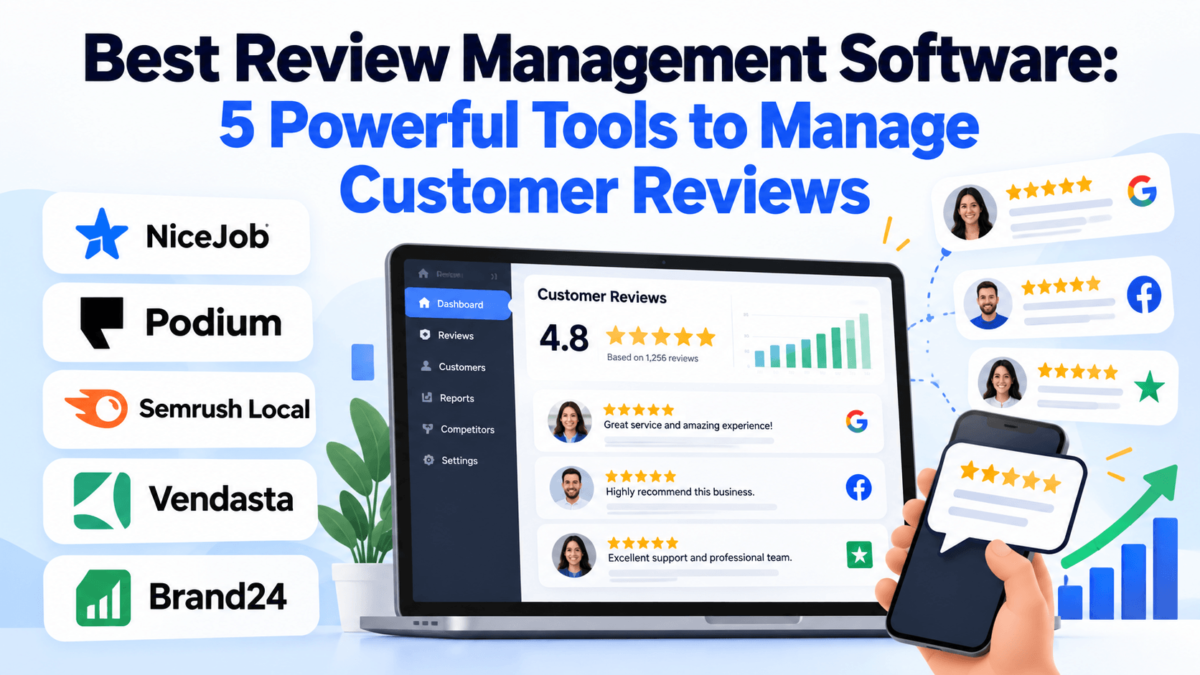
Best Review Management Software: 5 Powerful Tools to Manage Customer Reviews
A practical comparison of NiceJob, Podium, Semrush Local, Vendasta, and Brand24. Pricing checked September 2026.
A plumbing company can fix a leak perfectly, leave the kitchen cleaner than it found it, and still lose the next job to a competitor with 200 more Google reviews. Good work doesn’t turn into good reviews on its own. Most happy customers never think to leave one, and unhappy customers rarely need a reminder.
That’s the gap review management software is built to close. It’s more than a way to check your Google reviews once a week. The better tools help you ask for reviews at the right moment, catch new feedback as soon as it’s posted, respond from one place, and spot patterns in what customers keep praising or complaining about.
Below, we compare five platforms that approach the problem from very different angles. You’ll see what each one does, what it costs, where it falls short, and which kind of business it actually fits.
Quick Answer: Best Review Management Software
Review management software helps businesses request new customer reviews, monitor reviews on sites like Google and Yelp, respond to feedback from one dashboard, and track sentiment and reputation over time.
There’s no single best option for every business. NiceJob fits small service businesses that want automated review requests. Podium fits teams that want reviews inside a customer messaging inbox. Semrush Local fits businesses that want reviews tied to Google Business Profile and local SEO. Vendasta fits agencies and multi-location operators. Brand24 fits brands that need to monitor mentions and sentiment across the web.
| Software | Best for | Key strength | Review management | Monitoring | Starting price* |
|---|---|---|---|---|---|
| NiceJob | Small service businesses | Automated email and text review requests | Requests, review widgets, AI replies on Pro | Web review monitoring | $75/mo |
| Podium | Businesses that run on texting | Reviews inside a shared customer inbox | Text review invites, AI-assisted responses | Yes | About $399/mo (quote-based) |
| Semrush Local | Local SEO plus reviews | Google Business Profile and map rank tracking | AI replies on all plans; review generation on Pro | Google on Base; more platforms on Pro | $30 per location/mo (annual) |
| Vendasta | Agencies and multi-location | White-label reputation tools for resale | Requests, responses, reporting | Yes, across review sites | $99/mo platform minimum, plus products |
| Brand24 | Brand and mention monitoring | Mentions and sentiment across the web | Not a primary feature | Yes, review sites among many sources | $199/mo (annual) |
*Prices reflect publicly listed or widely reported figures checked in September 2026. Plans, limits, and fees change often, so confirm on each vendor’s site before you buy.
Best Review Management Software by Use Case
These aren’t rankings. Each tool is strongest at a different job, so start with the job you need done.
- Best for automated review collection: NiceJob, because review requests trigger from the tools service businesses already use.
- Best for customer communication and reviews: Podium, because review invites live in the same inbox as texts, webchat, and calls.
- Best for local SEO and reputation management: Semrush Local, because reviews sit next to Google Business Profile management and map rankings.
- Best for agencies and multi-location businesses: Vendasta, because it’s built to deliver white-label reputation services across many client accounts.
- Best for brand and review monitoring: Brand24, because it tracks mentions well beyond review sites, including social media, news, and forums.
NiceJob
NiceJob is a review and reputation marketing platform built for small, service-based businesses: contractors, cleaners, landscapers, and other companies that finish jobs every day. Its core job is straightforward. After the work is done, it sends the customer a review request, follows up automatically, and turns the reviews you earn into social proof on your website and social channels.
If you’re trying to fix a thin review profile, NiceJob is one of the more direct routes. We cover more tools in this category in our guide to the best customer review collection software.
Best for: Small service businesses that want automated review collection without a complicated setup.
Key Features
- Automated review requests by email and text message, with follow-up reminders
- Integrations with business tools such as Jobber, Housecall Pro, and QuickBooks Online, so requests can go out when a job is completed
- Website review widgets and social sharing of new reviews
- Review monitoring across the web
- Pro plan adds referral campaigns, repeat-booking campaigns, AI-generated review replies, and competitor insights
What We Like
- Published pricing, which makes budgeting easier than with quote-only tools.
- The workflow matches how service businesses already operate: close the job, and the request goes out.
- The entry plan covers the core job without charging you for a messaging suite you may not need.
Things to Consider
User reviews on sites like Capterra often mention limited control over workflow customization and branding, and reporting is fairly basic.
It’s designed around smaller, single-location businesses. Multi-location brands and agencies may outgrow it.
NiceJob isn’t a customer messaging inbox, so it won’t replace a two-way texting platform.
Pricing
Reviews plan: $75/month
Pro plan: $125/month
Free trial: A 14-day trial has been widely reported. Free plan: None.
Check NiceJob’s site for current plan limits before signing up.
Want more reviews without chasing customers?
See how NiceJob handles automated review requests, follow-ups, and review widgets for service businesses.
Check NiceJob’s current plansPodium
Podium is a customer communication platform first and a review tool second. It pulls texts, webchat, phone calls, and reviews into one shared inbox, so a front desk or sales team can answer a lead, follow up on a job, and invite a review from the same conversation.
That setup makes the most sense for businesses where texting is already the main way customers get in touch. If you’re mostly comparing inbox tools, our roundup of live chat software covers that side of the market.
Best for: Local businesses that run on text messaging and want reviews tied to customer conversations.
Key Features
- Review invites sent by text message
- Review management with AI-assisted responses, listed on the entry Core plan
- Shared inbox for texts, webchat, and calls
- Pro plan adds AI Concierge, AI Reputation Specialist, surveys, advanced automations, and image-based text campaigns
- Signature plan adds advanced multi-location management and additional AI tools
- Bulk messaging credits (reported as 250 per month on Core and 500 on Pro)
What We Like
- Text-based review invites are easy for customers to act on from their phones.
- Keeping reviews and conversations together suits busy front desks that handle a lot of customer contact.
- The plan tiers are clearly structured, from single-location use up to larger operations.
Things to Consider
Podium costs considerably more than review-only tools. If you only need review requests, you’ll pay for messaging features you may not use.
Third-party pricing reports describe annual contracts and extra charges such as a monthly 10DLC texting compliance fee and fees for additional phone numbers. Ask about contract terms and add-ons before signing.
Pricing
Core: about $399/month
Pro: about $599/month
Signature: custom pricing
No free plan is listed, and pricing is finalized through a sales quote. Figures above come from Podium’s published plan tiers as tracked by third-party pricing monitors.
Need reviews and customer messaging in one place?
Check Podium’s current plans and see how its inbox, review invites, and AI features fit your team.
See Podium’s plansSemrush Local
Semrush Local is the local SEO toolkit from Semrush. You can buy it on its own or add it to an existing Semrush subscription, and it’s priced per location. Review management sits alongside Google Business Profile management, directory listing distribution, and map rank tracking.
That makes it a natural fit when reviews are one part of a bigger local search plan. Reviews are a visible factor in how people choose a business on Google Maps, which we unpack in how Google reviews help SEO rankings. For broader Semrush coverage, see our Semrush review.
Best for: Local businesses and marketers who want review management tied to Google Business Profile and local rankings.
Key Features
- AI-drafted replies and optional auto-replies for Google Business Profile reviews
- Email alerts for negative reviews
- Competitor review analytics
- Google Business Profile tools, including AI post creation and scheduling and protection against unwanted profile edits
- Map Rank Tracker for geo-grid local ranking data
- Pro plan adds Listing Management across 70+ directories plus review generation and monitoring across more platforms
What We Like
- It connects reviews directly to local visibility instead of treating them as a separate task.
- Per-location pricing is published and easy to model.
- It’s convenient if your team already works inside Semrush.
Things to Consider
Base plan review features focus on Google Business Profile. Multi-platform review management and review generation require Pro.
There’s no customer messaging inbox.
Per-location pricing adds up quickly for businesses with many locations, and listing distribution coverage varies by country.
Pricing
Local Base: $30 per location/month, billed annually
Local Pro: $60 per location/month, billed annually
Business: custom pricing for larger portfolios
See Semrush Local pricing for current limits.
Want reviews and local SEO in the same dashboard?
Explore Semrush Local if Google Business Profile management, map rankings, and review replies are all on your list.
Explore Semrush LocalVendasta
Vendasta is a platform for agencies, franchisors, and other companies that sell marketing services to local businesses. Its reputation management product handles review monitoring, review requests, and responses. The bigger idea, though, is that an agency can package those tools under its own brand, alongside listings, social posting, CRM, and reporting.
Clients see a branded portal rather than a third-party dashboard. If you manage many locations, our guide to multi-location SEO tools is a useful companion read.
Best for: Agencies and multi-location operators managing reviews for many businesses.
Key Features
- Review monitoring across multiple review sites
- Review requests and AI-assisted review responses
- Sentiment and reputation reporting
- White-label client portal
- Listings, local SEO, social marketing, CRM, and automation in the same platform
- Marketplace of products agencies can resell
What We Like
- It’s designed to scale across dozens or hundreds of client accounts.
- White-label branding lets agencies sell reputation management as their own service.
- Bundling reviews with listings and reporting fits how many local marketing retainers are packaged.
Things to Consider
Vendasta isn’t aimed at a single-location owner buying software for their own business.
Users commonly note a learning curve and the need for onboarding time.
Costs are layered: a platform minimum, plus wholesale costs for the products you use, and an at-signing fee. Read the terms carefully before committing.
Pricing
Starter: $99/month minimum
Professional: $499/month minimum
Premium: $999/month minimum
Enterprise: custom pricing
Product costs, including reputation management, are billed on top at wholesale rates. See Vendasta pricing for current details.
Running reputation management for clients?
See whether Vendasta fits an agency or multi-location workflow, including white-label reviews, listings, and reporting.
See Vendasta for agenciesBrand24
Brand24 is a media monitoring and social listening tool, not a classic review management platform. You set up keywords such as your brand name, products, or competitors, and it collects matching mentions from social media, news sites, blogs, forums, podcasts, review sites, and other public sources.
It earns a place here because some businesses need to know what people say about them everywhere, not just on Google. That wider view also matters for AI search, which we cover in AI brand visibility strategies.
Best for: Brands that need review monitoring alongside broader brand mentions and sentiment.
Key Features
- Mention tracking across a wide range of online sources, including review sites
- AI sentiment analysis that tags mentions as positive, negative, or neutral
- Alerts for new mentions and unusual spikes
- AI-generated insight reports
- Monitoring of brand mentions in AI assistants such as ChatGPT, Perplexity, and Google AI Overviews, depending on configuration
- Competitor comparison projects
What We Like
- It catches conversations that never reach a review site.
- Sentiment trends help you spot a growing problem before it shows up in your star rating.
- A useful early-warning system for PR teams and brands with a large online footprint.
Things to Consider
There are no review request tools and no reply workflow for Google reviews, so it won’t help you generate new reviews.
Lower plans have tight keyword and mention limits, and the entry plan refreshes data every 12 hours rather than in real time.
New projects typically start with about 30 days of past mentions. Automated sentiment can misread sarcasm or context, so spot-check it.
Pricing
Individual: $199/month billed annually, or $249 month to month
Higher tiers add keywords, mentions, users, and faster updates.
Free trial: 14 days. Free plan: None.
Need to see every mention, not just reviews?
Check Brand24 if you want review monitoring alongside social, news, and forum mentions with sentiment tracking.
Try Brand24’s free trialReview Management Software Comparison
Here’s how the five platforms line up on the features buyers ask about most. “Not a primary feature” means the capability isn’t what the product is built around.
| Platform | Review requests | Review monitoring | Review responses | Sentiment / brand monitoring | Local SEO | Customer messaging | Agency features | Best for |
|---|---|---|---|---|---|---|---|---|
| NiceJob | Yes (email and text) | Yes | AI replies on Pro | Not a primary feature | Limited | Not a primary feature | Partner and reseller programs | Small service businesses |
| Podium | Yes (text) | Yes | Yes, AI-assisted | Limited (surveys on Pro) | Not a primary feature | Yes | Multi-location on higher plans | Messaging-led local businesses |
| Semrush Local | Available on Pro | Yes | Yes, AI drafts and auto-replies | Competitor review analytics | Yes | No | Bulk location management | Local SEO plus reviews |
| Vendasta | Yes | Yes | Yes | Yes | Yes | Available | Yes (white-label) | Agencies and multi-location |
| Brand24 | No | Review sites among many sources | No | Yes | No | No | Not a primary feature | Brand and mention monitoring |
Scroll sideways on mobile to see every column.
Review Management vs. Review Monitoring
Review monitoring means finding and tracking reviews. Review management includes monitoring, plus the work that follows: requesting new reviews, responding, analyzing sentiment, reporting, and improving your reputation over time.
Review monitoring Tracks new reviews and mentions, then alerts you. It tells you what customers said. | Review management Monitors reviews, then helps you request, respond, analyze, and report. It helps you act on what customers said. |
In this list, Brand24 is mainly a monitoring tool, while the other four cover more of the management workflow. For a monitoring-focused shortlist, see our guide to reputation monitoring software.
How Review Management Software Works
Most tools follow a similar loop, even if they label the steps differently.
| 1 | A customer completes a purchase or service. |
| 2 | The business sends a review request by email or text. |
| 3 | The customer picks a review platform, such as Google or Facebook. |
| 4 | The software picks up the new review. |
| 5 | The team gets an alert. |
| 6 | Someone responds where it makes sense. |
| 7 | Reviews and sentiment are analyzed over time. |
| 8 | The business uses recurring feedback to improve the customer experience. |
The last step is the one most businesses skip. A pile of reviews that say “slow to call back” is operational data, not just a reputation problem.
What to Look for in Review Management Software
Feature lists look similar from vendor to vendor. These are the capabilities that actually change how the tool works day to day.
Review Monitoring
Check which sites the tool watches. Google, Facebook, and Yelp are the basics; industry sites matter if your customers use them. Also check how often data refreshes.
Review Requests
Look at how requests go out (email, text, or both), how easy the review link is to use, and whether you can send requests one at a time or in bulk.
Automated Review Invitations
Automation sends requests when a job closes or a purchase clears. It improves consistency, but it doesn’t guarantee more reviews. Timing and a simple ask still matter.
Review Response Management
A central inbox for replies saves time across platforms. AI drafts can help, but read them before posting. Our guide to AI review response software covers this in more depth.
Sentiment Analysis
Sentiment tagging groups feedback by tone and theme, so you can see whether complaints about wait times or pricing are growing.
Review Alerts
Instant alerts, especially for negative reviews, let you respond while the issue is still fresh.
Local SEO
Reviews are part of your local search presence, alongside an accurate Google Business Profile and consistent listings. See our Google Business Profile optimization guide and our roundup of local SEO tools.
Multi-Location Management
Franchises and chains need location-level dashboards, roll-up reporting, and permissions so each manager sees only their own locations.
Customer Messaging
Built-in texting is useful when customers already contact you by text. If they don’t, it’s often an expensive extra.
Analytics and Reporting
Useful reports show review volume, average rating, response time, and sentiment trends by location. Agencies should check whether reports can be white-labeled. Our list of SEO reporting tools covers the broader reporting side.
Integrations
The best trigger for a review request is the system where the job or sale is recorded: a CRM, POS, or field service app. Confirm the integration exists for the tools you use, including your small business CRM.
Who Should Use Review Management Software?
Any business whose customers check reviews before buying can benefit. These are the most common fits.
- Local service businesses: Frequent, completed jobs create natural moments to ask for reviews.
- Restaurants: High review volume across Google, Yelp, and other sites makes monitoring and alerts valuable.
- Healthcare practices: Useful for requests and monitoring, but responses need care. Check privacy rules before replying to patient reviews.
- Home services: Homeowners rely heavily on reviews when choosing someone to let into their house.
- Automotive businesses: Dealerships and repair shops handle many customer interactions, which suits text-based requests.
- Retail businesses: Store-level reviews and product feedback both shape buying decisions.
- Professional services: Firms with fewer, higher-value clients benefit from well-timed, personal requests.
- Franchises: Brand-level visibility with location-level accountability is hard to manage without software.
- Multi-location companies: Consistent response standards and roll-up reporting become essential.
- Marketing agencies: White-label tools let agencies sell and report on reputation management for clients.
For practical tactics that work with any of these tools, read our Google reviews strategy for local businesses.
How to Choose the Right Review Management Software
Start with the problem you’re trying to solve, then narrow by size, workflow, and budget.
Choose based on business size
A small business usually needs simple, automated requests. Larger companies need permissions, reporting, and support. Agencies need client management and white-label options.
Choose based on workflow
If you need more reviews, prioritize requests and automation. If you need visibility, prioritize monitoring and alerts. If reviews go unanswered, prioritize response management.
Choose based on number of locations
Single-location businesses can keep it simple. Multi-location businesses should check per-location pricing and location-level reporting before anything else.
Choose based on local SEO needs
If local search drives your leads, a tool that combines reviews with Google Business Profile and listing management can save you from paying for two products.
Choose based on customer communication
Messaging features matter when customers already text you. Otherwise, a review-focused tool is usually the better value.
Choose based on reporting
Businesses with many locations, and agencies reporting to clients, benefit most from deeper analytics and exportable reports.
Choose based on budget
Compare total cost, not the starting price. Add per-location fees, extra users, texting fees, contracts, and setup costs.
Quick buying checklist
| You know whether your main goal is more reviews, better monitoring, or faster responses. |
| The tool monitors the review sites your customers actually use. |
| Review requests can trigger from your CRM, POS, or job management software. |
| Pricing works at your current number of locations and users. |
| You’ve checked contract length, cancellation terms, and add-on fees. |
| Reporting shows the metrics you or your clients care about. |
| Agency or multi-location features are included if you need them. |
How Much Does Review Management Software Cost?
Review management software costs range from about $30 per location per month for Google-focused local tools to several hundred dollars per month for platforms that bundle messaging, automation, and multi-location features. Agencies and enterprises often pay custom prices.
Pricing usually depends on:
- Number of users and locations
- Number of contacts or customers
- Included features and automation
- Messaging volume and texting fees
- Reporting depth
- Agency or white-label functionality
- Enterprise requirements such as custom limits and support
It also helps to know which pricing model you’re looking at:
- Public pricing: NiceJob, Semrush Local, and Brand24 list prices on their sites.
- Custom pricing: Podium finalizes pricing through a quote, and top tiers at Semrush Local and Vendasta are custom.
- Free plans: None of the five tools here offers a permanent free plan.
- Free trials: NiceJob and Brand24 have reported free trials. Check current offers before assuming one is available.
One rule holds across all five: the advertised starting price is rarely the full cost. Per-location fees, extra users, and texting charges can change the math fast.
Review Management Best Practices
Software makes the process easier, but the rules of good review management don’t change.
- Ask at the right time. Send the request right after a positive moment, such as a finished job or a delivered order.
- Make it easy. Use a direct review link and keep the message short.
- Respond professionally to negative reviews. Acknowledge the issue, avoid arguing, and offer to continue the conversation privately.
- Thank positive reviewers when it makes sense. A short, specific reply shows future customers that someone is paying attention.
- Never post fake reviews or ask employees, friends, or family to review your business.
- Don’t pay for reviews. Google’s Maps content policy prohibits offering incentives such as payments, discounts, or free goods in exchange for reviews.
- Don’t selectively ask only happy customers. Google’s policy also bars discouraging negative reviews or selectively soliciting positive ones, a practice often called review gating.
- Follow each platform’s rules. Yelp, Facebook, and other sites have their own review policies, and U.S. businesses should also follow FTC rules on fake and misleading reviews.
- Use feedback to improve operations. Recurring complaints are a to-do list, not just a rating problem.
Frequently Asked Questions
What is review management software?
Review management software is a tool that helps businesses collect, monitor, and respond to customer reviews from one place. Most platforms send review requests by email or text, track new reviews on sites like Google and Facebook, send alerts, and report on ratings and sentiment over time.
What does review management software do?
It automates the main parts of handling reviews. That usually includes sending review requests after a purchase or service, monitoring review sites, alerting your team to new reviews, centralizing responses, analyzing sentiment, and reporting on review volume and ratings. Some tools also add customer messaging, listings management, or local SEO features.
Is review management software worth it?
It’s usually worth it when reviews influence how customers choose you and you don’t have time to request and monitor reviews manually. Local service businesses, restaurants, and multi-location companies tend to benefit most. If you get only a few customers a month, a manual process may be enough.
What is the difference between review management and reputation management?
Review management focuses on customer reviews: requesting, monitoring, and responding to them. Reputation management is broader. It covers reviews plus social media mentions, news coverage, search results, and overall brand perception. Many platforms combine both, but tools like Brand24 lean toward broader monitoring rather than review workflows.
Can review management software help get more Google reviews?
It can make getting Google reviews easier by sending timely requests with a direct review link and automatic follow-ups. It can’t guarantee more reviews, because customers still decide whether to leave one. Requests must follow Google’s policies, which prohibit incentives and selectively asking only satisfied customers.
How much does review management software cost?
Costs vary widely. Among the tools compared here, Semrush Local starts at $30 per location per month billed annually, NiceJob at $75 per month, and Brand24 at $199 per month billed annually. Podium is quote-based, with its entry plan reported at about $399 per month, while Vendasta uses platform minimums plus product fees.
What should a small business look for in review management software?
A small business should look for easy review requests by email or text, integrations with the software it already uses, alerts for new reviews, and a simple way to respond. Published pricing, no long contract, and a free trial make it easier to test whether the tool actually increases reviews.
Can review management software respond to reviews automatically?
Some tools can. Semrush Local offers AI auto-replies for Google Business Profile reviews, and platforms like Podium and NiceJob’s Pro plan offer AI-generated reply drafts. Automated replies save time, but it’s smart to review responses to negative or sensitive reviews personally before they’re posted.
Is review management software useful for multiple locations?
Yes. Multi-location businesses often benefit the most, because the software shows reviews and ratings for each location in one dashboard and makes it easier to keep response standards consistent. Look for location-level reporting, user permissions, and clear per-location pricing before choosing a platform.
Final Thoughts
The best review management software is the one that fixes your specific gap. None of these five tools is the right answer for everyone, and they aren’t trying to be.
- If you need a steady flow of new reviews from finished jobs, NiceJob is built for that.
- If your customers already text you, Podium keeps reviews inside those conversations.
- If local search drives your leads, Semrush Local ties reviews to Google Business Profile and map rankings.
- If you manage reviews for many clients or locations, Vendasta is designed for that scale.
- If you need to hear what people say beyond review sites, Brand24 covers the wider web.
Shortlist two tools that match your main job, run a trial or demo, and compare the total cost at your real number of locations and users. If you’re weighing broader platforms too, our guide to online reputation management software covers that wider category.
Ready to Improve Your Review Management?
Pick the tool that matches the job you need done most, then check its current plans:
NiceJob for review collectionPodium for messaging and reviewsSemrush Local for local SEOVendasta for agenciesBrand24 for brand monitoringAffiliate disclosure: Some links on this page are affiliate links. If you buy through one, TechCognate may earn a commission at no extra cost to you. It doesn’t change how we describe or compare these tools.