Best CRM for Small Business: 5 Tools Compared (2026)
By Jaykishan Panchal | Updated August 2026
The links below may be affiliate links, which means we may earn a commission if you purchase through them, at no extra cost to you. Our recommendations are based on product fit, features, usability, pricing, and overall value — not commission rates.
Most small businesses don’t need an enterprise CRM with 400 features they’ll never touch. They need answers to five questions: Who is this lead? When did we last talk to them? What did we promise? What happens next? And which deals are actually going to close?
Spreadsheets and a shared inbox can answer those questions for a while. Then a salesperson forgets a follow-up, a lead sits untouched for a week, or the one person who “keeps it all in their head” goes on vacation — and the cracks start to show. That’s usually the moment a business starts shopping for a CRM.
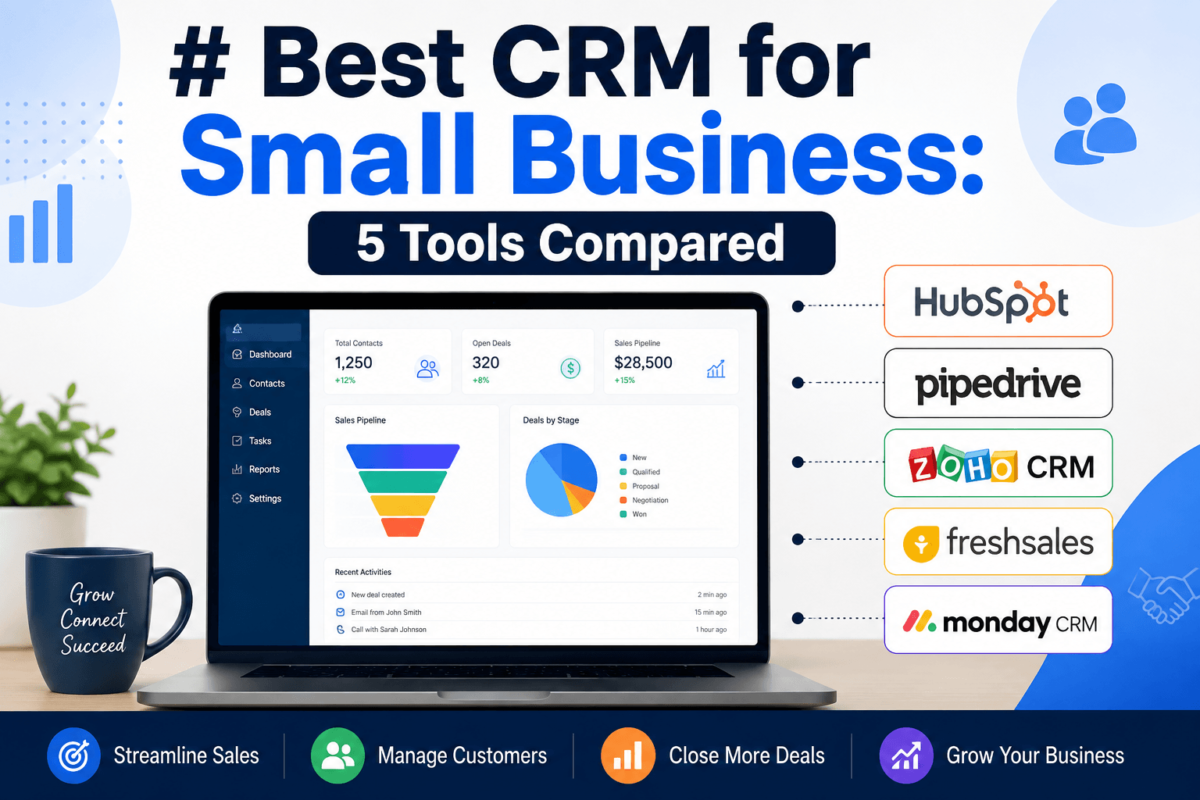
We tested and researched five CRM platforms with active affiliate programs — HubSpot CRM, Pipedrive, Zoho CRM, Freshsales, and monday CRM — and compared them specifically on what matters to a small business: setup time, real-world usability, honest pricing, and how much CRM you actually need before you outgrow the free plan.
What Is the Best CRM for Small Business?
HubSpot CRM is the best all-around pick for most small businesses because its core CRM is free forever with no user limit, and it scales into marketing, sales, and service tools without forcing a platform switch later. If budget is the deciding factor, Zoho CRM delivers the closest thing to HubSpot’s feature depth at a fraction of the per-seat cost. Sales-only teams that just want a clean, fast pipeline tend to prefer Pipedrive. Teams already living inside flexible boards and workflows lean toward monday CRM, and businesses that want built-in calling with AI assistance baked in from a low starting price often land on Freshsales.
| CRM | Best For | Free Plan | Starting Price* | Key Strength |
|---|---|---|---|---|
| HubSpot CRM | Best overall | Yes — unlimited users, free forever | ~$20/seat/mo | Marketing + sales + service on one record |
| Zoho CRM | Best value | Yes — up to 3 users | $14/user/mo | Full feature set at the lowest per-seat cost |
| Pipedrive | Best for sales teams | No (14-day trial) | ~$14/seat/mo | A visual pipeline built purely for closing deals |
| monday CRM | Best for customization | No permanent free tier | $12/seat/mo (3-seat min.) | Fully customizable boards on monday’s Work OS |
| Freshsales | Best for AI + simplicity | Yes — up to 3 users | $9/user/mo | Built-in phone/email + Freddy AI, easy to learn |
*Starting prices shown are per-seat, billed annually, for the lowest paid tier. Monthly billing costs more, and enterprise/custom tiers aren’t shown. Pricing changes often — always confirm current rates on the vendor’s own pricing page before buying.
Comparing the 5 CRMs Side by Side
Before the individual reviews, here’s how the five tools stack up on the features that actually decide whether a small business sticks with a CRM or abandons it after three months.
| Factor | HubSpot CRM | Zoho CRM | Pipedrive | monday CRM | Freshsales |
|---|---|---|---|---|---|
| Ease of use | Very easy | Moderate (more menus) | Very easy | Easy, but setup takes longer | Very easy |
| Sales pipeline | Yes, 1 free pipeline | Yes, multiple pipelines | Yes — Pipedrive’s core strength | Yes, fully customizable | Yes, multi-pipeline on Pro+ |
| Email integration | Gmail/Outlook, tracking | Gmail/Outlook sync | Two-way sync (Growth+) | Gmail/Outlook sync (Standard+) | Built-in email + phone |
| Automation | Strong at Starter+ | Strong (Blueprint at Pro+) | Strong at Growth+ | Very strong, visual builder | Strong at Pro+ |
| AI features | Breeze AI (Pro+) | Zia AI (Enterprise+) | Bundled in every paid tier | AI Sidekick (Standard+) | Freddy AI (Pro+) |
| Reporting | Custom reports on Pro+ | Solid, deep at Enterprise+ | Forecasting from Premium | Customizable dashboards | Solid, AI-assisted on Pro+ |
| Mobile app | Full-featured | Full-featured | Full-featured | Full-featured | Full-featured with dialer |
| Best use case | Growing team that wants marketing + sales together | Budget-conscious team that still wants depth | Pure outbound/inside sales team | Cross-functional team wanting one shared workspace | First CRM for a phone-heavy sales team |
| Main drawback | Costs climb fast once you add Hubs | Interface feels dated in places | No marketing suite; add-ons pile up | 3-seat minimum, no permanent free plan | Enterprise tier lags on customization |
1. HubSpot CRM — Best Overall for Small Business
Why We Recommend It
HubSpot’s core CRM is genuinely free, forever, with no cap on users. That alone makes it the easiest CRM for a small business to try without a budget conversation. What sets it apart from other free tools is that the free tier isn’t a stripped-down demo — it includes contact records, deal tracking, email tracking, meeting scheduling, and a real pipeline view. If you outgrow it, HubSpot’s paid Sales Hub and Marketing Hub sit on the same contact record, so a lead captured by a landing page shows up automatically in the same CRM your sales rep is working from — no CSV exports between two disconnected tools.
Key Features
- Unlimited free users on the core CRM, contact records, and a deal pipeline
- Email sequences, meeting scheduling, and call logging once you’re on Starter or above
- Optional Marketing Hub and Service Hub that plug into the same contact record
- Breeze AI features for content assistance and deal insights on Professional plans
- A large integration marketplace, including Gmail, Outlook, Slack, and Zoom
Ease of Use
A team can be logging deals inside HubSpot within an hour of signing up. The interface groups everything a rep needs — email, calls, notes, tasks — onto a single contact timeline, so nobody has to hunt across tabs to see what happened with a customer last week. The tradeoff shows up later: once you’re managing multiple Hubs (Sales, Marketing, Service) with different seat types, the admin settings get more complex than a single-purpose CRM like Pipedrive.
Sales Features
The free plan covers lead and deal management, email tracking, and a meeting scheduler. Moving to Starter unlocks automation and multiple currencies; Professional adds email sequences, lead scoring, and custom reporting; Enterprise layers in predictive lead scoring and call transcription. If your team runs cold or warm outbound sequences, it’s worth comparing HubSpot’s sequence tooling against dedicated cold email software — HubSpot is good enough for most small teams, but specialist tools go deeper on deliverability controls.
Marketing Capabilities
This is where HubSpot separates itself from the other four CRMs on this list. Marketing Hub (a separate paid product) adds landing pages, email campaigns, forms, and marketing automation that writes directly to the same contact record your sales team sees. If marketing and sales alignment is the actual problem you’re solving, it’s worth reading our full comparison of marketing automation software for small business before you commit to a bundle.
Automation
On Starter and above, you can automatically assign a new lead to the right rep, create a follow-up task, and move the opportunity to the next pipeline stage — without anyone manually updating three different systems. Deeper workflow branching (if/then logic tied to deal properties) is gated behind Professional.
AI Capabilities
HubSpot’s Breeze AI tools assist with drafting emails, summarizing deal activity, and surfacing which deals are at risk. These features are most useful on Professional and Enterprise tiers — the free and Starter plans get a lighter version. If AI-assisted marketing is a priority beyond the CRM itself, our roundup of AI marketing tools covers HubSpot’s AI features alongside dedicated alternatives.
Integrations
Gmail and Outlook sync, Slack notifications, Zoom scheduling, Stripe/QuickBooks for billing, and Zapier for everything else. Most small businesses find what they need without touching the API.
Pricing
HubSpot’s pricing structure is the most complex of the five tools here, because Sales, Marketing, and Service are priced as separate “Hubs.” For CRM and sales purposes:
- Free CRM: $0 forever, unlimited users, capped functionality on automation and reporting
- Sales Hub Starter: from roughly $20/seat/month, removes HubSpot branding and adds light automation
- Sales Hub Professional: roughly $90–100/seat/month, plus a one-time onboarding fee reported around $1,500
- Sales Hub Enterprise: roughly $150/seat/month, plus a larger onboarding fee
HubSpot changes seat structure and promotional pricing often, and Marketing Hub is billed on a completely separate scale (starting around $20/month and rising sharply by contact tier). Confirm exact numbers at HubSpot’s live pricing page before budgeting.
Pros and Cons
- Pro: The free plan is a real CRM, not a limited trial
- Pro: One record for marketing, sales, and service — no data silos between teams
- Pro: Very shallow learning curve for new hires
- Con: Costs escalate quickly once you need Professional-tier automation or Marketing Hub
- Con: Onboarding fees on Professional/Enterprise are a real budget line, not a footnote
Best For
Small businesses that expect marketing and sales to eventually share the same data, and anyone who wants to start on a genuinely free plan with room to grow.
Who Should Skip It?
A solo salesperson who only needs a pipeline, with no interest in marketing tools, will likely find Pipedrive or Freshsales cheaper for the same core job. If you’re weighing HubSpot specifically against a pure sales tool, our head-to-head on HubSpot vs. Pipedrive breaks down where each one wins, and our HubSpot vs. Salesforce comparison is useful if you’re deciding whether you’ll eventually need enterprise-grade depth.
Our Verdict
HubSpot CRM is the safest first CRM for a small business because you can start at $0 and grow into exactly as much platform as you need — but budget carefully once you move past Starter, and compare it against ActiveCampaign if marketing automation matters more than sales pipeline depth.
2. Zoho CRM — Best Value for Small Business
Why We Recommend It
Zoho CRM is the tool to look at when the goal is “as much CRM as possible for as little money as possible.” Its Standard and Professional tiers undercut every comparable plan from HubSpot, Pipedrive, and monday CRM on price, while still including multiple pipelines, workflow automation, and a genuine free tier for very small teams. The tradeoff is an interface that feels less polished than HubSpot’s, and a genuinely dizzying number of product add-ons (Zoho is a 55+ app ecosystem) that can be more than a small business ever needs.
Key Features
- Multiple sales pipelines, scoring rules, and mass email from the Standard tier up
- Blueprint, a visual sales-process builder that enforces your team’s actual workflow, from Professional
- Zia, Zoho’s built-in AI assistant, from the Enterprise tier
- Deep customization: custom modules, sandboxes, and territory management at higher tiers
- Native connections to the rest of the Zoho suite (Books, Campaigns, Desk, Analytics)
Ease of Use
Zoho CRM has more menus and settings than HubSpot or Pipedrive, largely because it’s built to flex into a much wider range of business processes. That’s a strength for a business with unusual workflow needs, and friction for a team that just wants to log calls and track deals on day one. Budget a slightly longer onboarding period than you would with Pipedrive.
Sales Features
Lead scoring, multiple pipelines, task automation, and territory management are all present, and the Blueprint tool is genuinely useful for enforcing a consistent sales process — for example, requiring a rep to log a discovery call before a deal can move to “proposal sent.” Forecasting and advanced permissions arrive at Enterprise and Ultimate.
Marketing Capabilities
Zoho CRM includes mass email and basic campaign tracking, but real marketing automation lives in a separate product (Zoho Marketing Automation / Zoho Campaigns). If email marketing is a bigger priority than sales pipeline management, it’s worth comparing against dedicated CRM for email marketing picks before committing to the Zoho ecosystem.
Automation
Workflow rules can auto-assign leads, send follow-up reminders, and update fields based on triggers. Blueprint (Professional+) goes further by enforcing multi-step processes with mandatory fields at each stage, which is unusually strong for a CRM at this price point.
AI Capabilities
Zia AI, available from Enterprise up, offers predictive lead scoring, anomaly detection on deals, and conversational queries against your CRM data. It’s a genuine differentiator versus Pipedrive’s more limited AI assistant, but it’s locked well above Zoho’s cheapest tiers.
Integrations
Deep native integration with the rest of Zoho’s suite, plus Gmail, Outlook, Microsoft Teams, and Zapier. If you’re already using Zoho Books for accounting, the CRM-to-invoicing handoff is smoother than pairing an outside CRM with Zoho’s finance tools — though you’ll still need a way to actually collect on those invoices, which is where a look at payment gateways for small business comes in.
Pricing
- Free: up to 3 users, basic lead/contact/deal tracking
- Standard: $14/user/month (billed annually) — multiple pipelines, custom dashboards
- Professional: $23/user/month — Blueprint, inventory management, validation rules
- Enterprise: $40/user/month — Zia AI, custom modules, sandboxes
- Ultimate: $52/user/month — advanced analytics, higher API limits
Monthly billing runs meaningfully higher than the annual rates above — sometimes 25–50% more per seat, depending on tier. Confirm current pricing at Zoho’s official CRM pricing page.
Pros and Cons
- Pro: Lowest per-seat cost of any full-featured CRM on this list
- Pro: Blueprint enforces process discipline that few competitors match at this price
- Pro: Scales into a full back-office suite (accounting, HR, support) if you need it later
- Con: Interface feels more cluttered and less modern than HubSpot or Pipedrive
- Con: AI and advanced security features are locked behind the two most expensive tiers
Best For
Budget-conscious small businesses that want genuine process automation without paying HubSpot- or Salesforce-level per-seat prices.
Who Should Skip It?
Teams that prioritize a polished, minimal interface over raw feature depth will likely be happier on Pipedrive or Freshsales.
Our Verdict
Zoho CRM is the clearest “most CRM per dollar” choice here. If your business is watching every line item but doesn’t want to sacrifice automation, start with Standard or Professional and grow into Enterprise only when Zia AI is worth the jump.
3. Pipedrive — Best CRM for Sales-Focused Teams
Why We Recommend It
Pipedrive was built by salespeople who wanted a CRM that does one thing extremely well: move deals through a pipeline. There’s no marketing suite bolted on, no bloated settings menu — just a drag-and-drop visual pipeline, activity reminders, and reporting that answers “what’s likely to close this month?” Small sales teams that tried a heavier all-in-one platform and found it overwhelming often land here.
Key Features
- A drag-and-drop visual pipeline with unlimited custom stages
- Activity reminders that flag deals with no scheduled next step
- Two-way email sync and a workflow automation builder from the Growth plan
- Revenue forecasting and e-signatures from the Premium plan
- LeadBooster (chatbot, live chat, web forms) and Campaigns available as add-ons
Ease of Use
Pipedrive is arguably the easiest CRM on this list to hand to a rep on day one — the pipeline board is the whole app, and there’s very little to configure before it’s usable. The entry-level Lite plan is deliberately bare, though: no two-way email sync, no workflow automation, and no forecasting, so most active sales teams will need at least the Growth plan to get real value.
Sales Features
Deal and activity tracking, custom fields, and a mobile app that mirrors the desktop pipeline. Growth adds automations and group email; Premium adds forecasting, Smart Docs, and custom field visibility rules; Ultimate adds unlimited automation limits and audit logs. If you’re also running structured outbound campaigns, our comparison of cold email software is worth a look — Pipedrive’s built-in sequencing is functional but not its strongest feature.
Marketing Capabilities
Pipedrive isn’t a marketing platform. Campaigns (email marketing) and Web Visitors (website visitor tracking) exist as separate paid add-ons, priced and billed independently of your core plan, and they’re noticeably lighter than a dedicated tool. If marketing automation with sales alignment matters more than pipeline visuals, HubSpot or a specialist tool from our marketing automation comparison will serve you better.
Automation
The workflow automation builder (Growth plan and above) lets you trigger actions — create an activity, move a deal stage, send an email — off events like a deal entering a stage or a field changing. It’s simpler than Zoho’s Blueprint but faster to set up for a straightforward sales process.
AI Capabilities
Pipedrive bundles AI (email drafting assistance, deal insights, AI-powered report creation) into every paid plan rather than gating it behind the top tier — a genuinely different approach from Zoho and HubSpot, which reserve their strongest AI for Enterprise-level plans.
Integrations
A sizable app marketplace covering Gmail, Outlook, Zoom, Slack, QuickBooks, and Zapier, plus a documented open API for custom connections.
Pricing
Pipedrive restructured its plan names in 2025 — if you see references to “Essential,” “Advanced,” or “Power,” those are the older names for the current lineup below (all prices per seat, per month, billed annually):
- Lite: around $14/seat/month — pipeline basics, no email sync or automation
- Growth: roughly $24–39/seat/month — email sync, workflow automation, group email
- Premium: roughly $49–59/seat/month — forecasting, Smart Docs, LeadBooster included
- Ultimate: roughly $79–99/seat/month — unlimited automation limits, audit logs, dedicated support
Independent pricing trackers show some variation on the exact Growth and Premium numbers following Pipedrive’s 2025 restructure — confirm current per-seat pricing at pipedrive.com/en/pricing before you commit, and budget separately for add-ons like Campaigns or LeadBooster, which are billed per company, not per seat.
Pros and Cons
- Pro: The cleanest, fastest pipeline interface of any CRM on this list
- Pro: AI features included on every paid tier, not gated to Enterprise
- Pro: Minimal setup time — most teams are productive on day one
- Con: No permanent free plan — every user pays from day one
- Con: Marketing tools are thin add-ons, not a real marketing platform
Best For
A dedicated inside-sales or outbound team that wants to spend its time closing deals, not configuring software.
Who Should Skip It?
Anyone who wants marketing automation and sales in one bill, or a free plan to start on, should look at HubSpot or Zoho instead. See our full HubSpot vs. Pipedrive comparison for a deeper side-by-side.
Our Verdict
If your team’s entire job is “call leads, move deals forward, close,” Pipedrive does that job with less friction than any other tool here — just budget for the Growth plan, not Lite, if you actually want automation and email sync.
4. monday CRM — Best for Custom Workflows
Why We Recommend It
monday CRM is built on top of monday.com’s flexible “Work OS” — the same board-and-column engine behind monday’s project management product. That heritage makes it the most customizable CRM on this list: every pipeline, field, and automation can be reshaped to match a workflow that doesn’t fit a standard sales-stage template, and the same workspace can host marketing, operations, and customer success boards alongside the sales pipeline.
Key Features
- Fully customizable boards, columns, and pipeline stages — not locked into a fixed CRM template
- Gmail/Outlook sync and automation actions from the Standard plan
- Sales forecasting, email tracking, and higher automation limits on Pro
- AI Sidekick for drafting and summarizing, included from Standard up
- Native connection to monday’s project management, marketing, and dev products
Ease of Use
The interface itself is colorful and approachable, but the flexibility that makes monday CRM powerful also means it ships with fewer opinions than Pipedrive about how a sales process should look. A team that wants to be told “here’s how a CRM pipeline works” out of the box will need to invest more setup time than they would with a purpose-built sales CRM.
Sales Features
Unlimited pipelines, contacts, and boards on every paid tier; email sync and light automation arrive at Standard; sales forecasting, email tracking, and 25,000 monthly automation actions arrive at Pro. Because monday CRM shares its engine with monday’s broader Work OS, it’s a natural fit for a business that wants sales, onboarding, and post-sale delivery tracked in one connected system rather than three separate tools.
Marketing Capabilities
monday CRM itself is sales-focused, but it connects to monday’s separate marketing product for campaign planning. It isn’t a substitute for dedicated content marketing tools or email marketing platforms — treat it as a sales and operations hub first.
Automation
monday’s visual automation recipe builder (“when this happens, do that”) is one of the most approachable automation builders in this comparison — no code, just plain-language trigger-and-action pairs. The catch is that automation actions are metered monthly and shared across the account, so a large team running many workflows can hit tier limits faster than expected.
AI Capabilities
AI Sidekick, available from Standard, helps draft updates, summarize board activity, and generate formulas. It’s a lighter tool than Zoho’s Zia or HubSpot’s Breeze, aimed more at speeding up admin work than predictive sales scoring.
Integrations
Gmail, Outlook, Slack, Zoom, and a large integrations marketplace shared with the rest of monday’s product family, plus Zapier for anything not natively supported.
Pricing
- Basic: $12/seat/month (billed annually) — unlimited pipelines and contacts, no email integration or automation
- Standard: $17/seat/month — Gmail/Outlook sync, automation, AI Sidekick
- Pro: $28/seat/month — email tracking, sales forecasting, higher automation limits
- Enterprise: custom pricing — advanced security, SSO, dedicated support
All monday CRM plans require a minimum of 3 seats, so a solo user will pay for three licenses even working alone — factor that into a true cost comparison against Pipedrive or Freshsales, which have no seat minimum.
Pros and Cons
- Pro: Unmatched flexibility to reshape the CRM around a non-standard workflow
- Pro: One workspace can host sales, project delivery, and operations boards together
- Pro: Genuinely easy-to-build automations with no coding
- Con: 3-seat minimum makes it a poor fit for a true solo operator
- Con: No permanent free CRM tier to test-drive before paying
Best For
A small business whose sales process doesn’t match a standard CRM template, or one that wants sales, projects, and operations visible in the same workspace.
Who Should Skip It?
Solo founders and very small teams that want to try before they buy will find the 3-seat minimum and lack of a free tier frustrating — start with Freshsales or Zoho’s free plan instead.
Our Verdict
monday CRM earns its “best for customization” label honestly — but that flexibility is wasted on a team that just wants a standard sales pipeline out of the box. It shines when your process genuinely doesn’t fit a template.
5. Freshsales — Best for AI-Powered Simplicity
Why We Recommend It
Freshsales (built by Freshworks, the company behind Freshdesk) pairs a clean, easy-to-learn interface with built-in calling and email — features that are often add-ons elsewhere — and puts its Freddy AI assistant to work on lead scoring from a relatively low starting price. For a first-time CRM buyer who doesn’t want a steep learning curve but still wants AI-assisted prioritization, it’s one of the fastest CRMs to get real value from.
Key Features
- Built-in phone dialer and email, so reps aren’t stitching together separate calling software
- Freddy AI for lead scoring, deal insights, and email/reply suggestions from the Pro tier
- Multiple pipelines and sales sequences from Pro
- Custom modules, field-level permissions, and sandbox testing at Enterprise
- Web forms and a product catalog even on the entry Growth plan
Ease of Use
Freshsales is deliberately simple — the interface avoids Zoho’s density and doesn’t require the setup investment monday CRM does. The free plan and Growth tier are genuinely usable within a day, though they’re missing workflow automation and sales sequences, which most active sales teams will want sooner rather than later.
Sales Features
Contact and deal management, built-in calling with per-minute rates for actual call time, and (from Pro) multi-step sales sequences, auto-assignment rules, and multiple pipelines. If outbound sequencing is central to your process, compare Freshsales’ sequences against dedicated cold email software to see whether the built-in tool covers your deliverability needs.
Marketing Capabilities
Freshworks sells a separate “Freshsales Suite” that bundles in marketing automation (journey builders, transactional email) for businesses that want sales and marketing on one bill. The standalone Freshsales CRM reviewed here is sales-first; pair it with our live chat software comparison if on-site lead capture matters to your funnel.
Automation
Workflow automation and sales sequences arrive at the Pro tier — the Growth plan covers only basic workflows. Once unlocked, you can auto-assign leads by territory, trigger follow-up tasks, and move deals through stages based on activity.
AI Capabilities
Freddy AI scores leads based on engagement and fit, flags deals at risk of stalling, and can suggest email replies. It’s one of the more accessible AI implementations in this comparison because it activates at the mid-tier (Pro) rather than being reserved for the top plan, as with Zoho and HubSpot.
Integrations
Gmail, Outlook, Slack, and the rest of the Freshworks product family (Freshdesk, Freshchat), plus Zapier. Fewer third-party marketplace apps than HubSpot or Pipedrive, but enough to cover most small-business stacks.
Pricing
- Free: up to 3 users, basic contact/deal management, no workflows or AI
- Growth: $9/user/month (billed annually) — web forms, basic workflows, product catalog
- Pro: $39/user/month — Freddy AI, sales sequences, multiple pipelines
- Enterprise: $59/user/month — custom modules, field-level permissions, sandbox environment
Monthly billing runs about 20% higher per seat than the annual rates above. CPQ (quote generation) and extra calling minutes are billed separately from the core seat price.
Pros and Cons
- Pro: Built-in calling removes the need for a separate dialer tool
- Pro: Freddy AI is genuinely useful and unlocks at a mid-tier price, not just Enterprise
- Pro: Fastest learning curve of the five tools reviewed here
- Con: The Growth plan is too limited for a team that needs automation or sequences right away
- Con: Fewer deep customization options than Zoho or monday CRM at the Enterprise level
Best For
A small, phone-heavy sales team buying its first real CRM and wanting AI-assisted prioritization without a steep learning curve.
Who Should Skip It?
Businesses that need deep customization, complex approval workflows, or a large integration marketplace will outgrow Freshsales faster than Zoho CRM or HubSpot.
Our Verdict
Freshsales is the easiest CRM here to get value from in the first week, especially for a calling-heavy sales team — just plan to move past the Growth plan quickly once you need automation.
Best CRM for Small Business by Use Case
Best Overall CRM: HubSpot CRM
A genuinely free core CRM with a clear upgrade path into marketing and service tools makes HubSpot the default recommendation for a small business that doesn’t yet know exactly how much CRM it needs.
Best Free CRM: HubSpot CRM
Zoho CRM and Freshsales both offer free plans, but both cap out at 3 users. HubSpot’s free tier has no user limit, which makes it the better free option for a team that’s already bigger than three people.
Best CRM for Sales Teams: Pipedrive
Pipedrive’s entire product is a pipeline. For a team whose job is purely closing deals, that focus means less time configuring software and more time on the phone.
Best Affordable CRM: Zoho CRM
“Affordable” isn’t just the lowest sticker price — it’s the plan that avoids forcing an upgrade for features you need on day one. Zoho’s Standard and Professional tiers include multi-pipeline support and automation that competitors gate behind more expensive plans, which is why it wins on total value, not just list price.
Best CRM for Marketing and Sales Together: HubSpot CRM
When a lead fills out a form, that activity should be visible to the sales rep who calls them next — without anyone manually syncing two systems. HubSpot’s Marketing Hub and Sales Hub sharing one contact record is the cleanest version of that handoff among the five tools compared here.
Best CRM for Custom Workflows: monday CRM
If your sales process genuinely doesn’t map to a standard “lead → qualified → proposal → closed” pipeline — say, a services business tracking project phases inside the same board as the sale — monday CRM’s flexible board structure adapts more easily than a fixed-schema CRM.
Which CRM Should Your Small Business Choose?
For most small businesses, the best CRM is the one your team will actually use consistently — not the one with the longest feature list.
- Choose HubSpot CRM if… you want to start free, expect marketing and sales to share data eventually, and don’t want to switch platforms as you grow.
- Choose Pipedrive if… your team’s job is purely outbound or inbound sales, and you want the simplest possible pipeline with no marketing features to ignore.
- Choose Zoho CRM if… budget is the top constraint and you still want real automation, multiple pipelines, and room to grow into a wider back-office suite.
- Choose monday CRM if… your sales process is unusual, or you want sales, delivery, and operations visible in one shared workspace.
- Choose Freshsales if… you’re buying your first CRM, calling is central to your sales process, and you want AI-assisted lead scoring without an enterprise price tag.
How Much Does CRM Software Cost for a Small Business?
Most small business CRM plans run somewhere between $0 and $60 per user per month, but the sticker price on a pricing page rarely reflects what you’ll actually pay. Total cost of ownership includes several layers most buyers don’t budget for upfront:
- Per-user pricing: nearly every CRM on this list charges per seat, so the bill scales directly with headcount
- Monthly vs. annual billing: paying annually typically saves 20–40% per seat versus paying month to month
- Add-ons: lead capture tools, campaign/email marketing modules, and phone minutes are frequently billed separately from the core seat price
- Premium reporting and AI: the most useful AI features (predictive scoring, deal-risk alerts) are usually reserved for the top two tiers
- Onboarding and implementation: HubSpot’s Professional and Enterprise plans include mandatory one-time onboarding fees; other vendors offer optional paid implementation support
- Data migration: moving clean data out of spreadsheets is usually free; migrating from another CRM with messy records can require paid help
As an illustrative example only: a 5-person team paying $20 per user per month for a mid-tier plan spends $100/month, or $1,200/year, before any add-ons, taxes, or onboarding fees. Jump that same team to a $59/seat Enterprise-level plan and the annual cost climbs to roughly $3,540 — a difference worth mapping against which features you’d actually use before choosing a tier.
The cheapest plan by sticker price isn’t automatically the cheapest CRM. A $14/seat plan that’s missing email sync and automation often costs a team more in lost productivity than the $10/seat premium for a plan that includes it.
CRM Statistics Small Businesses Should Know
These figures are drawn from vendor research, independent studies, and published industry analysis. Where a widely repeated statistic has a debated or dated origin, we’ve noted that below rather than presenting it as settled fact.
$126.17 billion
Why it matters: This is the projected global CRM software market size for 2026 — a signal that CRM has moved from optional to standard infrastructure for businesses of every size, not just large enterprises.
Source: Fortune Business Insights
$8.71 returned for every $1 invested
Why it matters: This is the most widely cited CRM ROI benchmark in the industry. It’s worth knowing the figure traces back to older Nucleus Research analysis rather than a fresh 2026 study — treat it as a directional signal that CRM is a high-ROI category, not a guaranteed return for any specific business.
Source: Nucleus Research, widely cited across current industry reports
29% average increase in sales revenue
Why it matters: Businesses that properly implement and actually use a CRM report a meaningful revenue lift — the emphasis on “properly implement and use” matters, since the same research notes results depend heavily on team adoption.
Source: Salesforce data
73% of businesses use CRM software
Why it matters: Not using a CRM is now the exception, not the norm, even among small businesses — which raises the competitive cost of staying on spreadsheets.
Source: Freshworks survey of 600 U.S. business owners and professionals, April 2024
26% productivity improvement
Why it matters: Proper CRM integration reduces the time reps spend switching between systems and manually logging activity — time that goes back into selling.
Source: Forrester
~21x more likely to qualify a lead when contacted within 5 minutes
Why it matters: This is exactly the kind of gap a CRM’s automated lead alerts and assignment rules are built to close — speed to first contact is one of the single biggest levers on conversion rate.
Source: MIT / InsideSales.com Lead Response Management Study (Dr. James Oldroyd)
42-hour average first response time
Why it matters: An audit of 2,241 firms found the average company takes nearly two full business days to respond to a new lead, and only 37% respond within the first hour — a gap a CRM’s notification and routing rules exist specifically to close.
Source: Harvard Business Review, “The Short Life of Online Sales Leads” (Oldroyd, McElheran, Elkington)
CRM Statistics at a Glance
| Metric | Statistic | Source |
|---|---|---|
| Global CRM market size (2026) | $126.17 billion | Fortune Business Insights |
| Widely cited CRM ROI benchmark | $8.71 per $1 spent | Nucleus Research |
| Sales revenue increase after adoption | 29% average | Salesforce |
| Businesses using CRM software | 73% | Freshworks (2024 survey) |
| Productivity gain from CRM integration | 26% | Forrester |
| Lead qualification lift, 5-min vs. 30-min response | ~21x more likely | MIT / InsideSales.com |
| Average B2B lead response time | 42 hours | Harvard Business Review |
What Is a CRM?
A CRM (Customer Relationship Management) is software that helps a business organize customer information, track every interaction, manage sales opportunities, automate follow-ups, and understand where each customer stands in their journey — all in one shared system instead of scattered across inboxes, spreadsheets, and one salesperson’s memory.
In practice, that means when a lead emails your business, a CRM logs the contact, tracks which pipeline stage they’re in, reminds a rep to follow up, and gives anyone on the team the full history if that lead calls back three weeks later and reaches a different person.
Why Does a Small Business Need a CRM?
Most small businesses don’t set out to buy a CRM — they back into needing one after a few of these problems start piling up:
- Lost leads: an inquiry comes in and sits unanswered in someone’s personal inbox
- Forgotten follow-ups: a promised callback never happens because nothing reminded anyone
- Scattered customer information: notes live in one person’s email, deal status in another’s spreadsheet
- Duplicate outreach: two team members contact the same lead without knowing it
- No visibility into the pipeline: nobody can answer “what’s likely to close this month?” without a manual roundup
- Weak handoffs: when a lead moves from marketing to sales, or sales to onboarding, context gets lost
- Dependence on one person’s memory: the whole customer relationship lives in one employee’s head, and leaves when they do
A CRM only solves what happens after a lead exists — if the bigger gap is getting enough leads into the funnel in the first place, it’s worth pairing it with a look at lead generation software built to fill that top-of-funnel gap.
When Should You Start Using a CRM?
There’s no universal employee-count threshold — a two-person consultancy with a complex sales cycle can need a CRM sooner than a ten-person team with simple, repeat transactions. Instead, watch for these practical triggers:
- You’re losing track of which leads have been contacted and which haven’t
- More than one person communicates with the same customers
- Follow-ups happen inconsistently, depending on who remembers
- You can’t quickly answer “what’s in our pipeline right now?”
- Sales information lives in spreadsheets that only one person keeps updated
- Customer context is scattered across email, texts, and messaging apps
- You’re hiring your first dedicated salesperson
- You need predictable, repeatable reporting instead of a manual roundup each week
Is a Free CRM Enough for a Small Business?
Often, yes — for a while. A free CRM like HubSpot’s, Zoho’s, or Freshsales’ handles the fundamentals: contact records, a basic pipeline, and email tracking. That covers a huge share of what a very small team actually needs on day one.
Paid plans start earning their cost once you hit one of these limits:
- User limits: Zoho and Freshsales cap their free tiers at 3 users; growing past that forces an upgrade
- Automation limits: free tiers rarely include workflow automation, so every follow-up stays manual
- Reporting limitations: custom dashboards and forecasting are almost always a paid feature
- Integration limitations: connecting your CRM to billing, live chat, or marketing tools often requires a paid tier
- Support limitations: free-tier support is typically self-serve help articles, not a live person
A practical rule of thumb: if your team is still manually reminding each other to follow up, a free plan is holding you back more than it’s saving you money.
What Features Should a Small Business Look for in a CRM?
- Contact management — a single, searchable record of every customer and their history
- Deal pipeline — a visual view of where every opportunity stands, so nothing gets forgotten
- Task and follow-up management — automatic reminders so a promised callback actually happens
- Email integration — logging emails automatically instead of forwarding or copy-pasting them into notes
- Automation — routing leads, triggering tasks, and updating stages without manual busywork
- Reporting — a real answer to “what’s closing this month?” instead of a guess
- Mobile access — a functional app for reps who work outside the office
- Integrations — connections to the email, billing, and communication tools you already use
- Data import/export — the ability to get your data in cleanly, and out again if you ever switch
- Security and permissions — control over who can see and edit which records
- AI features, where genuinely useful — lead scoring and deal-risk alerts that save real time, not AI for its own sake
- Scalability — room to add users and features without a painful platform migration later
CRM Buying Checklist
Before you commit to a plan, run through these questions:
- Can my team learn it quickly, without weeks of training?
- Can we import our existing contacts without a painful manual process?
- Does it integrate with the email provider we already use?
- Can we customize the sales pipeline to match how we actually sell?
- Can we automate follow-ups without upgrading to the most expensive tier?
- Can we export our data if we ever decide to leave?
- What happens to the bill when we add our fourth, fifth, or tenth user?
- Which features require an expensive tier upgrade rather than an add-on?
- Is AI included in the price, or charged separately?
- Can this CRM realistically scale with us for the next 2–3 years?
Common CRM Mistakes Small Businesses Make
- Buying too much software. Jumping straight to an Enterprise-level plan “to be safe” often means paying for compliance and customization features a five-person team will never use.
- Choosing based solely on price. The cheapest plan that’s missing automation and email sync usually costs more in wasted rep time than the next tier up.
- Ignoring user adoption. A CRM nobody logs into is worse than no CRM — it creates a false sense that data is being tracked. Fix: make logging a deal or call part of the actual sales process, not an optional extra step.
- Over-customizing. Adding dozens of custom fields before you’ve used the default setup for a month usually creates clutter nobody fills in consistently.
- Failing to define pipeline stages clearly. Vague stages like “in progress” make forecasting meaningless. Fix: define what specifically has to happen for a deal to move to the next stage.
- Importing dirty data. Duplicate contacts and outdated info imported on day one poison reporting from the start. Fix: clean and de-duplicate your spreadsheet before the first import, not after.
- Not setting ownership rules. Without clear lead assignment, two reps can end up contacting the same person, or a lead goes untouched because everyone assumes someone else has it.
- Tracking too many fields. If a field isn’t tied to a decision you’ll actually make, it’s just extra data entry that erodes adoption.
- Failing to train the team properly. A 20-minute walkthrough on launch day isn’t training — plan a short refresher after the first few weeks of real use.
- Never reviewing CRM reports. A pipeline report nobody looks at in a weekly meeting isn’t providing any value — schedule the review, not just the software.
How to Move From a Spreadsheet to a CRM
- Clean the spreadsheet first. Fix obvious typos, missing emails, and inconsistent formatting before you import anything.
- Remove duplicates. The same contact entered three different ways will create three separate records in the CRM.
- Standardize fields. Agree on one format for phone numbers, company names, and deal stages before import.
- Define your pipeline stages. Decide what specifically triggers a move from one stage to the next.
- Choose the CRM based on your actual workflow, not just the lowest price.
- Import a small sample first. Bring in 20–30 records and check that everything mapped correctly before importing everything.
- Test the workflow. Run a real deal through the pipeline end to end before your whole team switches over.
- Import the remaining data once the test batch looks clean.
- Train the team on the specific actions they’ll take daily, not every feature the CRM offers.
- Review adoption after 2–4 weeks. Check who’s actually logging activity and follow up with anyone who’s reverted to old habits.
Frequently Asked Questions About Small Business CRMs
What is the best CRM for a small business?
HubSpot CRM is the best all-around choice for most small businesses because its core CRM is free forever with no user cap, and it scales into marketing and service tools without a platform switch. The right answer still depends on your priorities — Zoho CRM wins on price, Pipedrive on pure sales simplicity.
What is the easiest CRM for a small business?
Pipedrive and Freshsales are the fastest to learn, since both center on a single visual pipeline with minimal setup required before a team can start using them productively.
What is the best free CRM for small businesses?
HubSpot CRM, because its free tier has no user limit. Zoho CRM and Freshsales both offer solid free plans too, but cap out at 3 users.
Is HubSpot good for small businesses?
Yes. Its free CRM covers the basics a small business needs, and its paid Sales and Marketing Hubs give room to grow without switching platforms — just budget carefully once you move past the Starter tier, since Professional-level pricing rises quickly.
Is Pipedrive good for small businesses?
Yes, especially for a small sales-focused team. It’s one of the simplest CRMs to onboard a new rep on, though there’s no free tier and marketing features are limited add-ons rather than a real suite.
Is Zoho CRM good for small businesses?
Yes, particularly for budget-conscious teams. It offers more automation and customization per dollar than most competitors, though the interface takes a bit longer to learn than HubSpot’s or Pipedrive’s.
How much does a small business CRM cost?
Most small business plans fall between $0 and $60 per user per month on annual billing, with mid-tier plans that include automation and email sync typically landing between $14 and $40 per user per month. Add-ons, onboarding fees, and monthly (versus annual) billing can push the real cost meaningfully higher.
Can a small business use a CRM for free?
Yes. HubSpot, Zoho CRM, and Freshsales all offer genuinely usable free tiers. They’re best suited to very small teams doing basic contact and deal tracking — automation, advanced reporting, and AI features are almost always reserved for paid plans.
Do small businesses really need a CRM?
Not always immediately, but most reach a point where spreadsheets and inboxes can’t keep up — usually once more than one person talks to the same customers, or follow-ups start slipping. A CRM solves that specific problem; it isn’t a requirement from day one.
What CRM is best for a small sales team?
Pipedrive is purpose-built for exactly this — a team whose only job is moving deals through a pipeline, without marketing or service features to navigate around.
What should I look for in a small business CRM?
Prioritize contact management, a visual pipeline, email integration, and automation for follow-ups — those four features solve the majority of problems that push a small business off spreadsheets in the first place. Everything else (AI, advanced reporting, deep customization) matters more as you scale.
Final Verdict: Which CRM Is Best for Small Business?
- HubSpot CRM — Best overall. The safest starting point for most small businesses: free forever, with a clear path to marketing and service tools later.
- Zoho CRM — Best value. The most CRM for the least money, especially once you factor in Blueprint’s process automation.
- Pipedrive — Best for sales-focused teams. The cleanest, fastest pipeline of the five, with zero marketing-feature clutter.
- monday CRM — Best for customization. The right pick when your process doesn’t fit a standard sales-stage template.
- Freshsales — Best for AI-powered simplicity. The easiest CRM to get real value from in week one, especially for phone-heavy sales teams.
If you want the safest long-term platform → choose HubSpot CRM.
If budget is your biggest concern → choose Zoho CRM.
If your team lives and dies by the pipeline → choose Pipedrive.
If your process is genuinely non-standard → choose monday CRM.
If this is your first CRM and simplicity matters most → choose Freshsales.
Whichever you pick, the CRM that wins isn’t the one with the most features on a comparison page — it’s the one your team actually opens every day. Start with a free trial or free tier, run one real pipeline through it for two weeks, and let that answer the question a spec sheet can’t.
Sources
- HubSpot Affiliate Program — hubspot.com/partners/affiliates
- Pipedrive Affiliate Partnership Program — pipedrive.com/en/affiliate-partnership
- Pipedrive pricing structure — Pipedrive Knowledge Base
- Zoho Affiliate Program — zoho.com/affiliate
- Freshworks Affiliate Program — freshworks.com/affiliate-partner-individual
- Fortune Business Insights — Global CRM Software Market report (2026 projections)
- SuperOffice — “50+ CRM statistics that matter in 2026” (compiling Nucleus Research, Salesforce, and Forrester data)
- Harvard Business Review — “The Short Life of Online Sales Leads” (Oldroyd, McElheran, Elkington)
Affiliate Disclosure: TechCognate is reader-supported. Some links in this article are affiliate links, and we may earn a commission if you sign up or purchase through them, at no additional cost to you. We only recommend tools we’ve researched and tested, and our rankings are based on product fit, features, usability, and pricing — never on which program pays the highest commission.
Pricing, plan names, and affiliate program terms change frequently. All figures in this article reflect research conducted in August 2026 — confirm current pricing and affiliate terms directly with each vendor before making a purchase decision.