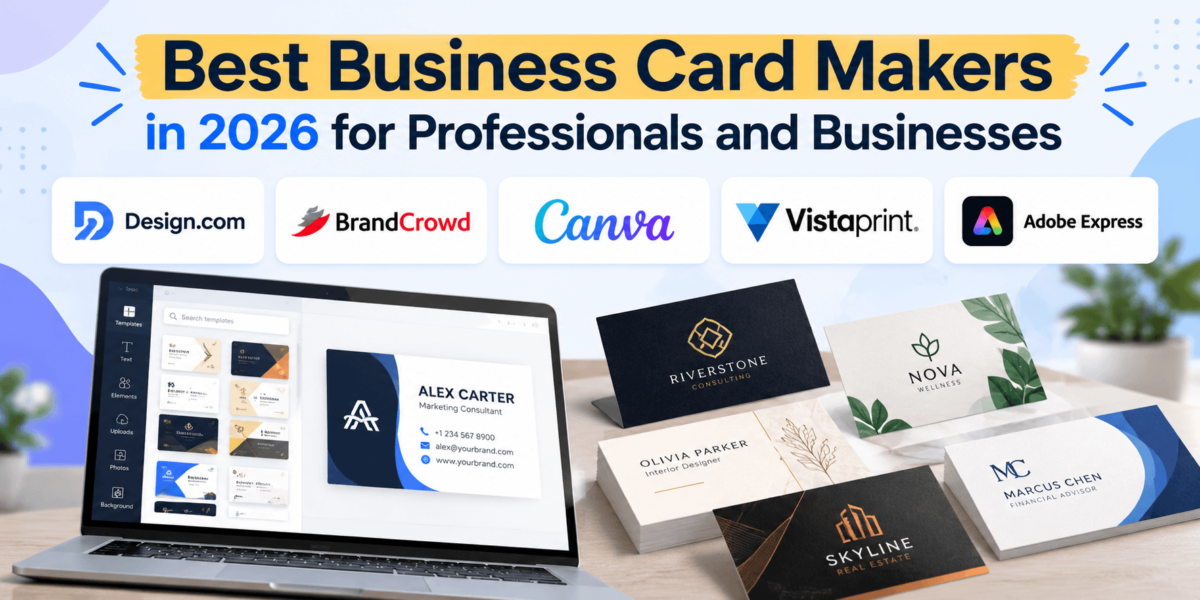
Best Business Card Makers in 2026 for Professionals and Businesses
You meet a potential client at a conference, a referral partner over coffee, or a homeowner at an open house. The conversation goes well. Then comes the moment that decides whether they remember you next week: the handoff. A well-designed business card still does that job better than fumbling for a phone number or spelling out your email address.
So which business card maker should you use? For most professionals and small businesses, Design.com and BrandCrowd are the fastest way to get a polished, brand-matched card with print-ready files. Canva is the most flexible all-purpose design tool with a usable free plan. Vistaprint is the most straightforward choice if your main goal is ordering printed cards. Adobe Express suits people who already work in Adobe’s ecosystem and want a capable free editor.
The right pick depends on whether you need design help, printing, downloadable files, or all three. This guide breaks down the best business card makers by those needs so you can choose with confidence.
How We Chose These Business Card Makers
We researched each platform using its official website and current pricing pages, supported by reputable third-party sources where official details were incomplete. We didn’t run hands-on print tests, so this guide doesn’t make claims about paper feel or color accuracy based on personal experience. Instead, we evaluated every tool against the same eight criteria: ease of use, template variety, customization, branding capabilities, digital export options, physical printing options, pricing and value, and best-fit audience.
Pricing in this space changes often and can vary by billing cycle, region, and promotion. Where sources disagreed, we’ve noted it and recommend confirming the final price at checkout.
Best Business Card Makers at a Glance
Here’s a quick comparison of the five business card design tools covered in this guide.
| Tool | Best For | Key Advantage | Design or Printing Options | Starting Price |
|---|---|---|---|---|
| Design.com | Fast, AI-assisted card design | Chat-based AI editing plus a large shape and font library | Design, download (PNG, JPG, SVG, EPS, PDF), and print ordering | Free cards available; premium designs require a paid plan |
| BrandCrowd | Designer-made templates with printing | 20,000+ handcrafted card designs matched to your logo colors | Design, download vector files, and order printed cards | Free to try; premium downloads require purchase |
| Canva | All-in-one design on a budget | Huge template library and a genuinely useful free plan | Design, download, and order through Canva Print | Free plan; Pro listed at $18/month (US) |
| Vistaprint | Ordering printed cards | Print-first workflow with many paper and finish options | Online templates or upload your own design; printed and shipped | 50 standard cards from $10 (shipping extra) |
| Adobe Express | Adobe users and digital-first workflows | Adobe Fonts, Adobe Stock assets, and strong free editor | Design and download; print through your preferred printer | Free plan; Premium $9.99/month (US) |
1. Design.com: Best for AI-Assisted Business Card Design
Design.com is an online design platform best known for its logo maker, and its business card maker follows the same idea: type in your business name, and the platform generates ready-to-edit card designs in seconds. From there, you can refine the results with keywords or simply tell the AI editor what to change.
That chat-based editing is the main differentiator. Instead of hunting through menus to swap a font or rearrange a layout, you can describe the change in plain language. For a busy real estate agent or consultant who needs a professional card today, that can save a lot of trial and error.
Key Features
-
AI-generated designs: Enter your business name or a short prompt, and Design.com produces a set of business card options you can browse and refine with keywords.
-
Chat-based AI editing: Change layouts, colors, and fonts using simple prompts, or switch to the standard editor for manual tweaks.
-
Multiple card formats: Templates come in horizontal, vertical, and square orientations.
-
Large design library: Design.com says it offers access to more than 75,000 vector shapes and around 800 fonts, plus gradients and curved text.
-
Print-ready files: Downloads include high-resolution PNG and JPG files for sharing, along with SVG, EPS, and PDF vector files for printing.
-
Brand-matched assets: Your colors can carry over to letterheads, email signatures, social media templates, and even a simple website.
Ease of Use and Customization
The workflow is built for non-designers. You start with generated options rather than a blank canvas, which removes the hardest step for most people. You can upload an existing logo, and the platform aims to keep your card colors consistent with it.
The trade-off is that Design.com is template-led. You’re customizing professionally designed layouts, not commissioning a fully bespoke design. For most professionals, that’s a feature rather than a limitation.
Pricing Considerations
Design.com offers a selection of free business cards that you can download at no cost, including vector files. Premium designs and the broader toolset require a paid subscription. Published pricing varies by plan, bundle, and billing cycle, and third-party sources report different figures, so check the current price in Design.com’s checkout flow before committing. Printed cards are ordered separately from the design subscription.
Pros
-
Very fast path from business name to finished card.
-
AI chat editing makes changes approachable for beginners.
-
Both sharing (PNG, JPG) and print-ready vector (SVG, EPS, PDF) files are included.
-
Matching branded assets help you keep a consistent look beyond the card.
Cons
-
Premium designs sit behind a subscription, so read renewal terms before you buy.
-
Template-based results won’t match the uniqueness of a custom designer.
-
Pricing presentation varies by bundle, which can make comparisons harder.
Who Should Use Design.com?
Design.com is a strong fit for new business owners, solo professionals, and service businesses that want a professional business card quickly and may also need a logo, social graphics, or a simple website. If you already have a full brand system built by a designer and only need a printer, a print-first service like Vistaprint may be more direct.
Ready to create your business cards? Explore Design.com’s available designs and see whether the platform fits your branding needs. Create Your Business Card on Design.com
2. BrandCrowd: Best for Designer-Made Templates and Printed Delivery
BrandCrowd takes a slightly different angle. Its library is built from designs created by a global community of professional designers, and the platform says it offers more than 20,000 handcrafted options. If you want a business card that looks like a designer made it, without hiring one, BrandCrowd is built for that.
Worth knowing: BrandCrowd and Design.com share the same founder, Alec Lynch, and BrandCrowd is owned by DesignCrowd. That’s why the editors feel similar. The practical difference for most buyers is the template library and the shopping experience, so it’s worth browsing both before deciding.
Key Features
-
Handcrafted template library: Thousands of business card templates created by professional designers, searchable by your business name and keywords.
-
Logo-color matching: Templates can be customized with your logo colors so the card fits your existing brand.
-
Double-sided designs: You can add a reverse side to fit your logo, contact details, address, and website.
-
Print ordering: Choose paper quality, edge style, and orientation, and BrandCrowd handles printing and delivery.
-
Vector downloads: Get high-resolution files plus SVG, EPS, and PDF files ready for printing elsewhere.
-
Brand identity templates: Matching letterheads, email signatures, and social media designs help extend the same look.
Branding Capabilities and Use Cases
BrandCrowd works well when brand consistency matters more than experimentation. A landscaping company, a bakery, or an insurance agency can pick an industry-relevant design, drop in its logo, match its colors, and roll out cards, letterheads, and email signatures that all look like they belong together.
If your needs outgrow templates, the parent company’s DesignCrowd marketplace offers a route to custom design work, which is useful for businesses planning a more distinctive rebrand later.
Pricing Considerations
BrandCrowd’s business card maker is free to try. You can browse, edit, and save designs without paying, but downloading premium designs requires a purchase or subscription, and printed cards are priced per order. Plan names and prices change periodically, so confirm the current options during checkout.
Pros
-
Designer-made templates give cards a polished, professional baseline.
-
Printing with paper, edge, and orientation choices is built into the workflow.
-
Double-sided layouts are supported.
-
Easy to extend the same design to other brand materials.
Cons
-
Premium downloads aren’t free, even though designing is.
-
Significant overlap with Design.com, so you may not need both.
-
Less suited to general-purpose design work than Canva or Adobe Express.
Who Should Use BrandCrowd?
BrandCrowd is a good choice for small business owners and professionals who want a designer-quality template and the option to have cards printed and shipped without leaving the platform. If you mainly need a free, flexible editor for many kinds of graphics, Canva may be the better all-rounder.
Want a business card that matches your brand? Browse BrandCrowd’s business card designs and explore the available customization options. Explore BrandCrowd Business Card Designs
3. Canva: Best All-in-One Free Business Card Maker
Canva is the general-purpose design platform many small businesses already use for social posts and presentations. Its business card templates sit inside that same editor, which makes it a natural choice if you want one tool for everything.
Key Features
-
Large template library: A wide range of business card templates is available on the free plan, with more premium templates on paid plans.
-
Brand Kit: Paid plans let you save logos, colors, and fonts so every design stays on brand.
-
Canva Print: Order printed business cards directly from the editor and have them shipped.
-
Collaboration: Share designs for feedback or co-editing, which helps when a team needs matching cards.
-
Flexible downloads: Export as a print-ready PDF or as image files for digital use.
Workflow and Limitations
Canva’s drag-and-drop editor is easy to learn, and its free plan is genuinely usable for business cards. A freelancer could design a card, a matching Instagram post, and a one-page rate sheet in a single afternoon.
The downside of popularity is familiarity. Widely used templates can look recognizable unless you customize them meaningfully. Brand Kit and many premium elements also require a paid plan, and team pricing is charged per person.
Pricing Considerations
Canva has a free plan. As of mid-2026, Canva Pro is listed at $18 per month in the US with a lower effective rate on annual billing, and Business plans are priced per person. Printed cards ordered through Canva Print are charged separately, along with shipping, and prices depend on quantity, paper, and finish.
Pros
-
Strong free plan for designing and downloading cards.
-
One tool for business cards and nearly every other marketing asset.
-
Built-in printing and shipping.
Cons
-
Popular templates may look familiar without customization.
-
Brand Kit and premium assets require a subscription.
-
Costs rise per seat for teams.
Who Should Use Canva?
Canva suits freelancers, creators, and small teams that design frequently and want a single, budget-friendly tool. If you only need a business card once and want the fastest guided path, Design.com or BrandCrowd may get you there with fewer decisions.
Prefer an all-purpose design tool? Compare Canva’s business card templates and see what you can build on the free plan. Explore Canva Business Card Templates
4. Vistaprint: Best for Ordering Printed Business Cards
Vistaprint is a printing company first and a design tool second, and that’s exactly why it belongs here. If you already have a design, or just want a clean template printed and shipped, Vistaprint keeps the process focused on getting cards in your hands.
Design and Printing Options
-
Templates or upload: Customize an industry-specific template online or upload a design you created elsewhere, including files from the other tools in this guide.
-
Standard specs: Vistaprint’s standard cards are 3.5 x 2 inches on 14pt paper, with glossy, matte, or uncoated options.
-
Upgrades: Thicker papers, specialty finishes, and different shapes or corners are available at extra cost.
-
Sample kit: Vistaprint offers a free business card sample kit so you can feel paper options before ordering.
Design Costs vs. Printing Costs
Designing in Vistaprint’s online tool doesn’t require a subscription. You pay per order instead. On its US site, Vistaprint advertises 50 standard business cards starting at $10. Shipping, faster turnaround, premium paper, and special finishes add to that total, so the final price depends on the options you choose.
Pros
-
No design subscription required.
-
Clear, print-first ordering process.
-
Wide range of paper and finish upgrades.
-
Works well as the printer for designs made in other tools.
Cons
-
Design tools are less flexible than dedicated design platforms.
-
Upgrades and shipping can raise the final cost quickly.
-
Not built for downloading editable vector files for use elsewhere.
Who Should Use Vistaprint?
Vistaprint is ideal for businesses that know what they want printed, from real estate teams ordering for several agents to contractors who need a reliable reorder. If you still need help creating the design itself, start with a design-focused tool and upload the finished file.
Already have a design? Explore Vistaprint’s paper options and see what your printed cards would cost. Order Business Cards from Vistaprint
5. Adobe Express: Best for Adobe Users and Digital-First Workflows
Adobe Express is Adobe’s browser and mobile design app for quick graphics. Its business card templates benefit from Adobe Fonts and Adobe Stock assets, which gives it a more refined typography and imagery library than many simple editors.
Key Features
-
Free plan: Includes 100,000+ static and video templates, basic editing tools, and 5GB of storage, with no credit card required.
-
Premium assets: Premium unlocks all premium templates, a much larger Adobe Stock library, multiple brand kits, and 100GB of storage.
-
Brand kits: Save logos, colors, and fonts for consistent designs (expanded on Premium).
-
Generative AI: Monthly credits for generating images and text effects, with a larger allowance on Premium.
-
Exports: Download designs as PDF or image files to print with the printer of your choice.
Limitations to Consider
Adobe Express is built around designing and exporting rather than ordering printed cards, so you’ll typically take your PDF to a separate printer such as Vistaprint or a local print shop. Some features that matter for consistent branding are fuller on Premium.
Pricing Considerations
Adobe Express has a free plan. Premium is listed at $9.99 per month in the US, and team plans are available. Printing costs depend entirely on the printer you choose.
Pros
-
Capable free plan with a large template library.
-
Access to Adobe Fonts and Adobe Stock content.
-
Natural fit for anyone already using Adobe tools.
Cons
-
Printing happens outside the platform.
-
Multiple brand kits and premium assets require Premium.
-
Fewer business-card-specific print options than print-first services.
Who Should Use Adobe Express?
Adobe Express is a smart pick for creators, marketers, and freelancers who already use Adobe products or want strong typography in a free tool. If you want design and printing in one place, Design.com, BrandCrowd, or Canva will feel more convenient.
Want polished typography in a free editor? Explore Adobe Express business card templates and export a print-ready file. Try Adobe Express Business Card Templates
How to Choose the Best Business Card Maker
The best business card maker is the one that matches how you’ll actually use your cards. Use these factors to narrow your options.
Ease of Use and Design Flexibility
Guided tools that generate designs for you are faster for non-designers. Open editors give you more control but more decisions. Ask yourself whether you want a starting point or a blank canvas.
Templates and Customization
Look beyond template counts. Check whether templates suit your industry and whether you can change layout, not just colors and text. Template customization is different from fully bespoke design, so if you need something truly unique, a custom designer may still be worth it.
Printing Quality and Paper Options
If you’re ordering printed cards, compare paper thickness, finishes, and coating options. Ordering a sample kit or a small first batch is a low-risk way to check quality before a larger run.
Digital Downloads and File Formats
Free design access isn’t the same as free downloads. If you plan to print elsewhere, make sure you can export a high-resolution PDF or vector file. Vector formats like SVG, EPS, and PDF scale cleanly and are what most professional printers prefer.
Pricing, Subscriptions, and Hidden Costs
Separate subscription costs from per-order printing costs. Shipping, rush delivery, premium paper, and auto-renewing plans can all change the real price. Annual billing usually lowers the monthly rate but requires a bigger upfront commitment.
Branding Consistency
If you’ll create letterheads, email signatures, or social graphics too, choose a tool with brand kits or color matching. A consistent look across touchpoints makes your business easier to recognize.
Turnaround Time and Shipping
Check standard production and shipping times before a conference or launch. Economy shipping can take longer than you expect, and faster options cost more.
What Should You Include on a Business Card?
A business card should make it easy for someone to remember who you are and contact you. The essentials usually include:
-
Name and professional title, so people know who you are and what you do.
-
Business or brand name, especially if it differs from your personal name.
-
Phone number and professional email, using a domain-based email address when possible.
-
Website, which gives people a place to learn more.
-
A relevant social profile or QR code, such as a LinkedIn profile, portfolio, or booking page.
-
Logo and brand colors, to tie the card to the rest of your brand.
Not every card needs every detail. A consultant might skip social links in favor of a booking QR code, while a photographer might feature a portfolio link prominently. Let your role and how people contact you guide what stays.
Business Card Design Tips That Make a Difference
Good business card design is mostly about clarity. These practical tips help your card look professional and print well.
-
Prioritize readability: Choose clean fonts and avoid tiny text for phone numbers and email addresses.
-
Use strong contrast: Dark text on a light background, or the reverse, is easier to read than low-contrast color pairs.
-
Leave whitespace: Empty space makes key details stand out and keeps the card from feeling crowded.
-
Place your logo deliberately: Give it room, either on the front with your name or on its own side of a double-sided card.
-
Organize contact details: Group them in a consistent order so the eye can scan them quickly.
-
Follow your printer’s file specs: In the US, the standard business card size is 3.5 x 2 inches. Check your printer’s bleed, safe-zone, and resolution requirements before exporting, since these vary by provider.
-
Proof before you print: Read every character twice and test any QR code with your phone.
Which Business Card Maker Is Best for You?
There isn’t a single winner for every reader. Here’s how to match a tool to your situation.
-
Professionals who want a straightforward design workflow: Start with Design.com. Its AI-generated options and chat-based edits get you to a polished card quickly.
-
Small business owners who want consistent branding: BrandCrowd’s logo-color matching and brand identity templates make it easy to keep cards, letterheads, and email signatures aligned. Design.com is a close alternative.
-
Freelancers who want flexible customization: Canva or Adobe Express. Both handle cards plus your other marketing graphics, and both offer free plans.
-
Businesses that want to order printed cards: Vistaprint is the most print-focused option. BrandCrowd, Design.com, and Canva also offer printing if you’d rather design and order in one place.
-
Users who need downloadable designs: Design.com and BrandCrowd include vector files (SVG, EPS, PDF), while Canva and Adobe Express export print-ready PDFs.
Frequently Asked Questions
What is the best business card maker in 2026?
It depends on your needs. Design.com and BrandCrowd are strong choices for fast, professional, brand-matched cards with print-ready files. Canva is the best all-rounder for frequent designers, Vistaprint is best for ordering printed cards, and Adobe Express is ideal for Adobe users.
What is the best free business card maker?
Canva and Adobe Express both offer free plans that let you design and export business cards. Design.com and BrandCrowd also let you design for free, and Design.com offers a selection of free business card downloads, though premium designs require payment.
Can I make professional business cards online?
Yes. Online business card makers provide professionally designed templates, editing tools, and print-ready exports. Many also print and ship cards for you.
Can I design business cards and print them later?
Yes. Most tools save your designs to your account. You can download a print-ready PDF or vector file and print it whenever you’re ready, either through the same platform or a separate printer.
Are online business card makers worth it?
For most professionals and small businesses, yes. They’re faster and far cheaper than hiring a designer for a simple card. If you need a completely unique brand identity, a custom designer may be the better investment.
What information should I include on a business card?
Include your name, title, business name, phone number, professional email, and website. Add a logo, brand colors, and a social profile or QR code if they’re relevant to how people contact you.
Can I download my business card design?
Usually, yes. Design.com and BrandCrowd provide PNG, JPG, SVG, EPS, and PDF files, while Canva and Adobe Express export PDFs and image files. Some platforms require a paid plan to download premium designs.
How much does it cost to make business cards?
Designing can be free on several platforms, while premium templates may require a subscription. Printing is priced per order. For example, Vistaprint advertises 50 standard cards from $10 on its US site, plus shipping. Premium paper, finishes, and faster delivery cost more.
Final Verdict
The best business card makers solve different problems. Design.com stands out for speed and AI-assisted editing, making it the easiest path from business name to finished card. BrandCrowd shines when you want designer-made templates, color matching, and printed delivery in one place. Canva is the most versatile all-purpose tool, Vistaprint is the clearest choice for printing, and Adobe Express is a refined free editor for Adobe fans.
If you need design help and print-ready files, start with Design.com or BrandCrowd. If you design often across many formats, Canva or Adobe Express may serve you better. If you already have a design, Vistaprint can get it printed with minimal fuss.
Ready to find your design? Start by exploring the Design.com business card maker and BrandCrowd’s business card designs, then compare them with the other options above to see which workflow fits your business.