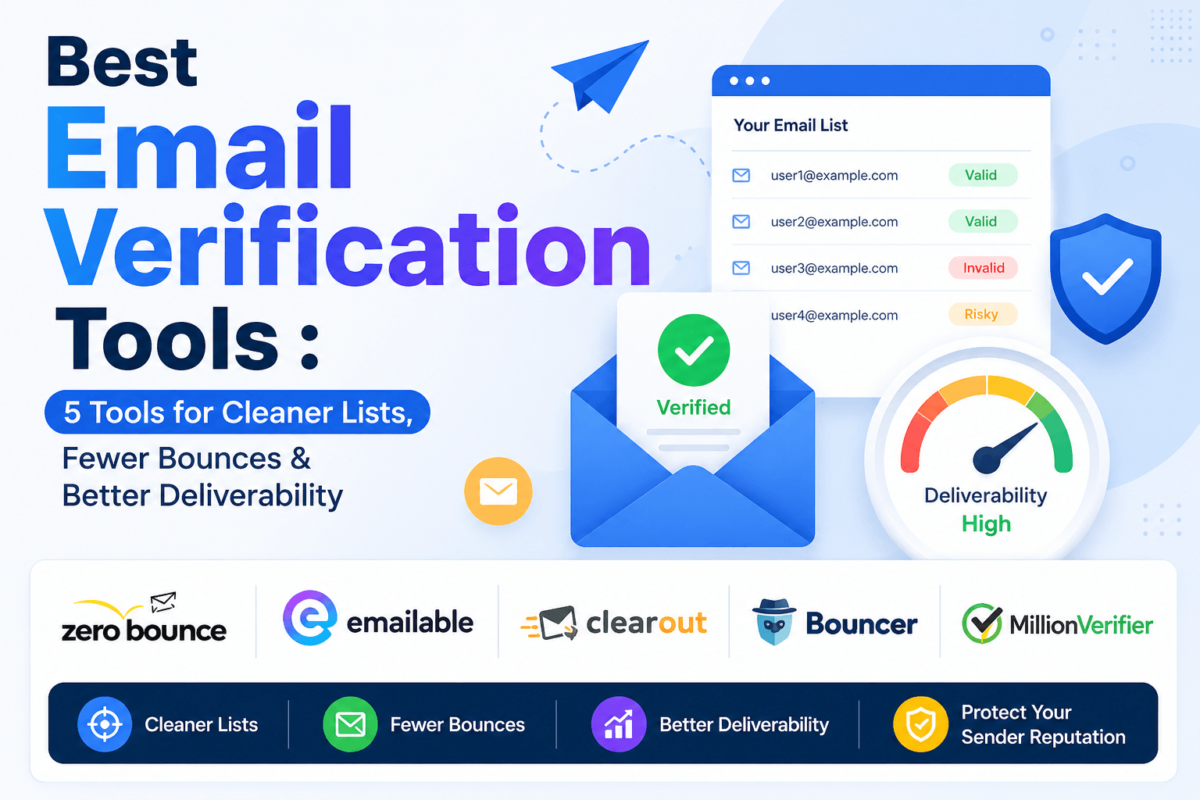
Best Email Verification Tools in 2026: 5 Tools for Cleaner Lists, Fewer Bounces & Better Deliverability
By the TechCognate Team • Last Updated: August 2026 • 14 min read
Ever hit send on a campaign you thought was ready to go, only to watch your bounce rate climb past 5% within the hour? That’s usually not a copywriting problem. It’s a list problem — and it’s one that email verification tools exist specifically to fix.
An email list that looked fine a year ago degrades faster than most marketers expect. People change jobs, abandon inboxes, or type gmial.com instead of gmail.com at signup. Left unchecked, that decay quietly wrecks your sender reputation, tanks your inbox placement, and drags down every campaign that follows — long after the bad addresses have stopped mattering to anyone but your bounce rate.
We compared five email verification tools that currently run active, verifiable affiliate or referral programs — checked directly against each vendor’s official site before publishing. Below, you’ll find what each one actually does well, where it falls short, current pricing, and which one fits your specific situation, whether that’s a solo cold-email sender or an agency cleaning lists for a dozen clients.
Quick Answer
The best email verification tool for most businesses is ZeroBounce, thanks to its balance of accuracy, AI-powered catch-all and spam-trap detection, and a deliverability toolkit that goes beyond basic verification. If you want the lowest cost per email with no compromise on core accuracy, Bouncer is the better pick — it never charges for duplicates or unknowns and undercuts most competitors on price. Budget-conscious teams verifying large, low-risk lists should look at MillionVerifier instead.
Best Email Verification Tools at a Glance
Pricing and free-credit figures below were confirmed against each vendor’s official pricing and affiliate pages as of publish date. Verification tools update pricing often — always confirm current rates before you buy.
| Tool | Best For | API | Bulk | Free Credits | Affiliate Program |
|---|---|---|---|---|---|
| ZeroBounce | Overall accuracy & deliverability suite | Yes | Yes | 100/mo | 18% flat |
| Emailable | Bundled deliverability monitoring | Yes | Yes | 250 one-time | 20%–30% tiered |
| Clearout | Verification + email finding in one | Yes | Yes | 100 one-time | 10% lifetime |
| Bouncer | Lowest cost per verified email | Yes | Yes | 100/one-time | 20%–30% tiered |
| MillionVerifier | Large lists on a tight budget | Yes | Yes | 100 free + trial options | 20%–35% tiered |
1. ZeroBounce — Best Overall
Why we recommend it: ZeroBounce validates over 600,000 customers’ lists and pairs core verification with AI-powered catch-all scoring and spam-trap detection that most competitors either skip or bundle in as a paid extra. If you want one tool that handles verification and gives you a head start on deliverability monitoring, this is the safest default.
Key features
| • | Syntax, domain, MX, and SMTP-level checks with AI scoring for catch-all domains |
| • | Spam trap and abuse-email detection built into standard validation |
| • | Bundled deliverability toolkit: inbox placement testing, DMARC monitoring, blacklist monitoring, email warmup |
| • | 50+ integrations including Mailchimp, ActiveCampaign, HubSpot, and Braze |
Accuracy and verification capabilities: ZeroBounce publishes a 99.6% accuracy claim on standard validation and layers in AI-based catch-all scoring so you’re not stuck guessing on ambiguous results. It’s not the only tool that catches spam traps, but its detection is built into every plan rather than gated behind an enterprise tier.
Pricing: Every account gets 100 free validation credits every month, with no card required. Pay-as-you-go credits start around $20–$39 for 2,000 (rates vary by promo), and credits never expire. The ZeroBounce ONE™ subscription starts at $99/month for 10,000 credits plus the full deliverability suite. Enterprise pricing is custom for 1,000,000+ emails/month. Confirm current rates on ZeroBounce’s pricing page — PAYG pricing shifts periodically.
Pros and cons
| ✓ | Deliverability tools bundled in, not sold as separate products |
| ✓ | Free 100 credits refresh monthly, not just a one-time trial |
| ✕ | Entry-level PAYG pricing runs higher per email than Bouncer or MillionVerifier |
| ✕ | Minimum credit purchase can feel steep for very small, occasional senders |
Best for: Teams that want verification and deliverability monitoring in one subscription instead of stitching together three separate tools.
Who should skip it: Anyone verifying under 1,000 emails a month who doesn’t need the deliverability extras — Bouncer or Clearout will cost less for that use case.
2. Emailable — Best for Bundled Deliverability Monitoring
Why we recommend it: Emailable keeps its interface genuinely simple while still bundling blacklist monitoring, inbox placement testing, and DMARC checks into the same account — features some competitors charge extra for. It’s a solid pick for teams that want verification and light deliverability oversight without a steep learning curve.
Key features
| • | Syntax, domain, MX, and SMTP checks, plus disposable, free, role-based, and accept-all detection |
| • | Real-time API and a no-code HTML widget for signup forms |
| • | Blacklist monitoring, inbox placement, and DMARC checks via a separate Deliverability plan |
| • | 50+ integrations including HubSpot, Salesforce, Klaviyo, and ActiveCampaign |
Accuracy and verification capabilities: Emailable advertises a 99% deliverability guarantee and doesn’t charge for “Unknown” results — a fair policy, though it means genuinely ambiguous corporate addresses cost you nothing to check but also give you less to act on. Independent testing has generally found its “Deliverable” classifications reliable on consumer domains; corporate domains more often land in “Unknown.”
Pricing: New accounts get 250 free credits (one-time, no card required). Pay-as-you-go starts around $32–$38 for 5,000 credits, with monthly subscriptions discounted roughly 15% off PAYG rates. The separate Deliverability Standard plan starts around $149/month. Minimum purchase is 5,000 credits, which can be limiting for very small senders.
Pros and cons
| ✓ | Genuinely simple UI — one of the easiest tools on this list to onboard a new hire onto |
| ✓ | No charge for unknowns or duplicates |
| ✕ | 5,000-credit minimum purchase locks out very small, infrequent senders |
| ✕ | No toxicity scoring or email finder — you’ll need a separate tool for either |
Best for: Small-to-midsize teams that want bulk verification and basic deliverability monitoring without a complicated setup.
Who should skip it: Anyone who needs toxicity scoring on individual addresses — that’s a Bouncer or ZeroBounce strength.
Check Emailable’s Current Pricing →
3. Clearout — Best for Verification + Email Finding in One Account
Why we recommend it: Clearout doubles as an email finder and data-enrichment tool alongside verification, which is genuinely useful if your team is doing prospecting and list cleaning in the same workflow rather than running them as two separate line items.
Key features
| • | 20+ validation checks per email, including catch-all and disposable detection |
| • | Built-in email finder and company/contact data enrichment |
| • | Auto Credit Replenishment to prevent workflows from stalling mid-campaign |
| • | Integrations with WordPress, Fluent Forms, Google Sheets, HubSpot, Mailchimp, and Zapier |
Accuracy and verification capabilities: Clearout advertises 99.73% accurate verified data and only bills for definitive results — unknowns are always free, whether that’s an email, a phone number, or an enrichment lookup. Verification costs 1 credit; email finding costs 4 credits, so if finding is your main use case, credits burn faster than a pure verifier.
Pricing: New users get 100 free credits (one-time, applies to any Clearout service). Subscriptions start around $23/month for 3,000 credits with monthly rollover; pay-as-you-go starts around $21 for 3,000 credits. Unused subscription credits roll over automatically, and purchased credits never expire.
Pros and cons
| ✓ | Verification, finding, and enrichment in a single credit pool |
| ✓ | Unknowns and unfound results are never billed |
| ✕ | Free tier is a one-time 100-credit allotment, not a recurring monthly grant |
| ✕ | Some users report daily verification limits on lower tiers |
Best for: Sales and lead-gen teams that want verification bundled with email finding rather than paying for two separate subscriptions.
Who should skip it: Pure list-cleaning use cases with no finding component — you’re paying for a feature set you won’t touch.
See Clearout’s Current Pricing →
4. Bouncer — Best Value for the Price
Why we recommend it: Bouncer consistently comes in cheaper per verified email than most of this list, without cutting corners on the checks that matter — catch-all scoring, toxicity detection, and GDPR-focused EU data residency. For cost-conscious teams that still want accuracy, it’s hard to beat.
Key features
| • | Catch-all detection with a 0–100 risk score instead of a binary yes/no |
| • | Toxicity Check scoring each address 0–5 for spam-trap and abuse-complaint risk |
| • | Bouncer Shield for real-time form protection at the point of entry |
| • | GDPR-focused, EU-hosted infrastructure (Frankfurt and Warsaw), SOC 2 Type II and ISO 27001 certified |
Accuracy and verification capabilities: Bouncer reports around 99.5% accuracy and stands out for pricing fairness: duplicates and unknown results are never charged, so you only pay for a definitive answer. Toxicity scoring is a genuine differentiator — most competitors don’t score individual addresses for spam-trap risk the way Bouncer does.
Pricing: New accounts get 100 free credits, no credit card required. Pay-as-you-go starts around $8 per 1,000 credits and drops to roughly $2 per 1,000 at the 1-million-credit tier; credits never expire. Bouncer also offers optional monthly subscription plans for high-volume teams that prefer predictable billing, plus separate Shield (real-time protection) and Deliverability Kit subscriptions.
Pros and cons
| ✓ | Among the lowest cost per verified email on this list at every volume tier |
| ✓ | Toxicity scoring and risk-based catch-all detection go beyond basic verification |
| ✕ | Smaller integration library than ZeroBounce or Emailable |
| ✕ | No built-in email finder if prospecting is part of your workflow |
Best for: Budget-conscious teams and agencies verifying large volumes regularly who still want toxicity and catch-all scoring, not just a binary result.
Who should skip it: Teams that specifically need a large pre-built integration marketplace — ZeroBounce and Emailable have broader native connections.
Start Verifying With Bouncer →
5. MillionVerifier — Best Budget Option for Large Lists
Why we recommend it: MillionVerifier competes almost entirely on price, and for teams verifying very large lists where every fraction of a cent per email adds up, that’s a legitimate reason to pick it. It won’t out-feature ZeroBounce or Bouncer, but it doesn’t try to.
Key features
| • | Bulk verification via file upload, plus a real-time API for point-of-entry checks |
| • | Advanced catch-all handling at no extra cost, on top of standard syntax and disposable checks |
| • | EverClean subscription for automated, ongoing list cleaning synced to your ESP |
| • | 17 ready-to-use ESP integrations, including Mailchimp, HubSpot, ActiveCampaign, and SendGrid |
Accuracy and verification capabilities: MillionVerifier reports 99%+ accuracy and doesn’t charge for risky (unknown or catch-all) results. It lacks the AI-driven spam-trap detection and confidence-scored catch-all handling that ZeroBounce and Bouncer offer — a fair trade-off if your list is relatively clean and recently acquired, less so for older, cold-sourced B2B lists where catch-all risk is higher.
Pricing: New accounts get 100 free credits with no card required, plus optional trial options (500 free credits with a business email, or up to 10,000 via a connected integration). Standard credit packs are typically priced around $37–$39 for 10,000 verifications and scale down in per-email cost at higher volumes, with credits that never expire. The EverClean automated-cleaning subscription starts around $15/month. Pricing has shifted across recent quarters — confirm current rates before purchasing.
Pros and cons
| ✓ | Among the cheapest per-email rates at high volume |
| ✓ | EverClean automates ongoing hygiene without manual re-uploads |
| ✕ | No dedicated spam-trap or toxicity scoring — a gap for risk-sensitive cold-email lists |
| ✕ | Support and reporting are more basic than the higher-priced tools on this list |
Best for: Teams verifying very large, relatively clean lists who care most about cost per email.
Who should skip it: Anyone sending to older, cold-acquired B2B lists where spam-trap risk is meaningful — ZeroBounce’s AI spam-trap detection is worth the higher price there.
Which Email Verification Tool Is Best for You?
These labels only apply where the comparison above actually supports them — not every tool needed a category.
| Best overall | ZeroBounce |
| Best value / lowest cost | Bouncer |
| Best for developers / API users | Bouncer or Emailable |
| Best for verification + finding | Clearout |
| Best for large lists on a budget | MillionVerifier |
| Best for beginners | Emailable |
Email Verification Tools Compared
ZeroBounce vs. Emailable
Both bundle deliverability monitoring, but ZeroBounce’s version comes with every plan while Emailable sells it as a separate $149/month product. If deliverability tooling matters to you, ZeroBounce is the more complete package for a similar overall spend.
ZeroBounce vs. Bouncer
ZeroBounce wins on breadth — more integrations, a bigger deliverability suite. Bouncer wins on price and on toxicity scoring specifically, which ZeroBounce doesn’t offer in quite the same form. For high-volume senders where every cent per email matters, Bouncer is the better economics.
Emailable vs. Clearout
Emailable is the simpler, more focused verifier. Clearout adds email finding and enrichment to the same credit pool, which is worth more if prospecting is part of your workflow — and worth nothing extra if it isn’t.
What Does an Email Verification Tool Check?
Email verification checks whether an email address appears technically deliverable before you send to it. Here’s what that actually involves:
Syntax: Is the address formatted correctly — no missing @ symbol, no illegal characters, no stray spaces?
Domain: Does the domain in the address actually exist and resolve?
MX records: Can that domain receive email at all, based on its mail exchange (MX) DNS records?
SMTP verification: Can the verifier connect to the receiving mail server and confirm the specific mailbox exists, without actually sending a message?
Disposable email detection: Is the address tied to a temporary or throwaway email provider?
Role-based email detection: Is it a shared inbox like info@, support@, or sales@ rather than a person?
Catch-all detection: Does the mail server accept every message sent to the domain, even for addresses that don’t really exist — making individual results harder to confirm?
Risk signals: Are there other indicators — known spam traps, abuse complaints, recent bounce history — suggesting this address could hurt your sender reputation even if it technically exists?
What “Valid” Actually Means — and What It Doesn’t
Email verification is not the same as guaranteeing delivery. A verifier can confirm an address appears technically deliverable at the moment you check it, but circumstances change: catch-all domains accept mail for addresses that don’t really exist, mail servers behave differently under temporary load (greylisting), inboxes fill up or get disabled after the fact, and role-based or disposable addresses can pass technical checks while still being poor targets for outreach. No reputable tool claims 100% accuracy, and any that implies otherwise deserves skepticism.
Verification is one input, not the whole deliverability picture. It works best alongside proper SPF, DKIM, and DMARC authentication, honest list-acquisition practices with real consent, active suppression management for bounces and unsubscribes, sending volume appropriate to your domain’s warmup stage, and content that doesn’t trip spam filters on its own. Clean the list, then still watch the rest of the stack — a verified address sent through a poorly authenticated domain can still land in spam.
Email Verification Statistics You Should Know
Industry statistics (independent, cross-vendor research):
| Metric | Finding | Source | Year |
|---|---|---|---|
| Global email users | ~4.7 billion, rising to 4.9B by 2028 | The Radicati Group | 2026 |
| Daily email volume worldwide | ~376–392 billion emails/day | Radicati Group / Statista | 2026 |
| Global inbox placement rate | 87.2%, up 3.7pp year-over-year | Validity Deliverability Benchmark | 2026 |
| Cross-industry average bounce rate | ~1.2% for well-maintained lists; >2% signals a data-quality issue | Cleanlist Deliverability Benchmark | 2026 |
Vendor-reported statistics (from ZeroBounce, one of the tools featured in this guide — presented separately from independent research above):
| • | At least 23% of the average email list degrades every year, based on ZeroBounce’s analysis of 11+ billion emails processed in 2025 (ZeroBounce Email List Decay Report, 2026) |
| • | Only about 62% of emails submitted to ZeroBounce in 2024 were valid, with invalid addresses making up the largest share of the rest (ZeroBounce Email List Decay Report, 2026) |
Illustrative calculation (example, not an industry statistic):
How to Choose the Best Email Verification Service
| • | List size and verification frequency: A one-time cleanup favors PAYG credits; regular monthly sends favor a subscription with rollover. |
| • | Bulk vs. real-time needs: If bad data mostly enters through signup forms, prioritize a tool with a fast, well-documented real-time API. |
| • | CRM and ESP integrations: Check that your specific platform is a native integration, not just a Zapier workaround. |
| • | How unknown results are handled: Some tools charge for unknowns, some don’t — that materially changes your effective cost per list. |
| • | Credit expiration: Non-expiring credits matter if your sending volume is irregular month to month. |
| • | Privacy and security: Look for GDPR compliance, SOC 2, or ISO 27001 certification if you’re handling EU data or enterprise contact lists. |
The cheapest provider per credit isn’t always the cheapest overall — a tool with weaker catch-all handling can leave you with more false positives, which means more bounces down the line and more time spent manually reviewing “risky” results.
How to Verify an Email List
| 1. | Export your list from your ESP or CRM. |
| 2. | Remove obvious duplicates before uploading — most tools charge per credit, and duplicates waste them. |
| 3. | Upload the list to your verification tool of choice. |
| 4. | Run verification and let it process fully before acting on partial results. |
| 5. | Review the results by category — valid, invalid, risky, and unknown. |
| 6. | Separate contacts into segments so you can make a deliberate decision about risky and unknown addresses rather than sending to all of them by default. |
| 7. | Suppress invalid and clearly high-risk addresses in your ESP. |
| 8. | Re-import the cleaned list. |
| 9. | Monitor bounce rates on your next send to confirm the cleanup worked as expected. |
| 10. | Re-verify periodically — quarterly for active senders, given how quickly lists decay. |
One warning: don’t keep emailing addresses that consistently bounce, even a handful. Repeated hard bounces are one of the fastest ways to damage sender reputation, and the cost of continuing to send to them is almost always higher than the cost of removing them.
Why Real-Time Email Verification Matters
Bulk email verification is best for cleaning an existing list, while real-time verification is best for preventing bad addresses from entering your database in the first place. If your bad data mostly comes in through signup forms, lead-generation forms, free-trial registrations, ecommerce checkout, webinar sign-ups, or contact forms, a real-time API check at the point of entry stops the problem before it compounds. Preventing bad data from ever reaching your database is generally cheaper and less disruptive than cleaning it after the fact — you’re not paying to store, segment, or repeatedly re-verify addresses that never should have been added.
How We Evaluated the Best Email Verification Tools
We compared each tool against the same criteria: verification accuracy and depth (syntax, MX/DNS, SMTP-level, catch-all, disposable, and risk detection), API functionality, bulk verification handling, ease of use, pricing and value at multiple volume tiers, integration breadth, free testing options, documentation quality, and support.
Affiliate availability was a selection criterion for this particular commercial comparison, not the reason a product received a higher editorial ranking. We started from a longer list of email verification providers and kept only the ones with a currently active, officially confirmed affiliate or referral program — verified directly on each vendor’s own site rather than through third-party affiliate directories. Rankings within that shortlist are based on features, accuracy, and pricing, not commission size.
Frequently Asked Questions About Email Verification
What is the best email verification tool?
ZeroBounce is the best overall choice for most businesses because it combines strong accuracy with AI-powered catch-all and spam-trap detection and a bundled deliverability toolkit. Bouncer is the better pick if cost per verified email is your top priority.
What does an email verification service do?
It checks whether an email address appears technically deliverable — validating syntax, domain, MX records, and often connecting to the receiving mail server (SMTP check) to confirm a mailbox exists, without actually sending an email.
Is email verification worth it?
Yes, for any list you actually send to. Even a small percentage of invalid addresses can push your bounce rate over the threshold that damages sender reputation, and the cost of verification is almost always lower than the cost of a damaged domain.
How accurate are email verification tools?
Most reputable tools report accuracy in the 99%+ range on their own testing, though real-world results vary by list composition. No verifier is 100% accurate, and any claiming so should be treated with skepticism — catch-all domains and server-side changes after verification can still produce surprises.
Can email verification guarantee delivery?
No. Verification confirms an address appears deliverable at the moment you check it. It can’t guarantee the recipient will engage, that the mailbox won’t fill up or get disabled later, or that your message will land in the inbox rather than spam — that also depends on authentication (SPF, DKIM, DMARC) and sender reputation.
What is the difference between email verification and email validation?
The terms are largely used interchangeably in the industry. Some vendors use “validation” for basic syntax and format checks and “verification” for deeper checks like SMTP-level confirmation, but there’s no universal standard distinction.
How often should you verify an email list?
Quarterly is a reasonable baseline for active senders, given that lists decay by roughly 20–30% a year. Verify more often if you send frequently, buy or import lists, or notice bounce rates creeping upward.
What is a catch-all email address?
A catch-all domain accepts mail sent to any address at that domain, even ones that don’t actually exist. That makes individual addresses at catch-all domains harder to verify with certainty — they’re often flagged as “risky” rather than definitively valid or invalid.
What is a disposable email address?
A temporary email address created through a throwaway provider, usually to avoid giving out a real address at signup. Most verification tools flag these, since they’re rarely useful for ongoing communication.
Can email verification detect spam traps?
Some tools can flag known spam traps and abuse addresses as part of their risk scoring — ZeroBounce and Bouncer are notably strong here. No tool can guarantee it catches every trap, since trap lists aren’t fully public and change over time.
Is email verification legal?
Yes, verifying an email address for technical deliverability is a standard, legal practice used across email marketing. It’s separate from consent requirements for actually sending marketing emails, which are governed by laws like CAN-SPAM in the U.S. and GDPR in the EU.
Can I verify emails through an API?
Yes — all five tools in this guide offer a real-time verification API, useful for checking addresses at the point of entry on signup forms, checkout flows, and lead-gen forms before they ever reach your list.
What is bulk email verification?
Uploading an existing list (usually as a CSV) and having the tool check every address at once, returning a categorized report of valid, invalid, risky, and unknown results. It’s the standard way to clean an existing list rather than checking addresses one at a time.
How much does email verification cost?
Costs typically range from roughly $0.002 to $0.02 per email depending on volume and vendor, with steep discounts at higher tiers. Most tools offer a free trial of 100–250 credits, and several offer ongoing free monthly allowances.
Which email verifier is best for cold email?
ZeroBounce or Bouncer, since both offer stronger spam-trap and risk detection — a meaningful advantage on cold-acquired lists where trap risk is higher than on opt-in lists. Pair either with the practices covered in our best cold email software guide for the sending side.
Does email verification improve deliverability?
It helps significantly by reducing bounces and removing risky addresses, but it’s one piece of the deliverability puzzle. It works best combined with proper email authentication, consistent sending volume, and engaging content — not as a standalone fix.
Final Thoughts
A clean list is table stakes, not a nice-to-have. Whether you land on ZeroBounce for its all-around accuracy and deliverability suite, Bouncer for the best price-to-accuracy ratio, or Clearout if you need finding and verification in one place, the real work happens after the credits are spent: suppress what bounces, re-verify on a schedule, and pair your clean list with proper authentication. That combination — not any single tool — is what actually keeps you out of the spam folder.
For the sending side of the equation, see our guides on best email marketing software and best CRM for email marketing, or check our email marketing statistics roundup for more benchmark data.