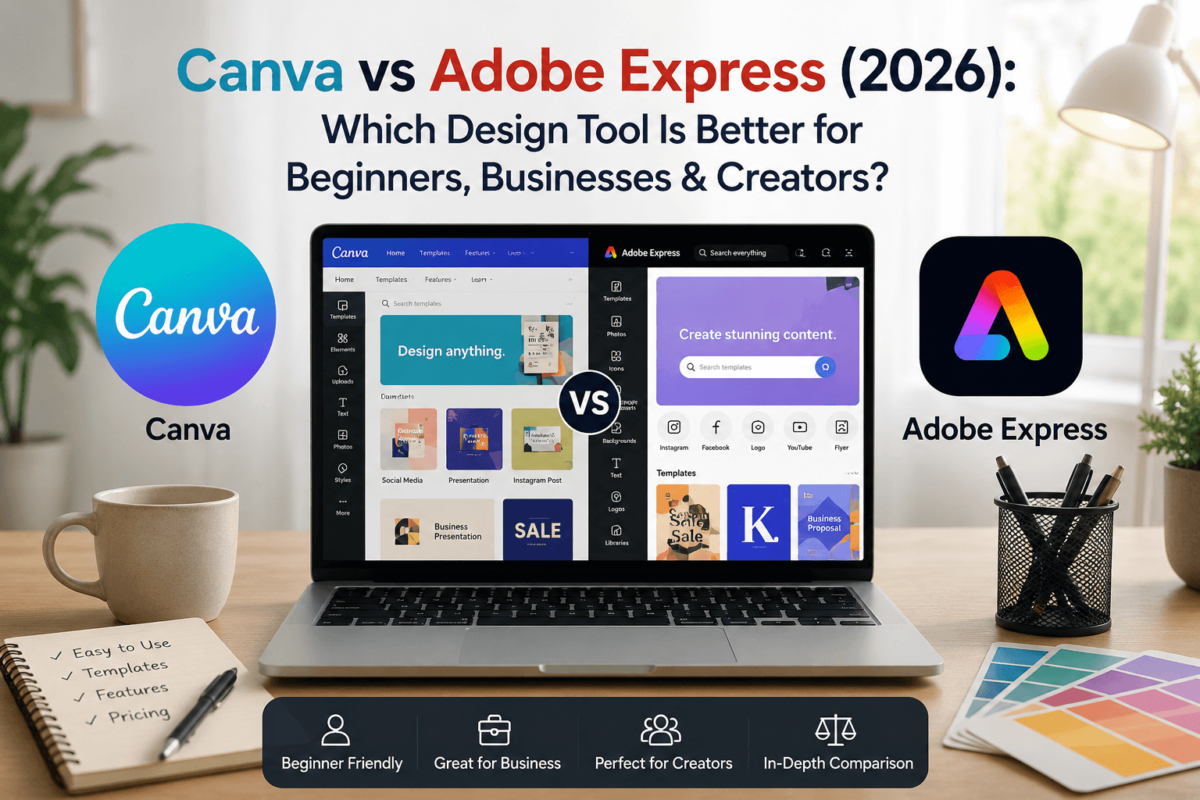
Canva vs Adobe Express (2026): Which Design Tool Is Better for Beginners, Businesses & Creators?
A practical, hands-on comparison for marketers, small business owners, teachers, and freelancers trying to decide where to build their graphics — before paying for either one.
Canva is the better choice for most beginners, educators, marketers, and small businesses because it’s easier to use, has a far larger template library, and offers a smoother day-to-day design experience. Adobe Express is the stronger pick if you’re already paying for Adobe Creative Cloud or you want more advanced, commercially-safe AI image editing through Adobe Firefly. If you’re not sure yet, both have usable free plans — start there before you decide.
At a Glance
- Best OverallCanva — the more complete, beginner-friendly package
- Best for BeginnersCanva — smoother learning curve, more guided templates
- Best AI FeaturesAdobe Express — Firefly’s generative fill and image quality
- Best ValueCanva — stronger free plan, cheaper Pro tier
- Best for ProfessionalsAdobe Express — if you’re already inside Creative Cloud
- Our RecommendationStart with Canva unless you’re already paying for Photoshop or Illustrator
I’ve used both tools across client social calendars, one-off flyer jobs, and a handful of branding refreshes, and the honest takeaway is that they’re not fully fighting for the same user. Canva was built from day one to make design approachable for people with zero training. Adobe Express was built to give Creative Cloud subscribers a fast, lightweight tool that doesn’t require opening Photoshop for a simple Instagram post. Neither is “wrong” — they’re just optimized for different starting points.
What Is Canva?
Canva is a browser-based, drag-and-drop design platform founded in 2013 in Melbourne, Australia, by Melanie Perkins, Cliff Obrecht, and Cameron Adams. It started as a simple way to design without learning software like Photoshop, and has since grown into a full visual workspace covering social graphics, presentations, video, documents, and whiteboards, all from one account.
Canva is privately held (Canva Pty Ltd), has expanded well beyond its original design-tool roots, and now positions itself as a broader “visual communication” platform for individuals, schools, and enterprises alike.
Key Features
- Magic Studio — Canva’s AI suite: Magic Write, Magic Design, Magic Edit, Magic Eraser, and Magic Resize
- A massive, categorized template library spanning social posts, presentations, resumes, and print materials
- Brand Kit for storing logos, fonts, and brand colors across a team
- Built-in stock photo, video, and audio library
- Simple video editor with a familiar timeline and captions
- Real-time collaboration, comments, and shared folders
Pros
- Extremely easy to pick up — most people are productive in their first session
- One of the largest template libraries in the industry
- Generous free plan that’s genuinely usable, not just a demo
- Strong mobile app for editing on the go
Cons
- Precision photo editing (masking, layers, retouching) is more limited than Adobe’s tools
- Premium AI features are metered by credits, which can run out faster than expected
- Popular templates can look generic if you don’t customize them
Best users: solo marketers, small business owners, teachers, students, content creators, and anyone who wants professional-looking output without a design background.
What Is Adobe Express?
Adobe Express is Adobe’s simplified, template-driven design app, built to sit alongside Photoshop, Illustrator, and Premiere Pro inside the Creative Cloud family rather than replace them. It’s aimed at quick turnaround content — a social post, a flyer, a short video — without opening a full desktop editor.
Adobe Inc. is a publicly traded company headquartered in San Jose, California, and Adobe Express draws directly on that ecosystem: Adobe Fonts, Adobe Stock, Creative Cloud Libraries, and Adobe Firefly, Adobe’s generative AI model trained with a focus on commercially safe output.
Key Features
- Adobe Firefly integration for generative fill, text-to-image, and AI text effects
- 200M+ royalty-free Adobe Stock photos, videos, and audio tracks on Premium
- Access to the full 30,000+ font Adobe Fonts library
- One-click background and video background removal
- PDF creation and light editing tools, drawing on Adobe’s Acrobat heritage
- Direct hand-off into Photoshop or Illustrator for deeper edits
Strengths
- Firefly-generated images tend to look more polished and controllable than most competing AI tools
- Genuinely strong PDF and document tools most design apps don’t offer
- Commercially-safe AI training is a real advantage for brands worried about copyright risk
- Tight integration if you already use other Adobe apps
Weaknesses
- Template library is noticeably smaller than Canva’s
- Interface assumes a bit more design literacy than Canva’s does
- Best features are gated behind Premium or a Creative Cloud bundle rather than sold as a true standalone low-cost plan
Ideal users: freelancers and agencies already paying for Creative Cloud, marketers who need commercially-safe AI content, and anyone with a PDF-heavy workflow.
Canva vs Adobe Express: Full Comparison Table
A note on how to read this: “Winner” reflects which tool does that specific job better — not which tool is better for you overall. That answer depends on your budget, your team, and whether you’re already inside the Adobe ecosystem.
| Feature | Canva | Adobe Express | Winner |
|---|---|---|---|
| Ease of use | Minimal learning curve, guided editor | Slightly steeper, more design-literate UI | Canva |
| Templates | Massive library across every category | Smaller, curated selection | Canva |
| AI tools | Magic Studio — broad but credit-metered | Firefly — higher image quality, commercially safe | Adobe Express |
| Photo editing | Solid basics, limited precision tools | Deeper editing, backed by Photoshop lineage | Adobe Express |
| Brand kit | Mature, accessible on Pro | Available on Premium, less flexible | Canva |
| Collaboration | Real-time, easy sharing and comments | Functional but less polished | Canva |
| Stock photos | 100M+ assets on Pro | 200M+ Adobe Stock assets on Premium | Adobe Express |
| Video editing | Simple timeline, strong for social clips | Capable, but a smaller feature set | Canva |
| Social scheduling | Native scheduler across major platforms | Scheduling limited by account count per plan | Canva |
| PDF editing | Basic export and light edits | Genuine PDF creation and editing tools | Adobe Express |
| Mobile app | Fast, feature-complete iOS/Android app | Solid but noticeably lighter feature set | Canva |
| Learning curve | Productive within minutes | A bit more upfront orientation needed | Canva |
| Integrations | Google Drive, Dropbox, Slack, HubSpot, and more | Deepest with other Adobe apps specifically | Canva |
| Pricing | Cheaper Pro tier, stronger free plan | Best value only if bundled into Creative Cloud | Canva |
| Customer support | Chat and help center, community-driven | Backed by Adobe’s larger support infrastructure | Tie |
| Overall value | More for less, for most everyday users | Better value only for existing Adobe subscribers | Canva |
Feature availability changes as both companies ship updates regularly — always confirm current specifics on each provider’s own feature page before deciding.
Canva vs Adobe Express: Feature-by-Feature Breakdown
Here’s where the real decision-making happens. Each section below covers one specific job the tools need to do, how each one actually performs at it, and who should lean toward which tool.
Ease of Use
The editor is built around drag-and-drop simplicity from the first screen. Templates are pre-arranged with placeholder text and images, so a new user can swap assets in and out without ever touching alignment tools. Navigation is shallow — most features are one or two clicks away.
Still approachable compared to Photoshop, but the interface assumes a little more comfort with design concepts like layers and object grouping. It’s not hard, exactly — it just doesn’t hold your hand quite as much as Canva does.
Templates
Templates cover an enormous range of categories — social posts, presentations, resumes, invitations, print flyers, and more — with strong coverage for niche industries and small business use cases specifically.
The library is well-curated and generally looks more polished out of the box, but it’s noticeably thinner in volume, especially outside of core social and marketing formats.
AI Features
- Magic Write — AI copywriting inside the editor
- Magic Design — auto-generates full layouts from a prompt
- Magic Edit & Magic Eraser — object swapping and removal
- Magic Resize — instantly reformat one design for multiple platforms
- Generative Fill for realistic object and background edits
- Text-to-image generation trained for commercially safe output
- One-click background removal
- AI-generated text effects and styles
In day-to-day use, Canva’s Magic Studio wins on breadth — it touches almost every part of the workflow, from writing captions to resizing a design for five platforms at once. Firefly wins on image quality and commercial safety, which matters more the closer you get to enterprise or licensed-brand work.
🏆 Winner: Adobe Express, on generative image quality — Canva is close behind on overall AI breadthImage Editing
Adobe Express benefits directly from Adobe’s decades of photo-editing expertise. Background removal, object removal, and filters all feel more precise, and there’s a straightforward hand-off into Photoshop for anything that needs true layer-level control. Canva’s editing tools cover the basics well — cropping, filters, simple background removal — but fall short once you need fine-grained masking or retouching.
🏆 Winner: Adobe ExpressVideo Editing
Canva’s video editor is genuinely built for social content: a simple timeline, auto-captions, a large music library, and templates sized for Reels, TikTok, and YouTube Shorts out of the box. Adobe Express covers similar ground but with a smaller template set and fewer built-in social-specific presets.
🏆 Winner: CanvaCollaboration
Canva’s team features — shared folders, live comments, and simultaneous editing — feel more mature and more widely used in practice. Adobe Express supports collaboration and brand controls too, but it’s a newer part of the product and shows it in a few rough edges around permissions and shared asset management.
🏆 Winner: CanvaBrand Management
Both tools offer a Brand Kit for storing logos, colors, and fonts. Canva’s version is more accessible at a lower price point and easier to apply consistently across a team’s templates. Adobe Express’s brand controls are solid but live behind the pricier Premium tier and feel geared more toward agencies already managing Creative Cloud brand libraries.
🏆 Winner: CanvaIntegrations
Canva connects broadly with Google Drive, Dropbox, Slack, Microsoft Teams, HubSpot, and most major social platforms — useful if your team’s tools live outside the Adobe world. Adobe Express integrates most deeply with other Adobe products specifically, which is exactly what you’d want if Photoshop, Illustrator, or Acrobat are already part of your daily stack.
🏆 Winner: Canva, for general third-party reach — Adobe Express wins if your stack is already Adobe-basedMobile Apps
Canva’s iOS and Android apps are close to feature-complete, letting you build and edit full designs from a phone, including video. Adobe Express’s mobile apps are capable for quick edits and templates but noticeably lighter than the desktop experience, and offline editing is limited on both platforms.
🏆 Winner: CanvaPricing
Pricing is where the decision often gets made in practice, so it’s worth the full breakdown rather than a single headline number.
| Plan | Canva | Adobe Express |
|---|---|---|
| Free | $0 — genuinely usable, 5GB storage, large template selection | $0 — 100,000+ templates, 1M+ stock assets, 5GB storage |
| Individual paid tier | Canva Pro — around $15/month (or roughly $120/year billed annually) | Adobe Express Premium — $9.99/month standalone, or included with most Creative Cloud plans |
| Team plan | Canva Business — $20 per person/month, no seat minimum | Teams — custom per-seat pricing with admin controls, quoted through Adobe |
| Enterprise | Custom quote, SSO and advanced admin controls | Custom quote, IP indemnification on select plans |
🕑 Pricing reflects publicly available figures as of mid-2026 and changes frequently on both sides — confirm current rates on Canva’s and Adobe’s official pricing pages before subscribing. Both platforms offer free trials, so test the paid tier’s actual output before committing to annual billing.
🏆 Winner: Canva, on price-to-feature ratio for individuals — Adobe Express only pulls ahead if Premium is already bundled into a Creative Cloud plan you’re paying for anywayCanva Pros & Cons
Pros
- Fastest learning curve of the two
- Largest template library by a wide margin
- Strong free plan that doesn’t feel crippled
- Excellent mobile app
- Broad third-party integrations
Cons
- Precision photo editing tools are limited
- AI features are credit-metered and can run out
- Popular templates can look generic if unedited
Adobe Express Pros & Cons
Pros
- Higher-quality, commercially safe AI image generation via Firefly
- Deeper photo editing tools, backed by Adobe’s editing heritage
- Genuine PDF creation and editing capability
- Seamless hand-off into Photoshop or Illustrator
Cons
- Smaller template library than Canva
- Best value only exists if you already pay for Creative Cloud
- Slightly steeper learning curve for total beginners
Which Tool Fits Your Situation?
Generic advice only goes so far — here’s how the recommendation actually changes depending on what you’re doing day to day.
Affordable, fast, and covers flyers, social posts, and menus without a design hire.
Fast featured-image and Pinterest graphic creation, with templates sized for every major platform.
Thumbnail templates and quick resizing across upload formats make Canva the faster daily workflow.
Native scheduling plus Brand Kit consistency across multiple client accounts is hard to beat.
Education-friendly templates and a free premium tier for verified teachers make this an easy call.
Zero cost to start, and the learning curve won’t eat into study time.
Turnaround speed matters more than pixel-level precision for most freelance deliverables.
If Photoshop is already open all day, Express is a lighter-weight companion, not a second subscription.
Especially where clients require commercially safe AI-generated imagery for legal or brand-safety reasons.
Product mockup and listing-image templates are more plentiful and easier to customize quickly.
Flyer and listing-graphic templates are abundant and simple to brand per listing.
Canva’s nonprofit program offers free premium access, which is difficult to match on cost alone.
Consistent, fast output across thumbnails, posts, and short video wins over raw editing depth here.
Cover art, audiogram, and episode-promo templates are genuinely built for this use case.
Teams already running campaigns through Adobe’s broader marketing stack get more value from staying inside it.
Fast, cheap, and flexible enough to cover pitch decks, social presence, and early branding in one tool.
Which Tool Is Better For…
| Format | Better Choice |
|---|---|
| Instagram posts | Canva |
| YouTube thumbnails | Canva |
| TikTok content | Canva |
| Business presentations | Canva |
| Flyers | Canva |
| Logos | Adobe Express (or Illustrator for final polish) |
| AI-generated images | Adobe Express |
| Resume design | Canva |
| PDFs | Adobe Express |
| Marketing materials | Canva |
| Email graphics | Canva |
| Print materials | Tie — both handle print exports well |
Performance & Workflow
Both are browser-based first, so raw speed comes down to your connection and how heavy the design is. Canva’s editor feels snappier on lighter projects and loads templates quickly, though very complex multi-page designs can occasionally lag. Adobe Express tends to hold up better on image-heavy edits, likely a byproduct of Adobe’s more mature rendering pipeline. Cloud syncing is reliable on both, collaboration updates in near real time on Canva specifically, and export quality is strong across common formats (PNG, JPG, PDF, MP4) on either platform. File compatibility slightly favors Adobe Express if your next step is opening the file in Photoshop or Illustrator.
Security & Privacy
Both platforms support two-factor authentication and standard account security practices. Canva stores files in its own cloud infrastructure with team-level permission controls on paid plans; Adobe Express benefits from Adobe’s broader enterprise security and compliance investment, which matters more once SSO and audit logs enter the conversation at the Enterprise tier. On AI-generated content ownership, Adobe has been more explicit about commercially safe training data and offers IP indemnification on select plans — worth checking directly if brand-safety and copyright exposure are a real concern for your use case.
How to Choose Between Canva and Adobe Express
- Define your design needs. Social graphics and presentations lean Canva; photo-heavy or PDF-heavy work leans Adobe Express.
- Decide your budget. If you’re not already paying for Creative Cloud, Canva’s free and Pro tiers are the cheaper starting point.
- Consider AI features. Want broad, fast AI tools across writing and design? Canva. Want higher-fidelity, commercially safe AI images? Adobe Express.
- Evaluate collaboration requirements. Teams that need fast, low-friction sharing tend to prefer Canva’s collaboration tools.
- Test both free plans. Build the same real project in each before spending anything.
- Upgrade only if needed. Don’t pay for Premium or Pro until a specific free-tier limit is actually in your way.
Best Alternatives
| Tool | When It’s the Better Choice |
|---|---|
| VistaCreate | A lighter-weight, low-cost alternative if you mainly need social templates and animation on a smaller budget. |
| Microsoft Designer | Worth a look if your team already lives inside Microsoft 365 and wants AI design tools integrated there. |
| Figma | Better fit for product and UI design work rather than marketing graphics. |
| Adobe Photoshop | Choose this over Adobe Express when you need true pixel-level photo editing and layer control. |
| Adobe Illustrator | The right tool once a logo or brand mark needs to be built as scalable vector art. |
| Pixlr | A capable free-leaning option for quick photo edits without a subscription commitment. |
| Snappa | A simpler, budget alternative for teams that just need quick social graphics without extra features. |
Pros & Cons Summary
| Platform | Best For | Main Strength | Biggest Weakness | Our Rating |
|---|---|---|---|---|
| Canva | Beginners, small businesses, social media | Ease of use and template breadth | Limited precision photo editing | 4.6 / 5 |
| Adobe Express | Creative Cloud users, agencies, PDF-heavy work | Firefly AI quality and Adobe integration | Smaller template library, less value standalone | 4.2 / 5 |
Verdict
Canva — the more complete, easier-to-use package for the widest range of users.
Canva — a stronger free plan and a cheaper individual paid tier.
Canva — the free tier covers more real use cases before you hit a wall.
Adobe Express — Firefly’s output quality and commercial-safety training are ahead of Magic Studio on image generation specifically.
Adobe Express — mainly because it’s already sitting inside a Creative Cloud subscription most professionals already pay for.
Canva — nothing in this comparison is easier to pick up on day one.
Canva — Business plan collaboration feels more mature at a lower per-seat cost.
Canva, for the majority of readers here. Switch that answer to Adobe Express only if Creative Cloud is already part of your monthly bill.
Frequently Asked Questions
Is Canva better than Adobe Express?
For most beginners, marketers, and small businesses, yes — Canva is easier to learn and has a far larger template library. Adobe Express pulls ahead specifically on AI image quality and for people already inside the Adobe ecosystem.
Is Adobe Express free?
Yes, Adobe Express has a genuine free plan with templates, basic editing tools, and limited stock assets. The Premium plan at $9.99/month (or bundled into most Creative Cloud subscriptions) unlocks the full stock library, more fonts, and additional generative AI credits.
Is Canva Pro worth it?
For anyone designing regularly, usually yes. The Brand Kit, expanded template access, and background remover alone tend to save enough time to justify the roughly $15/month cost, especially if you’re publishing content on a weekly basis.
Which tool is easier for beginners?
Canva, without much debate. Its guided templates and shallow menu structure mean most new users are productive within their first session.
Which has better AI?
It depends what you mean by “better.” Canva’s Magic Studio covers more of the workflow (writing, resizing, editing). Adobe Firefly, used inside Adobe Express, generally produces higher-quality, more controllable images and is trained with commercial safety in mind.
Which works better for businesses?
Canva covers the day-to-day marketing needs of most small and mid-size businesses more affordably. Larger businesses already invested in Adobe’s other tools often get more value keeping everything inside Creative Cloud, including Express.
Can Adobe Express replace Canva?
For photo editing, PDFs, and AI image generation, yes. For volume and variety of templates, video editing depth, and team collaboration, most users will still miss features Canva offers.
Which platform is better for YouTube thumbnails?
Canva, mainly because of its larger thumbnail-specific template selection and faster resizing across formats.
Which offers better templates?
Canva, by volume and category coverage. Adobe Express’s templates are well-designed but noticeably fewer in number.
Which is better for students?
Canva. It’s free to start, easy to learn quickly, and doesn’t require any prior design software experience.
Can I use both together?
Yes, and plenty of freelancers do — Canva for fast day-to-day content, and Adobe Express (or Photoshop/Illustrator) when a project needs deeper photo editing or a PDF workflow.
Which platform exports higher-quality files?
Both export solid PNG, JPG, and PDF files for most everyday uses. Adobe Express has a slight edge on file compatibility if your next step involves opening the file in Photoshop or Illustrator.
Does Adobe Express include Photoshop?
No. Adobe Express is a separate, simplified tool. It offers a smooth hand-off into Photoshop for deeper edits, but Photoshop itself requires its own Creative Cloud subscription.
Is Canva owned by Adobe?
No. Canva is an independent, privately held company founded in Australia in 2013. It’s a direct competitor to Adobe Express, not a product of Adobe.
Which is better for print design?
Both handle print exports competently for flyers, posters, and business cards. For anything requiring precise color profiles or complex bleed settings, professional print designers typically still prefer Illustrator over either tool.
Final Thoughts
If you’re starting from zero, choose Canva. It gets you to a finished, professional-looking design faster than almost anything else on the market, and its free plan genuinely holds up for casual and semi-regular use. Choose Adobe Express if you’re already paying for Creative Cloud, need commercially safe AI-generated imagery, or regularly work with PDFs — in that specific case, Express earns its place without adding a whole new subscription to your stack.
Long-term value tends to favor Canva for most individuals and small teams, simply because the free-to-Pro jump is smaller and the template library keeps paying off as your needs grow. For agencies and larger marketing teams already inside the Adobe ecosystem, Adobe Express is closer to a “included feature” than a standalone cost — which changes the value math considerably.
My honest advice: don’t decide from a feature list alone. Build the same real project — a social post, a flyer, whatever you actually need this week — in both free plans, and see which one gets you to a result you’re happy with faster. That’s a better test than anything either company’s marketing page will tell you.
Features and pricing for both platforms change frequently — always verify current plans directly on Canva’s and Adobe’s official pricing pages before subscribing.
If design tools are one piece of a bigger content workflow, our guides on creating AI-optimized blog content, SEO copywriting, and email marketing for SEO cover the rest of the pipeline your graphics eventually feed into.

Jaykishan Panchal
Founder, TechCognate · Digital Marketing Strategist. Jaykishan writes hands-on comparisons and guides covering SEO tools, AI search visibility, and the marketing software stack small businesses actually use day to day.