SEO Tools
Best Website Crawlers
Five crawling tools compared side by side, so you can find broken links, duplicate content, and crawlability problems before Google does.
| Updated: September 2026 • 5 tools compared • Technical SEO guide |
Most technical SEO problems don’t show up in Google Analytics. A page can carry a stray noindex tag, a broken canonical, or a redirect chain for months before anyone notices the traffic drain. A website crawler is what actually catches that — it walks every URL on your site the way a search engine bot would and flags what’s broken along the way.
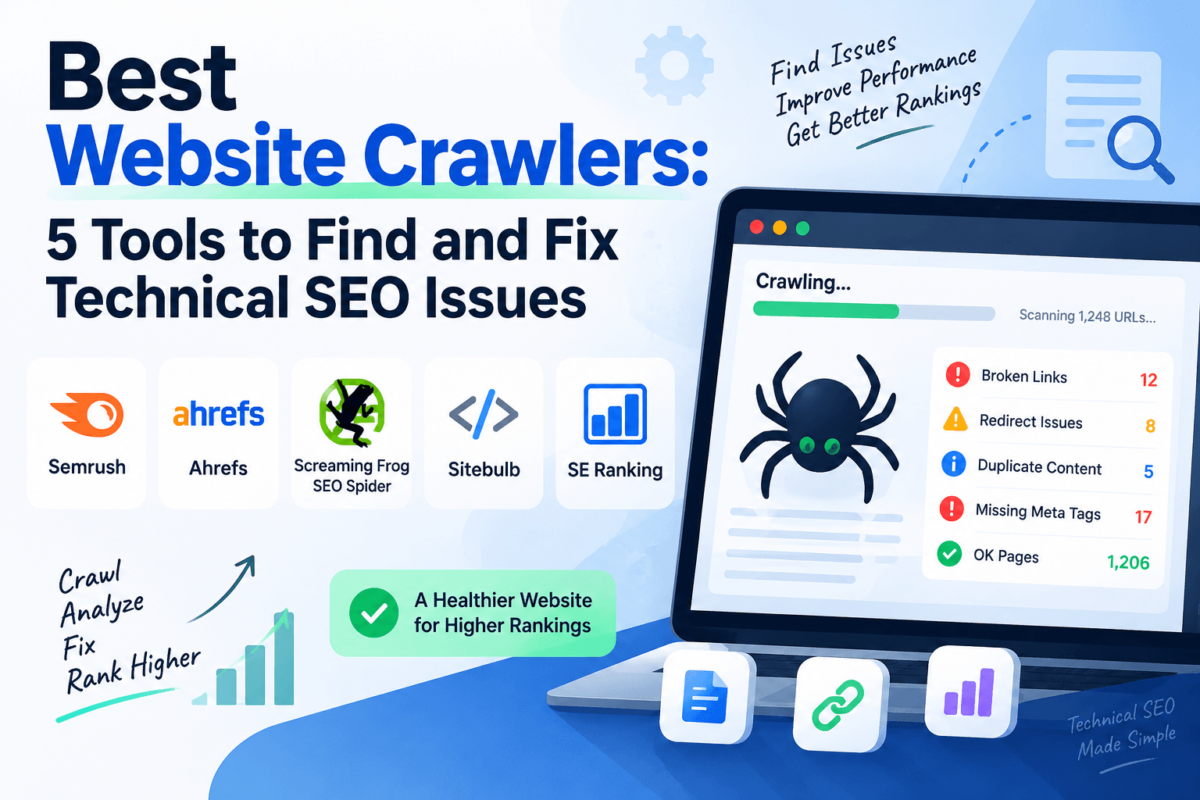
This guide compares five of the more established website crawler tools on the market — Semrush, Ahrefs, Screaming Frog SEO Spider, Sitebulb, and SE Ranking — and where each one actually earns its place in a working SEO stack. If you want the wider category context first, our best SEO tools roundup is a good place to start.
Quick Answer: Best Website Crawlers
If you only read one section, read this one. Here’s how the five tools stack up at a glance.
| Tool | Best For | Standout Strength | Pricing Approach |
|---|---|---|---|
| Semrush | All-in-one SEO teams | Crawler tied to keyword, backlink & rank data | Subscription, crawl limits scale by plan |
| Ahrefs | Site audits paired with backlink research | Site Audit health score & issue prioritization | Subscription, crawl credits by plan |
| Screaming Frog | Hands-on technical SEO auditing | Granular desktop crawl control & custom extraction | Free up to 500 URLs; annual licence beyond that |
| Sitebulb | Client-facing audit reporting | Prioritized “Hints” and visual crawl maps | Subscription, desktop or cloud |
| SE Ranking | Budget-conscious agencies | Scheduled audits bundled with rank tracking | Subscription, page-limit tiers |
Pricing changes often — check each vendor’s official pricing page before you commit to a plan.
What Is a Website Crawler?
A website crawler is software that starts at a URL, follows every internal link it finds, and records what it sees at each stop: the HTTP status code, the page title, the meta description, the canonical tag, whether the page is indexable, and how deep it sits in your site’s structure. Search engines run their own version of this constantly. An SEO crawler runs the same process on demand, so you can see problems before Googlebot does.
Modern crawlers also render JavaScript, which matters if your site is built on React, Vue, or a similar framework — without JS rendering, a crawler (and a search engine) may only see an empty shell of a page. If terms like canonical tags or crawl depth are new to you, our SEO glossary covers the basics in plain language.
What Does a Website Crawler Check?
The exact checklist varies by tool, but most crawlers cover the same core ground:
- Broken links and 4xx/5xx errors that waste crawl budget
- Redirect chains and loops, including 3xx status codes
- Missing or duplicate title tags and meta descriptions
- Duplicate content and canonicalization issues
- Noindex directives and robots.txt conflicts
- XML sitemap coverage and orphan pages
- Internal linking structure and crawl depth
- Hreflang and international targeting errors
- JavaScript-rendered content that may not be indexable
- Structured data presence and basic validity, where supported
1. Semrush
Best All-In-One
Semrush’s Site Audit tool isn’t a standalone crawler — it’s one module inside a much larger SEO platform. That’s the whole pitch: run a crawl, then pivot straight into keyword data, backlink analysis, or a competitor’s traffic estimate without leaving the tab. For teams that already live inside Semrush for research, the crawler is a natural extension rather than a separate purchase.
Key Crawling Features
- Scheduled, automated site audits with a scored health metric
- Issue prioritization split into Errors, Warnings, and Notices
- Crawl comparisons between audit runs to track progress over time
- Log file analysis on higher-tier plans to see how Googlebot actually crawls your site
Pros
- Crawl findings sit next to keyword and backlink data in one workspace
- Health score gives a quick way to track technical progress over time
- Approachable for non-technical marketers, not just SEO specialists
Cons
- Crawl volume is capped by plan, which can pinch on very large sites
- Less granular crawl configuration than a dedicated desktop crawler
- You’re paying for the whole platform even if you only need the crawler
Pricing
Semrush is subscription-based, with crawl limits and audit frequency tied to the plan tier. Pricing and page-crawl allowances change periodically, so check Semrush’s official pricing page for current numbers before you buy.
Who Should Use Semrush?
Marketers and in-house teams who want technical SEO monitoring inside the same tool they already use for keyword and competitor research. If you’re comparing it against similar all-in-one platforms, our competitor analysis tools guide covers Semrush alongside SE Ranking and others.
2. Ahrefs
Best For Technical SEO + Backlinks
Ahrefs built its name on backlink data, but Site Audit has grown into a genuinely strong crawler in its own right. It’s cloud-based rather than desktop software, so audits run on Ahrefs’ servers and you can check progress from any browser. The issue explanations tend to be clearer than most competitors, which helps when you’re handing a report to someone who isn’t deep in technical SEO.
Key Crawling Features
- Cloud-based crawling with scheduled, recurring audits
- Over 100 predefined technical and on-page checks
- Visual crawl depth and internal link distribution reports
- Direct pairing with Ahrefs’ backlink index for a fuller site picture
Pros
- No software to install — crawls run in the cloud
- Issue explanations are unusually clear for non-specialists
- Backlink and Site Audit data reinforce each other well
Cons
- Crawl credits are shared across your account and can run out on large sites
- Less custom extraction flexibility than Screaming Frog or Sitebulb
- No public self-serve affiliate program at the time of writing, so we’re linking directly
Pricing
Ahrefs is subscription-based with crawl credits allocated by plan. Confirm current tiers and crawl limits on Ahrefs’ official pricing page, since these have shifted more than once in recent years.
Who Should Use Ahrefs?
Teams that want technical audits and backlink research from a single vendor without juggling two subscriptions. See how it stacks up against Semrush directly in our Ahrefs vs Semrush comparison.
3. Screaming Frog SEO Spider
Best Desktop Crawler
Screaming Frog is the tool most technical SEOs learned on, and for good reason — it’s a desktop app that gives you complete control over how a crawl runs: which folders to include or exclude, how fast to crawl, whether to render JavaScript, and what custom data to pull from the page source. The interface looks dated next to newer cloud tools, but the depth of configuration is hard to match.
Key Crawling Features
- Chromium-based JavaScript rendering that mirrors how Googlebot sees a page
- Custom extraction using XPath, CSS selectors, or regex
- Crawl comparison between two saved crawls to spot what changed
- Google Search Console, Analytics, and PageSpeed Insights integrations
Pros
- Free tier covers up to 500 URLs, which is enough for small sites
- Unmatched configuration depth for experienced technical SEOs
- One-time annual licence rather than an ongoing platform subscription
Cons
- Steep learning curve for anyone new to technical SEO
- Crawls run locally, so speed depends on your own machine and connection
- No confirmed public affiliate program, so we’re linking directly rather than guessing
Pricing
Free for crawls up to 500 URLs. Beyond that, it’s a single annual licence fee rather than a monthly subscription — check Screaming Frog’s official pricing page for the current rate.
Who Should Use Screaming Frog?
Freelance SEOs and in-house specialists who want maximum control over crawl settings and don’t mind a learning curve. It also shows up as a common pairing tool in our XML sitemap generators guide.
See What Screaming Frog Can Uncover
4. Sitebulb
Best Visualization & Client Reporting
Sitebulb’s whole design philosophy is different from Screaming Frog’s: instead of handing you a spreadsheet of raw data, it walks you through prioritized “Hints” — plain-language explanations of what’s wrong and why it matters. Combined with its crawl maps and visualizations, it’s the crawler that’s easiest to hand straight to a client without a lot of translation work on your end.
Key Crawling Features
- 300+ automatically prioritized SEO issues and opportunities
- Interactive crawl maps for visualizing site structure
- JavaScript rendering with raw-vs-rendered HTML comparison
- Both desktop and cloud crawling options
Pros
- Client-friendly explanations reduce time spent writing up reports
- Strong balance of depth and approachability for newer SEOs
- PDF and spreadsheet exports built for sharing outside the tool
Cons
- Smaller community and fewer third-party tutorials than Screaming Frog
- Custom extraction is less flexible than Screaming Frog’s
- No trial-limited free tier — it’s a 14-day free trial rather than an always-free plan
Pricing
Sitebulb is subscription-based, with separate desktop (Lite/Pro) and cloud pricing tiers. Rates shift periodically, so verify current plans on Sitebulb’s official pricing page.
Who Should Use Sitebulb?
Agencies and consultants who need to explain technical findings to non-technical clients without a lot of extra formatting work.
5. SE Ranking
Best Value
SE Ranking bundles its website audit tool into a broader SEO platform that also covers rank tracking, keyword research, and backlink monitoring — usually at a lower entry price than Semrush or Ahrefs. It won’t out-configure Screaming Frog on a page-by-page basis, but for agencies managing several small-to-midsize client sites on a budget, it covers the essentials without a steep bill.
Key Crawling Features
- Scheduled website audits with automated issue alerts
- Page-by-page and site-wide issue scoring
- White-label reporting for agency use
- Audit data integrated with rank tracking in the same dashboard
Pros
- Generally lower entry pricing than Semrush or Ahrefs
- White-label reports are useful for client-facing agencies
- All-in-one dashboard reduces tool-switching for smaller teams
Cons
- Less crawl depth and custom extraction than a dedicated desktop crawler
- Backlink and keyword databases are smaller than Semrush’s or Ahrefs’
- Plan names and limits have been renamed more than once recently, so double-check before purchase
Pricing
SE Ranking prices by page-crawl limits within each subscription tier. Because plan names and allowances have changed more than once in the past year, confirm current details on SE Ranking’s official pricing page rather than relying on older reviews.
Who Should Use SE Ranking?
Agencies and small teams that want audit, rank tracking, and reporting in one lower-cost platform. See how it compares directly to a bigger competitor in our Ahrefs vs SE Ranking breakdown, or read our full SE Ranking review.
Check SE Ranking’s SEO Toolkit
Best Website Crawlers Compared
| Tool | Best For | Platform | Ease of Use |
|---|---|---|---|
| Semrush | All-in-one SEO teams | Cloud | Beginner-friendly |
| Ahrefs | Audits + backlinks together | Cloud | Beginner-friendly |
| Screaming Frog | Granular technical audits | Desktop | Steep learning curve |
| Sitebulb | Client-facing reporting | Desktop & Cloud | Moderate |
| SE Ranking | Budget-conscious agencies | Cloud | Beginner-friendly |
Which One Should You Choose?
Choose Semrush if — you want crawling folded into the same platform you already use for keyword and competitor research.
Choose Ahrefs if — technical audits and backlink strategy need to live under one login, with clear write-ups you can share as-is.
Choose Screaming Frog if — you want full control over crawl settings and don’t mind a desktop app with a learning curve.
Choose Sitebulb if — you regularly hand technical findings to clients who don’t want to read a raw data export.
Choose SE Ranking if — you’re managing several smaller sites and need audits, rank tracking, and reporting without a big monthly bill.
How to Choose a Website Crawler
Beyond the five tools above, a few criteria are worth weighing whichever crawler you land on:
- Crawl and URL limits — how many pages can you actually crawl on your plan, and does that match your site’s size?
- JavaScript rendering — essential if your site is built on a modern JS framework.
- Cloud vs. desktop — desktop tools use your machine’s resources; cloud tools depend on the vendor’s crawl speed and queue times.
- Scheduling and monitoring — can it run automatically and alert you when something breaks, or is every crawl manual?
- Integrations — Google Search Console and Analytics integration adds real context that raw crawl data can’t provide on its own.
- Reporting format — does it export cleanly for a client, or is the output meant for internal use only?
If page speed and Core Web Vitals are a bigger concern than crawlability itself, our Core Web Vitals tools guide covers that ground separately.
How to Use a Website Crawler
- Enter your website URL and confirm the crawler can authenticate if the site is staging or password-protected.
- Configure the crawl settings — include or exclude subfolders, decide on JavaScript rendering, and set a reasonable crawl speed.
- Start the crawl and let it run to completion rather than judging results midway through.
- Review the errors the tool surfaces, sorted by severity if the tool offers that.
- Prioritize critical problems first — a site-wide noindex tag matters more than a handful of missing alt attributes.
- Fix the issues with your dev or content team, starting from the highest-impact list.
- Re-crawl the site to confirm the fixes actually resolved the flagged issues.
- Monitor on a schedule rather than treating a crawl as a one-time event — new pages and code changes reintroduce issues over time.
That last point matters more than it sounds. Not every warning needs an emergency fix — a handful of missing alt tags on old blog images rarely moves the needle the way a broken canonical on your homepage does. Triage first, then work down the list.
Frequently Asked Questions
What is the best website crawler?
There’s no single best website crawler for every situation. Semrush and Ahrefs suit teams that want crawling bundled with keyword and backlink data. Screaming Frog suits technical SEOs who want granular desktop control. Sitebulb and SE Ranking fit best when reporting clarity or budget is the deciding factor.
What is the best free website crawler?
Screaming Frog’s free tier covers crawls up to 500 URLs, which is enough for many small business sites. For fully free tools beyond that limit, check our best free SEO tools guide.
What is the best crawler for technical SEO?
Screaming Frog and Sitebulb both lean toward dedicated technical SEO work, with deeper crawl configuration than the all-in-one platforms. Ahrefs’ Site Audit is a strong middle ground if you also want backlink data in the same tool.
Can website crawlers find broken links?
Yes. Broken internal and external links, along with the 4xx or 5xx status codes behind them, are among the most basic checks any website crawler performs.
How often should you crawl a website?
Monthly is a reasonable baseline for most small-to-midsize sites. Sites that publish frequently, run on ecommerce platforms, or ship code changes often benefit from weekly or automated scheduled crawls instead.
Are website crawlers safe to use?
Yes, for your own site. A crawler simply requests pages the way a browser or search bot would. The main precaution is crawl speed — an aggressive crawl on a low-resource server can temporarily slow the site down, so most tools let you throttle request speed.
What is the difference between a website crawler and an SEO audit tool?
A crawler collects the raw data — status codes, tags, links, and structure. An SEO audit tool typically wraps a crawler with scoring, prioritization, and reporting on top of that raw data. In practice, most modern tools do both.
Can website crawlers find indexing problems?
Yes. Crawlers flag noindex tags, robots.txt blocks, canonical mismatches, and orphan pages that aren’t linked internally — all common reasons a page fails to get indexed. Pairing crawl data with dedicated indexing tools can speed up the fix-and-recrawl cycle.
Can a website crawler crawl JavaScript websites?
Semrush, Ahrefs, Screaming Frog, and Sitebulb all support JavaScript rendering, meaning they execute the page’s JS the way a modern browser would before checking content and links. This matters for sites built on React, Vue, Angular, or similar frameworks.
Final Thoughts
All five of these tools can find the same broad categories of problem — broken links, duplicate content, indexing issues, redirect chains. What actually separates them is workflow: whether you want crawling bundled with research data (Semrush, Ahrefs), maximum manual control (Screaming Frog), client-ready reporting (Sitebulb), or a lower-cost all-in-one option (SE Ranking).
If you’re not sure where to start, running a free Screaming Frog crawl on a smaller site is a low-commitment way to see what a crawler actually surfaces before you commit to a paid platform.
Ready to see what your site is actually doing?
Run a crawl first, then decide which platform fits your workflow.
Start With Semrush Site AuditAffiliate disclosure: Some links below are affiliate links. If you buy through them, we may earn a commission at no extra cost to you. It doesn’t change which tools we recommend or how we rank them.