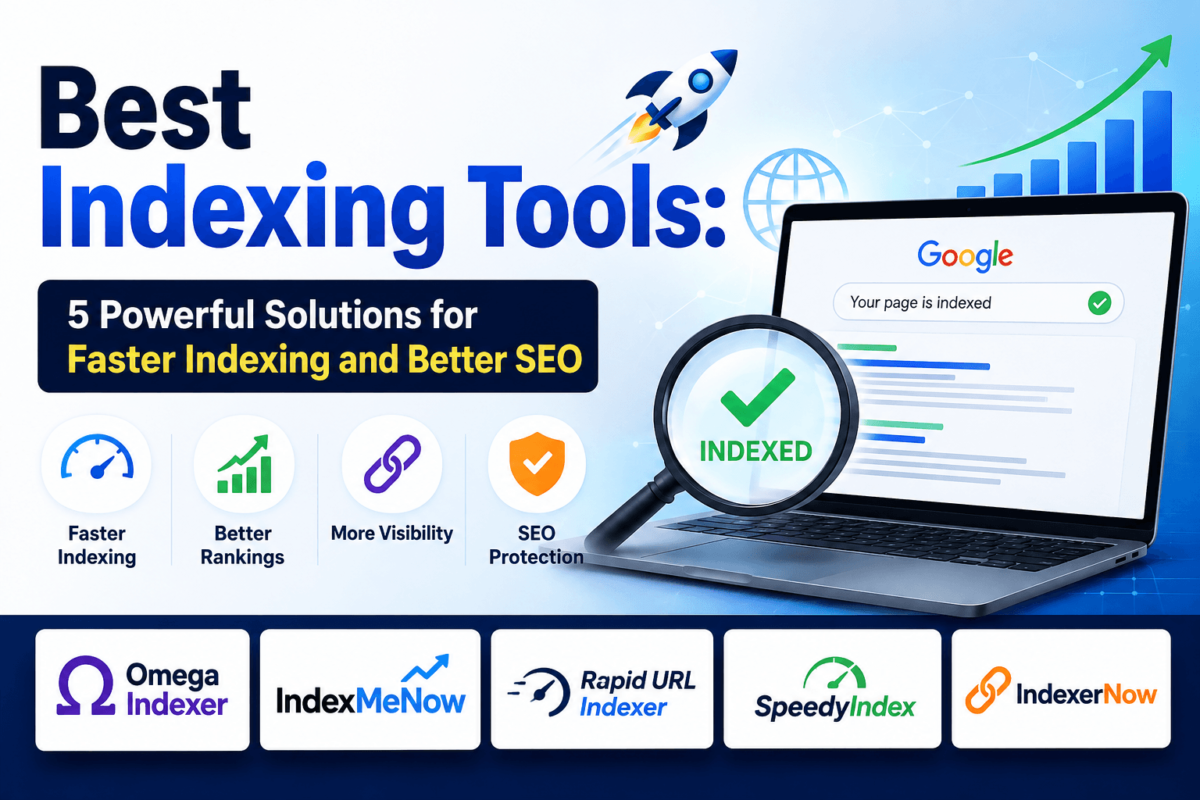
Best Indexing Tools: 5 Powerful Solutions for Faster Indexing and Better SEO
You hit publish. You built a few backlinks. And then — nothing. Three weeks later, Google still hasn’t found the page.
Sound familiar? You’re not alone. Whether it’s a brand-new blog post that’s stuck on “Discovered — currently not indexed,” or a stack of backlinks you paid good money for that never seem to count toward anything, slow indexing is one of the most frustrating parts of SEO. You did the work. Google just hasn’t noticed yet.
Here’s the thing: getting crawled and getting indexed are two different problems. Googlebot can visit a page a dozen times and still decide it’s not worth storing in the index. That’s where indexing tools come in — they don’t override Google’s decision, but they can send extra signals that speed up discovery and get your pages in front of Googlebot faster.
This guide compares five of the best indexing tools so you can choose the right solution for your website, backlinks, and SEO strategy.
What Are Indexing Tools?
Can Indexing Tools Force Google to Index a Page?
No. No indexing tool, plugin, or service can force Google to index anything.
Indexing is entirely Google’s call, based on factors like content quality, site authority, and available crawl budget. What indexing tools actually do is send additional discovery signals — a ping here, an API request there — that make it more likely Googlebot notices your page sooner rather than later.
Content quality still does the heavy lifting. A thin, duplicate, or low-value page won’t get indexed just because you ran it through a paid tool. A genuinely useful page that’s simply stuck in Google’s crawl queue, on the other hand, is exactly the kind of thing these tools can help move along.
Any vendor that promises “guaranteed indexing” is overselling what’s technically possible. The five tools below are honest about that limitation — which is a big part of why they made this list.
Best Indexing Tools at a Glance
| Tool | Best For | Pricing | Refund Policy | API | Free Trial | Affiliate Program |
|---|---|---|---|---|---|---|
| Omega Indexer | AI-tool/MCP workflows & drip-feed campaigns | From $19/mo (190 credits) | Auto-refund if not indexed in 24 hrs | Yes (REST + MCP) | No | Yes (180-day cookie) |
| IndexMeNow | High-value URLs, strongest refund guarantee | From $59 (60 credits) | 100% recredited after 10 days | Yes (free, all plans) | No | Yes |
| Rapid URL Indexer | Agencies & white-label reporting | From $25 (500 credits) | Auto-refund after 14-day window | Yes (REST, bulk) | $1 test tier (20 URLs) | Yes |
| SpeedyIndex | Lowest cost at high-volume bulk indexing | From $5 (5,000 tokens) | Auto-refund after 7 days | Yes (free, all accounts) | Yes (100 free tokens) | Yes (15% lifetime) |
| IndexerNow | Your own site’s pages via official Google/Bing APIs | Free (15 URLs/day), then $9.99/50 credits | N/A – free tier + non-expiring credits | Yes (Power/Agency plans) | Yes (free forever tier) | Yes (20%, 30-day cookie) |
Pricing and terms verified against each vendor’s own site in August 2026. Indexing services change pricing often — double-check current rates before buying.
1. Omega Indexer
Omega Indexer is a backlink and URL indexing platform built around one promise: your link lands in Google within 24 hours, or you get your credit back automatically. It’s mostly used to push new content, backlinks, and stubborn pages into Google’s index without ever touching Search Console yourself.
The standout feature here is its hosted MCP server. You can connect Claude, Cursor, or Codex directly to Omega and kick off an indexing campaign from your AI tools instead of logging into a dashboard — a genuinely rare integration in this category.
Key Features
- Web dashboard: paste your URLs, set a drip-feed schedule, submit
- Drip-feed indexing to spread submissions across days instead of one big batch
- REST API for programmatic campaign creation
- Hosted MCP server for Claude, Cursor, Codex, and other AI tools
- Real-time per-URL status: In Queue, Indexable, Indexed, or Refunded
- Credits never expire
Refund policy: Any link not indexed within 24 hours is refunded automatically back to your credit balance — no support ticket needed.
Pricing: Monthly credit subscriptions starting at $19/mo for 190 credits (about $0.10/credit), scaling up through Basic, Pro, Silver, Gold, Platinum, and Agency tiers. Mid-month top-ups run $0.20/credit. Cancel anytime; credits don’t expire.
| ✓ Pros | ✗ Cons |
|---|---|
|
|
Best for: Teams already living in Claude, Cursor, or similar AI tools who want indexing folded into an existing workflow, or anyone running recurring backlink campaigns who wants drip-feed control.
2. IndexMeNow
IndexMeNow is a credit-based indexing service built around a simple pitch: pay only for what actually lands in Google. Created by SEO Stéphane Madaleno (also behind isindexed.com), it leans hard on transparency — its homepage publishes live indexing statistics instead of just a marketing headline.
Key Features
- Official WordPress plugin – auto-submit new posts straight from your dashboard
- Chrome extension – submit whatever page you’re viewing in one click
- Free API included on every plan, no extra cost
- Automatic hourly indexing checks via the isindexed.com API
- Multiple projects, exportable results, full processing history
Refund policy: 100% credit refund, automatically re-credited to your balance, if a URL isn’t indexed within 10 days.
Average indexing statistics: IndexMeNow’s own dashboard reports roughly 60% of submitted URLs indexed within 24 hours and about 80% within 72 hours on average. Your own results will vary with the authority and quality of what you submit.
Pricing: Pay-as-you-go credit packs, no subscription. Starter is $59 for 60 credits (about $0.98/URL), scaling down to roughly $0.47/URL on the $1,999 Platinum pack (4,250 credits). Credits never expire.
| ✓ Pros | ✗ Cons |
|---|---|
|
|
Best for: SEO pros who want a “just works” experience for stubborn backlinks other tools couldn’t crack, and are fine paying a premium for the strongest published refund terms.
3. Rapid URL Indexer
Rapid URL Indexer positions itself as the agency-friendly option in this category — its credit system is the cheapest of the paid tools reviewed here, and the feature set (white-label reports, Zapier, a WordPress plugin) is clearly built for people managing indexing on behalf of clients.
Key Features
- REST API supporting bulk submission of up to 10,000 URLs per request
- WordPress plugin, Chrome extension, and Zapier integration
- Unbranded, white-label CSV and visual reports for agencies
- Handles 8+ URL types: pages, backlinks, press releases, social profiles, directory listings, programmatic pages, test pages, and disavowed links
- Standalone index checker so you don’t pay to re-submit already-indexed pages
Refund policy: 100% automatic credit refund for any URL not indexed within the reporting window — an initial report lands at day 4, a final one at day 14.
Pricing: Pay-as-you-go from $25 for 500 credits ($0.05/URL), dropping to roughly $0.04/URL on larger packages up to 50,000 credits for $2,000. Credits never expire.
Success rate: Rapid URL Indexer publishes a self-reported average indexing rate of around 91%. Third-party reviews note results skew toward established, higher-authority domains, with weaker outcomes reported on brand-new or low-authority sites — a pattern common across this whole category, not unique to this tool.
| ✓ Pros | ✗ Cons |
|---|---|
|
|
Best for: Agencies and link builders who need white-label reporting, the lowest per-link cost, and a tool built to slot into an automation stack via Zapier or the API.
4. SpeedyIndex
SpeedyIndex runs on a token system instead of flat credits — 100 tokens per confirmed indexed link — and it’s positioned as the lowest-cost-per-link option in this roundup, especially at higher volumes.
Worth knowing upfront: the service went dark for a period in late 2025 before relaunching with updated pricing and documentation. The current version appears stable, but given that history, it’s worth testing on a small batch before committing serious budget.
Key Features
- Token-based, pay-per-confirmed-result billing – no charge for links that don’t index
- Free API access included on every account
- Live progress tracking from day one, with a final Indexed/Not Indexed report on day 7
- Bulk .txt file uploads for large link lists
- Works without Google Search Console access, on any URL
Refund policy: Tokens for links still unindexed after 7 days are automatically returned to your balance. Inaccessible URLs – 404/403 errors, redirect loops, noindex tags, robots-blocked pages – don’t qualify.
Pricing: Token packs from $5 for 5,000 tokens (about 50 confirmed indexed links) up to $500 for 1.5 million tokens (about 15,000 links) — roughly $0.03–$0.10 per confirmed indexed link depending on package size. New accounts get 100 free tokens to test. Tokens never expire.
| ✓ Pros | ✗ Cons |
|---|---|
|
|
Best for: High-volume link builders and agencies indexing large batches of backlinks who want the lowest cost per confirmed result.
5. IndexerNow
IndexerNow takes a fundamentally different approach from the other four tools on this list. Instead of an undisclosed third-party method, it routes your URLs through Google’s own official Google Indexing API and Bing’s IndexNow protocol, using your own Google sign-in and your own Search Console permissions.
That makes it the odd one out here: it only works for pages you own and have verified, not third-party backlinks on sites you don’t control. But it also means there’s no black box — nothing to take on faith.
Key Features
- Sign in with Google – no service-account credentials to paste into Search Console
- Submits through Google’s official Indexing API and Bing’s IndexNow protocol in one action
- Bulk URL Inspection and indexability audits (status codes, X-Robots-Tag, meta robots, canonical, robots.txt) to diagnose why a page isn’t indexing
- A library of free SEO/AI-search tools: IndexNow key checker, discoverability score, llms.txt validator, AI crawler access checker
- CSV export, submission history, and a free daily quota that never expires
Refund policy: Not really applicable in the traditional sense — the free daily tier costs nothing, and paid credits are bought once and simply sit unused if you don’t need them. There’s no subscription to refund.
Pricing: Free for 15 indexing requests and 20 status checks/audits per day, forever, no card required. Beyond that, a one-time $9.99 credit pack covers 50 credits (about $0.20/URL), valid for a full year. Paid plans (AI Visibility at $19.99/mo, Power at $29/mo, Agency at $99/mo) add automation, AI-citation tracking, and white-label client reporting.
| ✓ Pros | ✗ Cons |
|---|---|
|
|
Best for: Website owners, bloggers, and SaaS teams who want to speed up indexing of their own pages using Google’s actual sanctioned method, plus a check on whether AI search engines can see them too.
Indexing Terms Worth Knowing
A quick glossary of the terms you’ll run into anywhere indexing gets discussed — useful whether you’re reading this guide or your technical SEO checklist next.
- Google Search Console: Google’s free tool for monitoring how your site is crawled and indexed. It’s also where you manually request indexing for individual URLs.
- Google Indexing API: The official (though narrowly scoped) API Google provides for direct URL submission – built for job postings and livestreams, but often used more broadly as a strong crawl signal.
- Bing IndexNow: An open protocol supported by Bing, Yandex, and others that pushes new or changed URLs directly to participating engines the moment you publish, instead of waiting for a crawl.
- URL Inspection API: Google’s read-only API for checking a URL’s current index status – the same data you’d see in Search Console’s URL Inspection tool.
- Crawl Budget: The finite amount of crawling attention Googlebot allocates to your site, based on authority, server speed, and how often your content changes.
- XML Sitemap: A structured file listing your site’s URLs so search engines can discover pages more efficiently – especially useful for large or newly-launched sites.
- Googlebot / Search Engine Crawlers: The automated programs search engines use to discover and fetch content. A page has to be crawled before it can even be considered for indexing.
- Website Indexing vs. Backlink Indexing: Website indexing means getting your own pages into Google’s index. Backlink indexing means getting links pointing at your site – often on domains you don’t control – indexed so they actually pass authority.
How AI Search Is Changing Indexing
Traditional indexing used to have one audience: Google’s core algorithm. That’s no longer the whole picture.
ChatGPT, Perplexity, Gemini, and Google’s own AI Overviews now pull answers from a mix of their own retrieval systems and, in Google’s case, its core web index — which means a page that isn’t indexed by Google is often invisible to AI Overviews too. For a deeper breakdown of how that overlap works, see our guide to Answer Engine Optimization (AEO).
On top of that, AI platforms run their own crawlers — GPTBot, ClaudeBot, PerplexityBot, Google-Extended — and they need to reach and read your pages just like Googlebot does. Blocking these bots in robots.txt while trying to rank in AI search is a common, self-inflicted mistake covered in our GEO guide.
Some tools in this category, notably IndexerNow, have started building AI-search-specific checks – llms.txt validation, AI crawler access checks – directly alongside traditional Google/Bing indexing. That’s a sign of where this space is headed.
The practical takeaway: indexing speed still matters in an AI-first search environment, arguably more than before, because a slow-to-index page misses both the traditional results page and the AI answer that increasingly sits above it. If you’re building out a broader AI-visibility strategy, our roundups of the best AEO tools and best LLM SEO tools are good next reads.
How to Get Pages Indexed Faster (Even Without Paid Tools)
Paid indexing tools help, but they’re not the whole story. These seven habits fix a surprising number of “why isn’t Google indexing my page” problems for free.
Improve Internal Linking
New pages with zero internal links are much harder for Googlebot to discover. Link to new content from at least two or three relevant existing pages, and make sure the new page links back out too — orphaned pages are consistently some of the slowest to index. Our technical SEO checklist walks through a full internal linking audit.
Submit XML Sitemaps
Your XML sitemap tells Google exactly which URLs exist and when they last changed. Submit it in Search Console, keep it current, and confirm new pages actually show up in it right away — a lot of “slow indexing” complaints trace back to a sitemap that’s stale or misconfigured.
Use Google Search Console
For individual high-priority pages, the URL Inspection tool’s “Request Indexing” button is free, official, and often works within a day or two for otherwise healthy pages. It won’t scale to hundreds of URLs, but for your money pages, it should always be your first move.
Improve Content Quality
Google prioritizes crawl budget on pages that look genuinely useful – original insight, clear structure, real depth. Thin, templated, or heavily duplicated content routinely gets crawled once and then left out of the index entirely.
Remove Thin Content
Auditing and pruning low-value pages – old tag archives, near-duplicate posts, abandoned drafts – frees up crawl budget for the pages you actually want indexed. A leaner site often indexes faster than a bloated one, even with the same number of “important” pages.
Build Relevant Backlinks
Links from real, indexed, topically relevant pages give Google another path to discover your content, plus a small signal that it’s worth indexing. If link building itself is the bottleneck, our guide on building backlinks without cold outreach and our best link building tools roundup are good starting points.
Publish Fresh Content Consistently
Sites that publish regularly tend to get crawled more often, simply because Googlebot learns to check back. If a site’s gone quiet for months, don’t be surprised if new posts take longer to get picked up – consistency itself is a discovery signal.
Frequently Asked Questions
What is an indexing tool?
Indexing tools are services that help search engines discover and crawl your URLs faster than they might organically, using methods like API submissions, pinging, or secondary signals. They don’t control Google’s index directly – they just make your pages easier and faster to find.
Do indexing tools actually work?
Most reputable indexing tools do speed up discovery for at least a portion of submitted URLs, especially content stuck in a “crawled, not indexed” state. Results vary widely by tool, URL quality, and site authority – that’s why refund guarantees matter so much in this category.
Can I force Google to index a page?
No. No tool, plugin, or service can force Google to index anything – indexing is entirely Google’s decision, based on content quality, crawl budget, and technical signals. Indexing tools only send additional discovery signals; they can’t override Google’s judgment.
How long does indexing usually take?
Organically, indexing can take anywhere from a few hours to several weeks, depending on your site’s authority and how often Google crawls it. Paid indexing tools typically report results within 24 hours to 14 days, with most claiming their fastest results inside the first 72 hours.
Are backlink indexing tools safe?
The tools reviewed here describe their methods as safe and don’t directly manipulate rankings. That said, some rely on undisclosed methods involving secondary links, so it’s worth sticking to established vendors with transparent refund policies and starting with a small test batch.
What’s the difference between crawling and indexing?
Crawling is Googlebot visiting and reading a page. Indexing is Google actually storing that page in its database so it can appear in search results. A page can be crawled repeatedly and still never get indexed if Google decides it’s low-value, duplicate, or technically blocked.
Which indexing tool is best for beginners?
IndexMeNow and IndexerNow are the easiest starting points – IndexMeNow for its simple credit system and strong refund guarantee, IndexerNow for its free daily tier that lets you test official Google/Bing submission with zero financial risk.
Which indexing tool is best for agencies?
Rapid URL Indexer is built specifically for agency workflows, with white-label reporting, a WordPress plugin, Zapier automation, and the lowest per-credit cost of the paid tools here – all useful when managing indexing across multiple client sites.
Is Google Search Console enough?
For a handful of pages on a site you own, Search Console’s URL Inspection tool is genuinely enough – it’s free and official. It doesn’t scale well for bulk submissions, though, and it can’t touch backlinks on domains you don’t control, which is where dedicated indexing tools come in.
Should I pay for an indexing service?
If you’re indexing a handful of pages on your own site, start free with Search Console, XML sitemaps, and internal linking first. If you’re managing bulk backlinks, a large content library, or pages stuck despite good technical SEO, a paid tool with a refund guarantee can be worth it.
Will an indexing tool fix “Discovered – currently not indexed”?
Sometimes, but not always. That status usually means Google chose not to prioritize crawling the page yet, often due to thin content, low site authority, or a crawl backlog. An indexing tool can nudge it along, but fixing the underlying content or technical issue matters more.
Do indexing tools hurt SEO?
Tools that submit through official APIs, like IndexerNow, carry essentially no risk since they use Google and Bing’s own systems. Tools relying on undisclosed secondary-link methods carry a small theoretical risk if used excessively or on low-quality URLs – another reason to stick to established vendors and reasonable volumes.
Which Indexing Tool Should You Choose?
All five tools here passed our check for an active, verifiable affiliate program and transparent refund terms. Here’s how we’d steer different types of buyers:
| Best overall | Omega Indexer – drip-feed control, automatic refunds, and rare AI/MCP integration |
| Best budget choice | SpeedyIndex – lowest entry price and cost per confirmed link at scale |
| Best for agencies | Rapid URL Indexer – white-label reports, Zapier, and the widest URL-type support |
| Best for backlink indexing | IndexMeNow – the strongest published refund guarantee for stubborn, high-value URLs |
| Best for websites you own | IndexerNow – official Google/Bing APIs, a free tier that never expires, and built-in AI-search checks |
If you only remember one thing from this guide, make it this: no indexing tool replaces good technical SEO and genuinely useful content. What these tools do is close the gap between “published” and “discovered” — and for pages or backlinks that are otherwise stuck, that gap is often exactly the problem.
Start with whichever tool matches your use case above, test it on a small batch, and judge the results against your own Search Console data before committing a bigger budget.