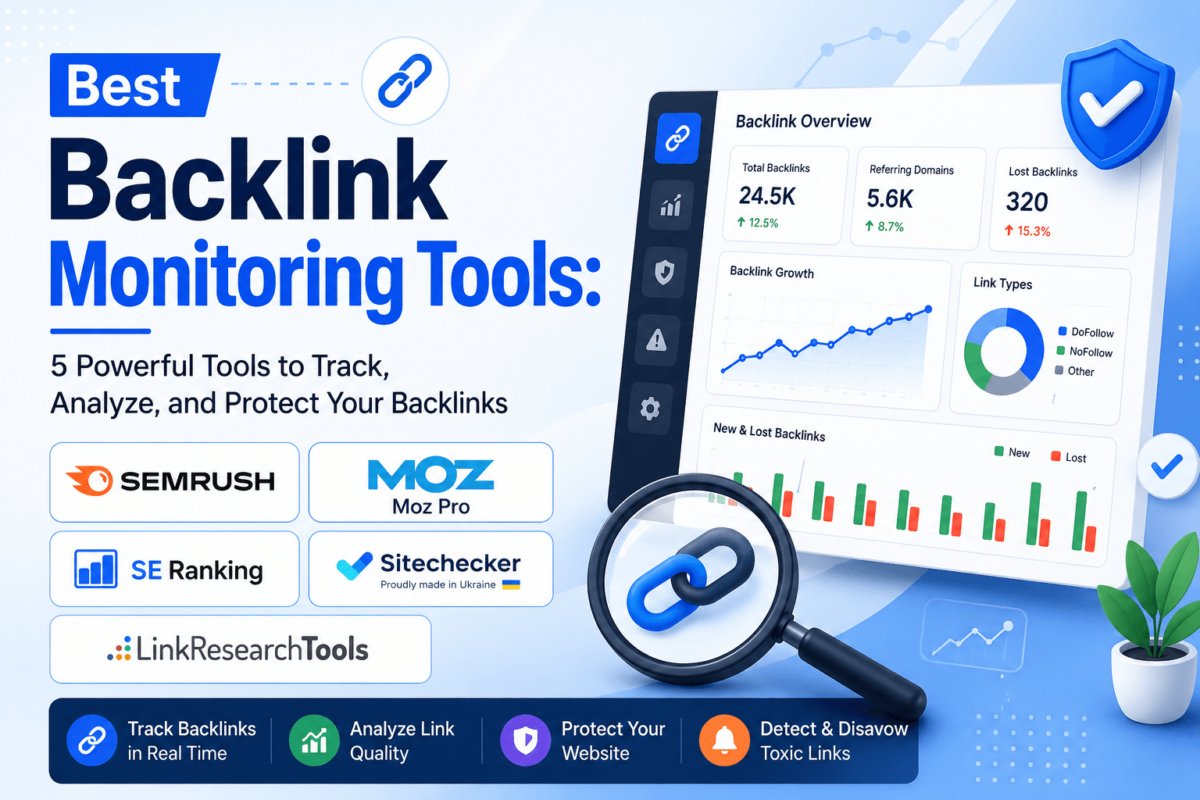
Best Backlink Monitoring Tools: 5 Powerful Tools to Track, Analyze, and Protect Your Backlinks
You build backlinks, earn a few mentions, and spend months chasing outreach replies — but six months later, how many of those links are actually still doing anything for you? Backlinks disappear more often than most site owners realize. A guest post gets pulled during a redesign. A partner swaps a dofollow link to nofollow. A blogger deletes an old article and takes your citation with it. None of that shows up unless something is watching.
That is the entire job of a backlink monitoring tool: it tracks new and lost backlinks, flags quality and toxicity issues, watches what your competitors are earning, and shows how your link profile changes over time — so you find out about a lost link the week it happens, not the quarter you notice your rankings slipped. Below, we compare five tools built for exactly that job, with real pricing, honest trade-offs, and a clear answer for who each one actually fits.
Quick Comparison: Best Backlink Monitoring Tools
| Tool | Best For | Backlink Alerts | Competitor Tracking | Starting Price |
|---|---|---|---|---|
| Semrush | Best overall | Yes | Yes (Backlink Gap) | $139.95/mo |
| Moz Pro | Best for beginners | Yes | Limited (Link Intersect) | $49/mo |
| SE Ranking | Best budget all-in-one | Yes (daily) | Yes | ~$103/mo |
| Sitechecker | Best for tracking your own links | Yes | Limited | ~$39-49/mo |
| LinkResearchTools | Best for agencies & toxic-link audits | Yes | Yes (Rival) | Custom / premium |
Pricing changes often and some of these vendors restructured plans in 2026, so treat the figures above as a starting point and confirm current rates before you buy.
What Is a Backlink Monitoring Tool?
Quick Answer
A backlink monitoring tool continuously tracks the links pointing to your website so you know the moment one appears, disappears, changes from dofollow to nofollow, or points somewhere it shouldn’t. It is different from a one-time backlink checker, which only shows a snapshot of your link profile at the exact moment you run it.
Building links and monitoring links are two different disciplines. Link building is about earning new placements. Monitoring is about protecting the ones you already have — and understanding whether the new links you’re acquiring are actually helping. When a valuable backlink quietly disappears (a site redesign, a content prune, an expired partnership), the SEO value it was passing usually goes with it, and nothing in Google Search Console tells you that happened in real time.
The same logic applies in reverse: when you earn a new backlink, it is worth reviewing where it landed, whether it’s dofollow, and whether the linking page is even indexed. And because competitor link-building activity is public data, monitoring tools that track competitor backlinks double as a way to spot opportunities you haven’t pursued yet.
Why Backlink Monitoring Matters
A single link audit tells you where things stand today. Ongoing monitoring tells you what changed and why — which is the difference between catching a problem in week one and discovering it three months later in a traffic report. Here is what consistent monitoring actually catches:
- New backlinks — so you know when outreach, digital PR, or organic mentions land, and can confirm the link points where you wanted.
- Lost backlinks — the single most common thing monitoring catches that manual checks miss, since a removed link rarely comes with a notification.
- Valuable referring domains — distinguishing the handful of links actually moving the needle from the hundreds that aren’t.
- Link quality changes — a previously healthy referring domain can turn spammy, get penalized, or get deindexed, dragging your risk profile with it.
- Potentially harmful links — negative SEO attempts, scraped content, or spun spam that suddenly links to your site.
- Competitor link acquisition — what they’re earning, where it’s coming from, and whether it’s a pattern worth replicating.
- Campaign performance — whether a specific outreach push or link-building effort is actually converting into live, dofollow placements.
- Existing SEO gains — protecting the rankings you already have, since lost authority links are a common, quiet cause of ranking drops.
What happens when a high-value backlink disappears six months after you earned it? In most cases, nothing alerts you — the referring page just quietly stops passing value, and your rankings drift down for reasons that look unrelated until you check your link profile. That lag is exactly what monitoring tools are built to close.
Best Backlink Monitoring Tools
We looked at reliable backlink databases, new/lost link alerts, competitor tracking, link-quality scoring, and reporting depth, and picked five tools that do this job differently enough to be worth comparing side by side — not five versions of the same product.
1. Semrush
Best overall — the strongest choice if you want backlink monitoring built into a full SEO platform rather than a standalone tool.
Best For
Teams and agencies who want backlink data connected to keyword rankings and technical SEO in one dashboard, so a ranking drop and a lost link show up in the same place.
Key Backlink Monitoring Features
- Backlink Analytics with referring domain, anchor text, and link-type breakdowns
- Backlink Audit tool that scores toxicity and tracks new/lost links with alerts
- Backlink Gap, comparing your link profile against up to five competitor domains at once
- Historical trend charts on the Guru plan and above
- Email and in-app alerts when your backlink profile changes
What We Like
- One of the largest commercial link indexes, refreshed frequently
- Toxic-link scoring is built directly into the audit workflow, not a separate add-on
- Backlink data connects to rank tracking and Site Audit, so cause and effect are easy to see
- Backlink Gap makes competitor comparisons fast across multiple domains at once
What Could Be Better
- The most expensive of the five tools here, even at the entry Pro tier
- A lot of unrelated modules if backlink monitoring is genuinely all you need
- Historical backlink data requires the Guru plan or higher
Pricing
Pro: $139.95/month ($117.33/month billed annually). Guru: $249.95/month ($208.33/month billed annually). Business: $499.95/month ($416.66/month billed annually). A free trial is available; exact trial length can vary by promotion, so confirm on Semrush’s pricing page.
If you’re weighing Semrush against the other big-index option, our Semrush vs Ahrefs comparison breaks down the backlink data side by side, and our three-way Ahrefs vs Semrush vs Moz guide covers all three at once.
2. Moz Pro
Best for beginners — the simplest interface here, plus Domain Authority and Page Authority metrics most clients already recognize.
Best For
Marketers and small teams who want an approachable dashboard and metrics that are easy to explain in a client report without a lengthy caveat.
Key Backlink Monitoring Features
- Link Explorer for backlink discovery, Spam Score, and root domain/linking domain counts
- Campaign-based tracking that flags new and lost links per tracked site
- Link Intersect, showing domains that link to competitors but not to you
- MozBar browser extension for quick link checks tied to your account
What We Like
- Domain Authority and Page Authority are widely recognized, which makes reporting to non-SEO stakeholders easier
- Spam Score gives a fast, plain-language read on risky links without deep interpretation
- Clean, uncluttered interface compared to larger all-in-one suites
- The $49/month Starter plan is a cheaper entry point than most competitors on this list
What Could Be Better
- Moz’s link index has historically trailed Semrush and Ahrefs in raw size
- Plans include a limited number of user seats, and adding people usually means upgrading a tier
- Some newer features, like AI visibility tracking, are gated to the Medium plan and above
Pricing
Starter: $49/month ($39/month billed annually). Standard: $99/month ($79/month billed annually). Medium: $179/month ($143/month billed annually). Large: $299/month ($239/month billed annually). A free trial is available.
We’ve reviewed Moz Pro on its own in our full Moz review, and put it head-to-head with the bigger suites in Moz Pro vs Semrush and Moz Pro vs Ahrefs.
3. SE Ranking
Best budget all-in-one — daily backlink monitoring and alerts without paying premium-tier prices.
Best For
Freelancers, solo SEOs, and small agencies who want daily monitoring, white-label reporting, and a lower total bill than Semrush or Ahrefs.
Key Backlink Monitoring Features
- Backlink Checker with daily tracking of new and lost links
- Referring domain, anchor text, and link-type reports
- Toxicity and link-quality scoring per referring domain
- Competitor backlink comparison
- White-label PDF reports and email alerts
What We Like
- Noticeably cheaper than Semrush or Ahrefs for comparable day-to-day monitoring
- White-label reporting is available lower in the tier structure, which matters for agencies on a budget
- Daily refresh cycle rather than a weekly one
- 14-day free trial with no credit card required
What Could Be Better
- SE Ranking restructured its plans in 2026, retiring the old Essential/Pro/Business names for Core/Growth/Enterprise — published prices vary by source during the transition, so confirm the current tier names and limits before you buy
- Backlink index isn’t as large as Semrush’s or Ahrefs’s
Pricing
Sources differ slightly during the 2026 plan restructure, but expect roughly $103-129/month for the entry Core plan and $223-279/month for Growth, both cheaper on annual billing, plus a custom Enterprise tier. A 14-day free trial is available.
Read our full SE Ranking review, or see how it stacks up in SE Ranking vs Semrush and Ahrefs vs SE Ranking.
4. Sitechecker
Best for tracking your own link-building campaigns — built to answer one specific question: did the links you earned or paid for actually stay live?
Best For
Freelancers and in-house SEOs running guest posts, niche edits, or digital PR campaigns who need to confirm those exact links stay live, dofollow, and pointed where agreed.
Key Backlink Monitoring Features
- Backlink Tracker where you add the specific links you’ve built, which the tool then checks on a schedule for live status, anchor text, and follow/nofollow attribute
- Alerts when a tracked link goes missing or changes
- Broader Site Monitoring for on-page and technical changes
- Bulk import and export for managing large lists of tracked links
What We Like
- Purpose-built for the exact “did my link survive” question that bigger suites answer less directly
- Budget-friendly entry tier compared to full SEO platforms
- Simple, uncluttered dashboard that doesn’t require deep SEO-tool fluency
What Could Be Better
- It tracks links you already know about rather than crawling the web to discover new ones the way Semrush, Moz, or Ahrefs do
- Published pricing has varied noticeably across sources this year — confirm the current rate directly on Sitechecker’s site before subscribing
- Competitor backlink monitoring is limited compared to the full-suite options
Pricing
Entry-tier pricing has been reported anywhere from roughly $39 to $99/month across different sources and time periods, scaling up to premium and custom enterprise tiers. A 14-day free trial is available; there is no permanently free plan.
5. LinkResearchTools
Best for agencies and toxic-link audits — the deepest link-risk analysis on this list, built for disavow work and manual-action recovery.
Best For
Agencies and in-house teams handling manual-action recovery, disavow work, or ongoing toxic-link audits for sites where a bad backlink profile carries real risk.
Key Backlink Monitoring Features
- Link Detox toxic-link scoring, combining data from 25+ link sources rather than one proprietary index
- Power*Trust metrics for evaluating individual link strength and trust
- Rival tool for competitor link-gap analysis
- Disavow-file generation and ongoing monitoring for newly acquired risky links
What We Like
- Among the most detailed toxic-link-detection workflows on the market
- Pulls from many combined data sources rather than relying on one index
- Purpose-built for Penguin-style recovery and disavow work that generalist suites handle more superficially
- Exposes per-link scoring detail most competitors don’t surface
What Could Be Better
- Premium pricing, reported in the several-hundred-dollars-per-month range — out of reach for solo bloggers or small sites
- Noticeably steeper learning curve than the other four tools here
- Overkill if all you need is a simple new/lost link alert rather than a full risk audit
Pricing
LinkResearchTools uses custom, tiered pricing that sits in the premium range — reported by third parties at several hundred dollars per month for professional plans. Contact LinkResearchTools directly for a current quote, since published figures vary by source and change over time.
Which Backlink Monitoring Tool Is Best for You?
| Category | Winner | Why |
|---|---|---|
| Best overall | Semrush | Backlink data connected to rankings and site audits in one platform |
| Best for beginners | Moz Pro | Simplest interface plus DA/PA metrics clients already recognize |
| Best budget-friendly | SE Ranking | Daily monitoring and white-label reports at a lower price |
| Best for tracking your own links | Sitechecker | Purpose-built to confirm your specific earned/paid links stay live |
| Best for agencies & toxic-link audits | LinkResearchTools | Deepest link-risk scoring for disavow and recovery work |
If you want a quick decision rule rather than reading five full reviews: choose Semrush if you want one platform for backlinks and everything else. Choose Moz Pro if you’re newer to SEO or need client-friendly metrics. Choose SE Ranking if budget is the deciding factor. Choose Sitechecker if you already know exactly which links you’re protecting. Choose LinkResearchTools if you’re cleaning up a risky link profile or recovering from a penalty.
Backlink Monitoring Tools Compared
| Feature | Semrush | Moz Pro | SE Ranking | Sitechecker | LinkResearchTools |
|---|---|---|---|---|---|
| New backlinks | Yes | Yes | Yes | Yes (tracked links) | Yes |
| Lost backlinks | Yes | Yes | Yes | Yes (tracked links) | Yes |
| Competitor backlinks | Yes | Limited | Yes | Limited | Yes |
| Historical data | Yes (Guru+) | Yes | Yes | Yes | Yes |
| Link alerts | Yes | Yes | Yes | Yes | Yes |
| Anchor text tracking | Yes | Yes | Yes | Yes | Yes |
| Referring domains | Yes | Yes | Yes | Limited | Yes |
| Link quality / toxicity scoring | Yes | Yes (Spam Score) | Yes | Limited | Yes (most detailed) |
How to Choose a Backlink Monitoring Tool
Every tool on this list can tell you when a link appears or disappears. The real differences show up in database coverage, how the alerts are delivered, and whether the reporting fits how you actually work. Here’s what to weigh before you commit.
Backlink Database Size
A tool can only monitor links it knows about. A smaller or less frequently refreshed index means new links take longer to show up, and lost links can go unnoticed for a full crawl cycle. This matters most if you’re relying on the tool to discover links rather than tracking ones you already know about.
New and Lost Link Tracking
Lost-link detection is the feature that earns its keep. New links are usually easy to notice on your own — you were the one doing the outreach. Lost links rarely announce themselves, which is exactly why this is the highest-value alert type across every tool here.
Competitor Monitoring
Watching where competitors earn new links surfaces publishers, journalists, and sites already willing to link to businesses like yours — a shortcut past a lot of cold outreach guesswork.
Link Quality Metrics
Domain Authority, Domain Rating, and Trust metrics are useful shorthand, but they shouldn’t be the only signal you judge a backlink by. A high-authority domain can still link from a thin, unrelated, or spammy page. Look at the actual linking page, not just the domain score attached to it.
Alerts and Notifications
Automated alerts are what make monitoring actually work day to day — without them, you’re back to manually re-checking a report, which defeats the purpose of “monitoring” in the first place.
Historical Data
Being able to see how your link profile has trended over months, not just its current snapshot, helps you tell a temporary dip from a real pattern — and gives you evidence when you need to explain a ranking change to a client or stakeholder.
Reporting
Agencies and in-house teams reporting to non-SEO stakeholders should look for white-label or presentation-ready exports. A tool that’s accurate but unreadable to a client still creates extra work.
Ease of Use
The most data-rich tool is worthless if you can’t find the number you need in under a minute. Weigh interface clarity as heavily as raw feature count, especially if more than one person on your team will use it.
Pricing
Compare plans against your actual monitoring needs — number of tracked domains, keyword and backlink query limits, user seats — rather than the sticker price alone. A cheaper plan that forces an upgrade in month two isn’t actually cheaper. Our competitor analysis tools guide and best SEO tools roundup are useful if you’re comparing backlink monitoring against other SEO tool categories at the same time.
How to Monitor Backlinks Effectively
A backlink monitoring tool only helps if you actually use it on a schedule. Here’s a practical workflow:
- Add your website to the tool and let it complete its first full crawl or import.
- Establish a baseline backlink profile so future changes have something to compare against.
- Review your referring domains and separate the handful that matter from the long tail that doesn’t.
- Identify your strongest existing backlinks — these are the ones worth protecting first if you ever have to prioritize.
- Set up new-link alerts so outreach and digital PR wins get confirmed as they land.
- Set up lost-link monitoring so removed or changed links surface within days, not months.
- Investigate significant changes rather than assuming every fluctuation matters — a single lost forum link isn’t the same event as losing a homepage placement.
- Monitor competitor backlinks on a regular cadence to catch link-building patterns worth replicating.
- Reach out to reclaim valuable lost links where it makes sense — a broken link on an otherwise relevant page is often an easy fix for the site owner too.
- Review your full backlink profile on a recurring schedule (monthly for most sites, weekly for larger or higher-risk ones) rather than only when something looks wrong.
If you don’t already have a recurring audit cadence, our SEO audit template is a reasonable starting structure to build this workflow into.
New vs. Lost Backlinks: What’s the Difference?
Quick Answer
A new backlink is a link that has recently started pointing to your site. A lost backlink is one that used to point to your site and no longer does — either because the link was removed, the linking page was deleted, or the linking domain went offline entirely.
Links disappear for a range of ordinary reasons: a site redesign that drops old outbound links, a content prune that deletes the linking page, an expired partnership, or a publisher switching a link to nofollow during a policy change. Most of it isn’t personal, and most of it isn’t a penalty — it’s just normal web churn.
Not every lost link needs action. A lost link from a low-quality directory rarely matters. A lost link from a page that used to send you referral traffic, or from a domain with real authority in your niche, is worth investigating and, where reasonable, reclaiming. Prioritize recovery effort by the value of what was lost, not by the raw count of lost links in a report.
Backlink Monitoring vs. Backlink Checking
Backlink checking is a one-time look at your backlink profile as it exists right now — useful for a quick audit, but it’s a single frame, not a film. Backlink monitoring is the ongoing version: the tool keeps watching and tells you what changed since the last check.
Think of it like checking your bank balance once a month versus getting a notification every time money moves. Both show you where things stand, but only the second one catches a problem while it’s still small.
Common Backlink Monitoring Mistakes
- Looking only at the number of backlinks — Judge by referring domain quality and relevance, not raw link count — 20 relevant links usually outperform 200 low-quality ones.
- Ignoring lost links — Set up alerts specifically for lost links, since they rarely surface any other way.
- Obsessing over domain authority scores — Treat DA/DR as one signal among several, not a final verdict on link quality.
- Ignoring link relevance — A high-authority link from an unrelated niche is worth less than a moderate-authority link from a directly relevant site.
- Never monitoring competitors — Turn on competitor tracking even if you check it only monthly — it surfaces link opportunities you’d otherwise miss.
- Assuming every lost link is harmful — Investigate before reacting; most lost links are ordinary web churn, not an attack or a penalty signal.
- Ignoring suspicious backlink patterns — A sudden spike of low-quality links can indicate negative SEO — review new links in bulk, not just individually.
- Failing to track link-building campaigns — Tie specific outreach or PR efforts to the links they actually produced so you know what’s working.
- Choosing a tool based on price alone — A cheaper plan with a small backlink index or no alerts often costs more time in the long run.
- Not reviewing historical trends — A single snapshot hides gradual decline; check trend charts, not just current totals.
Frequently Asked Questions
What is backlink monitoring?
Backlink monitoring is the ongoing tracking of links pointing to your website, so you’re notified when links are gained, lost, or changed — rather than only seeing a snapshot when you manually run a check.
Why should I monitor my backlinks?
Backlinks disappear for ordinary reasons like redesigns and content pruning, and lost links rarely come with a notification. Monitoring catches those changes early, before they show up as an unexplained ranking drop.
What is the best backlink monitoring tool?
It depends on your priorities. Semrush is the strongest all-in-one option, Moz Pro is the easiest to learn, SE Ranking is the best value, Sitechecker is best for tracking a known set of links, and LinkResearchTools is best for toxic-link audits and disavow work.
How often should I check my backlinks?
Most sites are well served by a monthly review, with alerts turned on for anything significant in between. Larger sites, sites recovering from a penalty, or sites in competitive niches often check weekly.
How do I find lost backlinks?
Most backlink monitoring tools flag lost links automatically once you’ve set a baseline. You can also cross-reference an older backlink export against a current one, or check Google Search Console‘s links report, though it updates less frequently and doesn’t send alerts.
Can backlink monitoring tools track competitor backlinks?
Yes — all five tools in this guide support competitor backlink tracking to some degree, though the depth varies. Semrush, SE Ranking, and LinkResearchTools offer the most detailed competitor comparison features.
Are all backlinks worth monitoring?
No. Focus monitoring effort on backlinks from relevant, reasonably authoritative domains. Low-quality directory or forum links are rarely worth tracking closely, and treating every link as equally important makes the data harder to act on.
What’s the difference between a backlink checker and backlink monitoring software?
A backlink checker gives you a one-time snapshot of your current link profile. Backlink monitoring software continuously tracks that profile and alerts you to changes — new links, lost links, or attribute changes — without you having to manually re-check.
Can I monitor backlinks for multiple websites?
Yes, though the number of sites (often called “projects” or “campaigns”) included depends on your plan. Agencies managing many client sites should compare per-project limits carefully, since that’s usually where cost scales fastest.
Is Google Search Console enough for backlink monitoring?
Search Console shows a sample of your backlinks for free and is worth checking regularly, but it doesn’t send proactive alerts, doesn’t show competitor data, and doesn’t score link quality or toxicity. It’s a useful supplement, not a replacement, for a dedicated monitoring tool — see our best free SEO tools guide for what else is worth pairing it with.
Do lost backlinks always hurt my rankings?
Not always. Losing a link from a low-authority or irrelevant page usually has little measurable effect. Losing a link from a page that was sending meaningful authority or referral traffic is more likely to matter, which is why quality-based prioritization matters more than raw link counts.
What is a toxic backlink?
A toxic backlink is one that risks harming your site’s rankings — typically from spammy, unrelated, or low-quality domains, or links acquired through manipulative schemes. Most monitoring tools flag these with a toxicity or spam score so you can review and, if needed, disavow them.
Final Verdict
The right backlink monitoring tool depends less on which one has the longest feature list and more on how you actually work. Website size, in-house SEO experience, how often you need to report to clients or stakeholders, and budget all point in different directions.
For most teams who want one platform handling backlinks alongside keyword research and site audits, Semrush is our overall pick — the backlink data connects directly to the rest of your SEO work, which makes it easier to see cause and effect. If you’re newer to SEO or need reporting that’s easy to explain to non-specialists, Moz Pro is the more approachable choice. If budget is the deciding factor, SE Ranking delivers daily monitoring at a noticeably lower price. If you’re protecting a specific set of earned or paid links, Sitechecker answers that question directly. And if you’re dealing with a messy or penalized backlink profile, LinkResearchTools‘ toxic-link analysis is the deepest option here.
Whichever tool you choose, the habit matters more than the software: set a baseline, turn on alerts, and actually review what changed on a regular schedule. That’s what protects the link equity you’ve already earned.