Best Online Reputation Management Software
The best online reputation management software depends on what you need most: more reviews, faster replies, cleaner local listings, client-ready reporting or wider brand monitoring. No single platform wins all five jobs.
Online reputation management software helps businesses track what customers say about them on review sites, search and social media, ask happy customers for reviews, respond to feedback from one place and report on how their reputation is trending over time.
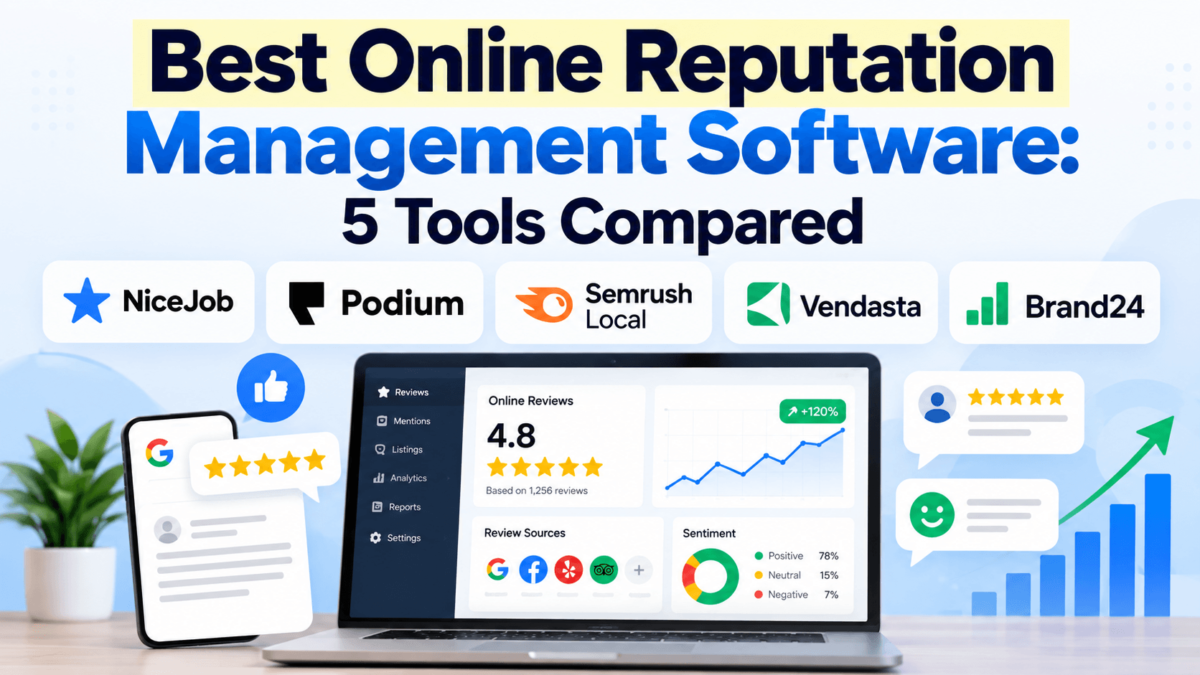
This guide compares five platforms that each lean toward a different job: NiceJob for review generation, Podium for reviews plus customer messaging, Semrush Local for multi-location local SEO and reviews, Vendasta for agencies and Brand24 for brand and social monitoring.
Quick Comparison: The 5 Best Reputation Management Tools
Here is how the five platforms line up at a glance. “Starting price” is the lowest published or commonly reported entry point, not what most buyers end up paying.
| Software | Best for | Review monitoring | Review generation | Social listening | Listings | Starting price | Free trial |
|---|---|---|---|---|---|---|---|
| NiceJob | Small service businesses that want more reviews | Yes | Yes (SMS and email) | No | No | $75/month | 14 days, no card |
| Podium | Local businesses that want reviews and customer texting in one inbox | Yes | Yes (SMS) | No | Not a core feature | Custom pricing (Core commonly reported around $399/month) | Not published; demo on request |
| Semrush Local | Multi-location businesses tying reviews to local SEO | Yes (multi-site on Pro) | Yes (Pro) | No | Yes (Pro) | $30 per location/month, billed annually | Not confirmed for Local |
| Vendasta | Agencies reselling reputation management | Yes | Yes | No (social posting only) | Yes | $99/month platform minimum | Not confirmed |
| Brand24 | Brand, social and web mention monitoring | Mentions, including review sites | No | Yes | No | $199/month, billed annually | 14 days, no card |
Scroll sideways on small screens to see every column.
If you already know your main priority, jump to that tool. If not, the buying guide further down walks through the features that matter.
NiceJob
NiceJob is review generation software designed primarily for small home-service and local service businesses. It connects to the job-management tools those businesses already use, then sends automated review requests after each completed job.
Best for: Small service businesses, such as contractors, cleaners and HVAC companies, that want a steady flow of new Google and Facebook reviews without doing it by hand.
Key features
- Automated review requests by text and email, with follow-up reminders
- Review monitoring across the sites you prioritize
- Website widgets and social sharing that turn new reviews into social proof
- Integrations with Jobber, Housecall Pro, QuickBooks Online, Squarespace and other small-business tools
- On the Pro plan: referral campaigns, repeat-business reminders, automated gifting, competitor insights and AI-drafted review replies
What we like
- The pricing is public. NiceJob lists its plans openly with no contracts, which is rare in this category and makes budgeting simple.
- It fits into existing workflows. Because it plugs into field-service software, review requests go out when a job is marked complete, so nobody has to remember to ask.
- It focuses on the one metric most small businesses care about. If your problem is too few recent reviews, NiceJob is aimed squarely at it.
Potential drawbacks
- Reporting is basic. Third-party reviews consistently describe the analytics as thin compared with larger platforms.
- It monitors rather than manages everything. NiceJob tracks review sites, but it is not a full response hub or a social listening tool.
- Multi-location economics are weaker. Pricing is best suited to single-location businesses; chains may find per-location costs add up.
- AI replies need Pro. The entry plan does not include AI-drafted responses.
Pricing
Reviews plan: $75/month. Pro plan: $125/month. Both come with a 14-day free trial, no credit card required and no contract. NiceJob Sites, its website product, is billed separately at $99/month plus a one-time setup fee.
Who should use it?
Owner-operated service businesses with one location and a steady volume of completed jobs. The more transactions you complete each month, the more automated requests you can send.
Who might want to look elsewhere?
Multi-location brands, agencies managing clients and anyone who needs social listening or deep reporting will outgrow it. For a wider shortlist of request-focused tools, see our guide to the best customer review collection software.
Podium
Podium is a customer messaging and reputation platform for local businesses. It combines review requests, review management, webchat, text messaging and payments in a single inbox, with a strong presence in auto dealerships, home services, aesthetics and retail.
Best for: Local businesses that talk to customers by text and want review requests, replies and conversations in one place.
Key features
- Review requests sent by text message
- Review monitoring and responses, with AI-assisted replies
- Unified inbox for text, webchat and social messages
- Payment requests by text (processing fees apply)
- Higher tiers add AI assistants, surveys, advanced automations and multi-location management
What we like
- Text-first review requests. Asking by SMS right after a visit is a natural fit for businesses where customers already text the front desk.
- One inbox for everything. Reviews, website chats and customer texts land in the same place, which reduces tab-switching for small teams.
- Broad feature set. If you want messaging, payments and reviews from one vendor, Podium covers more ground than a review-only tool.
Potential drawbacks
- No public pricing. Every plan requires a sales conversation.
- Contracts and add-ons. Annual contracts are commonly reported, and extra phone numbers, users, locations and AI modules can raise the monthly bill.
- You may pay for more than you need. If you only want review management, much of the bundle goes unused.
- Billing complaints recur in third-party reviews. Read the contract terms carefully, especially renewal and cancellation clauses.
Pricing
Podium uses custom pricing across three tiers: Core, Pro and Signature. Buyer reports in 2026 most often cite Core at around $399/month and Pro at around $599/month, with Signature quoted for larger organizations. Treat these as reported figures, not list prices.
Who should use it?
Single-location or small multi-location businesses that rely on customer texting and would use the messaging and payment tools alongside reviews.
Who might want to look elsewhere?
Budget-conscious businesses that only need review requests, and brands that need web-wide social listening. If webchat is the main draw, standalone live chat software usually costs less.
Semrush Local
Semrush Local is the local marketing toolkit from Semrush, now an Adobe company. It manages Google Business Profiles, business listings and reviews on a per-location basis, and it can be bought on its own or added to a Semrush subscription for teams that also use broader SEO tools.
Best for: Multi-location businesses and in-house marketers who want review management tied directly to Google Business Profile and local search visibility.
Key features
- Google Business Profile management with AI-generated posts and AI review replies
- Centralized review monitoring across popular review sites, with negative-review alerts (Pro)
- Automated review generation campaigns by SMS or email (Pro)
- Listing management that distributes business details to 70+ directories, with availability varying by country (Pro)
- Map Rank Tracker for local rankings, competitor review analytics, bulk location management and API access for reporting (Pro)
What we like
- Reviews and local SEO in one view. You can see review activity next to Google Maps rankings and listing accuracy, which is useful when reputation is a local search problem.
- Predictable per-location pricing. Costs are published and scale in a straight line as you add locations.
- Built for many locations. Bulk management and team collaboration on Pro suit franchises and regional chains.
Potential drawbacks
- The entry plan is Google-centric. Multi-site review monitoring, review generation and listings all require Local Pro.
- Costs scale linearly. Ten locations on Pro is roughly $600/month for the local toolkit alone.
- No customer messaging or social listening. It is a local visibility tool, not a communication hub.
Pricing
Local Base: $30 per location/month. Local Pro: $60 per location/month. Both are billed annually. Local Business: custom pricing for large multi-location brands. A free trial for the Local toolkit specifically could not be confirmed, so check Semrush’s pricing page.
Who should use it?
Businesses with several locations, and marketers who already work inside Semrush and want reputation data next to their local SEO data.
Who might want to look elsewhere?
Businesses that need text-message conversations with customers, agencies that want to white-label everything, and brands whose reputation risk lives mostly on social media.
Vendasta
Vendasta is a white-label platform for marketing agencies and resellers that serve local businesses. Its reputation management product sits alongside CRM, listings, social posting, billing and client reporting, all of which an agency can sell under its own brand.
Best for: Marketing agencies, consultants and media companies that want to sell reputation management to many local clients under their own brand.
Key features
- Review monitoring and responses for Google, Yelp, Facebook and industry sites from one dashboard
- Sentiment analysis and aggregated ratings across client locations
- Review requests and an AI reputation assistant for faster responses
- Listing sync, social posting and a CRM in the same platform
- White-label client portal (Professional and above), multi-location portal (Premium) and Zapier integration
What we like
- It is built around reselling. Agencies buy products at wholesale rates and set their own retail price, so reputation management becomes a recurring revenue line.
- Your brand, not Vendasta’s. Clients log into a portal carrying your agency’s branding.
- Reputation is not an island. Listings, social and CRM data live in the same system, which helps when clients buy several services.
Potential drawbacks
- Learning curve. The platform is broad, and reviewers note that initial training is needed.
- Minimums and contracts. Professional and Premium are commonly reported to require one-year commitments, and onboarding packages may add upfront cost.
- Overkill for a single business. A local business managing its own reviews does not need an agency operating system.
Pricing
Vendasta uses a minimum-spend model. Starter: $99/month. Professional: $499/month. Premium: $999/month. Wholesale product purchases count toward the platform fee. Individual product pricing, including reputation management, is shown to partners at wholesale rates.
Who should use it?
Agencies that already sell local marketing services and want reputation management as one packaged offer among several.
Who might want to look elsewhere?
Agencies still searching for their first repeatable offer, and any business buying software only for its own use.
Brand24
Brand24 is a social listening and media monitoring tool. Instead of collecting reviews, it tracks mentions of your brand, products or competitors across social media, news, blogs, forums, video and review sites, then scores the sentiment of those mentions. Think of it as the early-warning system that sits beside dedicated review monitoring software.
Best for: SaaS companies, e-commerce brands and marketing teams whose reputation is shaped by conversations beyond review sites.
Key features
- Mention tracking across social platforms, news, blogs, forums, video and review sites
- AI sentiment analysis on every plan
- Alerts, shareable reports and competitor comparisons
- Unlimited users from the Team plan upward
- Optional AI Visibility add-on that tracks how your brand appears in ChatGPT, Perplexity, Google AI Overviews and Gemini, useful if AI brand visibility is on your roadmap
What we like
- It sees beyond Google and Yelp. A complaint thread on a forum or a viral post will not show up in a review dashboard, but it will show up here.
- Sentiment is built in. Every plan scores mentions as positive, negative or neutral, so you can spot a shift quickly.
- Transparent pricing and a real trial. Plans are published, and the trial does not require a card.
Potential drawbacks
- It does not generate reviews. There are no review requests or Google Business Profile reply tools.
- Plan limits bite quickly. The Individual plan covers three keywords, 2,000 mentions a month and updates every 12 hours.
- Filtering takes tuning. Some users report irrelevant mentions slipping through until keywords are refined.
Pricing
Individual: about $199/month billed annually ($249 month to month). Team, Pro and Business tiers add keywords, mentions, faster updates and more AI features, and Enterprise is listed from $1,499/month. Brand24 offers a 14-day free trial with no credit card. Several 2026 sources disagree on the Team price, so confirm on Brand24’s pricing page.
Who should use it?
Brands with national or online audiences, PR teams and marketers who need to know when people talk about them anywhere online.
Who might want to look elsewhere?
Local businesses whose reputation lives almost entirely in Google reviews. A review generation tool will do more for them.
Online Reputation Management Software Features Compared
The table below compares core capabilities. “Not documented” means we could not confirm the feature from official or reliable sources, not that it is missing.
| Feature | NiceJob | Podium | Semrush Local | Vendasta | Brand24 |
|---|---|---|---|---|---|
| Review monitoring | Yes | Yes | Yes (multi-site on Pro) | Yes | Mentions only |
| Review generation | Yes | Yes | Pro | Yes | No |
| AI-assisted review replies | Pro | Yes | Yes | Yes | No |
| Google review management | Yes | Yes | Yes | Yes | No |
| Social listening | No | No | No | No | Yes |
| Sentiment analysis | Not documented | Not documented | Not documented | Yes | Yes |
| Local listings management | No | Not a core feature | Pro | Yes | No |
| Multi-location management | Limited | Higher plans | Yes | Premium | Via projects |
| Customer messaging inbox | No | Yes | No | Yes | No |
| White labeling | No | No | Not documented | Professional and up | Not documented |
| Published pricing | Yes | No | Yes | Platform tiers only | Yes |
Scroll sideways on small screens to see every column.
How Does Online Reputation Management Software Work?
Online reputation management software works by pulling customer feedback from many sources into one dashboard, then helping you act on it. Most platforms follow the same basic loop:
- Monitor review platforms. The software connects to Google, Facebook, Yelp and industry sites and pulls new reviews in automatically.
- Collect customer feedback. Some tools send short surveys first, so unhappy customers can reach you privately. Dedicated customer feedback software goes further with surveys.
- Send review requests. After a sale, visit or job, the platform texts or emails the customer a direct link to leave a review.
- Track mentions. Social listening tools scan social media, news and forums for your brand name.
- Detect sentiment. AI scores feedback as positive, negative or neutral and groups recurring themes.
- Alert your team. New or negative reviews trigger an email or app notification.
- Help you respond. Many tools draft replies you can edit and post from the same screen.
- Report on trends. Dashboards show rating changes, review volume, response times and sentiment over time.
What happens when a one-star review appears on a Friday evening? Without software, you might find it on Monday. With alerts turned on, you can reply before the weekend crowd reads it.
Why Use Online Reputation Management Software?
Businesses typically use reputation management software to save time and catch problems earlier. The practical benefits include:
- Finding negative reviews quickly, before they sit unanswered for days.
- Asking more customers for reviews consistently, instead of only when someone remembers.
- Responding faster, because every review lands in one inbox.
- Spotting recurring complaints, such as slow service at one location or a confusing checkout step.
- Monitoring brand mentions outside review sites.
- Supporting local search visibility through fresh reviews and consistent listings.
- Managing several locations without logging into dozens of profiles.
- Understanding sentiment across thousands of comments you could never read one by one.
None of these tools can guarantee higher rankings or more revenue. They make good reputation habits easier to keep up.
Which Online Reputation Management Software Is Right for You?
For small businesses
If you only manage one location, do you need an enterprise platform? Probably not. Focus on automated review requests, simple alerts and a price you can see before a sales call. NiceJob fits that profile best among the five here.
For local businesses
Google reviews, accurate listings and review generation matter most. Choose NiceJob if you mainly want more reviews, Podium if you also text customers daily, or Semrush Local if you want reviews tied to Google Business Profile and Maps rankings. Our Google reviews strategy for local businesses covers the process side.
For multi-location businesses
You need centralized management, location-level reporting and bulk listing updates. Semrush Local is designed around per-location management, and Podium’s higher tiers add multi-location features. For the SEO side of running many locations, compare these multi-location SEO tools.
For marketing agencies
And what about agencies managing reputation for multiple clients? Look for client management, white labeling and reporting you can send without rework. Vendasta is purpose-built for this; Semrush Local also works for agencies that bill clients per location.
For enterprise and national brands
Monitoring volume, integrations and cross-channel visibility become the priority. Brand24 covers social and web mentions at scale, and it pairs well with a review platform for location-level work.
How to Choose Online Reputation Management Software
Before you book any demos, list the three jobs you need the software to do. Then check each tool against these criteria.
Review monitoring
Make sure the platform covers the sites your customers actually use. For most U.S. local businesses that means Google first, then Facebook and Yelp, plus industry sites such as Healthgrades, Avvo or TripAdvisor.
Review generation
Automated review requests go out by text or email after a transaction. Check whether requests can trigger from your POS, CRM or job software, and whether reminders are built in.
Review response management
Timely, thoughtful replies show future customers that you listen. Look for one inbox, reply templates and AI drafts you can edit rather than fully automated responses. If replies are your bottleneck, compare dedicated AI review response software.
Social listening
Social monitoring is worth paying for when people discuss your brand on social media, Reddit or news sites. For a local plumber, it is usually a lower priority. Note that listening is different from scheduling posts, which is the job of social media management tools.
Sentiment analysis
Sentiment scoring shows the direction of feedback and highlights recurring themes. It cannot reliably read sarcasm or context, so treat it as a guide and still read the reviews themselves.
Local listings
Consistent business names, addresses and phone numbers (NAP consistency) help customers and search engines trust your information. If listings are a big part of the job, compare options in our guide to the best local citation tools.
Automation
Good automation removes repetitive work: sending requests, routing alerts to the right location manager and scheduling reports. It should not post replies without a human check.
Integrations
Check connections to your CRM, POS, scheduling, e-commerce and help desk tools. A missing integration usually means manual CSV uploads.
Reporting
Useful reports show rating trends, review volume, response time and sentiment by location. Agencies should also check export and white-label options, and may want to pair ORM data with dedicated SEO reporting tools.
Pricing
Look past the headline monthly price. Ask about per-location and per-user fees, SMS limits, contract length, onboarding fees and which features sit on higher plans.
Want to test the two tools with public pricing and self-serve trials first? Start a NiceJob trial for review generation or try Brand24 for mention monitoring.
How Much Does Online Reputation Management Software Cost?
Reputation management software costs anywhere from under $100 a month for a single-location review tool to several thousand dollars a month for multi-location or agency setups. The final bill depends on:
- The number of locations and users
- Review and SMS volume
- Monitoring coverage and keyword limits
- Automation and AI features
- Reporting and agency or white-label functionality
- Contract length and onboarding fees
| Software | Pricing model | Entry point | Notes |
|---|---|---|---|
| NiceJob | Flat monthly plans | $75/month (published) | Pro is $125/month; no contracts |
| Podium | Custom quote | Custom pricing | Core commonly reported around $399/month |
| Semrush Local | Per location | $30 per location/month (published, annual) | Pro is $60 per location/month |
| Vendasta | Platform minimum spend | $99/month (published) | Professional $499, Premium $999 |
| Brand24 | Tiered by keywords and mentions | $199/month billed annually (published) | $249 month to month |
Starting price is the lowest entry point. Actual plan price is what you pay after locations, users and add-ons. Custom pricing means the vendor quotes after a sales call.
Frequently Asked Questions
What is online reputation management software?
Online reputation management software helps businesses monitor reviews, collect customer feedback, track brand mentions and respond from one dashboard. Most platforms combine review monitoring, review requests, alerts and reporting, and some add social listening, sentiment analysis and listings management.
What does reputation management software do?
Reputation management software gathers reviews and mentions from many sites into one place, alerts you to new feedback, helps you ask customers for reviews and makes it easier to reply. Reports then show how ratings, review volume and sentiment change over time.
Is online reputation management software worth it?
Online reputation management software is worth it when reviews influence buying decisions and you lack time to track them manually. A local business receiving several reviews a week, or a brand with many locations, usually saves enough hours to justify the cost. Very small businesses with few reviews may manage with free tools first.
Can reputation management software remove negative reviews?
No, reputation management software cannot remove genuine negative reviews. It can help you respond quickly, fix the underlying issue and flag reviews that break a platform’s own policies, such as spam or fake reviews, through that platform’s reporting process. Removal decisions stay with Google, Yelp and the other sites.
Can reputation management software generate Google reviews?
Yes, many platforms send automated review requests that link customers directly to your Google review form. Tools such as NiceJob, Podium, Semrush Local and Vendasta support this. Follow Google’s policies: ask all customers, not only happy ones, and never offer incentives for reviews.
What is the difference between reputation management and social listening?
Reputation management focuses on reviews and customer feedback on sites such as Google and Yelp, while social listening tracks mentions of your brand across social media, news, blogs and forums. Many businesses use a review platform for day-to-day responses and a listening tool like Brand24 for wider brand monitoring.
Can small businesses use reputation management software?
Yes. Several tools are built for small businesses, with simple setup and transparent monthly pricing. NiceJob, for example, starts at $75 per month with a 14-day free trial. Small businesses should prioritize automated review requests and alerts over advanced analytics they are unlikely to use.
How much does reputation management software cost?
Reputation management software typically starts around $30 to $100 per month for entry-level plans and rises into hundreds or thousands per month for multi-location, agency or enterprise use. Per-location fees, SMS limits, users and contracts affect the final price, and some vendors only offer custom quotes.
What features should I look for in reputation management software?
Look for review monitoring on the sites your customers use, automated review requests, a single response inbox, alerts, reporting and integrations with your CRM or POS. Add social listening, sentiment analysis, listings management or white labeling only if your business model needs them.
Can reputation management software improve local SEO?
Reputation management software can support local SEO by helping you earn more recent reviews, respond consistently and keep listings accurate, all of which Google considers for local results. It cannot guarantee rankings. Pair it with on-site work such as local business schema markup.
Can reputation management software automatically respond to reviews?
Yes, many platforms can draft or post replies automatically using AI. Semrush Local, Podium and Vendasta include AI-assisted responses, and NiceJob offers them on its Pro plan. It is safer to review AI drafts before posting, especially for negative reviews that need a personal, specific reply.
What is the best reputation management software for agencies?
Vendasta is the strongest fit for agencies in this comparison because it offers white-label client portals, wholesale product pricing and reselling tools. Agencies that bill clients per location and already use Semrush may prefer Semrush Local for its local SEO and review features.
Which Online Reputation Management Software Should You Choose?
The best online reputation management software is the one built for your biggest reputation problem. Match the tool to the job:
- You run a small local service business and need more reviews: start with NiceJob. The price is public and the trial is free.
- You text customers every day: Podium puts reviews and conversations in one inbox, provided the quote and contract fit your budget.
- You manage several locations and care about Google Maps visibility: Semrush Local ties reviews, listings and rankings together per location.
- You are an agency selling reputation services: Vendasta gives you white-label portals and wholesale pricing.
- Your reputation lives on social media, forums and the news: Brand24 monitors mentions and sentiment well beyond review sites.
Many growing businesses end up pairing two tools: one for reviews and one for brand monitoring. Start with the problem costing you the most today, test it during a trial or demo, and expand once you see results.
Affiliate disclosure: Some links in this article are affiliate links. If you buy through them, TechCognate may earn a commission at no extra cost to you. Pricing below was checked in September 2026 and can change, so confirm on each vendor’s site before you buy.