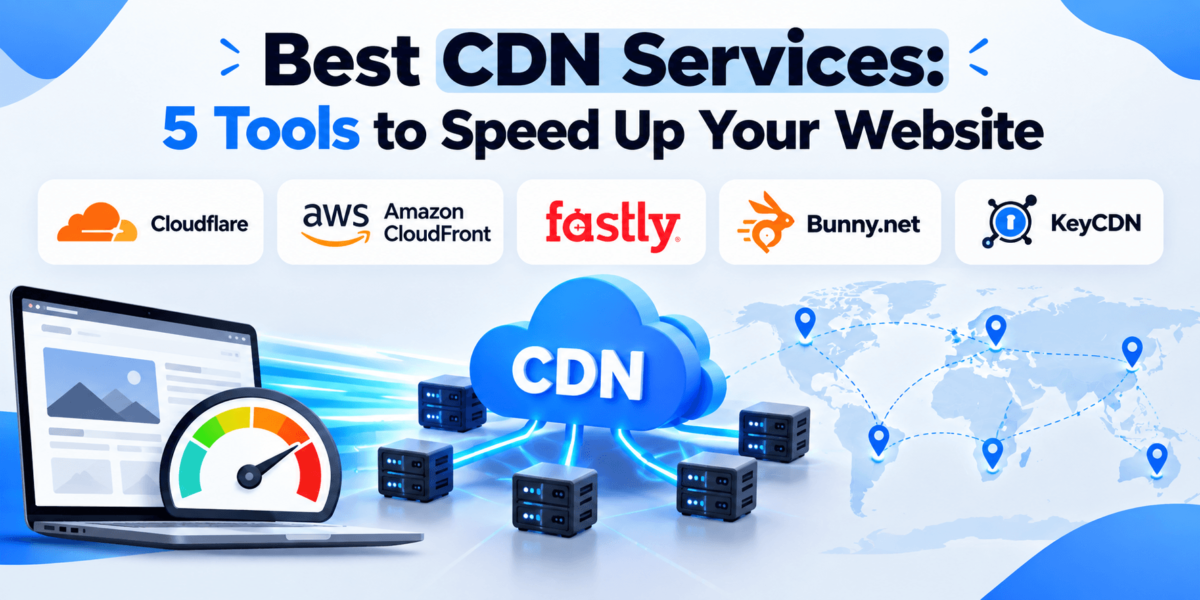
Best CDN Services: 5 Tools to Speed Up Your Website
Cloudflare, Amazon CloudFront, Fastly, Bunny.net, and KeyCDN compared on pricing, setup, security, and the type of site each one fits best.
Your website might be perfectly optimized, but if a visitor in California has to wait for your server in Virginia to deliver every image, script, and page asset, things can still feel slow.
That’s where a content delivery network (CDN) helps. A CDN stores copies of your files on servers closer to your visitors, so your origin server does less work and pages load faster for people far away.
The good news is that you don’t need an enterprise budget to get started. In this guide, we compare five of the best CDN services: Cloudflare, Amazon CloudFront, Fastly, Bunny.net, and KeyCDN. We cover who each one suits, how pricing works, and which is the best CDN provider for WordPress, ecommerce, and developer-led sites.
A CDN is one piece of speed work. For the full picture, see our guides to page speed optimization tools and Core Web Vitals.
Best CDN Services at a Glance
Short on time? This table shows the main differences between the best CDN services for websites.
| CDN | Best For | Ease of Use | Pricing | Key Strength |
|---|---|---|---|---|
| Cloudflare Best overall | Most websites, WordPress, small businesses | Easy | Free plan; paid plans from $20/mo (billed annually) | CDN, DNS, security, and caching in one platform |
| Amazon CloudFront | Sites and apps already on AWS | Moderate | Pay-as-you-go or flat-rate plans from $0 | Deep AWS integration |
| Fastly Best for developers | Developer-led and dynamic sites | Advanced | Usage-based; packages for larger deployments | Programmable edge and fast cache purging |
| Bunny.net Best affordable | Budget-conscious sites, image and video delivery | Easy | From $0.01/GB (NA/EU); $1 monthly minimum | Low per-GB cost and simple dashboard |
| KeyCDN | Small sites that want simple pay-as-you-go | Easy | From $0.04/GB (NA/EU); $4 monthly minimum | Straightforward pull-zone setup |
Quick take: If you want an easy starting point, choose a CDN that combines straightforward setup, reliable caching, strong security, and pricing that matches your traffic. For most sites, that’s Cloudflare.
- Best overall: Cloudflare
- Best for security: Cloudflare
- Best for developers: Fastly (or CloudFront if you already build on AWS)
- Best affordable option: Bunny.net
- Best for small businesses: Cloudflare
Our Top Picks
- 1
Cloudflare
An all-in-one CDN, DNS, and security platform with a free plan.
Best for: most websites
Easy DNS-based setup and built-in DDoS protection make it a safe default.
Check Cloudflare → - 2
Amazon CloudFront
AWS’s CDN, now with optional flat-rate plans.
Best for: AWS-hosted sites
Tight integration with S3, Route 53, and AWS WAF.
Explore Amazon CloudFront → - 3
Fastly
A programmable edge platform built for developers.
Best for: dynamic, custom setups
Fine-grained control over caching logic and purging.
View Fastly → - 4
Bunny.net
A low-cost, pay-as-you-go CDN with storage and image tools.
Best for: affordable delivery
Transparent per-GB pricing and a clean dashboard.
Check Bunny.net → - 5
KeyCDN
A simple pull CDN with usage-based pricing.
Best for: small, static-heavy sites
Quick zone setup and a WordPress plugin from the provider.
Explore KeyCDN →
1. Cloudflare
Cloudflare is a CDN, DNS, and security platform that sits in front of your website. It’s best suited to small businesses, WordPress sites, and anyone who wants speed and protection without managing infrastructure.
Why We Recommend It
Cloudflare is a strong choice for small businesses because it combines CDN delivery, caching, DNS, DDoS protection, and an accessible free plan in one place.
You usually onboard by pointing your domain’s nameservers to Cloudflare. Traffic then flows through its edge network without moving your hosting.
Key Features
- CDN caching through Cloudflare’s global edge network
- Managed DNS and free SSL
- DDoS protection and a web application firewall (features vary by plan)
- Automatic Platform Optimization (APO) for WordPress
- Workers for running code at the edge
Pricing
Per Cloudflare’s plans page, Free is $0, Pro is $20/month billed annually ($25 monthly), and Business is $200/month billed annually ($250 monthly). Enterprise is custom-priced. Pro and Business are billed per domain.
APO costs $5/month on the Free plan and is included on paid plans. Add-ons and usage-based products are billed separately, so check the current Cloudflare plans page before signing up.
Pros and Cons
✓ Pros
- Free plan to start
- Easy onboarding for most sites
- Security and DNS in the same dashboard
- WordPress-friendly caching options
✕ Cons
- Dashboard can feel crowded
- Pro and Business are priced per domain
- Free plan has limited support and features
- Add-ons can raise the bill
Best For
Small businesses, bloggers, WordPress users, and ecommerce stores that want a capable CDN with security built in.
See whether Cloudflare’s CDN and performance features fit your site.
2. Amazon CloudFront
Amazon CloudFront is the CDN from Amazon Web Services (AWS). It’s best for teams already running on AWS, and for developers who want a CDN that connects directly to S3, load balancers, and other AWS services.
Why We Recommend It
If your files already live in Amazon S3 or your app runs on AWS, CloudFront keeps everything in one ecosystem. AWS notes that data transfer from AWS origins such as S3 to CloudFront is free.
Here’s the catch: the AWS console has a learning curve. A beginner running a simple blog will likely find Cloudflare easier.
Key Features
- Global edge locations on AWS infrastructure
- CloudFront Functions and Lambda@Edge for edge logic
- AWS WAF and DDoS protection (included in flat-rate plans)
- Route 53 DNS and Amazon S3 integration
- Detailed cache behaviors and invalidation controls
Pricing
CloudFront offers two models. Pay-as-you-go bills for data transfer and requests, and AWS includes an always-free tier of 1 TB of data transfer and 10 million requests per month.
Flat-rate plans are Free ($0, up to 1M requests and 100 GB), Pro ($15/month), Business ($200/month), and Premium ($1,000/month), with no overage charges. Each plan covers one distribution. Verify allowances on the CloudFront pricing page.
Pros and Cons
✓ Pros
- Excellent fit with AWS services
- Flat-rate plans offer predictable bills
- Powerful edge and caching controls
- Generous always-free usage tier
✕ Cons
- Steeper learning curve
- Pay-as-you-go bills have many line items
- Less beginner-friendly for WordPress
- Best value usually requires AWS use
Best For
Developers, SaaS companies, and enterprises already invested in AWS.
Look at how CloudFront’s plans and features fit your stack.
3. Fastly
Fastly is an edge cloud platform with a CDN at its core. It’s best for developers and engineering teams who need control over how content is cached, purged, and processed at the edge.
Why We Recommend It
Fastly is a strong choice for developers because it lets you shape caching behavior in detail, using custom VCL and edge compute. It’s also known for fast cache purging, which matters for news, media, and frequently updated pages.
If you’re running a small WordPress site, you probably don’t need this much control.
Key Features
- Configurable caching with VCL
- Instant purge for updating cached content
- Edge compute for custom logic
- Image optimization and security products (often separate from core CDN)
- Real-time metrics and logging
Pricing
Fastly pricing is mainly usage-based, billed by bandwidth and requests that vary by region, with larger committed packages for bigger deployments. Optional services can be billed separately.
New accounts have typically been offered a trial, but terms change. Review the Fastly pricing page for current minimums, rates, and free options.
Pros and Cons
✓ Pros
- Deep control over caching logic
- Fast purging for dynamic content
- Strong developer tooling
- Scales to demanding workloads
✕ Cons
- More technical to configure
- Costs can rise with requests and add-ons
- Not a typical choice for casual bloggers
- Pricing is harder to forecast
Best For
Developers, SaaS products, publishers, and larger sites with custom delivery needs.
Check whether Fastly’s programmable approach fits your project.
4. Bunny.net
Bunny.net is a CDN and edge platform known for low, transparent pay-as-you-go pricing. It suits small businesses, bloggers, and anyone delivering lots of images or video on a budget.
Why We Recommend It
Bunny.net is the best affordable CDN on this list because you pay for what you use, with no contract and a low monthly minimum. Storage, image optimization, DNS, and video streaming live in the same account.
The trade-off is that you get fewer built-in security tools than a full platform like Cloudflare. Bunny does offer separate add-ons, so check what you’d need.
Key Features
- Standard and Volume CDN networks
- Bunny Optimizer for image resizing and modern formats
- Bunny Storage and Stream for files and video
- Origin Shield and Perma-Cache for reducing origin load
- Dashboard and API for automation
Pricing
The Standard network starts at $0.01/GB in North America and Europe, with higher rates in other regions. There’s a $1 monthly minimum, and a 14-day free trial has been offered to new users.
Bunny Optimizer has been listed at $9.50/month per site. Rates change, so check the Bunny.net pricing page.
Pros and Cons
✓ Pros
- Very low per-GB pricing
- Clear, usage-based billing
- Image optimization and storage included in the ecosystem
- Simple dashboard
✕ Cons
- No permanent free plan
- Rates rise outside North America and Europe
- Less all-in-one security than Cloudflare
- Optimizer is a paid add-on
Best For
Budget-conscious site owners, image-heavy blogs, and ecommerce stores or developers who want predictable per-GB costs.
See what Bunny.net offers for your traffic and regions.
5. KeyCDN
KeyCDN is a Swiss-based pull CDN built around simple, usage-based pricing. It’s best for small sites and developers who want a straightforward CDN for static files without a long setup.
Why We Recommend It
KeyCDN keeps things simple: create a zone, point it at your origin, and serve assets from a CDN URL. It also offers a WordPress plugin, CDN Enabler, which helps WordPress users rewrite asset URLs.
It doesn’t try to be a security suite or an edge platform, which is a plus if you only need fast file delivery.
Key Features
- Pull and push zones
- Free SSL and HTTP/2 support
- Instant cache purging and a RESTful API
- Real-time analytics
- CMS integrations, including WordPress
Pricing
KeyCDN lists pay-as-you-go pricing starting at $0.04/GB for the first 10 TB in North America and Europe, with higher rates elsewhere and lower rates at higher volumes. A $4 monthly minimum usage charge applies, and some extras, such as push storage or image processing, are billed separately.
A free trial has been offered, and prepaid credit requirements may apply. Confirm details on the KeyCDN pricing page.
Pros and Cons
✓ Pros
- Simple zone-based setup
- Clear per-GB pricing
- WordPress plugin available
- No long-term contract
✕ Cons
- Higher per-GB cost than Bunny.net
- Fewer security and edge features
- No permanent free plan
- Extras add to the bill
Best For
Small websites, blogs, and developers who want a no-frills CDN for static assets.
See how KeyCDN’s zones and pricing work for your site.
Cloudflare vs. Amazon CloudFront vs. Fastly vs. Bunny.net vs. KeyCDN
This table compares the five CDN providers on the factors that matter most. We don’t use numerical scores because reliable, current benchmarks vary by region and workload. Scroll sideways on small screens.
| Factor | Cloudflare | CloudFront | Fastly | Bunny.net | KeyCDN |
|---|---|---|---|---|---|
| Ease of setup | Easy; DNS-based onboarding | Moderate; AWS console | Advanced | Easy | Easy |
| Performance | Large global network | AWS global edge network | Built for fast, dynamic delivery | Strong value; check regional coverage | Solid for static assets |
| Global coverage | Wide; verify on its network page | Wide; verify on AWS pages | Verify on its network map | Standard and Volume networks | Smaller network; verify |
| Security | DDoS, WAF, free SSL (varies by plan) | AWS WAF and DDoS in flat-rate plans | Security products, often separate | Free SSL; Shield add-on | Free SSL, DDoS mitigation |
| Caching | Strong controls; APO for WordPress | Detailed cache behaviors | Highly configurable (VCL) | Per-zone rules, Perma-Cache | Pull/push zones, instant purge |
| Image optimization | Paid-plan features and add-ons | Build with edge functions or other AWS services | Image Optimizer product | Bunny Optimizer add-on | Per-operation image processing |
| Developer features | Workers | CloudFront Functions, Lambda@Edge | VCL, edge compute, instant purge | API and dashboard automation | RESTful API |
| WordPress compatibility | Plugin and APO | Works via third-party plugins | More manual setup | WordPress plugin options | CDN Enabler plugin |
| Ecommerce suitability | Strong with careful cache rules | Strong for AWS-based stores | Strong for custom stores | Good for product images | Fine for static assets |
| Pricing model | Tiered plans, per domain | Pay-as-you-go or flat-rate | Usage-based; packages | Pay-as-you-go, $1 minimum | Pay-as-you-go, $4 minimum |
| Scalability | Scales from free to Enterprise | Scales with AWS | Built for high-demand workloads | Scales on usage | Scales on usage; volume tiers |
| Support | Varies by plan | Varies by AWS support plan | Varies by plan | Check support options | Check support options |
| Best use case | Most websites | AWS-based apps | Developer-led platforms | Budget delivery | Simple static delivery |
Start with the provider that matches your traffic, setup skills, and budget.
Which CDN Service Is Best for Your Website?
Best CDN for Most Websites
Cloudflare is the best CDN for most websites. It combines CDN delivery, DNS, caching, and DDoS protection in one platform, offers a free plan, and uses DNS-based onboarding that most site owners can finish without developer help.
Best CDN for WordPress
Cloudflare is the best CDN for WordPress because it pairs easy setup with Automatic Platform Optimization, which is included on paid plans. Bunny.net and KeyCDN are good lower-cost alternatives if you prefer a plugin-based, pay-as-you-go setup.
Best CDN for Ecommerce
Cloudflare suits most online stores because it adds security and caching in one place. Configure rules so cart, checkout, and account pages aren’t cached like static files. Bunny.net is a good option for image-heavy catalogs.
Best CDN for Developers
Fastly is the best CDN for developers who need detailed control over caching, purging, and edge logic. If your stack already runs on AWS, Amazon CloudFront is the more natural fit.
Best Affordable CDN
Bunny.net is the best affordable CDN here, with per-GB pricing starting at $0.01 in North America and Europe and a $1 monthly minimum. For a free option, Cloudflare’s Free plan is the place to start.
Best CDN for Enterprise Websites
Cloudflare Enterprise and Amazon CloudFront both fit large sites. Cloudflare covers CDN, security, and DNS under one contract, while CloudFront is ideal for organizations standardized on AWS. Fastly is a strong third option for engineering-led teams.
What Is a CDN?
A content delivery network (CDN) is a network of servers that stores copies of your website’s files closer to your visitors, so pages load faster.
Analogy: Imagine shipping every order from one central warehouse. A CDN is like adding smaller warehouses near your customers, so most orders arrive faster.
How a CDN Works
- Origin server: Your hosting server, where your site lives.
- Edge locations: CDN servers placed in cities around the world.
- Caching: The CDN keeps a copy of a file and serves it without asking your origin again.
- Static assets: Images, CSS, JavaScript, and fonts. These cache easily.
- Dynamic content: Personalized or frequently changing pages, such as carts and account areas. These need careful rules.
- Latency: The delay between a request and a response. Shorter distances usually reduce it.
Cloudflare, for example, pairs its CDN with DNS and DDoS protection. Amazon CloudFront runs on AWS edge locations and connects with services like S3.
Why Use a CDN?
Faster page loads
Cached files travel a shorter distance, which can speed up loading for far-away visitors.
Lower latency
Edge servers sit closer to users, reducing the delay on each request.
Reduced server load
The CDN answers many requests, so your origin handles fewer.
Better scalability
Traffic spikes are spread across the network instead of hitting one server.
Improved availability
Cached content can keep serving visitors if your origin is slow.
DDoS protection
Many CDNs absorb malicious traffic before it reaches your server.
Global delivery
Visitors in different regions get a consistent experience.
Better user experience
Faster pages tend to feel smoother, which matters for visitors and conversions.
Core Web Vitals
A CDN can help metrics like loading speed, though results depend on your whole setup.
Keep expectations realistic: A CDN doesn’t guarantee better Google rankings. Performance supports user experience, but rankings depend on many factors. Learn more in our guides to SEO and user experience and the best Core Web Vitals tools.
How to Choose the Right CDN
Start with your site type and skills, then check these criteria.
- Performance: Test with your own pages and audience, not just provider claims.
- Global network: Check coverage where most of your visitors live.
- Pricing: Compare how each plan bills for bandwidth, requests, and add-ons.
- Ease of setup: Beginners should favor DNS-based or plugin-based onboarding.
- Security: Look for SSL, DDoS protection, and a firewall.
- Caching controls: You should be able to exclude cart, checkout, and login pages.
- Image and media optimization: Helpful for photo-heavy sites.
- WordPress compatibility: Look for plugins or documented setups.
- Ecommerce compatibility: Confirm support for platform-specific rules.
- Developer tools: APIs, edge functions, and logs matter for custom builds.
- Analytics: You’ll want visibility into cache hits and traffic.
- Customer support: Check what’s included on your plan.
- Scalability: Make sure pricing and limits work if traffic grows.
Your host matters too. See our picks for WordPress hosting, fastest WordPress hosting, and cloud hosting.
How Much Does a CDN Cost?
CDN pricing ranges from free to custom enterprise contracts. Most small sites can start free or for a few dollars a month.
Free tiers
Cloudflare offers a Free plan, and CloudFront has a free flat-rate plan plus an always-free usage tier. A free tier is not unlimited service, so check its limits.
Pay-as-you-go
Bunny.net, KeyCDN, and Fastly bill for what you use, which suits variable traffic. Some set a monthly minimum.
Bandwidth and request pricing
Many CDNs charge per GB delivered, and some also charge per request. Rates often differ by region.
Enterprise plans
Large sites usually negotiate custom contracts with committed volume and support.
Extras can add up, including image optimization, advanced security, logging, and edge compute. Read the fine print before you pick a plan.
Pricing and plan limits can change, so verify current pricing with the provider before signing up.
Best CDN for WordPress
Cloudflare is the best CDN for WordPress for most site owners. It offers a free plan, simple DNS-based setup, and Automatic Platform Optimization for caching WordPress pages at the edge.
Check Cloudflare →- Plugins: Cloudflare and KeyCDN offer plugins or integrations; Bunny.net also has WordPress options.
- Caching: Pair a caching plugin with your CDN, and avoid caching logged-in views.
- Image optimization: Bunny Optimizer and Cloudflare’s paid tools can help; see our WordPress plugins list.
- DNS setup: Cloudflare usually needs a nameserver change; others use a CDN URL.
- Hosting compatibility: Many hosts work with a CDN. Check your host’s docs, or compare managed WordPress hosting.
- Beginner friendliness: Cloudflare and Bunny.net are the easiest starting points.
Pair your CDN with a security layer. See the best WordPress security plugins and our SEO plugins for WordPress.
Best CDN for Ecommerce
Cloudflare is the best CDN for most ecommerce stores because it combines global delivery, caching, and security. Image-heavy catalogs on a tight budget can also look at Bunny.net.
Check Cloudflare →For a growing ecommerce store, the calculation is a little different. A CDN needs to handle:
- Fast product images that load quickly on any device
- Reliable asset delivery during busy periods
- Traffic spikes from sales and campaigns
- Security for customer-facing pages
- Global performance for customers in many regions
Configure caching carefully. Checkout, account, cart, and other dynamic pages generally shouldn’t be treated like ordinary static assets. Exclude them from caching, and test the shopping flow after changes.
For more on store optimization, see our guides to ecommerce SEO, WooCommerce SEO, Shopify SEO, and WooCommerce plugins.
Pros and Cons Overview
✓ Pros
- Cloudflare: free plan, security, easy setup
- CloudFront: AWS integration and flat-rate options
- Fastly: edge control and fast purging
- Bunny.net: low pay-as-you-go pricing
- KeyCDN: simple setup, transparent per-GB pricing
✕ Cons
- Cloudflare: per-domain paid plans, add-on costs
- CloudFront: learning curve
- Fastly: technical, harder to forecast costs
- Bunny.net: fewer built-in security tools
- KeyCDN: higher per-GB cost, fewer features
For deeper technical SEO context, see our technical SEO checklist and the best SEO tools.
Frequently Asked Questions
What is a CDN?
A CDN is a network of servers that stores copies of your site’s files closer to visitors. This reduces distance and helps pages load faster.
Is a CDN worth it?
Yes, for most sites with visitors in more than one region or with image-heavy pages. Free and low-cost options make it easy to try. Very small, local sites may see smaller gains.
Does a CDN make a website faster?
Usually, yes, especially for visitors far from your server. A CDN speeds up delivery of cached files, but it can’t fix slow code or heavy pages on its own.
Which CDN is best for WordPress?
Cloudflare is the best CDN for most WordPress sites thanks to easy setup and Automatic Platform Optimization. Bunny.net and KeyCDN are good pay-as-you-go alternatives.
Which CDN is best for ecommerce?
Cloudflare suits most online stores, and Bunny.net works well for image-heavy catalogs. Whichever you pick, exclude cart, checkout, and account pages from caching.
Is Cloudflare a CDN?
Yes. Cloudflare is a CDN, and it also provides DNS, DDoS protection, and other security and performance tools.
Is a free CDN good enough?
For many small sites, yes. Free plans like Cloudflare’s cover the basics, but they aren’t unlimited and may lack advanced features and priority support.
Does a CDN improve SEO?
Not directly. A CDN can improve speed and user experience, which may help metrics like Core Web Vitals, but it doesn’t guarantee higher rankings. See our Core Web Vitals guide.
How much does CDN hosting cost?
It ranges from free to custom enterprise pricing. Cloudflare has a free plan, Bunny.net starts at $0.01/GB in North America and Europe, and CloudFront offers flat-rate plans from $0. Verify current prices on each provider’s site.
Do I need a CDN for a small website?
Not always. A small local site on fast hosting may do fine without one. A CDN becomes more useful as traffic, image weight, or international visitors grow.
Final Verdict: Which CDN Should You Choose?
The best CDN depends on your site, skills, and budget. Use these quick rules:
Choose Cloudflare if you want an easy, all-in-one CDN with security and a free plan. Choose Amazon CloudFront if your site or app already runs on AWS. Choose Fastly if you’re a developer who needs precise edge and caching control. Choose Bunny.net if low, pay-as-you-go pricing is your priority. Choose KeyCDN if you want a simple CDN for static assets.Our recommendation for the typical website owner: start with Cloudflare. It’s the easiest path to faster delivery, with security and DNS included. If cost per GB matters most, compare Bunny.net.
Ready to improve your site’s performance? Compare the options above and choose the CDN that fits your traffic, technical setup, and budget.