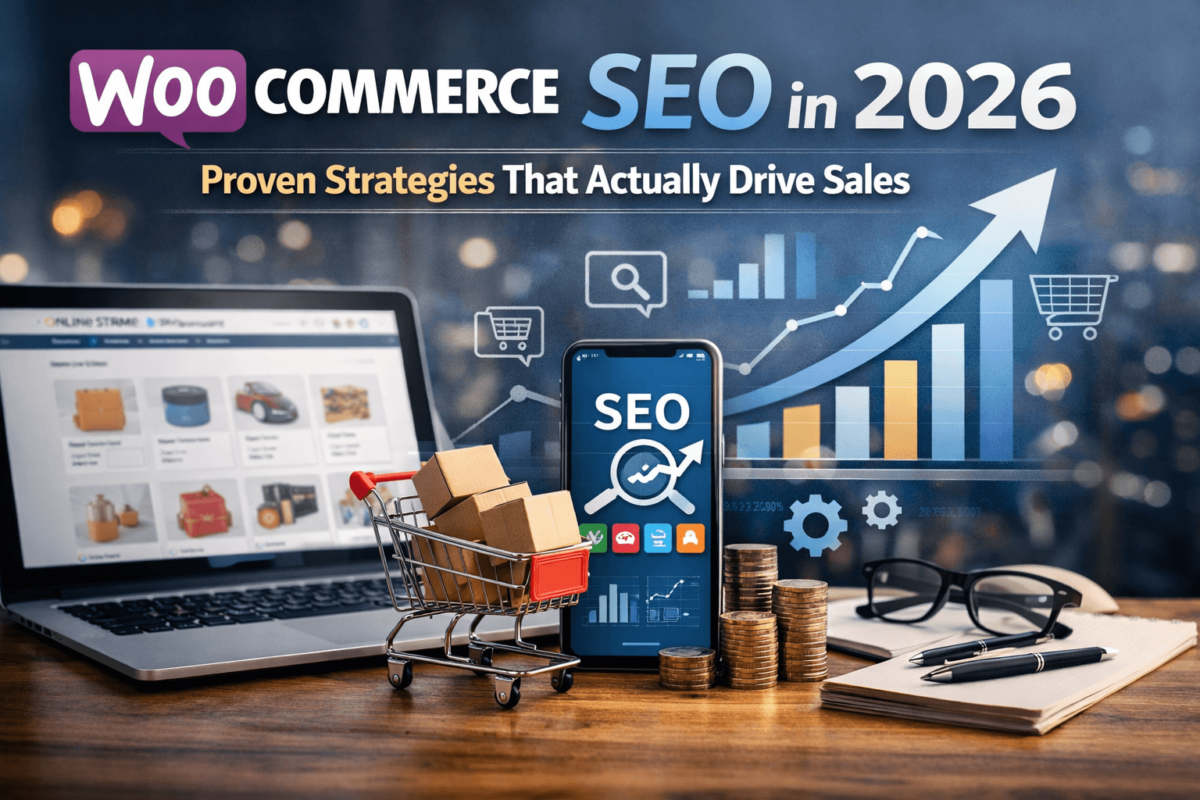
WooCommerce SEO in 2026: Proven Strategies That Actually Drive Sales
An In-Depth Technical Guide for Store Owners Who Want Real Results — No Fluff
WooCommerce SEO is the process of optimizing your WordPress-based online store so it ranks higher in search engines like Google, bringing in free, consistent organic traffic. The biggest wins come from fixing product page titles and descriptions, adding schema markup, improving site speed, and building a smart internal linking structure. Get these right and you’ll see measurable growth in traffic and sales within a few months.
- Fix your product page titles and meta descriptions — most stores get this wrong from day one
- Schema markup (structured data) helps Google understand your products and display rich results
- Site speed is a direct ranking factor — aim for a Core Web Vitals score above 75 on mobile
- Internal linking between products, categories, and blogs is a free traffic multiplier
- Keyword research is not optional — guess what customers type, and you’ll waste months
- WooCommerce gives more SEO flexibility than Shopify, but only if you use it correctly
- Content (blog posts, buying guides) generates top-of-funnel traffic that converts to customers
- Tools like Rank Math, WP Rocket, and Ahrefs do most of the heavy lifting
- Most beginner mistakes are fixable in a weekend — the compounding returns are worth it
- What Is WooCommerce SEO (Explained Simply)
- Why WooCommerce SEO Matters More in 2026
- WooCommerce SEO vs. Shopify SEO
- Core WooCommerce SEO Ranking Factors
- Real-Life WooCommerce SEO Success Example
- Best WooCommerce SEO Tools
- Step-by-Step WooCommerce SEO Improvement Plan
- Common WooCommerce SEO Mistakes
- Frequently Asked Questions
- Final Thoughts
What Is WooCommerce SEO (Explained Simply)
Think of the internet like a massive shopping mall with millions of stores. SEO is what determines whether your store gets a prime spot near the main entrance — or gets buried in a back hallway nobody visits.
WooCommerce is the e-commerce plugin that turns a WordPress website into an online store. WooCommerce SEO is simply the collection of tactics you use to make that store show up when people search Google for things you sell.
Unlike paid ads, SEO traffic doesn’t stop when you stop paying. Done right, it keeps sending buyers to your store 24/7 — even while you sleep.
Here’s the thing most guides won’t tell you upfront: WooCommerce has a slight learning curve for SEO, but it also gives you more control than almost any other e-commerce platform out there. That control is your competitive advantage if you use it.
Why WooCommerce SEO Matters More in 2026
Let’s be direct — organic search traffic is more valuable in 2026 than it’s ever been, and it’s also more competitive. Here’s what’s changed:
AI Search Is Reshaping the Top of Google
Google’s AI Overviews (SGE) now answers many basic queries directly in the search results. That means if you don’t structure your content to be quoted by AI, you lose clicks even when you rank on page one. Answer Engine Optimization (AEO) is now a real thing you need to care about. See our guide on how to rank in AI search engines for more.
Competition Has Skyrocketed
Every niche has more WooCommerce stores competing for the same keywords than five years ago. Generic product descriptions and no-strategy SEO just won’t cut it anymore. The stores winning are the ones treating SEO as a system, not an afterthought.
Zero-Click Searches Are Growing
More people get answers without clicking. Rich snippets, product carousels, and knowledge panels eat into your click-through rate. Schema markup is what gets you into those formats — and it’s now non-negotiable.
The Real Cost of Ignoring It
Honestly, the most painful thing I see is store owners paying thousands in ads every month while ignoring SEO that could deliver the same (or better) traffic for free. Every month you delay is compounding interest you’re leaving on the table.
WooCommerce SEO vs. Shopify SEO (Comparison)
One of the most common questions: which platform is better for SEO? Here’s an honest breakdown:
| Feature | WooCommerce | Shopify |
|---|---|---|
| URL Control | Full control over URL structure | Limited — forced /products/ prefix |
| Technical SEO Plugins | Rank Math, Yoast, SEOPress (powerful) | Limited built-in, few third-party options |
| Schema Markup | Full control via plugins or custom code | Basic schema built-in, limited customization |
| Site Speed | Depends on host + optimization | Faster out of the box, less flexible |
| Content / Blog SEO | WordPress is the gold standard | Basic blog, not optimized for content |
| Canonical Tags | Fully customizable | Auto-generated, hard to override |
| Faceted Navigation Control | Full control with plugins | Very limited |
| Scalability for SEO | Excellent with proper setup | Good but hits ceilings at scale |
| Cost for SEO Tools | Many free/cheap plugins | Paid apps required for advanced features |
| Learning Curve | Higher — more configuration needed | Lower — less control but simpler |
WooCommerce wins on flexibility and SEO ceiling. Shopify wins on simplicity. For serious SEO, WooCommerce is the better long-term choice — but you have to put in the setup work.
Core WooCommerce SEO Ranking Factors
4.1 Product Page Optimization
Your product pages are your money pages. Google needs to understand what you’re selling, who it’s for, and why it’s the best result for a given search.
- Product Title (H1): Include the primary keyword naturally. Don’t stuff it — write for humans first. Example: instead of “Buy Red Running Shoes Cheap Online,” try “Men’s Red Running Shoes — Lightweight & Responsive.”
- Meta Title: Keep it under 60 characters. Include the keyword near the front. Add a benefit or differentiator at the end.
- Meta Description: 160 characters max. Treat it like ad copy — mention the benefit, include the keyword, add a soft call to action. This doesn’t directly affect rankings but it dramatically affects click-through rate.
- Product Description: Write at least 300 words. Use your primary and secondary keywords naturally. Address the buyer’s questions: What problem does this solve? Why is this better? Who is it for? Avoid copying manufacturer descriptions — duplicate content will tank your rankings.
- Image Alt Text: Every product image needs a descriptive alt tag. Format: [Primary Keyword] — [Product Feature]. This also helps you show up in Google Image Search, which is an underused traffic source.
- URL Slug: Keep it short, descriptive, and keyword-rich. Remove stop words. Bad: /product/blue-lightweight-running-shoe-for-men-2026. Good: /mens-blue-running-shoes
4.2 Site Speed and Core Web Vitals
Google uses Core Web Vitals as a ranking signal. This isn’t optional anymore. Here’s what to target:
- Largest Contentful Paint (LCP): under 2.5 seconds — this is how fast your main content loads
- Cumulative Layout Shift (CLS): under 0.1 — prevents jarring page jumps
- Interaction to Next Paint (INP): under 200ms — measures responsiveness to user input
The most common speed killers on WooCommerce stores:
- Shared hosting — upgrade to managed WordPress hosting (Kinsta, WP Engine, Cloudways)
- Unoptimized images — use WebP format, compress everything with ShortPixel or Imagify
- Too many plugins — audit quarterly, remove anything not actively used
- No caching — WP Rocket or LiteSpeed Cache is essential
- No CDN — Cloudflare’s free tier dramatically improves global load times
Run your store through Google PageSpeed Insights and GTmetrix monthly. Fix the top issues first — you don’t need a perfect score, just better than your competitors.
4.3 Mobile UX
Google indexes the mobile version of your site first — period. If your store looks or performs badly on mobile, you will not rank well no matter what else you do.
- Use a mobile-first theme (Storefront, Blocksy, Astra, GeneratePress)
- Test every product page on an actual phone, not just browser DevTools
- Make sure Add to Cart buttons are large and thumb-friendly
- Avoid intrusive popups that block the main content on mobile
- Ensure checkout works smoothly on iOS and Android
4.4 Internal Linking
Internal linking is one of the most underused SEO tactics in WooCommerce stores. Here’s why it matters: every internal link passes authority (link equity) and helps Google understand the structure and relationships in your store.
A solid internal linking strategy for WooCommerce:
- Link from category pages to related products
- Link from blog posts to relevant product and category pages
- Add “Related Products” and “Customers Also Bought” sections — these are internal links
- Create a buying guide blog post and link it to all relevant products
- Make sure your most important pages are never more than 3 clicks from the homepage
Most WooCommerce stores have orphan pages — product pages that no other page links to. These get almost no Google love. Fix this with a link audit using Screaming Frog or Ahrefs Site Audit.
4.5 Schema Markup (Structured Data)
Schema markup is code you add to your pages that tells Google exactly what type of content is on the page. For WooCommerce, the most important schema types are:
- Product schema — enables star ratings, price, and stock status in search results
- Review/Rating schema — displays star ratings in Google Search (major CTR boost)
- BreadcrumbList schema — helps Google understand your site structure
- FAQ schema — your FAQs can appear as expandable answers directly in search
- Organization schema — builds brand trust signals
Rank Math Pro handles most of this automatically. For advanced use cases, you can add custom schema via the Rank Math Schema Generator or manually in the page’s head section. Run your pages through Google’s Rich Results Test tool after implementing schema to make sure it’s valid. Also see our deep-dive on schema markup for AI search.
4.6 Content Strategy (Blogs, Guides, and More)
Here’s a mistake almost every WooCommerce store makes: they only try to rank for transactional keywords (“buy red sneakers”) and ignore informational keywords (“how to choose running shoes”). Informational content brings in top-of-funnel traffic — people who aren’t ready to buy yet but will be soon.
A simple content framework that works:
- Buying guides: “10 Best [Product Category] in 2026 — Honest Reviews”
- How-to posts: “How to Choose the Right [Product] for [Use Case]”
- Comparison posts: “[Product A] vs [Product B] — Which Is Better?”
- Problem/solution posts: “How to Fix [Problem] with [Your Product Type]”
Each piece of content should link back to relevant product or category pages. This is the cleanest, most sustainable SEO strategy you can build. Our guide on AI-optimized blog content can help you scale this process.
Real-Life WooCommerce SEO Success Example
Let me walk you through a real scenario I’ve seen play out time and again.
A mid-sized WooCommerce store selling artisan leather goods — wallets, belts, and bags. ~80 products, fewer than 200 organic visits per month. Running Facebook ads just to break even.
Every product page had the same boilerplate description copied from the supplier’s catalog. Meta titles were auto-generated. No schema. No blog content. Site loaded in 7 seconds on mobile. No internal linking.
Rewrote product descriptions — unique, keyword-rich, 350+ words each. Fixed meta titles and descriptions across all 80 products. Installed Rank Math Pro and enabled WooCommerce schema. Moved to managed hosting (Cloudways), added WP Rocket + Cloudflare. Wrote 12 blog posts targeting informational keywords with internal links to products.
None of these fixes required technical development skills. They were all content, configuration, and strategy decisions. That’s the beauty of WooCommerce SEO — the leverage is enormous if you’re willing to put in the work.
None of these fixes required technical development skills. They were all content, configuration, and strategy decisions. That’s the beauty of WooCommerce SEO — the leverage is enormous if you’re willing to put in the work.
Best WooCommerce SEO Tools
You don’t need to spend a fortune on tools. Here’s what actually matters:
The best WooCommerce SEO plugin available right now. The free version handles most basics, but Pro unlocks WooCommerce-specific schema, advanced redirects, and keyword tracking. It’s the first plugin to install on every new WooCommerce store. Setup takes about 20 minutes. Read our full Rank Math review.
A paid plugin that genuinely does what it promises. It handles caching, lazy loading, CSS/JS minification, and database optimization with almost no configuration. Most stores see a 30–50% improvement in load time after installing it. Pair it with Cloudflare’s free CDN and ShortPixel for image compression.
Ahrefs is the gold standard if budget allows — the keyword explorer, competitor analysis, and backlink auditing are unmatched. See our Ahrefs review. On a tighter budget, Ubersuggest or even Google Search Console (free) gives you enough to build a solid keyword strategy. Don’t skip keyword research — it’s the foundation everything else is built on.
Screaming Frog crawls your entire site the way Google does and surfaces issues: broken links, duplicate content, missing meta tags, redirect chains, orphan pages, and more. The free version handles up to 500 URLs, which covers most small stores. Run an audit every quarter. Pairs well with our Technical SEO Checklist.
Both are free and essential. Google Search Console tells you which keywords your pages rank for, your average position, and your click-through rates. GA4 tells you what visitors do once they arrive. Use both together to make data-driven decisions rather than guessing.
Free tool to check your Core Web Vitals score. Run it on both mobile and desktop views. Fix the top issues first — you don’t need a perfect score, just better than your competitors.
Step-by-Step WooCommerce SEO Improvement Plan
Here’s how to actually do this — in order, one step at a time:
Fix Technical SEO First
Before optimizing content, make sure Google can actually crawl and index your site properly. Install Rank Math or Yoast SEO and run the setup wizard. Submit your XML sitemap to Google Search Console. Check for crawl errors (Coverage report). Fix redirect chains or broken links (use Screaming Frog). Set up canonical tags on product pages. Ensure your robots.txt isn’t accidentally blocking important pages. See our guide on fixing indexing issues.
Optimize Every Product Page
This is the highest-ROI activity for most stores. Work through your top 20 products first. Rewrite product titles with the primary keyword near the front. Write unique meta titles (under 60 chars) and meta descriptions (under 160 chars). Rewrite product descriptions — unique, 300+ words, conversational, keyword-natural. Add descriptive alt text to all product images. Optimize URL slugs — short, keyword-rich, no stop words. Enable Product schema in Rank Math for star ratings in search results.
Improve Site Speed
Check your current score on Google PageSpeed Insights for both mobile and desktop. Upgrade to a quality host if you’re on shared hosting. Install WP Rocket (or LiteSpeed Cache if on LiteSpeed servers). Compress and convert all product images to WebP format. Enable Cloudflare as a CDN (free tier is excellent). Remove unused plugins — every extra plugin adds load time. Re-test on PageSpeed Insights — aim for 70+ on mobile.
Build a Content Strategy
Use Ahrefs or Ubersuggest to find 20 informational keywords in your niche. Prioritize keywords with buying intent: “best,” “how to choose,” “vs,” “review.” Write one 1,500–2,000 word blog post per keyword — human, helpful, opinionated. Link each post to 2–3 relevant product or category pages. Update existing posts every 6–12 months — freshness is a ranking signal. Our keyword clustering guide can help you organize topics efficiently.
Build Backlinks Strategically
Backlinks (other sites linking to yours) are still one of the strongest ranking signals. You don’t need thousands — you need relevant, quality links. Write guest posts for blogs in adjacent niches. Create a genuinely useful resource (tool, guide, calculator) that earns natural links. Reach out to bloggers who review products in your category. Get listed in niche directories and industry publications. Build relationships with complementary businesses for mutual linking.
Common WooCommerce SEO Mistakes
Most of these are fixable in a weekend. Most store owners don’t bother. That’s your opportunity.
This is the single most common mistake. Copying text from a manufacturer’s website — or using the same description across product variants — triggers duplicate content penalties. Google may simply not rank your page, or rank it lower than competitors using the same text. Write unique descriptions. Every single time.
WooCommerce category pages with filters (?color=red, ?size=large) create thousands of near-duplicate URLs that waste your crawl budget and dilute page authority. Fix this by setting faceted filter URLs to noindex, or using canonical tags to point all variants to the main category page. See our crawl budget optimization guide for details.
Most store owners think schema is only for “technical people.” It’s not. Rank Math Pro adds product schema in a few clicks. Without it, your products don’t show star ratings, prices, or stock status in search results — meaning your competitors who have it set up will always look more appealing in Google.
Testing on desktop and calling it done. Google Mobile-First Indexing means your desktop ranking is determined by your mobile experience. Test on real devices. Fix font sizes, button sizes, and load times on mobile specifically.
Trying to rank for “running shoes” when you’re a small store is not a strategy — it’s wishful thinking. Target long-tail keywords (“minimalist trail running shoes for wide feet”) where the competition is beatable. Long-tail keywords convert better anyway because the buyer intent is more specific.
If you’re not looking at Google Search Console at least once a week, you’re flying blind. You need to know which pages are gaining and losing traffic, which keywords you’re close to ranking for (positions 11–20), and which pages have high impressions but low click-through rates.
Frequently Asked Questions
Final Thoughts
Here’s the honest truth about WooCommerce SEO in 2026: it’s not complicated, but it requires consistent effort. The stores winning in organic search aren’t the ones with the biggest budgets — they’re the ones treating SEO as a system rather than a one-time project.
Start with the fundamentals: fix your product pages, add schema, speed up your site, and create content your buyers are actually searching for. These aren’t glamorous tasks. But they compound over time in ways that paid advertising simply can’t replicate.
The stores I’ve seen transform their traffic the most weren’t technical wizards. They were store owners who committed to doing the basics really well, consistently, over 6–12 months. That’s the real secret.
Ready to Start?
Pick one section from this guide. Work through it this week. Then move to the next. Six months from now you’ll look back at the organic traffic graph and wonder why you didn’t start sooner.
If you found this guide useful, bookmark it, share it with another store owner who could use it, and revisit it as your store grows. SEO is a moving target — but the fundamentals you’ve just learned don’t change much. Master these, and you’ll have an edge in any year.
WooCommerce SEO Guide 2026 · In-Depth Technical Edition · AEO + GEO Optimized · TechCognate