Software
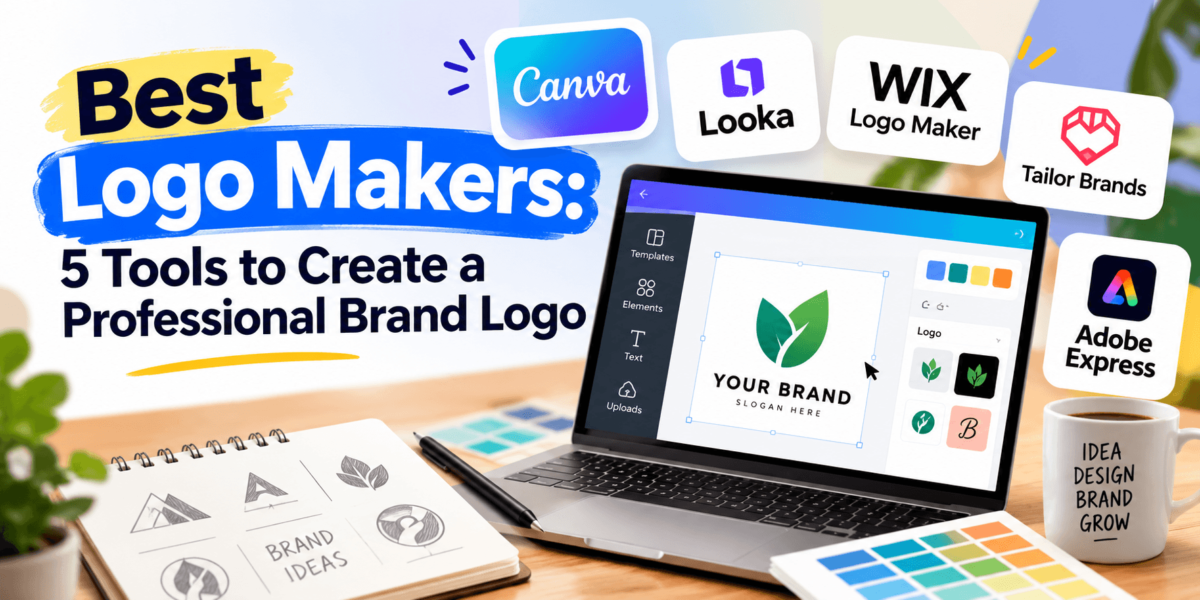
Best Logo Makers: 5 Tools to Create a Professional Brand Logo
We compared Canva, Looka, Wix Logo Maker, Tailor Brands, and Adobe Express so you can build a business logo without hiring a designer.
Not long ago, getting a professional logo meant hiring a designer, learning software like Illustrator, or paying a few hundred dollars for a handful of concepts you weren’t sure about. That route still exists, but it’s no longer the only one.
Today, an online logo maker can turn a business name, a few style choices, and a color palette into usable concepts in minutes. Some tools lean on AI to generate the options. Others give you templates and an editor to build the logo yourself. They aren’t interchangeable, though. They differ a lot on file formats, pricing, and how much of your brand identity they help you build once the logo is done.
This guide compares five of the best logo makers for U.S. small businesses, startups, and online stores: Canva, Looka, Wix Logo Maker, Tailor Brands, and Adobe Express. We look at what each one does, what it costs, and who it suits, so you can pick one and get back to launching.
Disclosure: Some links in this article may be affiliate links. If you buy through them, TechCognate may earn a commission at no extra cost to you. Our picks are based on our own evaluation of each tool.
Quick Answer
The best logo maker for most people is Canva, because it pairs an easy drag-and-drop editor and a large template library with brand kit tools you can keep using after the logo is done. If you want AI to generate the first concepts, Looka is the stronger pick. Adobe Express suits people who want more control over typography and layout. Pricing varies by plan, so check each provider’s site before you buy.
Our Top Picks
Quick Comparison: Best Logo Makers
| Logo Maker | Best For | Ease of Use | AI Features | Starting Price* |
|---|---|---|---|---|
| CanvaBest Overall | Best overall; beginners | Very easy | AI tools (credit-limited); not a dedicated logo generator | Free plan; Pro roughly $15–$18/mo billed monthly* |
| Looka | AI logo design; small business brand kits | Very easy | Core feature: AI generates logo concepts | One-time logo packages from about $20* |
| Wix Logo Maker | Wix website owners | Easy | AI-assisted logo wizard | Free to design; pay to download* |
| Tailor Brands | New business launches | Very easy (guided) | AI-driven logo generation | Subscription; entry plans reported from roughly $4–$10/mo* |
| Adobe Express | Customization | Easy | Generative AI credits on Premium | Free plan; Premium $9.99/mo* |
*Pricing and features can change, so verify current pricing on the provider’s website before purchasing.
Want an easy place to start? Check out Canva and see how quickly you can build a logo from a template.
Try CanvaWhat Is a Logo Maker?
A logo maker is an online design tool that helps you create a business logo using templates, icons, fonts, colors, and increasingly AI-powered design features.
Instead of starting from a blank page, you pick a style, add your business name, and adjust the result in a browser-based editor. Most logo makers then let you download files such as PNG or SVG and, on some platforms, build a brand kit with your colors, typography, and matching social media graphics.
We compared these tools using each provider’s published features, plan details, and current pricing pages, plus independent reviews. Where pricing or terms differ between sources or change often, we say so and point you to the official page.
1Canva — Best Overall Logo Maker
Best for: Beginners and small businesses that want a logo plus all their marketing graphics in one place.
Canva isn’t a dedicated logo generator, and that’s part of its appeal. It’s a full design platform with logo templates, a drag-and-drop editor, and libraries of fonts, icons, and graphics, so your logo lives in the same place as your Instagram posts, flyers, and presentations.
If staring at a blank canvas makes you freeze, Canva’s templates are a huge advantage. You start from a professionally designed layout and swap in your name, color palette, and icon instead of building everything from scratch.
Key Features
- Logo templates you can edit in a drag-and-drop editor
- Brand Kit tools for storing logos, colors, and fonts (a paid-plan feature)
- Canva’s AI design tools, with monthly usage limits that depend on your plan
- Templates for social media posts, business cards, flyers, and presentations
- A free plan, with common export formats such as PNG, JPG, and PDF
What We Like
The learning curve is short. Most people can open a template, change the text, recolor the icon, and export in one sitting. Once the logo is done, you can reuse the same fonts and colors across every other design, which does more for brand consistency than most standalone logo makers manage. If you also run social accounts, our guide to the best social media management tools covers where to schedule those branded posts.
What Could Be Better
Because Canva is a general design tool, it won’t hand you a batch of AI-generated logo concepts the way Looka does. Templates are shared with other users, so a barely edited logo can look familiar. Transparent PNG downloads, SVG export, and Brand Kit tools typically sit behind a paid plan, so confirm what your plan includes.
Pros and Cons
✓ Pros
- Beginner-friendly editor with a short learning curve
- Free plan to start designing
- Logo, social, print, and presentation designs in one tool
- Strong control over fonts, colors, and layout
✕ Cons
- Not a dedicated AI logo generator
- Template-based logos can resemble others if lightly edited
- Transparent backgrounds, SVG, and Brand Kit typically need a paid plan
Who It’s Best For
Best for: Solo founders, freelancers, and small teams that want to design the logo themselves and keep creating branded content in the same tool. Weighing it against a pro-level app? See our Canva vs Figma comparison.
Pricing
Canva has a free plan. Paid Pro plans are reported at roughly $15–$18 per month billed monthly, with lower effective rates on annual billing, though figures vary between sources and Canva has changed its pricing before. Check Canva’s pricing page for current plans.
Our Verdict
Canva is the best overall pick because it covers the logo and everything you’ll design with it afterward. If you want full creative control and a free place to start, begin here.
Try Canva2Looka — Best for AI Logo Design
Best for: Startups and small business owners who want AI to generate logo concepts and a matching brand kit.
Looka is built for one job, and it shows. You enter your company name, pick the styles, colors, and icons you like, and Looka’s AI generates a set of logo options. You then edit the one you like and, if you want, build out a full brand kit.
Need a logo by tonight? This is the closest thing to a shortcut. You skip the blank page entirely and react to options instead of inventing them.
Key Features
- AI-generated logo concepts based on your business name, style preferences, colors, and icons
- An editor for adjusting fonts, colors, layout, and icons
- A Brand Kit subscription with templates for social media, business cards, email signatures, and other assets
- Higher-tier logo packages reported to include multiple file types, such as PNG, SVG, EPS, and PDF with transparent backgrounds
- An optional Brand Kit plan that adds a website
What We Like
The generator removes decision paralysis. Most non-designers find it easier to pick from options than to invent a concept, and Looka makes that step quick. The brand kit then carries your logo into business cards, social profiles, and other collateral, so the logo doesn’t sit alone. That’s what makes it a strong fit for small business branding.
What Could Be Better
Because the concepts come from pools of layouts and icons, some options feel similar to what other brands end up with, and deep customization is limited compared with a full design editor. The lowest-priced logo package is reported to include just one low-resolution PNG, so most buyers will need a higher tier. The Brand Kit is an annual subscription rather than a one-time purchase.
Pros and Cons
✓ Pros
- AI generator built specifically for logos
- Brand Kit with matching business and social assets
- Multiple file formats on higher plans
- One-time purchase option if you only need the logo
✕ Cons
- Less control than a full design editor
- Entry-level package is limited (one PNG, as reported)
- Brand Kit is an ongoing annual subscription
Who It’s Best For
Best for: Startups and small business owners who want generated concepts and a consistent brand identity without learning design software. For more ways to put AI to work in your marketing, see our roundup of the best AI marketing tools.
Pricing
Looka sells logo packages as one-time purchases (reported at about $20 for Basic and $65 for Premium) and annual Brand Kit subscriptions (reported at about $96 per year, or about $129 per year with a website). You can generally preview designs before paying. These figures come from third-party reviews, so verify them on Looka’s pricing page.
Our Verdict
Looka is the best choice if you’d rather have AI do the first round of design work and want a brand kit that grows with the business.
Create Your Logo with Looka3Wix Logo Maker — Best for Website Owners
Best for: Anyone building (or planning) a Wix website who wants a logo from the same ecosystem.
Wix Logo Maker is the logical pick if your website already lives on Wix, or will. It asks about your business and style preferences, uses AI assistance to generate a set of logo options, and lets you tweak the one you like in an editor.
Reviews describe a try-before-you-buy approach: you can design for free and pay only when you decide to download your files.
Key Features
- A guided, AI-assisted wizard that builds logo options from your business details and style choices
- Free to design, with payment required to download final files (per independent reviews)
- Purchase options for logo files, plus bundles that pair a logo with a Wix website plan
- A direct path from logo to website inside the Wix website builder
What We Like
The path from logo to website is short. If you plan to publish on Wix, keeping your logo and site in one account saves a few steps, and the guided flow keeps things approachable for first-timers. If you’re still choosing a platform, our best website builders guide and Wix vs Squarespace comparison will help.
What Could Be Better
Independent reviews note that edits after you buy a logo aren’t free, so finalize your design before checkout. The tool also makes the most sense for people building on Wix, so it’s less compelling if your site lives somewhere else. Wix has changed its logo plans over the years, so read the current package details carefully.
Pros and Cons
✓ Pros
- Easy, guided process for first-timers
- Free to design before you buy
- Natural fit with a Wix website
- Logo-plus-website bundles available
✕ Cons
- Edits after purchase are reportedly not free
- Best value mainly for Wix users
- Several plan tiers to compare before buying
Who It’s Best For
Best for: Small business owners and creators who are building a site on Wix and want one account for both. If you prefer a visual editor for the site itself, our list of the best drag-and-drop website builders is a useful next read.
Pricing
Wix lets you design a logo without paying, then charges for download packages and optional logo-plus-website bundles. Exact prices and inclusions have changed over time, so check Wix’s current logo maker plans before you commit.
Our Verdict
Wix Logo Maker is a convenient, low-friction option for anyone already committed to Wix. If your website is elsewhere, a dedicated logo tool may serve you better.
Explore Wix Logo Maker4Tailor Brands — Best for New Business Launches
Best for: First-time founders who want a logo plus other launch tools in one subscription.
Tailor Brands started as a logo generator and has grown into a small-business toolkit that covers logos, business cards, social media posts, websites, and, in some cases, LLC formation. The logo flow is nearly hands-off: you answer a few questions about your business and it produces designs.
Key Features
- AI-driven logo generation based on your business name and style choices
- An editor for adjusting colors, fonts, and layouts
- Add-on tools such as business cards, a social post maker, and brand style guides (as reported by reviewers)
- Seasonal logo variations on higher-tier plans (as reported)
- Website and LLC formation services offered in the same platform
What We Like
If you’re launching a business and want to cross several items off the list in one place, Tailor Brands is convenient. The guided flow suits people who don’t want to make dozens of design decisions, and the extra tools help with early brand identity work such as business cards and social media branding. If a website is next on your list, our roundup of the best AI website builders shows what else is out there.
What Could Be Better
Tailor Brands is subscription-based, so you pay over time rather than buying a logo once. Reviewers point to a confusing plan structure and cross-sells, and features such as vector files and more logo versions are reported to depend on your plan level. Editing control is also more basic than in Canva or Adobe Express.
Pros and Cons
✓ Pros
- Simple, guided logo creation
- Branding and business tools beyond the logo
- Entry-level plans reported to be low-cost on annual billing
✕ Cons
- Subscription rather than one-time purchase
- Plan tiers and cross-sells can be confusing
- Basic editing controls compared with design-focused apps
Who It’s Best For
Best for: New founders who want guided logo creation and a bundle of launch tools without piecing together separate services.
Pricing
Tailor Brands uses subscription plans (Basic, Standard, and Premium) with monthly, annual, and multi-year billing options. Entry-level pricing is commonly reported at roughly $4 per month on annual billing and about $10 per month month-to-month, and logo file types and versions vary by tier. Because pricing and add-ons change often, verify details on Tailor Brands’ site.
Our Verdict
Tailor Brands works best as a quick, guided way to get a logo and a few launch essentials. Compare plan details closely before you subscribe.
Try Tailor Brands5Adobe Express — Best for Customization
Best for: People who want more design control, especially if they already use Adobe tools or fonts.
Adobe Express is Adobe’s browser-based design app for non-designers. It offers a free logo maker page, logo templates, and an editor that feels more like a design tool than a guided wizard, which gives you room to experiment with typography, layout, and color palettes.
Key Features
- Logo templates and an editor, with a free plan available
- Generative AI credits on the Premium plan (reported at 250 per month)
- Brand kits and access to a larger Adobe Fonts library on Premium (as reported)
- Templates for social media posts, flyers, and short videos
- Common export formats for web and print; check which ones your plan includes
What We Like
If you care about typography and layout, Express gives you more room than the guided generators. Premium is also billed monthly with no annual commitment, so it’s easy to subscribe for a month, finish your branding, and reassess. Comparing it with the market leader? Our Canva vs Adobe Express breakdown goes feature by feature.
What Could Be Better
Express doesn’t generate a full set of logo concepts from a questionnaire the way Looka or Tailor Brands do, so you do more of the design thinking yourself. Its logo workflow is also less specialized than Looka’s brand kit pipeline, and some premium templates, fonts, and AI credits require the Premium plan.
Pros and Cons
✓ Pros
- Free plan to start
- Flexible editor with room for custom typography and layout
- Premium is month-to-month with no annual commitment
- Part of the wider Adobe ecosystem
✕ Cons
- No questionnaire-style AI logo generator
- More hands-on than guided tools
- Premium templates, fonts, and AI credits need a paid plan
Who It’s Best For
Best for: Designers-in-training, content creators, and small teams who want more creative control than a wizard offers, without moving to professional design software.
Pricing
Adobe Express has a free plan, and Adobe lists its Premium plan at $9.99 per month. Team plans are also available. Plan details and regional pricing can change, so confirm current pricing on Adobe’s site.
Our Verdict
Adobe Express is the pick when you want hands-on control over your logo’s look and feel, and it’s inexpensive to try.
Explore Adobe ExpressWhich Logo Maker Is Best Overall?
Canva is the best overall logo maker because it works as both a logo tool and the design platform you’ll keep using for everything else.
It has a free plan, a short learning curve, and templates that take the pressure off starting from nothing. After the logo, the same fonts, colors, and brand kit tools carry through your social media graphics, flyers, and presentations, which keeps your brand identity consistent.
The tradeoff is that Canva won’t generate logo concepts for you. If you’d rather have AI do the first draft, Looka is the better fit. Neither choice is wrong. It comes down to whether you want to design or to select.
Which Logo Maker Is Best for Small Businesses?
Looka is the best logo maker for small businesses that want a ready-made brand kit, while Canva is the best choice for those who want ongoing design flexibility.
Here’s how the five tools compare on what small business owners usually care about most.
| Logo Maker | Ease of Use | Cost | Branding Features | Scalability |
|---|---|---|---|---|
| Canva | Very easy | Free start; paid plan for Brand Kit | Brand Kit, plus social and print templates (paid) | Individual and team plans available |
| Looka | Very easy | One-time or annual | Brand Kit with business card and social templates | Suits early-stage brands; assets grow with the Brand Kit |
| Wix Logo Maker | Easy | Free to design; pay to download | Logo-focused; strongest paired with a Wix site | Best if your site is on Wix |
| Tailor Brands | Very easy | Subscription | Logo plus business cards, social posts, websites, LLC formation | Business tools in one platform |
| Adobe Express | Easy | Free plan; Premium monthly | Brand kits, templates, Adobe Fonts (Premium) | Team plans available |
Professional output matters just as much as features. For a polished result, make sure the plan you choose includes high-resolution files and a transparent version of your logo. Once your branding is set, a conversion-focused page matters next, and our guide to the best landing page builders is a good place to go.
Which Logo Maker Is Best for Beginners?
The best logo maker for most beginners is Canva because it combines an easy drag-and-drop editor, a large template library, and extensive customization options.
You don’t need design experience to get a clean result: open a logo template, change the name, adjust the colors, and export. If you’d rather not make design decisions at all, Tailor Brands and Looka both guide you through a short questionnaire and then show you finished options. Adobe Express is also approachable, but it expects you to make more choices yourself.
Which Logo Maker Is Best for AI Logo Design?
Looka is the best AI logo maker because generating logo concepts is its core feature, not an add-on.
Here’s what “AI” actually means on each platform:
- Looka: AI generates logo concepts from your name, styles, colors, and icons, and the brand kit builds on that output.
- Tailor Brands: AI-driven generation based on your business information, packaged inside a broader subscription.
- Wix Logo Maker: an AI-assisted wizard that produces logo options from your answers.
- Canva and Adobe Express: both include generative AI tools with usage limits that depend on your plan, but they’re design platforms first. They don’t produce a questionnaire-based set of logo concepts the way the three tools above do.
If you want a general-purpose image model instead of a logo-specific tool, our roundup of the best AI image generators compares the options, though results usually need cleanup before they work as a real logo.
Which Logo Maker Is Best for Ecommerce?
Canva is the best logo maker for most ecommerce businesses because one tool covers your logo, social media assets, and printed materials.
Online stores need a logo that works in many places: a storefront header, a favicon-sized icon, social profiles, shipping labels, and packaging. That makes brand consistency and file formats more important than the logo concept itself. Look for a plan that gives you a transparent PNG for your site and a vector file such as SVG for print.
- Store branding and website compatibility: Wix Logo Maker fits stores built on Wix. If you’re still choosing a platform, see our guide to the best website builders for ecommerce.
- Social media assets: Canva and Adobe Express both offer social templates, and Looka’s Brand Kit includes social media templates.
- Product packaging and print: make sure your plan includes vector or high-resolution files before sending anything to a printer.
- Brand consistency: a brand kit that stores your colors and fonts keeps product pages, ads, and emails looking like the same company.
Once your branding is set, you can extend it into video and apps. See our picks for the best video editing software for ecommerce and the best Shopify apps.
Free vs. Paid Logo Makers: Which Should You Choose?
Choose a free logo maker to explore ideas or test a brand name, and choose a paid plan when you need high-resolution files, vector formats, and clear commercial-use terms.
Free Logo Maker
- Lets you design and preview, and may let you download a basic file
- Fewer templates, fonts, and icons
- Downloads are often limited in resolution or format, and transparent or vector files are commonly held back
- Commercial-use rules vary by platform, so read the terms
- Little or no brand kit or matching brand assets
Paid Logo Maker
- High-resolution files and, on many plans, transparent PNG and vector formats such as SVG
- Larger libraries of templates, fonts, and icons
- Brand kits and matching assets for social media, business cards, and more
- Clearer commercial-use terms (still read them)
- More editing flexibility, though it varies: some platforms charge for changes after purchase
Ownership is where people get tripped up, and it isn’t the same everywhere. Some providers state that you own your logo once you buy, while others license you the design under their terms. Logos built from shared templates, stock icons, or common fonts may also be hard to protect as a trademark. Read each platform’s current terms, and talk with an attorney if exclusive rights matter to your business. This is general information, not legal advice.
How to Choose a Logo Maker
A logo maker that looks great in a demo can still be a poor fit once you check the details. Use these criteria to compare options.
Ease of Use
If you’ve never designed anything, a guided flow or template-first editor will save hours. If you enjoy tinkering, a more flexible editor will feel less restrictive.
Templates and Design Quality
Look for modern, balanced layouts and a good variety of styles. The best starting point is one you can recognize as your industry without it looking generic.
Customization
You should be able to change fonts, colors, spacing, and icons. Strong typography choices and color palettes do more to make a logo look professional than the icon does.
AI Features
AI is useful for generating a first round of ideas quickly. Check whether the tool truly generates logo concepts or just offers general AI add-ons.
Brand Assets
A brand kit that stores your colors, fonts, and logo versions makes it much easier to keep social media branding and print materials consistent.
File Formats
At minimum, you want a transparent PNG for web use. A vector file such as SVG, EPS, or PDF matters if you’ll print on packaging, signs, or merchandise.
Commercial Usage
Confirm that your plan allows business use and what the provider says about ownership and licensing before you build a brand around the logo.
Pricing
Compare one-time purchases against subscriptions, and check what happens to your files if you cancel. The cheapest entry price isn’t always the cheapest in the long run.
Brand Consistency
Your logo is the start of a brand identity, not the whole thing. Pick a tool that makes it easy to reuse the same look across every channel.
Logo Maker Buying Guide
Do you need design experience?
No. Most logo makers are built for beginners, using templates or guided questions. A basic sense of what looks balanced helps, but you don’t need software skills.
Can you create a logo for free?
Yes, with limits. Canva and Adobe Express have free plans, and Wix lets you design without paying. Free options often restrict file quality or formats, so check what you can actually download.
What file format should you download?
Get a PNG for websites and social media and a vector file for print. SVG is the standard vector format for the web, while EPS and PDF are common for print jobs.
Do you need a transparent PNG?
Almost always. A transparent background lets you place your logo on colored sections, photos, and social banners without a white box around it.
Do you need an SVG?
If you’ll print on packaging, signs, or apparel, yes. SVG files scale to any size without losing sharpness, which is the main advantage of vector graphics over PNG.
Can you use a logo commercially?
Usually, once you’re on the right plan or have bought the logo, but terms differ by platform. Read the current license before using the logo on products or advertising.
Can a logo maker create a truly unique logo?
Not guaranteed. Templates and icon libraries are shared, so two businesses can end up with similar marks. Customize fonts, colors, and layout, and search for similar logos in your industry before you commit.
Should a small business use a logo maker or hire a designer?
A logo maker is a practical choice for early-stage businesses with limited budgets. Consider a designer when your brand is a major competitive asset, you need custom illustration, or you want a more distinctive mark you can protect.
Is an AI-generated logo good enough for a business?
For many small businesses, it’s a solid starting point. The caveats are uniqueness and legal protection, since the rules around AI-generated artwork are still unsettled, so check with an attorney if trademarking matters to you.
What should you avoid when designing a logo?
Avoid using too many fonts or colors, trendy effects that will look dated, and fine details that disappear at small sizes. Make sure your logo works in one color and on both light and dark backgrounds.
Frequently Asked Questions
What is the best logo maker?
Canva is the best logo maker for most people.
It combines an easy editor, a large template library, and brand kit tools with a free plan to start. If you want AI to generate the concepts, Looka is the best alternative.
What is the best free logo maker?
Canva and Adobe Express are the best free options because both offer free plans with logo templates.
Wix Logo Maker lets you design for free but charges to download. Free plans often limit file formats and resolution, so check what’s included before you commit.
Are logo makers worth it?
Yes, for most small businesses and startups.
They’re faster and far cheaper than a custom design project, and they’re good enough for early-stage branding. If your brand needs a distinctive or highly custom identity, a professional designer is still the better route.
Can I create a professional logo without a designer?
Yes, you can create a professional-looking logo without a designer using a logo maker.
Stick to a simple layout, two or three colors, and one or two fonts. Export a transparent PNG and a vector version so the logo holds up everywhere you use it.
What is the best AI logo maker?
Looka is the best AI logo maker.
It generates logo concepts from your name, styles, and colors, and its brand kit extends the logo into other assets. Tailor Brands and Wix Logo Maker also use AI to produce options.
Can I use a logo made with an online logo maker commercially?
Generally yes, but it depends on the platform and your plan.
Providers differ on ownership and licensing terms, and free downloads may carry restrictions. Review the provider’s current terms before using the logo on products, packaging, or ads.
What file format should I use for my logo?
Use a transparent PNG for websites and social media, and an SVG (or EPS/PDF) for print.
SVG is a vector format, so it scales to any size without losing quality. Keep both on hand so you’re covered for every use.
How much does a professional logo maker cost?
Logo makers range from free to roughly $20–$65 for a one-time logo purchase, or about $10–$18 per month for subscription-style tools.
Canva and Adobe Express have free plans, Looka’s logo packages are reported at about $20 and $65, and Adobe Express Premium is listed at $9.99 per month. Prices change, so verify on each provider’s site.
Final Verdict: Which Logo Maker Should You Choose?
All five tools can get you a usable logo quickly, but they solve slightly different problems. Canva suits people who want to design and keep designing. Looka suits people who want AI to do the first draft and a brand kit to follow. Wix Logo Maker and Tailor Brands fit specific situations, and Adobe Express rewards people who want more control.
If you’re not sure where to start, start with Canva’s free plan and build a few concepts. If nothing clicks, run the same business name through Looka and compare the results side by side. Many people find their logo within an hour.
Ready to build your logo? Start with Canva for hands-on control, or let Looka generate the first round of ideas.
Try CanvaCreate Your Logo with Looka