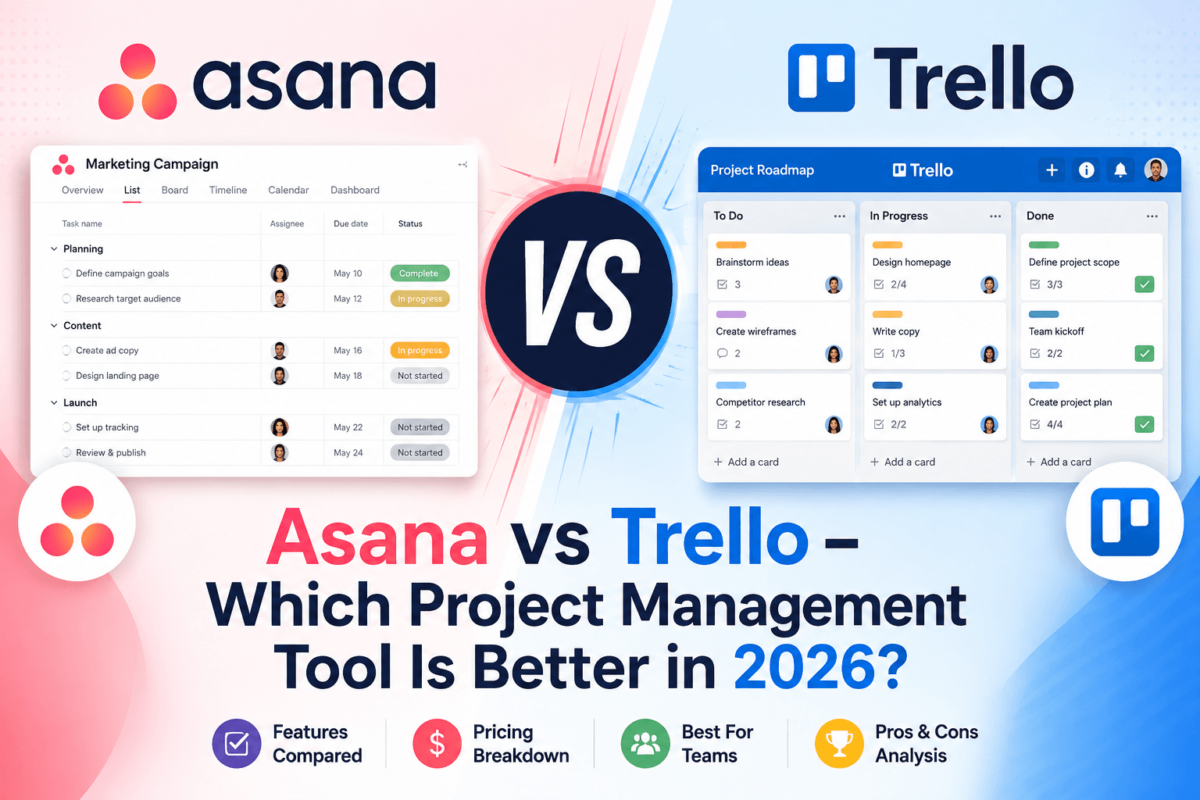
Asana vs Trello (2026): Which Project Management Tool Is Actually Better?
Quick Answer
Asana wins for teams that need real project management: dependencies, workload views, portfolios, and reporting that scales past 15 people. Trello wins for simple, visual task tracking where speed of setup matters more than depth of features.
If your team is under 10 people and mostly needs a shared to-do board, start with Trello — it’s free, faster to learn, and you’ll rarely hit its limits. If you’re coordinating cross-functional work, tracking goals, or reporting progress to stakeholders, Asana is worth the extra cost from day one.
Spreadsheets and Slack threads work fine until a project has more than three moving parts. Then tasks get missed, nobody knows who owns what, and status updates turn into a scavenger hunt. That’s the gap Asana and Trello were both built to close — but they close it in very different ways, and picking the wrong one costs you months of re-onboarding your team later.
We’ve used both platforms across real client work — marketing campaigns, software sprints, content calendars, and agency retainers — and this guide breaks down exactly where each one wins, where it falls short, and which one fits your team. No universal “best” tool here — just an honest, feature-by-feature verdict.
To keep this comparison grounded, we cross-checked every pricing figure, feature claim, and AI capability against each vendor’s current pricing and release pages, then layered in patterns from verified G2 and Capterra reviews rather than relying on marketing copy alone.
Asana vs Trello at a Glance
| Category | Asana | Trello |
|---|---|---|
| Best for | Cross-functional teams, agencies, structured projects | Solo users, small teams, visual Kanban workflows |
| Starting price | $10.99/user/mo (Starter, billed annually) | $5/user/mo (Standard, billed annually) |
| Free plan | Yes — up to 2 users, basic list/board views | Yes — up to 10 collaborators, unlimited cards |
| AI features | AI Studio + AI Teammates (deep, agentic) | Atlassian Intelligence (lightweight, card-level) |
| Ease of use | Moderate learning curve | Extremely easy, minutes to onboard |
| Automation | Advanced rules + AI Studio workflow builder | Butler — simple, card-triggered automation |
| Reporting | Custom dashboards, portfolios, goals | Basic dashboard view (Premium only) |
| Views | List, Board, Timeline, Calendar, Workload | Board, Calendar, Timeline, Table, Dashboard, Map |
| Integrations | 400+ native integrations | 200+ Power-Ups |
| Mobile app | Strong feature parity with desktop | Excellent for cards, limited for automation |
| G2 rating | 4.4/5 (13,000+ reviews) | 4.4/5 (13,700+ reviews) |
Quick Verdict by Use Case
Skip straight to your situation:
| You are… | Go with |
|---|---|
| Best overall | Asana — broader feature set that scales with you |
| Best for beginners | Trello — nothing onboards faster |
| Best for enterprises | Asana — portfolios, goals, admin controls |
| Best for freelancers | Trello — free plan covers most solo needs |
| Best for agencies | Asana — portfolios across multiple clients |
| Best for startups | Trello early, Asana once you pass ~15 people |
| Best for marketing teams | Asana — campaign templates, approvals, forms |
| Best for software teams | Neither — look at Jira or Linear first |
| Best free plan | Trello — usable indefinitely, not a crippled trial |
| Best value for growing teams | Asana Starter — automation and reporting included |
Project Management Software: 2026 Snapshot
A little context on why this decision matters more than it used to:
- The global project management software market is valued at roughly $10–12 billion in 2026, with most analysts projecting 13–18% annual growth through the early 2030s.
- Cloud-based platforms — the category both Asana and Trello sit in — now account for well over half of all deployments, driven by distributed and hybrid teams.
- North America remains the largest regional market, generally cited between 38–46% of global share, though Asia-Pacific is growing fastest.
- Smaller businesses are somewhat more likely than large enterprises to adopt dedicated project management tools rather than building processes around spreadsheets and email.
- AI-driven resource optimization and predictive analytics are cited across multiple 2026 market reports as the fastest-growing feature category — the exact trend both Asana’s AI Teammates and Trello’s Atlassian Intelligence are chasing.
In other words: this isn’t a shrinking or commoditized category. Both vendors are actively investing, which is part of why the feature gap between them keeps shifting year over year.
What Is Asana?
Asana is a work management platform built around a “Work Graph” — a structured map of tasks, projects, goals, and the people connected to them. Launched in 2008 by Facebook co-founder Dustin Moskovitz, Asana was designed to replace internal email threads with a shared system of record for who’s doing what, by when.
Where a lot of task managers stop at to-do lists, Asana layers in dependencies, custom fields, workload balancing, and goal tracking that connects individual tasks to company-level objectives. That structure is Asana’s biggest strength — and also why it takes longer to learn than a simple board tool.
Asana’s ecosystem has grown well beyond the core app: Asana Academy for training, a certified partner network for enterprise implementations, and a growing library of pre-built templates for specific industries (marketing, product, IT, operations). It’s also a public company (NYSE: ASAN), which gives it more resources to invest in AI and enterprise tooling than most competitors in this space — but also means feature releases are shaped by roadmap priorities you don’t control.
In 2026, Asana’s biggest push has been AI Teammates — pre-built AI agents (Campaign Brief Writer, Workflow Optimizer, Compliance Specialist, and more) that operate directly inside projects rather than as a separate chatbot tab. Paired with AI Studio, its no-code automation builder, Asana is positioning itself less as a task tracker and more as an operating system for how work actually gets assigned and completed.
Asana works best for teams that already have some process in place — marketing departments, agencies, operations teams — and want that process enforced consistently instead of living in someone’s head. If your team is coordinating campaigns across several channels, pairing Asana with the right content marketing tools keeps production and publishing in sync.
What Is Trello?
Trello is a Kanban-style visual task board — boards, lists, and cards, nothing more, nothing less. Launched in 2011 and acquired by Atlassian in 2017, Trello built its entire reputation on being the fastest tool to open and understand with zero training.
Every task is a card. Every stage of work is a list. You drag a card from “To Do” to “Doing” to “Done,” and that’s genuinely most of what you need to know. This simplicity is deliberate: Trello never tried to be a full work-management suite, and that restraint is exactly why small teams love it.
The Atlassian acquisition matters more than it might seem. Trello inherited the security backbone, uptime infrastructure, and enterprise sales motion of a company that also owns Jira and Confluence — resources a standalone startup its size would never have built alone. At the same time, Atlassian has been careful not to bloat Trello’s interface the way it could have; the core board-and-card experience today looks and feels almost identical to Trello a decade ago, just faster and better integrated.
Since joining Atlassian, Trello has slowly absorbed enterprise-grade pieces — SSO, SCIM provisioning, and organization-wide governance on Enterprise — without touching the simplicity of the core board experience. In 2026, Atlassian folded its Atlassian Intelligence AI into Trello’s paid tiers, adding AI-powered quick capture (turning rough notes into structured cards) and AI content generation for card descriptions.
Trello works best for teams that want a shared visual space without a learning curve: solo founders, small marketing teams, editorial calendars, or anyone managing a single, linear workflow.
User Interface Comparison
First impressions matter here more than usual, because these tools live in your browser tab all day.
Navigation and dashboard. Asana opens to a “My Tasks” home base with a left-hand sidebar organizing projects, portfolios, and goals by team. It’s information-dense — powerful once you know where things live, mildly overwhelming on day one. Trello opens to your boards, full stop. There’s no separate dashboard to learn; the board is the whole interface.
Task creation. In Asana, a task can carry assignees, due dates, custom fields, subtasks, dependencies, and attached files — all editable inline. Trello cards are lighter by design: a title, description, checklist, labels, and due date cover most use cases, with anything more complex pushed into Power-Ups.
Customization. Asana supports custom fields, rules, and multiple project templates out of the box. Trello relies more heavily on Power-Ups (its plugin marketplace) to unlock advanced customization, which means more setup time if you want Trello to do more than track cards.
Mobile experience. Both apps are well-rated, but Trello’s touch-first, drag-and-drop card interface translates to mobile almost perfectly. Asana’s mobile app covers most desktop functionality but feels more cramped when you’re managing dependencies or custom fields on a small screen.
Winner: Trello for simplicity and speed of adoption. Asana for teams that need structure the interface can actually hold.
Features Comparison
This is where the two platforms diverge the most. We’ve grouped 30+ individual features into the categories that actually affect day-to-day work.
Task & Project Structure
Asana supports subtasks nested multiple levels deep, task dependencies (“this can’t start until that finishes”), multi-homing tasks across projects, and custom fields for tracking anything from budget to approval status. Trello supports checklists inside cards and basic card-to-card links via Power-Ups, but true dependency logic and multi-homing aren’t native strengths.
Winner: Asana, decisively, for anything with real project complexity.
Views: Board, Timeline, Calendar, Workload
Asana gives you List, Board, Timeline (Gantt-style), Calendar, and Workload views on paid plans — the Workload view specifically shows who’s overloaded before a deadline hits. Trello’s Premium plan adds Calendar, Timeline, Table, Dashboard, and Map views on top of its core Board view, technically covering more view types, but each one is lighter than Asana’s equivalent.
Winner: Tie — Trello offers more view types on paper, Asana’s views go deeper functionally.
Forms, Approvals & Goals
Asana’s intake forms turn requests into structured tasks automatically, its approval workflows route creative or budget sign-offs, and its Goals feature ties daily tasks to quarterly OKRs with visual progress tracking. Trello has none of these as native features — you’d need multiple Power-Ups stitched together to approximate any of it.
Winner: Asana. This category isn’t close.
Collaboration: Comments, Docs & File Sharing
Both tools support task/card-level comments, @mentions, and file attachments (with direct Google Drive, Dropbox, and OneDrive syncing). Asana adds richer status updates and project-level “conversations” for broader context that isn’t tied to one task. Trello keeps everything anchored to the card, which is fine until a discussion outgrows a single task.
Winner: Asana, for teams whose conversations span more than one task.
Recurring Tasks & Templates
Both platforms handle recurring tasks and reusable templates well. Asana’s template library leans toward structured processes (campaign briefs, onboarding flows); Trello’s leans toward visual boards (content calendars, sprint boards) that you duplicate and customize.
Winner: Tie — depends on whether your work is process-driven or visually driven.
Permissions & Admin Controls
Asana’s paid tiers offer granular project-level permissions, guest access controls, and (on Enterprise) role-based access and audit log APIs. Trello’s admin controls live mostly at the Workspace and Enterprise level — solid once you’re on Enterprise, thinner below it.
Winner: Asana for mid-market teams; both are comparable once you reach Enterprise.
Custom Fields, Notifications & Multi-Homing
Asana’s custom fields (dropdowns, numbers, currency, formulas on Advanced) can be attached to any task and rolled up into reports — track budget, priority, or approval stage right alongside the task itself. Its notification system lets you tune what you’re alerted on per-project, which matters once you’re in more than a handful of projects. Trello supports custom fields as a Power-Up on paid plans, and notifications are simpler — mostly card-activity based, with less granular control at scale.
Winner: Asana, for teams juggling multiple concurrent projects who need to tune noise levels.
Guest Access, Multi-Workspace & Import/Export
Both platforms support inviting external guests (clients, contractors) with restricted permissions. Asana allows multiple workspaces under one organization with cross-workspace reporting on Enterprise; Trello’s Enterprise tier supports unlimited Workspaces under one organization with centralized admin controls. For import/export, both accept CSV imports and let you export boards/projects as CSV — useful for migrating between the two or into a spreadsheet for offline analysis.
Winner: Tie — both handle guest access and multi-workspace structure adequately at the Enterprise tier.
API, Webhooks & Offline Access
Both platforms expose a public REST API and support webhooks for triggering external systems when tasks or cards change — the backbone for any custom integration your dev team wants to build. Offline access is limited on both: you can view and make small edits to previously loaded tasks/cards without a connection, but full functionality (automations, AI features, real-time sync) requires being online.
Winner: Tie — comparable API depth, similar offline limitations.
AI Features: Asana vs Trello
2026 is the year both platforms went all-in on AI, but they took genuinely different approaches.
Asana’s AI Teammates are pre-built AI agents — a Campaign Brief Writer, Workflow Optimizer, Compliance Specialist, Status Reporter, and more — that operate as active members inside your projects rather than a separate chat window. They can read task context, comments, and dependencies, then draft, route, or flag work directly. AI Studio is the companion no-code builder for embedding AI steps (intake triage, data validation, task routing) into existing automations. AI Teammates ship as an add-on across Starter, Advanced, and Enterprise plans and run on a token-based usage model.
Trello’s AI runs through Atlassian Intelligence, and it’s intentionally lighter: AI-powered quick capture on the Standard plan turns rough notes into structured cards, and AI content generation on Premium helps draft card descriptions and checklists. There’s no agentic layer — Trello’s AI assists the card you’re looking at, not the project as a whole.
| AI Capability | Asana | Trello |
|---|---|---|
| Task/content generation | Yes, via AI Teammates | Yes, card-level only |
| Autonomous agents | Yes — 20+ prebuilt roles | No |
| No-code AI workflow builder | Yes — AI Studio | No |
| Natural-language capture | Yes | Yes — quick capture |
| Included tier | Add-on, all paid plans | Baked into Standard/Premium |
Winner: Asana, if you’ll actually use agentic workflows. If you just want AI to tidy up a card description now and then, Trello’s lighter approach is plenty — and cheaper. For teams evaluating AI beyond project management, our roundup of best AI marketing tools covers where each platform’s AI actually earns its keep.
Pricing Comparison (2026)
Sticker price only tells part of the story. Here’s what each plan actually unlocks.
| Plan | Asana | Trello |
|---|---|---|
| Free | Up to 2 users, list/board views, calendar | Up to 10 collaborators, unlimited cards |
| Entry paid tier | Starter — $10.99/user/mo (annual) | Standard — $5/user/mo (annual) |
| Mid tier | Advanced — $24.99/user/mo (annual) | Premium — $10/user/mo (annual) |
| Enterprise | Custom (Enterprise & Enterprise+) | $17.50/user/mo (annual, 50+ seats) |
| Monthly billing | Starter $13.49 · Advanced $30.49 | Standard $6 · Premium $12.50 |
Hidden costs worth knowing:
- Asana’s AI Teammates are a metered add-on on top of your per-seat price — usage-based token limits apply.
- Trello’s Enterprise tier has a steep entry point (minimum seat count) but per-seat cost drops as your team scales past it.
- On Trello, external guests added to more than one board can silently convert into billable seats — worth watching if you work with lots of clients.
- Asana’s reporting, dashboards, and unlimited automations only unlock at Starter — the free plan is genuinely limited for teams of 3+.
- Both vendors offer meaningful discounts (often 15–30%) on annual billing versus month-to-month.
Best value: Trello Standard for small teams that don’t need dashboards. Asana Starter for teams of 10+ that will actually use automation and reporting — the jump from Trello Premium’s feature set to Asana Starter’s is bigger than the $1/user price gap suggests.
Ease of Use
Trello is, without much debate, the easiest project management tool on the market to pick up. You create a board, add three lists (To Do, Doing, Done), and start dragging cards — no tutorial required. Most teams are productive within minutes.
Asana takes longer because there’s more to configure correctly: project templates, custom fields, rules, and portfolio structure all need some upfront thought or your workspace turns into a mess of untracked tasks. Asana Academy and its onboarding library help, but plan for a real ramp-up period — especially if your team is migrating from spreadsheets.
Winner: Trello. It’s the most accessible project management tool available — no other tool onboards a new team faster.
Automation
Asana’s Rules engine lets you build multi-step “if this, then that” logic natively — move a task to a new section when a custom field changes, auto-assign based on form responses, or trigger a Slack message when a dependency clears. Unlimited automations are included from the Starter tier up.
Trello’s Butler does the same job with a friendlier interface: rule-based triggers, scheduled commands, and card-button automations that most users can build without ever reading documentation. It’s less powerful for multi-condition logic, but for straightforward “move this card when that happens” automation, Butler is arguably easier to use than Asana’s Rules.
Both connect to Zapier, Make, and Microsoft Power Automate for automating outside the platform itself — useful if you need to sync tasks with a CRM, spreadsheet, or invoicing tool. If you’re already automating parts of your marketing or SEO workflow, it’s worth checking whether your existing SEO automation tools can plug into either platform’s API before building custom Zaps.
Winner: Asana for complex, multi-condition automation. Trello (Butler) for quick, single-trigger automation without a learning curve.
Integrations
Asana lists roughly 400+ native integrations against Trello’s 200+ Power-Ups — but for most teams, what matters is whether your specific stack is covered, not the raw count.
| Tool | Asana | Trello |
|---|---|---|
| Google Workspace | Native | Native |
| Microsoft 365 | Native | Native |
| Slack | Native, two-way | Native, two-way |
| Zoom | Native | Power-Up |
| GitHub / GitLab | Native | Power-Up |
| Jira | Native (bi-directional sync) | Native (same parent company) |
| Salesforce / HubSpot | Native (Advanced+) | Power-Up |
| Figma / Miro / Adobe | Native | Power-Up |
| Zapier / Make | Yes | Yes |
| Public API / Webhooks | Yes | Yes |
Winner: Asana, for depth and native (not plugin-based) connections — especially for CRM and design-tool workflows.
Reporting
Asana’s Dashboards (available from Starter up) turn any project’s data into charts — status, workload, completion rate — without exporting anything. Portfolios roll multiple projects into a single executive view, and Goals track progress against quarterly objectives with automatic status rollups from linked tasks.
Trello’s reporting is intentionally minimal: the Dashboard view (Premium only) offers a handful of chart types pulled from board data, and there’s no native way to report across multiple boards or pull custom-field data into a chart. If you need to show a client or executive a status report, you’re likely exporting to another tool.
Winner: Asana, by a wide margin. This is the single biggest gap between the two platforms.
Performance & Scalability
Both platforms are cloud-based and generally reliable, with published uptime commitments on their Enterprise tiers. Where they differ is at scale: Asana’s Work Graph architecture is built to hold thousands of tasks across hundreds of connected projects without slowing down, which matters once you’re running dozens of concurrent workstreams.
Trello boards can get sluggish once a single board holds hundreds of cards with heavy Power-Up usage — the common workaround is splitting work across more boards, which then makes cross-board reporting even harder (see above). Offline access is limited on both; Trello’s mobile app tends to handle spotty connections a little more gracefully for basic card edits.
Winner: Asana for large, multi-project organizations. Trello holds up fine at small-to-mid scale.
Security & Compliance
Both platforms encrypt data in transit and at rest and publish SOC 2 Type II reports. SSO (SAML) and SCIM user provisioning are available on Asana’s Enterprise tier and on Trello’s Enterprise tier through Atlassian Guard — neither offers true SSO on its entry-level paid plans, which is worth knowing if security requirements come up earlier than you expect.
Asana’s Enterprise+ tier adds data residency options, Enterprise Key Management, audit log APIs, and HIPAA-eligible configurations for regulated industries. Trello’s Enterprise tier, backed by Atlassian’s broader security infrastructure, includes org-wide admin controls, enforced two-factor authentication, and audit logs as standard inclusions rather than add-ons.
Winner: Roughly tied at the Enterprise tier. Below Enterprise, neither platform offers strong compliance tooling — factor that into your plan choice if security is a near-term requirement.
Customer Support
Free and lower-tier users on both platforms rely mainly on self-serve help centers and community forums — don’t expect live chat on Trello’s Free plan or Asana’s Personal plan. Paid tiers unlock email support with faster response windows, and Enterprise customers on both platforms get priority support, dedicated onboarding, and (on Trello Enterprise specifically) 24/7 live support with phone escalation.
Winner: Slight edge to Trello at the Enterprise tier for 24/7 phone support; otherwise comparable.
What Real Users Say
We looked at trends across G2, Capterra, and Reddit rather than cherry-picking individual reviews. Both tools sit at essentially the same overall satisfaction score — around 4.4/5 on G2, with Asana drawing roughly 13,000+ reviews and Trello roughly 13,700+ — but the sentiment underneath tells a more useful story.
What Asana users consistently praise: the clean task-creation flow, how well integrations tie into daily work without extra tooling, and how quickly small teams can adopt advanced workflows once they’ve gone through onboarding.
What Asana users consistently criticize: notification overload on larger teams, a workspace that can get cluttered with stale tasks if nobody prunes it, and pricing that climbs quickly once you need Advanced-tier features.
What Trello users consistently praise: Butler automation cutting out repetitive manual steps, the card-archiving system for keeping history without clutter, and an onboarding experience nothing else in the category matches.
What Trello users consistently criticize: boards becoming unmanageable on bigger, multi-phase projects, thin native reporting, and needing several paid Power-Ups stacked together to match features Asana includes by default.
Pros and Cons
Asana
| Pros | Cons |
|---|---|
| Deep dependency & goal tracking | Steeper learning curve |
| Strong native reporting & dashboards | Free plan capped at 2 users |
| 400+ native integrations | Pricing climbs fast at Advanced tier |
| Agentic AI Teammates | AI usage is metered/token-based |
| Scales cleanly to hundreds of projects | Can feel like overkill for tiny teams |
Trello
| Pros | Cons |
|---|---|
| Fastest onboarding in the category | Weak native reporting |
| Genuinely usable free plan | No dependencies or true subtask logic |
| Butler automation is simple & powerful | Boards get messy on complex projects |
| Lowest paid entry price ($5/user/mo) | Advanced features need stacked Power-Ups |
| Excellent mobile card experience | Not built for cross-project visibility |
Best Use Cases by Team Type
| Team Type | Recommended |
|---|---|
| Freelancers & solopreneurs | Trello |
| Students & personal projects | Trello |
| Content creators | Trello |
| Marketing teams | Asana |
| Sales teams | Asana (or a dedicated CRM) |
| Agencies | Asana |
| Consultants | Trello |
| Construction & manufacturing | Asana |
| Software & IT teams | Neither — consider Jira or Linear |
| Healthcare | Asana (Enterprise+ for HIPAA needs) |
| Education | Trello |
| Legal, finance & HR | Asana |
| Operations teams | Asana |
| Startups (under 15 people) | Trello |
| Enterprise organizations | Asana |
| Remote / hybrid teams | Asana |
| Nonprofits | Trello (both offer nonprofit discounts) |
Asana vs Trello vs Alternatives
Neither tool is the right fit for every workflow. Here’s when to look elsewhere, including our full ClickUp vs Asana comparison if you want a deeper look at that specific matchup.
| Alternative | Better fit when… |
|---|---|
| ClickUp | You want Asana-level depth at a lower price and don’t mind a busier interface |
| Monday.com | You want the visual polish of Trello with more automation and reporting |
| Wrike | You need heavier resource management for large agency or PMO teams |
| Notion | Project tracking is secondary to docs, wikis, and knowledge bases |
| Jira | You’re running software sprints and need dev-native issue tracking |
| Smartsheet | Your team thinks in spreadsheets and needs heavy resource planning |
| Basecamp | You want flat-rate pricing and simple client-facing communication |
| Microsoft Planner | You’re already deep in Microsoft 365 and want native, no extra cost |
| Linear | You’re a product/engineering team that wants a fast, keyboard-first tracker |
| Airtable | Your “projects” are really structured databases with relational data |
Which One Should You Choose?
Run through these six questions. The more you answer “Asana,” the clearer the decision gets.
- Budget: Under $60/user/year? Trello Standard. Willing to spend $130+/user/year for deeper functionality? Asana Starter.
- Company size: Under 10 people, Trello. 10–200 people coordinating across departments, Asana.
- Technical skill: Non-technical team that wants zero training, Trello. Team comfortable configuring workflows, Asana.
- Workflow complexity: One linear process, Trello. Multiple interdependent projects, Asana.
- Reporting needs: Rarely need a status report, Trello. Report to stakeholders regularly, Asana.
- Growth plans: Staying small and simple, Trello. Expecting to scale headcount and process, Asana — migrating later is more painful than starting there.
Frequently Asked Questions
Is Asana better than Trello?
Asana is better for teams that need dependencies, reporting, and cross-project visibility. Trello is better for simple, single-workflow task tracking with minimal setup. Neither is universally “better” — it depends on how complex your projects actually are.
Is Trello completely free?
Trello’s Free plan is usable indefinitely for up to 10 collaborators with unlimited cards, though advanced views, automation limits, and larger file attachments require a paid plan.
Which is easier to use, Asana or Trello?
Trello. Its board-and-card system requires essentially no onboarding, while Asana’s deeper feature set takes longer to configure correctly.
Which has better automation, Asana or Trello?
Asana’s Rules support more complex, multi-condition logic. Trello’s Butler is simpler to build but less capable for advanced workflows.
Which has better AI, Asana or Trello?
Asana. Its AI Teammates operate as agents inside projects, while Trello’s Atlassian Intelligence is limited to card-level assistance.
Can Trello replace Asana?
For small teams with a single, linear workflow, yes. For teams managing dependencies, goals, or cross-project reporting, Trello will hit its limits.
Which is better for agencies, Asana or Trello?
Asana, mainly because of Portfolios — the ability to see status across every client project from one view.
Which is better for startups?
Trello for the first 10–15 employees. Most startups outgrow Trello’s structure once they add multiple departments and need cross-team visibility.
Which is faster, Asana or Trello?
Trello loads faster for day-to-day card management. Asana can feel heavier due to its larger feature set, though this is rarely noticeable outside of very large workspaces.
Which has better reporting, Asana or Trello?
Asana, by a significant margin. Dashboards, Portfolios, and Goals give it native reporting depth Trello doesn’t attempt to match.
Which is best for remote teams?
Asana, because async status updates, dependencies, and dashboards reduce the need for real-time check-ins across time zones.
Which offers better integrations?
Asana offers more native, deeper integrations (roughly 400+ vs Trello’s 200+ Power-Ups), particularly for CRM and design tools.
Which platform scales better?
Asana. Its Work Graph architecture and admin controls are built for hundreds of projects and users; Trello boards get harder to manage at that scale.
Is Asana worth the extra cost over Trello?
If you’ll actually use dependencies, dashboards, and automation, yes — the productivity gap outweighs the price gap. If you just need a shared to-do board, Trello covers it for less.
Does Trello have Gantt charts?
Trello’s Premium plan includes a Timeline view that functions similarly to a basic Gantt chart, though it’s less robust than Asana’s Timeline view.
Does Asana have a Kanban board view?
Yes. Asana’s Board view functions like a Kanban board and is included on every plan, including Free.
Can I import Trello boards into Asana?
Yes, Asana supports CSV import and offers dedicated migration tooling for teams switching from Trello.
Which has a better free plan, Asana or Trello?
Trello. Asana’s free tier caps out at 2 users, while Trello’s supports up to 10 collaborators with unlimited cards.
Do Asana and Trello offer nonprofit discounts?
Yes, both offer discounted pricing for eligible nonprofit organizations on annual plans — check each vendor’s site for current eligibility requirements.
Does Trello support task dependencies?
Not natively. You can approximate dependencies with Power-Ups or card linking, but there’s no built-in “this can’t start until that finishes” logic like Asana’s.
Can I use Asana and Trello together?
Some teams do — Trello for a lightweight, client-facing board and Asana for internal cross-team coordination — but running both long-term usually means duplicate data entry. Most teams are better off picking one.
Which is more secure, Asana or Trello?
Both are comparable at the Enterprise tier, with SOC 2 Type II compliance, encryption in transit and at rest, and SSO/SCIM support. Below Enterprise, neither offers strong compliance tooling.
What’s the biggest limitation of Trello for growing teams?
The lack of native cross-board reporting. Once work is split across several boards to avoid clutter, there’s no built-in way to see status across all of them at once.
What’s the biggest limitation of Asana for small teams?
Cost and setup time. A 3-person team doesn’t need dependencies or portfolios, and the free plan’s 2-user cap forces an upgrade almost immediately once you add a third teammate.
How long does it take to migrate from Trello to Asana?
For a small workspace, a CSV import can move basic card data in under an hour. Rebuilding automations, custom fields, and templates properly usually takes a few days to a couple of weeks, depending on how many boards you’re migrating.
Final Verdict
Both Asana and Trello are genuinely good at what they set out to do — they just set out to do different things. Trello is the fastest way to get a team organized visually with zero training. Asana is the more capable system once your work involves dependencies, multiple stakeholders, and reporting that goes beyond “is this done yet.”
If you’re not sure yet, start with Trello’s free plan — it costs nothing and will tell you within a few weeks whether your team has outgrown a simple board. If you’re already feeling that friction, skip straight to Asana’s Starter plan and save yourself the migration later.
Written by Jaykishan Panchal
Founder of TechCognate, with 15+ years of SEO and digital marketing experience testing and writing about the tools that run modern marketing teams.
Disclosure: This post contains affiliate links. If you sign up through one of the links above, TechCognate may earn a commission at no extra cost to you. Pricing and feature details were current as of the publish date and are subject to change — always confirm current pricing on the provider’s website before purchasing.