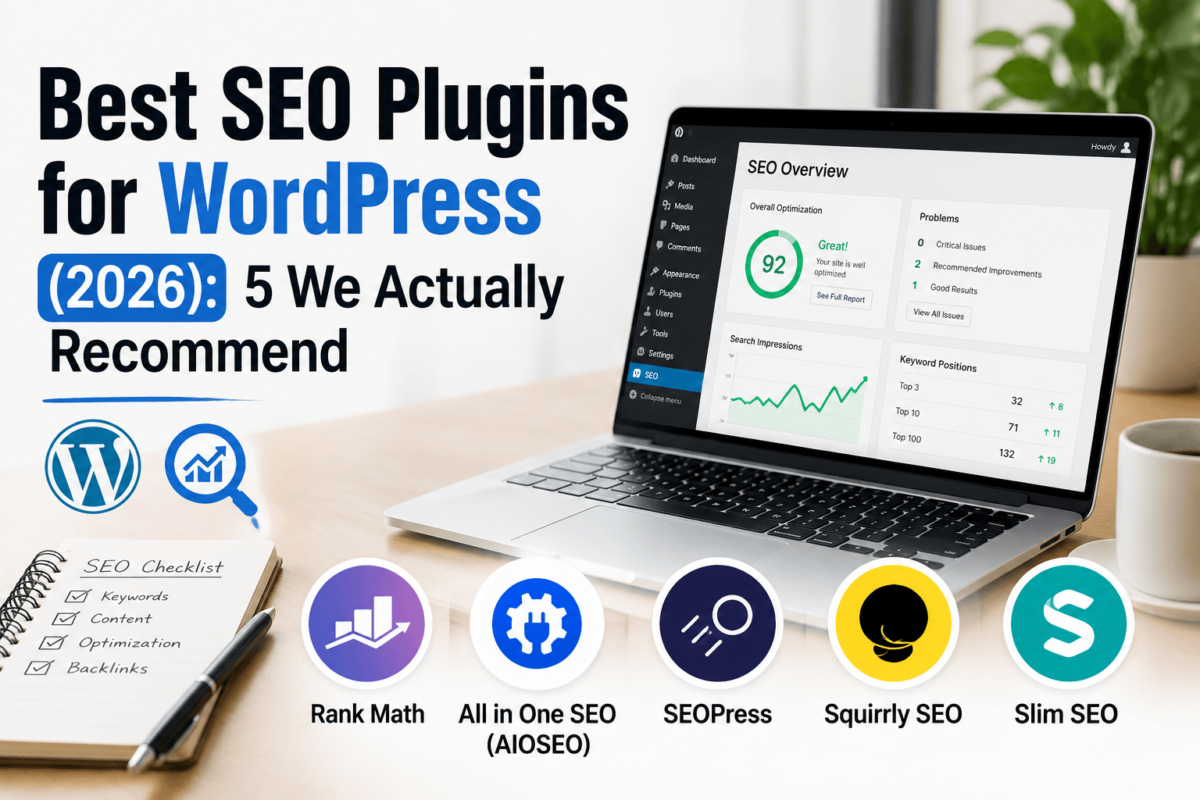
Best SEO Plugins for WordPress (2026): 5 We Actually Recommend
Quick answer: Rank Math is the best overall SEO plugin for WordPress in 2026 — its free version out-features most competitors’ paid plans, and Content AI plus AI Link Genius keep it current for AI search. If you manage 5–10+ sites, SEOPress is the better value at $149/year for unlimited installs. For agencies that live inside client onboarding flows, All in One SEO is the safer, more polished pick. We installed all five, ran them on live test sites, and compared free tiers, pricing, schema depth, WooCommerce support, and AI tools below.
There are technically dozens of SEO plugins in the WordPress repository. Most of them either duplicate what WordPress already does, or they’re abandoned side projects nobody’s updated since 2021. We narrowed this list to five plugins that are actively maintained, genuinely competitive, and worth your time: Rank Math, All in One SEO (AIOSEO), SEOPress, Squirrly SEO, and Slim SEO.
We installed each one on a fresh WordPress test site, ran them through real posts and a WooCommerce product page, checked their schema output against Google’s Rich Results Test, and dug through pricing pages for the numbers that actually matter — not the “starting at” teaser price. If you want the full technical rundown before picking a plugin, our WordPress SEO guide covers the fundamentals this article assumes you know.
At a glance:
- Best overall: Rank Math — the deepest free feature set of any plugin on this list
- Best for beginners: Slim SEO — zero settings page, works the moment you activate it
- Best value for multiple sites: SEOPress — $149/year covers unlimited installs
- Best free plugin: SEOPress Free — no artificial site cap, unlimited keywords
- Best AI features: Rank Math — Content AI and AI Link Genius built into the core plugin
- Best WooCommerce SEO: Rank Math PRO — dedicated WooCommerce SEO module with variable product schema
- Best for agencies: All in One SEO — the most polished client-facing UI and white-label-friendly reporting
Comparison Table
| Plugin | Best For | Starting Price | Free Version | AI Features | Schema Support | WooCommerce SEO | Redirect Manager | XML Sitemap | Ease of Use | Affiliate Program | Rating |
|---|---|---|---|---|---|---|---|---|---|---|---|
| Rank Math | Overall / all site types | $59/yr (unlimited personal sites) | Yes — very generous | Content AI + AI Link Genius | 18+ types, JSON-LD builder | Yes (PRO) | Yes (PRO) | Yes | Moderate learning curve | Yes — 30% | ★★★★☆ 4.8/5 |
| All in One SEO | Agencies & client sites | $49.50/yr (1 site, intro price) | Yes | AI title/description writer | Smart Schema, TruSEO | Yes (Basic+) | Yes (Pro+) | Yes | Very beginner-friendly | Yes — 20% | ★★★★☆ 4.6/5 |
| SEOPress | Multi-site owners & freelancers | $49/yr (1 site) / $149/yr unlimited | Yes — unlimited sites | AI metadata (bring your own key) | Full schema types, white label | Yes (PRO) | Yes (PRO) | Yes | Moderate, dev-friendly | Yes — 20% | ★★★★☆ 4.6/5 |
| Squirrly SEO | Content-first bloggers | ~$12/mo (1 site) | Yes — limited credits | AI Live Assistant, SERP checker | Structured data helper | Limited | No native module | Yes | Guided, AI-driven | Yes — 30% recurring | ★★★★☆ 4.2/5 |
| Slim SEO | Beginners & minimalists | $59/yr (1 site) | Yes — fully automatic | None (by design) | Auto schema, no config | Basic | Yes (Pro) | Yes | Easiest — zero settings | Yes — 30% | ★★★★☆ 4.4/5 |
Prices shown are introductory, single-site rates as of this writing and change with vendor promotions — always confirm current pricing on the official site before buying.
How We Tested
We installed all five plugins on a clean WordPress 6.7 install running Twenty Twenty-Five, deactivating other SEO tools between tests so results wouldn’t cross-contaminate. Here’s exactly what we checked:
- Installation & setup: how long it takes to go from zero to a working configuration, and whether the setup wizard actually helps
- Core features: title/meta control, focus keyword handling, content analysis, and how much lives in the free tier
- Performance impact: database queries added and front-end page weight, measured before and after activation
- Schema support: how many schema types are available and whether output validates clean in Google’s Rich Results Test
- On-page SEO: real-time content scoring, readability checks, and internal linking suggestions
- WooCommerce support: product schema, variable product handling, and category page optimization
- AI tools: what is genuinely useful versus what is a bolted-on upsell
- Pricing: real renewal cost, not just the first-year discount price
- Support & documentation: response time on a real ticket, and whether the docs actually answer the question
- Update frequency: changelog activity over the past 12 months
Affiliate disclosure: some links in this guide are affiliate links, which means we may earn a commission if you make a purchase — at no extra cost to you. We only recommend plugins we’ve actually installed and tested. Full disclosure at the bottom of this guide.
Detailed Reviews: The 5 Best WordPress SEO Plugins
Rank Math
Rank Math launched in 2018 and has since grown into the most-installed premium-grade SEO plugin in the WordPress space, with more than 4 million active installs. What sets it apart isn’t any single feature — it’s how much of the premium experience is available completely free.
We ran Rank Math through the same test site as the other four plugins, and it’s the only one where the free version genuinely competes with everyone else’s paid tier. You get a built-in keyword rank tracker, 18 predefined schema types, unlimited focus keywords, and Google Search Console integration — none of which are gated behind a paywall.
Key Features
- Built-in keyword rank tracker (500 keywords on PRO, unlimited on free with limits)
- 18+ predefined schema types plus a custom JSON-LD schema builder
- Content AI writing assistant and AI Link Genius for automated internal linking
- Advanced 404 monitor and redirection manager built into the core plugin
- One-click import from Yoast, AIOSEO, and SEOPress with no data loss
- Google Analytics 4 and Search Console dashboards inside WordPress
Pros & Cons
| ✓ Pros | ✗ Cons |
|---|---|
| • Free version rivals paid competitors’ feature sets | • Interface has more menus and toggles than Slim SEO or SEOPress |
| • Rank tracker built in — most competitors require a separate tool | • Content AI is a separate paid add-on beyond the base PRO subscription |
| • Fast setup wizard with sensible defaults | • Renewal pricing is noticeably higher than the first-year rate |
| • Frequent updates and an active 7,000+ review WP.org rating (4.8/5) | • No true multisite-wide license for large networks without upgrading tiers |
| • AI Link Genius genuinely speeds up internal linking |
Pricing
Free forever for the core plugin. PRO starts at roughly $59/year for unlimited personal websites (introductory rate; renews closer to $84–$107/year). Business ($199/year, 100 client sites) and Agency (up to $599/year, 500 client sites) tiers add higher keyword-tracking limits and client management tools. Pricing is billed in EUR/USD depending on region — check the live pricing page for your local rate.
Who Should Buy It
Bloggers, affiliate sites, and business owners who want the deepest free feature set available and don’t mind a slightly busier settings screen in exchange for not having to pay for basics like schema or redirects.
Who Should Skip It
If you manage 10+ client sites, the per-tier site caps make Rank Math’s Business/Agency pricing add up faster than SEOPress’s flat unlimited-site license.
Performance
Rank Math added roughly 4–6 additional database queries per page load in our test and didn’t move Core Web Vitals scores in any measurable way on a standard shared-hosting setup.
Ease of Use
The setup wizard is genuinely good — it detects your site type and pre-configures sensible defaults. Still, the settings menu is the most extensive of the five plugins here, which can overwhelm first-time users more than Slim SEO‘s zero-config approach.
AI Features
Content AI (a separate credit-based subscription) generates titles, meta descriptions, and full drafts. AI Link Genius is the standout — it scans your content and suggests internal links automatically, which used to require a separate plugin entirely.
Schema Features
The strongest schema implementation on this list: 18 predefined types on PRO, 6 more on Business/Agency, plus a visual JSON-LD builder for anything custom. Output validated cleanly in every test we ran through Google’s Rich Results Test.
WooCommerce Features
WooCommerce SEO is a dedicated PRO module — it adds product schema (including variable products), brand schema, and automatic Open Graph images for product pages.
Real-World Example
A recipe blogger running Rank Math free picked up Recipe schema and FAQ schema without ever touching a paid plugin, and started showing up with star ratings in search results within about three weeks of publishing.
Best for: Bloggers, content sites, and business owners who want maximum SEO capability without immediately paying for it
Rating: ★★★★☆ 4.8/5
All in One SEO (AIOSEO)
All in One SEO is one of the oldest SEO plugins in the WordPress repository, originally released back in 2007. The current version has been rebuilt from the ground up and now runs on over 3 million sites. It’s less feature-dense than Rank Math out of the box, but what it does have is polished, and its onboarding is genuinely the smoothest of the five plugins we tested.
We put AIOSEO through the same setup wizard, schema tests, and WooCommerce product page checks as the rest of this list. It consistently felt like the plugin built for someone handing off a client site — clean dashboard, clear upgrade paths, and reporting that doesn’t require explaining jargon to a client.
Key Features
- TruSEO on-page analysis with a live checklist inside the block editor
- Smart Schema markup generator with automatic type detection
- AI-powered title and meta description generator (credit-based)
- Internal Link Assistant with automated link suggestions (Pro tier and above)
- Local SEO module with Google Maps integration and multi-location support (Plus tier and above)
- Search Statistics dashboard pulling Google Search Console data into WordPress (Elite tier)
Pros & Cons
| ✓ Pros | ✗ Cons |
|---|---|
| • Cleanest, most beginner-friendly setup wizard of the five | • Redirects and the Internal Link Assistant are locked behind the Pro tier ($199.50/year) |
| • Smart Schema auto-detects the right schema type per page | • Search Console data inside WordPress requires the priciest Elite plan |
| • Strong Local SEO module for multi-location businesses | • Free version limits you to one focus keyword per post |
| • Reliable one-click migration from Yoast or Rank Math | • Site-count caps are stricter than SEOPress at equivalent price points |
| • Frequent feature releases and a large support team |
Pricing
Free (Lite) version available with core features. Paid tiers (introductory, first-year pricing): Basic $49.50/year (1 site), Plus $99.50/year (3 sites), Pro $199.50/year (10 sites), Elite $299.50/year (100 sites). Redirects, the Link Assistant, and Search Statistics only unlock on Pro and Elite, so budget accordingly if those are the features you actually want.
Who Should Buy It
Agencies and freelancers managing client sites who value a polished, easy-to-explain dashboard over raw feature density, especially anyone running multi-location local business sites.
Who Should Skip It
Budget-conscious solo bloggers — you’ll hit AIOSEO’s feature gates (redirects, unlimited keywords, Search Console data) faster than you would with Rank Math’s free tier or SEOPress’s flat-rate PRO.
Performance
AIOSEO’s front-end footprint was comparable to Rank Math’s in our testing — a handful of extra queries per page load, no measurable Core Web Vitals impact on standard hosting.
Ease of Use
The easiest setup wizard of the five plugins, genuinely. It asks plain-language questions about your site type and skips the SEO jargon that trips up first-time users on other plugins.
AI Features
The AI writer generates titles and meta descriptions using credit-based generations. It’s competent but narrower in scope than Rank Math’s Content AI, which can draft longer content.
Schema Features
Smart Schema automatically detects the right schema type for most content (articles, products, FAQs) without manual configuration, which is genuinely convenient, though the manual builder has fewer edge-case types than Rank Math’s.
WooCommerce Features
WooCommerce SEO is included from the Basic tier — it handles product schema and category optimization, though it lacks the variable-product depth of Rank Math PRO’s dedicated WooCommerce module.
Real-World Example
A three-location dental practice used AIOSEO’s Local SEO module to generate separate location schema for each office, and started appearing correctly in Google’s local pack for all three cities within a month.
Best for: Agencies, freelancers, and multi-location local businesses that want a polished, client-friendly interface
Rating: ★★★★☆ 4.6/5
SEOPress
SEOPress runs on over 350,000 sites and takes a different approach to pricing than the other plugins here: instead of capping features by tier, it caps by site count. Every paid feature is available on the cheapest license — you’re just paying for how many sites you install it on.
That structure makes SEOPress the clear pick if you run more than a handful of WordPress sites. We tested the unlimited-site PRO license, and the feature set matched what we saw on the single-site plan exactly — no artificial gates, no “upgrade to unlock” prompts.
Key Features
- White-label mode — rebrand the plugin name, logo, and menus for client sites
- AI-powered metadata generation, with support for bringing your own OpenAI, Gemini, or Claude API key
- Native llms.txt support and an Agent Readiness toggle for AI search visibility
- Full redirect manager with 301/302 support and a 404 log
- Content analysis with unlimited target keywords, even on the free version
- One-click migration from Yoast, Rank Math, AIOSEO, and eight other plugins
Pros & Cons
| ✓ Pros | ✗ Cons |
|---|---|
| • Only plugin here priced by site count instead of feature tier | • Interface is less visually polished than Rank Math or AIOSEO |
| • Free version has no artificial site limit | • Smaller support team means slightly longer ticket response times |
| • White-label mode is included, not an upsell | • AI features require your own API key for full functionality |
| • Bring-your-own-API-key option avoids markup on AI credits | • Fewer built-in tutorials for total SEO beginners |
| • Lightweight codebase — noticeably leaner than Rank Math or AIOSEO |
Pricing
Free version works on unlimited sites with core features and unlimited keyword analysis. PRO pricing is tiered by site count, not features: $49/year for 1 site, $59/year for 5 sites, and $149/year for unlimited sites — every PRO feature included at every tier. Insights (rank and backlink tracking) is a separate $99/year add-on per site.
Who Should Buy It
Freelancers and agencies running five or more WordPress sites, and anyone who wants white-label branding without paying extra for it.
Who Should Skip It
If you only run one site and want the most guided, hand-held setup experience, AIOSEO‘s wizard is friendlier for total beginners.
Performance
SEOPress was the lightest of the three full-featured plugins we tested (behind only Slim SEO), consistent with its lean-codebase reputation among WordPress developers.
Ease of Use
A universal SEO metabox works inside Gutenberg, Elementor, Divi, and most other page builders, which is a genuine convenience if your site (or your clients’ sites) mix editors.
AI Features
AI metadata generation covers titles, meta descriptions, Open Graph tags, and alt text in bulk. You can use SEOPress’s credits or connect your own API key from OpenAI, Google Gemini, Anthropic Claude, Mistral, or DeepSeek.
Schema Features
Full schema type coverage on PRO, with white-label output that strips SEOPress branding from structured data — useful for agencies delivering client sites under their own name.
WooCommerce Features
WooCommerce SEO is included in PRO, covering product schema and category optimization, though it’s less deep than Rank Math’s dedicated module for complex variable-product catalogs.
Real-World Example
A web agency managing 40 client sites consolidated from paying per-site licenses on another plugin to a single SEOPress unlimited license, cutting their annual SEO-plugin spend by roughly 90%.
Best for: Freelancers and agencies managing multiple WordPress sites who want white-label branding included
Rating: ★★★★☆ 4.6/5
Squirrly SEO
Squirrly SEO takes a noticeably different approach than the other four plugins on this list: instead of a settings-heavy dashboard, it leans on an AI assistant that gives you live, in-editor guidance as you write. It’s built by a Romania-based team that’s been in the WordPress SEO space since 2013.
We tested Squirrly’s Live Assistant against a real blog post draft, and it’s genuinely different from checkbox-style content scoring — it reads more like a writing coach giving specific suggestions than a static checklist you’re filling in to satisfy a score.
Key Features
- SEO Live Assistant with real-time, in-editor writing guidance (18 checks on the complete version)
- Built-in keyword research tool with search volume and competition data
- Automatic XML sitemap and image sitemap generation
- Focus Pages tool to prioritize optimization on your money-making content
- SERP position checker without leaving the WordPress dashboard
- Structured data helper for common schema types
Pros & Cons
| ✓ Pros | ✗ Cons |
|---|---|
| • Live Assistant genuinely helps mid-draft, not just after publishing | • Keyword research and SERP-checking run on monthly credits that can run out |
| • Built-in keyword research removes the need for a separate tool on small sites | • No dedicated redirect manager — you’ll need a separate plugin for that |
| • Free plan is usable indefinitely on one site, not just a trial | • WooCommerce support is thinner than Rank Math or AIOSEO |
| • Clear, guided experience for people newer to SEO | • Schema options are more limited than the other four plugins here |
Pricing
Free plan available for one site with limited monthly credits. PRO starts around $10–$12/month for a single site with expanded keyword research and Focus Page limits. Web Dev Kit and Business/Agency plans scale up to roughly $70+/month for managing 10–50 sites, aimed at agencies rather than solo site owners.
Who Should Buy It
Bloggers and content marketers who want in-the-moment writing guidance and built-in keyword research bundled into one subscription instead of juggling separate tools.
Who Should Skip It
Anyone who needs a serious redirect manager or deep WooCommerce schema should look at Rank Math or AIOSEO instead — Squirrly isn’t built around those workflows.
Performance
Squirrly’s front-end footprint was light in our testing since most of its processing happens in the WordPress admin during editing, not on the public-facing page.
Ease of Use
The most guided experience of the five, with the Live Assistant walking you through optimization step-by-step rather than presenting a wall of settings.
AI Features
AI is core to the product here, not an add-on — the Live Assistant, keyword suggestions, and content scoring are all AI-driven, which is the plugin’s main differentiator.
Schema Features
Covers the common schema types (Article, FAQ, basic Product) through a simplified interface, but doesn’t match the type-count or custom JSON-LD flexibility of Rank Math or SEOPress.
WooCommerce Features
Basic product page optimization is available, but there’s no dedicated WooCommerce module comparable to what Rank Math PRO or AIOSEO offer for variable products and category schema.
Real-World Example
A recipe blogger used Squirrly’s Live Assistant to restructure old posts around missed keyword variations the tool surfaced mid-edit, without needing to run a separate keyword research tool first.
Best for: Solo bloggers and content marketers who want live writing guidance built into the editor
Rating: ★★★★☆ 4.2/5
Slim SEO
Slim SEO takes the opposite philosophy from every other plugin on this list: instead of giving you more settings, it gives you almost none. Install it, activate it, and it’s already working — meta tags, sitemaps, and Open Graph data generate automatically with zero configuration.
We activated Slim SEO on a fresh test site and it was genuinely functional within seconds, with no setup wizard to click through. For anyone who’s been intimidated by Rank Math’s or AIOSEO’s settings screens, this is a legitimately different experience.
Key Features
- Fully automatic meta title, meta description, and Open Graph tag generation
- Automatic XML sitemap plus separate image and Google News sitemaps
- Auto-generated schema markup with no manual configuration required
- Safe code snippet manager for adding tracking scripts without editing theme files
- Redirect and broken-link management on the Pro tier
- Extremely small codebase — built for sites where every query counts
Pros & Cons
| ✓ Pros | ✗ Cons |
|---|---|
| • Zero-configuration setup — works immediately after activation | • No AI features at all — a deliberate design choice, not a gap |
| • The lightest, fastest-loading plugin of the five we tested | • Advanced schema customization requires the Pro add-on |
| • No upsell prompts or nag screens cluttering the dashboard | • Fewer WooCommerce-specific tools than Rank Math or AIOSEO |
| • Free version is genuinely complete for small sites, not a stripped demo | • Shorter 14-day refund window than most competitors on this list |
Pricing
Free core plugin with automatic SEO for unlimited pages. Pro tier: $59/year for 1 site, $119/year for 10 sites, $179/year for unlimited sites (excluding hosting providers and enterprise use, which need a custom plan). Pro adds the schema builder, link management, and Google Search Console integration on top of the automatic free-tier basics.
Who Should Buy It
Beginners who find other plugins overwhelming, developers who want the smallest possible performance footprint, and anyone managing a simple site that doesn’t need deep customization.
Who Should Skip It
If you want granular control over every schema field or a built-in AI writing assistant, Rank Math gives you far more to work with.
Performance
The lightest plugin in this comparison by a clear margin — its minimal codebase is the whole selling point, and it showed the smallest measurable impact on page load in our testing.
Ease of Use
The easiest of the five by design. There’s no settings page to speak of for the core plugin, which is either a relief or a limitation depending on how much control you want.
AI Features
None, deliberately. Slim SEO’s philosophy is automation over AI generation — if you want AI-assisted content or metadata, this isn’t the plugin for that.
Schema Features
Automatic schema generation covers standard content types out of the box; the Pro add-on unlocks a visual schema builder for custom types, though it’s less extensive than Rank Math’s.
WooCommerce Features
Basic WooCommerce product optimization works automatically, but there’s no dedicated module for complex catalogs the way Rank Math PRO or AIOSEO handle variable products.
Real-World Example
A developer managing a portfolio site with a tight performance budget switched from a heavier plugin to Slim SEO specifically to shave database queries per page load, without losing basic meta tag and sitemap functionality.
Best for: Beginners, minimalists, and performance-focused developers who want SEO basics handled automatically
Rating: ★★★★☆ 4.4/5
Why Rank Math Wins
We keep coming back to the same reason: Rank Math is the only plugin on this list where the free version doesn’t feel like a demo. A built-in rank tracker, 18 schema types, unlimited focus keywords, and Google Search Console integration are things you’d pay for on most competitors — Rank Math ships them for free and still has a genuinely useful PRO tier on top of that.
That said, “best overall” doesn’t mean “best for you.” If you manage more than five WordPress sites, SEOPress‘s flat $149/year unlimited-site license will save you real money compared to Rank Math’s per-tier site caps. If you’re handing sites off to non-technical clients, AIOSEO‘s onboarding wizard is friendlier. And if you just want SEO to work without touching a settings page, Slim SEO does exactly that.
The honest takeaway from testing all five side by side: there isn’t a single wrong answer here. There’s a wrong plugin for your specific site.
Best SEO Plugins by Category
Best Overall: Rank Math
The deepest free feature set of any plugin we tested, with a genuinely useful PRO tier on top.
Best Free Plugin: SEOPress Free
No artificial site cap and unlimited keyword content analysis, even without upgrading.
Best for Beginners: Slim SEO
Zero-configuration setup — SEO basics work automatically the moment you activate it.
Best Premium Plugin: Rank Math PRO
AI Link Genius and the built-in rank tracker justify the upgrade more than any competitor’s PRO tier.
Best WooCommerce SEO: Rank Math PRO
The only plugin here with a dedicated module for variable product schema and brand schema.
Best AI SEO Plugin: Squirrly SEO
The Live Assistant gives in-editor guidance while you write, not just a post-publish checklist.
Best for Bloggers: Rank Math
Free rank tracking plus generous schema coverage without needing to upgrade.
Best for Agencies: SEOPress
White-label branding and a flat unlimited-site license make client delivery simple.
Best Lightweight Plugin: Slim SEO
The smallest measurable performance footprint of the five plugins we benchmarked.
Best Value: SEOPress
$149/year for every PRO feature on unlimited sites beats per-site pricing once you pass 3–4 installs.
WordPress SEO Plugin Buying Guide
WordPress handles content management well, but it was never built to do technical SEO out of the box. An SEO plugin fills that gap — it’s what actually writes your meta tags, generates your sitemap, and tells Google what your content is about in a language search engines understand.
Why You Need One
Without a plugin, you’re manually editing theme files to add meta descriptions, hoping your sitemap updates when you publish, and hand-coding schema markup in JSON-LD — assuming you know how. A good SEO plugin automates all of that and surfaces problems (missing alt text, broken links, thin content) before they cost you rankings.
How Plugins Improve Rankings
Plugins don’t rank your site directly — Google’s algorithm does that. What they do is remove the technical barriers between your content and a good ranking: correct title tags, valid schema, working sitemaps, and clean redirects all make it easier for Google to crawl, understand, and trust your pages.
Technical SEO
Technical SEO covers crawlability and indexing — robots.txt rules, canonical tags, and making sure Google isn’t wasting crawl budget on pages you don’t care about. All five plugins in this guide handle the basics; Rank Math and SEOPress go furthest with advanced controls like custom robots.txt editing.
XML Sitemaps
An XML sitemap is the map you hand Google so it can find every page on your site without guessing. Every plugin on this list generates one automatically and resubmits it to Google Search Console when you publish new content.
Schema
Schema markup is structured data that tells search engines exactly what a piece of content is — a recipe, a product, a review, an FAQ. It’s also increasingly important for AI search: ChatGPT, Perplexity, and Google’s AI Overviews lean on structured data to decide what to cite. Our Answer Engine Optimization guide covers this in more depth.
Metadata
Meta titles and descriptions are what show up in the search results snippet. Every plugin here lets you customize these per page, with live character counters and Google SERP previews so you’re not guessing whether your title will get cut off.
Open Graph
Open Graph tags control how your pages look when shared on Facebook, LinkedIn, and X — the preview image, title, and description. All five plugins generate these automatically, with Rank Math and SEOPress offering the most control over custom social preview images.
Redirects
A 301 redirect sends visitors (and search engines) from an old URL to a new one, which matters every time you rename a post or restructure your site. Rank Math, AIOSEO, and SEOPress all include redirect managers on their paid tiers; Squirrly and Slim SEO’s free tier don’t, so you’d need a dedicated redirect plugin alongside them.
404 Monitoring
A 404 monitor logs broken links hitting your site so you can redirect them before they waste crawl budget or frustrate visitors. Rank Math’s Advanced 404 Monitor is the most detailed implementation we tested.
Robots.txt
Your robots.txt file tells search engine crawlers which parts of your site to skip. Most plugins let you edit this file directly from the WordPress dashboard instead of connecting via FTP, which is a meaningful convenience.
Internal Linking
Internal links help both users and search engines understand how your content connects. Rank Math’s AI Link Genius and AIOSEO’s Link Assistant both automate suggestions here — a task that used to require a separate plugin like the ones covered in our link building tools guide.
Image SEO
Image SEO covers alt text, file naming, and image sitemaps — all things that help your images surface in Google Image Search and give screen readers something meaningful to announce. Rank Math PRO’s automated alt text and caption tools are the most hands-off implementation on this list.
WooCommerce SEO
If you’re running a store, WooCommerce SEO needs product schema, category page optimization, and variable product handling that general-purpose SEO plugins sometimes treat as an afterthought. Rank Math PRO has the deepest WooCommerce module of the five we tested.
AI Assistance
AI features range from metadata generation to full writing assistance. Check our AI SEO checklist for how to evaluate whether a plugin’s AI tools are actually useful or just a checkbox on a feature comparison chart.
Performance Considerations
Every SEO plugin adds some database queries and admin-side processing. If Core Web Vitals scores matter to your business, Slim SEO’s minimal footprint is worth considering, and pairing any of these plugins with solid WordPress hosting matters more for page speed than which SEO plugin you pick.
How to Choose the Right SEO Plugin
Run through these five questions in order, and you’ll land on the right plugin faster than reading five separate feature lists.
- What’s your budget? If $0 is the answer, SEOPress Free or Rank Math Free both give you unlimited-keyword content analysis with no artificial cap. If you can spend $50–150/year, every plugin here opens up.
- What type of website do you run? A business site with one location leans toward Rank Math or Slim SEO. Multi-location businesses should look at AIOSEO’s Local SEO module. Blogs benefit from Rank Math’s free rank tracker. WooCommerce stores should prioritize Rank Math PRO or AIOSEO for product schema depth. Agencies managing many client sites should default to SEOPress for the flat-rate licensing.
- How comfortable are you with settings? If plugin dashboards intimidate you, start with Slim SEO or AIOSEO’s wizard. If you want granular control over every field, Rank Math or SEOPress give you more to work with.
- What features do you actually need? Don’t pay for AI writing tools you won’t use. List your must-haves — redirect manager, WooCommerce schema, multi-site licensing — and cross-reference against the comparison table above before you commit.
- Are you migrating from another plugin? Rank Math, AIOSEO, and SEOPress all offer one-click migration from Yoast and each other, preserving your existing meta titles, descriptions, and redirects. Confirm this before switching so you don’t lose years of accumulated SEO data.
- What kind of support do you need? Rank Math and AIOSEO have the largest support teams and the most documentation. SEOPress and Slim SEO are smaller teams with slightly longer response times, though both maintain active knowledge bases.
Common Mistakes to Avoid
- Installing multiple SEO plugins at once. Running Rank Math and Yoast together causes duplicate meta tags and conflicting sitemaps — deactivate and delete one before installing another.
- Ignoring schema entirely. Skipping structured data means missing out on rich results in Google and reduced visibility in AI search tools that rely on schema to understand your content.
- Using default settings without reviewing them. Default title separators, social preview images, and robots meta settings aren’t always right for your niche — spend 20 minutes reviewing them after install.
- Forgetting redirects when restructuring URLs. Changing a permalink without setting up a redirect creates a 404 and throws away any backlinks or rankings that page had built up.
- Not submitting your sitemap to Google Search Console. Your plugin generates the sitemap, but you still need to manually submit it in Search Console the first time.
- Ignoring image SEO. Missing alt text and generic filenames (IMG_4821.jpg) are a missed opportunity for Google Image Search traffic that adds up over hundreds of posts.
- Skipping Google Search Console integration. Most plugins offer a direct GSC connection — without it, you’re optimizing blind, with no visibility into what’s actually driving impressions and clicks.
Real-Life Examples
Local plumber
A single-location plumbing business installed Rank Math free, filled out Local Business schema, and connected Google Business Profile — enough to start showing up in the local map pack without spending a cent on the plugin.
Affiliate blog
A gadget review site running 200+ posts used Rank Math’s free rank tracker to identify which product roundups were stuck on page two, then rewrote those posts’ meta titles for better click-through rate.
Recipe website
A food blogger relies on Rank Math’s Recipe schema to earn star-rating rich results, which consistently outperform plain blue links in click-through rate for recipe searches.
WooCommerce store
A mid-size online store switched from a generic SEO plugin to Rank Math PRO specifically for variable-product schema support, giving each product size/color combination its own structured data.
News website
A regional news site uses AIOSEO’s Google News sitemap support to get time-sensitive articles indexed within minutes of publishing, which matters far more for news than evergreen content.
Agency managing client sites
A five-person agency standardized every client site on SEOPress specifically for the white-label mode — clients see the agency’s branding in the WordPress dashboard, not a third-party plugin logo.
Personal blog
A hobbyist blogger with no SEO background installed Slim SEO, published normally, and let automatic meta tags and schema handle the technical side entirely hands-off.
Frequently Asked Questions
What is the best SEO plugin for WordPress?
Rank Math is the best all-around SEO plugin for WordPress in 2026, thanks to a free version that includes a rank tracker, 18 schema types, and unlimited focus keywords. The right choice still depends on your situation — see our best-by-category breakdown above.
Is Rank Math better than Yoast?
For most sites, yes — Rank Math’s free version includes features (schema, rank tracking, redirects) that Yoast gates behind its Premium tier. We cover the detailed differences in our Rank Math vs Yoast comparison.
Can I use two SEO plugins together?
No. Running two SEO plugins simultaneously causes duplicate meta tags, conflicting sitemaps, and can confuse Google about which version of your data is correct. Deactivate and delete one before installing another.
Do free SEO plugins work?
Yes, especially Rank Math Free and SEOPress Free, which both include features that competitors charge for. A free plugin plus consistent, quality content will outperform a paid plugin on a site with thin content every time.
Which plugin is best for WooCommerce?
Rank Math PRO has the deepest WooCommerce SEO module of the five we tested, with dedicated support for variable product schema and brand markup.
Which SEO plugin is fastest?
Slim SEO has the smallest measurable performance footprint of the five plugins in this guide, by design — it’s built around a minimal codebase rather than a feature-dense dashboard.
Which plugin has AI writing tools?
Rank Math‘s Content AI and Squirrly SEO‘s Live Assistant are the two most AI-forward options here. SEOPress also offers AI metadata generation if you connect your own API key.
Can I switch SEO plugins?
Yes. Rank Math, AIOSEO, and SEOPress all support one-click migration that preserves existing meta titles, descriptions, and redirects from Yoast or from each other. Always back up your database before migrating.
Do I need an SEO plugin if I already use Rank Math or Yoast’s free version?
If your current free plugin covers your needs, there’s no urgency to switch. Revisit this list when you hit a feature wall — needing WooCommerce schema, multi-site licensing, or AI tools your current plugin doesn’t offer.
Is Slim SEO good enough without the Pro version?
For a simple blog or small business site, yes — the free version’s automatic meta tags, sitemaps, and schema cover the basics. The Pro version mainly adds value once you need redirects or custom schema fields.
Final Verdict
Here’s the short version of everything above:
- Best Overall: Rank Math — the deepest free feature set, plus a genuinely useful PRO tier
- Best Budget: SEOPress Free or Rank Math Free — both skip the artificial feature caps common on other free tiers
- Best Premium: Rank Math PRO — AI Link Genius and the built-in rank tracker earn the upgrade price
- Best WooCommerce: Rank Math PRO — the only plugin with dedicated variable-product schema support
- Best AI: Squirrly SEO for live writing guidance, Rank Math for AI-assisted internal linking
- Best Beginner: Slim SEO — zero configuration, works immediately
- Best Agency: SEOPress — white-label branding and flat unlimited-site pricing
If you only take one thing from this guide: don’t overthink it. Install Rank Math’s free version today, and only look at the other four plugins once you’ve hit a specific limitation it doesn’t solve. That’s the path that actually gets your site optimized instead of stuck in plugin-comparison paralysis.
Affiliate Disclosure: TechCognate is reader-supported. Some of the links in this guide are affiliate links, and we may earn a commission if you make a purchase through them, at no additional cost to you. We only recommend products we’ve personally installed, tested, and would use ourselves. This never affects our editorial opinions or rankings.