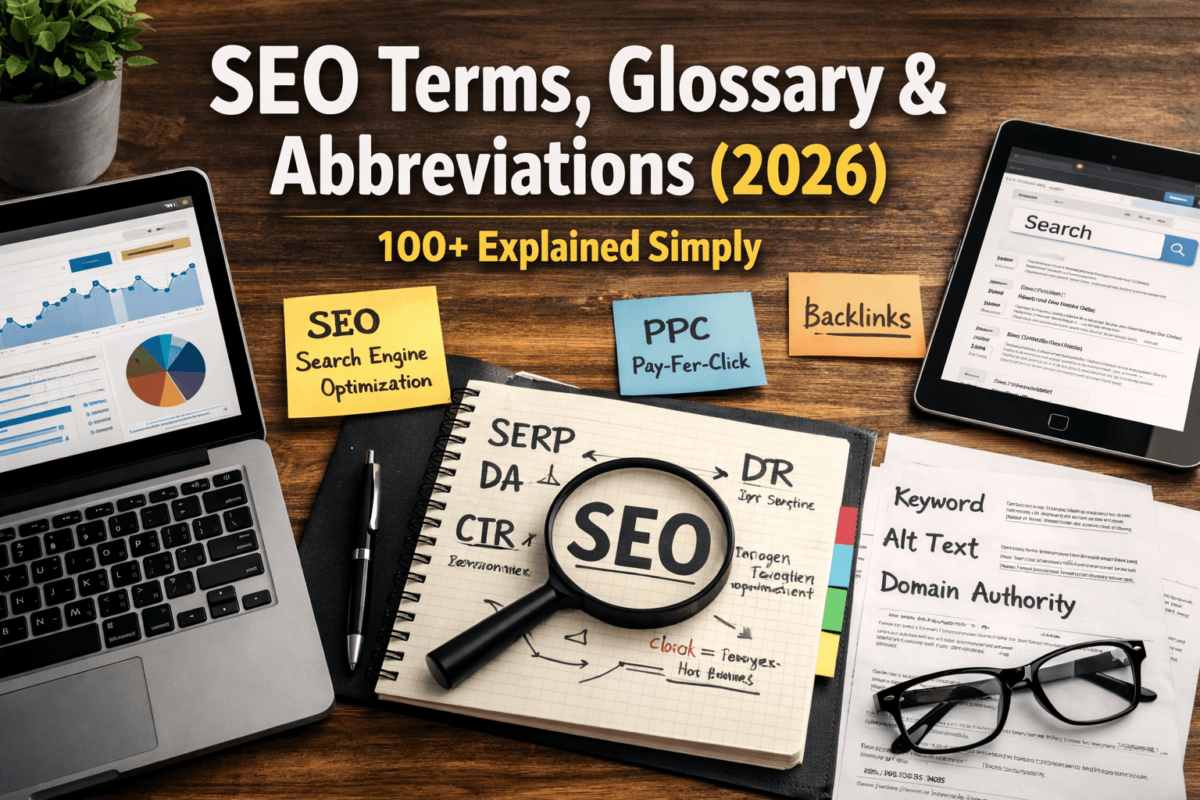
SEO terms are the specialized words, acronyms, and abbreviations used in search engine optimization — covering everything from keywords and backlinks to Core Web Vitals and E-E-A-T. Understanding this SEO glossary is essential because without knowing the language, you can’t implement the strategy. This guide covers 100+ SEO terms, acronyms, and abbreviations in plain English, with real-life examples — no fluff, no jargon overload.
📋 Quick Summary
- SEO terminology is the shared vocabulary used by marketers, writers, and developers to optimize websites for search engines.
- Knowing these terms helps you read analytics reports, understand agency proposals, and make smarter decisions — even as a beginner.
- This glossary covers on-page, off-page, technical SEO terms plus AI SEO (AEO + GEO) language coming in 2026.
- You don’t need to memorize all 100+ terms today. Bookmark this page and come back whenever a term trips you up.
What Are SEO Terms? (The Simple Version)
Think of SEO like learning a new language. When you first walk into a room full of digital marketers, they’re throwing around words like “canonical tags,” “crawl budget,” “SERP features,” and “topical authority” — and you’re standing there nodding, pretending you know what’s going on.
Sound familiar?
SEO terms are the specialized vocabulary of search engine optimization. They describe the tactics, metrics, technologies, and concepts used to get websites to rank higher on Google (and other search engines). Some terms are simple — like “keyword.” Others are technical — like “hreflang” or “canonicalization.” All of them matter.
Here’s the deal: you don’t need a computer science degree to understand SEO terminology. You just need a reliable glossary — which is exactly what this is. Whether you’re a small business owner trying to outrank your competitors, a content writer building your skills, or a marketer trying to decode an agency report — this guide was made for you.
The analogy I always use: SEO is like running a restaurant. Keywords are your menu items. Backlinks are word-of-mouth referrals. Google is the food critic. And SEO terms are the language everyone in the kitchen uses to keep things running smoothly. Once you know the lingo, everything clicks.
Why SEO Terminology Matters in 2026
Honestly, some people skip learning SEO terminology because it feels overwhelming. That’s a mistake — and here’s why.
In 2026, search has changed dramatically. Google’s AI Overviews (formerly SGE), Perplexity, ChatGPT Search, and other AI-powered tools are changing how people find information. Zero-click searches — where users get their answer directly on the search results page without clicking anything — now account for a growing share of all searches. That means the rules of SEO are evolving fast.
New SEO terminology has emerged to describe this shift: AEO (Answer Engine Optimization), GEO (Generative Engine Optimization), AI snippets, entity SEO, and more. If you don’t know these terms, you can’t compete in 2026.
🎯 Here’s why the terminology specifically matters
- You can read your own Google Search Console data and actually understand what it’s telling you.
- You can evaluate an SEO agency’s proposal and know if they’re offering real value or just buzzword soup.
- You can write better content briefs, create smarter campaigns, and measure the right KPIs.
- You can adapt to algorithm changes faster because you understand what changed and why it matters.
Bottom line: SEO terminology is the foundation. You can’t build a strategy on a foundation you don’t understand.
The Complete SEO Glossary (A to Z) — 100+ Terms
Let’s get into it. Each term below includes a plain-English definition and a real-world example. No jargon, no fluff — just clarity.
Above the Fold
The portion of a webpage visible without scrolling. Content placed here gets more immediate attention from both users and search engines.
Algorithm (Google Algorithm)
The complex set of rules Google uses to rank websites in search results. It evaluates hundreds of ranking factors including content quality, backlinks, and user experience.
Alt Text (Alternative Text)
A short description added to an image in HTML. It helps screen readers describe images to visually impaired users and helps Google understand what an image shows.
Anchor Text
The clickable, visible text of a hyperlink. Google reads anchor text to understand what the linked page is about.
AEO (Answer Engine Optimization) AI / New
The practice of optimizing content to appear as direct answers in AI-powered search tools like ChatGPT Search, Perplexity, and Google’s AI Overviews — not just traditional search results.
Authority (Domain / Page)
A score representing how trustworthy and influential a website or specific page is. Higher authority generally means better rankings.
Backlink Core
A link from one website to another. Backlinks are one of Google’s most important ranking signals — more quality backlinks generally means higher rankings.
Black Hat SEO
SEO techniques that violate Google’s guidelines. These can produce short-term gains but risk severe Google penalties including deindexing.
Bounce Rate
The percentage of visitors who land on a page and leave without visiting any other page on your site. A high bounce rate can signal poor content relevance or bad user experience.
Brand SERP
The search results that appear when someone searches your brand name. Controlling your brand SERP is important for reputation management.
Breadcrumb Navigation
A navigation trail showing the user’s location on a website (e.g., Home > Blog > SEO Tips). Google uses breadcrumbs for site structure understanding and often shows them in search results.
Canonical Tag (rel=canonical)
An HTML tag that tells Google which version of a page is the ‘original’ when duplicate or similar content exists across multiple URLs.
Click-Through Rate (CTR) Core
The percentage of people who see your link in search results and actually click on it. A higher CTR tells Google your result is relevant.
Cloaking
A black hat SEO technique where you show different content to search engines than to real users. Google penalizes this heavily.
Content Gap
Topics or keywords your competitors rank for that you don’t. Identifying content gaps reveals opportunities to create new content and capture missing traffic.
Core Web Vitals Technical
Google’s set of three user experience metrics: Largest Contentful Paint (LCP), Interaction to Next Paint (INP), and Cumulative Layout Shift (CLS). They directly affect rankings.
Crawl Budget
The number of pages Googlebot will crawl on your site within a given timeframe. Larger sites need to manage crawl budget carefully to ensure important pages get indexed.
Crawlability
How easily search engine bots can access and navigate your website’s pages. Crawlability issues can prevent pages from being indexed.
CLS (Cumulative Layout Shift) Technical
A Core Web Vital that measures how much page content unexpectedly shifts during loading. A high CLS score frustrates users.
DA (Domain Authority)
A score (0–100) developed by Moz that predicts how well a domain will rank on Google. Higher DA = stronger site authority. Note: it’s a Moz metric, not a Google metric.
Dead Link (Broken Link)
A hyperlink pointing to a page that no longer exists (returns a 404 error). Broken links hurt user experience and waste crawl budget.
Deindexing
When Google removes a page or entire domain from its search index. This can happen due to manual penalties, algorithm updates, or technical issues.
Disavow File
A list of toxic backlinks you submit to Google, asking Google to ignore those links when evaluating your site.
Dwell Time
How long a user spends on your page before returning to the search results. Longer dwell time signals content quality and relevance to Google.
E-E-A-T (Experience, Expertise, Authoritativeness, Trustworthiness) Core
Google’s quality framework for evaluating content creators and websites. Strong E-E-A-T signals improve your ability to rank for competitive queries.
Entity SEO 2026
A modern approach to SEO that focuses on real-world people, places, organizations, and concepts (entities) rather than just keywords. Google uses entities to understand content meaning.
External Link
A hyperlink on your page that leads to a different domain. Linking to authoritative external sources can improve your E-E-A-T signals.
Featured Snippet Core
A highlighted answer box that appears at the top of Google search results, above the regular organic listings. Also called ‘Position Zero.’
Footer Links
Hyperlinks placed in the footer section of a website, typically pointing to important pages. Overusing footer links with exact-match anchor text can look manipulative to Google.
GEO (Generative Engine Optimization) AI / New
The process of optimizing content to be cited, referenced, or recommended by generative AI tools like ChatGPT, Gemini, and Perplexity.
Google Business Profile (GBP)
A free tool from Google that lets businesses manage their local search presence, including map listings, reviews, and business information.
Google Search Console (GSC) Core
A free tool from Google that shows how your website performs in search, including clicks, impressions, CTR, average position, indexing status, and Core Web Vitals.
H1 / H2 / H3 Tags (Header Tags)
HTML heading tags that structure your content. H1 is the main title; H2 and H3 are subheadings. They help Google understand your page hierarchy.
Hreflang Technical
An HTML attribute that tells Google which language and geographic version of a page to show to users in different countries.
Indexing
The process by which Google stores and organizes discovered web pages in its database (the index). A page must be indexed before it can appear in search results.
INP (Interaction to Next Paint) Technical
A Core Web Vital measuring how quickly a page responds to user interactions like clicks, taps, and key presses. Replaced FID in 2024.
Internal Link Core
A hyperlink connecting two pages within the same website. Internal links distribute ‘link equity’ and help Google understand your site structure.
JavaScript SEO Technical
The practice of ensuring search engines can properly crawl and render JavaScript-heavy websites. Pages built entirely in JavaScript can be difficult for Googlebot to index.
JSON-LD Technical
A format for adding structured data (schema markup) to web pages using a JavaScript script block in the HTML head. Google’s preferred schema format.
Keyword Core
A word or phrase people type into search engines. Keywords are the foundation of SEO strategy — you optimize content around terms your audience is searching for.
Keyword Cannibalization
When multiple pages on your site compete for the same keyword, confusing Google about which page to rank.
Keyword Clustering
Grouping related keywords together so one piece of content can rank for multiple search terms simultaneously.
Keyword Density
The percentage of times a keyword appears in a piece of content relative to total word count. In 2026, obsessing over keyword density is outdated — context and relevance matter more.
Keyword Difficulty (KD)
A score (usually 0–100) estimating how hard it is to rank for a given keyword based on the competition. Higher score = harder to rank.
Keyword Intent (Search Intent) Core
The underlying goal behind a search query — informational, navigational, transactional, or commercial. Matching content to intent is crucial for ranking.
Knowledge Graph
Google’s database of real-world entities and their relationships. When you search a celebrity, brand, or city and see a panel on the right side, that’s the Knowledge Graph.
Knowledge Panel
A box shown in Google search results containing structured information about an entity — pulled from the Knowledge Graph.
LCP (Largest Contentful Paint) Technical
A Core Web Vital measuring how fast the largest visible element (image or text block) loads on a page. Google recommends under 2.5 seconds.
Link Building Core
The process of acquiring backlinks from other websites to improve your domain authority and search rankings.
Link Equity (Link Juice)
The ranking power passed from one page to another through a hyperlink. Links from high-authority pages pass more equity.
Local SEO
The practice of optimizing your online presence to attract customers from local searches. Crucial for brick-and-mortar businesses.
Log File Analysis Technical
Reviewing your web server’s log files to see exactly how Googlebot crawls your site. An advanced technical SEO technique.
Long-Tail Keyword
A longer, more specific search phrase with lower search volume but higher conversion intent. Easier to rank for than short, broad terms.
Meta Description
The short summary (up to 160 characters) shown below your page title in search results. It doesn’t directly affect rankings but dramatically impacts CTR.
Meta Title (Title Tag) Core
The clickable headline shown in search results for your page. One of the strongest on-page SEO signals. Keep it under 60 characters.
Mobile-First Indexing
Google primarily uses the mobile version of your site for ranking and indexing. If your mobile site is poor, your rankings suffer.
NAP (Name, Address, Phone Number)
The consistent business information used across all online directories and listings. NAP consistency is critical for local SEO.
Negative SEO
A malicious attack where someone intentionally builds spammy backlinks to your site to harm your rankings.
No-Follow Link (rel=nofollow)
A link attribute that tells Google not to pass link equity to the destination page. Often used on paid links or user-generated content.
No-Index Tag
An HTML directive instructing Google not to index a specific page. Used for pages like thank-you pages, admin pages, or thin content.
Off-Page SEO
All SEO activities performed outside your own website — primarily link building, social signals, and brand mentions.
On-Page SEO Core
Optimizations made directly on your web pages — including content, headings, meta tags, internal links, and images.
Organic Traffic Core
Visitors who come to your website through unpaid search results (not ads). Growing organic traffic is the main goal of SEO.
Orphan Page
A page on your website that has no internal links pointing to it. Google struggles to discover and index orphan pages.
PA (Page Authority)
A Moz metric (0–100) predicting how well a specific page will rank. Like DA but for individual pages rather than domains.
Page Speed Core
How fast your website loads. Page speed is a confirmed Google ranking factor and heavily impacts user experience.
Pagination
The system of dividing content across multiple pages. Pagination needs careful SEO handling to avoid duplicate content issues.
Pillar Page
A comprehensive, authoritative guide covering a broad topic. It links to cluster content (supporting articles) forming a topic cluster strategy.
Position Zero
The featured snippet appearing above all other organic search results. Also called ‘the answer box.’ Coveted for visibility even above the number-one result.
PPC (Pay-Per-Click)
A digital advertising model where you pay each time someone clicks your ad. PPC campaigns (like Google Ads) are different from organic SEO but complement it.
RankBrain
Google’s AI-based algorithm component that interprets ambiguous search queries and determines the best results to show.
Redirect (301 / 302)
A 301 redirect permanently sends users (and link equity) from one URL to another. A 302 redirect is temporary and doesn’t fully pass link equity.
Rich Result (Rich Snippet)
Enhanced search results showing extra information like star ratings, prices, FAQs, or images — powered by schema markup.
Robots.txt
A text file on your website that tells search engine crawlers which pages they can and cannot access.
Schema Markup (Structured Data) Technical
Code added to your HTML to help Google understand the context of your content. It powers rich results in search.
Search Volume
The average number of times a keyword is searched per month. Higher search volume = more potential traffic but usually more competition.
SERP (Search Engine Results Page) Core
The page Google (or any search engine) displays after you run a search query.
SERP Features
Special elements beyond traditional blue links that appear in search results — including featured snippets, image carousels, people also ask, local packs, and more.
Silo Structure
An SEO site architecture strategy that organizes content into tightly themed topic groups or silos. Pages within a silo link to each other but rarely out to unrelated topics.
Sitemap (XML Sitemap)
A file listing all your website’s important URLs to help search engines discover and index them efficiently.
Short-Tail Keyword
A broad, short search phrase with high search volume and high competition.
Social Signals
Likes, shares, and engagement metrics from social media platforms. Debated as direct ranking factors but clearly influence brand awareness and traffic.
Subdomain
A prefix added before your main domain (e.g., blog.example.com). Google sometimes treats subdomains as separate from the root domain, which can dilute authority.
Technical SEO Technical
The process of optimizing the technical infrastructure of your website — including site speed, crawlability, indexability, structured data, and mobile optimization.
Thin Content
Pages with little or no valuable content. Google actively devalues thin content under its Helpful Content guidelines.
Title Tag
See Meta Title. The HTML tag that defines the page title shown in browser tabs and search results.
Topic Authority (Topical Authority) 2026
The concept that a website becomes more authoritative in Google’s eyes by comprehensively covering all aspects of a given topic — not just individual keywords.
Trust Flow
A Majestic SEO metric measuring the quality of backlinks pointing to a domain. Higher trust flow = more trustworthy link profile.
UGC (User-Generated Content)
Content created by users — like reviews, comments, and forum posts. Relevant for SEO as it adds fresh content but requires moderation.
URL Slug
The part of a URL that identifies a specific page (e.g., /seo-glossary-2026). Slugs should be short, descriptive, and keyword-rich.
User Experience (UX)
How easy, pleasant, and useful a website is to navigate. Strong UX reduces bounce rate, increases dwell time, and signals quality to Google.
White Hat SEO
SEO tactics that follow Google’s guidelines. Focused on long-term, sustainable ranking growth.
Zero-Click Search 2026
A search query where the user gets their answer directly on the SERP without clicking any result. Common for definitions, conversions, and weather queries.
SEO Acronyms & Abbreviations Explained Like You’re 12
Ever been in a meeting where someone casually drops ‘our TOFU content needs better CTR to improve MoM organic sessions in GSC’ and half the room just nods? Yeah. Let’s fix that.
| Acronym | What It Stands For | What It Actually Means |
|---|---|---|
| SEO | Search Engine Optimization | The whole game — making your site rank higher on Google. |
| SERP | Search Engine Results Page | The page Google shows after you search something. |
| CTR | Click-Through Rate | How many people clicked your link vs. how many saw it. Simple. |
| CPC | Cost Per Click | What you pay every time someone clicks your ad. Very Google Ads. |
| ROI | Return on Investment | Did your SEO efforts make you more money than they cost? That’s ROI. |
| DA | Domain Authority | Moz’s score for how powerful your overall website is (0-100). |
| PA | Page Authority | Same idea but for a single page, not your whole domain. |
| KD | Keyword Difficulty | How hard it is to rank for a keyword. Low KD = easier opportunity. |
| GSC | Google Search Console | Google’s free tool for monitoring your site’s search performance. |
| GA4 | Google Analytics 4 | Google’s analytics platform for tracking website visitors and behavior. |
| UX | User Experience | How easy and enjoyable your website is to use. |
| UI | User Interface | The visual design and layout of your website’s interactive elements. |
| CRO | Conversion Rate Optimization | Making more visitors take the action you want (buy, sign up, call). |
| TOFU | Top of Funnel | Content targeting people who are just starting to research a topic. |
| MOFU | Middle of Funnel | Content for people who are evaluating options and comparing choices. |
| BOFU | Bottom of Funnel | Content for people ready to buy. High purchase intent. |
| AEO | Answer Engine Optimization | Optimizing for AI search engines like ChatGPT and Perplexity. |
| GEO | Generative Engine Optimization | Optimizing to be cited by AI-generated content and summaries. |
| E-E-A-T | Experience, Expertise, Authoritativeness, Trustworthiness | Google’s framework for evaluating content quality and credibility. |
| KPI | Key Performance Indicator | The metrics that tell you if your SEO is actually working. |
| MoM | Month over Month | Comparing this month’s data to last month’s. Common in reporting. |
| YoY | Year over Year | Comparing this year’s performance to the same period last year. |
| SEM | Search Engine Marketing | Umbrella term for both SEO (organic) and PPC (paid search). |
| PPC | Pay-Per-Click | You pay every time someone clicks your ad. Google Ads is PPC. |
| CTA | Call to Action | The button or text that tells users what to do next. ‘Buy Now,’ ‘Learn More,’ etc. |
| HTML | HyperText Markup Language | The code language that structures web pages. SEO lives inside HTML. |
| CSS | Cascading Style Sheets | Code that styles your website — fonts, colors, layouts. |
| JS | JavaScript | Code that makes websites interactive. Can affect SEO if not handled carefully. |
| SSL | Secure Sockets Layer | The technology behind HTTPS. A basic Google ranking factor. |
| CDN | Content Delivery Network | A system that serves your site files from servers close to the user, improving speed. |
Real-Life Example: How SEO Terms Work in Practice
Meet Maria — Owner of Brew & Bloom Coffee, Austin TX
She’s not a tech person. She barely has time to manage Instagram, let alone understand SEO. But her business is struggling to attract new customers online. Here’s how SEO terminology comes to life in her real situation:
Maria Discovers Keywords
Maria’s first step is finding keywords — the phrases her potential customers are searching. She discovers terms like ‘best coffee shop Austin,’ ‘cozy cafe South Austin,’ and ‘coffee shop with wifi Austin.’ These are her target keywords, a mix of short-tail and long-tail varieties.
She Checks Search Intent
Maria realizes that ‘coffee shop Austin’ has informational and navigational intent — people want to find a place, not buy online. She creates a local SEO-optimized page and claims her Google Business Profile (GBP) with accurate NAP details.
She Optimizes On-Page SEO
Her website’s Home page title tag becomes: ‘Brew & Bloom | Cozy Coffee Shop in Austin, TX.’ She adds H1, H2, and H3 tags to structure her content. She writes a compelling meta description under 160 characters. She adds alt text to all her coffee images.
She Builds Backlinks
A local Austin food blogger writes a review of Brew & Bloom and links to her website — that’s a valuable backlink. Maria also gets listed on local directories and Yelp, adding more NAP citations. Her domain authority slowly climbs.
She Tracks Metrics
Using Google Search Console, Maria monitors her CTR, impressions, and average position for target keywords. She sees her bounce rate is high on the menu page, so she improves it. Dwell time increases. Rankings follow.
Six months later, Brew & Bloom appears in Google’s local pack for ‘coffee shop Austin.’ She didn’t spend a dollar on ads. That’s the power of SEO — and it all starts with understanding the terminology.
Step-by-Step Guide to Applying SEO Terminology in the Real World
Knowing the terms is one thing. Using them is another. Here’s a practical roadmap:
Don’t try to memorize everything. Start with: keyword, backlink, SERP, CTR, on-page SEO, domain authority, crawling, indexing, meta title, and search intent. These cover 80% of conversations.
Use a tool to find keywords relevant to your business. Look at search volume and keyword difficulty. Target long-tail keywords with lower KD scores while building your domain authority.
For each page you publish, ensure: a clear title tag with your keyword, an H1 heading, an H2 structure, a compelling meta description, optimized alt text on images, and at least 2-3 internal links.
Run a site audit to check: page speed (aim for LCP under 2.5s), Core Web Vitals, mobile-friendliness, crawlability, HTTPS, and broken links. Fix critical issues first.
Guest post on relevant sites. Get listed in your niche directories. Create link-worthy content like original research or comprehensive guides. Avoid any black hat link schemes.
Google Search Console for SEO performance. Google Analytics 4 for user behavior. Track CTR, impressions, rankings, organic traffic, and conversion rate. Review monthly.
High impressions but low CTR? Improve your title tag. High bounce rate? Improve content or page speed. Low dwell time? Add depth, visuals, or better internal linking. Let the data guide you.
SEO Terms Comparison Table: Quick Reference
| SEO Term | Beginner Explanation | Why It Matters | Quick Example |
|---|---|---|---|
| Backlink | Link from another site to yours | Builds authority and rankings | Forbes links to your article |
| CTR | % of people who click your link | More clicks = Google sees value | 5 clicks per 100 impressions = 5% CTR |
| Core Web Vitals | Google’s page experience scores | Direct ranking factor | LCP under 2.5s = passing grade |
| E-E-A-T | Content quality framework | Separates trustworthy from thin content | Expert author bio + citations |
| Featured Snippet | Answer box above all results | Can 3-5x your CTR | Definition shown at position zero |
| Keyword Intent | Why someone is searching | Match content to intent to convert | Buy now = transactional intent |
| Local SEO | Optimizing for local searches | Essential for physical businesses | Google Business Profile + NAP |
| Long-Tail Keyword | Specific, low-competition phrase | Easier to rank + higher intent | ‘best coffee Austin downtown’ |
| Schema Markup | Code telling Google what content is | Powers rich results in SERP | FAQ schema = expandable Q&A |
| Topical Authority | Depth of coverage on a subject | Improves rankings across all related terms | 50 articles on diamond jewelry |
SEO Tools Worth Knowing About
Look — you can learn every SEO term in this glossary, but doing SEO without tools is like trying to navigate a new city without Google Maps. Here are the tool categories every serious SEO practitioner uses:
Keyword Research Tools
These help you discover what people are searching, how often, and how competitive those searches are. Popular options include Ahrefs, SEMrush, Moz, and Google’s own Keyword Planner. If you’re just starting out, Ubersuggest has a free tier that gives you the basics.
Rank Tracking Tools
Tools like SERPWatch, Accuranker, and Semrush’s Position Tracking feature monitor where your pages rank for target keywords over time. You set your keywords, they check Google daily, and you see trends. Watching rankings go up is genuinely satisfying.
Site Audit Tools
Screaming Frog SEO Spider is the gold standard. It crawls your entire site like Googlebot would and surfaces technical issues — broken links, missing title tags, duplicate content, redirect chains, and more. Free up to 500 URLs, paid beyond that.
Google’s Free Tools
Honestly, before spending money on anything else, max out Google’s free tools: Google Search Console, Google Analytics 4, Google PageSpeed Insights, and Google Trends. These four tools together give you a complete picture of your organic search performance without spending a penny.
Content Optimization Tools
Tools like Surfer SEO, Clearscope, and Frase analyze top-ranking pages for your target keyword and tell you what topics, terms, and structures to include in your content. They’re particularly useful for making sure your content covers topical authority comprehensively.
Common SEO Mistakes Beginners Make (And How to Avoid Them)
Honestly, most people get this wrong — not because they’re not smart, but because there’s so much conflicting information online. Here are the most common mistakes and how to sidestep them:
⚠️ Mistake 1: Targeting Keywords Without Checking Intent
You can optimize a page perfectly for a keyword and still get zero conversions — if the intent doesn’t match. Someone searching ‘how to clean diamond rings’ wants a how-to guide, not a product page. Always check the intent behind a keyword before building content around it.
⚠️ Mistake 2: Ignoring Technical SEO
Beginners often focus 100% on content and zero percent on the technical foundation. If your site is slow, has broken links, or has indexing errors, even great content won’t rank. Set up Google Search Console in week one. Check your Core Web Vitals. Fix critical issues before publishing more content.
⚠️ Mistake 3: Keyword Stuffing
Repeating a keyword 30 times in a 500-word article doesn’t just look terrible — it can actively hurt your rankings. Google’s algorithm is sophisticated enough to understand natural language. Write for humans first. Include your keyword naturally in the title, first paragraph, and a few subheadings. That’s enough.
⚠️ Mistake 4: Ignoring Internal Linking
Every new page you publish should link to and from other relevant pages on your site. Orphan pages — those with no internal links pointing to them — rarely get discovered or ranked. Build a thoughtful internal link structure from day one.
⚠️ Mistake 5: Expecting Overnight Results
SEO is a long game. Most new content takes 3–6 months to reach its ranking potential. If someone promises you page-one rankings in two weeks, run. Build your SEO strategy for the long haul — consistent content, steady link building, and continuous technical improvements.
⚠️ Mistake 6: Neglecting E-E-A-T Signals
In 2026, content credibility matters more than ever. Add proper author bios. Cite your sources. Include original insights or data. Show expertise through depth. Google’s Helpful Content system actively rewards content that demonstrates real experience and expertise.
Frequently Asked Questions About SEO Terms
SEO terms are the specialized vocabulary of search engine optimization — words, phrases, and acronyms used to describe the tactics, metrics, and technologies involved in improving a website’s visibility in search engines like Google. Think of them as the shared language of digital marketing.
You don’t need to memorize all 100+ terms in this glossary immediately. Start with the 20 core terms — keywords, backlinks, SERP, CTR, on-page SEO, domain authority, crawling, indexing, meta title, and search intent — and expand from there as you encounter new concepts in your work.
Yes. SEO acronyms like CTR, DA, SERP, E-E-A-T, and GEO come up constantly in reports, tools, and conversations. Not knowing them puts you at a disadvantage when reading analytics data, evaluating agencies, or collaborating with marketing teams. This glossary covers all the key ones.
Absolutely. Most SEO terms sound intimidating but have simple concepts behind them once you strip away the jargon. This guide is specifically designed to make SEO terminology accessible to beginners — using plain English, real examples, and relatable analogies throughout.
SEO terms are the vocabulary used to discuss search optimization (like ‘backlink,’ ‘SERP,’ or ‘crawl budget’). SEO keywords are the specific words and phrases your potential customers type into Google that you’re trying to rank for (like ‘buy diamond ring London’). This glossary covers SEO terms, not target keywords.
On-page SEO is everything you do on your own website — writing content, optimizing title tags, adding alt text, improving page speed. Off-page SEO is everything that happens off your website — earning backlinks, getting cited in publications, building brand authority through external mentions.
AEO stands for Answer Engine Optimization. It’s the practice of optimizing your content to be picked up by AI-powered search tools like ChatGPT Search, Perplexity, and Google’s AI Overviews. As more searches get answered directly by AI without a click, optimizing for AI answers alongside traditional SEO is becoming essential.
GEO (Generative Engine Optimization) focuses specifically on being cited or referenced in AI-generated content. Where traditional SEO targets ranking on a SERP, GEO targets inclusion in AI-generated summaries. Both matter in 2026 — they complement each other rather than compete.
Final Thoughts: You’ve Got This
If you made it to the end of this SEO glossary, first off — well done. That’s not a casual scroll. You’ve just given yourself a serious advantage over anyone who’s still googling ‘what does CTR mean’ five minutes before a meeting.
Here’s the thing about SEO terminology: you don’t have to master it all at once. The smartest way to learn is contextually — encounter a term in a report, look it up, see the example, apply it. Over time, it becomes second nature.
What matters most in 2026 is that you combine this vocabulary with genuine effort: create content that actually helps people, build authority through consistency, fix your technical foundations, and stay curious about how search keeps evolving.
SEO isn’t a mystery reserved for developers and agencies. It’s a craft — and now you speak the language. The next step? Put one term from this glossary into practice this week. Pick one page on your site. Check its title tag. Is your target keyword in there? Is the meta description compelling and under 160 characters? Start there.
The rest follows.
— Happy ranking.
Ready to Put These Terms Into Practice?
TechCognate helps businesses turn SEO knowledge into real rankings, traffic, and growth. Whether you need a full SEO audit, content strategy, or link building — we’ve got you covered.
Get a Free SEO Audit Explore Our Services