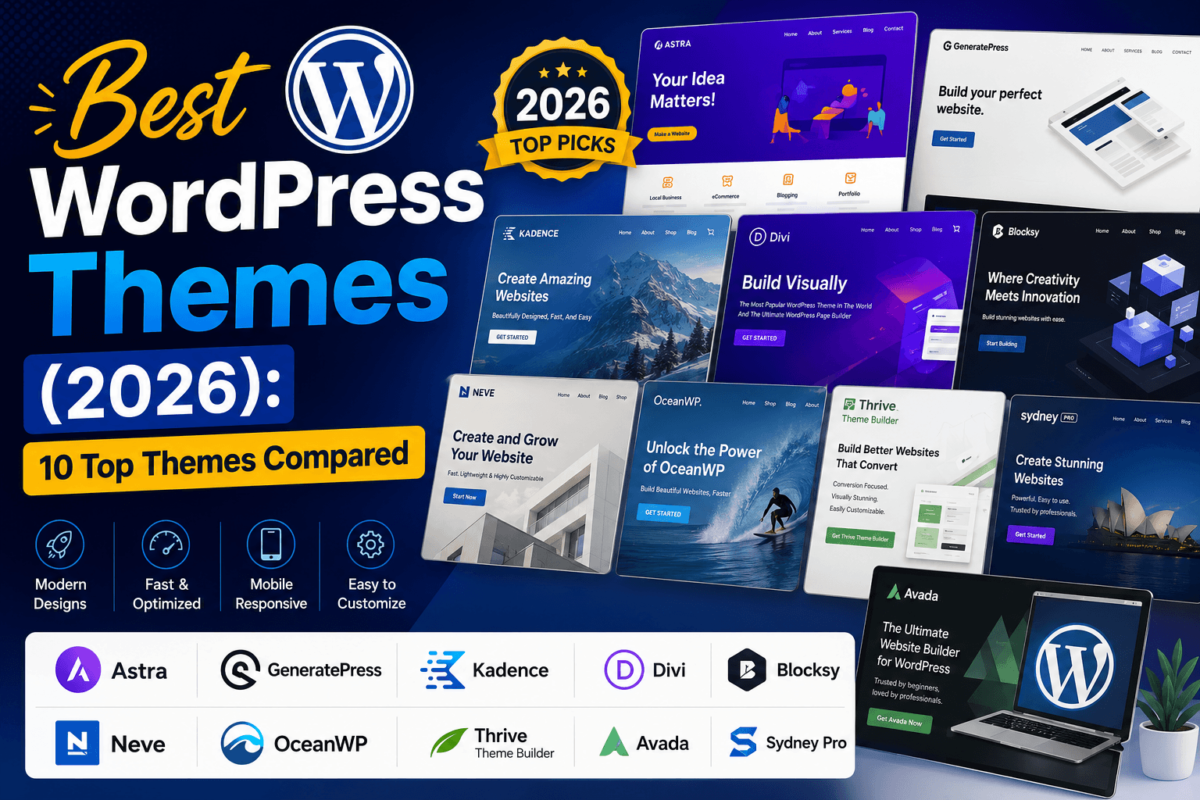
Best WordPress Themes (2026): 10 Top Themes Compared
Picking a WordPress theme feels simple until you actually try to do it. Search "best WordPress theme" and you’ll find fifty lists that all recommend the same five names with no real explanation of why one might suit your site better than another. I’ve spent the better part of fifteen years building, breaking, and rebuilding WordPress sites — my own and clients’ — and the theme is one of the few decisions that quietly shapes everything else: how fast your pages load, whether Google’s Core Web Vitals report comes back clean, how your site looks on a cracked iPhone screen at a coffee shop, and how much money you leave on the table because a checkout button was two clicks too many.
A theme is not just a coat of paint. It’s the codebase your entire site runs on top of. A bloated theme drags down your Largest Contentful Paint score, which drags down your rankings, which drags down your traffic, which drags down your revenue — a chain reaction that starts with a single decision made on day one. A lightweight, well-coded theme does the opposite: it gets out of your way so your content, your products, and your calls to action can do their job.
This guide compares the ten WordPress themes I’d actually recommend in 2026, based on hands-on use, current pricing, real performance behavior, and how well each one plays with the Block Editor, Elementor, and WooCommerce. I’m also covering the stuff most "best theme" roundups skip entirely: accessibility, security, what AI website builders mean for theme shopping going forward, and why the free theme you started with might be quietly capping your growth. If you’re a blogger, an agency, an ecommerce brand, or a SaaS founder trying to ship a site this week, there’s a clear answer in here for you.
Quick Answer
The best all-around WordPress theme in 2026 is Astra — it’s fast, works with every major page builder, and scales from a simple blog to a full WooCommerce store without bloating your codebase. If you want the fastest possible page loads, GeneratePress is the leaner choice. For visual, no-code design freedom, Divi and Avada lead the pack. And if conversions matter more than aesthetics, Thrive Theme Builder is built specifically for that job.
Best WordPress Themes at a Glance
Here’s the full lineup side by side. I’ll break down every column in detail in the individual reviews below, but if you already know roughly what you need, this table should get you most of the way to a decision.
| Theme | Best For | Starting Price | Free Version | Builder Support | WooCommerce | Schema Ready | Lifetime License | Affiliate Program | Rating |
|---|---|---|---|---|---|---|---|---|---|
| Astra | All-around / agencies | Free / from $47/yr | Yes | Elementor, Beaver Builder, Spectra, Gutenberg | Yes | Yes | Yes | 30%, 60-day cookie | 4.9/5 |
| GeneratePress | Speed / SEO blogs | Free / $59/yr | Yes | Any (builder-agnostic) | Yes | Yes | Yes ($249) | 30%, 30-day cookie | 4.9/5 |
| Kadence | Beginners / Gutenberg fans | Free / from $69 | Yes | Gutenberg-native, Elementor, Beaver Builder | Yes | Yes | Yes | 25%, via Impact | 4.8/5 |
| Divi | Visual / no-code design | From ~$87/yr | No (trial only) | Divi Builder (native) | Yes | Yes | Yes (~$249) | 50%, incl. renewals | 4.7/5 |
| Blocksy | Free-tier WooCommerce | Free / $69/yr | Yes | Gutenberg-native, Elementor | Yes | Yes | Yes | 30%, 30-day cookie | 4.8/5 |
| Neve | Core Web Vitals / WooCommerce | Free / $69/yr | Yes | Elementor, Gutenberg, Divi, Brizy, Beaver Builder | Yes | Yes | Yes | 55%, 90-day cookie | 4.7/5 |
| OceanWP | Budget-friendly stores | Free / $35/yr | Yes | Elementor, Beaver Builder, Divi | Yes | Yes | Yes | 30%, 30-day cookie | 4.6/5 |
| Thrive Theme Builder | Conversion-focused sites | $299/yr (Thrive Suite) | No | Thrive Architect (native) | Yes | Partial | No | 35% + 25% recurring | 4.6/5 |
| Avada | Agencies / all-in-one builds | $69 one-time | No | Fusion Builder (native) | Yes | Yes | Yes (one-time) | 30% (Envato Market) | 4.5/5 |
| Sydney Pro | Small business / freelancers | Free / $63/yr | Yes | Elementor (65+ widgets) | Yes | Partial | No | Up to 50%, 365-day cookie | 4.6/5 |
Pricing and commission details reflect published rates at the time of writing and can change — always confirm current numbers on the developer’s site before you buy or promote a link.
The 10 Best WordPress Themes, Reviewed
1. Astra — Best Overall WordPress Theme
Astra, built by Brainstorm Force, is the theme I recommend by default when someone asks "just tell me which one to use." It’s not the flashiest option on this list, and it doesn’t try to be. What it does instead is stay out of your way: a tiny base footprint, deep compatibility with every major page builder, and over 1.8 million active installs backing up its stability. Astra works equally well for a solo blogger’s first site and a ten-person agency spinning up client builds every week, which is rare for a theme to pull off without compromise on either end.
Key Features
Astra ships with over 300 free and premium starter templates you can import in one click, covering everything from law firm sites to Amazon affiliate review blogs. Its Custom Layouts module lets you build headers, footers, and even 404 pages without touching code, and the theme’s AI-assisted starter template picker (new for 2026) will generate a layout suggestion based on a short description of your niche. Because Astra is deliberately builder-agnostic, it works cleanly with Elementor, Beaver Builder, Brainstorm Force’s own Spectra block library, and the native Gutenberg editor — you’re never locked into one design tool.
Performance & Core Web Vitals
Astra’s core theme file is famously small, and it only loads the CSS and JavaScript a given page actually needs rather than shipping one bloated stylesheet sitewide. In independent speed tests it consistently returns strong Largest Contentful Paint and Cumulative Layout Shift scores on PageSpeed Insights, even on shared hosting, which matters if you’re not running a premium managed WordPress host.
Customization & SEO
The Astra Customizer covers typography, spacing, color palettes, and container widths through native WordPress Customizer panels — no separate settings screen to learn. On the SEO side, Astra outputs clean, semantic HTML5 with a logical heading hierarchy, supports schema markup through companion plugins like Schema Pro, and doesn’t fight with Yoast or Rank Math the way some heavier themes do.
WooCommerce & Pricing
Astra’s WooCommerce integration includes custom product page layouts, an off-canvas cart, and quick-view support without needing extra plugins for basic store styling. The free version on WordPress.org is genuinely usable long-term. Astra Pro starts at $47/year for the essentials bundle, with growth and agency bundles running higher, and a lifetime license available for around $227 if you’d rather not think about renewals.
- Pros: Extremely lightweight; works with every major builder; huge template library; genuinely useful free tier; strong track record for stability.
- Cons: Design out of the box is plain until you import a template; advanced customization still requires a page builder or custom CSS; some premium modules are gated behind higher-tier bundles.
Verdict: If you only read one section of this guide, read this one. Astra is the safest, most flexible starting point for almost any type of site in 2026, and it’s the theme I’d hand to a beginner and an agency developer with equal confidence.
Visit Astra →2. GeneratePress — Fastest WordPress Theme
GeneratePress has built its entire reputation on one word: speed. Developed by Tom Usborne and now GeneratePress LLC, it’s consistently one of the smallest, cleanest-coded themes available for WordPress, and it’s the theme I reach for on affiliate and content sites where every extra millisecond of load time is a ranking and revenue factor. It doesn’t come with a flashy visual builder of its own — and that’s the point. It’s a foundation, not a design tool.
Key Features
The free version alone is enough to build a fully functional, well-structured site, which is unusual in this space. GeneratePress Premium adds the Elements module (for custom headers, footers, and hooks-based layouts), a full typography and color system, and deep integration with GenerateBlocks, the developer’s own lightweight block library, which lets you build custom page layouts natively in the Block Editor without the overhead of a third-party page builder.
Performance & Core Web Vitals
This is where GeneratePress separates itself from almost everything else on this list. The theme ships without render-blocking assets, uses minimal CSS, and avoids loading libraries like jQuery UI unless a feature actually requires it. Paired with GenerateBlocks instead of a heavier builder, it’s routinely one of the fastest combinations you can run on WordPress, which translates directly into better Largest Contentful Paint and Interaction to Next Paint scores.
Customization & SEO
Customization happens through the native WordPress Customizer plus the Elements module for hook-based layout changes — there’s a learning curve if you’re used to a drag-and-drop builder, but the tradeoff is far less code bloat. On SEO, GeneratePress produces clean, minimal, semantic markup by default, which is exactly what you want feeding into Yoast, Rank Math, or AI Overviews’ content parsers.
WooCommerce & Pricing
WooCommerce support is solid though intentionally minimal — you get clean, fast product and cart templates rather than a long list of built-in merchandising features, which suits lean stores better than large catalogs. GeneratePress Premium is $59/year, with a lifetime license available for $249 that covers unlimited sites.
- Pros: Among the fastest themes available; exceptionally clean code; free version is genuinely production-ready; excellent long-term value on the lifetime license.
- Cons: No native visual page builder, so beginners have a steeper learning curve; design flexibility depends on pairing it with GenerateBlocks or a third-party builder.
Verdict: If speed and SEO performance are your top priority — think affiliate sites, content blogs, or anything living or dying by Core Web Vitals — GeneratePress is hard to beat.
Visit GeneratePress →3. Kadence — Best for Beginners
Kadence has grown fast since launching, and it’s easy to see why: it was built from day one around the native Block Editor rather than retrofitted onto it. That makes it feel more modern and more approachable for someone who’s never touched a page builder before. With 400,000-plus active installs and a design-first approach to starter templates, Kadence is my usual recommendation for beginners who want something that looks polished without a steep learning curve.
Key Features
Kadence Blocks extends the native editor with 25-plus custom blocks — row layouts, advanced forms, tabs, accordions — so you can build fairly sophisticated pages without leaving Gutenberg. The theme includes 200-plus premium starter templates through Kadence’s Cloud library, a full header and footer builder, and Kadence Elements for conditional content display, which is genuinely useful for showing different calls to action to different visitor segments.
Performance & Core Web Vitals
Because Kadence Blocks compiles down to native Gutenberg markup rather than proprietary shortcodes or heavy JavaScript frameworks, pages built with it tend to score well on Core Web Vitals without extra optimization work. It’s not quite as minimal as GeneratePress out of the box, but it’s noticeably lighter than legacy page-builder-first themes.
Customization & SEO
Kadence’s Global Styles panel lets you set typography, colors, and spacing once and have it apply sitewide — a genuine Full Site Editing advantage over older Customizer-only themes. On SEO, Kadence outputs clean semantic HTML and works cleanly with major SEO plugins, and its native compatibility with Advanced Custom Fields, Meta Box, and Toolset makes it a strong pick if you’re building custom post types for local SEO or programmatic content.
WooCommerce & Pricing
The Shop Kit add-on brings deep WooCommerce customization — product filters, quick view, variation swatches — directly into the block editor rather than a separate settings panel. Kadence Pro starts around $69/year for a single site, with bundle and lifetime pricing available on higher tiers for agencies managing multiple builds.
- Pros: Genuinely beginner-friendly; native Block Editor integration; strong starter template library; excellent Full Site Editing support.
- Cons: Lifetime pricing on higher bundles can run expensive; some advanced layout options still feel newer and less battle-tested than Astra’s.
Verdict: If you’ve never built a WordPress site before and don’t want to learn a separate page builder, Kadence’s native block-editor approach is the gentlest on-ramp on this list.
Visit Kadence →4. Divi — Best Premium Design Theme
Divi, from Elegant Themes, is probably the single most recognizable name on this list, and for good reason — it pioneered the true visual, front-end drag-and-drop editing experience on WordPress years before it became standard. Divi is less a theme in the traditional sense and more a complete design ecosystem: the Divi Builder, the Divi theme itself, and thousands of premade layout packs that ship with the license. It’s the theme I recommend to non-technical business owners who want total creative control without writing a line of CSS.
Key Features
Divi’s front-end visual builder lets you click directly on any element and edit it in place, with real-time preview across desktop, tablet, and mobile breakpoints. The library includes well over a thousand premade layouts across dozens of industries, plus Divi AI, Elegant Themes’ built-in generative design and copywriting assistant that can draft entire page layouts and on-page text from a short prompt.
Performance & Core Web Vitals
Historically, Divi’s biggest criticism was bloat — extra CSS, JavaScript, and web fonts loading on every page regardless of whether they were used. Recent versions have added static CSS generation and dynamic asset loading that only pulls in the modules a given page actually uses, which has closed much of that gap, though it still tends to load more than a purpose-built lightweight theme like GeneratePress.
Customization & SEO
Customization is Divi’s entire reason for existing — global colors, fonts, and design presets propagate across your whole site instantly, and the Theme Builder module lets you visually design headers, footers, archive pages, and 404 pages. On SEO, Divi outputs reasonably clean markup and integrates with major SEO plugins, though heavier pages built with many nested modules can produce more complex DOM structures than a block-based theme.
WooCommerce & Pricing
Divi’s WooCommerce modules let you visually design product pages, shop archives, and cart flows the same way you’d design any other page — genuinely useful for stores that want a highly custom look without a developer. There’s no meaningful free version; Divi runs on Yearly Access at roughly $87/year for unlimited sites, or Lifetime Access around $249, both including the Divi Builder, Divi AI credits, and the full layout library.
- Pros: Unmatched visual design freedom; massive layout library; built-in AI design assistant; unlimited site usage on one license.
- Cons: Heavier than block-based competitors; no real free tier to test first; easy to over-design a page if you’re not disciplined about it.
Verdict: Choose Divi when design flexibility and a true no-code visual workflow matter more to you than shaving off the last few hundred milliseconds of load time.
Visit Divi →5. Blocksy — Best Free WordPress Theme
Blocksy, from Creative Themes, is the newest name on this list to gain serious traction, and it’s earned it. It’s fast, genuinely modern-looking straight out of the box (which is rare for a free theme), and its free version on WordPress.org includes features — a header builder, WooCommerce styling, a starter site library — that other developers reserve for paid tiers. With 300,000-plus active installs and a July 2026 update cadence, it’s actively maintained and clearly built with the block editor in mind rather than bolted onto it later.
Key Features
The free header and footer builder alone would be a premium feature on most other themes — you can independently customize account, cart, and search icons across desktop, tablet, and mobile. Blocksy Companion Pro adds a full starter-site library, advanced typography controls, and a content-block system for building custom archive and single-post layouts natively in the block editor.
Performance & Core Web Vitals
Blocksy is built with minimal code and loads assets conditionally, which consistently puts it near the top of independent speed comparisons. It’s a strong choice specifically for content-heavy affiliate and review sites where both design polish and page speed matter equally.
Customization & SEO
Blocksy’s settings panel is unusually well organized for a free theme, with live preview across every setting and granular control over spacing, colors, and typography per device breakpoint. It’s fully compatible with the block editor and Elementor alike, and it produces clean, accessible markup that plays nicely with schema and SEO plugins.
WooCommerce & Pricing
WooCommerce support is genuinely advanced for a free-tier theme, with product filters, a mini cart, and quick-view built in. Blocksy Pro starts at $69/year, with lifetime licensing also available for site owners who’d rather pay once.
- Pros: Best-in-class free tier; modern design out of the box; fast; strong WooCommerce features even before upgrading.
- Cons: Smaller ecosystem and community than Astra or GeneratePress; fewer third-party tutorials and extensions available.
Verdict: If your budget is zero right now, Blocksy’s free version will take you further than any other theme on this list before you ever need to upgrade.
Visit Blocksy →6. Neve — Best for WooCommerce
Neve, built by Themeisle, was rearchitected around Core Web Vitals and ecommerce performance specifically, and it shows. With 200,000-plus active installs, an ultra-lightweight codebase, and a companion plugin called Sparks that adds WooCommerce-specific merchandising features, Neve is the theme I point ecommerce-focused clients toward when they need a store that’s fast enough to hold up under real product-catalog weight.
Key Features
Neve includes an advanced header and footer builder, 100-plus starter sites, and deep integration with Advanced Custom Fields, Meta Box, and Toolset for custom content types. The Sparks companion plugin adds WooCommerce Booster features — deep product, cart, and checkout page customization — plus an LMS Booster for LearnDash and LifterLMS if you’re layering courses onto your store.
Performance & Core Web Vitals
Neve is explicitly marketed and engineered around Core Web Vitals, with a minimal footprint that holds up even as you add WooCommerce, LMS, and page-builder plugins on top of it — a combination that tends to slow down heavier themes considerably.
Customization & SEO
Neve works cleanly with Elementor, Gutenberg, Divi Builder, Brizy, and Beaver Builder, so you’re not locked into one design workflow even as your site’s needs change. It ships with accessible, semantic markup and doesn’t fight with schema plugins, which matters if structured product and review data is part of your SEO strategy.
WooCommerce & Pricing
Neve Pro Personal starts at $69/year for one site, Business runs $149/year for up to three sites with the full WooCommerce and LMS boosters unlocked, and Agency is $259/year with white-label branding for client work.
- Pros: Purpose-built for Core Web Vitals and WooCommerce; excellent multi-builder compatibility; responsive, well-documented support team.
- Cons: Advanced WooCommerce features are locked behind the Business tier, not Personal; design templates are more utilitarian than Divi’s or Avada’s.
Verdict: For a WooCommerce store where load speed and checkout performance directly affect your conversion rate, Neve’s Core Web Vitals-first engineering is a real competitive advantage.
Visit Neve →7. OceanWP — Best Value for Money
OceanWP has quietly stuck around for years as one of the most downloaded WordPress themes ever, and the reason is simple: it’s lightweight, flexible, and its premium tier is priced well below most of the competition. With over 700,000 downloads and a large extension library, it’s a dependable, no-drama option for anyone who wants solid functionality without paying agency-tier prices.
Key Features
OceanWP’s Core Extensions bundle lets you activate only the modules you actually need — a sticky header, a mobile menu builder, a blog booster — rather than loading a fixed set of features on every install. It supports Elementor, Beaver Builder, and Divi Builder, and its modular structure means you can keep the codebase genuinely lean even as you add functionality.
Performance & Core Web Vitals
Because extensions are opt-in rather than bundled by default, OceanWP sites tend to load only what’s needed, which keeps Core Web Vitals scores respectable even on modest hosting. It won’t out-run GeneratePress in a head-to-head speed test, but it’s comfortably in the same tier.
Customization & SEO
The OceanWP Customizer covers layout, typography, and color settings through standard WordPress Customizer panels, and the theme produces clean, semantic markup that doesn’t require extra cleanup work for SEO plugins to do their job properly.
WooCommerce & Pricing
WooCommerce extensions cover product page layouts, an ajax-powered cart, and a wishlist module. The Starter bundle begins at just $35/year, making OceanWP one of the most affordable premium options on this list if you only need a handful of core extensions rather than the full suite.
- Pros: Very affordable entry price; modular, pay-for-what-you-use extension system; long track record and huge install base.
- Cons: Full extension bundle costs more than the starter tier suggests; design feels slightly dated compared to Blocksy or Kadence without a builder layered on top.
Verdict: OceanWP is the pragmatic budget pick — solid performance and real WooCommerce functionality without the premium price tag of Astra or Kadence’s higher bundles.
Visit OceanWP →8. Thrive Theme Builder — Best for Conversions
Thrive Theme Builder, part of the Thrive Suite bundle from Thrive Themes, takes a different starting point than everything else on this list: it’s not built around design flexibility or raw speed first, it’s built around conversion rate optimization first. Every template, every module, and every built-in testing tool exists to move a visitor toward a subscription, a sale, or a booked call. If you run a course, a coaching business, or an affiliate site living and dying by opt-in rates, this is worth a serious look.
Key Features
Thrive Theme Builder pairs with Thrive Architect (the visual page builder), Thrive Leads (opt-in forms and list-building), Thrive Optimize (native A/B testing), and Thrive Ovation (testimonial collection) — all included in the Thrive Suite license. Templates are built by conversion copywriters and designers rather than generalist theme developers, and it shows in the built-in social proof blocks, countdown modules, and review-schema-ready testimonial layouts.
Performance & Core Web Vitals
Thrive has invested in built-in caching, asset minification, and automatic image compression to offset the natural overhead of running a full suite of marketing tools. It performs respectably, though it’s not competing with GeneratePress or Neve on raw minimalism — the tradeoff is intentional given how much functionality is bundled in.
Customization & SEO
Visual, front-end editing through Thrive Architect covers headers, footers, and every template type without code. SEO support is solid but more basic than the block-based themes on this list — you’ll want to pair it with Yoast or Rank Math rather than rely on native schema output alone.
WooCommerce & Pricing
WooCommerce integration is functional and benefits from the same conversion-focused design philosophy applied to product and checkout pages. There’s no free version and no lifetime license — Thrive Suite is $299/year (or $99/quarter) for up to five sites, which includes every Thrive tool, not just the theme builder.
- Pros: Purpose-built for conversions; entire marketing toolkit included in one price; native A/B testing without extra plugins.
- Cons: No free tier or lifetime option; subscription-only pricing is the highest recurring cost on this list; less useful if you don’t need the full marketing suite.
Verdict: Skip this one if you just need a website. Choose it if you need a sales and lead-generation machine and you’re willing to pay a premium subscription for the whole toolkit.
Visit Thrive Theme Builder →9. Avada — Best for Agencies
Avada, developed by ThemeFusion, is the best-selling theme in ThemeForest’s history, with over 900,000 sales. It earned that position by being genuinely all-in-one: instead of relying on a stack of third-party plugins, Avada builds page building, theme options, WooCommerce styling, and 100-plus pre-built demo sites directly into a single package. Agencies like it because a single purchase covers nearly any client brief without hunting for compatible add-ons.
Key Features
Fusion Builder, Avada’s proprietary page builder, works in both a visual front-end mode and a backend mode, and it’s paired with a genuinely enormous options panel — north of 800 settings covering everything from typography scales to custom post type layouts. The 100-plus demo sites span nearly every industry, so agencies can start from something close to the final design rather than a blank canvas.
Performance & Core Web Vitals
Avada’s all-in-one philosophy means more gets loaded by default compared to a minimalist theme, though recent versions have added smarter conditional asset loading to reduce the impact. Expect solid but not class-leading Core Web Vitals scores — the tradeoff for having virtually every feature built in without extra plugins.
Customization & SEO
Between Fusion Builder and the options panel, there’s very little you can’t customize visually. SEO output is solid, and the sheer feature depth means you rarely need extra plugins for things like custom breadcrumbs, portfolio schemas, or complex page layouts.
WooCommerce & Pricing
WooCommerce support includes custom shop, product, and checkout templates designed visually through Fusion Builder. Avada is sold through ThemeForest as a one-time $69 purchase per site, covering lifetime updates and six months of support (extendable for an annual fee) — a genuinely different pricing model from the subscription-based themes on this list.
- Pros: Genuinely all-in-one; massive demo library; one-time pricing with lifetime updates; deep options panel covers nearly everything.
- Cons: Steeper learning curve than block-based themes; each additional site requires its own license; heavier by default than lightweight alternatives.
Verdict: Avada earns its bestseller status with agencies and freelancers who want one theme that can handle almost any client brief without a plugin shopping list.
Visit Avada →10. Sydney Pro — Best for Small Business & Freelancers
Sydney, by aThemes, is a free business theme with over 100,000 active installs and a genuinely impressive performance score for how design-rich it looks — independent testing has recorded it scoring in the high 90s on desktop PageSpeed. Sydney Pro builds on that foundation with 25-plus starter sites and a widget library purpose-built for the kind of small business and freelancer sites that need to look credible fast, without a large budget or a design background.
Key Features
Sydney Pro’s standout feature is its bundle of 65-plus premium Elementor widgets — pricing tables, testimonial carousels, call-to-action blocks, content toggles — included in the theme license rather than sold separately, which is where most Elementor-based themes nickel-and-dime you. The header and footer builder covers the layout basics, and the 25-plus starter sites span local business niches like restaurants, agencies, and professional services.
Performance & Core Web Vitals
For an Elementor-dependent theme, Sydney is unusually fast, largely because aThemes has kept the core theme lightweight and left the heavier lifting to Elementor itself rather than duplicating functionality. It’s fully compatible with the block editor too, if you’d rather skip Elementor for lighter individual pages.
Customization & SEO
Customization runs primarily through Elementor once you’re past the basic Customizer settings, which is straightforward if you already know Elementor and a small learning curve if you don’t. SEO output is clean and responsive by default, covering the fundamentals well even without heavy schema tooling built in.
WooCommerce & Pricing
WooCommerce support covers standard shop and product templates through Elementor’s WooCommerce Builder. Sydney Pro starts at $63/year for one site (discounted from $79), scaling up to $149/year for ten sites, with 12 months of premium support included.
- Pros: 65+ premium Elementor widgets included at no extra cost; strong performance for an Elementor-first theme; well-suited to local business templates.
- Cons: Design flexibility is tied closely to Elementor rather than being builder-agnostic; smaller template library than Astra or Divi.
Verdict: If you’re a freelancer, consultant, or local business owner already comfortable with Elementor, Sydney Pro’s bundled widget library is genuinely good value.
Visit Sydney Pro →Head-to-Head: How the Top Themes Actually Compare
Individual reviews are useful, but most people are really trying to decide between two specific themes. Here are the matchups I get asked about most often.
Astra vs Kadence
Both are excellent, builder-friendly, beginner-safe themes with strong free tiers. Astra wins on raw flexibility and its enormous template library; Kadence wins on native Block Editor integration and Full Site Editing support. If you’re committed to Gutenberg long-term, pick Kadence. If you want the option to switch page builders later without friction, pick Astra.
GeneratePress vs Blocksy
GeneratePress is the leaner, faster choice and rewards people willing to learn its Elements module. Blocksy looks better out of the box with zero configuration and has a more generous free tier for design features specifically. For pure speed-obsessed content sites, GeneratePress edges ahead; for a fast site that also looks finished on day one, Blocksy wins.
Divi vs Thrive Theme Builder
Divi is a general-purpose visual design tool; Thrive Theme Builder is a conversion tool that happens to be a theme. If you’re designing a portfolio, restaurant site, or brand-first business page, Divi’s creative range wins. If you’re selling a course, running a funnel, or building an email list, Thrive’s built-in testing and lead-gen tools are purpose-built for that job.
Avada vs Astra
Avada packs more built-in functionality into a single purchase, which agencies like for scoping client work quickly. Astra is lighter, more modular, and better suited to sites where speed matters more than having every feature pre-built. For a single all-in-one build, Avada; for a lean site you’ll optimize over time, Astra.
Kadence vs GeneratePress
Kadence is friendlier for beginners and ships more design out of the box through its starter templates. GeneratePress is faster and cleaner under the hood but expects you to build more of your layout intentionally. New site owners tend to prefer Kadence; developers optimizing for speed tend to prefer GeneratePress.
Blocksy vs Astra
Blocksy’s free tier is more generous for design features specifically — the header builder and WooCommerce styling in particular. Astra’s paid ecosystem is more mature with more templates, more third-party tutorials, and a longer track record at scale. For a first site on a zero budget, Blocksy; for long-term agency use, Astra.
Neve vs OceanWP
Both are lightweight, WooCommerce-capable, and reasonably priced. Neve’s Sparks companion plugin gives it an edge for stores that need deeper checkout and product customization; OceanWP’s modular extension system gives it an edge on price if you only need a handful of features. Choose based on how much WooCommerce depth you actually need.
How to Choose the Right WordPress Theme for Your Website
There’s no single "best" theme — there’s only the best theme for what you’re actually building. Here’s how I’d think through it based on your specific goal.
If you’re starting a blog
Prioritize speed and clean typography over flashy design modules. GeneratePress or Blocksy will serve you better long-term than a heavy page-builder theme, because blog content lives or dies on how fast it loads and how clearly Google can parse your headings.
If you’re running an ecommerce store
WooCommerce-specific features matter more than general design flexibility. Neve, Blocksy, and Astra all handle product catalogs and checkout flows well without needing a dozen extra plugins to fill gaps.
If you’re a local business
Look for a theme with a strong starter-template library built around service pages, testimonials, and contact forms. Sydney Pro and Astra both have templates purpose-built for this, and pairing either with clean local business schema markup will help you show up in map-pack and AI Overview results.
If you’re an agency building for clients
Consistency and a large template library save you time across dozens of builds. Astra and Avada both scale well here, though for a one-time cost with unlimited updates per license, Avada’s pricing model is worth a closer look.
If you’re an affiliate marketer
Speed and clean, ad-friendly layouts beat visual flourishes every time — slow review pages kill both rankings and click-through on your affiliate links. GeneratePress paired with GenerateBlocks, or Astra with its comparison-table-friendly starter templates, are both proven choices here.
If conversions matter more than anything else
If your whole business model depends on opt-ins, webinar sign-ups, or course sales, don’t just bolt conversion rate optimization onto a general-purpose theme after the fact — start with Thrive Theme Builder, which was designed around that goal from day one.
Whatever theme you land on, remember it’s only one half of the performance equation. Your WordPress hosting matters just as much — a lightweight theme on slow shared hosting will still underperform, while even a heavier theme can hold up reasonably well on managed WordPress hosting built for it.
How WordPress Themes Affect Performance & Core Web Vitals
Your theme is loaded on every single page view, which means every inefficiency it introduces gets multiplied across your entire site. Here’s what actually matters and why, if you want the fuller technical breakdown, our Core Web Vitals guide goes deeper into each metric.
- Largest Contentful Paint (LCP): Measures how long it takes your biggest above-the-fold element to render. Heavy theme CSS and unoptimized hero images are the most common LCP killers — lightweight themes like GeneratePress and Neve avoid this by default.
- Cumulative Layout Shift (CLS): Measures visual stability as your page loads. Themes that don’t reserve space for images, fonts, or ads before they load will cause content to jump around, which frustrates visitors and hurts rankings.
- Interaction to Next Paint (INP): Measures how responsive your site feels when someone actually clicks or taps something. Bloated JavaScript from heavy page builders is the usual culprit here — block-based themes tend to score better because they lean on native browser rendering.
- Time to First Byte (TTFB): This one is mostly about hosting and caching rather than theme choice, but a theme that makes unnecessary database queries on every page load can still drag it down.
Run any theme you’re considering through PageSpeed Insights on a realistic demo before committing — not just the homepage, but a typical blog post or product page, since that’s where most of your real traffic lands.
How WordPress Themes Affect SEO
A theme can’t rank your site on its own, but a poorly built one can actively hold you back. Here’s what to check before you commit — and for a full walkthrough of on-page and technical fundamentals, see our WordPress SEO guide and technical SEO checklist.
- Semantic HTML and heading hierarchy: Every theme on this list uses proper H1–H6 structure and semantic tags like <article> and <nav>, which helps both Google and AI crawlers understand your content’s structure.
- Crawlability: Themes that generate excessive nested divs or nonstandard markup can make it harder for crawlers to parse your content efficiently. Block-based themes tend to be cleaner here than legacy shortcode-driven page builders.
- Schema and structured data: Look for themes that don’t fight with schema plugins like Schema Pro or Rank Math’s built-in schema generator — this matters more than ever for showing up in AI Overviews and answer engines.
- Mobile responsiveness: Google indexes mobile-first, so a theme’s mobile layout isn’t a secondary concern — it’s the primary version of your site as far as rankings are concerned.
- Featured snippet formatting: Themes with clean table, list, and FAQ block styling make it easier to win featured snippets without extra CSS wrangling.
A Beginner’s Guide to WordPress Themes
If this is your first time doing this, here’s the short version of everything you need to know before you click install.
Installing a theme
From your WordPress dashboard, go to Appearance > Themes > Add New. Free themes can be installed and activated directly from there; premium themes are uploaded as a .zip file you download after purchase, through Appearance > Themes > Add New > Upload Theme.
Child themes
A child theme inherits everything from its parent theme but lets you add custom code or styling that survives future updates. If you plan to edit theme files directly rather than using the Customizer or a page builder, set up a child theme first — otherwise your changes get wiped out the next time the parent theme updates.
Updating your theme
Keep your theme updated the same way you’d keep plugins updated — outdated themes are a common security vulnerability and can also fall out of compatibility with newer WordPress core versions. Always back up your site before a major version update.
The Customizer vs. Full Site Editing
Older themes rely on the Customizer — a live-preview settings panel under Appearance > Customize. Newer block themes support Full Site Editing (FSE), which lets you edit headers, footers, and templates directly in the block editor itself, with changes reflected sitewide through Global Styles.
Starter templates and demo imports
Nearly every theme on this list includes a library of pre-built starter sites you can import with one click, then customize with your own content and branding. This is by far the fastest path from a blank install to a finished-looking site, and I’d recommend it over building from scratch unless you have very specific design requirements.
Theme Security: What to Watch For
Every theme reviewed here is actively maintained and distributed through legitimate channels, but security still comes down to how you source and manage it.
- Never use nulled or "cracked" premium themes. Pirated theme files are one of the most common ways malware ends up on WordPress sites, and you lose access to legitimate updates and support entirely.
- Only buy from official developer sites or trusted marketplaces like ThemeForest/Envato for GPL-licensed themes — not from random resale sites offering suspiciously deep discounts.
- Understand GPL licensing. Every theme on this list is GPL-licensed, which is why perfectly legal secondhand or bundled copies exist — but that doesn’t mean every source distributing them is trustworthy or keeping the code unmodified.
- Keep updates current. An outdated theme with a known vulnerability is a far more common attack vector than most people realize — set a reminder to check for updates monthly if you don’t have auto-updates enabled.
Accessibility Considerations
Accessibility isn’t optional anymore — it affects real users, and increasingly it affects legal compliance too. Every theme on this list handles the fundamentals reasonably well, but here’s what’s worth double-checking on any theme you choose:
- WCAG compliance: Look for themes that state explicit support for WCAG 2.1 AA standards rather than vague "accessibility-ready" tagging alone.
- Keyboard navigation: Test whether you can tab through your menu, forms, and interactive elements without a mouse — this is a common gap in heavily customized page-builder themes.
- Screen reader support: Proper ARIA labeling on navigation menus, forms, and buttons matters more than most site owners realize until a screen reader user tries to use their site.
- Color contrast: Whatever color palette you choose during setup, run it through a contrast checker — a beautiful low-contrast design can genuinely be unreadable for visually impaired visitors.
AI & the Future of WordPress Themes in 2026
Theme development has shifted noticeably in the last year, and it’s worth knowing where things are heading before you commit to a workflow.
- AI design assistants are now built into major themes. Astra’s AI starter-template picker and Divi AI both generate layout and copy suggestions from a short prompt, cutting hours off initial site setup.
- Full Site Editing has matured into the default expectation. Block themes with native FSE support, like Kadence and Blocksy, are increasingly the baseline rather than the exception, and WordPress core continues investing heavily here.
- Performance-first development is table stakes, not a differentiator. Every serious theme developer now markets around Core Web Vitals because Google (and increasingly AI search crawlers) reward it directly.
- Headless WordPress compatibility is growing. More themes and their underlying frameworks are being built with REST API and headless front-ends in mind, useful if you’re considering a React or Next.js front end down the line.
- AI website builders are a different tool for a different job. Full AI site builders can spin up a basic site from a prompt, but they still generally hand off to a real WordPress theme underneath once you need genuine customization — see our AI website builders guide for how that comparison shakes out.
Expert Tips From Experienced WordPress Users
"If you’re building an affiliate website, prioritize speed over animations — nobody clicks your links faster because a box faded in."
"If you’re creating a WooCommerce store, choose a theme with optimized product templates out of the box rather than trying to bolt WooCommerce support onto a general-purpose design theme."
"Install the theme on a staging site first. What looks fine in a demo screenshot can behave very differently once your real content, images, and plugins are loaded in."
"Don’t judge a theme by its demo. Every demo is styled by a professional designer with placeholder content — your actual result depends far more on the content and images you add than the theme’s out-of-the-box look."
Common Mistakes to Avoid When Choosing a Theme
- Choosing based on appearance alone. A gorgeous demo says nothing about how the theme’s code performs once you add your own content, images, and plugins.
- Ignoring performance until after launch. Retrofitting speed onto a bloated theme is far harder than starting with a lightweight one and adding features intentionally.
- Buying unsupported or abandoned themes. Check the changelog and last-updated date before buying — a theme that hasn’t been updated in over a year is a real risk, both for security and WordPress core compatibility.
- Running multiple page builders at once. Stacking Elementor on top of a theme that already includes its own builder (like Divi or Avada) usually creates more bloat and conflicts than it’s worth.
- Not testing mobile responsiveness properly. Preview on an actual phone, not just your browser’s responsive mode — touch targets, font scaling, and menu behavior often reveal issues that desktop previews hide.
- Ignoring update frequency. A theme that receives regular updates is a theme whose developer is still actively maintaining compatibility, security, and new WordPress features.
Frequently Asked Questions
What is the fastest WordPress theme in 2026?
GeneratePress is generally considered the fastest full-featured WordPress theme available, thanks to its minimal CSS footprint and refusal to load unnecessary scripts by default. Neve and Blocksy are close behind, both engineered specifically around Core Web Vitals. Keep in mind that "fastest" also depends on your hosting, the plugins you install, and how much you customize the theme — a lightweight theme on slow hosting will still underperform a moderately heavier theme on excellent hosting.
Which WordPress theme is best for SEO?
GeneratePress and Astra both produce exceptionally clean, semantic HTML that doesn’t interfere with SEO plugins like Yoast or Rank Math. That said, no theme "does SEO" for you — theme choice affects crawlability, page speed, and structured markup, but your actual rankings still depend on content quality, internal linking, backlinks, and technical setup.
Is Astra better than GeneratePress?
Neither is objectively better — they solve slightly different problems. Astra offers more built-in flexibility and a larger template library, making it easier for beginners to get a finished-looking site quickly. GeneratePress is leaner and marginally faster, but expects more manual setup. If you want speed above all else and don’t mind a learning curve, choose GeneratePress; if you want flexibility and an easier start, choose Astra.
Is Kadence worth it in 2026?
Yes, particularly if you’re building natively in the Block Editor and want Full Site Editing support without a separate page builder. Kadence’s starter template library and Global Styles system make it one of the most modern, forward-compatible options on this list, especially as WordPress core continues investing in block-based editing.
Are premium WordPress themes worth buying?
For most serious sites, yes. Free themes cover the basics, but premium versions typically unlock custom header/footer builders, deeper WooCommerce integration, priority support, and starter template libraries that would otherwise take hours to build manually. If you’re monetizing your site in any way, the $50–$300 annual cost is usually recovered quickly through time saved and better performance.
Which theme works best with Elementor?
Astra, OceanWP, Neve, and Sydney Pro all have particularly strong Elementor integrations, with Sydney Pro standing out for bundling 65-plus premium Elementor widgets directly into its license at no extra cost. Any genuinely lightweight, builder-agnostic theme will work well with Elementor since it’s designed to be theme-independent by nature.
Can I change my WordPress theme later without losing content?
Yes — your posts, pages, and media are stored in the WordPress database independently of your theme, so switching themes won’t delete your content. That said, custom layouts, page-builder-specific designs, and theme-specific widgets often won’t transfer cleanly, so expect to redo some visual design work when you switch.
Do WordPress themes directly affect Google rankings?
Not directly, but indirectly and significantly. Google’s ranking algorithm factors in page speed, mobile-friendliness, and Core Web Vitals — all of which your theme heavily influences. A theme itself has no special ranking boost, but a poorly coded one can absolutely hold your rankings back.
What is Full Site Editing (FSE)?
Full Site Editing is WordPress’s native system for editing your entire site — headers, footers, templates, and Global Styles — directly inside the block editor, without needing the older Customizer or a separate page builder. Kadence and Blocksy both offer strong native FSE support; Astra and GeneratePress support it in a more limited, hybrid fashion alongside their traditional Customizer options.
Which theme is best for WooCommerce?
Neve, thanks to its Sparks companion plugin, and Blocksy, thanks to its strong free-tier WooCommerce styling, are the two standouts. Astra and Avada are also excellent for larger, feature-heavy stores that need extensive customization without stacking many extra plugins.
What’s the difference between a free and premium WordPress theme?
Free themes typically cover core layout, basic customization, and standard WordPress features. Premium versions add custom header/footer builders, deeper page-level customization, expanded starter template libraries, advanced WooCommerce features, and priority support. The gap has narrowed in recent years — Blocksy and Astra’s free tiers, for example, are genuinely production-ready on their own.
Is Divi still worth it compared to newer block themes?
Yes, if visual design freedom and a mature, feature-rich builder matter more to you than shaving off every last millisecond of load time. Divi’s front-end visual editor and massive layout library still outclass most block-based alternatives for pure creative flexibility, even if it’s not the lightest option on this list.
What is a lightweight WordPress theme, and why does it matter?
A lightweight theme minimizes the CSS, JavaScript, and database queries it loads on each page, which directly improves load times and Core Web Vitals scores. It matters because page speed affects both user experience and search rankings — a heavier theme has to work harder (through caching, CDNs, and optimization plugins) to reach the same performance a lightweight theme achieves by default.
Do I need a page builder if I use a block-based theme?
Not necessarily. Themes like Kadence, GeneratePress (with GenerateBlocks), and Blocksy are built around the native Block Editor and can handle fairly sophisticated layouts without Elementor, Divi Builder, or Beaver Builder. A separate page builder still offers more granular visual control, but it’s no longer a requirement the way it was a few years ago.
How exactly do WordPress themes affect Core Web Vitals?
Themes control how much CSS and JavaScript loads on every page, how images and fonts are handled before they render, and how much of the DOM gets built before your content becomes interactive. A bloated theme directly worsens Largest Contentful Paint, Cumulative Layout Shift, and Interaction to Next Paint — the three metrics Google uses to measure real-world page experience.
Is Avada good for beginners?
It’s usable for beginners thanks to its 100-plus pre-built demo sites, but its sheer depth of options can feel overwhelming compared to a more streamlined theme like Kadence or Astra. Avada rewards people willing to spend a bit more time learning Fusion Builder, and it pays off well for anyone building multiple sites over time.
What should I look for in a WordPress theme for a blog?
Prioritize page speed, clean typography, and simple, distraction-free post layouts over heavy design features. Look for good default support for tables, pull quotes, and featured images, since these directly affect readability and your odds of winning featured snippets.
Are child themes necessary?
Only if you’re planning to edit theme files directly with custom code. If you’re using the Customizer, Full Site Editing, or a page builder for your customization, a child theme isn’t strictly necessary since those changes are stored separately from the theme’s core files and survive updates on their own.
How often should a WordPress theme be updated?
Reputable premium themes typically release updates every few weeks to a few months, covering WordPress core compatibility, security patches, and new features. As a buyer, check the changelog before purchasing — a theme that hasn’t shipped an update in six months or more is a warning sign worth taking seriously.
What’s the safest place to buy a premium WordPress theme?
Buy directly from the developer’s official website whenever possible — Astra, GeneratePress, Kadence, Blocksy, Neve, OceanWP, and Thrive Themes all sell direct. Avada is the exception on this list and is sold through ThemeForest/Envato, which is a legitimate, well-established marketplace. Avoid third-party resale sites offering steep discounts on GPL themes; they’re a common source of outdated or tampered files.
Can I use multiple page builders with one theme?
Technically yes, but it’s rarely a good idea. Running Elementor alongside a theme’s own native builder (like Divi Builder or Fusion Builder) tends to create redundant code, styling conflicts, and unnecessary bloat. Pick one primary builder per site and stick with it.
Is Thrive Theme Builder only useful for landing pages?
No — it’s a complete theme builder capable of designing your full site, including blog templates, archive pages, and WooCommerce shop pages. It’s simply optimized around conversion-focused design patterns throughout, which makes it especially strong for landing pages and sales funnels without being limited to only that use case.
Which theme is best for a small business website?
Sydney Pro and Astra both offer strong local-business-focused starter templates and are approachable for non-technical owners managing their own site. If you’re planning to hand the site off to an agency or developer for ongoing work, Astra’s larger ecosystem of freelancers familiar with it is an added advantage.
Do WordPress themes come with built-in schema markup?
Most modern themes output some baseline structured data automatically, but comprehensive schema (Product, Review, FAQPage, HowTo, and so on) is usually better handled through a dedicated SEO plugin like Rank Math or Schema Pro, since these give you far more granular control than a theme alone typically offers.
What’s the best WordPress theme for a portfolio or freelancer site?
Sydney Pro and Divi both handle visual, image-heavy portfolio layouts particularly well. If speed matters more to you than visual flourish — say, for a developer or writer’s portfolio — GeneratePress paired with a simple custom layout will load faster and still look professional.
Final Verdict: Which WordPress Theme Should You Choose?
After going through all ten in detail, here’s the shortlist by category, so you can jump straight to the pick that matches your specific situation:
| Category | Winner |
|---|---|
| Best Overall | Astra |
| Best for Beginners | Kadence |
| Best Free Theme | Blocksy |
| Best Premium / Design Theme | Divi |
| Best WooCommerce Theme | Neve |
| Best SEO Theme | GeneratePress |
| Best Speed-Focused Theme | GeneratePress |
| Best for Agencies | Avada |
| Best Value for Money | Sydney Pro |
| Best for Conversions | Thrive Theme Builder |
If you genuinely can’t decide, start with Astra. It’s the theme with the widest safety margin on this list — it won’t be the perfect fit for every possible use case, but it will never be a bad fit, and you can always layer in a page builder or swap starter templates as your needs get more specific. The real mistake isn’t picking the "wrong" theme from this list; it’s spending another three weekends comparing options instead of just building the site.
Whatever you choose, pair it with solid WordPress hosting, a lean SEO plugin setup, and a plan for testing before you flip the switch on a redesign. The theme is the foundation — everything you build on top of it is what actually turns visitors into readers, subscribers, and customers.
Affiliate Disclosure: Some links in this article are affiliate links. If you click through and make a purchase, TechCognate may earn a commission at no additional cost to you. We only recommend WordPress themes we’ve personally researched, tested, or have direct hands-on experience with, and our recommendations are based on genuine performance, features, and value — not commission size.