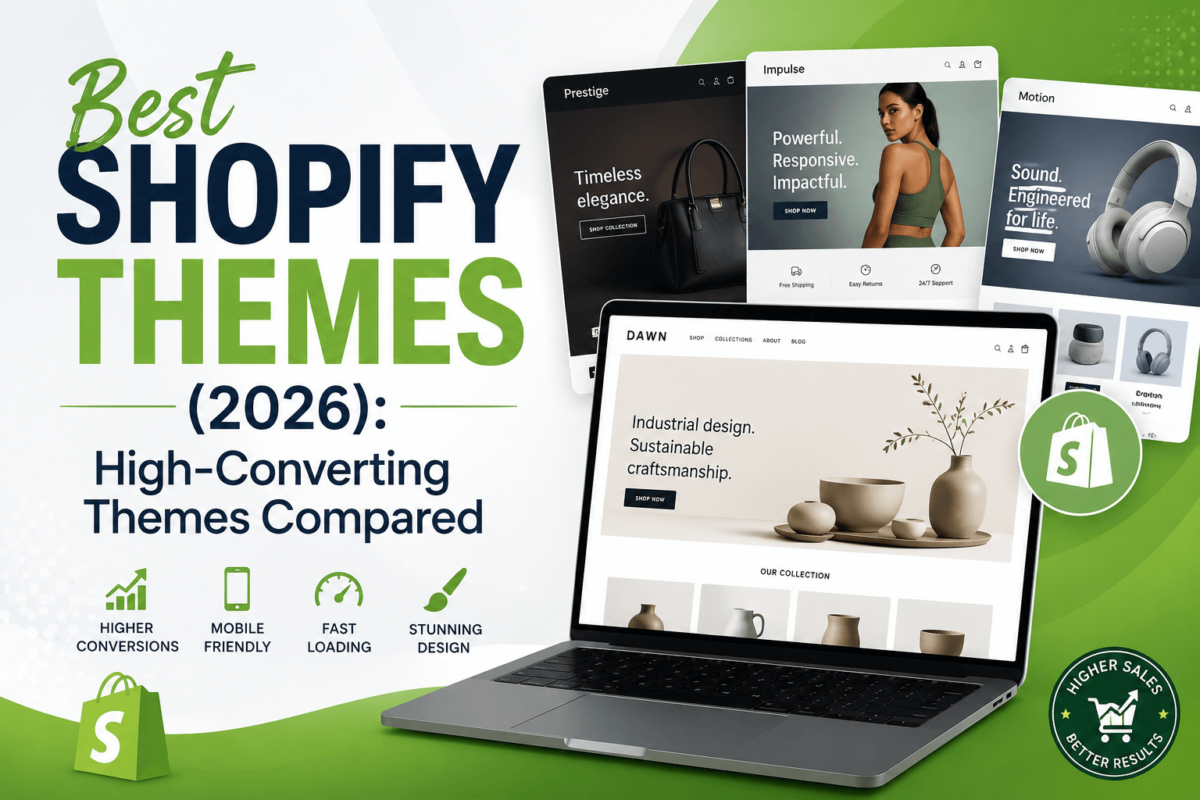
Best Shopify Themes (2026): High-Converting Themes Compared
By Jaykishan Panchal · Founder, TechCognate · 15+ years in SEO & ecommerce · Updated July 2026
This guide contains affiliate links. If you buy through one, we may earn a commission at no extra cost to you. Full disclosure at the bottom of this article.
Quick answer
If you just want a pick: Booster Theme is the best all-around choice for most Shopify merchants in 2026 — it’s built on OS 2.0, actively updated, and bundles 28+ conversion tools so you’re not paying for a dozen separate apps. Need something cheaper to start? Kalles ($89) is the best budget option. Running a large catalog? Empire from Pixel Union is purpose-built for it. Full breakdowns, pricing, and honest trade-offs for all 7 themes are below.
Your Shopify theme isn’t just wallpaper. It’s the layer that decides how fast your pages load, how easily people find products, and whether a visitor on their phone actually finishes checkout. Two stores with identical products and identical ad spend can post wildly different conversion rates for no reason other than theme choice.
A few things are non-negotiable in 2026. Mobile now accounts for the majority of Shopify storefront traffic, so a theme that isn’t genuinely mobile-first is a liability, not a nice-to-have. Google’s Core Web Vitals — the metrics behind page speed and stability — factor into both your Shopify SEO and your conversion rate, because slow pages lose customers before they ever see your product. And a theme built on Shopify’s Online Store 2.0 (OS 2.0) architecture gives you flexible, app-free sections instead of a rigid, code-locked layout.
Here’s the part most “best Shopify themes” roundups skip: not every theme you’ll see recommended online actually has an affiliate program. Plenty of official Shopify Theme Store listings (Dawn, Impulse, Craft, and most Archetype Themes releases) are billed directly through Shopify with no separate commission structure for reviewers to disclose — which means any site “recommending” them for a commission either isn’t being upfront about how it’s actually monetized, or is quietly steering you toward whatever it can get paid for instead of what’s genuinely best for your store.
So before writing a word of this guide, I checked which premium Shopify themes have a real, currently active affiliate or partner program — either run directly by the theme company or through a legitimate network like Envato’s affiliate program. Only themes that passed that check made the list. That’s why you’re getting 7 themes here instead of 15 — every one of them is something I’d actually recommend, and every one of them is transparently disclosed as an affiliate relationship where applicable.
Each theme below was evaluated on design quality, real-world speed, feature depth, support quality, update history, and merchant popularity — not just which ones pay the highest commission.
Quick Comparison: Best Shopify Themes at a Glance
| Theme | Best For | Starting Price | OS 2.0 | Best Feature |
|---|---|---|---|---|
| Booster Theme | All-in-one, high-ticket stores | $199/yr or $299 lifetime | Yes | 28+ built-in apps |
| Debutify | Beginners & dropshippers | Free, paid from ~$22/mo | Partial | Free plan to start |
| Shoptimized | Direct-response dropshipping | $199/yr or $299 lifetime | Partial | Built-in CRO widgets |
| Turbo | Speed & SEO-focused stores | ~$200–$350 one-time | Yes | Top-tier Lighthouse scores |
| Empire | Large catalogs (500+ SKUs) | ~$180–$340 one-time | Yes | Deep filtering & navigation |
| Ella | Fashion, beauty, lifestyle | $89 one-time | Yes | Visual, editorial layouts |
| Kalles | Startups, tight budgets | $89 one-time | Yes | 50+ ready-made layouts |
Scroll sideways on mobile to see the full table. Pricing reflects standard list pricing at time of writing and fluctuates with promotions — always confirm current pricing on the vendor’s site before buying.
In-Depth Theme Reviews
1. Booster Theme — Best Overall
Best OverallBooster is what happens when a theme company spends seven years watching what actually moves the needle on Shopify stores, then builds all of it directly into the theme instead of making you install twenty separate apps. Version 7 runs on Shopify’s OS 2.0 architecture, which means every section is drag-and-drop editable without touching code.
Best for:
High-ticket dropshippers and growing DTC brands that want to cut monthly app subscriptions without sacrificing features.
Key Features
- 28+ built-in apps: countdown timers, upsells, trust badges, sticky add-to-cart
- Geo-IP currency and language conversion out of the box
- Built-in image optimizer to help protect your speed score
- One-click demo presets for fast launch
Pros
- Genuinely replaces a stack of paid apps, which lowers your ongoing costs
- Actively developed with regular updates, unlike some older CRO-focused themes
- One-time lifetime purchase option — no forced subscription
Cons
- Feature-dense settings panel has a learning curve for first-time Shopify owners
- Support renewal is a separate cost after year one on the lifetime plan
Pricing: $199/year, or $299 as a one-time lifetime license per store (promotional pricing is common — check the live price before buying).
Performance & SEO: Built on OS 2.0 with clean, lightweight code and a native image optimizer, which supports strong Core Web Vitals scores out of the box — though results still depend on the apps and images you add on top.
Who should avoid it: Merchants who want a minimal, ultra-clean editorial look — Booster leans feature-dense, not minimalist.
Verdict: If you only buy one theme from this list, Booster is the safest bet for most stores. It’s current, well-supported, and the built-in feature set genuinely offsets what you’d otherwise pay for separately in the Shopify App Store.
Check Booster Theme’s Current Price →2. Debutify — Best for Beginners
Best for BeginnersDebutify is less a “theme” in the traditional sense and more a theme-plus-conversion-toolkit hybrid, distributed directly through debutify.com rather than the official Shopify Theme Store. It’s used by over 200,000 merchants, largely because you can start on the free plan and only pay once you actually need the premium add-ons.
Best for:
First-time Shopify owners and dropshippers who want a professional storefront without hiring a developer or committing money upfront.
Key Features
- 50+ add-ons across free, standard, and premium tiers (cart upsells, trust badges, wishlists)
- Mobile-first responsive design
- Multi-language support (27 languages as of version 6.0)
- No-code customization through the theme editor
Pros
- Genuinely free to start, with no credit card required for the basic tier
- Huge community and documentation base given its size
- Add-ons cover most of what a new store needs without extra app installs
Cons
- Costs climb quickly once you need the Pro or Enterprise add-on tiers
- It’s a recurring subscription, not a one-time purchase, once you outgrow the free plan
Pricing: Free plan available. Paid plans run roughly $22–29/month (Growth), up to around $59/month (Pro) and $99–112/month (Enterprise), depending on current promotions.
Performance & SEO: Solid out of the box, though stacking many add-ons at once — like on any all-in-one theme — can slow things down, so only enable the widgets you’ll actually use.
Who should avoid it: Established stores with heavy traffic that need every ounce of speed — a leaner, purpose-built theme like Turbo will typically outperform it.
Verdict: The free tier alone makes Debutify worth trying before you spend a dollar on a theme. Just budget for the Pro plan once your store starts generating consistent revenue.
Try Debutify Free →3. Shoptimized — Best for Conversion-Focused Dropshipping
Best for CROShoptimized was one of the original conversion-optimized Shopify themes, and it built the blueprint that a lot of newer themes on this list still follow: bundle countdown timers, scarcity messaging, and trust signals directly into the theme so you’re not paying for five separate apps to get them.
Best for:
High-ticket and direct-response dropshippers who want proven urgency and scarcity tools already built in.
Key Features
- Countdown timers and stock scarcity warnings
- Direct checkout and skip-cart options to shorten the path to purchase
- Built-in geo-IP currency converter for international traffic
- 400+ customization options in the theme editor
Pros
- Battle-tested — a long track record with high-ticket dropshipping stores specifically
- One-time lifetime pricing option with no recurring fee
- 14-day money-back guarantee, longer than most competing themes
Cons
- Update cadence has slowed compared to newer, natively OS 2.0 competitors
- Some of its signature features (currency conversion, trust badges) now ship natively in Shopify, narrowing its edge
Pricing: $199/year, or $299 as a one-time lifetime license for a single store. Multi-store Pro/Ultimate bundles run $499 and up.
Performance & SEO: Fast enough for most direct-response use cases, but its architecture is older than purpose-built OS 2.0 themes, so run it through PageSpeed Insights before committing if speed is your top priority.
Who should avoid it: Merchants who want the newest OS 2.0 section architecture and the fastest possible update cycle — Turbo or Booster are stronger fits there.
Verdict: Still a solid, proven pick for classic dropshipping stores that lean on urgency-driven CRO tactics, even if it’s not the newest kid on the block anymore.
Check Shoptimized’s Current Price →4. Turbo (Out of the Sandbox) — Best for Speed & SEO
Best for Speed & SEOTurbo comes from Out of the Sandbox, which merged with Pixel Union in 2019 to form one of the most established premium theme portfolios on Shopify. Turbo’s whole reason for existing is speed — it consistently posts some of the strongest Lighthouse scores of any premium Shopify theme, which matters directly for both bounce rate and rankings.
Best for:
Stores where page speed and organic search visibility are the top priority — content-heavy or SEO-driven brands especially.
Key Features
- Consistently high Lighthouse and Core Web Vitals scores
- Flexible, section-based OS 2.0 layout editor
- Predictive live search built in
- WCAG 2.1 AA accessibility support
Pros
- Among the fastest-loading premium Shopify themes available
- Backed by a well-known, long-standing theme company with a Theme Updater tool
- One-time purchase, no subscription required
Cons
- Fewer built-in “sales” widgets than Booster or Shoptimized — you’ll add CRO apps separately
- Pricing varies quite a bit by style/preset, so compare presets carefully before buying
Pricing: One-time purchase, roughly $200–$350 depending on the preset and license.
Performance & SEO: This is Turbo’s whole pitch — clean, lightweight code built for speed, which directly supports better Core Web Vitals scores and, by extension, better ecommerce SEO performance.
Who should avoid it: Merchants who want urgency/scarcity marketing widgets baked in without installing apps — that’s not Turbo’s focus.
Verdict: If speed and search visibility are what you’re optimizing for above everything else, Turbo is the strongest pick on this list.
Check Turbo’s Current Price →5. Empire (Pixel Union) — Best for Large Catalogs
Best for Large StoresEmpire is Pixel Union’s flagship theme for merchants managing serious inventory. Where a lot of themes on this list are built around single-product or small-catalog stores, Empire is engineered specifically to keep hundreds (or thousands) of SKUs navigable without the site turning into a maze.
Best for:
High-volume stores, wholesalers, and multi-category retailers with large product catalogs.
Key Features
- Advanced filtering and mega menu navigation built for deep catalogs
- Fast-loading collection pages even with hundreds of products
- Full OS 2.0 section support
- Multiple style presets available in the Shopify Theme Store
Pros
- Purpose-built for catalog depth, not retrofitted from a small-store template
- One-time pricing, no recurring fee
- Backed by an established theme company with long-term support
Cons
- Overkill for a small, single-collection store — the navigation depth goes to waste
- Less customization flexibility than Out of the Sandbox’s Flex theme for fully bespoke layouts
Pricing: One-time purchase, roughly $180–$340 depending on style preset.
Performance & SEO: Holds up well even on collection pages with large SKU counts, which is exactly where budget themes tend to slow down — a real advantage for product page SEO at scale.
Who should avoid it: Small, single-product, or one-collection stores — you won’t use most of what you’re paying for.
Verdict: If your catalog is your biggest UX challenge, Empire is purpose-built for exactly that problem.
Check Empire’s Current Price →6. Ella (HaloThemes) — Best for Fashion & Beauty
Best for Fashion & BeautyElla has quietly become one of the best-selling ecommerce themes on ThemeForest, with well over 38,000 sales and a spot among the top weekly-selling themes in the marketplace. It’s built by HaloThemes, a Power Elite Author with roughly a decade of ecommerce theme experience, and it’s sold through Envato Market rather than the official Shopify Theme Store.
Best for:
Fashion, beauty, accessories, and lifestyle brands that lean on strong visual merchandising.
Key Features
- Dozens of purpose-built demo layouts for visually-driven niches
- Product variant swatches and quick view built in
- RTL and multi-language ready
- Compatible with page builder apps like EComposer
Pros
- Very affordable for the depth of layouts included
- Proven at scale — tens of thousands of live stores are running it
- Regularly updated by an experienced, dedicated author team
Cons
- Support period is shorter (6 months) than most direct-vendor themes before you have to renew
- Not a fit for non-visual niches like SaaS-adjacent or industrial products
Pricing: $89 for the regular (single-store) license via ThemeForest, with 6 months of support included; extending support costs roughly $33 more.
Performance & SEO: Lightweight for how visual it is, though — as with any image-heavy fashion theme — compress your product photography or your speed score will suffer.
Who should avoid it: Stores in non-visual, feature-driven categories where the layout options here won’t get much use.
Verdict: For fashion and beauty specifically, Ella offers more visual layout depth per dollar than almost anything else on this list.
Check Ella’s Current Price →7. Kalles (The4) — Best Budget Theme
Best BudgetKalles is built by The4, a ThemeForest developer with a strong track record (their portfolio has helped power tens of thousands of Shopify stores). What sets Kalles apart is sheer layout flexibility — over 50 pre-designed homepage and inner-page layouts are included, so almost any niche can find a starting point that fits.
Best for:
Startups and small businesses that want a flexible, professional-looking theme without a big upfront investment.
Key Features
- 50+ pre-designed demo layouts across niches
- OS 2.0, mobile-first architecture
- RTL language support
- Drag-and-drop page building via EComposer integration
Pros
- Extremely low barrier to entry at $89
- Layout variety works across a wide range of niches, not just one
- Proven at scale with tens of thousands of sales on ThemeForest
Cons
- Fewer built-in conversion widgets than Booster or Shoptimized — expect to add a few apps
- Support is capped to a set window before renewal, same as any ThemeForest purchase
Pricing: $89 for the regular (single-store) license.
Performance & SEO: Built to be lightweight and fast-loading despite the huge layout library — a genuine strength for a theme at this price point.
Who should avoid it: Stores that specifically need built-in CRO widgets (timers, scarcity bars) without installing separate apps.
Verdict: Dollar for dollar, Kalles gives you the most design flexibility of anything on this list — a smart starting point if budget is the deciding factor.
Check Kalles’s Current Price →Feature Comparison Table
Here’s how all 7 themes stack up on the features that actually affect day-to-day store operations.
| Feature | Booster | Debutify | Shoptimized | Turbo | Empire | Ella | Kalles |
|---|---|---|---|---|---|---|---|
| OS 2.0 | Yes | Partial | Partial | Yes | Yes | Yes | Yes |
| Mega menu | Yes | Yes | Yes | Yes | Yes | Yes | Yes |
| Cart drawer | Yes | Yes | Yes | Yes | Yes | Yes | Yes |
| Built-in upsells/CRO widgets | Extensive | Extensive | Extensive | Basic | Basic | Basic | Basic |
| Multi-currency | Yes | Yes | Yes | Via Shopify Markets | Via Shopify Markets | Yes | Yes |
| Variant swatches | Yes | Yes | Yes | Yes | Yes | Yes | Yes |
| RTL support | No | No | No | No | No | Yes | Yes |
| Licensing model | One-time/annual | Subscription | One-time/annual | One-time | One-time | One-time | One-time |
“Shopify Markets” indicates multi-currency handled at the platform level rather than by the theme itself — this works the same regardless of theme, so it’s not a real limitation.
Best Shopify Theme by Use Case
Rather than force a “best theme for supplements” and “best theme for pet stores” section out of a list of seven themes I’d actually vouch for, here’s an honest mapping of which theme fits which type of store. The underlying principle is simple: match the theme’s strength (visual storytelling, catalog depth, or conversion widgets) to what your store actually needs.
| Store Type | Recommended Theme | Why |
|---|---|---|
| Fashion & apparel | Ella | Editorial, image-forward layouts built for the category |
| Beauty & cosmetics | Ella or Kalles | Both offer strong variant swatches and clean product grids |
| Electronics & large catalogs | Empire | Built specifically for deep filtering and navigation |
| Furniture & home decor | Empire or Turbo | Need strong imagery support plus fast page loads for larger product images |
| Luxury brands | Ella | Minimal, gallery-style layouts that feel premium, not templated |
| One-product / dropshipping stores | Shoptimized or Booster | Built-in urgency and scarcity widgets tuned for direct-response offers |
| Large-catalog / B2B & wholesale | Empire | Navigation and filtering built to handle bulk catalogs |
| First store / tight budget | Debutify (free) or Kalles ($89) | Lowest cost of entry without sacrificing a professional look |
Best Themes by Budget
Under $100: Ella and Kalles both sit at $89 and deliver the most layout variety per dollar of anything on this list.
$100–$300 range: Turbo, Empire, Booster, and Shoptimized all land in this band as one-time or first-year purchases, with feature depth that scales with the price.
Best lifetime value: Any one-time-purchase theme (Turbo, Empire, Ella, Kalles, or the lifetime tiers of Booster and Shoptimized) beats a subscription theme over a 2–3 year horizon, assuming you don’t need constant new features.
Best ROI: Booster, because its built-in feature set is specifically designed to replace roughly $280–$400/month in equivalent app subscriptions — the math works in its favor fast for a growing store.
Best Themes by Business Stage
Beginners: Debutify’s free plan or Kalles at $89 — both get a professional storefront live without a big upfront bet.
Growing stores: Booster or Debutify’s Growth plan, once you’re ready to invest in built-in conversion tools.
Established / high-volume brands: Empire or Turbo — both are built to hold up under real traffic and larger catalogs.
Dropshipping: Shoptimized or Booster, given how directly their built-in widgets map to direct-response dropshipping tactics.
Shopify Theme Buying Guide
Free vs. Premium Themes
Shopify’s free themes (like Dawn) are genuinely solid starting points from a code-quality standpoint — Shopify maintains them directly. What you give up going free is built-in conversion features, niche-specific layouts, and dedicated support, all of which the premium themes on this list add back in.
What Actually Affects Speed
Theme code quality matters, but so does everything you add on top of it: uncompressed images, too many apps, and heavy third-party scripts will slow down even the fastest theme on this list. Run your store through Google’s PageSpeed Insights after launch, and check our Core Web Vitals guide for what to fix first.
Support & Update Frequency
Shopify pushes platform updates constantly, and a theme that isn’t actively maintained will eventually fall behind — visibly, in the form of bugs, or invisibly, in the form of missed performance improvements. Check a theme’s changelog before buying; a theme with no updates in the last 6–12 months is a warning sign regardless of how good it looks in the demo.
Licensing Basics
Almost every premium theme license covers one store. If you run multiple stores, or you’re a developer building for clients, you’ll need an extended or multi-store license — factor that into your budget comparison, since the “starting price” you see advertised is usually the single-store rate.
SEO Considerations
A good theme should output clean, semantic HTML and support structured data without a fight. Beyond the theme itself, your on-page SEO still comes down to the fundamentals covered in our ecommerce SEO guide and technical SEO checklist — no theme does that work for you automatically.
Conversion Optimization
Built-in CRO widgets (like the ones in Booster and Shoptimized) are a shortcut, not a guarantee. Whatever theme you choose, pair it with real testing — our conversion rate optimization guide covers how to actually validate what’s moving the needle instead of guessing.
App Compatibility & Future-Proofing
Stick to OS 2.0 themes where possible — they’re built around Shopify’s current app-block architecture, which means new Shopify apps will keep working with your theme instead of requiring custom code every time you install something new.
Common Theme-Buying Mistakes
- Buying on looks alone. A beautiful demo store means nothing if the theme is slow or hard to customize once your real products are loaded in.
- Ignoring speed until after launch. Test the theme’s demo store speed before you buy, not after you’ve built your whole catalog on it.
- Skipping the mobile preview. Most of your traffic will be on a phone — always check the mobile demo, not just desktop.
- Installing too many apps on top. If your theme already has upsells, timers, or reviews built in, adding a duplicate app just adds weight for no benefit.
- Not checking support quality first. Look up recent reviews specifically mentioning support response time before you buy, not after something breaks.
- Choosing an outdated theme. A theme with no updates in over a year is a real risk as Shopify keeps evolving its platform.
- Overlooking accessibility. Poor color contrast and missing alt text hurt both usability and search visibility.
- Assuming the theme handles all your SEO. A theme sets the foundation, but structured data, page titles, and content strategy are still on you.
Frequently Asked Questions
What is the fastest Shopify theme?
Turbo from Out of the Sandbox consistently posts some of the strongest Lighthouse and Core Web Vitals scores among premium Shopify themes, largely because speed is its central design focus rather than an afterthought.
Which Shopify theme has the highest conversion rate?
There’s no single universal answer — conversion rate depends on your product, price point, and traffic source as much as your theme. That said, Shoptimized and Booster are both built specifically around conversion widgets like urgency timers and trust badges, which tend to help direct-response and dropshipping offers in particular.
Which Shopify theme is best for SEO?
Turbo and Empire both output clean, OS 2.0-compliant code that supports strong technical SEO. But remember that theme choice is only one piece — see our Shopify SEO guide for the rest of what actually drives rankings.
Are premium themes worth it over free ones?
If you need niche-specific layouts, built-in conversion tools, or dedicated support, yes. If you’re comfortable customizing Shopify’s free Dawn theme yourself and don’t need extra features, you can launch perfectly well without paying anything.
Can I change themes without losing my products?
Yes. Your products, customers, and orders live in Shopify’s database, not in the theme. Switching themes only affects how your storefront looks and is laid out — though you will need to re-add theme-specific content like banners and custom sections.
Do Shopify themes affect search rankings?
Indirectly, yes. Themes influence page speed, mobile usability, and how easily search engines can read your content — all of which are ranking factors. But the theme alone won’t rank you; your content and site structure still matter more.
Which theme is best for complete beginners?
Debutify’s free plan is the lowest-risk starting point since it costs nothing to try. Kalles is a close second if you’d rather own a one-time license instead of a subscription from day one.
Which Shopify theme is easiest to customize?
Any OS 2.0 theme — which is all seven on this list except Debutify and Shoptimized’s partial implementations — lets you rearrange sections with drag-and-drop, no code required.
Do premium themes actually improve sales?
They can, mainly by reducing friction (faster load times, clearer navigation) and by including proven conversion elements out of the box. But a theme alone won’t fix a weak offer or poor traffic quality.
How often should I update my Shopify theme?
Apply theme updates as soon as the developer releases them, especially for security patches and OS 2.0 compatibility fixes. Most premium themes push updates every few weeks to few months.
Do these themes support Shopify Markets?
Yes — Shopify Markets is a platform-level feature, so it works with any current theme, including all seven covered here.
What theme do most high-revenue Shopify stores use?
There’s no single dominant theme among seven-figure stores — many run fully custom builds. Among off-the-shelf options, Empire and Turbo are popular with larger, catalog-heavy brands because they scale well past a few dozen SKUs.
Is Debutify actually free?
The base plan is free with no credit card required, but it comes without the premium add-ons. Most merchants eventually upgrade to a paid tier once they need more than the basics.
What’s the difference between a one-time and subscription theme?
A one-time purchase gives you the theme and (usually) a year of support and updates for a flat fee; you can keep using it indefinitely, though support renewal may cost extra later. A subscription theme like Debutify charges monthly but often includes ongoing feature additions and support as part of that fee.
Can I use these themes with page builder apps like PageFly or EComposer?
Yes, all of the OS 2.0 themes here are compatible with popular Shopify page builders, and Kalles specifically integrates with EComposer out of the box.
Do I need a developer to install a premium theme?
No. Every theme on this list installs through Shopify’s standard theme upload process and can be customized through the visual theme editor without coding.
Which theme is best for a large product catalog?
Empire, without much competition on this list — its filtering, mega menu, and collection-page performance are specifically engineered for high SKU counts.
Are ThemeForest themes (like Ella and Kalles) as reliable as direct-vendor themes?
Both Ella and Kalles have tens of thousands of verified sales and active author support through Envato’s marketplace system, which includes buyer protection and a review history you can check before purchasing.
What happens if a theme company shuts down?
Your theme keeps working on your store — Shopify themes are self-contained code, not a live service. You’d simply lose access to future updates and support, which is why picking an actively maintained theme from an established company matters.
Should I pick a theme based on my niche or my business goal?
Business goal first. A gorgeous niche-specific layout won’t matter if the theme can’t handle your catalog size or load fast enough to keep visitors around — match capability to your goal, then style to your niche.
Do any of these themes work outside Shopify?
No — all seven are built specifically for the Shopify platform. If you’re comparing platforms altogether, our best website builders guide covers the broader landscape.
Final Verdict
| Category | Winner |
|---|---|
| Best Overall | Booster Theme |
| Best Budget Theme | Kalles |
| Best Premium Theme | Debutify (Enterprise tier) |
| Best for Beginners | Debutify (Free plan) |
| Best for Fashion & Beauty | Ella |
| Best for Large Stores | Empire |
| Best for SEO | Turbo |
| Best for Speed | Turbo |
| Best for Conversion Optimization | Shoptimized |
There’s no single “best” Shopify theme for every store — the right pick depends on your catalog size, budget, and how much you want built in versus added on later through apps. If you’re still not sure, start with Booster for the best all-around balance, or Kalles if you want to keep your upfront costs as low as possible while you validate your store idea.
Once your theme is sorted, the next lever worth pulling is your app stack — our best Shopify apps guide and best Shopify SEO apps guide cover what to add next.
Affiliate Disclosure: TechCognate is reader-supported. Some of the links in this article are affiliate links, meaning we may earn a commission if you click through and make a purchase, at no additional cost to you. We only recommend themes we’ve researched and would genuinely suggest to a merchant asking us directly, and every theme included here was verified to have an active affiliate or partner program at the time of writing. Pricing and program terms can change — always confirm current details on the vendor’s official site before buying.