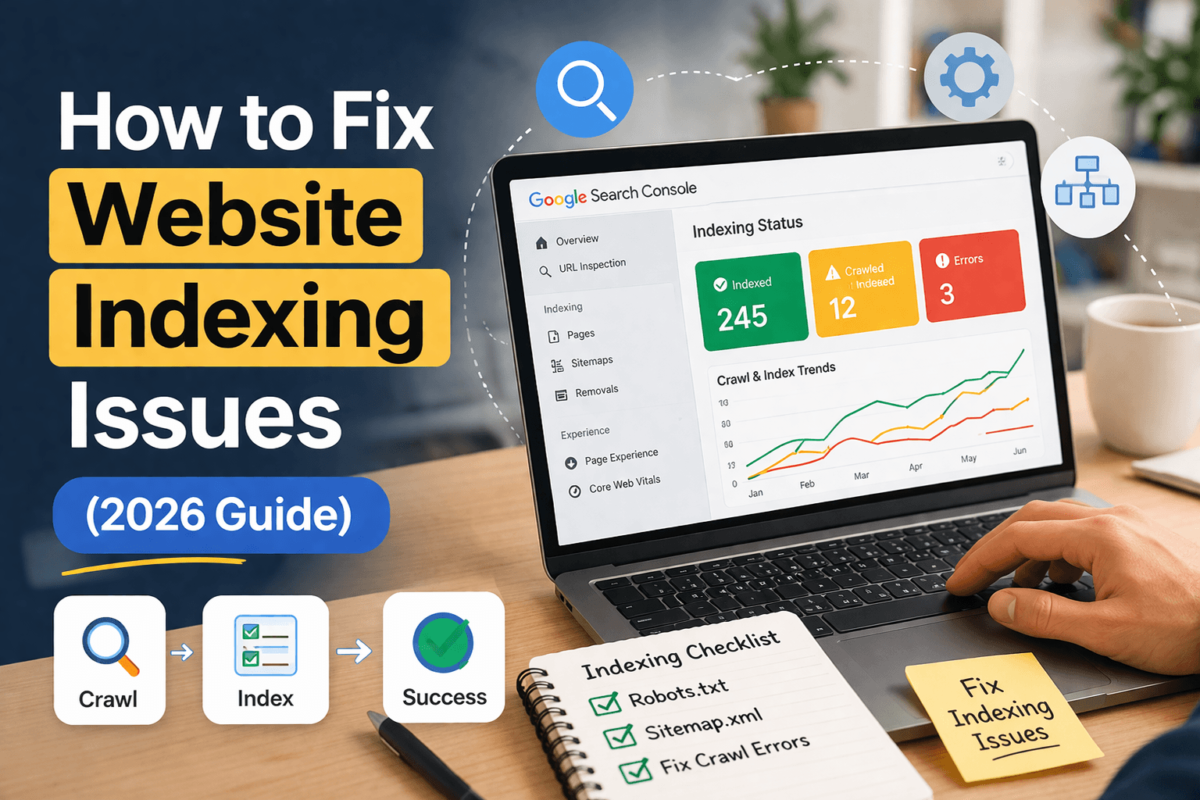
How to Fix Website Indexing Issues
Proven Strategies That Actually Work in 2026
You hit publish. You’re excited. You share it on social media. Then you wait. And wait. And wait some more — but your page never shows up on Google. If you’ve been there, you know how frustrating that feels.
We’ve all been through it. You’ve poured hours into a blog post, optimized it with keywords, written solid content — and Google just ignores it like it doesn’t exist. What gives?
Here’s the honest truth: indexing problems are one of the most common SEO issues in 2026, yet most guides give you watered-down advice like ‘submit your sitemap’ and call it a day. That’s not enough anymore.
In this guide, you’ll get the full picture — the real reasons your pages aren’t getting indexed, and the exact fixes that work right now. No fluff. No generic tips. Just actionable strategies I’ve personally tested.
- 01 Exactly what indexing issues mean (and why they happen)
- 02 How to diagnose your specific problem using Google Search Console
- 03 6 proven fixes — explained step by step
- 04 A real-life story of how I rescued a stuck page
- 05 Advanced 2026 insights Google doesn’t publicly advertise
- 06 A copy-paste checklist to audit any page instantly
What Do Indexing Issues Actually Mean?
Before we fix anything, let’s make sure we’re on the same page about what’s actually happening when Google ‘doesn’t index’ your content.
The Google Library Analogy
Think of Google as a massive library. The librarian (Googlebot) goes out, discovers books (your pages), reads them, and decides whether to add them to the library catalog (the index). If your book never makes it into the catalog — readers (searchers) will never find it.
There are actually three stages your content goes through:
| Stage | What It Means |
|---|---|
| Crawled | Googlebot found and visited your page |
| Processed | Google read the content and analyzed it |
| Indexed | Your page is stored in Google’s index and can appear in search results |
The problem? Crawling doesn’t guarantee indexing. Google crawls millions of pages every day but only indexes the ones it deems valuable enough. In 2026, with the massive surge in AI-generated content, Google has become significantly more selective.
Just because Googlebot visits your page doesn’t mean it will show up in search results. Crawling and indexing are two entirely separate events.
How to Check If Your Page Is Indexed
Before you start fixing things, you need to confirm the problem. Here are three ways to check indexing status right now:
Method 1 — The Quick Google Test
Open a browser and type: site:yourdomain.com/your-page-url into Google’s search bar. If your page appears in the results, it’s indexed. If nothing shows up — you’ve confirmed the problem.
Method 2 — Google Search Console (Most Reliable)
- Go to Google Search Console (search.google.com/search-console)
- In the left menu, click ‘URL Inspection’
- Paste your full page URL and hit Enter
- Look for the status: ‘URL is on Google’ (indexed) or an error message (not indexed)
Method 3 — Coverage Report
For a birds-eye view of all your pages, go to Search Console → Index → Coverage. This shows every page status across your entire site — and it’s where you’ll find exactly which indexing error you’re dealing with.
The Coverage report categories you need to understand:
- Error — Pages Google tried to index but couldn’t
- Valid with Warning — Indexed but has issues
- Valid — Successfully indexed
- Excluded — Not indexed (and Google has a reason why)
Common Indexing Issues (With Real Examples)
Here’s what most people don’t realize — there isn’t just one type of indexing issue. Google gives you specific status messages, and each one has a different root cause and fix.
1. “Discovered — Currently Not Indexed”
What it means: Google found your page (probably through your sitemap or an internal link), but hasn’t gotten around to crawling it yet. Google knows it exists — it just deprioritized it.
Why it happens: Low site authority, thin content, poor internal linking, or your site crawl budget is spread too thin across too many low-quality pages.
Real example: You launch a brand-new niche site and submit 50 posts to your sitemap. Google discovers all 50 but only crawls 10 of them because your domain authority is low and it doesn’t trust you yet.
2. “Crawled — Currently Not Indexed”
What it means: This is the brutal one. Google actually visited your page, read it, and then deliberately chose NOT to index it. Something about your content didn’t meet the bar.
Why it happens: Thin content, duplicate content, no clear topical relevance, or the page simply doesn’t add enough value compared to what’s already in Google’s index.
Real example: A 400-word product review page with generic copy. Google reads it, decides it doesn’t offer anything new or helpful, and skips it.
3. “Duplicate — Without User-Selected Canonical”
What it means: Google found two or more versions of the same page and wasn’t sure which one to index. Since you didn’t tell it which one is ‘official,’ it made its own decision — which might not be the page you wanted.
Why it happens: Missing canonical tags, HTTP vs. HTTPS duplicates, URL parameters creating duplicate pages, or www vs. non-www versions both being accessible.
4. Noindex Tag Accidentally Applied
What it means: Someone (possibly you, possibly a plugin) added a noindex directive to the page, explicitly telling Google: ‘Don’t index this.’
Why it happens: This is embarrassingly common. Staging sites set to noindex during development sometimes go live with it still enabled. Yoast, Rank Math, or other SEO plugins can accidentally set this if misconfigured.
Check your page’s HTML source for <meta name='robots' content='noindex'> or check the HTTP headers.
5. Orphan Pages
What it means: Your page has no internal links pointing to it. It’s floating in isolation — Googlebot has no natural path to find it.
Why it happens: You published a page but forgot to link to it from anywhere on your site. Without an internal link, Google can only find it via your sitemap (which it may or may not follow).
6. Poor Content Quality or Thin Content
What it means: The content doesn’t meet Google’s quality standards. It could be too short, too vague, AI-generated without editing, duplicate of something else, or simply not helpful enough.
In 2026, Google has dramatically raised the bar here. The surge in AI-generated content has forced Google to be much stricter about what qualifies as ‘genuinely helpful.’
6 Proven Fixes for Indexing Issues
This is the core of this guide. Each fix below has a specific use case, a clear explanation of why it works, and the exact steps to implement it. Don’t just pick one randomly — diagnose first, then apply the right fix.
Dramatically Improve Your Content Quality
If Google crawled your page and still didn’t index it, this is almost always the first thing to look at. Content quality isn’t about word count — it’s about genuine usefulness.
- Answer the searcher’s question more completely than anyone else
- Add original insights, data, screenshots, or real examples
- Expand thin sections — anything under 300 words on a topic deserves more depth
- Remove filler phrases and generic statements
- Add a clear structure: intro, problem, solutions, conclusion
- Include a unique angle — your experience, a case study, or contrarian take
Why it works: Google’s algorithms in 2026 are heavily focused on E-E-A-T (Experience, Expertise, Authoritativeness, Trustworthiness). If your content demonstrates real experience and helps users, Google wants to show it. If it doesn’t — it won’t.
Also worth reading: Our guide on AI-Optimized Blog Content ↗ covers how to structure content that both humans and search algorithms reward.
Build Strong Internal Links
Here’s a fix that’s massively underused: internal linking is one of the most powerful indexing signals you have — and it’s completely in your control.
When you link to a page from other pages on your site, you’re telling Google two things: (1) this page exists, and (2) it’s important enough to reference. Pages with multiple internal links get crawled more frequently and prioritized for indexing.
- Find 5–10 related existing posts on your site
- Add contextual links using descriptive anchor text (e.g., ‘Google indexing guide’ not ‘click here’)
- Link from high-traffic, high-authority pages when possible
- Add links within the body copy, not just in footers or sidebars
- Use a logical topic cluster structure so related pages link to each other
Anchor text examples: If your page is about fixing indexing issues, good anchor text includes phrases like: ‘how to fix indexing problems,’ ‘Google indexing guide,’ ‘get pages indexed faster,’ etc.
Make sure your Technical SEO Checklist ↗ page links back to this guide — and vice versa. That bidirectional linking strengthens both pages.
Submit for Indexing (The Right Way)
The misconception: Many people think clicking ‘Request Indexing’ in Google Search Console is a magic fix. It’s not — but it’s still worth doing as part of a complete strategy.
- Go to Google Search Console → URL Inspection
- Enter your page URL and hit Enter
- Click ‘Request Indexing’ button
- Wait 24–72 hours, then check again
The sitemap approach: Make sure your page is included in your XML sitemap and that it’s submitted in Search Console. For WordPress sites, plugins like Rank Math ↗ automatically generate and update sitemaps — a huge time-saver.
Fix Technical Blockers
Sometimes the issue has nothing to do with content quality. A technical mistake is silently blocking Google from indexing your page. Here’s what to check:
| Technical Issue | How to Fix It |
|---|---|
| Noindex meta tag | Check page source for <meta name='robots' content='noindex'> and remove it |
| Robots.txt blocking | Check yourdomain.com/robots.txt — make sure the page isn’t Disallowed |
| Canonical pointing elsewhere | Ensure self-referencing canonical tag is correct |
| Redirect loops | Use a redirect checker tool — fix any chains or loops |
| Slow page speed | Googlebot has a crawl budget — slow pages get deprioritized |
| Broken internal links | Fix 404s pointing to or from the affected page |
For a complete technical audit walkthrough, our Technical SEO Checklist ↗ covers every one of these points in detail — it’s the most thorough guide we’ve published.
Also, if you’re having Core Web Vitals ↗ issues — slow LCP, high CLS, poor INP — these directly impact how frequently Googlebot revisits your site. Fix them and your crawl frequency often improves.
Build External Authority Signals
Google doesn’t just look at your page in isolation. It asks: does the rest of the internet know this page exists? This is where backlinks come in.
Here’s the truth: a page with zero external links pointing to it is harder for Google to justify indexing, especially if your site is relatively new. Links from other sites act as votes of confidence.
- Guest post on relevant sites in your niche with a link back to the target page
- Answer questions on forums, Reddit, or Quora with a link where appropriate
- Share content in niche communities and newsletters
- Get listed on industry resource pages or roundups
- Repurpose content into LinkedIn articles or Medium posts with canonical links back to your original
- Build topical authority: publish 10+ pieces around the same topic cluster
Topical authority matters as much as backlinks now. If you have 15 posts about SEO and Google sees your site as an ‘SEO authority,’ individual pages within that cluster get indexed faster and ranked better. This is Google’s way of rewarding specialists over generalists.
To get an in-depth look at building that authority, check out our AI SEO Guide ↗ which covers how topical authority signals are changing in the AI era.
Update, Improve & Re-Publish
This fix is for pages that were indexed before but have since been dropped, or pages that need a fresh signal. Updating existing content is one of the most underrated indexing tactics.
- Add at least 300–500 words of new, valuable information
- Update statistics, screenshots, or examples to current year
- Improve the introduction — make it more compelling
- Add new FAQ questions based on current search trends
- Change the publish date to ‘Last Updated: [Month Year]’
- Re-submit the URL in Google Search Console after updating
- Build 2–3 new internal links pointing to the refreshed page
Why does this work? Google’s crawlers prioritize fresh, recently updated content. When you update a page and request re-indexing, you’re signaling: ‘Hey, something new happened here — come check it out.’
My Real-Life Indexing Fix
The Story That Changed How I Think About This
Three weeks. That’s how long one of my most comprehensive posts sat in ‘Crawled — Currently Not Indexed.’ I’d spent two full days writing a 3,200-word guide. I submitted it to Search Console. Nothing.
I did what most people do: I spammed the ‘Request Indexing’ button every other day. Still nothing. I panicked. I tweaked the title. I changed the meta description. Still nothing.
Then I actually sat down and analyzed the problem properly. Here’s what I found:
- The page had zero internal links pointing to it from the rest of my site. It was a complete orphan.
- The introduction was weak and didn’t immediately signal the page’s value
- Two very similar articles on my site were creating thin content competition
Here’s what I did — in this exact order:
- Internal linking blitz: Found 8 related posts and added contextual links to the new page using relevant anchor text
- Rewrote the intro: Made it specific, problem-focused, and much more compelling
- Merged one of the duplicate posts into the new guide with a 301 redirect
- Updated the sitemap and submitted a fresh indexing request
The lesson I learned: indexing isn’t random. It’s a signal game. Every fix I made was sending Google clearer signals that this page deserved to be in the index.
Advanced Indexing Insights for 2026
The SEO landscape has shifted. Here’s what most blogs won’t tell you about indexing in 2026:
Google Is Much More Selective Now
The explosion of AI-generated content since 2023 has forced Google to raise the bar. Sites are publishing hundreds of thin AI articles, and Google simply can’t — and won’t — index all of them. It’s becoming a quality filter as much as a technical process.
Our guide on AI-Optimized Blog Content ↗ explains exactly how to create AI-assisted content that passes Google’s quality bar.
Indexing ≠ Ranking
Getting indexed is step one, not the finish line. Plenty of pages are indexed but rank on page 15 where no one will ever find them. After fixing indexing, you need to focus on ranking — that means on-page optimization, authority building, and click-through rate optimization.
Crawl Budget Is Real
Google allocates a certain amount of crawling resources to each website — your ‘crawl budget.’ If your site has 500 low-quality pages, Googlebot might spend its budget on those and never get to your important new content.
Fix: Prune low-quality pages, set thin/duplicate pages to noindex, and consolidate thin content. This frees up crawl budget for your best pages.
AI Overviews Are Changing What Gets Indexed
Google’s AI Overviews now pull information from pages that aren’t always ranking in traditional positions. Pages that are structured well, factually accurate, and concise are more likely to be cited in AI Overviews — even if they rank lower.
Read more: Ranking in Google’s AI Overviews ↗
Local Pages Have Their Own Indexing Rules
If you run a local business or create location-specific pages, there are additional signals Google looks for — NAP consistency, local backlinks, and geographical relevance. Check our Local SEO Strategies Guide if this applies to you.
What NOT to Do (Mistakes That Make Things Worse)
Let’s talk about the stuff that wastes your time — or actively hurts you.
- Spamming the ‘Request Indexing’ button — You’re limited to a certain number of requests per day. Using them on unfixed pages is wasteful.
- Publishing low-quality AI content at scale — Google’s spam detection is better than ever. Thin AI articles will get filtered out fast.
- Ignoring internal linking — It’s free, it’s powerful, and most site owners completely neglect it.
- Creating pages with no clear purpose — Every page on your site should serve a distinct user need. Vague or redundant pages dilute your crawl budget.
- Relying on backlinks alone — Links from other sites help, but they won’t override thin content. Fix the content first.
- Not monitoring Search Console regularly — Issues can sit unnoticed for months. Check it at least weekly.
The Complete Indexing Audit Checklist
Before you hit publish — or when troubleshooting an existing page — run through every item on this checklist:
Frequently Asked Questions
It varies wildly. New pages on established, high-authority sites can be indexed within hours. New pages on brand-new or low-authority sites can take days, weeks, or sometimes months. The fixes in this guide are designed to speed that process up.
No. Requesting indexing is just a way to flag a URL for Googlebot’s attention. The actual indexing decision is based on content quality, technical factors, and authority signals. You still need to fix the underlying issues.
Deindexing typically happens when Google reassesses your content and determines it no longer meets quality standards, or when a technical issue like a noindex tag is accidentally applied. Regularly audit your site with Search Console and focus on keeping content genuinely helpful and up-to-date.
‘Discovered — Not Indexed’ means Google found the URL but hasn’t visited it yet (usually a crawl budget/priority issue). ‘Crawled — Not Indexed’ means Google visited the page but made a deliberate decision not to add it to the index (usually a content quality issue). The fixes are different for each.
Schema markup doesn’t directly cause indexing, but it helps Google understand your content better — which can positively influence indexing decisions. Check our guide on Schema Markup for AI Search for implementation details.
Google Search Console is the primary tool — it’s free and gives you direct data from Google. For deeper audits, tools like those covered in our Rank Math Review and Moz Review provide valuable crawling and site audit features.
You Can Fix This
Indexing issues can feel like a black box — mysterious, frustrating, and outside your control. But they’re not. Every single issue covered in this guide has a clear cause and a clear fix.
The key is to stop guessing and start diagnosing. Open Search Console, find out exactly why your page isn’t indexed, and apply the right fix for that specific problem.
Here’s your action plan:
- Go to Google Search Console right now and check your coverage report
- Identify any pages with ‘Crawled — Not Indexed’ or ‘Discovered — Not Indexed’ status
- For each affected page, work through this guide’s checklist
- Start with content quality and internal linking — these fix 80% of cases
- Check for technical blockers (noindex, robots.txt, canonical issues)
- Request re-indexing after each fix and monitor progress
Remember: getting indexed is the foundation. Ranking comes after. Focus on one step at a time, and the results will follow. If you found this guide helpful, explore our full Technical SEO Checklist ↗ for a complete site audit framework — it’s the natural next step.
- Open GSC → URL Inspection → Check your most important non-indexed pages
- Add 3 internal links to any orphan pages you find
- Check for accidental noindex tags on your key pages
- Update and improve any ‘Crawled — Not Indexed’ pages
- Submit fresh indexing requests after every improvement