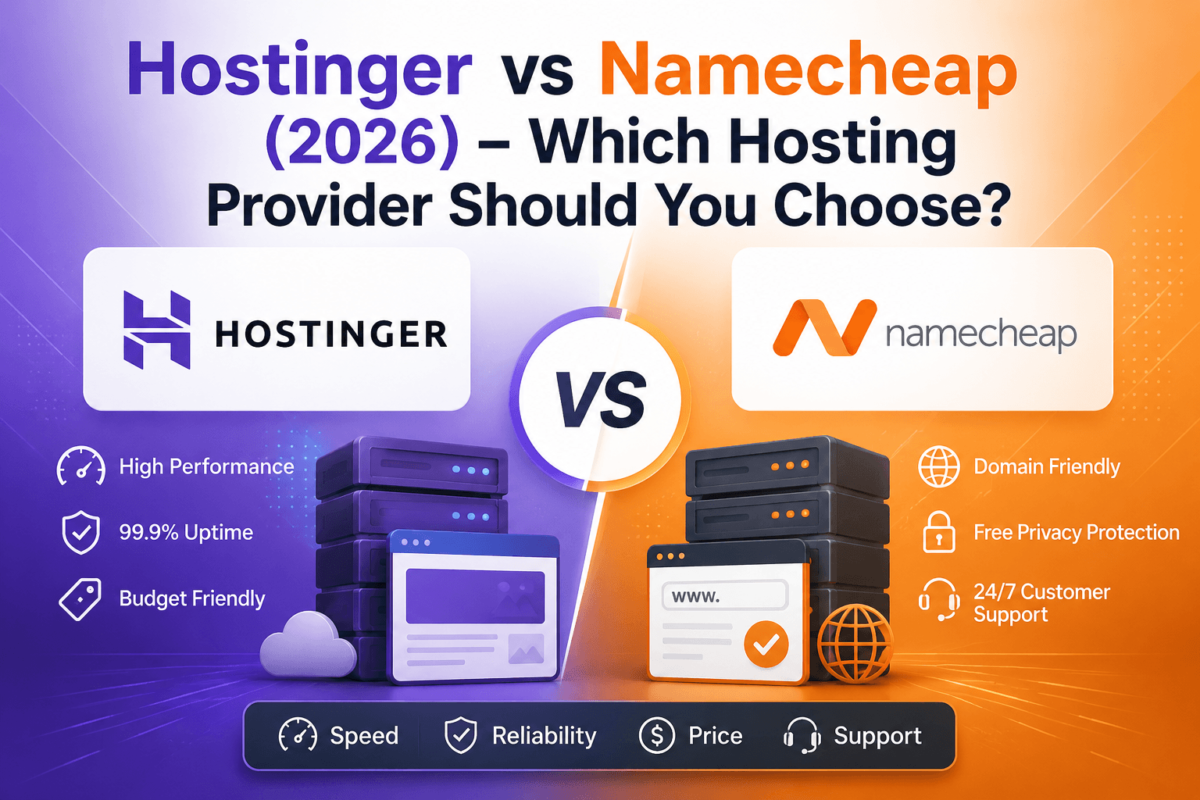
Hostinger vs Namecheap (2026): Which Web Hosting Provider Is Better?
A practical, no-fluff comparison of pricing, speed, WordPress support, security, and customer service — so you can pick the right host the first time.
If you’ve spent any time comparing budget-friendly web hosts, you’ve almost certainly landed on these two names: Hostinger and Namecheap. Both are known for rock-bottom introductory pricing, both throw in a free domain on longer plans, and both get recommended constantly in “cheap hosting” roundups. But cheap doesn’t always mean equal — and the two companies are built quite differently under the hood.
Hostinger built its reputation as a performance-first, all-in-one hosting platform with its own custom-built control panel (hPanel) and heavy investment in speed. Namecheap started life as a domain registrar and layered hosting on top later, which shows up in how its shared hosting still leans on traditional cPanel and a more no-frills feature set. Neither approach is “wrong” — they just serve slightly different priorities.
In this guide, we’ll walk through pricing (including the renewal costs most reviews gloss over), real-world performance, WordPress support, security, migrations, and support quality, then tell you exactly who should pick which host. If you want the short version first, jump to the TL;DR below.
Quick Verdict
Hostinger is the better overall pick for most people in 2026 — it’s faster out of the box, has a more modern dashboard (hPanel), better WordPress tooling, and stronger built-in security. Namecheap still makes sense if you’re already buying your domain there and want everything under one login, or if you specifically want traditional cPanel and Namecheap’s well-regarded live chat support. For WordPress sites, blogs, and small businesses that care about speed, Hostinger is the safer default.
Quick Comparison Table
| Feature | Hostinger | Namecheap |
|---|---|---|
| Overall rating | 4.6 / 5 | 4.1 / 5 |
| Starting price (intro term) | ~$2.69–2.99/mo | ~$1.98–2.28/mo |
| Typical renewal price | Moderate increase | Often 2–3x the intro rate |
| Free domain (1st year) | Yes, on annual+ plans | On select promos only |
| Free SSL | Yes, unlimited | Yes, unlimited |
| Free business email | Trial period only | Yes, included |
| Entry storage | 50–100GB NVMe SSD | Limited on entry tier |
| Bandwidth | Generous, plan-based | Unmetered (most plans) |
| Websites on entry plan | 1 | 1 (unlimited on Plus+) |
| Free CDN | Yes, on most plans | Limited |
| Automated backups | Weekly/daily depending on plan | Add-on or limited |
| Malware scanning | Built-in | Basic / add-on |
| Control panel | hPanel (custom, modern) | cPanel (familiar, traditional) |
| WordPress optimization | LiteSpeed + built-in caching | Standard Apache stack |
| Customer support | 24/7 live chat | 24/7 live chat, well reviewed |
| Uptime guarantee | 99.9% | 99.9% |
| Page speed (out of box) | Faster in most tests | Adequate, not class-leading |
| VPS hosting | Yes, KVM-based, flexible | Yes |
| Cloud hosting | Yes, dedicated resources | Not a dedicated product line |
| Money-back guarantee | 30 days | Up to 45 days on some plans |
A note on pricing: Both hosts change promotional pricing frequently and often require long-term commitments (12–48 months) to get advertised rates. Numbers above are directional as of 2026 — always confirm the current price and renewal rate at checkout before you buy.
TL;DR — Who Should Buy Which?
The Short Answer
- Buy Hostinger if: you want the fastest out-of-the-box performance, you’re building on WordPress, you want a modern all-in-one dashboard, or you’re a beginner who wants guided setup without needing cPanel experience.
- Buy Namecheap if: you already register domains there and want one bill and one login, you specifically prefer cPanel, you want free business email included by default, or your traffic needs are light and predictable.
- Avoid Hostinger if: you refuse to prepay for a long term just to get the advertised price, or you need phone support (it doesn’t offer one).
- Avoid Namecheap if: you’re running a resource-heavy WordPress or WooCommerce site and expect shared hosting to keep up with real traffic growth.
What Is Hostinger?
Hostinger is a Lithuania-founded hosting company that has grown into one of the largest budget hosting brands in the world, serving several million customers across shared, cloud, VPS, and managed WordPress hosting. Rather than reselling a generic cPanel setup, Hostinger built its own control panel called hPanel, its own AI-assisted setup wizard, and a custom-tuned LiteSpeed server stack designed specifically to make WordPress and small business sites load fast without manual tweaking.
Hostinger’s biggest strength is that it treats speed and simplicity as core product features rather than upsells — caching, a CDN, and malware protection are typically bundled in rather than sold separately. Its biggest weakness is the classic “cheap hosting” trade-off: the eye-catching intro price usually requires a long (12–48 month) commitment, and support is chat-only with no phone line.
Hostinger at a Glance
Strengths
Fast by defaultModern hPanelBuilt-in CDNWordPress-tunedWeaknesses
No phone supportLong-term lock-in for best priceRenewal jumpWhat Is Namecheap?
Namecheap started as, and is still best known as, a domain registrar. It expanded into web hosting to give domain customers a one-stop shop, and that heritage still shapes the product: hosting plans (branded “Stellar,” “Stellar Plus,” and “Stellar Business”) run on a familiar cPanel interface, and the company leans heavily on its reputation for cheap, transparent domain pricing and consistently well-reviewed customer support.
Namecheap’s strength is convenience and trust for anyone who already buys domains there — plus genuinely good live chat support and a free business email included on hosting plans, something Hostinger only offers as a limited trial. Its weakness is that the underlying shared hosting infrastructure hasn’t been engineered for speed the way Hostinger’s has, and renewal pricing increases can be steep.
Namecheap at a Glance
Strengths
Trusted domain registrarFamiliar cPanelFree email includedStrong live chatWeaknesses
Slower out of the boxSteep renewal jumpsFewer performance extrasReady to pick a host?
Compare live pricing and current promotions before you commit to a term length.
Both offer money-back guarantees, so you can test the hosting risk-free.
Hosting Plans Comparison
Both providers offer a similar plan ladder — a cheap entry tier, a “most popular” middle tier, and a business-grade top tier — but the details differ enough to matter.
Hostinger’s Plans
- Shared (Premium, Business): The default entry point for blogs, portfolios, and small business sites. Premium suits a single growing site; Business adds more storage, daily backups, and priority support.
- Managed WordPress: The same shared infrastructure with WordPress-specific tooling — pre-installed WP, automatic core updates, and LiteSpeed caching tuned for WP.
- Cloud Startup: A step up in resources with dedicated CPU/RAM allocations rather than shared server capacity, useful once a site outgrows shared hosting but doesn’t yet need a VPS.
- VPS: KVM-based virtual servers with full root access, sold separately from shared/cloud plans, and priced on much shorter commitment terms (12–24 months) than shared hosting.
Namecheap’s Plans
- Stellar: Entry-level shared hosting for a single site with light traffic.
- Stellar Plus: Adds unmetered storage and unlimited websites — the plan most reviewers point to as Namecheap’s best value.
- Stellar Business: Adds a dedicated IP, cloud-based storage for faster I/O, and priority backups — aimed at ecommerce and higher-traffic sites.
- EasyWP: Namecheap’s separate managed WordPress product, sold apart from Stellar hosting, aimed at users who want WordPress-specific performance without cPanel.
- VPS & Dedicated: Available for sites that outgrow shared hosting entirely, with more manual configuration expected than Hostinger’s VPS line.
If you’re still deciding between shared, cloud, and VPS in general (regardless of provider), our VPS hosting guide and cloud hosting comparison break down when it’s actually time to upgrade.
Pricing Comparison
This is where budget hosting gets misleading if you only look at the homepage banner. Here’s what actually matters:
| Cost Factor | Hostinger | Namecheap |
|---|---|---|
| Cheapest advertised rate | Requires 48-month term | Requires 24–36-month term |
| 1-year effective cost | Moderate | Similar or slightly lower |
| Renewal price increase | Noticeable, but more gradual | Can be 2–3x the intro rate |
| Domain renewal after year 1 | Standard market rate | Often cheaper (registrar core business) |
| Add-on email hosting | Paid after trial | Included free |
| Hidden costs to watch | Dedicated IP, some backup tiers | Site backup add-on, SSL on some legacy plans |
Both companies also sell SSL, backups, and CDN access as add-ons on their cheapest tiers — read the plan comparison table on the checkout page carefully, since features that are “included” on one plan are frequently paywalled on the tier below it.
Performance Comparison
Speed is the category where the two hosts diverge most clearly. Hostinger runs on LiteSpeed servers with built-in LSCache, NVMe SSD storage across most plans, and a CDN that’s included rather than sold separately — a combination that consistently produces faster time-to-first-byte (TTFB) and better Core Web Vitals scores in independent testing compared to Namecheap’s more traditional Apache-based shared hosting stack.
Namecheap’s shared hosting is not slow in absolute terms — it’s perfectly usable for a low-traffic blog or brochure site — but it isn’t tuned the way Hostinger’s is, and reviewers consistently rank it behind Hostinger on load-time benchmarks. If page speed is a ranking or conversion priority for you, that gap matters; if you’re running a simple five-page site with modest traffic, you likely won’t notice a difference day to day.
Page speed also depends heavily on what you build on top of hosting — theme choice, image optimization, and plugin bloat usually matter more than the hosting layer alone. Our Core Web Vitals guide and lightweight WordPress themes roundup are worth pairing with whichever host you choose.
Uptime
Both hosts publicly commit to a 99.9% uptime guarantee, and both credit account time if that SLA is missed in a billing period. In practice, independent uptime monitors tend to show both providers performing close to their guarantee in most months, with occasional outages during peak traffic events or maintenance windows — the same pattern seen across nearly every budget shared-hosting provider. Neither company publishes a real-time public status history as transparently as some premium hosts do, so if uptime is mission-critical for your business, it’s worth running your own external monitor (like UptimeRobot) for the first few months regardless of which host you pick.
WordPress Hosting
WordPress powers a large share of both companies’ customer base, and both offer a version of “managed” WordPress hosting, but the depth of tooling differs.
- Installation: Both offer one-click WordPress installs; Hostinger’s setup wizard also pre-configures caching and can auto-suggest a starter theme.
- Auto updates: Hostinger enables automatic core and plugin updates by default on managed plans; Namecheap’s Stellar plans rely more on manual or plugin-based update management.
- Caching: Hostinger bundles LiteSpeed Cache tuned specifically for its stack. Namecheap requires a caching plugin (like WP Super Cache or W3 Total Cache) for comparable results.
- Staging environments: Available on Hostinger’s higher shared/cloud tiers; more limited on Namecheap’s Stellar lineup.
- WooCommerce: Both support WooCommerce, but Hostinger’s faster I/O and built-in caching tend to handle checkout-page load better under traffic spikes.
If you’re building specifically for WordPress, it’s also worth comparing both hosts against dedicated managed-WordPress providers in our managed WordPress hosting guide and best WordPress hosting roundup — and once you’re live, our SEO plugin comparison and WordPress SEO guide cover the setup work hosting alone won’t handle.
Ease of Use: hPanel vs cPanel
This is a genuinely personal preference, not a clear win for either side.
Hostinger’s hPanel
- Modern, visually clean dashboard built from scratch
- Guided onboarding wizard for beginners
- Everything (domains, email, files, databases, SSL) in one unified interface
- Steeper learning curve if you’re used to cPanel from other hosts
Namecheap’s cPanel
- Industry-standard interface used by most hosts, so it’s transferable knowledge
- Dated visual design compared to hPanel
- Familiar to freelancers/agencies who manage multiple clients’ hosting
- Can feel cluttered for first-time users
If you or your developer already know cPanel from managing other clients’ sites, Namecheap requires zero re-learning. If this is your first hosting account, most beginners find hPanel’s guided flow easier to follow.
Domain Registration
Namecheap has the edge here almost by definition — domain registration is its core business, and it’s consistently one of the cheapest, most transparent registrars in the market, with straightforward WHOIS privacy included free on most TLDs and a well-liked domain dashboard. Hostinger also sells domains (often bundled free for the first year with hosting), and pricing is competitive, but it doesn’t have the same decades-long reputation specifically as a registrar.
If you plan to manage a portfolio of domains separate from where you host, many experienced site owners actually register at Namecheap and host at Hostinger (or elsewhere) — domain and hosting don’t have to live with the same company, and keeping them separate can make migrating hosts later much simpler since your DNS and domain ownership aren’t tied to the account you’re moving away from.
Security Comparison
| Security Feature | Hostinger | Namecheap |
|---|---|---|
| Free SSL | ✅ Unlimited, auto-renew | ✅ Unlimited, auto-renew |
| DDoS protection | ✅ Included by default | Basic network-level only |
| Malware scanning/removal | ✅ Built-in monitoring | Add-on (e.g. via CodeGuard/SiteLock) |
| Automated backups | Included on most plans | Included on some plans, add-on elsewhere |
| Two-factor authentication | ✅ Available | ✅ Available |
| Web Application Firewall | ✅ Included | Available on higher tiers/add-on |
Hostinger bundles more security tooling into its base price, while Namecheap tends to sell deeper protection (like premium malware removal) as an add-on through third-party partners. For most small sites, either baseline is adequate — but if you’re running an ecommerce store or handle customer data, budget for the extra security add-ons on whichever host you choose. Our technical SEO checklist also covers the security signals (HTTPS, redirects, headers) that affect both safety and rankings.
Email Hosting
This is one of Namecheap’s clearest wins. Namecheap includes business email hosting free with its Stellar plans, with reasonable mailbox storage and standard webmail access. Hostinger, by contrast, only includes email on a limited trial basis before requiring a paid add-on (Titan Email or a similar service) — a real cost difference if professional email addresses matter to you from day one.
VPS Hosting
Both companies sell VPS plans for sites or applications that have outgrown shared hosting. Hostinger’s VPS lineup runs on KVM virtualization with full root access, flexible OS templates, and snapshot backups, and is generally regarded as more beginner-accessible thanks to its management panel extending into the VPS product. Namecheap’s VPS plans (Pulsar and similar tiers) are solid and competitively priced but expect more manual server administration knowledge, since less of the friendly onboarding from Stellar carries over.
Cloud Hosting
Hostinger has a clearer, more marketed “Cloud” product line (Cloud Startup and above) that guarantees dedicated CPU and RAM rather than sharing resources with other accounts on the same server — a meaningful upgrade path for sites that have outgrown shared hosting but don’t want to manage a full VPS. Namecheap doesn’t have an equivalent dedicated cloud-hosting tier; its scaling path goes from Stellar shared hosting straight to VPS or dedicated servers, which is a bigger jump in both cost and complexity.
Developer Features
- SSH access: Available on both, though enabled by default more consistently on Hostinger’s higher tiers.
- Git integration: Hostinger includes native Git deployment in hPanel; Namecheap’s cPanel also supports Git but with less polished tooling.
- WP-CLI: Supported on both for WordPress-focused developers.
- Cron jobs: Standard on both control panels.
- Staging: More consistently available across Hostinger’s plan tiers.
Neither host is a true “developer platform” the way something like Cloudways or a managed cloud provider is — both are aimed primarily at end-users and small businesses, with developer tooling as a bonus rather than the core pitch.
Website Migration
Hostinger offers a free automated migration tool for moving an existing WordPress site over, plus manual migration assistance through support if the automated tool doesn’t fit your setup. Namecheap’s migration support is more manual and support-ticket dependent, which typically means more back-and-forth and a longer window of downtime risk during the switch. If you’re moving a live business site, budget extra buffer time either way, and always take a full backup before starting.
Ecommerce Hosting
For WooCommerce specifically, Hostinger’s faster I/O, bundled caching, and dedicated cloud tier give it an edge handling traffic spikes around sales and checkout flows. Namecheap’s Stellar Business plan (with its dedicated IP and cloud storage) is a reasonable option for a smaller store, but heavier catalogs or high-conversion stores will likely outgrow shared hosting faster on Namecheap than on Hostinger’s cloud tier. Platforms like Magento, OpenCart, and PrestaShop are more resource-intensive still, and both companies’ entry shared plans will struggle under real transaction volume — that’s a VPS or cloud-hosting conversation regardless of provider. If you’re running (or planning) a Shopify store instead of self-hosted WooCommerce, hosting isn’t part of the equation at all — see our Shopify apps guide and ecommerce SEO guide for that path.
Customer Support
| Support Channel | Hostinger | Namecheap |
|---|---|---|
| Live chat | ✅ 24/7 | ✅ 24/7, consistently well-reviewed |
| Ticket support | ✅ | ✅ |
| Phone support | ❌ Not offered | ❌ Not offered |
| Knowledge base | Large, beginner-friendly | Extensive, more technical tone |
| Community forum | Limited official presence | Active community forum |
Neither company offers phone support, which is common at this price point. Both rely on 24/7 live chat as the primary channel, and both generally get decent-to-good marks for response time. Namecheap’s support has a slightly longer track record of positive sentiment specifically around patience with beginners, while Hostinger’s knowledge base is frequently praised for being easy to follow without a technical background.
User Experience: What Customers Actually Say
Looking across trusted review platforms, a consistent pattern shows up for each brand. Hostinger customers commonly praise the setup speed, price-to-feature ratio, and dashboard, while the most frequent complaint is the size of the price jump at renewal — a common theme across nearly every budget host, not unique to Hostinger. Namecheap customers frequently highlight the ease of managing domains and hosting together and the quality of live chat support, with recurring complaints centered on shared-hosting performance under higher traffic and, similarly, renewal pricing increases. Both patterns are worth taking at face value rather than cherry-picking the best or worst individual reviews — they reflect real, repeated experiences rather than one-off incidents.
Pros and Cons
Hostinger
Pros
- Faster performance out of the box
- Modern, beginner-friendly hPanel dashboard
- Free CDN and built-in security on most plans
- Strong WordPress-specific tooling
- Clear upgrade path via Cloud and VPS
Cons
- Best pricing requires long-term commitment
- No phone support
- Free email is trial-only
Namecheap
Pros
- Excellent domain pricing and management
- Free business email included
- Familiar cPanel interface
- Well-reviewed live chat support
- Flexible term lengths
Cons
- Shared hosting performance lags Hostinger
- Fewer bundled security/performance extras
- Steeper renewal price jumps on some plans
Feature-by-Feature Winner
| Category | Winner |
|---|---|
| Pricing (intro) | Namecheap |
| Pricing (long-term value) | Hostinger |
| Speed | Hostinger |
| Support | Tie (Namecheap slightly ahead) |
| Ease of use for beginners | Hostinger |
| WordPress hosting | Hostinger |
| Security (included features) | Hostinger |
| Domain management | Namecheap |
| Email hosting | Namecheap |
| VPS/Cloud scalability | Hostinger |
| Ecommerce/WooCommerce | Hostinger |
| Overall value | Hostinger |
Best For: Ideal Users
Choose Hostinger if you’re a…
BeginnerBloggerAgencySmall businessWooCommerce storeFast-growing siteChoose Namecheap if you’re a…
Domain investorBudget-first buyerPersonal site ownerSmall business needing emailDeveloper wanting domain + hosting togetherReal Use Cases: Which Host Fits Your Project?
Speed Optimization Tips (Regardless of Host)
Hosting is only part of the speed equation. Whichever provider you choose, these habits matter just as much:
- Enable server-side and browser caching (built-in on Hostinger; install a caching plugin on Namecheap).
- Use a CDN for image and static asset delivery.
- Compress and lazy-load images — this alone often fixes the biggest Core Web Vitals issues.
- Clean up your database regularly (old revisions, spam comments, transients) if you’re on WordPress.
- Run the latest supported PHP version — an easy toggle in both hPanel and cPanel that’s frequently left on an outdated default.
For a deeper walkthrough, our Core Web Vitals guide covers each of these in more technical detail.
Common Mistakes to Avoid
- Choosing based only on the homepage price instead of the renewal rate you’ll actually pay next year.
- Ignoring the term length required to unlock the advertised price — some “cheap” plans require a 4-year prepay.
- Buying unnecessary add-ons at checkout (extra backups, premium DNS, SSL upgrades) that are often unnecessary for a small site.
- Picking shared hosting for a project that needs cloud or VPS — a growing store or high-traffic blog will outgrow shared hosting fast, and migrating under pressure is harder than upgrading proactively.
Alternatives Worth Knowing
If neither Hostinger nor Namecheap feels right, a few other budget and mid-tier hosts are commonly shortlisted alongside them: Bluehost and SiteGround (both popular for WordPress-specific hosting with more hand-holding), DreamHost and A2 Hosting (developer-friendly with strong uptime reputations), GreenGeeks (green-energy-focused shared hosting), ScalaHosting and Cloudways (better suited to cloud-first scaling), and GoDaddy (broad brand recognition, though generally rated behind both Hostinger and Namecheap on performance). Our best web hosting services roundup covers how all of these stack up side by side.
Frequently Asked Questions
Is Hostinger better than Namecheap?
For most users, yes — Hostinger generally offers faster performance, a more modern dashboard, and stronger built-in security. Namecheap remains competitive on domain pricing and included email.
Which is faster, Hostinger or Namecheap?
Hostinger, thanks to its LiteSpeed server stack, built-in caching, and bundled CDN across most plans.
Which is cheaper overall?
Namecheap often has a lower headline intro price, but Hostinger’s renewal pricing and included features (CDN, security, backups) tend to make it more cost-effective over a multi-year period.
Does Hostinger include free email hosting?
Only on a limited trial basis. After the trial, business email is a paid add-on.
Does Namecheap include a free domain with hosting?
Sometimes, depending on the current promotion — it’s not guaranteed on every plan, so check at checkout.
Which host has better uptime?
Both advertise a 99.9% uptime guarantee and perform similarly in independent monitoring, with occasional outages typical of budget shared hosting.
Which is better for WordPress?
Hostinger, due to its LiteSpeed caching, automatic updates, and WordPress-tuned managed hosting tier.
Can I migrate my site for free?
Hostinger offers a free automated migration tool for WordPress sites. Namecheap’s migration process is more manual and support-assisted.
Which is best for WooCommerce stores?
Hostinger, particularly on its Cloud tier, handles checkout traffic and I/O demands better than Namecheap’s Stellar plans.
Is Namecheap hosting reliable?
Yes, for light-to-moderate traffic sites. It becomes less reliable as a fit once traffic or transaction volume grows significantly.
Is Hostinger beginner-friendly?
Very much so — hPanel’s guided setup and AI-assisted tools are specifically designed for first-time site owners.
Which has better customer support?
Both rely on 24/7 live chat with no phone line. Namecheap has a slight edge in long-standing customer sentiment; Hostinger’s knowledge base is easier for beginners to self-serve.
Does either offer VPS hosting?
Yes, both do. Hostinger’s KVM-based VPS is generally considered more beginner-accessible; Namecheap’s VPS assumes more server administration knowledge.
Does either offer dedicated cloud hosting?
Hostinger has a distinct Cloud product line with dedicated CPU/RAM. Namecheap does not have an equivalent dedicated cloud tier.
Which has better free backups?
Hostinger includes automated backups on more of its plans by default; Namecheap often sells deeper backup coverage as an add-on.
Which is better for agencies managing multiple client sites?
It depends on team familiarity — agencies used to cPanel workflows may prefer Namecheap; agencies prioritizing speed and simpler client onboarding often prefer Hostinger.
Which is easier to scale as traffic grows?
Hostinger, because of its distinct Cloud tier that sits between shared hosting and VPS — Namecheap’s jump from Stellar to VPS is a bigger leap.
Which is best for SEO?
Neither host directly improves rankings, but Hostinger’s faster load times and better Core Web Vitals performance give it an indirect SEO advantage.
Which is safer overall?
Hostinger bundles more security features (WAF, malware scanning, DDoS protection) into its base plans by default.
Which offers better overall value for the price?
Hostinger, when you factor in bundled performance and security features rather than the sticker price alone.
Final Verdict
Our Recommendation
Both Hostinger and Namecheap are legitimate, well-established budget hosting options — this isn’t a case of one being untrustworthy. But if you want a single recommendation for most use cases in 2026, Hostinger is the stronger overall choice: it’s faster by default, easier for beginners, better tooled for WordPress and WooCommerce, and includes more security and performance features in its base pricing. Namecheap earns its place specifically for domain management, included email, and cPanel familiarity — not as a head-to-head performance competitor.
Bottom line
If speed, WordPress support, and bundled security matter most, start with Hostinger. If you want your domain and hosting in one place with reliable live chat support, Namecheap is a safe, budget-friendly bet.
Pricing, plans, and included features change periodically — always confirm current terms on the provider’s site before purchasing. This post may contain affiliate links.