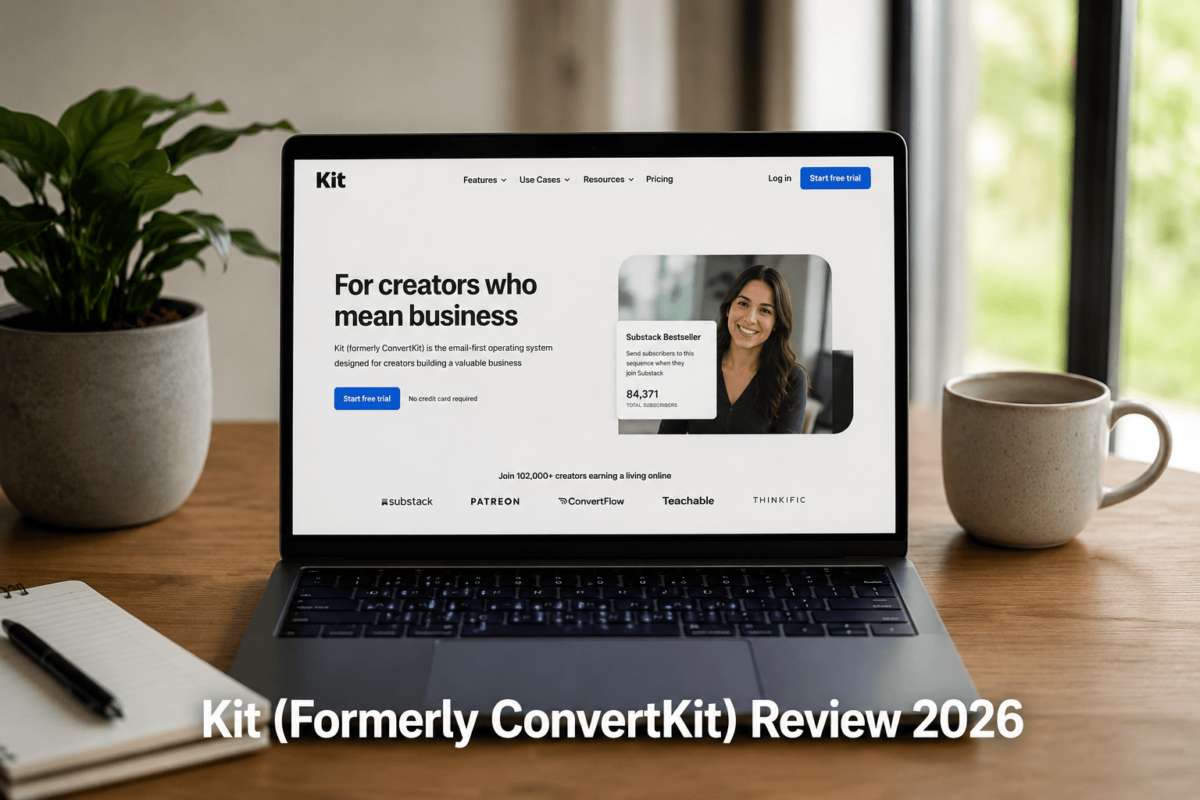
Kit (Formerly ConvertKit) Review 2026
The Most In-Depth, Honest Review for Creators, Bloggers & Affiliate Marketers
Last Updated: March 2026 | Tested for 30+ Days | TechCognate.com
Who Is This Review For?
If you are a blogger, content creator, YouTuber, course seller, or affiliate marketer trying to grow a sustainable email list in 2026, you have almost certainly heard of Kit — formerly known as ConvertKit. In a crowded email marketing market, Kit has consistently stood out as the go-to platform for independent creators who want powerful automation without the enterprise-level complexity.
In this Kit review, we spent over 30 days hands-on testing the platform — building real automation sequences, creating landing pages, testing deliverability, exploring the new Kit App Store, and comparing it head-to-head with Mailchimp, ActiveCampaign, and Brevo. The result? A brutally honest, deep-dive guide that covers everything you need to make a confident buying decision.
Whether you are brand new to email marketing or switching platforms, this review will walk you through every feature, every pricing tier, every hidden limitation — and ultimately tell you whether Kit is worth your investment in 2026.
Kit earns an 8.4 out of 10 in 2026. It remains the best email marketing platform for content creators, bloggers, and affiliate marketers who want smart automation, a generous free plan, and built-in monetization tools. Its pricing becomes steep at scale, but for most creators it delivers outstanding ROI.
Quick Verdict: TL;DR Summary
| Criteria | Our Assessment |
|---|---|
| Overall Rating | 8.4 / 10 — Top pick for content creators in 2026 |
| Best For | Bloggers, YouTubers, course creators, affiliate marketers, solopreneurs |
| Not Ideal For | Large enterprises, advanced CRM users, design-heavy campaigns |
| Free Plan | Yes — up to 10,000 subscribers with unlimited emails, forms & landing pages |
| Paid Plan Starts At | $39/month for 1,000 subscribers (Creator plan) |
| Standout Feature | Visual automation builder + built-in digital product monetization + Creator Network |
| Biggest Drawback | Pricing gets steep at higher subscriber counts; limited email design templates |
🔗 Related Reading: Not sure where to start with SEO for your blog? Make sure you read our comprehensive guide on AI SEO to ensure your content reaches the right audience once you start building that email list.
What Is Kit (Formerly ConvertKit)?
Kit is a creator-first email marketing platform founded in 2013 by Nathan Barry — a designer and blogger who built the tool to solve his own email marketing frustrations. Originally launched as ConvertKit, the platform officially rebranded to simply “Kit” in October 2024 to reflect its evolved mission: becoming the operating system for the creator economy, not just an email tool.
Unlike generalist platforms like Mailchimp that try to serve every type of business, Kit was designed from the ground up for independent creators — bloggers, YouTubers, podcasters, course creators, and affiliate marketers. Every feature, every UI decision, and every pricing tier reflects that creator-first philosophy.
Today, Kit powers hundreds of thousands of creator businesses worldwide. It combines email marketing, marketing automation, subscriber management, landing page building, and built-in digital product monetization into one clean, easy-to-navigate platform.
The ConvertKit to Kit Rebrand — What Changed?
The rebrand from ConvertKit to Kit was more than a name change. It signaled a strategic repositioning of the platform as a full creator operating system. Here is what actually changed:
Importantly, the core email marketing DNA — the visual automation builder, tagging system, and deliverability strength — remained unchanged. Existing ConvertKit users found a seamless transition with zero disruption to their workflows.
Kit Features Overview — Everything on One Platform
Here is a bird’s-eye view of what Kit offers before we dive deep into each feature:
Deep Feature Breakdown: Everything Tested & Explained
1. Email Campaign Builder
The email campaign builder is where you will spend a significant portion of your time in Kit. It supports two types of email sends: Broadcasts and Sequences. Understanding the difference is crucial for building an effective email marketing strategy.
Broadcasts — One-Time Email Campaigns
Broadcasts are one-time emails sent to your entire list or specific segments. Think of them as your regular newsletter sends — a new blog post announcement, a product launch email, a weekly roundup. You can schedule broadcasts in advance or send them immediately.
Here is what we noticed after using Kit broadcasts for 30 days: the editor is intentionally clean and text-focused. Rather than offering 100+ design-heavy templates like Mailchimp, Kit keeps things simple. This is a deliberate design decision based on the insight that plain-text or minimal-design emails consistently outperform heavily designed ones for creator audiences — and the deliverability data backs this up.
The editor supports:
One genuinely useful feature is the ability to save any broadcast as a reusable template. This means once you find an email format that works (say, a “new blog post” announcement format), you save it and never start from scratch again.
Sequences — Automated Email Series
Sequences are automated, time-based email series. They are the backbone of any serious email funnel. A welcome sequence, an onboarding series, a product launch drip, a free course — all of these are built using Sequences.
In Kit, you create a sequence by:
The sequence editor uses the same clean interface as Broadcasts, keeping the learning curve minimal. Subscribers on the free Newsletter plan are limited to one automated sequence — an important limitation to know before you commit to the free tier.
A/B Testing — Subject Lines & Preview Text
Kit includes one-click A/B testing for subject lines and preview text. This is a big deal, because subject lines alone can determine whether your email gets opened or ignored. In our testing, Kit makes the A/B test setup intuitive: you write two variants, set a test percentage, and Kit automatically determines the winner based on open rate. The winning version then gets sent to the rest of your list.
A newer update also allows you to test subject line and preview text combinations together — giving you more control over inbox appeal and helping you find winning combos faster.
2. Visual Automation Builder
The visual automation builder is, without question, Kit’s most powerful and most celebrated feature. It is what separates Kit from basic newsletter tools and puts it in the same conversation as platforms like ActiveCampaign — but with a dramatically lower learning curve.
Here is what a real automation workflow looks like in Kit:
How Automations Work in Kit
Every automation starts with a trigger — the event that kicks off the workflow. Common triggers include:
From the trigger, you build a flowchart of actions and conditions using a drag-and-drop canvas. Each node can be an action (send an email, add a tag, subscribe to a sequence) or a condition (if subscriber has tag X, go down path A; if not, go down path B).
Real Use Case: Lead Magnet to Affiliate Offer Funnel
Here is a real-world automation example we built and tested during our 30-day review:
This entire workflow was built in under 20 minutes — no coding, no technical expertise required. For bloggers building affiliate marketing funnels, this kind of automation capability is genuinely transformative.
🔗 Related Reading: For more affiliate marketing strategies, check out our Technical SEO Checklist to ensure your landing pages rank and convert.
Pre-Built Automation Templates
Not sure where to start? Kit provides 28+ pre-built automation templates covering the most common creator workflows. These include welcome sequences, product launch funnels, course delivery sequences, re-engagement campaigns, and more. Each template is fully customizable. This is particularly valuable for beginners who want to start with a proven framework and adapt it to their needs.
Automation Rules — The If/Then Layer
Beyond the visual canvas, Kit also has an ‘Automation Rules’ system — a simplified if/then rule engine. Rules let you set global triggers and actions without building a full visual workflow. For example: ‘IF subscriber clicks the link in my welcome email, THEN add tag: high-intent.’ Rules work alongside visual automations to give you a comprehensive behavioral targeting system.
3. Landing Pages & Forms
Kit includes a fully-featured landing page builder and form builder — both available on every plan, including the free Newsletter plan. This is a genuine differentiator: many competitors lock landing pages behind paid plans.
Landing Page Builder
Kit provides 50+ landing page templates covering opt-in pages, webinar registrations, product sales pages, coming-soon pages, and more. Each template is mobile-responsive and hosted on Kit’s servers — no web hosting required.
The landing page editor is clean and straightforward:
One honest caveat: the template designs, while functional, are not as visually diverse as competitors like Unbounce or even Mailchimp. Kit’s landing pages follow a clean, minimalist aesthetic. For text-focused, conversion-optimized opt-in pages — especially for lead magnets — they work extremely well. For design-heavy sales pages, you might feel limited.
Form Builder
Kit’s form builder offers four form types: inline (embedded in content), modal (pop-up), slide-in, and sticky bar. All four are available on every plan.
Key form features include:
We found Kit’s form builder fast and intuitive in practice. Building a simple lead magnet opt-in form took under 5 minutes. The real power comes from connecting forms directly to automations — a subscriber filling out a form can instantly trigger a tag, start a sequence, and enter a visual automation workflow simultaneously.
4. Subscriber Tagging & Segmentation
This is where Kit’s philosophy fundamentally differs from most email marketing platforms — and understanding it is essential for getting the most out of the tool.
Tags vs. Lists — A Critical Distinction
Most older email marketing platforms (think early Mailchimp) organize subscribers into separate lists. The problem with lists? If the same person is interested in multiple topics, they end up on multiple lists, counted as multiple subscribers, and you pay for them multiple times. It also makes cross-targeting difficult.
Kit uses a tag-based system instead. Every subscriber exists once in your account — they are never duplicated. You then apply tags to describe their interests, behaviors, purchase history, and more. For example, a single subscriber might have the tags: ‘blog-reader’, ‘downloaded-seo-checklist’, ‘clicked-affiliate-link’, and ‘purchased-course-2025’. This gives you a rich, multidimensional view of every subscriber.
Segmentation in Practice
Tags power Kit’s segmentation system. You can segment your list by:
On Creator Pro, subscriber scoring adds another layer — Kit automatically scores subscribers based on engagement frequency, letting you identify your most valuable subscribers for VIP offers, sponsor pitches, and re-engagement campaigns.
5. Creator Monetization Tools
This is Kit’s most unique differentiator in 2026 and the feature that has driven the most creator migration away from platforms like Mailchimp. Kit has genuinely become an all-in-one monetization hub for independent creators.
Digital Product Selling
Kit lets you sell digital products — ebooks, templates, presets, guides, mini-courses — directly from your Kit account. You upload the file, set a price, and Kit generates a checkout page and handles delivery. Payment processing runs through Stripe at 0.6% plus standard credit card processing fees. No third-party checkout tool required.
You can create:
Paid Newsletters
Kit’s paid newsletter feature lets you charge subscribers a recurring fee for premium content. Paid subscribers are automatically segmented from free subscribers, so you never accidentally send premium content to free readers. This is a standout feature for writers and creators looking to build sustainable, recurring revenue from their email list.
Creator Network — Organic List Growth
The Creator Network is one of Kit’s most innovative growth features. It allows you to recommend other creators’ newsletters to your subscribers, and in return, other creators recommend yours. This creates a symbiotic ecosystem of newsletter cross-promotion that can drive genuinely organic subscriber growth.
On paid plans, you can earn revenue by recommending other newsletters — not just grow your list, but monetize those recommendations. This transforms Kit from a tool into a distribution network.
Real Use Case: Blogger to Revenue Engine
One TechCognate-tested scenario: A travel blogger uses Kit to deliver a free ‘Ultimate Packing List’ PDF via a landing page. The automation tags subscribers by destination interest, delivers tailored content sequences, and promotes a $29 ‘Travel Budget Masterclass’ digital product. The Creator Network sends 200+ new subscribers per month organically. The result: a self-sustaining revenue loop powered entirely by Kit.
6. Integrations — Connect Kit to Your Entire Tech Stack
Kit integrates natively with 70+ tools on the Creator plan and above. Free plan users do not have access to integrations — a notable limitation if you rely on third-party tools.
Key Native Integrations
E-commerce integrations:
Content platform integrations:
Course platform integrations:
Other popular integrations:
🔗 Related Reading: If you run SEO-driven content and want to understand how your technical infrastructure impacts email marketing performance, our detailed Core Web Vitals Guide explains how site speed affects your landing page conversion rates.
7. Analytics & Reporting
Kit’s analytics provide the key metrics you need to understand how your email marketing is performing:
Standard Analytics (All Paid Plans)
Advanced Analytics (Creator Pro Only)
One honest observation: Kit’s standard analytics are good but not exceptional. If you are an advanced marketer who wants granular data — click maps, time-of-open analysis, device-type breakdowns — you will find Kit’s reporting somewhat basic compared to ActiveCampaign. For the majority of creators, however, open rates and click rates are the primary metrics that drive decisions, and Kit covers those well.
8. Email Deliverability — Kit’s Secret Weapon
Email deliverability — the rate at which your emails actually reach the inbox versus the spam folder — is arguably the most important technical metric in email marketing. It does not matter how good your copy is if your emails land in spam.
Kit has consistently been recognized as one of the highest-deliverability email platforms in the industry. Here is why:
In independent deliverability tests conducted by EmailToolTester, Kit consistently achieves inbox placement rates above 90%, outperforming many competitors including Mailchimp in several test scenarios.
9. New Features in 2026 — What Sets This Review Apart
Most Kit reviews you will find online were written in 2023 or 2024. Here is what has changed since then, and why it matters for your decision:
Kit App Store — The Creator Ecosystem
Launched in late 2024 and expanded through 2025-2026, the Kit App Store is a game-changer. It transforms Kit from an email tool into an extensible platform with third-party AI-powered applications. Notable new apps include:
Upgraded Kajabi Integration
Kit’s Kajabi integration received a major upgrade, with unified subscriber profiles (purchase history, tags, and custom fields sync automatically), triggered sequences based on exact course enrollment or purchase behavior, and automated course access grants through Kit’s Visual Automations. This makes the Kit + Kajabi combination one of the most powerful stacks for course creators in 2026.
Wix Native Integration
Kit now connects natively to Wix without requiring Zapier as an intermediary. Every form submission and sale on a Wix site instantly triggers the right email automation in Kit, giving creators with Wix websites a seamless experience.
A/B Testing — Subject + Preview Text Combos
Kit updated its A/B testing feature to allow testing of subject line and preview text combinations together — finding the winning combination that drives the most opens, not just the best subject line in isolation.
New Automation Templates (10+ Added)
Kit added 10+ new pre-built automation templates in late 2025, covering webinar funnels, self-paced email courses, upsell sequences, and more. Each is ready to customize and deploy in minutes.
RSS Campaign Automation
Kit now allows you to automatically send emails when you publish a new blog post via RSS campaign automation. For bloggers who publish regularly, this eliminates the need to manually create a broadcast for every new post — Kit does it automatically.
Kit Pricing 2026 — Full Breakdown
Kit’s pricing is subscriber-based, which means what you pay depends on the size of your email list and which feature tier you need. This is the complete, current pricing breakdown as of March 2026.
The Three Kit Plans
Plan 1: Newsletter (Free)
The free Newsletter plan is one of the most generous free plans in email marketing in 2026. Here is what you get:
Important limitations on the free plan: Kit branding appears on your emails and forms. You must enable the Recommendations feature (your subscribers see promotions for other creators). You are limited to one automated sequence. Third-party integrations are not available.
Plan 2: Creator
The Creator plan is what most serious creators graduate to. It starts at $39 per month for up to 1,000 subscribers and scales with your list size. Key upgrades from the free plan:
Plan 3: Creator Pro
Creator Pro is designed for established creators who need advanced analytics and growth tools. It starts at $79 per month for up to 1,000 subscribers. Additional features beyond Creator:
Kit Pricing by Subscriber Count
| Subscribers | Creator Plan (Monthly) | Creator Pro Plan (Monthly) |
|---|---|---|
| Up to 1,000 | $39 / month | $79 / month |
| Up to 3,000 | $59 / month | $111 / month |
| Up to 5,000 | $89 / month | $167 / month |
| Up to 10,000 | $119 / month | $223 / month |
| Up to 25,000 | $199 / month | $379 / month |
| Up to 50,000 | $379 / month | $599 / month |
| Up to 95,000 | $619 / month | $807 / month |
💰 Annual Billing Tip
Choosing an annual billing plan saves you approximately 16% (equivalent to 2 months free) compared to monthly billing. For a Creator plan at 5,000 subscribers, that is a saving of over $200 per year. All paid plans include a 30-day money-back guarantee.
When Should You Upgrade from Free to Creator?
The free Newsletter plan is genuinely excellent for starting out, but you should upgrade to Creator when:
Is Creator Pro Worth the Extra Cost?
Creator Pro is worth the extra investment if you actively use: Facebook ads (Custom Audiences sync), a referral program (Newsletter referral system), or need detailed deliverability reporting to diagnose email performance issues. For most bloggers and affiliate marketers just starting out, the standard Creator plan is sufficient.
Kit Pros & Cons — The Honest Verdict
|
✅ Pros ✓Generous free plan: 10,000 subscribers, unlimited emails
✓Intuitive visual automation builder (no coding needed)
✓Powerful subscriber tagging and segmentation system
✓Built-in digital product and paid newsletter selling
✓Excellent email deliverability rates
✓Creator Network for organic list growth
✓Kit App Store with AI-powered tools (Kitlytics, etc.)
✓30-day money-back guarantee on all paid plans
|
❌ Cons ✗Pricing escalates steeply as your list grows past 10k
✗Limited email design templates vs. Mailchimp
✗Email editor is text-focused; lacks advanced design freedom
✗Subscriber scoring only on Creator Pro plan
✗Downgrading plan requires contacting support manually
✗Free plan requires Kit branding on emails/forms
✗Limited multi-channel marketing (email-only focus)
✗No phone support on any plan
|
The pros significantly outweigh the cons for the target audience Kit is designed for. The key is being honest about who should and should not use it — which is exactly what the next section covers.
Kit vs. Competitors — Head-to-Head Comparison 2026
Here is how Kit compares against the three most common alternatives creators consider before choosing an email marketing platform:
| Feature | Kit | Mailchimp | ActiveCampaign | Brevo |
|---|---|---|---|---|
| Best For | Creators/Bloggers | Small Businesses | Sales Teams | Budget Marketers |
| Free Plan | 10,000 subs | 500 subs | No | Unlimited subs |
| Starting Paid Price | $39/mo | $13/mo | $15/mo | $9/mo |
| Visual Automation | Excellent | Basic | Advanced | Good |
| Ease of Use | Very Easy | Moderate | Complex | Moderate |
| Digital Product Selling | Built-in | Limited | Via integrations | No |
| Creator Network | Yes (unique) | No | No | No |
| Deliverability | Excellent | Good | Very Good | Good |
| Email Templates | Limited | 100+ | Moderate | 40+ |
Kit vs. Mailchimp
Mailchimp is the most widely recognized email marketing brand, but it is not the best choice for creators in 2026. Mailchimp’s free plan caps out at just 500 subscribers (compared to Kit’s 10,000), and its interface — while feature-rich — is noticeably more complex and less creator-focused. Kit’s automation builder is cleaner and more intuitive than Mailchimp’s. Mailchimp does win on email template variety and design flexibility, which matters if you run a design-heavy brand. For pure creator economics (grow list, automate funnels, sell products), Kit wins decisively.
Kit vs. ActiveCampaign
ActiveCampaign is the automation powerhouse — arguably the most powerful email marketing automation platform available. If you need enterprise-grade CRM features, deep sales pipeline integration, and highly complex multi-branch automations, ActiveCampaign is formidable. However, it starts at $15/month but offers no free plan, and its interface has a steep learning curve. Kit’s automation builder gives creators 90% of the functionality they actually need with 20% of the complexity. For bloggers and content creators, Kit is the smarter choice; for sales teams managing thousands of deals, ActiveCampaign wins.
Kit vs. Brevo (Formerly Sendinblue)
Brevo is the budget-friendly option — offering a free plan with unlimited subscribers (capped at 300 emails/day) and very competitive paid pricing. Where Brevo excels is multi-channel marketing: email, SMS, WhatsApp, and live chat. Where it falls short is the creator-specific features that make Kit special: no Creator Network, no built-in digital product selling, and weaker automation compared to Kit. If budget is your primary constraint and you need multi-channel marketing, Brevo is worth considering. If you are a creator building an audience, Kit’s ecosystem is unmatched.
🔗 Related Reading: Want to align your email and SEO strategy? See our guide on Email Marketing for SEO to learn how a healthy subscriber list supports your organic growth.
Who Should Use Kit in 2026?
|
👍 Kit IS perfect for you if… ✓You run a blog or content site
✓You create YouTube, podcast, or course content
✓You want to sell digital products directly via email
✓You do affiliate marketing and need smart funnels
✓You want simple, powerful automation without coding
✓You are a solopreneur or independent creator
|
👎 Kit may NOT be the right fit if… ✗You need enterprise-grade CRM features
✗You have a very large list (100k+) on a tight budget
✗You need drag-and-drop, design-rich email templates
✗You require multi-channel (SMS, push) marketing
✗You need advanced A/B testing on full campaigns
✗You manage a large marketing team with complex roles
|
Ideal Kit User Personas
Bloggers & Content Creators
If you run a content blog — whether about travel, personal finance, food, technology, or any other niche — Kit is almost certainly the best email marketing tool for you. The combination of a generous free plan, powerful tagging, and seamless WordPress integration makes it the natural choice for bloggers who want to monetize their audience without complexity.
🔗 Related Reading: Pair Kit with a solid SEO strategy — read our AI-Optimized Blog Content Guide to ensure your content drives consistent organic traffic that you can then convert into email subscribers.
YouTubers & Podcasters
Kit’s landing page builder and creator monetization tools make it ideal for video and audio creators. Use Kit to deliver exclusive content to email subscribers, sell course access, or run a paid newsletter as a premium tier alongside your free YouTube channel.
Course Creators & Online Educators
The Kajabi integration, digital product selling, and subscription features make Kit a powerful tool for course creators. You can build pre-launch waitlists, deliver course access emails, and manage student onboarding sequences — all from one platform.
Affiliate Marketers
For affiliate marketers, Kit’s tag-based segmentation and visual automation builder are the ultimate funnel-building toolkit. Tag subscribers by interest, deliver targeted lead magnets, and build automated sequences that intelligently pitch affiliate offers based on subscriber behavior — not just a blanket blast to your entire list.
🔗 Related Reading: Maximize your affiliate marketing by ensuring your site also ranks well. Our Local SEO Strategies Guide and technical SEO resources will help drive more traffic to your opt-in pages.
Solopreneurs & Independent Creators
Kit was fundamentally built for you. If you are a one-person business — selling your expertise, your courses, your templates, your newsletter — Kit gives you enterprise-grade marketing automation at a price and complexity level designed for the individual creator.
Real Use Cases — How Creators Use Kit to Grow & Earn
Use Case 1: Building an Email List from a Blog
The most common Kit use case. A blogger installs Kit’s WordPress plugin, embeds opt-in forms in the header, footer, content upgrades, and exit-intent popups. Each form is connected to a tagged segment. A subscriber who downloads a ‘Keyword Research Checklist’ is tagged ‘interested-seo-tools’ and enters an automated sequence delivering valuable SEO content over 7 days before receiving a soft affiliate pitch for an SEO tool.
Result: List grows organically from content traffic. Subscribers are pre-qualified by interest. Affiliate conversions are higher because pitches are contextual, not random.
Use Case 2: Selling a Digital Product — The Full Funnel
A course creator uses Kit to sell a $197 online course. The funnel: free PDF lead magnet on a Kit landing page collects subscribers. A 10-day email sequence delivers value, builds trust, and pitches the course on Day 7. Buyers are automatically tagged ‘purchased-course’ and moved to a student onboarding sequence. Non-buyers receive a final follow-up with a limited-time discount. Kit handles the checkout, payment (via Stripe), and digital delivery automatically.
Use Case 3: Affiliate Marketing Funnel with Behavioral Targeting
An affiliate marketer runs multiple niche newsletters. Each subscriber is tagged based on which newsletter they subscribed to and which emails they click. Kit automations deliver different affiliate offers to different segments. A subscriber tagged ‘interested-in-web-hosting’ receives hosting affiliate offers. A subscriber tagged ‘interested-in-email-marketing’ receives email tool affiliate recommendations. This behavioral targeting dramatically improves click-through rates and commission revenue compared to sending the same email blast to all subscribers.
Use Case 4: Creator Network for Passive List Growth
A newsletter creator with 5,000 subscribers joins the Kit Creator Network. They recommend three other newsletters to their subscribers. In return, three other creators recommend their newsletter. Over 90 days, the creator gains 800+ new subscribers entirely organically, with no paid advertising. Combined with a subscription model charging $8/month for premium content, this becomes a compounding revenue engine.
My Experience Using Kit for 30+ Days
What Impressed Me Most
After 30+ days of hands-on testing, the visual automation builder remains the single feature I most consistently recommend to creators. The ability to build intelligent, multi-branch subscriber journeys without any technical knowledge is genuinely transformative for small creator businesses.
The free plan’s generosity — 10,000 subscribers, unlimited emails, unlimited landing pages — also impressed me. Most competitors offer a fraction of this on free tiers. For any creator just starting out, Kit’s free plan is the best starting point in the market.
The Creator Network surprised me. Organic subscriber growth through newsletter cross-promotion is a genuinely smart growth mechanic that has no direct equivalent on competing platforms.
What I Wish Was Better
The email editor, while intentional in its simplicity, does feel constrained compared to what designers might want. If visual design is central to your brand identity, you may find Kit’s editor limiting.
Pricing at scale is the other pain point. Once you grow past 25,000-50,000 subscribers, Kit becomes expensive relative to some alternatives. This is worth planning for if you are building a high-growth newsletter.
Hidden Features Worth Knowing
⚠ Mistakes to Avoid with Kit
Final Verdict — Is Kit Worth It in 2026?
After 30+ days of hands-on testing, in-depth feature analysis, and comparison against the major alternatives, the answer is clear: Yes, Kit is absolutely worth it in 2026 — for the right type of user.
Kit has matured from a basic email tool into the most complete operating system for the creator economy. The combination of a generous free plan, a genuinely intuitive visual automation builder, powerful tagging and segmentation, built-in digital product monetization, the Creator Network, and the new Kit App Store with AI-powered tools gives creators an unprecedented toolkit in 2026.
The free Newsletter plan alone — with 10,000 subscribers, unlimited emails, and unlimited landing pages — is worth starting with today, regardless of whether you eventually pay. For creators ready to build serious automation funnels and monetize their audience, the Creator plan at $39/month delivers exceptional value.
Best Email Marketing Platform for Creators in 2026
If you are evaluating whether your overall digital marketing strategy is optimized for 2026, we also recommend reviewing our guides on AI-first SEO and on-page optimization. A great email list works best when combined with strong organic traffic.
Frequently Asked Questions (FAQ)
Is Kit free to use?
Yes. Kit offers a free Newsletter plan that allows up to 10,000 subscribers with unlimited emails, landing pages, forms, and the ability to sell digital products. The free plan does include Kit branding on emails and forms and limits you to one automated sequence. No credit card is required to start.
Is ConvertKit now called Kit?
Yes. ConvertKit officially rebranded to Kit in October 2024. The rebrand included a new name, updated logo, a new free Newsletter plan with 10,000 subscribers, the launch of the Kit App Store, and expanded monetization features. The core email marketing functionality and all existing features remained unchanged.
Is Kit better than Mailchimp in 2026?
For content creators, bloggers, and affiliate marketers — yes, definitively. Kit’s free plan supports 10,000 subscribers versus Mailchimp’s 500. Kit’s automation builder is more intuitive and creator-focused. Kit includes built-in digital product selling and the Creator Network, which Mailchimp lacks. Mailchimp has more email design templates, which may matter for design-heavy brands. For most independent creators, Kit is the superior choice in 2026.
Can beginners use Kit?
Absolutely. Kit was specifically designed with creators and solopreneurs in mind — not enterprise marketing teams. The navigation (Grow, Send, Automate, Earn tabs) is intuitive for beginners. The free plan lets you learn the platform without any financial risk. Kit’s extensive help documentation with 300+ articles, video tutorials, and 24/7 chat support (on paid plans) makes it very beginner-friendly.
Does Kit have an affiliate program?
Yes. Kit has an affiliate program that pays a 30% recurring commission for every customer you refer. Given Kit’s subscription model, this can generate consistent passive income for creators who review or recommend the platform to their audiences.
What happens if I exceed my subscriber limit?
Kit automatically upgrades you to the next pricing tier when you exceed your plan’s subscriber limit — no disruption to your email sending. You will be notified and charged the difference. If you later clean your list and fall below a tier threshold, you must contact Kit support to manually downgrade your plan.
Does Kit have a money-back guarantee?
Yes. All paid plans include a 30-day money-back guarantee, no questions asked. Kit refunds your payment within 3-5 business days. Annual plan subscribers should note this refund window carefully.
Can I migrate from another email platform to Kit?
Yes. Kit offers free migration for new subscribers on Creator and Creator Pro plans with over 5,000 subscribers who are switching from another email marketing service. Kit’s team handles the migration of subscribers, tags, forms, and assets at no extra cost.
What is the Kit App Store?
Launched in 2024 and expanded through 2025-2026, the Kit App Store is an ecosystem of third-party and AI-powered applications that extend Kit’s functionality. Notable apps include Kitlytics (AI-powered campaign analytics), loopOffer (personalized urgency-based selling), and SparkLoop (referral marketing). The App Store transforms Kit from an email tool into an extensible creator platform.
How does Kit’s pricing compare to competitors at scale?
At lower subscriber counts (under 10,000), Kit’s free plan is unmatched. At 10,000-25,000 subscribers, the Creator plan at $119-$199/month is competitively priced. Beyond 50,000 subscribers, Kit’s pricing becomes relatively expensive compared to some alternatives. If you are planning to grow a very large list on a tight budget, it is worth modelling out the long-term cost at your expected growth trajectory.
Conclusion
Kit (formerly ConvertKit) has earned its place as the leading email marketing platform for content creators in 2026. With a genuinely generous free plan, the most intuitive visual automation builder in its class, built-in monetization tools, and a growing ecosystem of AI-powered apps, Kit offers creators everything they need to build, grow, and monetize their audience.
Whether you are a blogger just starting your first email list, a YouTuber building a paid newsletter, or an affiliate marketer constructing behavioral email funnels, Kit is designed for exactly how you work.
📚 For more tools and strategies to grow your online presence, explore TechCognate’s complete library of guides:
Disclosure: This article contains affiliate links. If you purchase Kit through our links, we may earn a commission at no additional cost to you. Our review is based on genuine hands-on testing and honest assessment.
TechCognate.com — Honest Tech Reviews & SEO Guides