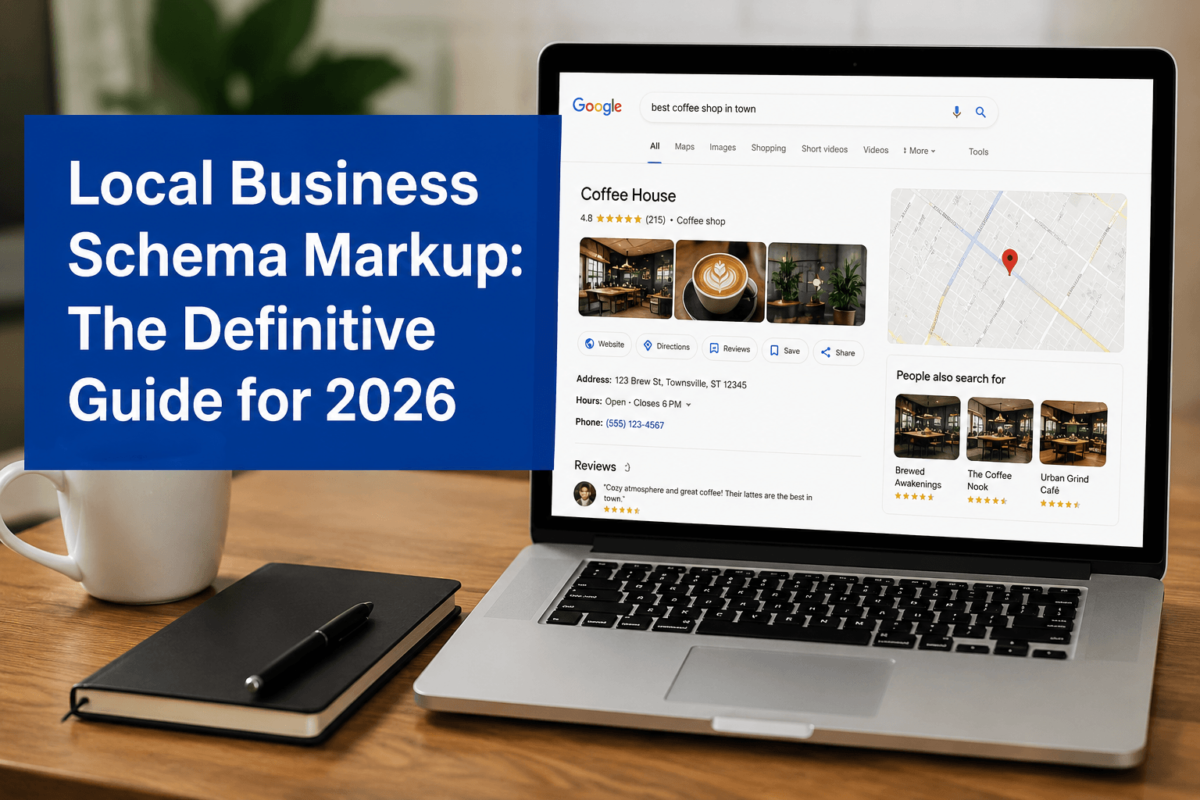
- Schema markup is code (JSON-LD) that tells search engines and AI exactly what your business is, where it’s located, and what it does
- Local businesses need it because it directly influences Local Pack, Knowledge Panels, Maps results, and AI Overviews
- JSON-LD is preferred over Microdata — it’s cleaner, easier to implement, and recommended by Google
- Properly implemented schema can improve click-through rates by enabling rich results and knowledge panel features
- AI systems like Gemini and ChatGPT use structured data to validate and surface local business information
- Most important schema types: LocalBusiness, Service, FAQPage, BreadcrumbList, and OpeningHoursSpecification
- Common mistakes include mismatched business categories, incomplete NAP data, and outdated business hours
What Is Schema Markup and Why Local Businesses Need It in 2026
Schema markup is code you add to your website that helps search engines understand your content in a machine-readable format. Rather than forcing Google to guess that “Open Monday–Friday, 9am–6pm” refers to your business hours, schema markup explicitly tags that information so there’s zero ambiguity.
Think of it this way: your website is written for human readers. Schema is the translation layer for machines. And in 2026, those machines include not just Googlebot, but Gemini, Bing Copilot, ChatGPT, and Perplexity — all pulling structured data to build answers to user queries.
The Basics of Structured Data
Structured data is a standardized format for providing information about a page. The vocabulary lives at Schema.org — a collaborative project supported by Google, Microsoft, Yahoo, and Yandex. When you implement schema markup on your local business website, you’re essentially filling out a standardized profile that every major search engine can read and use.
For a local HVAC company, that profile would include the business name, address, phone number, service area, business type (HVACBusiness), operating hours, and social profiles. Without this, Google has to infer all of that from your page content — which it often does imperfectly.
Why AI Search Relies Heavily on Schema
Here’s the big shift that’s happened in the last 18 months: AI-powered search is no longer just showing links. It’s generating answers. When someone asks Gemini “Who’s the best-rated HVAC company near downtown Austin open on Saturdays?” — the answer isn’t pulled from a crawled page the way traditional search works. It’s constructed from verified, structured entity data that AI systems have built up over time.
Businesses with clean, validated schema markup become trusted entities in the AI’s knowledge base. Businesses without it are just unverified text on a webpage. That gap is widening every month. For a broader look at how AI is reshaping SEO in 2026, see our complete guide.
A family-owned dental practice in Scottsdale added LocalBusiness schema with DentistSchema markup, OpeningHoursSpecification for their Saturday hours, and a ServiceArea geo radius. Within 60 days, they appeared in AI Overview answers for queries like “emergency dentist Scottsdale open weekends” — without any new link building or content production.
How Google Uses Structured Data for Local Search Results
Google uses structured data in several concrete ways that directly impact how your local business appears in search results. Understanding these placements is the fastest way to see why schema implementation isn’t optional anymore.
Knowledge Panels
Those information boxes that appear on the right side of search results when someone searches your business name? Schema data feeds directly into those. Name, address, phone, hours, website, logo — all of it can be sourced from your LocalBusiness schema. When your schema data matches what’s in Google Business Profile, Google’s confidence in that information goes up, leading to more complete and accurate Knowledge Panels.
Local Pack Results
The map + three-listing block that appears for queries like “plumber near me” or “Italian restaurant downtown Chicago” is the Local Pack. While schema markup doesn’t directly control Local Pack rankings the way GBP signals do, it’s part of the overall trust picture Google builds about your business. Businesses with schema data that corroborates their GBP listing tend to hold Local Pack positions more consistently. Learn more in our Local SEO ultimate guide.
Rich Results and Search Features
FAQ dropdowns under your search listing, business hour callouts, price range indicators, review stars — these are all rich results enabled by schema markup. They make your listing stand out in a sea of blue links and directly improve click-through rates.
AI Overviews and Gemini
This is where the game has genuinely changed. AI Overviews — the AI-generated summaries appearing above traditional results — pull heavily from structured data. When Gemini or the Search AI generates an answer that mentions specific businesses, it’s using entity data it trusts. Schema markup helps establish that trust by providing verified, consistent information that AI systems can cross-reference.
If your business isn’t appearing in AI Overviews for relevant local queries, missing or incorrect schema markup is often a major contributing factor. Start there before spending on link building.
LocalBusiness Schema: The Most Important Schema for Local SEO
LocalBusiness is the foundational schema type for any business with a physical location or a defined service area. Everything else builds on top of it. If you implement nothing else from this guide, implement LocalBusiness schema — it’s the single highest-ROI schema action for most local businesses.
The Schema.org Hierarchy
Schema.org uses a parent-child hierarchy. LocalBusiness sits under Organization, which sits under Thing. But LocalBusiness itself is a parent to dozens of more specific business types. Using the most specific type that accurately describes your business is always the right move.
| Schema Type | Best For | When to Use |
|---|---|---|
| LocalBusiness | General service businesses | When no more specific type applies |
| ProfessionalService | Lawyers, accountants, consultants | Licensed professional services |
| Dentist | Dental practices | Any dentist, orthodontist, oral surgeon |
| Physician | Medical practices | Doctors, clinics, medical groups |
| Restaurant | Food service | Restaurants, cafes, food trucks |
| HVACBusiness | Heating/cooling companies | HVAC installation, repair, maintenance |
| RoofingContractor | Roofing companies | Roof repair, replacement, inspection |
| LegalService | Law firms | Attorneys, legal aid organizations |
| AutoRepair | Auto shops | Mechanic shops, tire centers, body shops |
| HomeAndConstructionBusiness | Construction/home services | General contractors, remodelers |
Using @type: "Dentist" instead of @type: "LocalBusiness" for a dental practice isn’t just about accuracy — it tells Google’s systems that you’re a verified medical business, which opens up additional rich result eligibility and increases trust with AI answer systems that categorize businesses by type.
LocalBusiness Schema JSON-LD Template (Copy-Paste Ready)
Here’s a complete, working LocalBusiness JSON-LD template. This is what you’d implement on your homepage (or a service area page). Replace the placeholder values with your actual business information.
<script type="application/ld+json">
{
  "@context": "https://schema.org",
  "@type": "LocalBusiness",
  "@id": "https://www.yourwebsite.com/#business",
  "name": "Your Business Name",
  "image": "https://www.yourwebsite.com/images/logo.jpg",
  "logo": "https://www.yourwebsite.com/images/logo.jpg",
  "url": "https://www.yourwebsite.com",
  "telephone": "+1-555-123-4567",
  "email": "hello@yourwebsite.com",
  "priceRange": "$$",
  "address": {
    "@type": "PostalAddress",
    "streetAddress": "123 Main Street",
    "addressLocality": "Dallas",
    "addressRegion": "TX",
    "postalCode": "75201",
    "addressCountry": "US"
  },
  "geo": {
    "@type": "GeoCoordinates",
    "latitude": 32.7767,
    "longitude": -96.7970
  },
  "areaServed": {
    "@type": "City",
    "name": "Dallas"
  },
  "openingHoursSpecification": [
    {
      "@type": "OpeningHoursSpecification",
      "dayOfWeek": ["Monday","Tuesday","Wednesday","Thursday","Friday"],
      "opens": "08:00",
      "closes": "18:00"
    },
    {
      "@type": "OpeningHoursSpecification",
      "dayOfWeek": "Saturday",
      "opens": "09:00",
      "closes": "14:00"
    }
  ],
  "sameAs": [
    "https://www.google.com/maps?cid=YOUR_CID",
    "https://www.facebook.com/YourPage",
    "https://www.yelp.com/biz/your-business",
    "https://www.linkedin.com/company/your-business"
  ],
  "description": "Short, accurate description of what your business does and where it serves."
}
</script>
A few notes on this template. The @id field is critically important — it creates a unique identifier for your business entity that search engines and AI systems use to connect information across the web. Use your website URL with a #business fragment. The sameAs array is where you add links to all your verified profiles — Google Business Profile, Facebook, Yelp, LinkedIn — which massively helps AI systems cross-validate your business data.
Essential Schema Properties Every Local Business Should Include
Required Properties
These are non-negotiable. Missing any of these means your schema is incomplete and may not be processed correctly.
| Property | Required? | Purpose | SEO Impact |
|---|---|---|---|
| @context | Yes | Declares Schema.org vocabulary | Schema won’t validate without it |
| @type | Yes | Defines business category | Controls rich result eligibility |
| name | Yes | Your exact business name | Used in Knowledge Panels and rich results |
| address | Yes | Full physical address (PostalAddress) | Critical for Local Pack and Maps |
| telephone | Yes | Primary business phone number | Click-to-call rich results |
| url | Yes | Your website URL | Entity verification and trust |
| @id | Strongly Recommended | Unique entity identifier URL | Connects schema across pages |
| image | Recommended | Business photo or logo URL | Visual rich results |
| geo | Recommended | Latitude and longitude coordinates | Precise map placement |
| openingHoursSpecification | Recommended | Structured business hours | AI queries for “open now” |
| areaServed | Recommended | Geographic service coverage | Service area queries |
| sameAs | Recommended | Links to verified profiles | Entity validation and trust |
| priceRange | Optional | Price tier ($ through $$$$) | User expectation setting |
| description | Recommended | What your business does | AI answer generation |
Service Schema: How to Mark Up Individual Services
LocalBusiness schema tells search engines who you are. Service schema tells them what you do. If you have dedicated service pages — which you absolutely should — each one should have its own Service schema markup.
This is a step most local SEO guides skip, and it’s a meaningful missed opportunity. A plumbing company with a dedicated page for “water heater installation” can use Service schema to explicitly tell Google that this page is about a specific service, what it costs (if applicable), and how it relates to the business as a whole.
Service Schema Example: HVAC Company
<script type="application/ld+json">
{
  "@context": "https://schema.org",
  "@type": "Service",
  "name": "AC Installation",
  "serviceType": "Air Conditioning Installation",
  "description": "Professional central air conditioning installation for residential
and commercial properties in the Dallas metro area.",
  "provider": {
    "@type": "HVACBusiness",
    "name": "CoolBreeze HVAC",
    "@id": "https://www.coolbreezedhvac.com/#business"
  },
  "areaServed": {
    "@type": "City",
    "name": "Dallas"
  },
  "url": "https://www.coolbreezedhvac.com/ac-installation/"
}
</script>
Notice the provider field — it links back to the LocalBusiness entity using the @id reference. This tells search engines and AI systems that this service is offered by your verified business entity. That connection matters for entity graph building and AI knowledge base updates.
Use Service schema for: plumbing repairs, HVAC installation, family law consultations, dental implant procedures, roof inspections — any discrete service that has its own page.
FAQPage Schema for Local Businesses: Templates and Examples
FAQ schema still matters in 2026, perhaps more than ever. While Google pulled FAQ rich results from most desktop results in 2023, the more important use case has shifted: AI systems extract FAQ schema content directly when constructing answers to question-based queries.
When someone asks Gemini “Do you need a permit for a deck in Phoenix?” and your roofing company’s FAQ page has that marked up with FAQPage schema, your answer has a much higher chance of being referenced in the AI’s response. That’s brand visibility without a click — and it’s building trust with potential customers before they even visit your site. See how schema markup drives AI search visibility in more detail.
FAQ Schema JSON-LD Template
<script type="application/ld+json">
{
  "@context": "https://schema.org",
  "@type": "FAQPage",
  "mainEntity": [
    {
      "@type": "Question",
      "name": "Do you offer emergency plumbing services on weekends?",
      "acceptedAnswer": {
        "@type": "Answer",
        "text": "Yes, Apex Plumbing provides 24/7 emergency plumbing services including
weekends and holidays. Call us at 555-123-4567 for immediate assistance."
      }
    },
    {
      "@type": "Question",
      "name": "What areas do you serve?",
      "acceptedAnswer": {
        "@type": "Answer",
        "text": "We serve all of Dallas County including Dallas, Plano, Frisco,
Allen, and McKinney."
      }
    },
    {
      "@type": "Question",
      "name": "How much does a water heater replacement cost?",
      "acceptedAnswer": {
        "@type": "Answer",
        "text": "Water heater replacement typically costs between $800 and $1,500
depending on the unit type and installation complexity. We offer free estimates."
      }
    },
    {
      "@type": "Question",
      "name": "Are you licensed and insured?",
      "acceptedAnswer": {
        "@type": "Answer",
        "text": "Yes, we are fully licensed by the State of Texas (License #TX-PLB-12345)
and carry full liability insurance and workers compensation coverage."
      }
    },
    {
      "@type": "Question",
      "name": "Do you offer financing on larger repairs?",
      "acceptedAnswer": {
        "@type": "Answer",
        "text": "We partner with GreenSky to offer 0% financing for 12 months on approved
repairs over $500. Ask us about financing when you call."
      }
    }
  ]
}
</script>Write FAQ answers as complete sentences with your business name included. AI systems prefer attributable, complete answers they can reference directly in generated responses.
BreadcrumbList Schema for Location Pages
If you have location-specific pages — and for multi-location or service-area businesses you absolutely should — BreadcrumbList schema helps search engines understand your site’s hierarchy and how location pages relate to your broader service offering.
BreadcrumbList schema also directly benefits AI systems. When Perplexity or Gemini is constructing an answer about emergency plumbing in Dallas, a clear hierarchical path that establishes your Dallas service page in context increases the likelihood it gets surfaced as a relevant local result.
<script type="application/ld+json">
{
  "@context": "https://schema.org",
  "@type": "BreadcrumbList",
  "itemListElement": [
    {
      "@type": "ListItem",
      "position": 1,
      "name": "Home",
      "item": "https://www.apexplumbing.com/"
    },
    {
      "@type": "ListItem",
      "position": 2,
      "name": "Service Areas",
      "item": "https://www.apexplumbing.com/locations/"
    },
    {
      "@type": "ListItem",
      "position": 3,
      "name": "Dallas",
      "item": "https://www.apexplumbing.com/locations/dallas/"
    },
    {
      "@type": "ListItem",
      "position": 4,
      "name": "Emergency Plumbing Dallas",
      "item": "https://www.apexplumbing.com/locations/dallas/emergency-plumbing/"
    }
  ]
}
</script>
OpeningHoursSpecification: How to Mark Up Business Hours
Business hours sound simple until you try to mark them up correctly. The most common mistake is using a generic openingHours string (like "Mo-Fr 09:00-17:00") when the more precise openingHoursSpecification object is available and significantly more useful for AI systems.
Standard Weekly Hours
"openingHoursSpecification": [
  {
    "@type": "OpeningHoursSpecification",
    "dayOfWeek": ["Monday","Tuesday","Wednesday","Thursday","Friday"],
    "opens": "09:00",
    "closes": "17:00"
  },
  {
    "@type": "OpeningHoursSpecification",
    "dayOfWeek": "Saturday",
    "opens": "10:00",
    "closes": "14:00"
  }
]
Special Holiday Hours
For holiday hours, use validFrom and validThrough to scope the special hours to specific dates. This is the correct approach and it’s rarely implemented by local businesses.
{
  "@type": "OpeningHoursSpecification",
  "dayOfWeek": "Saturday",
  "opens": "08:00",
  "closes": "20:00",
  "validFrom": "2026-11-28",
  "validThrough": "2026-12-31"
}
Common Hours Mistakes
- Using 12:00am/pm instead of 24-hour format (
00:00and12:00) - Setting closing time as
00:00when you mean midnight — use23:59instead - Not updating hours after they change (stale data hurts AI trust signals)
- Forgetting to add separate entries for each day that has different hours
- Omitting Sunday entirely instead of explicitly marking it as closed
Multi-Location Schema: Schema for Businesses With Multiple Locations
If you have more than one location, each one needs its own schema. Not a shared template — unique LocalBusiness schema for each address with that location’s specific NAP data, hours, and geographic information.
The architecture that works best is: one Organization schema at the parent level, plus individual LocalBusiness schemas for each location that reference the parent via the parentOrganization property.
Parent Organization Schema
{
  "@context": "https://schema.org",
  "@type": "Organization",
  "@id": "https://www.smithlawgroup.com/#organization",
  "name": "Smith Law Group",
  "url": "https://www.smithlawgroup.com",
  "logo": "https://www.smithlawgroup.com/logo.png",
  "sameAs": [
    "https://www.linkedin.com/company/smith-law-group",
    "https://www.facebook.com/SmithLawGroup"
  ]
}
Individual Location Schema
{
  "@context": "https://schema.org",
  "@type": "LegalService",
  "@id": "https://www.smithlawgroup.com/locations/dallas/#business",
  "name": "Smith Law Group — Dallas",
  "telephone": "+1-214-555-0001",
  "address": {
    "@type": "PostalAddress",
    "streetAddress": "500 Commerce Street, Suite 200",
    "addressLocality": "Dallas",
    "addressRegion": "TX",
    "postalCode": "75202"
  },
  "parentOrganization": {
    "@id": "https://www.smithlawgroup.com/#organization"
  },
  "url": "https://www.smithlawgroup.com/locations/dallas/"
}Never put all locations in a single schema block. Each location must have its own dedicated schema on its own dedicated page. This is the most common multi-location schema mistake.
How Schema Markup Helps AI Overviews and Gemini Surface Your Business
This is the section that matters most right now, and it’s the one most schema guides haven’t caught up on yet. The way AI systems process and surface local business information is fundamentally different from traditional search ranking, and understanding that difference changes how you should think about schema implementation.
AI Systems Are Entity-First
Traditional search is keyword-matching. AI-powered search is entity-resolution. When someone asks ChatGPT “Who’s the best emergency plumber in Phoenix open right now?” the system doesn’t scan webpages for keyword matches — it queries its knowledge base for plumbing entities associated with Phoenix that have verified hours data showing they’re currently open.
Schema markup feeds that entity knowledge base. Every time Googlebot encounters your LocalBusiness schema, it cross-references the information against what it already knows — from your GBP, from citations, from review platforms. When everything matches, your entity trust score goes up. Higher entity trust = higher likelihood of appearing in AI-generated answers. This aligns closely with Generative Engine Optimization (GEO) principles.
Structured Data Enables Direct AI Extraction
One of the most powerful but underappreciated aspects of schema markup is that AI systems can extract specific facts from it reliably. For a query like “emergency dentist in Phoenix” an AI system can scan structured data across thousands of business entities and surface those with @type: Dentist, an areaServed covering Phoenix, and openingHoursSpecification showing emergency or extended hours.
Without schema, that same query requires the AI to parse unstructured text and make probabilistic guesses about what the page means. That’s inherently less reliable, and AI systems favor reliability.
GEO Optimization Insight: AI Overviews and generative answers favor businesses that are easy to verify. The more of your business data that exists in structured, schema-marked format that matches your GBP, NAP citations, and review profiles — the more “verifiable” you are as an entity. Verifiable entities win in generative AI answers.
Knowledge Graph Connections
Google’s Knowledge Graph is the foundation that AI Overviews build on for local business queries. Schema markup, especially when it includes sameAs links to trusted platforms, helps Google connect your business entity to its Knowledge Graph node. Once that connection is established, your business has an entity — not just a website — and entities are the currency of AI-powered local search.
AI Query Scenarios
| AI Query | Schema That Enables It | Required Properties |
|---|---|---|
| “Best HVAC company near me” | HVACBusiness + areaServed | @type, areaServed, geo, address |
| “Emergency dentist in Phoenix open now” | Dentist + OpeningHoursSpecification | @type, openingHours, telephone, address |
| “Roof repair company open on Saturdays” | RoofingContractor + OpeningHoursSpecification | @type, openingHoursSpecification, dayOfWeek |
| “Family law attorney serving Dallas” | LegalService + areaServed | @type, areaServed, description, address |
| “Affordable AC installation Dallas” | Service + priceRange + areaServed | Service@type, priceRange, areaServed |
Validating Your Schema with Google’s Rich Results Test
Writing schema is only half the job. Validating it is equally important — and it’s the step most people skip. Invalid schema doesn’t just fail to help; it can actively cause confusion if malformed data is misread by crawlers.
Step-by-Step: Validating Your Schema
-
1
Google’s Rich Results Test
Go to search.google.com/test/rich-results — enter your page URL or paste your JSON-LD code directly. You’ll see detected schema types and any errors or warnings.
-
2
Review Errors vs. Warnings
Errors are blocking issues — fix these first. Warnings are recommendations that can improve performance but won’t break schema processing.
-
3
Schema Markup Validator
Run your code through validator.schema.org — this tests strictly against Schema.org vocabulary, useful for catching type errors the Rich Results Test might miss.
-
4
Check Search Console
Under Enhancements > Rich Results, Google reports pages where valid schema was found and any processing errors. This is your ongoing monitoring dashboard.
-
5
Fix, Redeploy, Re-test
Fix any flagged issues, redeploy your schema, and re-test. Set up a recurring quarterly audit to catch stale data before it hurts your rankings.
Common Validation Errors and Fixes
| Error | Cause | Fix |
|---|---|---|
| Missing required property: name | name field not included | Add name property to your LocalBusiness block |
| Invalid URL format | URL missing https:// or has spaces | Ensure all URL fields are properly formatted |
| Unknown property | Typo in property name (e.g., ‘adress’) | Check spelling against Schema.org documentation |
| Invalid date format | Hours using 12hr format instead of 24hr | Use HH:MM format (08:00 not 8am) |
| Duplicate @id values | Same @id used on multiple pages | Each page needs a unique @id value |
Common Schema Mistakes That Hurt Instead of Help
Bad schema is worse than no schema. Incorrect structured data can mislead search engines, create trust mismatches with your GBP data, and — in the case of fake reviews — get your site penalized. Here are the seven mistakes that hurt local businesses most often.
Wrong Business Category
Using @type: "LocalBusiness" for a dental practice instead of @type: "Dentist" is like listing yourself as a generic business on Google Maps instead of picking the right category. The more specific type unlocks additional rich result eligibility and increases AI entity classification accuracy.
Fake or Exaggerated Review Markup
Never use Review or AggregateRating schema with reviews you’ve written yourself, paid for, or cherry-picked. Google explicitly prohibits this and can issue manual actions against sites that do it. Only aggregate reviews from a legitimate, verifiable third-party source — or don’t use rating schema at all.
Incomplete NAP Information
NAP (Name, Address, Phone) data in schema must exactly match what’s on your Google Business Profile and major citation sources. Inconsistencies — even minor ones like “St.” vs “Street” — create verification friction for both Google and AI systems trying to validate your entity.
Schema That Doesn’t Match Page Content
If your homepage has schema for “laser teeth whitening” but the page itself doesn’t mention that service, Google will discount the schema as unverified. Schema is not a way to claim services you don’t describe — it’s a way to make machine-readable what’s already on the page.
Conflicting Schema from Multiple Sources
This is a silent killer in WordPress. If you have Rank Math adding LocalBusiness schema AND you’ve added manual JSON-LD, you can end up with two conflicting schema blocks — different business names, different addresses. Google will attempt to resolve the conflict, often by discounting both. Use one schema implementation method per site.
No Schema on Location-Specific Pages
Businesses add LocalBusiness schema to their homepage and stop there. Meanwhile, their Dallas service page, their Plano service page, and their emergency services page all have zero schema. Every significant page that represents a service, location, or topic should have relevant schema markup. See our guide on technical SEO best practices for a full audit checklist.
Outdated Business Hours
Nothing erodes AI trust faster than schema showing Monday hours of 9–5 when you changed to 8–6 six months ago. Google can detect schema data that conflicts with GBP data and may suppress or downrank the schema entirely. Audit your hours schema every time your actual hours change.
Run a full schema audit using Google Search Console > Enhancements at least quarterly. Set a calendar reminder. Outdated schema is nearly as bad as no schema when it comes to AI verification systems.
WordPress Schema Implementation (Plugins vs. Custom JSON-LD)
If you’re running a local business website on WordPress, you have several options for implementing schema. Here’s the honest breakdown of what works best and for who.
| Method | Difficulty | Flexibility | Cost | Best For |
|---|---|---|---|---|
| Rank Math | Easy | Medium-High | Free/Premium | SEO-focused sites needing automated schema |
| Yoast SEO | Easy | Medium | Free/Premium | Sites already on Yoast with basic schema needs |
| Schema Pro | Easy-Medium | High | Paid (~$69/yr) | Agencies managing multiple client sites |
| Manual JSON-LD via WPCode | Medium | Maximum | Free | Developers/advanced users needing full control |
| Theme-level implementation | Hard | Maximum | Development cost | Custom theme builds with developer access |
For most local business websites, Rank Math offers the best balance of ease and flexibility. It auto-generates LocalBusiness schema from your settings and lets you add custom schema via its Schema Builder. The free tier handles the basics; the Pro version ($59/year) adds more schema types and the ability to import/export schema configurations across sites.
If you need precise control — for example, implementing Service schema with specific @id references linking back to your LocalBusiness entity — manual JSON-LD via WPCode Lite is the most reliable approach. It keeps your schema in a single, editable code block that’s not dependent on plugin settings or theme changes. This is especially relevant if you’re following a WordPress SEO best-practice framework.
Never use two schema plugins simultaneously (e.g., Rank Math + Yoast). The conflicting output creates duplicate schema blocks with potentially different data. Pick one and stick to it.
How to Add Local Business Schema Markup in 30 Minutes
You don’t need a developer. You don’t need to understand XML or programming. Here’s a straightforward process that works for most local business websites.
-
1
Gather Your Business Information
Before you touch any code, collect: your exact business name (as it appears on your GBP), full address with ZIP, primary phone number, website URL, business hours for every day of the week, your GBP profile URL, and links to your major profile pages (Facebook, Yelp, LinkedIn).
-
2
Choose Your Schema Type
Look at the table earlier in this guide and pick the most specific @type that accurately describes your business. HVAC company → HVACBusiness. Dentist → Dentist. Law firm → LegalService. Don’t use LocalBusiness if a more specific type applies.
-
3
Generate Your JSON-LD
Use the template in this guide or a schema generator tool like Merkle’s Technical SEO Schema Markup Generator or Hall Analysis’s JSON-LD Schema Markup Generator. Paste in your business information and generate the code.
-
4
Add the Schema to Your Website
For WordPress: Install WPCode Lite, create a new snippet as JavaScript type, paste your JSON-LD, and set it to run sitewide or on specific pages. For Shopify or other platforms: add the JSON-LD block to your theme’s header section or use a metadata app that supports custom code injection.
-
5
Validate
Go to Google’s Rich Results Test, enter your page URL, and verify the schema is detected and error-free. Run the same check on the Schema Markup Validator. Fix any errors before moving on.
-
6
Monitor Search Console
Give it 2–4 weeks, then check Search Console under Enhancements. Google will report which pages have valid schema detected and flag any issues that arose post-crawl. Set up a recurring monthly check.
-
7
Expand Schema Coverage
Once your homepage schema is validated, build out: Service schema for your top service pages, FAQPage schema for your FAQ section, BreadcrumbList schema for your location pages, and if you have multiple locations, individual LocalBusiness schema for each location page.
Schema Type Reference: Quick Comparison
| Schema Type | Best Use Case | Priority Level | Difficulty |
|---|---|---|---|
| LocalBusiness (or specific subtype) | Homepage and location pages | Critical | Easy |
| Service | Individual service pages | High | Easy |
| FAQPage | FAQ sections on service/location pages | High | Easy |
| BreadcrumbList | All pages with navigation hierarchy | Medium | Easy |
| Organization | Parent entity for multi-location businesses | High | Easy |
| OpeningHoursSpecification | Nested within LocalBusiness schema | Critical | Easy |
| Review / AggregateRating | Pages with legitimate third-party reviews | Medium | Medium — strict rules apply |
Real-Life Implementation Examples
Local HVAC Company
CoolBreeze HVAC is a single-location HVAC company based in Dallas serving the greater DFW metro area.
@type: HVACBusinesson homepage with geo coordinates for precise Dallas locationareaServed: array of City types covering Dallas, Plano, Frisco, Allen, Garland, IrvingopeningHoursSpecification: M-F 7am–7pm, Sat 8am–3pm, separate entry for 24/7 emergency line- Service schema on each of their 8 service pages (AC installation, AC repair, furnace installation, etc.)
- FAQPage schema on homepage FAQ section covering service area, pricing, and licensing
Dental Practice
Bright Smiles Dental is a four-dentist practice in Scottsdale offering general, cosmetic, and implant dentistry.
@type: Dentiston homepage (not generic LocalBusiness)- Multiple specialties noted in description and
hasOfferCatalog - Service schema on individual pages: dental implants, teeth whitening, Invisalign, emergency dental
- FAQPage on each service page with 4–5 procedure-specific questions
- Saturday and emergency hours explicitly marked in
openingHoursSpecification sameAslinking to GBP, Healthgrades profile, Zocdoc listing, Facebook page
Multi-Location Law Firm
Smith Law Group has offices in Dallas, Houston, and Austin specializing in family law and personal injury.
- Organization schema at root level with
@id: smithlawgroup.com/#organization - Individual LegalService schema on each of the three location pages, each with
parentOrganizationreferencing the root @id - Practice area Service schema on each practice area page (divorce, custody, car accident, etc.)
- BreadcrumbList on all location pages: Home > Locations > Dallas > Family Law
- FAQPage on each practice area page covering costs, process, and local court specifics
Frequently Asked Questions
Do I need a developer to add LocalBusiness schema to my website?
No. For WordPress sites, WPCode Lite lets you add JSON-LD schema without touching theme files or knowing any programming. For Shopify, many theme editors have a section where you can paste custom code. The JSON-LD format itself is just text — generate it using this guide’s template, customize the values for your business, and paste it in.
Does schema markup directly improve my local pack rankings?
Schema markup is not a direct Local Pack ranking factor in the way that Google Business Profile signals and citation consistency are. However, it’s part of the overall entity trust picture that influences ranking. More directly, it influences rich result eligibility, AI Overview inclusion, and Knowledge Panel completeness — all of which drive real business impact. Think of schema as the foundation that enables other local SEO efforts to work more effectively.
What’s the difference between JSON-LD and Microdata for schema?
JSON-LD is a separate script block added to your page’s head section. Microdata is markup embedded directly within your HTML content. JSON-LD is almost universally preferred by SEOs and recommended by Google because it keeps your schema separate from your content (easier to maintain), doesn’t require any changes to your visual HTML, and can be added or modified without touching page content. Use JSON-LD — there’s no meaningful scenario where Microdata is the better choice for local business sites.
How do I add schema markup in WordPress?
The cleanest method without a premium plugin is WPCode Lite (free). Install it, go to Code Snippets > Add New, set the type to JavaScript, paste your JSON-LD (the complete <script> block), set the location to “Site Wide Header,” and save. Alternatively, Rank Math SEO (free) generates LocalBusiness schema automatically when you fill out the Local SEO settings under Rank Math > Titles & Meta > Local SEO.
Can schema markup help me appear in Google AI Overviews?
Yes — and this is increasingly one of the most compelling reasons to implement it. AI Overviews pull from entities Google has verified through structured data, GBP signals, and citation consistency. Businesses with complete, accurate schema that matches their GBP data are significantly more likely to appear in AI-generated answers for local queries. There are no guarantees, but missing schema is a clear barrier to AI Overview inclusion. For a deeper dive, read our post on Gemini vs. Google AI Overviews citations.
How often should I update my schema markup?
Review your schema whenever something changes: business hours, address, phone number, new services added or removed, or any change to your GBP data. At minimum, do a full schema audit quarterly. Stale schema — especially incorrect hours data — can cause search engines to reduce trust in your structured data, which undermines the foundation of your local SEO.
Can I use schema markup to rank for services I don’t currently offer on my website?
No, and this is a clear Google guideline violation. Schema markup must reflect actual content on the page where it’s implemented. Adding Service schema for a service you don’t actually describe on that page is considered spam and can result in manual actions. Schema is for clarity, not gaming.
What happens if I have errors in my schema markup?
Minor errors (like missing optional fields) typically result in the schema being partially processed — Google may still use what’s valid. Major errors (malformed JSON, missing required fields) can cause the entire schema block to be ignored. Critical mismatches between schema data and actual page content can trigger spam flags. Always validate before publishing and monitor Search Console for errors.
Final Thoughts
In 2026, local business schema markup has crossed from “technical nice-to-have” into genuine competitive infrastructure. The businesses winning in AI Overviews, appearing in Gemini answers, and dominating Knowledge Panels aren’t doing anything magical — they’ve made it easy for machines to trust them.
The shift toward AI-powered search isn’t slowing down. Every quarter, a larger percentage of local search queries are being answered by AI before a user clicks a single link. If your business data isn’t structured, verified, and machine-readable, you’re becoming invisible in the layer of search that’s growing fastest. Understanding the broader difference between SEO, GEO, AEO, and LLMO will help you prioritize where schema fits into your strategy.
The good news is that most of your local competitors haven’t fully implemented schema either. This is still a competitive edge, not table stakes — but that window is closing.
Here’s what to do right now: open Google’s Rich Results Test, enter your homepage URL, and see what schema Google currently detects. If it comes back empty or with errors, you have work to do — and this guide gives you everything you need to do it. Implement LocalBusiness schema first, validate it, then expand to Service, FAQ, and Breadcrumb schema across your key pages. The whole process, done right, takes a few hours. The SEO and AI visibility benefits last for years.
🚀 Start with your homepage. Get your LocalBusiness schema validated and live within 48 hours. Then build outward from there — one service page, one FAQ section, one location page at a time. Done consistently, schema markup is one of the highest-ROI technical SEO investments a local business can make in 2026.