SEO reporting is the process of tracking, analyzing, and communicating how well your website performs in search engines — covering traffic, rankings, conversions, and more. A great SEO report doesn’t just show data; it tells a story that helps clients or stakeholders decide what to do next. Done right, SEO reporting turns raw numbers into clear insights that drive real business decisions.
- What it is: SEO reporting = turning raw search data into actionable insights
- Core metrics: Organic traffic, keyword rankings, click-through rates, conversions, technical health
- Biggest mistake: Sending data dumps instead of insight-driven narratives
- Best tools in 2026: Google Search Console, GA4, Ahrefs, Semrush, Looker Studio
- Reporting frequency: Monthly for most clients; weekly for active campaigns
- Key upgrade: Automate dashboards so you spend less time building and more time analyzing
- AEO tip: Structure your reports with clear definitions, bullet summaries, and outcome-focused language
- What Is SEO Reporting (In Plain English)
- Why Most SEO Reports Fail
- What to Include in a High-Quality SEO Report
- SEO Reporting vs. SEO Analytics Reporting
- Real-Life Example That Actually Worked
- Best SEO Reporting Tools in 2026
- SEO Reporting Dashboards Explained
- How Often Should You Send Reports?
- Step-by-Step: How to Create an SEO Report
- Basic vs. Advanced SEO Reports
- E-E-A-T and What It Means for Your Reports
- How to Automate Your SEO Reporting Workflow
- Frequently Asked Questions
What Is SEO Reporting (In Plain English)
Let’s be honest — most explanations of SEO reporting sound like they were written by a robot for other robots. So here’s a human version:
SEO reporting is how you tell the story of what’s happening to a website in search engines — and more importantly, why it matters to the business.
It pulls together data from tools like Google Search Console, Google Analytics 4 (GA4), and third-party platforms like Ahrefs or Semrush. Then it translates all that into something a client, founder, or marketing director can actually understand.
Think of it this way: you’re not just handing over a spreadsheet. You’re walking someone through a chapter of their business story. Page 1 is traffic. Page 2 is rankings. The final chapter is revenue.
SEO analytics reporting is the technical side — pulling and filtering the data. SEO reporting is the communication side — making sense of it. You need both to be effective.
Why Most SEO Reports Fail (Real Talk)
Here’s something most SEO agencies won’t admit: the majority of SEO reports are terrible. They’re glorified data dumps that clients don’t read, don’t understand, and definitely don’t act on.
The pattern is always the same. The report is full of numbers, the client nods politely, and then nothing changes. Here’s why:
- Too much data, too little insight. Showing 47 metrics doesn’t prove you’re working hard. It proves you don’t know what matters.
- No context. Traffic dropped 12% — so what? Was it a Google update? A seasonal dip? A technical issue? The report doesn’t say.
- No clear recommendations. The report ends with numbers. Not with “here’s what we’re doing about it.”
- Wrong audience. A CMO doesn’t need to see crawl budget data. A technical SEO lead doesn’t need a traffic overview. One-size-fits-all reports fail everyone.
- Vanity metrics front and center. Impressions, DA scores, and keyword counts look impressive but rarely connect to revenue.
“Most SEO reports are just data dumps. And honestly? Clients don’t care about 90% of it. What they care about is: are we getting more leads? Is search working for us?”
What to Include in a High-Quality SEO Report
A strong SEO report covers six core areas. Here’s what actually matters — and what doesn’t.
Organic Traffic Metrics
Organic sessions/users, traffic trends over time (month-over-month and year-over-year), top landing pages pulling or losing traffic, and mobile vs. desktop breakdown for UX decisions.
Keyword Rankings
Track the 20–50 keywords that matter most to the business. Include ranking changes (winners and losers), featured snippet capture, and rising keyword opportunities for the next period.
Conversions & Business Impact
Organic goal completions (form fills, purchases, calls), revenue from organic traffic for ecommerce clients, and assisted conversions where SEO played a role in the path.
Technical SEO Health
Core Web Vitals scores (LCP, INP, CLS), crawl errors and coverage issues, mobile usability, and structured data errors limiting rich results.
Content Performance
Top-performing content by traffic and conversions, content decay (pages that used to rank but are declining), new content results since the last report, and average engagement rate (GA4’s replacement for bounce rate).
Backlink Profile Overview
New links acquired, lost links, and domain authority trend. For most clients, a simple “we earned X new links from Y quality sites” is enough. Deep link analysis belongs in a dedicated backlink report.
SEO Reporting vs. SEO Analytics Reporting: What’s the Difference?
These two terms get used interchangeably — but they’re not the same thing. Understanding the difference makes you a better communicator and a better SEO.
| Factor | SEO Reporting | SEO Analytics Reporting |
|---|---|---|
| Purpose | Communicate results to stakeholders | Deep-dive data analysis |
| Audience | Clients, founders, CMOs | SEO teams, analysts |
| Frequency | Monthly or weekly | Ongoing / as needed |
| Format | Visual dashboards, narrative summaries | Spreadsheets, raw data exports |
| Outcome | Decisions and alignment | Insights and hypotheses |
| Tools | Looker Studio, Slides, PDF reports | GA4, GSC, Ahrefs, Python scripts |
SEO analytics is what you do before the report. Reporting is what you show after. Both are essential — but confusing them leads to either incomprehensible data walls or oversimplified summaries that miss the real story.
Real-Life Example of an SEO Report That Actually Worked
Here’s a real scenario with a B2B SaaS client — the kind of reporting evolution that goes from “meh” to meaningful.
From Data Dump to Decision Support: A 3-Month Journey
Month 1 — The Ugly Truth
- Organic traffic down 18% MoM
- A site migration had created 400+ redirect chains
- Report said: “Technical issues identified — remediation underway”
- Client heard: Nothing useful
Month 2 — Fixing the Foundation
- Redirect chains cleaned up
- Core Web Vitals improved: LCP dropped from 4.2s → 2.1s
- Indexed pages increased from 340 → 512
Month 3 — The Payoff
- Organic traffic: Up 31% vs. Month 1
- Two target keywords moved from page 2 → positions 4 and 6
- Demo request form completions from organic: Up 22%
Best SEO Reporting Tools in 2026
Here are the tools that actually make it into professional workflows — and who they’re right for.
Google Search Console
FreeShows exactly which queries drive traffic to your site. Reveals indexing issues, Core Web Vitals, and mobile usability problems. This is Google’s own data — no approximations.
Google Analytics 4
FreeTracks conversions, engagement rate, and revenue from organic traffic. Set up GA4 exploration reports for organic traffic deep-dives.
Ahrefs
From $129/moKeyword position history graphs make ranking reports look professional. Site Audit tool catches technical issues before Google does. Ideal for agencies managing multiple clients.
Semrush
From $139/moThe Position Tracking report is one of the cleanest in the industry. Strong PDF report generation — great for white-label client reports. Agency plans available.
Looker Studio
FreeConnects directly to GA4, Google Search Console, and hundreds of other sources. Once built, your client dashboard updates itself — no more manual report building.
Rank Math / Yoast
WordPressShows keyword focus scores and readability at the post level. Works best alongside GSC and GA4, not as a standalone reporting tool.
SEO Reporting Dashboards Explained
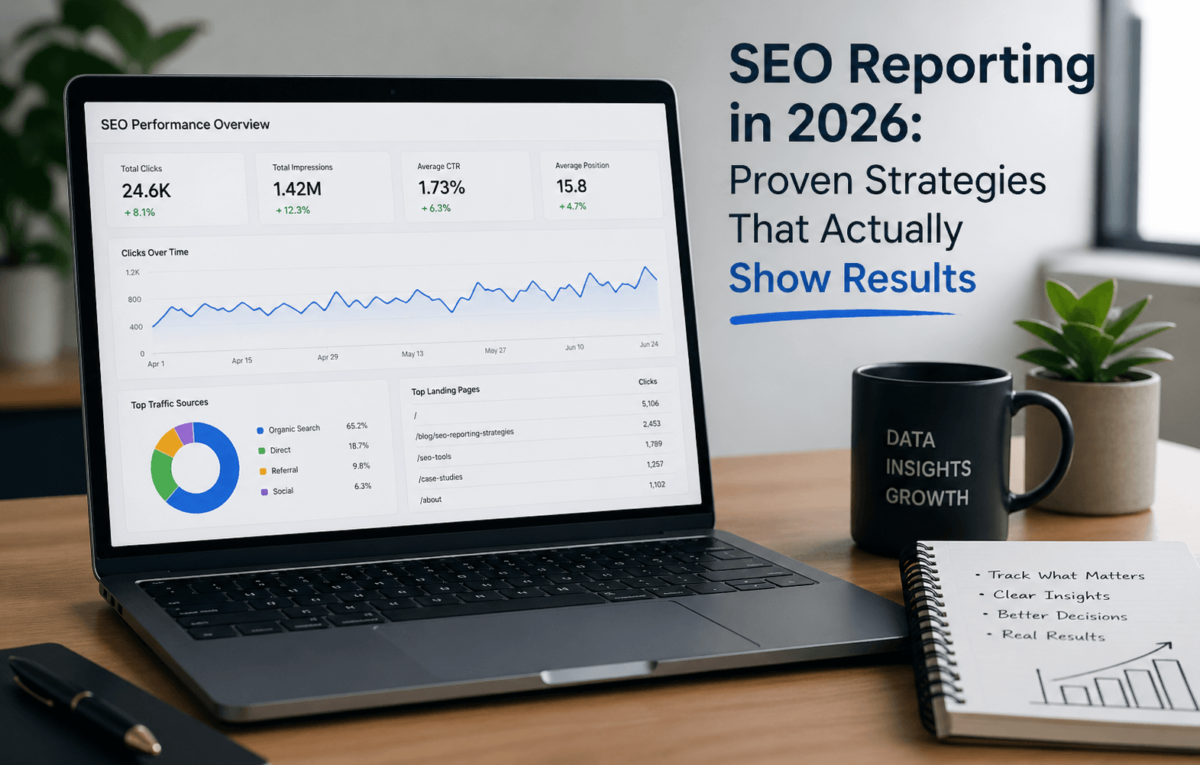
A dashboard is a live, visual representation of your SEO data that updates automatically and lets clients check in whenever they want. Here’s how dashboards look different depending on who’s using them:
- For Agencies: Client-specific dashboards with white-label branding. Overview of traffic, rankings, and conversions in one view. Monthly snapshots exported as PDF for review calls. Most agencies build these in Looker Studio pulling from GA4 + Search Console + Ahrefs.
- For Freelancers: Simpler dashboards focused on the 5–6 metrics each client cares about. Shared Looker Studio links so clients can view data 24/7. This reduces “hey, how are things going?” emails dramatically.
- For Business Owners: High-level traffic trend + conversion data. A one-page view: are more people finding us? Are they converting? Avoid overwhelming owners with technical metrics they can’t act on.
The best dashboard is the one your client actually looks at. Keep it simple, keep it relevant, and make sure the numbers connect to outcomes they care about.
How Often Should You Send SEO Reports?
The answer depends on the type of campaign, the client, and what’s actually happening on the site. Here’s the breakdown:
Monthly Reports
The industry standard. SEO moves slowly — checking rankings weekly creates noise without actionable insight. Best for most retainer clients.
Weekly Reports
For site migrations, content pushes, or recovering from a Google update. Keep it tight — a short email or Slack update, not a full report.
Quarterly Reports
Zoom out. Connect SEO performance to business outcomes: revenue, lead volume, market share. For CMOs, founders, and board-level reporting.
Step-by-Step: How to Create an SEO Report (That Clients Actually Understand)
Here’s the exact process that works. It’s not fancy — but it does the job.
Define the Reporting Goal
Before you pull a single metric, ask: what does this client care about most right now? New business wants leads and traffic. Ecommerce wants revenue and product rankings. Content sites want traffic growth and engagement.
Pull Your Data
Google Search Console (clicks, impressions, CTR, average position), GA4 (organic sessions, conversions, landing page performance), Ahrefs or Semrush (keyword rank tracking, backlink changes), and a technical audit tool for error flagging.
Filter the Noise
Not every data point deserves a place in the report. Ask: does this metric help the client make a decision? Traffic dip from a known bot? Filter it. Rankings shifted for a keyword with zero business value? Skip it.
Add Insights and Context
For every significant metric, explain: what happened, why it happened, and what we did (or are doing) about it. Example: “Organic traffic dropped 8% in March. This aligns with a Google core update that rolled out March 5th — our site was not significantly impacted.”
Add Clear Recommendations
Every SEO report should end with a prioritized action list — not a wish list, a real list of what’s happening next. Priority 1: fix the 3 crawl errors blocking the pricing page. Priority 2: update the blog post to target the featured snippet.
Present Visually
Use line charts for traffic trends, tables for keyword ranking changes, color-coded indicators (green/red/yellow) for quick status assessment, and screenshots from GSC or Ahrefs to add credibility. Looker Studio makes this automatic.
Basic vs. Advanced SEO Reports: Side-by-Side
| Feature | Basic SEO Report | Advanced SEO Report |
|---|---|---|
| Data source | Manual export from one tool | Automated multi-tool integration |
| Metrics covered | Traffic + rankings only | Full funnel: traffic, rankings, conversions, tech |
| Context provided | Raw numbers | Insights with explanations |
| Recommendations | None or generic | Specific, prioritized action list |
| Format | Spreadsheet or basic PDF | Live dashboard + narrative PDF |
| Time to create | 3–5 hours manually | 30 mins (after automation setup) |
| Client value | Low — data dump | High — decision support |
| Tools required | GA4 + GSC only | GA4, GSC, Ahrefs/Semrush, Looker Studio |
| Audience fit | One-size-fits-all | Tailored by role/goal |
A Note on E-E-A-T and What It Means for Your SEO Reports
Google’s quality evaluator guidelines emphasize Experience, Expertise, Authoritativeness, and Trustworthiness (E-E-A-T). This matters for reporting in two ways.
First, your reports should reflect E-E-A-T principles in how you communicate. Don’t just show data — demonstrate expertise. Show that you understand why things changed, not just that they did.
Second, E-E-A-T is itself an important metric to track. Content that demonstrates first-hand experience tends to rank better in 2026 than purely informational content. If you’re producing content for clients, tracking E-E-A-T signals (author pages, bylines, expert quotes, review sections) should be part of your reporting framework.
How to Automate Your SEO Reporting Workflow
Manual reporting is a time thief. If you’re spending more than two hours per client per month building reports, you need to automate. Here’s how:
Set Up Looker Studio
Connect your GA4 and Google Search Console accounts using Google’s native connectors — they’re free and reliable.
Add Third-Party Data
Use connectors like Supermetrics or Porter Metrics to pipe in Ahrefs or Semrush ranking data. These paid connectors typically cost $50–150/month and save 20+ hours per month for agencies.
Build a Master Template
Design one polished Looker Studio template. Clone it for each new client. Customize brand colors and key metrics per client.
Schedule Data Refreshes
Looker Studio automatically refreshes data at intervals you set. Your dashboard stays current without manual input.
Automate the Narrative
The one thing you can’t automate is interpretation. But you can create standard commentary templates that get filled in monthly — saving the blank-page problem.
The goal of automation isn’t to remove yourself from reporting. It’s to free up your time for the one thing that actually creates value: thinking deeply about what the data means for the business.
Frequently Asked Questions About SEO Reporting
Final Thoughts: Make Your SEO Reports Work Harder
The SEO reports that get read, trusted, and acted on are never the most data-packed ones. They’re the ones that feel like they were written by someone who actually understands the client’s business — someone who knows the difference between a seasonal traffic dip and a real problem, and who can explain the difference clearly.
In 2026, the bar for SEO reporting has gotten higher. AI tools can pull data. Dashboards can auto-populate. What they can’t do is build the trust that comes from honest, insightful, outcome-focused communication.
That’s your edge.
Ready to Scale Your Organic Traffic?
TechCognate helps businesses turn SEO data into growth strategies that actually work.