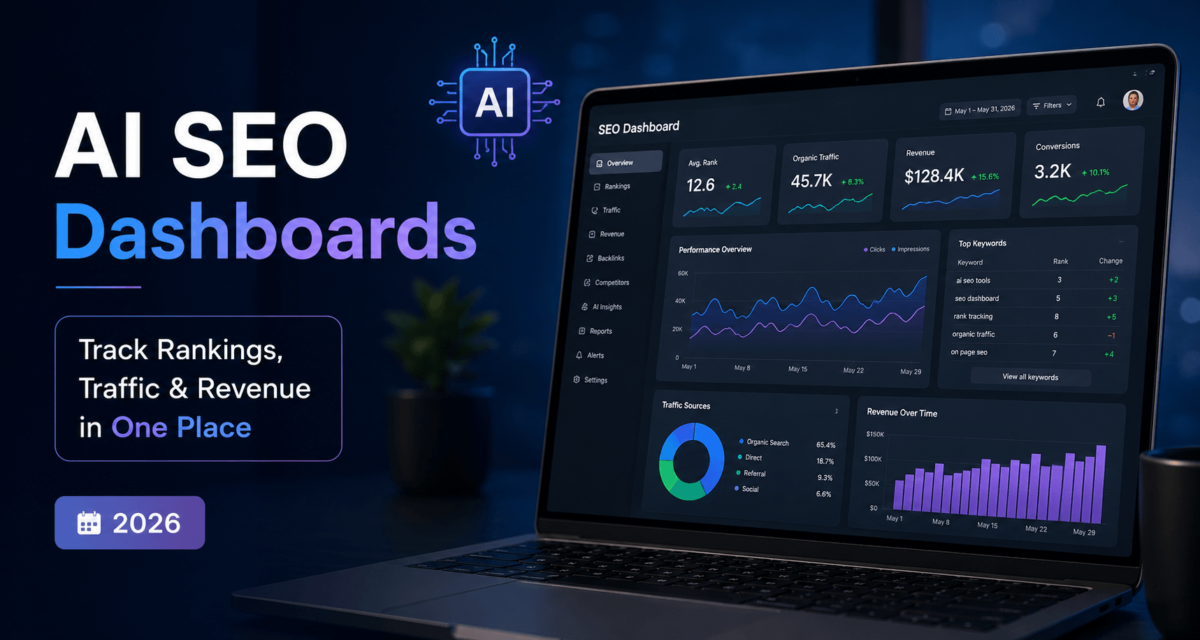
An AI SEO dashboard is a centralized command center that pulls your rankings, traffic, and content performance into one place — and then uses AI to tell you what to do next. Instead of toggling between five tools and guessing what the data means, you get actionable insights served up automatically. The result: faster decisions, less busywork, and a clearer path to ranking higher with less effort.
Quick Summary
- What it is: A smart, AI-powered hub that unifies SEO data from Google Search Console, Analytics, and more
- Why it matters: Most SEOs drown in data but starve for direction — dashboards fix that
- Key benefits: Saves hours weekly, surfaces hidden opportunities, flags ranking drops before they hurt
- Who should use it: Affiliate SEOs, content creators, solopreneurs, and marketing teams
- The outcome: Rank faster, work smarter, and tie your SEO directly to revenue
What Is an AI SEO Dashboard (In Plain English)
Think of it like mission control for your SEO. NASA doesn’t have astronauts manually checking every instrument — they have dashboards that surface what matters, flag anomalies, and give the crew clear next steps. Your AI SEO dashboard does the same thing for your website.
At its core, it connects your data sources — Google Search Console, Google Analytics, your rank tracker, maybe your affiliate platform — into one view. But here’s where the AI part kicks in: instead of just displaying numbers, it interprets them. It might tell you, “This page dropped 3 positions — here’s why and what to fix.” Or: “These five keywords are trending up — publish more content here.”
It’s the difference between having a GPS and having a printed map. Both show you where things are. Only one tells you where to turn.
Why Most SEO Dashboards Fail
Here’s the truth: most SEO dashboards are just fancy spreadsheets. They show you data. Lots of it. Pretty charts, color-coded tables, export buttons nobody uses. But they don’t tell you what to do.
Most people get this wrong — they obsess over building the perfect dashboard instead of building a useful one. They track 40 metrics when they only need 7. They spend Sunday mornings pulling reports instead of acting on them.
The result? Analysis paralysis. You’re drowning in data, but your rankings aren’t moving.
A real AI SEO dashboard cuts through the noise. It prioritizes signals over stats, and it connects your data to your decisions — not just your reports.
What Actually Matters in an AI SEO Dashboard
Rankings — But in Context
Position 8 moving to position 5 matters. Position 25 moving to 22 doesn’t — yet. Your dashboard should show you rank changes with context: search volume, click-through rate potential, and trend direction. Not just a number.
Traffic Quality Over Quantity
10,000 monthly visitors from unqualified searches is worth less than 1,000 visitors from buyers. Track traffic by intent — informational, commercial, transactional. Your dashboard should show which pages attract people who actually convert.
Conversions and Revenue (The Affiliate Angle)
If you’re running affiliate content, this is non-negotiable. You need to see which pages are driving clicks to offers, which offers are converting, and where the revenue is actually coming from. Connect your affiliate platform data into your dashboard — this alone is a game-changer.
Content Performance
Which posts are growing? Which are decaying? Your dashboard should surface “content at risk” — pages losing impressions or clicks month over month — before they become a real problem.
Technical Signals
Core Web Vitals, crawl errors, index coverage — not the most exciting stuff, but a single technical issue can tank an entire cluster of pages. Set it up once, monitor passively.
AI-Powered Features That Change the Game
AI spots keyword trends before they peak — so you publish at the right time, not after the wave breaks.
Instead of you analyzing a traffic drop, the AI surfaces a diagnosis and suggested fix.
Weekly auto-summaries of what moved, what dropped, and what needs attention — no manual reporting.
Automatic alerts when something unusual happens — a page losing 30% of traffic overnight — so you catch it fast.
Real-Life Use Cases
The Affiliate Blog That Stopped Leaking Revenue
“I stopped checking 10 tools daily and built one dashboard. Within a week, I found three affiliate pages that had dropped out of the top 10 — pages I hadn’t touched in months. A quick content refresh brought two of them back and recovered $800/month in commissions.”
This is the most common win: visibility you didn’t have before, leading to actions you wouldn’t have taken.
Catching a Traffic Drop Before It Hurts
“My dashboard flagged a page losing impressions for two weeks straight — before the rankings visibly dropped. I investigated, found a crawl issue, fixed it in a day. Without the alert, I’d have lost three months of work.”
Early warning systems are worth their weight in gold. An AI dashboard makes them automatic.
The Solo Creator Workflow
“As a one-person content operation, I can’t afford to spend hours on reporting. My dashboard gives me a 10-minute Monday morning review: what to write next, what to update, and what’s working. That’s it. Then I get back to creating.”
For solopreneurs, time is the ultimate constraint. A good AI dashboard compresses your SEO thinking into a single, focused session.
How to Build Your AI SEO Dashboard (Step-by-Step)
Get specific — more organic traffic? Higher affiliate revenue? Better rankings for a content cluster?
Pick the metrics that directly connect to your goals. For affiliate SEOs: rankings, organic clicks, affiliate page revenue, and content decay rate.
Link Google Search Console, Google Analytics 4, and your rank tracker to your dashboard tool. Tools like Looker Studio, Ahrefs dashboards, or a custom Notion/Sheets setup all work.
Use GPT via API or tools like Ahrefs AI, SE Ranking, or SearchAtlas to auto-generate recommendations and summaries on top of your data. Want to go deeper? You can combine APIs for full SEO automation — or keep it simple with no-code SEO automation tools that require zero technical setup.
Every section of your dashboard should answer a question: “What should I do this week?”
Set traffic drop alerts (e.g., any page losing 20%+ MoM), ranking shift alerts, and weekly auto-email summaries. Use Zapier or Make to trigger Slack/email notifications. Pair this with automated content publishing and your entire production pipeline runs on autopilot.
Every Monday, open your dashboard with one question: “What’s the one thing I should act on this week?”
Traditional vs. AI SEO Dashboard: Side-by-Side
| Feature | Traditional Dashboard | AI SEO Dashboard |
|---|---|---|
| Data | Static snapshots | Dynamic + predictive updates |
| Insights | Manual interpretation | AI-generated recommendations |
| Actionability | Low — you figure it out | High — next steps surfaced for you |
| Time Required | Hours per week | Minutes per week |
| ROI Clarity | Weak — hard to connect dots | Strong — revenue tied to content |
| Anomaly Detection | None | Automatic alerts on drops |
| Reporting | You build it manually | Auto-summaries via GPT |
Best AI SEO Dashboard Tools (2026)
Here’s what actually works depending on your situation — not a hype list:
Best all-in-one for solopreneurs. Clean interface, AI content tools built in, solid rank tracking. Great starting point.
Best for serious content SEOs who want deep keyword and backlink data with dashboard views. Higher price point, but the data quality justifies it for affiliate sites.
Growing fast in 2026, strong AI recommendations layer, good for teams wanting automation baked in.
Best DIY option. Free, flexible, and powerful if you’re willing to build it yourself. Pairs well with GPT for AI summaries.
Best for creators who want a lightweight, custom setup. Use Zapier to pull in data, GPT to summarize it.
Frequently Asked Questions
An AI SEO dashboard is a centralized tool that combines your ranking, traffic, and content performance data with AI-powered analysis — so instead of just seeing numbers, you get recommendations and alerts that help you act faster.
Yes — especially if you’re managing multiple pages or an affiliate site. The time you save on reporting and manual analysis alone pays for most tools within a month.
Start with Google Search Console and GA4 (free). Add SE Ranking or Ahrefs depending on your budget. Layer GPT on top for summaries. You don’t need everything at once.
Absolutely. The setup takes a few hours, but once it’s running, your weekly review can be as simple as a 10-minute scan. The AI does the heavy lifting.
Weekly for your active review. Set up alerts for anything urgent so you’re notified in real time without having to check daily.
No. Tools like SE Ranking, SearchAtlas, and Looker Studio are no-code. If you want a custom setup using GPT + Sheets or Zapier, some basic workflow knowledge helps — but there are templates that handle 90% of it.
Final Thoughts: Smarter SEO, Not Harder SEO
Here’s what actually works: simplicity and leverage. The best AI SEO dashboard isn’t the one with the most widgets — it’s the one you actually use every week to make better decisions.
Most SEOs are losing time to manual work that AI can handle in seconds. The goal isn’t to monitor more — it’s to act better. One good insight acted on beats a hundred data points ignored.
If you’re building out your AI SEO Automation System, your dashboard is the nerve center — the place where data becomes direction, and direction becomes rankings. Start simple, connect your core tools, layer in AI, and review weekly.
That’s the system. And it works.
Ready to Build Your AI SEO Dashboard?
Part of the AI SEO Automation Systems framework (2026) — explore the complete system:
→ AI SEO Automation Systems (full framework)
→ How to Build an AI SEO Workflow
→ Automating Content Publishing
→ Combine APIs for SEO Automation
→ No-Code SEO Automation Tools