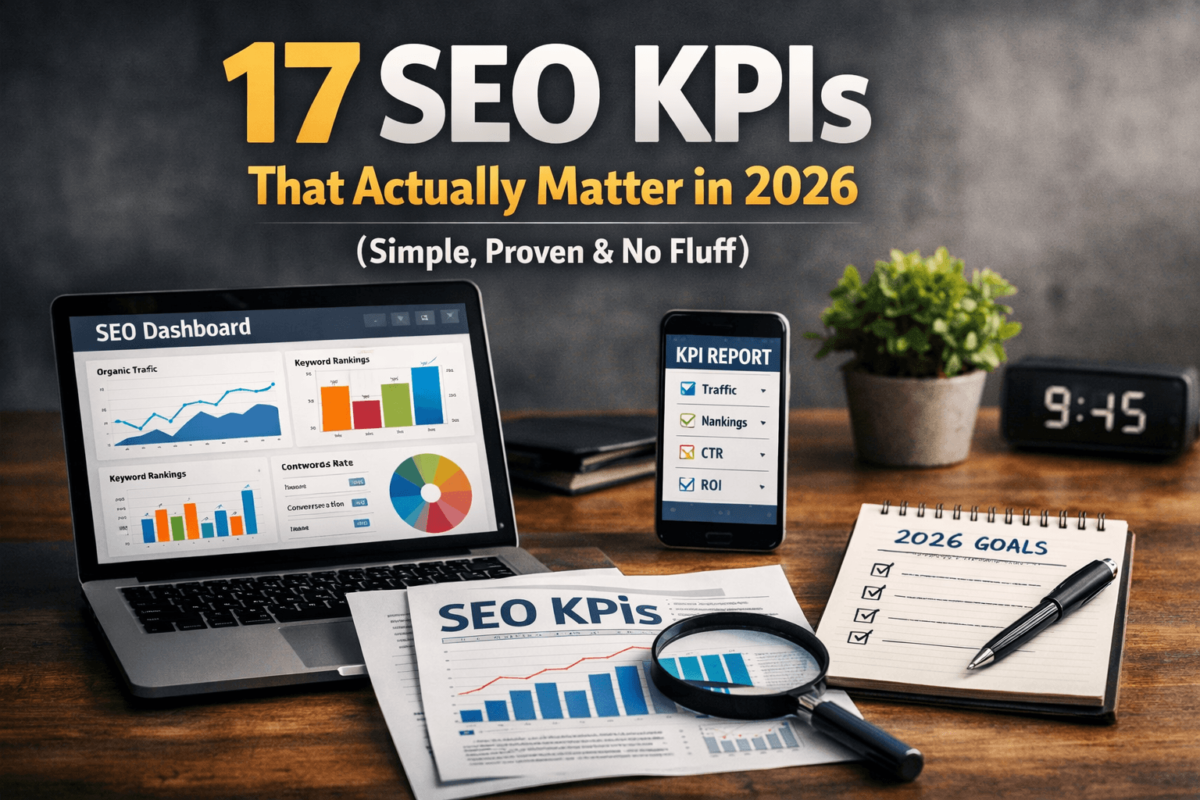
SEO KPIs (Key Performance Indicators) are the specific metrics you track to measure whether your SEO efforts are actually working. They go beyond vanity numbers like raw traffic — they tell you if your site is ranking, converting, and growing in a way that means something. In this guide, you will learn exactly which KPIs to focus on in 2026, how to measure them, and what to do when the numbers are not moving in the right direction.
Ever checked your Google Analytics and felt like you were staring at a random number generator? Traffic up, but sales flat. Rankings fluctuating, but you have no idea why. If that sounds familiar, you are not alone — and you are probably tracking the wrong things.
Here is the truth: most people who do SEO track too much, understand too little, and end up paralyzed by data instead of empowered by it. The fix is not more metrics — it is the right metrics.
SEO KPIs are those right metrics. They cut through the noise and show you exactly what is moving the needle. In this guide, I am going to walk you through everything: what SEO KPIs are, which ones actually matter in 2026, how to measure them with free and paid tools, common mistakes people make, and a simple step-by-step system to actually improve your numbers. No textbook jargon. No Wikipedia vibes. Just practical stuff that works.
- SEO KPIs are specific, measurable goals that tell you whether your SEO strategy is working.
- They help you focus on outcomes (traffic, leads, revenue) rather than vanity metrics (social shares, raw impressions).
- Top 5 KPIs to track: Organic Traffic, Keyword Rankings, Click-Through Rate, Conversion Rate, and Backlinks.
- Biggest mistake: Obsessing over traffic while ignoring conversions.
- Actionable tip: Pick just 3 core KPIs right now and audit them in Google Search Console before doing anything else.
What Are SEO KPIs?
Think of SEO KPIs like a fitness tracker for your website. Just like a fitness tracker does not just tell you that you walked today — it tells you how many steps you took, how many calories you burned, and whether you are getting closer to your goal weight — SEO KPIs do not just say “your site got traffic.” They tell you which traffic, from which keywords, converting at what rate, and driving how much revenue.
KPI stands for Key Performance Indicator. In the context of SEO, a KPI is a measurable value that shows how effectively your site is achieving its search optimization goals. The word key is doing a lot of work here. There are hundreds of SEO metrics you could track. A KPI is one that is tied directly to a business outcome.
For example:
- Metric: Total number of indexed pages.
- KPI: Organic traffic from indexed pages (because indexing without traffic means nothing).
Another way to think about it: metrics describe what happened, while KPIs tell you whether it matters.
A beginner might look at their bounce rate and panic. But an experienced SEO knows that a “high” bounce rate on a recipe blog is completely normal — people come, get the recipe, and leave. Without the KPI context (did that visit lead to ad revenue? email signup?), the metric means nothing.
In 2026, SEO is also about AI Overviews, voice search, and Google’s Search Generative Experience. That means your KPIs need to evolve too. It is not just about ranking on page one anymore — it is about showing up in featured snippets, AI-generated answers, and “People Also Ask” boxes. We will cover all of that.
Why SEO KPIs Actually Matter (Most People Get This Wrong)
I have seen people obsess over traffic numbers and still make zero money. I have also seen sites with modest traffic numbers absolutely crushing their revenue goals. The difference? They knew which numbers to care about.
The Vanity Metric Trap
A vanity metric is one that looks good in a dashboard but does not tell you anything useful about business performance. Here are some classic ones:
- Total impressions in Search Console (you could have 1 million impressions and zero clicks)
- Number of pages indexed (irrelevant if they don’t rank for anything meaningful)
- Social shares of blog posts (great for ego, bad for SEO ROI measurement)
- Raw page views without context (a spam bot could be inflating those)
These numbers feel meaningful. They look impressive in reports. But they do not tell you if your SEO is actually working.
Real KPIs vs. Vanity Metrics: A Quick Gut Check
Ask yourself this question about any metric you track: “If this number went up by 50%, would I make more money or get closer to my goal?”
If the honest answer is “not necessarily” — it is probably a vanity metric. If the answer is “absolutely yes” — you have got a real KPI.
Why 2026 Changes Things
Google has been increasingly moving toward zero-click searches, AI Overviews, and answer-based results. This means:
- Rankings alone are not enough — you need clicks and engagement
- Featured snippet appearances now matter as a standalone KPI
- Branded search volume is becoming a trust signal worth tracking
- Core Web Vitals directly impact user experience and rankings
The bottom line? Tracking the wrong KPIs is not just a waste of time — it actively misleads you. You will optimize for numbers that do not matter and ignore the ones that do. Let us fix that.
The Most Important SEO KPIs to Track in 2026
Alright, here is the good stuff. These are the seven core SEO KPIs that actually move the needle. For each one, I will explain what it is, why it matters, how to measure it, give you a real-life example, and leave you with one actionable tip you can use today.
Organic Traffic
Organic traffic is the number of visitors who land on your website through unpaid search results. It does not include paid ads, social media referrals, or direct visits — just people who searched for something and clicked on your result.
Organic traffic is the lifeblood of most content-driven websites. It is essentially free advertising — once you earn a ranking, the traffic keeps coming without you paying per click. In 2026, as paid search costs continue to climb, organic traffic is more valuable than ever. A page ranking on position one for a decent keyword can drive thousands of visits per month indefinitely.
Open Google Analytics 4 and navigate to Acquisition > Traffic Acquisition > Session default channel group. Filter by “Organic Search” to see your organic traffic numbers. For a longer trend view, use Google Search Console under the Performance tab.
A personal finance blog started tracking organic traffic seriously in January. By focusing on long-tail keywords in their niche (“how to save money on groceries with coupons” rather than just “save money”), they grew from 1,800 organic sessions per month to 14,000 in eight months — without a single backlink campaign. Just better keyword targeting and consistent publishing.
Use the Landing Pages report in GA4 to find which pages already drive organic traffic. Double down on those topics — create supporting content, improve internal linking, and update the original post with more depth.
Keyword Rankings
Keyword rankings tell you where your pages appear in search results for specific search queries. Position 1 means you are the first organic result; position 11 means you are the first result on page 2 (which might as well be invisible).
Rankings are the foundation of organic traffic. According to multiple studies, the first organic result gets somewhere between 25-35% of all clicks, while page two results get almost none. Tracking your rankings tells you if your content is moving up, holding steady, or slipping — and which pages need attention.
In 2026, tracking rankings also means watching out for AI Overview appearances, featured snippets, and the new SGE (Search Generative Experience) positions that can appear above traditional organic results.
Google Search Console is free and reliable for ranking data. Go to Performance > Search Results, then click on a specific page to see which queries it ranks for and at what average position. For more detailed tracking and rank history across hundreds of keywords, tools like Semrush or Ahrefs are fantastic.
A home improvement blog had a post ranking at position 14 for “best cordless drill for beginners.” After a content refresh (added a comparison table, updated recommendations, improved internal links from related posts), the page climbed to position 4 within six weeks — nearly tripling its organic clicks.
In Google Search Console, filter by queries where your average position is between 8 and 20. These are your “low-hanging fruit” pages — they already have traction but need a push. Update the content, add relevant subtopics, and improve the title tag CTR.
Click-Through Rate (CTR)
CTR is the percentage of people who see your page in search results and actually click on it. If your page gets 1,000 impressions and 50 clicks, your CTR is 5%.
CTR is one of those metrics that most beginners completely ignore — and it is a massive missed opportunity. Here is why: two pages can have the same ranking position, but the one with a better CTR gets dramatically more traffic. Google also uses CTR as a user engagement signal that can influence your rankings over time.
A mediocre title tag can mean you are leaving 60% of potential clicks on the table.
Google Search Console shows your average CTR for every query and every page. Head to the Performance tab, check the CTR column, and sort by impressions to find high-impression, low-CTR pages — those are your biggest quick wins.
A software review blog had a page ranking in position 2 for “project management software for small teams” with a measly 2.1% CTR. The title tag was generic: “Best Project Management Software.” After changing it to “7 Best Project Management Tools for Small Teams in 2026 (Tested)” — the CTR jumped to 5.8%. Same ranking, almost 3x more traffic.
Test adding numbers, the current year, power words (“proven,” “tested,” “simple”), or emotional hooks to your title tags. Even a small improvement in CTR compounds significantly over time.
Bounce Rate / Engagement Rate
Bounce rate (in Universal Analytics) measures the percentage of visitors who leave your site after viewing just one page. In GA4, this has evolved into Engagement Rate — which measures the percentage of sessions where users did something meaningful (scrolled, clicked, spent time, visited multiple pages).
Engagement signals tell Google whether users are satisfied with your content. If people bounce immediately, Google interprets that as a sign your page did not answer their query well. Over time, poor engagement can actually hurt your rankings.
That said — context matters enormously here. A recipe page might have a high “bounce rate” because people got what they needed and left. A sales page should have visitors clicking through to checkout. Always interpret engagement metrics in the context of the page’s purpose.
In GA4, go to Reports > Engagement > Pages and Screens. Look at the Engagement Rate column. Also pay attention to Average Engagement Time — it is often more meaningful than bounce rate in isolation.
A digital marketing blog had a “how to start a blog” post with an engagement rate of only 31% and an average session duration of 42 seconds. After restructuring the article with a clear table of contents, more subheadings, internal links to related content, and a short video walkthrough, engagement climbed to 68% and average time on page more than doubled.
If your engagement rate is below 40% on content pages, start with formatting. Add more headings, shorten paragraphs, use bullet points to break up dense text, and include at least one internal link within the first 300 words.
Conversion Rate
Conversion rate is the percentage of your organic visitors who take a desired action — whether that is buying a product, signing up for an email list, clicking an affiliate link, requesting a quote, or filling out a contact form.
This is the KPI that separates profitable SEO from expensive content creation. Traffic means nothing if it does not convert. A page with 500 monthly organic visitors and a 4% conversion rate is worth more than a page with 5,000 visitors and a 0.1% conversion rate.
Conversion rate is where SEO and business strategy intersect. It is the ultimate answer to the question: “Is my SEO actually making me money?”
Set up Goals (or Conversions in GA4) in Google Analytics. For an e-commerce site, this might be a purchase event. For a blog, it could be an email signup or a click on an affiliate link. Once set up, you can see conversion rates broken down by traffic source — including organic search.
A personal finance blog was getting 8,000 monthly organic visitors to their credit card reviews section but converting at just 0.3% on affiliate links. After adding a clear comparison table at the top of each review, adding a “Best For” callout box, and placing the affiliate CTA button more prominently, conversion rate jumped to 1.8%. Same traffic. 6x the revenue.
Map your highest-traffic organic landing pages against your conversions. If your best-traffic page has zero conversions set up, that is your first fix. Add a relevant CTA, lead magnet, or affiliate offer that matches the search intent of that page’s visitors.
Backlinks
A backlink is a link from another website pointing to yours. Search engines treat high-quality backlinks as votes of confidence — signals that your content is trustworthy and worth referencing.
Backlinks remain one of the strongest ranking signals in Google’s algorithm in 2026. A page with 50 high-quality backlinks from authoritative sites will almost always outrank an equally well-written page with zero backlinks in competitive niches.
But quality matters far more than quantity. One backlink from the New York Times or Forbes is worth more than a thousand links from random low-quality directories. The metric to watch is not just the number of backlinks, but the referring domains (unique websites linking to you) and the authority of those domains.
Google Search Console shows your backlinks under Links > External Links. For more detailed analysis (including competitor backlinks, anchor text, and domain authority of linking sites), Ahrefs and Semrush are the industry standards.
A travel blog noticed that a competitor was ranking well for all their target keywords despite having less content. When they analyzed the competitor’s backlink profile in Ahrefs, they discovered 12 high-authority travel resource pages that had linked to the competitor but not to them. They reached out to each, pitched their own comprehensive destination guides, and picked up 7 new backlinks from sites with Domain Rating 60+. Within three months, rankings improved across 23 target keywords.
Create one piece of genuinely link-worthy content — a comprehensive data study, a free tool, an original survey, or the most complete guide on a specific topic in your niche. Then do targeted outreach to sites that have linked to similar content.
Domain Authority (Domain Rating / Authority Score)
Domain Authority (DA) is a score, originally developed by Moz and now used in various forms by Semrush (Authority Score) and Ahrefs (Domain Rating), that predicts how well a website is likely to rank in search results. The scale is typically 0-100, with higher being better.
Domain Authority is not a Google metric — Google has never officially used it. But it is useful as a relative benchmark. A site with a DA of 70 in a competitive niche will generally find it easier to rank new content than a site with a DA of 15.
Think of it as a proxy for your site’s overall SEO health and link equity. It is not a KPI you optimize in isolation — it is a KPI that rises naturally as you earn more quality backlinks, improve your site structure, and grow your content authority.
Install the free MozBar Chrome extension to see Domain Authority instantly on any site. Or use the free domain authority checker at Moz.com, Semrush, or Ahrefs. Track your own DA monthly to see your long-term trajectory.
A niche cooking blog started at DA 12 in January 2024. By focusing on earning backlinks through original recipe roundups and food blogger communities, and by fixing technical SEO issues (broken links, slow page speed, duplicate content), they grew to DA 34 by December 2024 — a 183% increase. During that same period, their organic traffic grew by 310%.
Do not obsess over DA as a daily metric — check it monthly. Focus instead on the inputs: earning quality backlinks, removing toxic links, improving technical SEO, and creating genuinely useful content. DA is a lagging indicator; the activities that grow it are leading indicators.
SEO Metrics vs. SEO KPIs (And Why the Difference Matters)
One of the most common points of confusion in SEO is the difference between a metric and a KPI. People use the terms interchangeably, but they are quite different things — and confusing them leads to bad strategy.
Here is a simple way to think about it: every KPI is a metric, but not every metric is a KPI. A KPI is a metric that is directly tied to a strategic goal. A metric is just… a measurement.
| Metric | KPI Version | Why It Matters as a KPI | Example |
|---|---|---|---|
| Total page views | Organic page views | Separates SEO traffic from other sources | 10K organic views/month means SEO is working |
| Impressions | CTR from impressions | Impressions without clicks means nothing | 5% CTR = 500 visits per 10K impressions |
| Keyword count ranked | Keywords ranked in top 10 | Only top 10 positions drive meaningful traffic | 30 keywords in top 10 is a real KPI |
| Backlink count | Referring domains (unique) | 1000 links from 5 sites < 50 links from 50 sites | 50 unique referring domains is stronger |
| Session duration | Engagement rate on key landing pages | Time on site only matters on conversion-path pages | 70% engagement on product pages is a KPI |
| New users | New organic users who convert | Acquisition only matters if those users take action | 2% of new organic users submit a lead form |
The pattern is consistent: a metric becomes a KPI when it is tied to a specific outcome or goal. That is the filter you should apply to everything you track.
How to Measure SEO Performance: Tools + Methods
You do not need to spend a fortune to measure your SEO KPIs effectively. Here is a practical breakdown of the best tools available in 2026, when to use each one, and what it is best for.
Google Search Console (Free — Start Here)
Google Search Console is the single most important SEO measurement tool available, and it is completely free. It is directly connected to Google’s data, which means you are getting the source of truth on how Google sees your site.
Best for: Tracking keyword rankings and average positions · Monitoring CTR by page and query · Identifying crawl errors and indexing issues · Spotting Core Web Vitals problems · Finding your best-performing pages in organic search.
When to use it: Check it weekly. Set up email alerts for critical issues. Use the Performance tab as your primary KPI dashboard.
Google Analytics 4 (Free — Essential)
GA4 is your window into what happens after someone lands on your site. It shows you engagement, conversions, user behavior, and how organic traffic compares to other channels.
Best for: Tracking conversion rates from organic traffic · Understanding user engagement (engagement rate, scroll depth) · Analyzing which landing pages drive the most business outcomes · Setting up and tracking custom conversion events.
When to use it: Use it alongside Search Console. GSC tells you what happens in search; GA4 tells you what happens on your site. Together, they give you the complete picture.
Paid Tools Worth Knowing
The best all-in-one platform. Daily keyword rank tracking, deep backlink analysis, competitor gap research, and technical SEO audits. Read our full Semrush review →
Best for backlinks. The most comprehensive link database in the industry. Content Explorer feature alone is worth it. Read our full Ahrefs review →
Budget-friendly option. Covers the basics of rank tracking, keyword research, and site auditing at a fraction of the cost of enterprise tools.
Excellent rank tracker with clean UI. Popular with bloggers and freelancers. Read our Mangools review →
From 1K to 10K Monthly Organic Traffic in 6 Months
Let me walk you through a real scenario that shows how SEO KPIs work together in practice. This is a composite story based on patterns seen repeatedly — a small personal finance blog, BudgetBrighter.com.
The Starting Point (Month 0): BudgetBrighter was getting about 1,100 organic visits per month. The blog had 40 published posts, a domain authority of 8, and was earning roughly $180/month from affiliate commissions. The owner had been creating content for 18 months and was frustrated that growth had stalled.
KPI Audit Results:
- Organic Traffic: 1,100/month — mostly from branded searches and a handful of long-tail posts
- Keyword Rankings: 3 posts ranking in positions 8–15; rest were on page 3+
- CTR: Average 1.8% — badly written title tags with no emotional hooks
- Engagement Rate: 34% — people were bouncing fast
- Conversion Rate: 0.4% — affiliate CTAs were buried at the bottom of posts
- Backlinks: 12 referring domains, mostly low quality
What They Did: Rewrote title tags for the 12 highest-impression pages (CTR jumped from 1.8% to 3.9%). Refreshed three posts ranking in positions 8–15 (two moved to positions 3–5). Moved affiliate CTAs into comparison tables within the first 400 words (conversion rate climbed from 0.4% to 1.6%). Published one data-driven “link-worthy” asset that earned 14 backlinks.
The owner did not write a single new post during months 1–3. All growth came from optimizing what already existed. That is the power of tracking the right KPIs and acting on what the data tells you.
Common SEO KPI Mistakes (And How to Avoid Them)
Let’s be real — most people make at least a few of these. Knowing them upfront will save you months of wasted effort.
Tracking Too Many Metrics at Once
This is the most common one. You set up GA4, install Semrush, connect Search Console, add a rank tracker, and suddenly you have 47 different numbers to look at. The result? Analysis paralysis. You spend more time in dashboards than actually doing SEO work.
Focusing Only on Traffic
“Our traffic went up 40% this month!” Great. Did revenue go up? Did leads increase? Did email signups grow? If the answer is unclear, traffic alone tells you nothing actionable. Traffic is a top-of-funnel metric. It tells you that people are arriving. It does not tell you if they care about what they find, if they buy anything, or if they will come back.
Ignoring Conversion Rate
I have audited blogs that were getting 50,000 organic visits per month with almost no monetization strategy. No CTAs, no email opt-ins, no affiliate links. They were essentially running a charity content operation.
Not Setting a Baseline
If you do not know where you started, you cannot measure progress. I have seen people do a ton of SEO work and then say “I don’t know if it’s working” — because they never recorded their starting numbers.
Expecting Results Too Fast
SEO is not PPC. You do not flip a switch and see results tomorrow. Content-driven SEO typically takes three to six months to show meaningful traction, and competitive keywords can take 12+ months to crack the top three. People give up at month two and conclude that SEO does not work — when they were weeks away from breaking through.
Chasing Rankings Instead of Intent
Ranking for a keyword that does not match your business model is worse than useless. A page ranking #1 for “free SEO tools” when you sell a paid SEO software is going to generate a lot of bounces and zero conversions.
Step-by-Step Guide to Improve Your SEO KPIs
Enough theory. Let us get into exactly what to do. This is a practical framework you can start on today.
Pick Your Three Core KPIs
Do not try to track everything. For most sites, the three most impactful KPIs to start with are: Organic Traffic (from GA4 or Search Console), Click-Through Rate (from Search Console), and Conversion Rate (from GA4 goal tracking).
Why these three? Because CTR improvements drive more traffic without needing new rankings, and conversion rate improvements make existing traffic more valuable.
Audit Your Current Performance
Before changing anything, get a clear picture of where you stand:
- Open Search Console: Note your average CTR, total clicks, and top 10 keywords by impressions.
- Open GA4: Find your organic conversion rate and top landing pages by organic traffic.
- Run a quick technical audit: Use Semrush’s free site audit or Google’s PageSpeed Insights to check for critical technical issues.
- Document everything: Put today’s numbers in a spreadsheet. Date it. This is your baseline.
Fix Low CTR Pages First
This is the highest-ROI activity in most SEO audits. In Search Console, filter for pages with more than 500 impressions per month, CTR below 3%, and average position between 5 and 15. For each one: rewrite the title tag with a number, power word, or year; improve the meta description to include a clear benefit and CTA; check if the page matches the search intent of the top query.
Improve Content Quality on Key Pages
Once you have fixed CTR, turn your attention to content quality on your top organic landing pages. Is the content comprehensive? Is it well structured with clear headings and scannable sections? Does it include original insights, examples, or data? Are internal links pointing to this page from relevant content? Is it faster to load than competing pages?
One solid content refresh on a page with traction often drives more results than writing five brand new posts.
Build Backlinks Strategically
Backlinks remain essential for competitive keywords. Here is a sustainable approach:
- Create linkable assets: original data, comprehensive guides, free tools, or industry surveys
- HARO / journalist outreach: Sign up for Help A Reporter Out (now Connectively) and respond to journalist queries in your niche
- Guest posting: Write for established blogs in your niche with a contextual link back to your site
- Broken link building: Find broken links on relevant sites and offer your content as a replacement
Set Up a Weekly Tracking Habit
SEO is a long game, and the only way to win it is with consistent measurement. Here is a simple weekly cadence:
- Monday: Check Search Console for any critical errors or ranking drops
- Wednesday: Review CTR changes on pages you recently updated title tags for
- Friday: Check GA4 for conversion trends and organic session counts vs last week
Monthly, do a deeper review: backlink changes, domain authority movement, keyword ranking shifts across your core 20–30 target terms.
Best SEO Tools to Track Your KPIs (2026 Edition)
For Beginners: Start 100% Free
You can measure every core SEO KPI without spending a dollar:
- Google Search Console: rankings, CTR, impressions, indexing, Core Web Vitals — all free
- Google Analytics 4: traffic, conversions, engagement — free
- Google PageSpeed Insights: site speed and Core Web Vitals — free
- Bing Webmaster Tools: similar to GSC but for Bing — free and often has data GSC misses
For Growing Sites: Upgrade When Ready
Once you are getting consistent organic traffic and want to scale, these tools are worth the investment:
- Semrush ($129/month): the best all-in-one platform. Track keyword rankings across your whole site, run competitor gap analyses, and audit technical health in one place. Start with the free version to test it out.
- Ahrefs ($99/month): if backlinks are your primary focus, Ahrefs has the deepest link data in the industry. Their Content Explorer feature alone is worth the price for finding link-earning content ideas.
- Surfer SEO ($89/month): if content optimization is your bottleneck, Surfer analyzes top-ranking content and tells you exactly how to structure and optimize your posts for better rankings.
For Budget-Conscious Users
- Ubersuggest ($29/month): covers the basics of rank tracking, keyword research, and site auditing at a fraction of the cost
- Mangools ($29/month): excellent rank tracker with clean UI; popular with bloggers and freelancers
- SE Ranking ($55/month): solid mid-tier option with rank tracking, audits, and backlink data
FAQs: SEO KPIs Explained
Final Thoughts: Keep It Simple, Act on the Data
Here is what I want you to take away from this guide: SEO is not as complicated as the industry sometimes makes it seem. At its core, it comes down to a few straightforward questions.
Are the right people finding your site? Are they clicking when they see you in search results? Are they engaging with what they find? Are they taking the action you need them to take? Are other sites vouching for your content with links?
Each of those questions corresponds to a KPI: organic traffic, CTR, engagement rate, conversion rate, and backlinks. That is your entire framework. Everything else — the tools, the tactics, the technical fixes — exists in service of improving those five core numbers.
The biggest thing that separates sites that grow from sites that stagnate is not budget, or team size, or publishing frequency. It is intentional measurement and action. The people who win at SEO are the ones who look at their data regularly, ask honest questions about what it means, and make small improvements consistently.
You do not need to track 40 metrics. You do not need a $500/month tool stack. You need Search Console, GA4, a spreadsheet, and a weekly 15-minute habit of actually looking at your numbers.
Start today. Pull up your Search Console, find your top five pages by impressions, and check the CTR. If any of them are below 3% with positions under 15, you have your first action item: rewrite those title tags.
That is one change. It takes 20 minutes. And it compounds. That is SEO.
One Last Thing
If you found this guide useful, the best way to put it to work is to start with just one KPI this week. Open Google Search Console, go to Performance, and identify the single page with the highest impressions and the lowest CTR. Fix its title tag. Come back next week and see what happened. That is how every successful SEO story starts — one small, intentional improvement at a time.