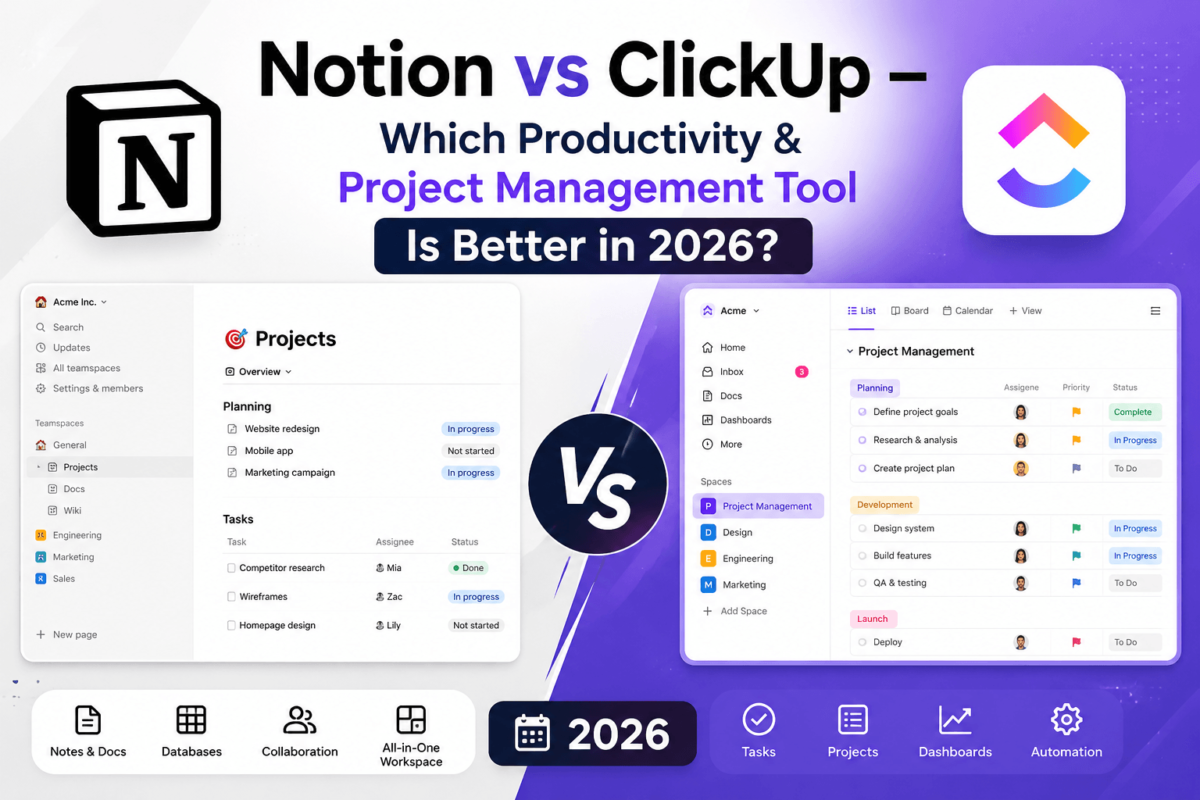
Notion vs ClickUp: Which Productivity Powerhouse Actually Wins in 2026?
A brutally honest, feature-by-feature comparison to help you pick the right workspace for your team, your budget, and your sanity.
⚡ Quick Answer
ClickUp is the better pick if you want a true all-in-one project management system with tasks, Gantt charts, sprints, and dashboards baked in — and it’s usually cheaper for teams that need those features. Notion wins if you want a flexible, beautiful workspace for docs, wikis, and lightweight databases where writing and organizing information matters more than heavy-duty task tracking. Freelancers and note-takers tend to love Notion; agencies and operations-heavy teams tend to outgrow it and move to ClickUp.
Quick Verdict: Who Should Buy What
Before we go deep, here’s the short version. Each row below reflects our actual recommendation, not a coin flip.
| Category | Winner |
|---|---|
| Best overall | ClickUp |
| Best value for the price | ClickUp |
| Best for beginners | Notion |
| Best for enterprises | ClickUp |
| Best for agencies | ClickUp |
| Best for writers & creators | Notion |
| Best for startups | Tie |
| Best free plan | ClickUp |
Notion vs ClickUp: At-a-Glance Comparison
| Feature | Notion | ClickUp |
|---|---|---|
| Starting price (paid) | $10/user/mo | $7/user/mo |
| Free plan | Yes, generous for individuals | Yes, unlimited members |
| Native AI | Notion AI (add-on) | ClickUp Brain (add-on) |
| Docs & wiki | Excellent | Good |
| Databases | Excellent, relational | Good (custom fields) |
| Task management | Basic to moderate | Excellent, purpose-built |
| Gantt / Timeline | Basic timeline view | Full Gantt with dependencies |
| Automations | Limited, database-based | Extensive, native |
| Dashboards / reporting | Basic | Advanced, real-time |
| Integrations | 90+ native, Zapier/Make | 1,000+ native, Zapier/Make |
| Mobile apps | Good | Very good |
| Learning curve | Moderate | Steep at first |
| Best use case | Docs, wikis, note-taking | Project & task management |
What Is Notion?
Notion launched in 2016 as an all-in-one workspace built around a simple idea: blocks. Every page is made of movable blocks — text, images, embeds, tables, and databases — that you can rearrange into almost anything, from a personal journal to a company wiki. It grew into one of the most beloved productivity tools of the last decade largely because of how good it feels to write in.
Notion’s biggest strength is its relational database engine hidden underneath a clean, minimal interface. You can build a content calendar, a CRM, a habit tracker, or a full product wiki, then link them together. It’s ideal for individuals, writers, and small teams who value flexibility and beautiful documentation over rigid project structures. Where it struggles is dedicated project management — things like dependencies, workload balancing, and native automations feel bolted-on rather than core.
What Is ClickUp?
ClickUp launched in 2017 with the tagline “one app to replace them all,” and it has aggressively pursued that promise ever since. It combines task management, docs, chat, goals, whiteboards, and dashboards in a single product, aiming to replace tools like Asana, Trello, and even parts of Slack.
ClickUp’s strength is depth: Gantt charts, sprint points, workload views, custom automations, and 15+ task views out of the box. That power comes with a steeper learning curve and an interface that can feel cluttered until you configure it. It’s the stronger choice for teams that live and die by deadlines, dependencies, and reporting — agencies, operations teams, and growing startups in particular.
User Interface & Ease of Use
Is Notion easier to use than ClickUp? For solo users and note-takers, yes. Notion’s interface is calm, minimal, and reads like a document editor. New users can start typing and organizing within minutes. ClickUp front-loads more decisions — spaces, folders, lists, statuses, and views — which makes onboarding slower but pays off once a workspace is properly configured.
Navigation speed also differs. Notion can feel sluggish in very large workspaces with thousands of nested pages, while ClickUp is optimized for jumping between structured views (List, Board, Calendar, Gantt) quickly. Customization is a wash: Notion lets you customize page layout and content freely, while ClickUp lets you customize workflow logic — statuses, automations, and permissions — far more deeply.
Project Management Comparison
Which has better project management, Notion or ClickUp? ClickUp, decisively. It was purpose-built for task and project tracking, while Notion added project features on top of a document tool.
| Capability | Notion | ClickUp |
|---|---|---|
| Subtasks | Manual, via sub-pages | Native, nested |
| Dependencies | None natively | Full blocking/waiting logic |
| Sprint planning | Manual setup | Native sprint points, velocity |
| Workload view | Not available | Yes, native |
| Portfolios | Manual roll-up databases | Native portfolio view |
| Gantt charts | Basic timeline only | Full Gantt with drag-resize |
| Kanban boards | Yes, via board view | Yes, highly customizable |
| Calendar view | Yes, basic | Yes, with drag-and-drop scheduling |
If your team runs sprints, tracks dependencies, or needs a Gantt chart that updates itself, ClickUp is the only real option here. See our head-to-head on ClickUp vs Asana if you’re also weighing dedicated PM tools.
Knowledge Management & Docs
Is Notion better for note-taking and documentation? Yes, clearly. Notion treats documentation as a first-class citizen — nested pages, backlinks, a clean writing experience, and a page hierarchy that mirrors how you actually think. Teams use it to build wikis, SOPs, and knowledge bases that are genuinely pleasant to read.
ClickUp Docs are functional and tightly connected to tasks (you can link a doc directly to a task or sprint), which is useful for project-specific documentation. But the writing experience is less polished, and there’s no true backlinking system like Notion’s. If your team’s core need is a searchable, well-organized wiki, Notion wins this category outright.
Database Capabilities
Which has better databases? Notion, for relational depth. Notion databases support relations, rollups, linked views, and formulas that reference other databases — you can build genuinely complex systems like a CRM linked to a content calendar linked to a client wiki, all cross-referenced.
ClickUp’s “Custom Fields” cover most everyday needs — dropdowns, formulas, relationships between tasks — but the system is designed around tasks first, database logic second. It’s plenty for tracking work; it’s not a substitute for a relational database builder. Power users building internal tools (product catalogs, applicant trackers, editorial calendars with cross-links) will get more mileage from Notion’s database engine, similar in spirit to tools like Airtable.
AI Comparison: Notion AI vs ClickUp Brain
Which has better AI? It depends what you need it for. Notion AI is stronger at writing, summarizing, and rewriting content directly inside pages — drafting blog outlines, meeting notes, or cleaning up messy text. ClickUp Brain is stronger at task-level automation — generating subtasks, summarizing a project’s status, writing standup updates, and answering questions about your workspace’s data.
| AI Feature | Notion AI | ClickUp Brain |
|---|---|---|
| Writing assistance | Excellent | Good |
| Meeting notes / summaries | Strong | Strong (AI Notetaker) |
| Task/workflow automation | Limited | Excellent |
| Answers questions about your workspace | Yes (Notion Q&A) | Yes, deeply integrated with tasks |
If AI-assisted writing is the priority, pair either tool with a dedicated option from our best AI writing tools roundup. For teams exploring AI-driven workflows more broadly, our best AI chatbots guide is a useful companion read.
Automation Comparison
ClickUp’s native automation builder is significantly more powerful. You can set triggers (“when status changes to Done”) that fire actions (“assign to X, notify Slack, move to next list”) without any third-party tool. ClickUp ships with 100+ pre-built automation templates.
Notion’s automation is newer and more limited — mostly database-triggered actions like auto-updating a status or sending a notification. For anything more advanced, both tools lean on Zapier or Make, and if automation across your entire stack (not just one app) is the goal, it’s worth comparing dedicated platforms in our marketing automation software comparison.
Templates: Which Has a Better Library?
Both maintain enormous, mostly free template galleries. Notion’s template ecosystem leans creative — personal wikis, content calendars, second-brain systems, and creator-economy templates dominate its marketplace, including a huge volume of community-built options. ClickUp’s templates lean operational — CRMs, sprint boards, OKR trackers, HR onboarding flows, and agency client management systems, many built by ClickUp itself and ready to use out of the box.
If you’re building a content calendar specifically, it’s worth pairing whichever tool you choose with a platform from our best content marketing tools list to handle publishing and distribution.
Collaboration Features
Both tools support comments, @mentions, and guest access. Notion’s collaboration feels document-centric — inline comments on specific text, page-level sharing, and simple approval via status properties. ClickUp’s collaboration feels task-centric — assign comments as action items, request approvals on a task, and use built-in chat views tied directly to projects.
Permissions are more granular in ClickUp, with role-based access down to the individual list or custom field. Notion’s permission model is simpler and page-based, which is easier to manage for small teams but less precise for larger organizations with strict access requirements.
Reporting & Dashboards
This isn’t close. ClickUp Dashboards offer real-time widgets for burndown charts, time tracking, workload, velocity, and custom reporting that executives actually want to see. Notion’s reporting is limited to whatever you can build manually with linked databases and rollups — workable for small teams, tedious at scale. Operations-heavy teams and agencies reporting to clients will find ClickUp’s dashboards far more capable.
Integrations
ClickUp integrates natively with more tools out of the box — Slack, Google Drive, Outlook, Gmail, Microsoft Teams, Zoom, GitHub, and GitLab are all supported directly, alongside Zapier and Make for everything else. Notion covers the essentials (Slack, Google Drive, Zoom, GitHub) but relies more heavily on Zapier and Make for deeper connections, and its native integration count is noticeably smaller.
If your workflow depends on connecting your workspace to a CRM or lead pipeline, check our best CRM for email marketing guide, or our best lead generation software roundup for the sales side.
Mobile Experience
Both apps are available on iOS and Android with offline support. ClickUp’s mobile app mirrors more of the desktop functionality — you can manage dependencies, view Gantt charts (simplified), and get granular push notifications. Notion’s mobile app is optimized for quick capture and reading — great for jotting notes on the go, less suited to managing a complex project from your phone.
Performance & Reliability
Which is faster? In small to medium workspaces, both feel snappy. At scale, Notion has historically struggled with load times in workspaces containing thousands of pages or very large databases, though performance has improved with recent updates. ClickUp handles large task volumes well but can feel heavier on initial load due to its feature-dense interface. Neither tool has had major reliability issues in recent years, but Notion has faced more publicized outages historically.
Security & Compliance
| Security Feature | Notion | ClickUp |
|---|---|---|
| SSO | Enterprise plan | Business Plus / Enterprise |
| SOC 2 compliance | Yes | Yes |
| Granular permissions | Page-level | List/field-level |
| Data encryption | At rest and in transit | At rest and in transit |
Notion Pricing vs ClickUp Pricing
Which is cheaper? ClickUp generally offers more functionality per dollar, especially on its mid-tier plans where project management features that Notion doesn’t offer at all come standard.
| Plan | Notion | ClickUp |
|---|---|---|
| Free | Unlimited pages (individuals) | 100MB storage, unlimited tasks |
| Entry paid tier | ~$10/user/mo (Plus) | ~$7/user/mo (Unlimited) |
| Business/Team tier | ~$20/user/mo (Business) | ~$12/user/mo (Business) |
| AI add-on | Included on higher tiers | ClickUp Brain add-on |
| Enterprise | Custom pricing | Custom pricing |
Is ClickUp worth paying for? Yes, if you need real project management — the Unlimited tier alone replaces several point tools. Is Notion worth paying for? Yes, once your team’s docs and databases outgrow the free plan’s block limits, though solo users can often stay free indefinitely.
Compare live pricing before you commit — both platforms update tiers regularly.
See ClickUp Pricing →Pros & Cons
✅ Notion Pros
- Beautiful, flexible writing experience
- Powerful relational databases
- Best-in-class docs and wikis
- Generous free plan for individuals
❌ Notion Cons
- Weak native project management
- No task dependencies
- Limited automation and reporting
- Can slow down in huge workspaces
✅ ClickUp Pros
- True all-in-one project management
- Powerful automations and dashboards
- More native integrations
- Strong value on mid-tier plans
❌ ClickUp Cons
- Steeper learning curve
- Interface can feel cluttered
- Docs weaker than Notion’s
- Can feel like feature overload for solo users
Best For: Notion vs ClickUp by User Type
| User Type | Recommendation |
|---|---|
| Freelancers | Notion — lightweight and free |
| Agencies | ClickUp — client dashboards, time tracking |
| Startups | Either — Notion early, ClickUp as ops scale |
| Enterprises | ClickUp — reporting and permissions depth |
| Students | Notion — free, great for notes |
| Content creators | Notion — content calendars & wikis |
| Developers | ClickUp — sprints, GitHub integration |
| Marketing / ops teams | ClickUp — automations and dashboards |
Real-World Scenarios
Running a marketing agency
ClickUp wins here: client-facing dashboards, billable time tracking, and workload views make it far easier to run multiple client accounts without spreadsheets on the side.
Planning a product launch
ClickUp’s Gantt charts and dependencies keep cross-functional launch timelines from slipping. Notion can track a launch but won’t warn you when a blocked task threatens the date.
Managing a content calendar
Notion shines here — a linked database of articles, statuses, authors, and publish dates feels natural. Pair it with tools from our best social media management tools list for distribution.
Light CRM workflows
Notion’s relational databases can approximate a simple CRM for small pipelines. For anything with serious volume, a dedicated tool from our CRM software guide will scale better.
Team documentation and SOPs
Notion is the clear pick for internal wikis that people actually enjoy reading and updating.
Personal productivity & student organization
Notion’s free plan and low learning curve make it the go-to for personal task lists, journals, and study planners.
Notion & ClickUp Alternatives
If neither tool feels right, a few other platforms are worth a look. Asana and Trello are simpler task managers with gentler learning curves — see our full ClickUp vs Asana comparison for details. Monday.com offers a similarly visual, all-in-one approach to ClickUp with a friendlier interface at a higher price. Airtable is the closest database-first competitor to Notion, built more for structured data than freeform docs. Coda blends docs and databases similarly to Notion but with stronger built-in automation. Jira and Confluence remain the standard for engineering-heavy teams already inside the Atlassian ecosystem, and Obsidian is worth considering if you want Notion-style notes with local-first file storage instead of the cloud.
Frequently Asked Questions
Is ClickUp better than Notion?
For project management, task tracking, and team reporting, yes. For documentation, wikis, and flexible personal organization, Notion is generally the better tool.
Is Notion better for note-taking?
Yes. Notion’s writing experience, page hierarchy, and backlinking make it the stronger choice for notes and knowledge bases.
Which has better project management, Notion or ClickUp?
ClickUp, by a wide margin — native dependencies, Gantt charts, sprints, and workload views give it a real edge over Notion’s database-based approach.
Which has better AI, Notion or ClickUp?
Notion AI is stronger for writing and content generation. ClickUp Brain is stronger for task automation and workspace-wide answers.
Which is cheaper, Notion or ClickUp?
ClickUp’s entry paid tier starts lower and includes more project management functionality per dollar than Notion’s equivalent plan.
Which is easier for beginners?
Notion. Its minimal interface has a gentler learning curve than ClickUp’s feature-dense setup process.
Which tool should I buy?
If your work centers on tasks, deadlines, and reporting, buy ClickUp. If it centers on writing, documentation, and flexible organization, buy Notion.
Is ClickUp worth paying for?
Yes, for most teams — the Unlimited plan often replaces two or three separate tools, which offsets the cost quickly.
Is Notion worth paying for?
Yes, once your team needs shared workspaces, guest access, or version history beyond what the free plan allows.
Can I use Notion and ClickUp together?
Yes. Some teams use Notion for docs and wikis while running task management in ClickUp, connecting the two with Zapier or Make.
Does Notion have Gantt charts?
Notion offers a basic timeline view, but it lacks true dependency logic and drag-to-resize scheduling that ClickUp’s Gantt charts provide.
Does ClickUp have a free plan?
Yes, ClickUp’s Free Forever plan supports unlimited members and unlimited tasks, though storage is capped at 100MB.
Which is better for remote teams?
ClickUp, thanks to native chat views, dashboards, and time tracking that keep distributed teams aligned without extra tools.
Which has better mobile apps?
ClickUp’s mobile app mirrors more desktop functionality, though Notion’s app is better suited for quick note capture on the go.
Is Notion good for a personal wiki or second brain?
Yes — this is one of Notion’s most popular use cases, thanks to its page linking and flexible block-based structure.
Does ClickUp support time tracking?
Yes, natively, with reporting on billable hours by task, project, or team member — a feature Notion doesn’t offer natively.
Which scales better for large organizations?
ClickUp, due to its granular permissions, dashboards, and reporting built for larger, more complex team structures.
Can I migrate from Notion to ClickUp (or vice versa)?
Both offer CSV import and dedicated migration guides, though moving complex relational databases between the two typically requires manual rebuilding.
Final Verdict
Buy Notion if: you’re a solo user, writer, or small team that lives and dies by documentation, wikis, and flexible databases, and you don’t need heavy project tracking.
Buy ClickUp if: you manage real projects with deadlines, dependencies, and multiple stakeholders — agencies, operations teams, and growing startups will get far more value from it.
Avoid Notion if: you need dependencies, workload balancing, or serious reporting — you’ll hit walls fast. Avoid ClickUp if: you just want a simple place to write and organize notes — it will feel like overkill.
Both platforms offer free plans, so the lowest-risk path is to try each one on a real project for a week before committing your whole team.