SOFTWARE GUIDE
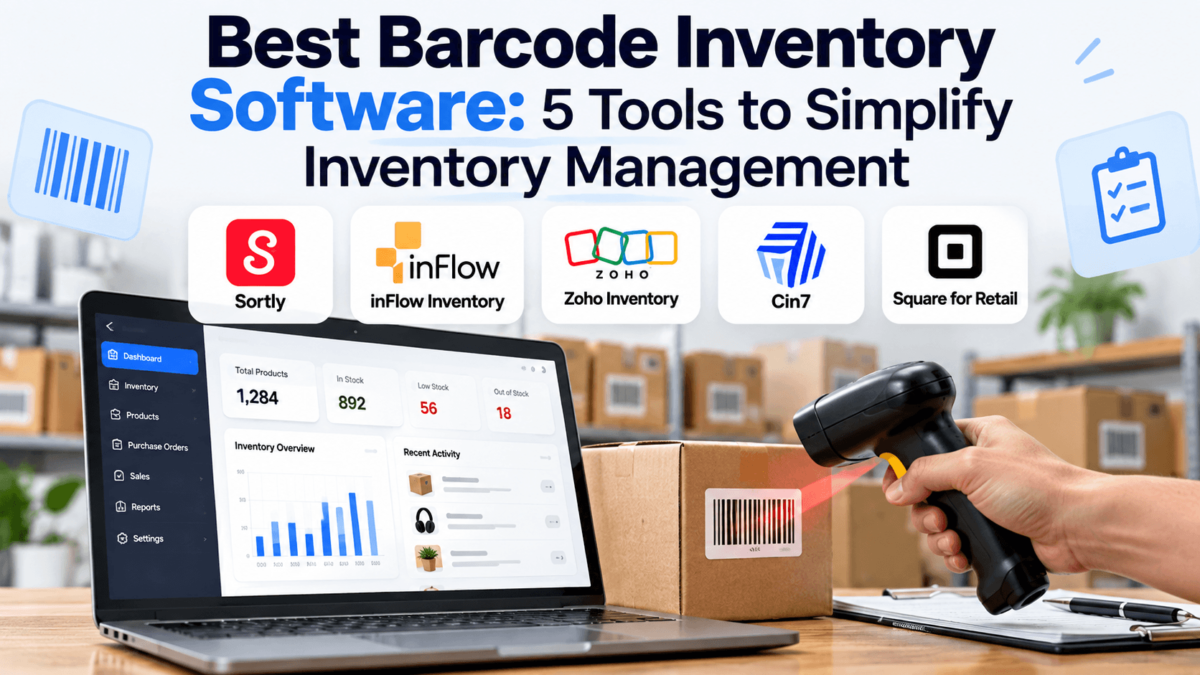
Best Barcode Inventory Software: 5 Tools to Simplify Inventory Management
Counting stock by hand and typing SKUs into a spreadsheet works right up until it doesn’t. One mistyped number leads to a stockout on your best seller, a shelf of items nobody orders, or a Friday spent recounting the storeroom. The best barcode inventory software fixes that by letting you scan a product and update the count in seconds, instead of hunting through rows and hoping the quantity is right. Fewer manual entries also means fewer surprises at month-end.
This guide compares five tools: Sortly, inFlow Inventory, Zoho Inventory, Cin7, and Square for Retail. It covers barcode scanning, stock tracking, multi-location support, integrations, and pricing structure, and it points out where each tool falls short. It’s written for small business owners, ecommerce sellers, retail stores, and warehouse teams that are outgrowing spreadsheets. If you want the wider category first, see our roundup of inventory management software. Otherwise, start with the quick answer below.
Good to know: Plans, prices, and trial terms change often. The figures below come from vendor pages and third-party listings checked in 2026, so confirm them on each company’s official pricing page before you buy. Product buttons link to each company’s official website.
Quick Answer
What is the best barcode inventory software? There isn’t one winner, because the right pick depends on your business. Zoho Inventory is our best overall choice for most small and growing product businesses, thanks to barcode scanning, a free plan with limits, and broad integrations. Sortly is the easiest to learn, inFlow Inventory suits product businesses that handle sales and purchase orders, Cin7 fits larger multi-channel and warehouse operations, and Square for Retail is the natural fit for brick-and-mortar stores.
Best Barcode Inventory Software at a Glance
| Software | Best For | Barcode Scanning | Inventory Tracking | Starting Price | Free Trial/Plan |
|---|---|---|---|---|---|
| Sortly | Small teams, mobile-first tracking | Yes, phone/tablet barcode and QR scanning | Folders, tags, custom fields, low-stock alerts | Free plan; paid plans reported from $49/mo | Free plan; 14-day trial on paid plans |
| inFlow Inventory | Product businesses with orders and wholesale | Yes, scanning plus barcode generation and printing | Unlimited locations, orders, reorder points | Varies by plan; see official pricing | 14-day free trial; no free plan |
| Zoho Inventory | Online sellers and growing small businesses | Yes, in-app scanning; generation on higher tiers | Multi-warehouse, composite items, backorders | Free plan; paid tiers vary | Free plan; free trial |
| Cin7 | Multi-channel and warehouse operations | Yes, scanning and label management | Multi-location, lot and serial tracking | Third-party listings start near $349/mo | Free trial; no free plan |
| Square for Retail | Retail stores with a POS | Yes, scan to add items; label printing on Plus | Catalog, counts, bulk intake, online sync | Free plan; Plus is a paid subscription | Free plan; 30-day Plus trial |
BEST FOR SIMPLE, MOBILE-FIRST TRACKING
01 Sortly
Verdict: Sortly is the easiest tool here to pick up. It tracks items with photos, folders, and quick scans, so a small team can stop using spreadsheets without a long setup.
Why We Like It
- The interface is visual and approachable, with item photos and nested folders instead of dense tables.
- Phone and tablet scanning makes counts and check-ins quick for a small team.
- A free plan lets you test the workflow on a small catalog before paying.
Key Barcode & Inventory Features
- Barcode and QR code scanning from a smartphone or tablet
- Barcode and QR label generation, with the label options varying by plan
- Custom folders, fields, and tags for organizing items and locations
- Low-stock alerts and activity reports on paid plans
- Offline access and customizable user permissions
- Purchase orders and QuickBooks Online integration on higher tiers, per third-party listings
Pros and Cons
✓ Pros
| − Cons
|
Pricing
Sortly has a free plan, reported at one user and 100 unique items, plus paid Advanced, Ultra, and Premium tiers and a quote-based Enterprise plan. Third-party listings put Advanced at about $49 per month and Ultra at about $149 per month, with discounts for annual billing. Paid plans include a 14-day trial, but plan limits change, so confirm on Sortly’s pricing page.
Best For
Small businesses, contractors, and teams that track supplies, equipment, or a modest product catalog from a phone.
Our Verdict
Sortly wins on simplicity. If you need deep order management or true warehouse workflows, you’ll likely outgrow it, but for straightforward barcode tracking it’s hard to beat.
BEST FOR PRODUCT BUSINESSES WITH ORDERS
02 inFlow Inventory
Verdict: inFlow Inventory combines stock control with sales and purchase orders, which makes it a strong step up for businesses that sell wholesale or manage a lot of back-and-forth with suppliers.
Why We Like It
- Barcode generation, printing, and scanning are built into the product rather than bolted on.
- Unlimited inventory locations are listed on the plans, which helps as you add storage spots.
- It’s built specifically for inventory and order management, not as an add-on to accounting software.
Key Barcode & Inventory Features
- Barcode generation, label printing, and scanning workflows
- Mobile apps for iOS and Android with barcode scanning
- Item catalogs, variants, reorder points, and inventory adjustments
- Sales orders, purchase orders, and multi-location stock
- Ecommerce and accounting integrations; check the current list for your platforms
- Some manufacturing support, though reviewers note it lacks full MRP
Pros and Cons
✓ Pros
| − Cons
|
Pricing
inFlow Inventory has no free plan, but it offers a 14-day free trial. Plans are tiered by team size, and published figures vary by source, so it’s best to use inFlow’s own pricing page or calculator. Ask whether your plan includes the mobile scanning app and whether any onboarding fee applies.
Best For
Wholesalers, distributors, and ecommerce sellers who handle sales orders and purchase orders and need barcode scanning alongside them.
Our Verdict
inFlow Inventory is a dependable middle option: more order management than Sortly, less complexity than Cin7. Just verify what your chosen plan includes before committing.
BEST OVERALL
03 Zoho Inventory
Verdict: Zoho Inventory balances price, features, and integrations better than any other option here, and it’s the only one in this group that pairs a free plan with real order management.
Why We Like It
- A free plan lets very small sellers run production inventory at no cost, within order and user limits.
- It connects with other Zoho apps such as Zoho Books and Zoho CRM, plus ecommerce platforms.
- Paid tiers add more warehouses, automation, and advanced features as you scale.
Key Barcode & Inventory Features
- In-app barcode scanning on mobile
- Barcode generation on higher-tier plans
- Multi-warehouse tracking, with the free plan limited
- Composite items, backordering, and dropshipping workflows
- Purchase orders, sales orders, and reorder points
- Integrations with Zoho Books, Zoho CRM, and ecommerce and marketplace channels
Pros and Cons
✓ Pros
| − Cons
|
Pricing
Zoho Inventory offers a free plan with usage limits, plus paid tiers. One software marketplace lists paid plans from about $39 per month, but other sources report different figures and limits, so check Zoho’s pricing page for the current plan structure. Barcode generation and some advanced features require higher plans.
Best For
Small and growing online sellers, wholesalers, and businesses that want inventory and accounting to work together.
Our Verdict
Zoho Inventory is our top pick for most readers. It’s not the simplest tool, but it offers the best mix of cost, scanning, and room to grow.
BEST FOR GROWING OPERATIONS
04 Cin7
Verdict: Cin7 (this review covers Cin7 Core) is built for businesses with multiple locations and sales channels. It’s the heaviest tool here, and it’s priced like it.
Why We Like It
- It handles multi-location stock, lot and serial tracking, and manufacturing in one system.
- Marketplace and ecommerce integrations give you one view of inventory across channels.
- Reviewers describe setup and support as straightforward once data is in.
Key Barcode & Inventory Features
- Barcode scanning and barcode and label management
- Multi-location inventory control
- Lot and serial number tracking
- Purchasing, order management, and manufacturing tools
- Ecommerce and marketplace integrations
- Reporting and automation for larger catalogs
Pros and Cons
✓ Pros
| − Cons
|
Pricing
Cin7 has no free plan, but it offers a free trial. Third-party listings show four plans starting around $349 per month, though some users report price increases and contract changes. Pricing depends on your setup, so request a current quote from Cin7.
Best For
Growing wholesalers, distributors, and multichannel sellers with several locations or warehouse workflows.
Our Verdict
Cin7 is the right choice when spreadsheets and simple tools no longer cut it. For a one-location shop, you’ll pay for features you won’t use.
BEST FOR RETAIL STORES
05 Square for Retail
Verdict: Square for Retail is a point-of-sale system first and an inventory tool second, which is exactly what a retail store needs. Scan to sell, scan to count, and keep one catalog for the register and your online store.
Why We Like It
- Checkout, inventory, and Square Online share one catalog, so there’s no separate sync to maintain.
- A free plan and a 30-day trial of the Plus plan make it low-risk to test.
- Scanning at checkout and at receiving uses the same barcodes.
Key Barcode & Inventory Features
- Search or scan a GTIN barcode to add items to your catalog
- Bulk inventory intake: scan one barcode and adjust the received quantity
- Barcode label printing on Plus, using supported printers
- Inventory counting tool and CSV or Excel export
- Automatic inventory sync with Square Online
- Transfer orders between locations, reportedly on Premium
Pros and Cons
✓ Pros
| − Cons
|
Pricing
Square for Retail has a free plan, a Plus plan billed monthly, and a Premium plan with custom pricing. Square also charges card processing fees separately. Square’s pricing page offers a 30-day free trial of Plus, so confirm current rates there. If payments are part of your decision, our guide to the best payment gateways puts Square in context.
Best For
Brick-and-mortar shops and retailers who also sell online and want inventory tied to checkout.
Our Verdict
Square for Retail is the clear pick for stores. If you don’t sell at a counter, one of the other four will fit better.
Barcode Inventory Software Comparison
Here’s how the five tools line up on the features most buyers ask about first.
| Software | Best For | Barcode Scanning | Multi-Location | Mobile App | Integrations | Pricing |
|---|---|---|---|---|---|---|
| Sortly | Simple tracking | Phone/tablet scanning | Folder-based | Yes, iOS and Android | QuickBooks Online on higher tiers | Free plan; paid from about $49/mo |
| inFlow Inventory | Orders and wholesale | Scanning and label printing | Unlimited locations | Yes, with scanning | Ecommerce and accounting tools | Tiered; check official page |
| Zoho Inventory | Online sellers | In-app scanning | Multi-warehouse; limited on free | Yes | Zoho apps, ecommerce, marketplaces | Free plan; paid tiers vary |
| Cin7 | Multichannel and warehouse | Scanning and label management | Yes | Mobile scanning available | Marketplaces and ecommerce | From about $349/mo (third-party) |
| Square for Retail | Retail stores | Scan to add; label printing | Yes; transfers on Premium | Yes, POS app | Square Online | Free plan; Plus paid; Premium custom |
Compare plans on Zoho Inventory →
How Does Barcode Inventory Software Work?
Barcode inventory software is a system that uses barcode scanning to record, track, and update product inventory more efficiently than manual data entry. Instead of typing quantities, you scan an item and the software does the bookkeeping.
- Create or import product records. Add items one by one or upload a CSV with names, SKUs, and quantities.
- Assign or generate barcodes. Use the manufacturer’s UPC or print your own labels.
- Scan products. Use a phone, tablet, or dedicated scanner during receiving, picking, or counts.
- Record inventory movements. Each scan logs a sale, receipt, transfer, or adjustment.
- Update stock automatically. Quantities change as soon as the scan is recorded.
- Monitor levels and reports. Review stock, low-stock alerts, and activity to plan reorders.
Scanning cuts typos and double counting, which is where most spreadsheet errors start. Do you really want your team counting the same items twice?
What to Look for in Barcode Inventory Software
Barcode Scanning
Check whether the tool scans with a phone camera, a Bluetooth scanner, or both. Smartphones and tablets cover small operations, while a dedicated barcode scanner suits busier stockrooms.
Real-Time Inventory Tracking
Counts should update the moment you scan. Outdated numbers are how you end up selling something you don’t have.
SKU Management
An SKU is your internal product code, and the barcode is the scannable version of an identifier. Good software lets you map one to the other and handle variants like size and color.
Multi-Location Inventory
If you have more than one store, warehouse, or storage area, you need stock tracked per location with transfers between them. What happens when inventory lives in three different places and none of them agree?
Low-Stock Alerts
Alerts and reorder points flag items before they run out, which reduces stockouts and rush orders.
Purchase Orders
Purchase orders tie buying to stock levels, so received goods update counts automatically.
Ecommerce Integrations
Selling online means inventory has to sync with your storefront. Look for support for your platform, whether you run Shopify apps or a WooCommerce plugin stack. Still choosing a platform? Our Shopify vs. WooCommerce comparison can help.
Reporting and Analytics
Useful reports include stock on hand, inventory valuation, sales by item, and slow movers. Pair them with ecommerce analytics software if you want revenue context too.
Mobile Access
Mobile apps let staff count, receive, and check stock on the floor instead of walking back to a desk.
Which Barcode Inventory Software Is Right for You?
Best for Small Businesses
Sortly if you want simplicity and a free starting point, or Zoho Inventory if you also need orders and accounting links.
Best for Ecommerce Businesses
Zoho Inventory offers the broadest mix of ecommerce integrations and pricing flexibility here, with inFlow Inventory as a strong alternative if you also sell wholesale. If you’re still building your store, see our picks for the best website builders for ecommerce.
Best for Retail Stores
Square for Retail, because inventory, checkout, and your online store share one catalog.
Best for Warehouses
Cin7 offers the strongest multi-location, lot, and serial tracking in this group. inFlow Inventory is a lighter option for smaller warehouses. Pair either with shipping software to speed up fulfillment.
Best for Growing Businesses
Cin7 if you’re adding channels and locations quickly, or Zoho Inventory if you want a gentler cost curve.
What Types of Barcodes Can Inventory Software Use?
Support varies by tool, so confirm which formats your software scans and prints. These are the most common:
- UPC: a 12-digit code used on most U.S. retail products.
- EAN: a 13-digit code common on international products.
- Code 128: a compact alphanumeric format often used for internal and shipping labels.
- QR codes: two-dimensional codes that store more data and scan easily with a phone camera.
- Other formats: Code 39 and Data Matrix appear in industrial and specialty settings.
For retail items, you’ll usually reuse the manufacturer’s UPC or EAN. For items you make or relabel, print your own Code 128 or QR labels.
Can You Use Your Phone as a Barcode Scanner?
Yes, for many small operations. Camera-based scanning in apps like Sortly, inFlow, and Zoho Inventory turns a phone into a capable scanner at no extra hardware cost. A phone is usually enough when you have a modest catalog and scan occasionally during counts or receiving.
A dedicated scanner makes more sense in these cases:
- You scan hundreds of items a day, where speed and battery life matter.
- You work in a warehouse with poor lighting, glare, or worn labels.
- Staff wear gloves or need to scan one-handed.
- You want a Bluetooth scanner paired with a tablet for a faster, steadier workflow.
Is a dedicated scanner necessary? Not always. Start with a phone, and add hardware once scanning volume proves you need it.
Barcode Inventory Software vs. Spreadsheets
| Feature | Barcode Inventory Software | Spreadsheet |
|---|---|---|
| Barcode scanning | Built in, via phone or scanner | Manual entry or add-ons |
| Real-time updates | Counts change on each scan | Updated by hand |
| Automation | Alerts, reorders, order syncing | Mostly manual formulas |
| Multi-user access | Roles and permissions | Prone to conflicting edits |
| Inventory alerts | Low-stock notifications | Possible, but fragile |
| Reporting | Prebuilt stock and sales reports | Built from scratch |
| Scalability | Grows with SKUs and locations | Slows and breaks as data grows |
Spreadsheets are still reasonable if you carry a few dozen products, work from one location, and update stock rarely. Once you manage hundreds of SKUs, several people, or multiple sales channels, dedicated software becomes worth the cost. You can also trim repetitive work with workflow automation software alongside your inventory system.
How Much Does Barcode Inventory Software Cost?
Pricing ranges from free plans to several hundred dollars a month. What you pay depends on:
- Number of users
- Number of locations
- Inventory volume and item limits
- Feature tier (labels, purchase orders, automation)
- Integrations with your sales channels
- Warehouse requirements
Software is only part of the total cost. Budget separately for hardware:
- Barcode scanners
- Label printers
- Barcode labels and supplies
- Phones or tablets for scanning
Also ask about onboarding fees, per-user charges, and what happens to price when you add items or users. A cheap plan with tight limits can cost more than a mid-tier plan that fits.
Frequently Asked Questions
What is barcode inventory software?
Barcode inventory software is a system that uses barcode scanning to record, track, and update product inventory faster than manual data entry. You scan an item with a phone or scanner, and the software adjusts stock counts, logs the movement, and flags low stock. It replaces typed counts with scans, which cuts errors and speeds up receiving, picking, and cycle counts.
What is the best barcode inventory software for small businesses?
Sortly and Zoho Inventory are the two most approachable options for small businesses. Sortly is the simpler, mobile-first choice with a free plan and a 14-day trial on paid plans. Zoho Inventory offers a free plan with usage limits and more order-management features. Pick Sortly for simple tracking, and Zoho Inventory if you sell online and need purchase and sales orders.
Can I use my phone as a barcode scanner?
Yes, most tools on this list let you scan barcodes with a smartphone or tablet camera. Sortly, inFlow Inventory, and Zoho Inventory all offer mobile scanning. A phone works well for small catalogs and occasional counts. For high-volume receiving or picking, a dedicated Bluetooth scanner is faster and more reliable, especially with damaged labels or poor lighting.
Is barcode inventory software worth it?
Barcode inventory software is usually worth it once manual counts cause stockouts, overselling, or hours of recounting. Scanning reduces typing errors and keeps quantities current across sales channels. If you track a few dozen products in one location, a spreadsheet may still be enough. Once you manage hundreds of SKUs or multiple locations, software usually earns its cost in saved time.
Can barcode software track inventory across multiple locations?
Yes, several tools here track stock across locations, but support varies by plan. inFlow Inventory lists unlimited locations, Cin7 is built for multi-location inventory, and Square for Retail reportedly offers transfer orders on Premium. Zoho Inventory’s free plan limits locations, so check plan details. Sortly organizes stock with folders rather than formal warehouses.
Can barcode inventory software integrate with Shopify?
Yes, several of these tools connect with Shopify, but depth varies by product and plan. Zoho Inventory and Cin7 are commonly used with ecommerce platforms, while Square for Retail syncs with Square Online instead. Confirm the current integration list on each vendor’s site before committing, because sync direction and supported fields differ between tools.
Do I need a dedicated barcode scanner?
No, you don’t always need one. A smartphone camera handles small catalogs and occasional counts. A dedicated scanner makes sense when you scan hundreds of items a day, work in a warehouse, or deal with glare and worn labels. Bluetooth scanners can pair with phones and tablets, so you can start with a phone and add hardware later.
How much does barcode inventory software cost?
Barcode inventory software ranges from free plans to several hundred dollars a month, depending on users, locations, item counts, and features. Sortly, Zoho Inventory, and Square for Retail offer free plans with limits, while inFlow Inventory and Cin7 are paid-only, with Cin7 at the higher end. Budget separately for scanners, label printers, and labels, because hardware isn’t included in subscription prices.
What is the difference between a barcode and an SKU?
A SKU is an internal code you create to identify a product variant, while a barcode is a scannable symbol that encodes a number such as a UPC or SKU. In practice, the barcode carries the identifier, and the software matches it to the SKU record. You can use manufacturer UPCs or print your own barcodes that map to your SKUs.
Can barcode inventory software prevent stockouts?
Barcode inventory software can’t prevent stockouts on its own, but it makes them far less likely. Accurate scanned counts show real stock levels, and low-stock alerts or reorder points flag items before they run out. Sortly offers low-stock alerts, and tools like Zoho Inventory and Cin7 connect inventory with purchasing. You still need sensible reorder levels and supplier lead times.
Final Verdict: Which Barcode Inventory Software Should You Choose?
Every tool here handles barcode scanning, but each fits a different type of business. Use this summary to narrow your shortlist:
- Best overall: Zoho Inventory
- Best for small businesses: Sortly
- Best for ecommerce: Zoho Inventory, with inFlow Inventory as an alternative for wholesale sellers
- Best for retail: Square for Retail
- Best for growing operations: Cin7
Start a free trial or free plan with your top two picks and scan a real batch of products. That test will tell you more than any feature list.
Ready to simplify your inventory?
Compare the five options and choose the barcode inventory software that fits your business, workflow, and budget.
Check Zoho Inventory’s current plans →
Or compare: Sortly · inFlow Inventory · Cin7 · Square for Retail