Software Guide
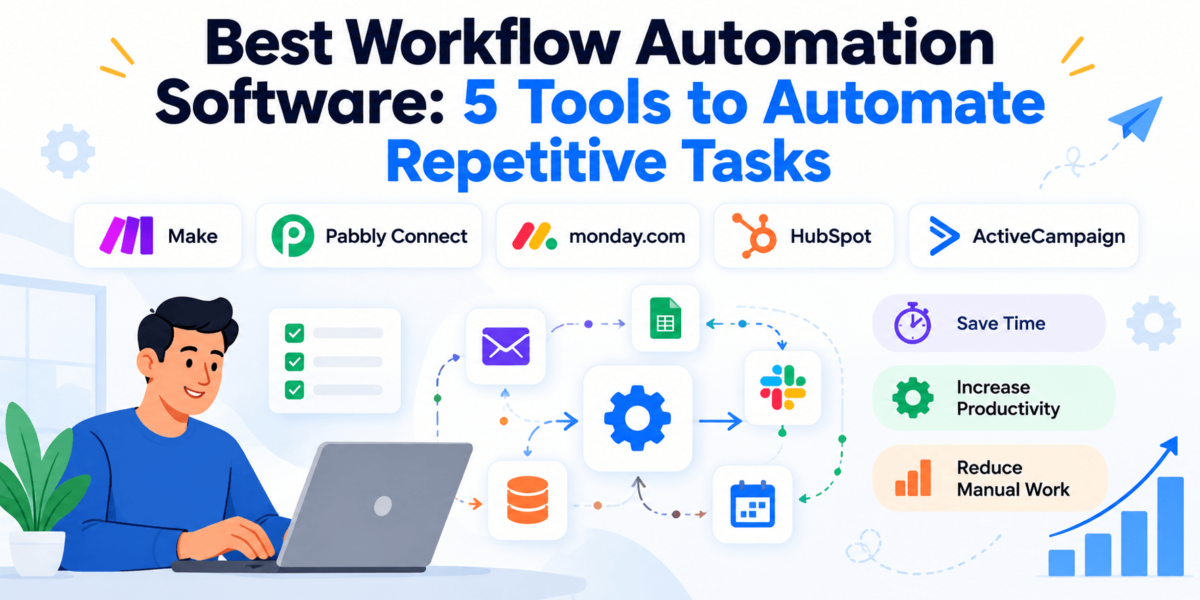
Best Workflow Automation Software: 5 Tools to Automate Repetitive Tasks
Most teams don’t lose time on big projects. They lose it on small, repeated chores: copying a lead from a form into a spreadsheet, pinging a coworker in Slack, sending the same follow-up email for the fortieth time, updating a task status in three places.
Workflow automation software handles those steps for you. This guide compares five platforms that do it in different ways, from visual app-to-app builders to CRM and email automation, so you can pick the one that fits how you actually work.
Pricing and features reviewed October 2026.
Compare the 5 ToolsSkip to the Verdict
Affiliate disclosure: Some links in this article may be affiliate links, which means we may earn a commission if you sign up through them, at no extra cost to you.
Quick Answer
Make is the best workflow automation software for most people. It combines a visual no-code builder, thousands of app integrations and a free plan, and it can handle branching logic that simpler tools struggle with. Choose Pabbly Connect for budget-friendly app-to-app automation, monday.com for team task workflows, HubSpot for CRM automation and ActiveCampaign for email and marketing automation.
Best Workflow Automation Software at a Glance
Here’s the short version. Pricing is the entry point for each tool and varies by plan, billing cycle and usage, so treat it as a starting figure and confirm on the vendor’s pricing page.
| Software | Best For | Ease of Use | Automation Strength | Starting Price | Affiliate Program |
|---|---|---|---|---|---|
| Make (Top Pick) | Best overall; advanced visual automation | Moderate | Very strong: branching, routers, iterators | Free plan; paid plans from roughly $9–$11/month | Yes |
| Pabbly Connect | Budget-friendly app-to-app automation | Easy to moderate | Strong for linear and multi-step flows | Free plan (100 tasks/month); paid plans from roughly $16–$25/month | Yes |
| monday.com | Team task and project workflows | Easy | Good, mostly within monday.com boards | Free plan (2 seats); paid from $9/seat/month (automations start on Standard) | Yes |
| HubSpot | CRM and sales automation | Moderate | Strong on Professional tiers | Free CRM; Starter from about $15–$20/seat/month | Yes |
| ActiveCampaign | Email and marketing automation | Moderate | Strong, especially Plus and up | From about $15/month at 1,000 contacts (annual billing) | Yes |
How We Picked These Tools
Every tool here is an established platform with a public track record, covers a different part of the workflow automation problem, and runs an active affiliate program that publishers can join. That last point is a disclosure, not a ranking factor: the rankings follow what each tool does well and where it falls short. Popular options we couldn’t confirm an open affiliate program for were left out of the reviews.
1. Make: Best Workflow Automation Software Overall
OUR TOP PICK
What Is Make?
Make (formerly Integromat) is a no-code automation platform where you build “scenarios” on a visual canvas. Each step is a module, and you drag lines between them to show how data should flow.
That sounds simple, but the canvas is what sets it apart. You can see exactly where a lead goes, split it down different paths, and loop through lists of records without writing code.
Key Features
- Visual drag-and-drop scenario builder
- Routers and filters for branching logic (if this, do that; otherwise, do this)
- Iterators and aggregators for working with lists of records
- Webhooks and API-style connections for tools without a native integration
- Thousands of app integrations (3,000+ is the figure commonly cited)
- A free plan so you can test real scenarios before paying
What Stands Out
- The visual canvas makes complex logic easier to understand than a long list of steps.
- Branching, looping and data handling go deeper than most beginner-focused tools.
- Entry-level paid pricing is low compared with many alternatives, especially for multi-step workflows.
What Could Be Better
- There’s a learning curve. Beginners can feel overwhelmed by the canvas and by concepts like iterators.
- Pricing is usage-based (credits/operations), so a multi-step scenario that runs often can use up your allowance faster than expected, and test runs count too.
- Team collaboration features are mainly on higher tiers.
Best For
Freelancers, small businesses and operations teams that want one tool to grow into. If you’re comfortable spending an afternoon learning the builder, Make gives you the most room. For more on automating SEO and content tasks without code, see our guide to no-code SEO automation tools.
Pricing
Free plan: yes, with a small monthly allowance (about 1,000 credits) and a slower scheduling interval.
Paid plans: Core, Pro and Teams each start with about 10,000 credits a month. Sources show Core at roughly $9–$11/month depending on billing cycle, and higher tiers add priority execution and team features.
Watch for: credit usage grows with workflow complexity. Check Make’s pricing page for current numbers.
2. Pabbly Connect: Best Value for App-to-App Automation
What Is Pabbly Connect?
Pabbly Connect is a workflow automation tool that links your apps through triggers and actions. It’s part of the wider Pabbly product family, which also includes billing, email and form tools.
The main reason to look at it is cost. Unlike tools that charge for every internal step, Pabbly Connect says formatter and router-type steps don’t use up your task allowance.
Key Features
- Multi-step workflows with path routers and filters
- Delays, iterators and instant webhooks
- 1,000+ app integrations
- Unlimited workflows on paid plans
- Internal steps (such as formatters and routers) don’t consume tasks
- One-time lifetime plans offered alongside subscription plans
What Stands Out
- Pricing is predictable, which helps if you run lots of automations.
- The linear builder is easier to follow for simple app-to-app flows.
- A free plan lets you test before you commit.
What Could Be Better
- The free plan is tiny (about 100 tasks a month), so it’s really for testing.
- The interface is functional rather than polished, and the app catalog is smaller than Make’s.
- Plan details and prices vary between sources, and lifetime-plan terms have changed over time, so verify before buying.
Best For
Solo founders, freelancers and small teams running high-volume, straightforward automations who want to keep software costs low.
Pricing
Free plan: yes, about 100 tasks a month.
Paid plans: third-party sources list the entry tier at roughly $16–$25/month depending on billing, with higher tiers adding more tasks. Lifetime options exist, but task limits and prices differ by source.
Watch for: confirm tasks per month and any feature limits on Pabbly’s pricing page before choosing a plan.
3. monday.com: Best for Team Workflows
What Is monday.com?
monday.com is a work management platform built around boards. Teams use it to track projects, requests and tasks, and its automation “recipes” handle the repetitive parts, like notifying someone when a status changes.
Here’s the catch: it’s not a general-purpose connector like Make. Most of its automation lives inside monday.com, which is great if your team already works there.
Key Features
- No-code automation recipes (for example, status changes that trigger notifications or task assignment)
- Integrations with common work tools
- Multiple board views, including timeline and calendar on paid tiers
- Separate products for CRM and software development teams
- Free plan for up to 2 seats
What Stands Out
- Non-technical teammates can set up useful automations in minutes.
- Automations sit directly on top of the tasks your team already manages.
- It scales from a small team to larger departments.
What Could Be Better
- Automations aren’t available on the Free or Basic plans, and monthly action limits apply (reported at about 250 on Standard and 25,000 on Pro).
- Per-seat pricing and a 3-seat minimum on paid plans can add up.
- It’s weaker for connecting lots of outside apps than a dedicated automation platform.
Best For
Teams that manage projects, content calendars, requests or client work and want automation built into the same place they track it. Compare it with other options in our best team collaboration software roundup.
Pricing
Free plan: yes, up to 2 seats.
Paid plans: commonly listed at $9 (Basic), $12 (Standard) and $19 (Pro) per seat per month with annual billing. Higher monthly prices apply for monthly billing.
Watch for: automations begin on Standard, and monday CRM and monday dev are priced separately. See monday.com’s plans.
4. HubSpot: Best for CRM and Sales Automation
What Is HubSpot?
HubSpot is a CRM platform with marketing, sales and service tools. Its workflow engine automates the steps that follow a lead: routing, assigning owners, creating tasks, sending emails and updating records.
Because contacts, deals and emails live in one system, you don’t need a separate tool to move data between them. Cost is the trade-off.
Key Features
- Free CRM for contact and deal management
- Multi-step workflows with branching logic (Professional tiers and above)
- Lead routing, task creation and follow-up emails
- Marketing, sales and service tools on one platform
- 1,500+ integrations in its app marketplace (as reported)
What Stands Out
- Everything about a lead sits in one record, which keeps data synchronized.
- The free CRM is a low-risk way to start.
- It’s well suited to handoffs between marketing and sales.
What Could Be Better
- Workflow automation is largely a Professional-tier feature. Starter plans include very limited automation.
- The jump from free or Starter to Professional is steep: Marketing Hub Professional has been listed at roughly $800–$890/month, and marketing pricing scales with contact count.
- Professional tiers have historically carried onboarding fees, so confirm on HubSpot’s pricing page.
Best For
Small and mid-sized businesses that want one CRM to manage leads and automate follow-up, and have the budget for Professional-level features. For smaller budgets, see our guide to the best CRM for small business. Weighing it against a marketing-first platform? Read ActiveCampaign vs HubSpot.
Pricing
Free plan: yes, a free CRM with limited tools.
Paid plans: Starter is commonly listed at about $15–$20 per seat per month. Workflows generally require Professional: Marketing Hub from roughly $800–$890/month, and Sales or Service Hub around $90–$100 per seat per month.
Watch for: contact tiers and seat counts change the price. Check HubSpot’s pricing.
5. ActiveCampaign: Best for Marketing Automation
What Is ActiveCampaign?
ActiveCampaign combines email marketing, CRM and automation. Its automation builder lets you trigger sequences from behavior, like a form submission, a page visit or a tag being added.
If your goal is nurturing leads and customers by email (and increasingly SMS), it’s more focused than a general automation platform.
Key Features
- Visual automation builder with branching
- Behavior-based triggers, including site tracking (Plus and above)
- Lead scoring and segmentation
- Built-in CRM on Plus and higher plans
- Split automations on Pro
- SMS available as an add-on on higher plans
What Stands Out
- Strong for email-driven workflows like welcome series, nurture sequences and re-engagement.
- Marketing and basic sales automation sit in one place.
- Plans scale from small lists to larger teams.
What Could Be Better
- The Starter plan limits automations (reported at about five actions with no branching), so most users need Plus.
- Pricing scales with your contact list, and contact counting rules have changed, so check how inactive contacts are billed.
- It’s not built for general app-to-app automation outside marketing and sales.
Best For
Small businesses, ecommerce stores and marketing teams that rely on email to convert leads and keep customers engaged. See our roundup of the best marketing automation software for more options, or our ActiveCampaign review and best email marketing software guide for a closer look.
Pricing
Free plan: no. A free trial is available.
Paid plans: commonly listed from about $15/month (annual billing) at 1,000 contacts for Starter, with Plus around $49 and Pro around $79 at the same list size. Monthly billing costs more.
Watch for: prices rise as contacts grow. Confirm current plans on ActiveCampaign’s pricing page.
Workflow Automation Software Comparison
| Software | Best For | Ease of Use | Integrations | Automation | No-Code | Team Collaboration | Free Plan | Best Use Case |
|---|---|---|---|---|---|---|---|---|
| Make | Advanced automation | Moderate | 3,000+ apps (commonly cited) | Branching, loops, data handling | Yes | Higher tiers | Yes | Multi-app workflows |
| Pabbly Connect | Budget automation | Easy–moderate | 1,000+ apps | Multi-step with routers | Yes | Higher tiers | Yes (limited) | High-volume simple flows |
| monday.com | Team workflows | Easy | Common work tools | Board-based recipes | Yes | Core feature | Yes (2 seats, no automations) | Project and task tracking |
| HubSpot | CRM automation | Moderate | 1,500+ marketplace apps (as reported) | Workflows on Professional | Yes | Yes | Yes (CRM) | Lead routing and follow-up |
| ActiveCampaign | Marketing automation | Moderate | Ecommerce, CRM and marketing tools | Behavior-based sequences | Yes | Seats vary by plan | Trial only | Email nurture and lifecycle |
Pricing and value depend on how you use each tool: Make and Pabbly Connect scale with workflow volume, monday.com and HubSpot with seats (and contacts for HubSpot marketing), and ActiveCampaign with contacts.
Which Workflow Automation Software Should You Choose?
Choose Make if…
You want the most flexible no-code tool and don’t mind a learning curve. It’s the best fit if your workflows branch, loop or connect many apps.
Choose Pabbly Connect if…
Cost matters more than polish and your automations are mostly straightforward trigger-and-action flows that run often.
Choose monday.com if…
Your team already plans work on boards and you want status updates, assignments and reminders handled automatically.
Choose HubSpot if…
Your main need is lead management: capturing leads, assigning owners, and following up from a single CRM.
Choose ActiveCampaign if…
Email and customer lifecycle automation drive your revenue, and you want sequences triggered by what contacts actually do.
Best Workflow Automation Software by Use Case
| Use Case | Recommended Tool | Why |
|---|---|---|
| Best for beginners | monday.com (team tasks) or Pabbly Connect (app-to-app) | monday.com’s recipes are simple to set up; Pabbly Connect’s linear builder is easy to follow. |
| Best for small businesses | Make | Low entry price and room to grow. |
| Best for advanced automation | Make | Routers, iterators and deep data handling. |
| Best for marketing teams | ActiveCampaign | Behavior-based email and lifecycle automation. |
| Best for sales teams | HubSpot | Lead routing and follow-up inside the CRM. |
| Best for project management | monday.com | Automations built into task boards. |
| Best for CRM automation | HubSpot | Contacts, deals and workflows in one system. |
| Best for connecting multiple apps | Make | Large integration catalog and flexible logic. |
Looking for a wider list of lead-capture and nurture tools? See our guide to the best AI marketing tools or best lead generation software.
How Does Workflow Automation Work?
Workflow automation software performs repetitive tasks automatically when predefined conditions are met. Most platforms follow the same pattern: a trigger starts the workflow, an optional condition decides what happens next, and one or more actions do the work.
Here’s a typical example: a new lead fills out a form, the tool checks whether it meets your criteria, adds it to the CRM, notifies the sales team and sends a follow-up email.
| Trigger | A new lead submits a form |
| Condition | The lead meets your criteria |
| Action 1 | Add the lead to your CRM |
| Action 2 | Notify the sales team |
| Action 3 | Send a follow-up email |
Tools like Make and Pabbly Connect move data between apps. HubSpot and ActiveCampaign run workflows inside their own CRM and marketing systems. monday.com automates the work on your boards.
What Are the Benefits of Workflow Automation?
The main benefit of workflow automation is that it removes repetitive manual work, which saves time and reduces errors. In practice, that shows up in a few ways:
- Saves employee time: a weekly report that took an hour to compile can run on a schedule.
- Reduces manual errors: data copied between apps by a workflow doesn’t get mistyped.
- Improves lead follow-up: new leads can get an immediate reply and be assigned to a rep automatically.
- Keeps data synchronized: a customer update in one tool can update your CRM and spreadsheet.
- Standardizes processes: every new client or task follows the same checklist.
- Helps you scale: volume can grow without adding the same amount of admin work.
How to Choose the Best Workflow Automation Software
Integrations
Check that the apps you use every day are supported natively. A missing integration usually means a workaround.
Ease of Use
A tool your team will actually use beats a more powerful one nobody opens. Try the free plan or trial first.
Automation Complexity
Simple trigger-action flows are fine in most tools. Branching, loops and error handling are where platforms differ.
Pricing
Look at what you pay for: tasks, credits, seats or contacts. A cheap plan can get expensive when volume grows.
Scalability
Consider whether the tool can handle more workflows, users and data in a year.
Templates
Prebuilt templates shorten setup, especially for common jobs like lead capture.
Reliability
Look for error notifications, retries and run histories so you can see what failed.
Security
Check access controls, data handling and compliance options, especially if you process customer data.
Team Collaboration
If several people build or edit workflows, look for shared workspaces and permissions.
Reporting and Monitoring
Logs and usage reports show whether automations work and how close you are to plan limits.
If your workflows involve capturing leads, pairing automation with the right pages helps. See our guide to the best landing page builders, or explore SEO automation tools for search-focused workflows.
Frequently Asked Questions About Workflow Automation Software
What is workflow automation software?
Workflow automation software automatically performs repetitive tasks when predefined conditions are met. It connects apps and actions so that, for example, a new form submission can create a CRM record and send an email without manual work.
What is the best workflow automation software?
Make is the best workflow automation software for most users. It offers a visual builder, a large integration library and a free plan. The best choice depends on your needs: ActiveCampaign for marketing, HubSpot for CRM, monday.com for team workflows.
What is the easiest workflow automation tool for beginners?
monday.com is among the easiest options for team task automation, and Pabbly Connect is a simple option for app-to-app automation. Both let you build workflows without code. Make is easier to start with than to master.
Is workflow automation software worth it?
Yes, if you repeat the same tasks regularly. Even a few automated steps, like lead notifications or data entry, can save hours each month. Start with one workflow and measure the time saved.
Can small businesses use workflow automation?
Yes, and many tools are priced for small businesses. Make, Pabbly Connect and monday.com offer free or low-cost entry points, so you can start small.
What is the difference between workflow automation and business process automation?
Workflow automation focuses on automating specific tasks or sequences, while business process automation covers larger, end-to-end processes. A lead-notification workflow is one step in a broader sales process.
Can workflow automation tools connect different apps?
Yes. Platforms like Make and Pabbly Connect are built to connect different apps. Others, like HubSpot and ActiveCampaign, automate mostly within their own systems plus integrations.
Is Zapier better than Make?
It depends on your priorities. Zapier is a popular option known for simplicity, while Make offers a more visual canvas and deeper logic. We reviewed Make here because it fits advanced and budget-conscious users well. Try the free plans of both before committing.
Is workflow automation software expensive?
Not necessarily. Several tools have free plans, and paid plans can start around $10–$20 per month. Costs rise with volume, seats or contacts, and HubSpot’s Professional tiers are far higher.
Do workflow automation tools require coding?
No, most are no-code. You build workflows with visual editors, though advanced use cases may involve APIs, webhooks or basic formulas.
Final Verdict: Which Workflow Automation Software Is Best?
BEST OVERALL
If I had to pick one, it’s Make. It balances power, flexibility and price better than the rest, and the free plan lets you test it on a real workflow.
- Make: best overall, for flexible multi-app automation.
- Pabbly Connect: best for budget-friendly, high-volume automations.
- monday.com: best if your team lives in task boards.
- HubSpot: best for CRM and sales automation, if the budget fits.
- ActiveCampaign: best for email and marketing automation.
Pick one repetitive task that costs you time this week, automate it, and see how it goes.