Reputation Management
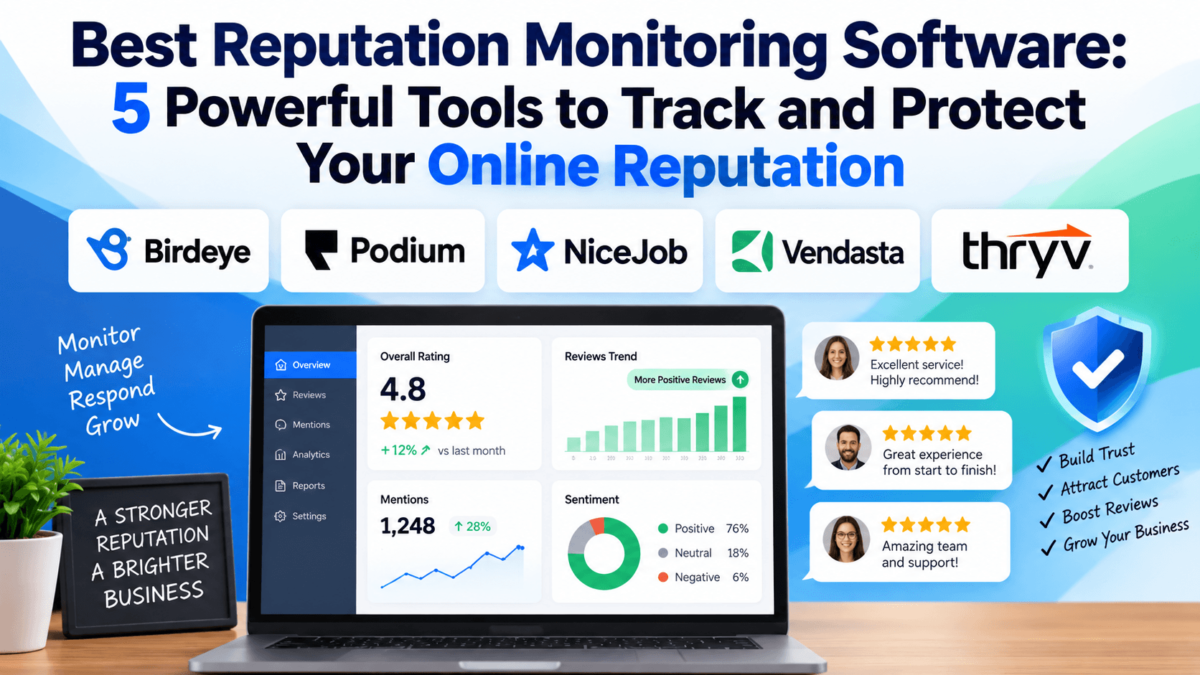
Best Reputation Monitoring Software
One bad review can sit on Google for months. The bigger problem is that you might not even know it is there until a potential customer already has. The tools below track your reviews, mentions, and sentiment across the web so a problem gets a same-day reply instead of a six-month head start.
Reputation monitoring software watches the places that matter most to a customer’s first impression of your business — Google, Yelp, Facebook, industry-specific review sites, and often broader social and web mentions — and alerts you the moment something changes. For a local business or a multi-location brand, that speed is often the difference between a quick, gracious reply and a review that quietly costs you customers for months.
This guide compares five established reputation monitoring platforms, all verified with active affiliate programs at the time of writing, so you can see how they differ on features, pricing, and who each one actually fits best.
Quick Answer: Best Reputation Monitoring Software
If you only have a minute, here is how the five platforms in this guide stack up. Full reviews, pricing, and feature breakdowns follow below.
| Software | Best For | Key Strength | Starting Price | Free Trial |
|---|---|---|---|---|
| Birdeye | Multi-location & enterprise brands | AI-powered reviews + CX in one dashboard | $299/mo per location | No (demo only) |
| Podium | Messaging-driven local businesses | Reviews + texting + payments in one inbox | $399/mo | No (demo only) |
| NiceJob | Small, budget-conscious businesses | Affordable, contract-free review growth | $75/mo | Yes, 14 days |
| Vendasta | Agencies managing multiple clients | White-label reputation management at scale | $99/mo min. spend | Demo available |
| Thryv | All-in-one small business operations | Reputation management bundled with CRM & scheduling | ~$199/mo | No (demo only) |
None of these is a universal winner — the right pick depends on whether you’re a single-location shop, a multi-location brand, or an agency managing reputation for other businesses. If reputation is only one piece of a bigger local-marketing stack, it’s worth comparing against our roundups of local SEO tools and local citation software as well.
01
Birdeye
Best for: Multi-location and enterprise brands | Starting at: $299/month per location
See Birdeye’s Current Plans →Birdeye is an AI-powered reputation, social, and customer experience platform built for multi-location brands and larger service businesses that want reviews, listings, messaging, and social all pulled into one dashboard instead of scattered across separate tools.
What Birdeye Does
Birdeye connects your review platforms, business listings, and social accounts to a single dashboard, then uses AI to surface trends, draft review responses, and flag issues before they spread. It’s built to scale across dozens or hundreds of locations without losing a consistent brand voice.
Key Features
- ✓ Review monitoring and generation across 200+ sites, including Google, Facebook, and Yelp
- ✓ AI-assisted review response suggestions
- ✓ Business listings management to keep NAP data consistent
- ✓ Social media publishing and scheduling
- ✓ Competitor benchmarking and insights
- ✓ Customer surveys, ticketing, and messaging/webchat
- ✓ Centralized reporting across every location
Reputation Monitoring Capabilities
Birdeye tracks new reviews and mentions in real time and routes them to the right location or team member for a response. Its AI layer scores sentiment across locations, benchmarks you against named competitors, and rolls everything into reports that make it easy to see which locations need attention.
Pricing
Birdeye’s pricing is billed per location, and there’s no published free trial — you’ll need to request a demo. Starter runs $299 per location per month, Growth is $349, and Dominate is $449. Businesses with four or more locations move to custom Premium pricing. Check Birdeye’s official pricing page for current rates, since per-location costs add up quickly for multi-location brands.
|
Pros
|
Cons
|
Who Is It Best For?
Multi-location and enterprise brands that want reputation, social, and customer experience data centralized in one dashboard rather than pieced together from separate tools.
Explore Birdeye →02
Podium
Best for: Messaging-driven local businesses | Starting at: $399/month
Check Podium’s Current Pricing →Podium built its name on two-way business texting, and its reputation tools — review generation, monitoring, and AI-assisted replies — live inside that same messaging inbox alongside payments and lead management.
What Podium Does
Podium sends review invites by text right after a purchase or appointment, then surfaces new Google and Facebook reviews in the same team inbox where staff already handle calls, texts, and webchat. Its AI Reputation Specialist can draft replies and flag reviews that need a human response.
Key Features
- ✓ Automated review invites sent by text after a purchase or appointment
- ✓ Google and Facebook review monitoring with AI-assisted replies
- ✓ Team inbox for calls, texts, webchat, and reviews in one place
- ✓ Payment collection by text
- ✓ AI-powered lead management tools
Reputation Monitoring Capabilities
Because reviews live in the same inbox as customer messaging, Podium is built for businesses that want to catch and respond to feedback the moment it arrives, without switching tools. Sentiment and competitor-tracking features are not clearly documented as standalone capabilities — Podium’s strength is speed and integration with messaging, not broad social listening.
Pricing
Podium’s Core plan is $399/month for up to four users, billed on a standard 12-month contract. Pro runs $599/month, and Signature is custom-priced. There’s no published free plan; Podium offers a guided demo instead. Confirm current rates on Podium’s official pricing page, since add-ons and extra locations are typically quoted on a sales call.
|
Pros
|
Cons
|
Who Is It Best For?
Local businesses that already want (or have) two-way texting and payments, and would rather monitor reviews from that same inbox than run a separate tool.
Explore Podium →03
NiceJob
Best for: Small, budget-conscious businesses | Starting at: $75/month
Try NiceJob Free for 14 Days →NiceJob is reputation marketing automation built for small, budget-conscious businesses — especially home service companies — that want more reviews without signing a long-term contract.
What NiceJob Does
NiceJob automates review requests by email and SMS after a job or purchase, then displays your best reviews as social proof on your website and shares them to social media. It’s narrower than Birdeye or Podium by design, focused squarely on reviews, referrals, and reputation rather than messaging or payments.
Key Features
- ✓ Automated review invites by email and SMS across 10+ review sites
- ✓ Review reply tools, with AI-generated replies on the Pro plan
- ✓ Social proof widgets that display reviews on your website
- ✓ Referral campaigns and staff leaderboards
- ✓ Competitor and local SEO insight tracking (Pro plan)
Reputation Monitoring Capabilities
NiceJob monitors incoming reviews across connected sites and notifies you as they arrive, so you can respond quickly even without a dedicated reputation manager on staff. Competitor insight tracking and AI-generated replies are reserved for the Pro tier rather than included by default.
Pricing
The Reviews plan is $75/month and Pro is $125/month, both month-to-month with no long-term contract. A 14-day free trial is available with no credit card required. Pricing scales at higher customer volumes — check NiceJob’s pricing page for the rate that matches your business size.
|
Pros
|
Cons
|
Who Is It Best For?
Small, budget-conscious local and home-service businesses that mainly want to grow and monitor reviews without a big commitment.
Explore NiceJob →04
Vendasta
Best for: Agencies managing multiple clients | Starting at: $99/month minimum spend
See Vendasta’s Partner Plans →Vendasta is a white-label platform built for marketing agencies, so its reputation management tools are designed to be resold under your own brand to dozens or hundreds of local-business clients at once.
What Vendasta Does
Vendasta bundles review monitoring and response with review-request automation, sentiment tracking, and multi-client account management inside one Partner Center. Agencies configure it once, then sell it as their own branded reputation management service to clients across any number of locations.
Key Features
- ✓ Review monitoring and response across review sites, resold white-label
- ✓ Automated review request campaigns by email and SMS
- ✓ Sentiment tracking and AI-generated insights
- ✓ Multi-location and multi-client account management from one dashboard
- ✓ Bundled with listings sync, local SEO, and social marketing add-ons
Reputation Monitoring Capabilities
Because Vendasta is built for resale, monitoring is organized around client accounts rather than a single business. Agencies get one dashboard showing review activity, sentiment, and response status across every client, with alerts and reporting that can be white-labeled for client-facing use.
Pricing
Vendasta uses a wholesale, partner-based pricing model rather than a flat subscription. Reputation Management Premium runs about $35 per client per month wholesale, but you’ll also need a platform tier: Starter starts at a $99/month minimum spend, Professional at $499/month, and Premium at $999/month, with the higher tiers requiring a one-year commitment. Check Vendasta’s official pricing page, since your total cost depends heavily on how many products and clients you bundle in.
|
Pros
|
Cons
|
Who Is It Best For?
Marketing agencies and resellers that need to manage and monitor reputation for multiple local-business clients under one white-label roof.
Explore Vendasta →05
Thryv
Best for: All-in-one small business operations | Starting at: ~$199/month
Get a Thryv Quote →Thryv is an all-in-one small business management platform, and reputation monitoring is one module inside a suite that also covers CRM, scheduling, invoicing, and marketing.
What Thryv Does
Thryv monitors and requests reviews as part of a broader “Command Center” that also runs your scheduling, invoicing, and client communications. The pitch is one login and one bill for the tools a small service business uses daily, reputation management included.
Key Features
- ✓ Review monitoring, requests, and response tools
- ✓ CRM and contact management
- ✓ Online scheduling and invoicing/payments
- ✓ Social media management and email marketing
- ✓ Document storage and marketing automation (higher tiers)
Reputation Monitoring Capabilities
Thryv tracks incoming reviews and routes requests for new ones through the same system that handles appointments and invoicing, so review activity sits next to the customer record that generated it. Dedicated sentiment analysis and competitor monitoring are not publicly disclosed as standalone Thryv features.
Pricing
Thryv uses quote-based pricing that isn’t fully published. Based on publicly available estimates, Plus runs around $199/month, Professional around $349/month, and Unlimited around $499/month, typically on annual contracts. Contact Thryv directly for a quote specific to your business.
|
Pros
|
Cons
|
Who Is It Best For?
Small businesses that would rather fold reputation monitoring into one all-in-one operations platform than run it as a standalone tool.
Explore Thryv →Feature Comparison
A closer look at how the five platforms line up on the capabilities that matter most for reputation monitoring specifically.
| Tool | Review Monitoring | Brand/Social Monitoring | Sentiment Analysis | Competitor Monitoring | Multi-Location |
|---|---|---|---|---|---|
| Birdeye | Yes | Yes | Yes | Yes | Yes |
| Podium | Yes | Available on certain plans | Not publicly disclosed | No | Available on certain plans |
| NiceJob | Yes | Available on certain plans | Not publicly disclosed | Available on Pro plan | Custom |
| Vendasta | Yes | Yes | Yes | Available on certain plans | Yes |
| Thryv | Yes | Available on certain plans | Not publicly disclosed | No | Available on certain plans |
Need to monitor your online reputation?
Compare the tools above and choose the platform that fits how your business actually operates — solo shop, multi-location brand, or agency managing clients.
How to Choose the Right Reputation Monitoring Software
| 1 |
Review Monitoring Coverage Check which review sites a tool actually watches. Google and Facebook are table stakes, but if your industry leans on Yelp, Healthgrades, Zillow, or a niche directory, confirm the platform covers it before you sign up. |
| 2 |
Alert Speed A one-star review that sits unanswered for a week does far more damage than one answered within the hour. Look for real-time or near-real-time alerts rather than a daily or weekly digest. |
| 3 |
Social and Brand Monitoring Reviews are only part of the picture. If people mention your business by name on social media without tagging you, you’ll want a tool that tracks broader brand mentions, not just review sites. This overlaps with what dedicated social media management tools handle, so decide how much of that job you want your reputation tool to cover. |
| 4 |
Sentiment Analysis Sentiment analysis can flag a pattern — say, a spike in complaints about wait times — faster than reading reviews one by one. It’s useful for spotting trends, but it won’t replace actually reading the reviews that matter most to your business. |
| 5 |
Review Response Management Responding to reviews one site at a time eats hours every week. A centralized inbox, especially one with AI-assisted review response drafting, can cut that down to minutes without making every reply sound identical. |
| 6 |
Competitor Monitoring Knowing your own star rating is useful; knowing how it compares to the competitor down the street is more useful. If this matters to you, pair your reputation tool with dedicated competitor analysis tools for a fuller picture. |
| 7 |
Reporting Agencies and multi-location businesses both need reports they can share — with clients or with regional managers. If reporting is a priority, look at it alongside our roundup of SEO reporting tools, since many teams end up pulling reputation data into the same client reports. |
| 8 |
Multi-Location Support A single-location tool can get expensive fast when priced per location across ten sites. If you run more than one location, confirm whether pricing is per-location, tiered, or a flat multi-location rate before you commit. |
| 9 |
Integrations A reputation tool that connects to your CRM and scheduling system will trigger review requests automatically instead of relying on staff to remember. If you already run marketing automation software or a CRM for small business, check compatibility first. |
| 10 |
Pricing Compare total cost, not just the advertised starting price. Per-location fees, annual contracts, setup charges, and minimum spend requirements can more than double what you actually pay compared to the number on the pricing page. |
Reputation Monitoring vs. Reputation Management: What’s the Difference?
Reputation monitoring is the listening half of the job — tracking reviews, mentions, and sentiment as they happen. Reputation management is the acting half — responding to customers, generating new reviews, and shaping how your business is perceived over time. Most modern platforms, including all five above, combine both to some degree.
| Reputation Monitoring | Reputation Management |
|---|---|
| Tracks mentions and reviews | Takes action to improve reputation |
| Provides alerts | Helps respond to customers |
| Identifies sentiment | Helps generate more reviews |
| Detects potential issues | Manages reputation strategy |
Who Should Use Reputation Monitoring Software?
Imagine a customer leaves a one-star Google review on Friday evening. Without monitoring software, you might not see it until Monday. With alerts in place, your team can respond the same night, before it shapes anyone else’s decision to book with you.
This applies well beyond any single industry. Local businesses, restaurants, healthcare practices, home service companies, ecommerce brands, professional services, SaaS companies, agencies managing client accounts, multi-location businesses, and larger regional brands all lean on some form of reputation monitoring — the difference is mostly scale. A single dental office might check one dashboard once a day; an agency running SEO management software and reputation tools side by side for 40 clients needs white-label reporting and multi-account monitoring built in from day one.
Key Features to Look For
- ✓ Review monitoring
- ✓ Google review tracking
- ✓ Social listening
- ✓ Brand mention monitoring
- ✓ Sentiment analysis
- ✓ Competitor tracking
- ✓ Real-time alerts
- ✓ Review response management
- ✓ Reporting
- ✓ Multi-location management
- ✓ AI capabilities
- ✓ Integrations
Not every platform above includes all twelve — see the feature comparison table for which tools cover which items. Many teams also pair reputation monitoring with broader AI marketing tools to act on what the monitoring turns up.
Frequently Asked Questions
What is reputation monitoring software?
Reputation monitoring software tracks online reviews, brand mentions, customer feedback, and other signals that affect how people perceive a business. Depending on the platform, it may also provide alerts, sentiment analysis, competitor monitoring, and review management.
What is the difference between reputation monitoring and reputation management?
Reputation monitoring is the listening function — tracking reviews and mentions as they happen. Reputation management is the acting function — responding to customers and actively shaping how the business is perceived. Most modern platforms do both.
How does reputation monitoring work?
Reputation monitoring software connects to review sites, social platforms, and sometimes broader web sources, then scans them continuously for new mentions of your business. When something new appears, the software logs it and sends an alert so your team can respond quickly.
Can reputation monitoring software track Google reviews?
Yes. Google reviews are the single most commonly tracked source across virtually every reputation monitoring platform, including all five tools in this guide, since Google is where most customers check a business first.
Is reputation monitoring software worth it for small businesses?
For most small businesses that rely on local customers, yes. Even a lightweight, low-cost option like NiceJob can catch a negative review the day it’s posted instead of weeks later, which is often enough to prevent lasting damage to your star rating.
Can reputation monitoring software monitor social media?
Some can. Platforms like Birdeye and Vendasta include social media monitoring and publishing alongside review tracking, while others, like NiceJob and Podium, focus more narrowly on reviews and messaging. Check the feature comparison table above for specifics, and see our guide to AI brand visibility strategies if broader mention tracking matters to you.
How much does reputation monitoring software cost?
Pricing ranges widely, from around $75/month for a lightweight tool like NiceJob to $299–$449/month per location for a comprehensive platform like Birdeye. Agency-focused platforms like Vendasta price by client and minimum monthly spend instead of a flat rate.
Can reputation monitoring software monitor competitors?
Some platforms include it. Birdeye and Vendasta both offer competitor benchmarking, and NiceJob includes competitor insights on its Pro plan. Podium and Thryv do not clearly document a dedicated competitor-monitoring feature.
What should I look for in reputation monitoring software?
Prioritize coverage of the review sites your customers actually use, real-time alerts, a manageable response workflow, and pricing that fits your number of locations or clients. Everything else — sentiment analysis, competitor tracking, AI replies — is valuable but secondary to those basics.
Is there free reputation monitoring software?
None of the five platforms in this guide offers a permanent free plan, though NiceJob offers a 14-day free trial with no credit card required. Businesses on a tight budget can also monitor reviews manually through free tools like Google Business Profile and Google Alerts, though that approach doesn’t scale well past a handful of locations.
Which Reputation Monitoring Software Should You Choose?
Rather than repeating the list above, here’s how to match a tool to your situation:
- If you primarily need review alerts — look for strong review monitoring, like NiceJob or Birdeye.
- If you manage multiple locations — prioritize centralized multi-location management, like Birdeye.
- If you’re an agency — prioritize white-label reporting, client management, and scalability, like Vendasta.
- If reviews and customer messaging need to live in one inbox — look at Podium.
- If you’d rather bundle reputation with your full business operations — consider Thryv.
- If budget is the priority — compare plans and included features carefully, since the cheapest sticker price isn’t always the cheapest total cost. For multi-location brands, it’s also worth checking how a platform handles structured data tools, since accurate structured data reinforces the same trust signals reputation monitoring protects.
Compare the tools above and choose the platform that matches the channels, locations, and monitoring needs your business actually has.
We may earn a commission if you purchase a product through links on this page. This does not affect our editorial independence or the price you pay.