Best Customer Feedback Software
Five customer feedback platforms worth a look in 2026, and what actually sets them apart once you get past the marketing pages.
Updated September 2026
Most businesses aren’t short on customer feedback. It shows up in support tickets, app store reviews, one-off emails, and the occasional angry tweet. The problem isn’t collecting it — it’s that feedback scattered across five different inboxes and spreadsheets is almost impossible to act on.
Customer feedback software puts that in one place. Instead of guessing what customers want, you run structured surveys, track satisfaction scores over time, and route responses to the right team before a small complaint turns into a lost customer.
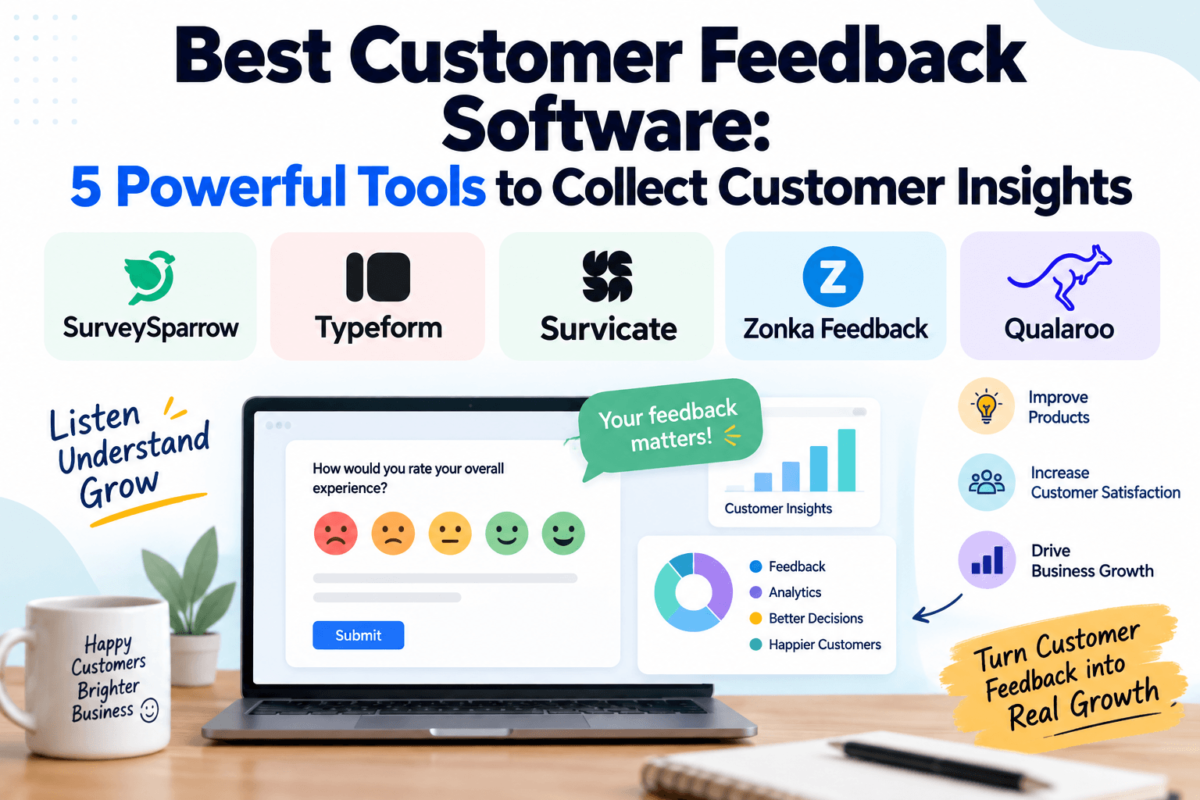
Below, we look at five tools worth considering — SurveySparrow, Typeform, Survicate, Zonka Feedback, and Qualaroo — and where each one actually fits, rather than pretending one platform is right for every business.
Quick Answer
The best customer feedback software depends on how you collect feedback. SurveySparrow and Typeform work well for conversational, chat-style surveys sent by email or link. Survicate and Zonka Feedback are built for continuous, omnichannel feedback across your website, product, and offline touchpoints. Qualaroo is the strongest option for precise, targeted on-page and in-app micro-surveys. There’s no single winner — the right pick depends on your channels, team size, and budget.
Best Customer Feedback Software at a Glance
| Software | Best For | Key Feature | Starting Price* | Free Plan/Trial |
|---|---|---|---|---|
| SurveySparrow | Conversational NPS/CSAT surveys | Chat-style survey format | ~$19/mo | Free plan + 14-day trial |
| Typeform | High-completion feedback forms | One-question-at-a-time UI | ~$25–$39/mo | Limited free plan |
| Survicate | Continuous omnichannel CX tracking | Website + in-product + email surveys | ~$89/mo | Free plan + 10-day trial |
| Zonka Feedback | Multi-location / offline feedback | Kiosk, SMS & email surveys with alerts | ~$199/mo | No public free plan |
| Qualaroo | Targeted on-site/in-app micro-surveys | Behavior-based Nudges + AI sentiment | ~$20–$40/mo | Limited free plan |
*Approximate entry-tier pricing as of writing. All five vendors adjust plans and billing terms periodically — check each one’s official pricing page before you buy.
01 SurveySparrow
SurveySparrow is a survey and experience-management platform built around a conversational, chat-style survey format instead of the traditional list-of-questions layout. It’s aimed at businesses running NPS, CSAT, and CES programs who want a survey that feels more like a conversation than a form.
Key Features
- Chat-like, conversational survey builder
- Ready-made NPS, CSAT, and CES survey templates
- Recurring and automated survey triggers
- Offline/kiosk mode for in-person feedback
- Built-in reporting dashboards and shareable reports
Customer Feedback Capabilities
SurveySparrow covers most of the standard customer-feedback channels: email surveys, embeddable web widgets, mobile-first chat surveys, and offline surveys collected on a tablet or kiosk. Recurring surveys can be scheduled to go out automatically, which is useful for ongoing NPS tracking rather than one-off campaigns.
Pros
|
Cons
|
Pricing
Our Take
02 Typeform
Typeform is a form and survey builder best known for its one-question-at-a-time interface. It’s not a dedicated CX platform in the way some other tools on this list are, but plenty of businesses use it for customer feedback forms, post-purchase surveys, and lightweight NPS-style questions because of how well it performs on completion rates.
Key Features
- One-question-at-a-time conversational interface
- Branching and logic jumps for personalized flows
- Custom themes, branding, and design controls
- Payment collection built into forms
- Integrations with Mailchimp and other email marketing software, plus Slack and Google Sheets
Customer Feedback Capabilities
Typeform isn’t built around NPS/CSAT metrics the way a dedicated feedback tool is, but it handles the mechanics of feedback collection well: embeddable website forms, email-distributed surveys, post-purchase and post-support questionnaires, and feature-request forms. Logic jumps let you branch a survey based on an earlier answer, which is useful for feedback forms that need to go deeper for detractors than for promoters.
Pros
|
Cons
|
Pricing
Our Take
03 Survicate
Survicate is a customer survey and feedback platform built for continuous feedback collection rather than one-off campaigns. It runs surveys across your website, in-product experience, email, and mobile apps, and it’s designed to plug directly into the CRM or help desk your team already uses.
Key Features
- Multi-channel survey distribution: website, in-product, email, link, mobile SDK
- Continuous, always-on NPS, CSAT, and CES tracking
- Native integrations with HubSpot, Salesforce, Zendesk, and live chat software like Intercom
- Targeting rules so surveys only reach the right segment
- Multi-survey dashboards on higher-tier plans
Customer Feedback Capabilities
Survicate’s strength is running the same feedback program across several channels at once — a website widget, an in-app prompt, and an email survey can all feed into the same NPS or CSAT metric. Mobile SDKs for iOS, Android, React Native, Flutter, and Unity extend that to native apps, which is something most of the tools on this list don’t offer directly.
Pros
|
Cons
|
Pricing
Our Take
04 Zonka Feedback
Zonka Feedback is an omnichannel customer feedback and experience platform built to capture feedback everywhere a customer might interact with a business — not just online. That includes tablets and kiosks for in-person feedback, which makes it a common pick for retail, healthcare, and hospitality businesses — often alongside appointment scheduling software — as well as SaaS companies.
Key Features
- Omnichannel surveys: web, in-app, email, SMS, and offline via tablet/kiosk
- Real-time response alerts and closed-loop ticketing
- AI-assisted feedback and sentiment analysis on higher tiers
- Role-based dashboards and reporting
- Integrations including HubSpot, Salesforce, and Zapier
Customer Feedback Capabilities
Zonka covers NPS, CES, and CSAT surveys across web and in-app widgets, email, and SMS, plus offline surveys collected on a tablet or kiosk at a physical location. The closed-loop feature routes negative responses to the right team in real time, so a bad review doesn’t sit unread for a week before anyone follows up.
Pros
|
Cons
|
Pricing
Our Take
05 Qualaroo
Qualaroo takes a narrower, more targeted approach than the other tools here. Instead of a full survey campaign, it shows small on-page or in-app prompts — called Nudges — to specific visitors based on behavior, the page they’re on, or their user properties. It’s built for product and UX teams who want context-aware feedback, not a general-purpose survey tool.
Key Features
- Targeted on-page and in-app “Nudges” based on behavior or URL
- AI-powered sentiment analysis for open-ended responses
- Branching and skip logic
- 100+ ready-to-use survey templates
- Lightweight script with minimal impact on page speed
Customer Feedback Capabilities
Qualaroo’s core strength is targeting: a Nudge can be set to appear only for visitors who’ve spent a certain amount of time on a pricing page, or only for users on a specific plan inside your app. It supports exit-intent surveys, in-app mobile surveys on iOS and Android, and NPS-style questions, with AI sentiment analysis helping make sense of open-text answers at scale.
Pros
|
Cons
|
Pricing
Our Take
Detailed Feature Comparison
| Software | Surveys | NPS/CSAT | Automation | Integrations | Free Option |
|---|---|---|---|---|---|
| SurveySparrow | Yes | Yes (+ CES) | Recurring surveys | Native + Zapier | Yes |
| Typeform | Yes | Manual setup only | Logic jumps, not recurring | Mailchimp, Slack, Sheets | Limited |
| Survicate | Yes | Yes (+ CES) | Continuous/always-on | HubSpot, Intercom, Salesforce | Yes |
| Zonka Feedback | Yes + offline/kiosk | Yes (+ CES) | Real-time alerts, closed loop | HubSpot, Salesforce, Zapier | No |
| Qualaroo | On-page/in-app Nudges | Yes | Behavior-based targeting | Salesforce, HubSpot, Slack, GA | Limited |
How to Choose the Best Customer Feedback Software
The five tools above solve overlapping but different problems. Before picking one, it helps to work through a few practical questions rather than starting from a feature checklist.
Feedback Collection Methods
Start with where your customers actually are. If most of your feedback happens through email or a support inbox, a simpler form tool may cover it. If you need feedback from a website, an app, and an in-person location, you’ll want a platform — like Survicate or Zonka Feedback — that’s genuinely omnichannel rather than one that bolts channels on as an afterthought.
Survey and Question Types
NPS, CSAT, and CES each measure something slightly different — loyalty, satisfaction with a specific interaction, and how much effort something took. Confirm the tool supports the metrics you actually plan to track, along with open-ended questions, rating scales, and multiple choice, rather than assuming every “survey tool” covers all of them equally well.
Automation
Manually sending surveys works for a one-time project, but ongoing feedback programs need automated triggers — a survey that fires after a support ticket closes, or a recurring NPS check-in every quarter. This is similar territory to marketing automation software: some tools, like Survicate, are built around continuous tracking by default, while others need more manual setup to run on a schedule.
Integrations
Feedback is only useful once it reaches the team that can act on it. Check whether a tool integrates directly with your CRM software or help desk, so a negative response can automatically create a ticket or update a contact record instead of sitting in a separate dashboard nobody checks.
Reporting and Analytics
Collecting responses isn’t the hard part — making sense of them is. Look for trend reporting over time (not just a single score), segmentation by customer type, and, increasingly, AI-assisted sentiment analysis for open-text answers, which several tools on this list now offer on their higher tiers.
Ease of Use
A survey tool that only one person on the team can operate becomes a bottleneck. If non-technical teammates will need to build or edit surveys, weigh how intuitive the editor actually is — this is one area where reviewer feedback across G2 and Capterra tends to be more reliable than a vendor’s own marketing.
Pricing
Beyond the advertised starting price, check what actually drives the bill: number of seats, monthly response volume, or a flat usage tier. Several tools in this category price by response volume, which means the number on the pricing page is really a floor, not a ceiling, once you’re collecting feedback at scale.
Scalability
A tool that’s perfect for a five-person team can become clunky once you have separate teams running their own survey programs. If you expect to grow, check whether a platform supports role-based permissions, multiple workspaces, and enterprise-level reporting before you’re locked into a plan that doesn’t scale with you.
What Can You Use Customer Feedback Software For?
Measuring Customer SatisfactionCSAT surveys after a purchase or support interaction show whether a specific experience met expectations. |
Tracking NPS Over TimeRecurring NPS surveys show whether overall customer loyalty is trending up or down quarter over quarter. |
Product Feedback and Feature RequestsIn-app surveys and feedback boards surface what users actually want built next, instead of guessing. |
Post-Purchase FeedbackA short survey right after checkout catches friction points while the experience is still fresh. |
Post-Support FeedbackA CSAT question after a support ticket closes flags reps or workflows that need attention. |
Website and Onboarding FeedbackOn-site widgets and Nudges catch confusion or drop-off during signup and onboarding in real time. |
Churn and Retention ResearchCancellation and low-NPS surveys reveal recurring reasons customers leave, so you can act before it repeats. |
Identifying Recurring ProblemsSentiment analysis across hundreds of open-text responses can surface a pattern one review never would. |
Customer Feedback Software vs. Customer Review Software
The two categories overlap but aren’t the same thing, and mixing them up leads to picking the wrong tool. Customer feedback software is mostly about private, structured data you collect and analyze internally — NPS scores, CSAT trends, open-text comments. Customer review software (sometimes bundled with reputation monitoring software or customer review collection software) is about generating and managing public reviews, following a Google reviews strategy, or using AI review response software to reply to reviews on sites like Google or industry-specific directories.
Customer Feedback Software
|
Customer Review Software
|
Plenty of businesses run both side by side — internal feedback to catch problems early, and review management to build public trust once the product experience is solid.
Frequently Asked Questions
What is customer feedback software?
Customer feedback software helps businesses collect, organize, analyze, and act on feedback from customers through surveys, forms, reviews, ratings, and other feedback channels. Most tools also include reporting features that turn individual responses into trends you can track over time, like NPS or CSAT scores.
What is the difference between customer feedback software and survey software?
Survey software is a broader category that covers any structured questionnaire, from market research to internal HR surveys. Customer feedback software is a subset focused specifically on measuring satisfaction and experience — usually with built-in NPS, CSAT, or CES scoring rather than generic survey building.
What is the best customer feedback software?
There isn’t one universal best option — it depends on your feedback channels, budget, team size, and how you plan to use the data. SurveySparrow and Typeform suit conversational one-off surveys, Survicate and Zonka Feedback suit continuous omnichannel tracking, and Qualaroo suits targeted, in-context micro-surveys.
How do businesses collect customer feedback?
Common methods include email surveys, on-site website widgets, in-app prompts, post-support and post-purchase surveys, SMS, and offline surveys collected on a tablet or kiosk. Most businesses use two or three channels together rather than relying on just one.
What is NPS software?
NPS (Net Promoter Score) software runs the standard “how likely are you to recommend us” survey and tracks the resulting score over time. A high score generally signals strong customer loyalty, while a declining score is an early warning sign worth investigating before it shows up in churn numbers.
What is CSAT software?
CSAT (Customer Satisfaction) software measures how satisfied a customer was with one specific interaction, like a support ticket or a purchase, usually on a simple rating scale. It’s more granular than NPS, which measures overall loyalty rather than a single moment.
Can customer feedback software improve customer retention?
It can, but only if the feedback is actually acted on. Surfacing a recurring complaint doesn’t fix anything by itself — the value comes from routing that feedback to the right team, following up with unhappy customers directly, and tracking whether the changes you make actually move the score.
Is customer feedback software worth it for small businesses?
For most small businesses, yes, especially given that several tools on this list offer free or low-cost entry plans. The main thing to watch is picking a tool sized to your actual volume — an enterprise-grade platform with per-response pricing can get expensive fast for a business collecting only a handful of responses a month.
What features should customer feedback software have?
At minimum: support for the metrics you plan to track (NPS, CSAT, or CES), the channels your customers actually use, some level of automation for recurring surveys, integration with your CRM or help desk, and reporting that shows trends over time rather than just raw response counts.
How much does customer feedback software cost, and is there a free option?
Pricing varies widely, from free plans with tight response limits up to several hundred dollars a month for high-volume or omnichannel plans. Three of the five tools covered here (SurveySparrow, Survicate, and Qualaroo) offer some form of free plan, which is a reasonable way to test a tool before committing to a paid tier.
Ready to Collect Better Customer Feedback?
Each of these tools has a free plan or trial, so the fastest way to find the right fit is to try one against your actual survey and feedback workflow.
Compare the Options Above →Final Thoughts
The right customer feedback platform depends less on which tool has the longest feature list and more on how closely it matches the way your business actually collects feedback today. A team running quarterly NPS surveys by email has very different needs than a multi-location retailer collecting feedback on tablets at checkout.
Before you commit, weigh your feedback channels, the survey types you need, how much automation matters, which systems you need it to integrate with, and — since several of these tools price by response volume — what it will actually cost once you’re running at your real volume, not the demo numbers.
Most of the tools above offer a free plan or trial, which is the fastest way to see whether one actually fits your workflow before you commit to a paid plan.